Most "free" NSFW AI art tools share one thing in common: they stop being free the moment you actually want to use them for adult content. Hidden credit walls, aggressive content filters, watermarks on every export, or full-scale paywalls that kick in after three images. The frustration is real, but the platforms that actually deliver do exist. This article cuts straight to what works, how each model performs, and where you can generate uncensored NSFW art without running into a refusal wall every few prompts.
The word "free" has been weaponized in the AI art space. A tool that advertises free NSFW generation but then blocks your prompt, watermarks every output, or demands a subscription after five images is not actually free. It is a trial with extra steps, designed to frustrate you into paying before you have seen enough results to know whether the quality is worth it.
The Bait-and-Switch Formula
The pattern is predictable. You sign up. You receive a small credit allowance. You write a prompt that includes anything even slightly suggestive. One of three things then happens: the platform refuses the prompt outright with a generic safety message, it generates a softened or blurred version that looks nothing like what you described, or it tells you that NSFW content is a paid feature. By that point you have already invested time setting up an account and testing the interface.
The content filters on most mainstream platforms are blunt instruments. They do not distinguish between pornographic content and a beach photo that includes a bikini. They block categories of words rather than actual explicit imagery, which means creators working on fashion references, boudoir photography concepts, figure art, or character design with any level of skin visibility get flagged constantly. The platforms that avoid this friction are worth knowing about.
Why Speed and Limits Both Matter
Two variables define whether a NSFW AI tool is actually useful: whether it will generate the content, and how fast it does so. A tool that accepts your prompt but takes 45 seconds per image and limits you to 10 generations per day is not practical for real creative work. The tools worth using generate in seconds and do not throttle your output arbitrarily. Keep both variables in mind as you evaluate options.
These are the models where you can actually generate NSFW-friendly content, either on a free tier or with a trial that does not disappear after three clicks.
💡 One platform, all models: Every tool in this list is available on PicassoIA. You do not need separate accounts for each model. One login gives you access to the full library, including every uncensored model on this list.
Seedream 4.5: The Top NSFW Pick Right Now
Seedream 4.5 is the strongest recommendation for uncensored AI image generation in 2027. Built by ByteDance and hosted on PicassoIA, it accepts adult content without restrictions and produces results that are genuinely photorealistic, not the slightly-off AI aesthetic that gives older models away.
What It Generates Well
Seedream 4.5 handles a wide range of prompt styles with no content filtering at the model level. Bikini shoots, boudoir settings, lingerie editorials, figure studies, and artistic nudity all generate accurately, with strong detail in fabric textures, skin tones, and lighting conditions. The image editing capability separates it from many alternatives: you can upload an existing image and modify it with a text prompt, giving you uncensored flexibility for img2img workflows without switching tools.
One important note on versions: the newer Seedream 5 Lite does not support NSFW content. If you are specifically looking for adult content generation, stay with Seedream 4.5. The version number matters.
Under 3 Seconds Per Image
Three seconds per generation sounds minor until you factor it into a real workflow. At that speed you can run 20 variations in under a minute, which means iterating on a prompt until it is exactly right takes minutes rather than hours. Most paid competitors charge $0.05 to $0.20 per image at comparable quality. With Seedream 4.5 on PicassoIA, your starting free credits cover enough generations to evaluate the model properly before spending anything.
Prompt Behavior at the Detail Level
Seedream 4.5 responds well to specific environmental descriptions. Prompts that include lighting direction, camera angle, focal length, and clothing material texture tend to produce more accurate outputs than broad descriptions. The model interprets "afternoon sunlight from the left creating defined shadows on her collarbone, shot at hip-height with a 70mm lens" differently from "beautiful woman outdoors," and that specificity pays off in output quality.
PicassoIA Image Editor Pro: Unlimited for Subscribers
PicassoIA Image Editor Pro takes a different position in the NSFW AI tool landscape. It is an img2img model, meaning it works from a source image rather than pure text, and it accepts NSFW content while returning results in under one second. Fast enough that iterating on an image feels interactive rather than transactional.

Unlimited Means Unlimited
On PicassoIA's Elite or Infinite subscription plan, Image Editor Pro includes unlimited generations. No per-image credits, no throttling after a daily cap. If you are working on a project that needs 500 variations, that is 500 generations included in your existing plan. For comparison: generating 1,000 images on models like Nano Banana 2 costs around $100. On Image Editor Pro it is included in your subscription at no additional per-image cost.
This makes it the most cost-effective NSFW AI image tool available for anyone working at scale. A photographer building a reference library, a character designer iterating through costume variations, or anyone running large batches of image edits will find that the unlimited tier justifies itself quickly.
3 Free Generations, No Credit Card
PicassoIA offers 3 free generations of Image Editor Pro without requiring a credit card. Since results come back in under a second, three generations are enough to understand the quality, test the prompt interface, and see whether the output style fits your workflow before committing to any payment.
4 More Models Worth Your Time
Qwen Image 2: Open Source, Zero Restrictions
Qwen Image 2, developed by Alibaba as an open-source model, handles both text-to-image and image editing without content restrictions. Because it is open source, there is no corporate safety layer making category-level decisions about what you can create. Prompts that would be refused on closed commercial platforms go through without issue. The output quality skews toward high-detail realism, particularly for skin texture, complex fabric details, and environmental compositions that combine multiple scene elements simultaneously.
Grok Imagine Image: Best for Photo-to-Bikini Conversion
Grok Imagine Image from xAI specializes in image-to-image generation with a particular strength in clothing transformation. Upload a source portrait or full-body photo, describe the look you want, and the model handles the transformation realistically, preserving body proportions and skin tone while changing clothing, setting, or style elements. The results consistently show accurate fabric physics and natural body integration. Useful for fashion concept work, swimwear reference generation, or any workflow that starts from a reference photo rather than a blank text prompt.
Recraft V4: Text-to-Image With Strong Realism
Recraft V4 focuses on text-to-image generation and delivers consistently realistic outputs for NSFW prompts. It performs particularly well on scenes with complex backgrounds, layered environmental details, and clothing that interacts with the setting. If you write prompts that describe the full scene, including the location, light source, subject position, and fabric details simultaneously, Recraft V4 handles that complexity with accuracy that many faster models sacrifice.
P-Image: Sub-Second NSFW Generation
P-Image by PrunaAI generates NSFW text-to-image results in under 1 second. That speed changes how iteration works: you adjust one word in your prompt and the new result arrives before you finish reading it. The output quality is strong for a model prioritizing throughput, with accurate anatomy, fabric texture, and lighting in most generations. When you need high volume quickly, P-Image is the right tool to reach for.
How to Use Seedream 4.5 on PicassoIA
Since Seedream 4.5 is the recommended starting point for NSFW AI art on PicassoIA, here is a practical workflow for getting the strongest results from the model.
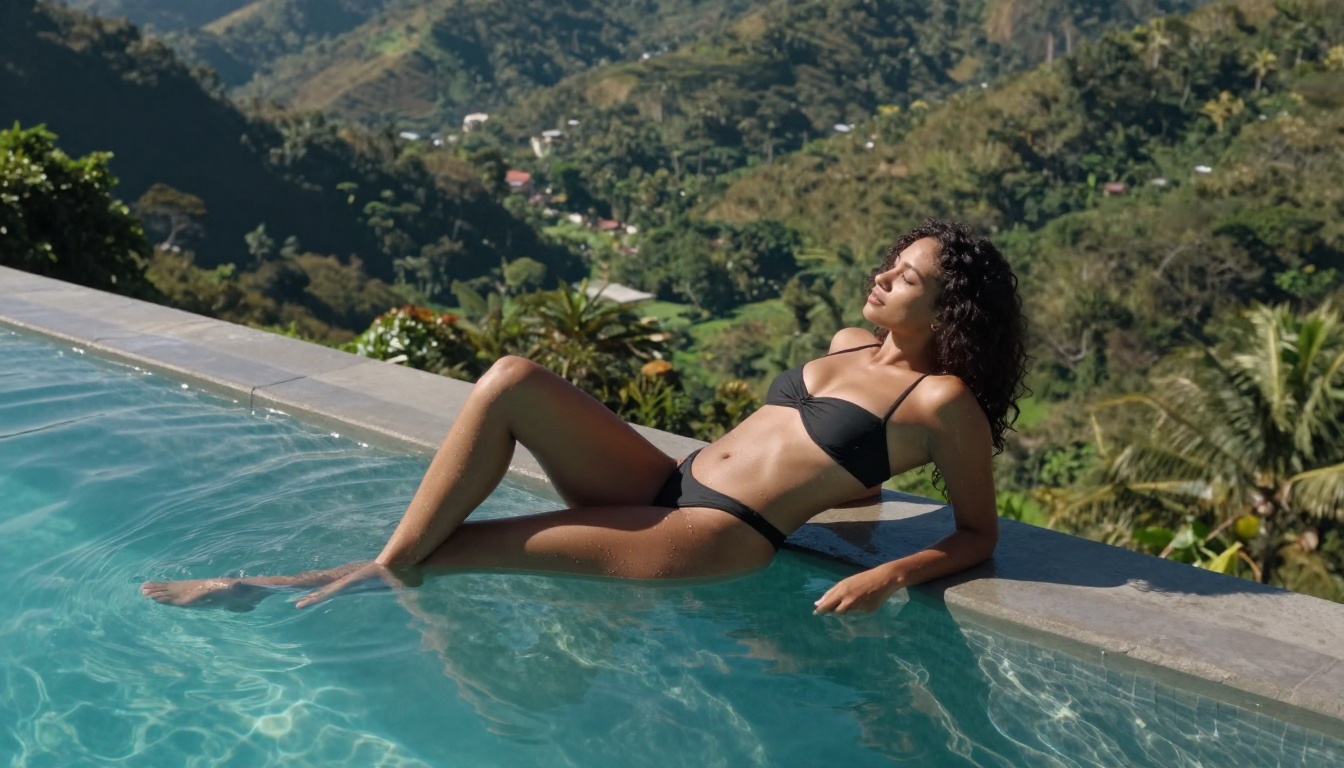
Step 1: Write a Specific, Layered Prompt
Seedream 4.5 responds to specificity. Vague prompts produce average results. Detailed prompts that describe the full scene, including environment, lighting, camera position, and subject details, produce outputs that match your creative intent closely.
Prompt structure that works:
[Subject + clothing details] [environment/location] [lighting direction and quality] [camera angle and lens] [mood/style]
Example: "Confident woman in a tiny coral string bikini standing at the water's edge of a tropical beach, golden afternoon sunlight from the right creating warm specular highlights on her bronzed shoulders, low-angle perspective from hip height looking slightly upward, Canon 5D 70-200mm compressed background, Fuji Velvia 100 film saturation, Kodak Portra 400 grain"
The model will use every element of that description. More detail produces more accurate alignment between what you imagined and what the model generates.
Step 2: Iterate Fast
At under 3 seconds per image, do not overthink the first result. Run the prompt, assess what worked and what did not, and change one variable. A different lighting direction, a shifted camera angle, a more specific fabric description. Because each iteration takes only seconds, you can reach the result you are looking for in a short session rather than waiting hours between adjustments.
💡 Tip: Run 3 to 5 variations of the same prompt before making changes. The model has natural variation, and one of those outputs may already be what you need. Compare before editing.
Step 3: Refine With Image Editor Pro
Once Seedream 4.5 produces a strong base image, bring it into PicassoIA Image Editor Pro for targeted refinements. Adjust the pose slightly, modify the clothing, change the background, or alter the lighting mood. Because Image Editor Pro works from an input image, it preserves the core likeness and composition from your Seedream result while applying text-directed changes to specific elements. The combination of these two models covers a complete image creation workflow without leaving the platform.
Free vs. Paid: What the Difference Actually Is
| Feature | Free Tier | Elite or Infinite Plan |
|---|
| NSFW content access | ✅ Full access | ✅ Full access |
| Image generations | Starter credits | Unlimited (Image Editor Pro) |
| Model library | Complete | Complete |
| Output quality | Same | Same |
| Generation speed | Full speed | Full speed |
| Watermarks on output | None | None |
| Video generation | Limited credits | Unlimited (PicassoIA Video) |
| Credit card required | No (3-gen trial) | Yes |
The free tier on PicassoIA does not restrict model access or output quality. You get the same generation speeds, the same model library, and the same output resolution as paid subscribers. The distinction is volume: paid plans remove the credit ceiling, which matters when you are running large batches rather than testing the platform.
💡 No watermarks on any tier. Your outputs belong to you at every subscription level. This detail separates PicassoIA from several competitors that watermark free-tier outputs to push users toward paid plans.
What PicassoIA Does Differently
Most NSFW AI tools that currently work are fragile. One policy update, one moderation layer added at the infrastructure level, and a previously uncensored model starts refusing adult prompts. PicassoIA's approach differs because it hosts models at the infrastructure level without adding content filters on top of models that do not carry them natively.

No Filters Added on Top of NSFW Models
When a model like Seedream 4.5 does not have built-in content restrictions at the model level, PicassoIA does not add a secondary moderation pass on top of it. Your prompt reaches the model as written. This matters because predictability is one of the most important qualities in a creative tool. You know what a given model will and will not generate based on its own documented behavior, not based on a platform-level filter that can change without notice.
Speed That Changes How You Work
Speed is not just a convenience feature on PicassoIA. When Seedream 4.5 delivers in under 3 seconds and P-Image delivers in under 1 second, the entire creative dynamic shifts. You stop planning every prompt meticulously because iteration is cheap. You try variations you would have skipped on a slower platform. The result is that you reach better outcomes faster, and the creative process feels closer to working with traditional digital tools than waiting on batch AI generation.
Models for Every Stage of a Project
PicassoIA's NSFW-capable model lineup covers every format and workflow stage:
That range means a single creative concept can move from a text prompt to a polished image to an animated video clip without switching platforms or searching for separate tools that each have their own censorship policies.
Full NSFW Model Rankings on PicassoIA
For reference, here is the complete ordered list of recommended models for adult content creation on the platform:
- Seedream 4.5 ⭐ — Top all-around NSFW model. Accepts adult content, supports image editing, and generates ultra-realistic results in under 3 seconds. (Seedream 5 Lite does not support NSFW.)
- PicassoIA Image Editor Pro — Img2img with unlimited generations on Elite and Infinite plans. That same volume would cost around $100 on models like Nano Banana 2. Accepts NSFW, returns results in under a second, and includes a 3-generation free trial with no credit card.
- Qwen Image 2 — Open-source model. Create or edit any image in seconds with very detailed realism and no content filters.
- Grok Imagine Image — Converts any image to a bikini format in a realistic way.
- Recraft V4 — Very realistic text-to-image results. NSFW accepted.
- P-Image — NSFW text-to-image generation in under 1 second.
- Wan 2.2 Image — Highly realistic images from text descriptions without content filters.
- Wan 2.2 I2v Fast — Convert static images into dynamic videos with smooth natural animation.
- PicassoIA Video — Unlimited video generation from text at up to 720p and 5 seconds per clip.
- P-Video — Text, image, or audio to video at up to 1080p. Safety filter off by default, with draft mode for instant previews.
- Grok Imagine Video — Clips up to 15 seconds from text, images, or existing video. No watermarks.
- LTX 2.3 Pro — Highest fidelity at up to 4K and 50fps, with retake and extend editing for precise control over every segment.
👉 Browse the full lineup at picassoia.com/en/all-models.
Start Generating Now
The fastest way to verify whether a tool fits your creative vision is to run a prompt and see what comes back. Every model on this list is accessible on PicassoIA without downloading software, without a lengthy approval process, and without providing payment information to test the platform.
Open Seedream 4.5, write the scene you have in mind with as much detail as you can, and the image will be back in under 3 seconds. If you want to test image editing specifically, start with the 3-generation free trial on PicassoIA Image Editor Pro with no credit card required.
The NSFW AI art tools that are actually free do not make you prove your intent before letting you create. They just generate. That is the bar the best platforms have reached, and PicassoIA is where most of those platforms are currently living.
👉 Explore every NSFW-capable AI model and start creating immediately at picassoia.com/en/all-models.


