You open a new adult AI generator, claim your free credits, type a careful prompt, and three renders later the counter reads zero. Come back tomorrow, the site says. That loop is the reality of NSFW AI free credits in 2027, and it explains why so many people bounce between sites hunting for the next welcome bonus.
This article lays out how daily limits are built, what the main kinds of free online generators actually give you, where the hidden costs sit, and which alternatives let you keep creating glamour, boudoir and swimwear imagery without watching a meter. Everything here stays on the non-explicit side: suggestive, stylish, photographic.
💡 Quick answer: Free tiers are built to sample, not to sustain. If you generate more than a few images a day, an unlimited option will cost you less time and frustration than chasing refills.
How Free Credits Actually Work
Almost every adult-friendly generator uses the same funnel. A free tier lets you try the output, a counter limits how much you can try, and a paid plan removes the counter. The details differ, but three patterns cover nearly everything you will meet.
Daily Credit Refills
The most common model hands out a fresh batch of credits every 24 hours. You claim them, spend them, and wait. Platforms such as SeaArt and PixAI have been described in reviews as working this way, though the exact number changes whenever the owners adjust pricing, so treat any figure you read (including in blog posts) as a snapshot.
What this means in practice:
- A basic render may cost a handful of credits, while higher resolution, upscaling or a premium model costs several times more.
- Credits usually do not roll over, so skipping a day wastes them.
- Some sites quietly raise the cost per image after launch, so a daily batch buys fewer renders than it did a few months earlier.
Sign-Up Bonuses That Run Out
The second pattern is a one-time bonus when you create an account. Mage.space, for example, has been reported as leaning on a sign-up gem bonus for free accounts, while other write-ups describe its free tier differently. That disagreement is itself a lesson: free terms shift, and old reviews go stale quickly.
A sign-up bonus feels generous on day one and useless on day three. If you only need a few test images, it works. If you want to iterate on a look, it will not stretch far enough.
Queues and Watermarks
Even when credits remain, free users often sit behind paying users in the queue. A render that takes ten seconds for a subscriber can take several minutes for you at peak hours. Many free tiers also stamp a watermark or cap resolution, which matters if you want to use the image as a wallpaper, a profile picture or a reference for further edits.
| Free-tier limit | What you feel | How often it appears |
|---|
| Daily credit cap | Stops mid-session | Very common |
| One-time bonus | Gone in a day or two | Common |
| Slow queue | Waiting minutes per image | Very common |
| Watermark | Unusable for sharing | Common |
| Resolution cap | Soft, small output | Common |
| Restricted model list | Weaker quality | Common |
Typical Daily Limits Compared

Exact numbers are a moving target, so rather than quote figures that will be wrong next month, here is how the main categories behave. Always check the current terms page before you rely on any of them.
What Free Tiers Usually Allow
| Platform type | Typical free allowance | Typical catch |
|---|
| Anime-focused daily-credit sites | Daily claim of credits | Illustration style, queue priority for paid users |
| Stable Diffusion front ends | Sign-up gems or limited free renders | Free terms change often, premium models gated |
| Companion-style adult sites | Small daily generation count | Chat features take priority over image quality |
| Mainstream tools (Leonardo, Ideogram, Adobe Firefly, Recraft) | Daily or monthly credits | Strict content policies, adult prompts often refused |
| Open model hosts | Free trial runs | Needs setup, inconsistent speed |
Hidden Costs
The listed limit is rarely the whole story. Here is what quietly eats your free allowance:
- Failed generations that still burn credits.
- Upscales and variations that cost more than the original image.
- Retries when anatomy or hands come out wrong, which is the norm rather than the exception.
- Account friction, from email verification to age checks to phone numbers.
💡 Tip: Keep a simple tally for one week. Count how many images you needed to get five usable ones. Most people find the ratio is closer to ten to one than two to one, and that ratio is what decides whether a free tier is workable.

Free Online Generators Worth Trying
Free does not mean useless. Used with realistic expectations, a few categories are worth a test run before you commit anywhere.
Anime-Focused Platforms
PixAI and similar sites are popular with people who want stylized characters, and their daily claim systems are among the more predictable. If you prefer illustration over photography, they are a reasonable place to spend a free allowance. If you want photorealistic glamour, this category is the wrong tool.
Stable Diffusion Front Ends
Browser-based front ends such as Mage.space give access to many community checkpoints, which makes them good for sampling styles. The trade-off is that free terms are inconsistent and the best checkpoints often sit behind a subscription.
Companion-Style Sites
Platforms like OurDream AI and PornJoy AI bundle image creation with character chat. Their free tiers usually allow a small number of images per day, and paid plans remove the limit. They suit people who want a persistent character more than a flexible photo studio.
Why Free Credits Fall Short
The limit on volume is only the first problem. Two quieter ones matter more once you use a generator regularly.
Silent Softening
Some tools never show an error when your prompt is too spicy. They simply return a toned-down image, with extra clothing, a cropped frame or a blurred area, and still charge you the credits. You pay for the refusal without being told it happened. If your outputs keep drifting away from your prompt, this is a likely cause.
Privacy and Data
Free sites need revenue from somewhere. Read the terms for how prompts and generated images are stored, whether they are used for training, and how long they are kept. Avoid uploading photos of real people, and never upload photos of anyone who has not agreed to it. Stick to fictional adult subjects and your own original prompts.
⚠️ Rule of thumb: If a site wants a lot of personal data in exchange for a handful of free images, the real price is your information.
Unlimited Alternatives on PicassoIA
If counting credits is what frustrates you, the fix is to move to tools that do not meter every render. PicassoIA gathers dozens of text-to-image models in one place, and the adult-leaning glamour use case, meaning swimwear, lingerie-style boudoir and editorial portraits, is where a few of them stand out. Browse the full lineup at picassoia.com/en/all-models.
Seedream 4.5 First
Seedream 4.5 is the model to open first. It produces sharp, high-resolution photographic images with convincing skin texture, believable fabric and natural light, which are exactly the details that make glamour imagery look real instead of plastic. It follows long, descriptive prompts closely, so you waste fewer renders on near misses.
Why it fits this topic:
- Strong photorealism for portraits, beachwear and boudoir scenes
- Handles detailed lighting and lens instructions well
- Fast enough to iterate several times in a single sitting
Image Editor Pro Next
PicassoIA Image Editor Pro is the second stop, and the one that answers the credit problem directly: unlimited generations. You can generate, tweak a pose, change an outfit color, adjust the background or fix a detail, then do it again, without a counter ticking down. For anyone who has burned through a daily allowance in ten minutes, that changes how you work. You stop rationing prompts and start experimenting.
Other Models Worth a Look
After those two, these models are good additions to your rotation:
💡 Workflow idea: Draft quickly with Z Image Turbo, pick the strongest composition, then rebuild it in Seedream 4.5 for the final high-detail version.
How to Use Seedream 4.5 on PicassoIA

The process takes under a minute once you know the flow.
Steps
- Open the Seedream 4.5 page on PicassoIA.
- Write your prompt in plain language, starting with the subject and ending with camera and lighting details.
- Choose a 16:9 ratio for wallpapers and banners, or a portrait ratio for social posts.
- Generate, review the result, and adjust one variable at a time.
- When the composition works, refine it in Image Editor Pro to change small details without starting over.
Parameter Tips
- Prompt length: 50 to 80 words works well. Seedream 4.5 rewards specifics such as fabric, lens and light direction.
- Lighting: name it. "Warm window light from the left" beats "good lighting" every time.
- Lens: phrases like "85mm f/1.8" push the model toward portrait-style depth of field.
- Skin and texture: ask for "visible pores, natural sheen" to avoid the airbrushed look.
- Iteration: change one thing per run so you can tell which edit made the difference.
Prompts That Stretch Every Credit
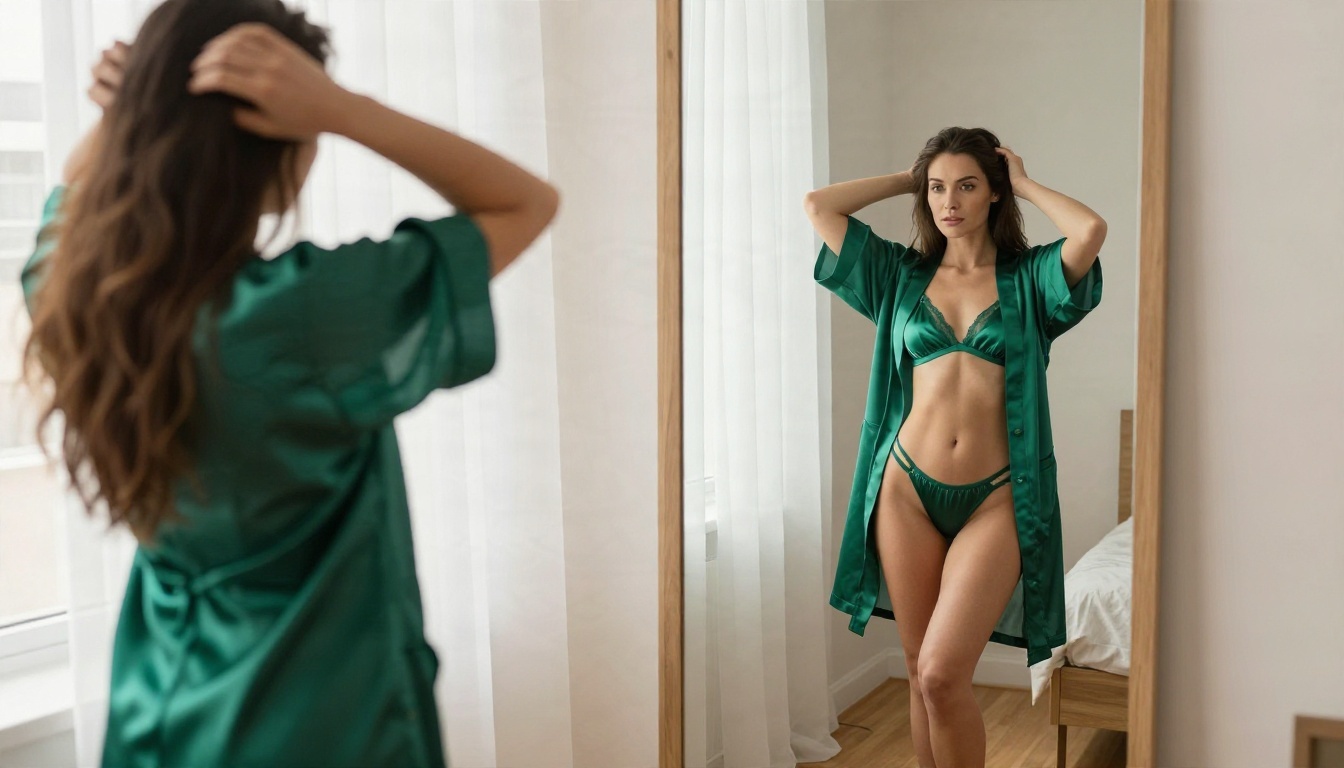
Whether you stay on a free tier or move to an unlimited model, better prompts mean fewer wasted renders. A reliable structure looks like this:
Subject and pose → setting → lighting → camera and lens → texture details → mood
Here is an example you can paste and adapt:
Adult woman in an emerald silk robe standing beside a tall bedroom mirror, soft window light from the left, hardwood floor, full-length frame from slightly behind, 35mm f/2 lens, silk sheen and natural skin texture, Kodak Portra 400 film grain, tasteful boudoir style.
Habits that save credits:
- Describe what you want, not a list of what to avoid.
- Keep outfits and poses suggestive rather than explicit. Models respond better, and results look more polished.
- Reuse a prompt that works and change a single detail, such as the dress color or the time of day.
- Save your best prompts in a note so you never start from scratch.
| Habit | Credits saved |
|---|
| Fixed prompt structure | Fewer misses per session |
| One change per run | Faster to find what works |
| Draft on a fast model | Cheap tests before final renders |
| Final render on a strong model | One good image instead of ten average ones |
Start Creating Without a Meter

Free credits are a fine way to sample a tool and a poor way to build a routine. Daily caps reset on someone else's schedule, queues favor paying users, and silent softening wastes the allowance you do get. The better move is to pick tools that let you work at your own pace.
Here is a simple plan for this week:
- Open Seedream 4.5 and generate three portraits using the prompt structure above.
- Take your favorite into PicassoIA Image Editor Pro and adjust the outfit, the background and the light, as many times as you like.
- Try Qwen Image 3 Pro or Hunyuan Image 3 to compare looks.
- Browse everything else at picassoia.com/en/all-models.
Write your own prompts, experiment with poses, lenses and light, and see how far a single idea can go when nothing is counting down. Your first render is one prompt away on PicassoIA.


