Free, uncensored, with native audio baked in from the first frame: Seedance 2.0 by ByteDance is the NSFW AI video model most creators have been waiting for. Unlike most text-to-video tools that quietly block adult content at the prompt-evaluation stage, Seedance 2.0 on PicassoIA generates realistic video clips without filtering. You write the prompt, the model generates the clip, the audio appears automatically. No separate synthesis step, no muted output, no surprise rejection messages.

What Seedance 2.0 Actually Does
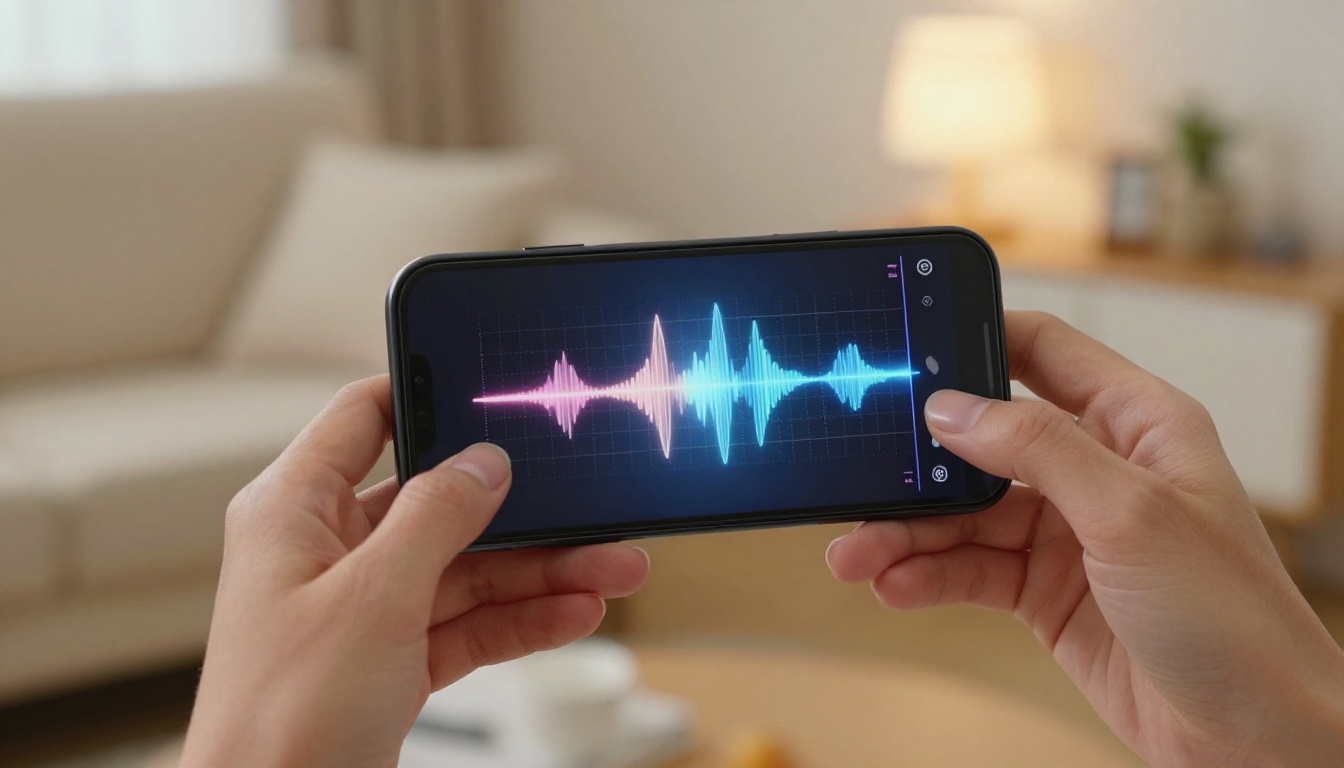
Seedance 2.0 is a video generation model built by ByteDance and accessible through PicassoIA. It supports both text-to-video and image-to-video workflows, produces output at resolutions up to 1080p, and generates native synchronized audio as part of the same inference pass. There is no separate audio model, no post-processing step, and no muted placeholder track. The audio is generated alongside the visual frames and is synchronized to the motion in the scene.
Built-in Audio Changes Everything
Most AI video tools either skip audio entirely or bolt it on through a separate model. The result is clips that feel hollow: the kind of output that looks impressive in a thumbnail but falls flat the moment it plays. Seedance 2.0 generates environmental sound that tracks with the visual content, ambient room tone, soft fabric sounds, the subtle atmosphere of the scene you described. For adult content creators, this is the difference between a clip that passes as real and one that obviously reads as synthetic.
The synchronization is handled at the model level, not in post. That means you do not need to align waveforms or adjust timing manually after export. What the model renders is what you get.
Two Variants: Standard vs. Fast
PicassoIA offers two Seedance 2.0 variants with different speed and resolution tradeoffs:
| Variant | Resolution | Speed | Best Use Case |
|---|
| Seedance 2.0 | Up to 1080p | Standard | Final renders, high-fidelity output |
| Seedance 2.0 Fast | Up to 720p | Faster | Prompt testing, rapid iteration |
The recommended workflow is to use Fast at 720p while refining your motion prompt, then run the winning prompt through standard Seedance 2.0 at 1080p for the final output. This saves generation time without sacrificing quality on your deliverable.
Both variants handle adult content without filtering at the generation layer. PicassoIA does not restrict NSFW prompts for either Seedance 2.0 variant.
Best NSFW Video Models on PicassoIA

Seedance 2.0 is not operating in isolation. PicassoIA hosts a full ecosystem of NSFW-capable models covering image generation, image editing, and video generation. Here is the complete recommended lineup ordered by performance and relevance to adult content workflows.
Image Models: Source Frames and Stills
-
Seedream 4.5 ⭐ The top recommendation for NSFW source image generation. Accepts adult content, supports image editing, and delivers highly realistic output in under 3 seconds. The newer Seedream 5 Lite does not support NSFW content, so stay with 4.5 for adult workflows.
-
PicassoIA Image Editor Pro Img2img with unlimited generations on Elite and Infinite plans. Generate 1,000 source images at no additional cost. On credit-based models like Nano Banana 2, 1,000 images would run about $100. Accepts NSFW, delivers results in under a second, and includes a 3-generation free trial without a credit card.
-
Qwen Image 2 Open-source text-to-image and image editing with very detailed realism. Handles complex scene compositions without content filtering.
-
Grok Imagine Image Specializes in converting any source photo to a bikini or swimwear format in a highly realistic way. Excellent for image-to-video source prep.
-
Recraft V4 Text-to-image only, but output realism is very high. Use it when you want a clean, detailed source image from a purely text-based prompt.
-
P-Image NSFW text-to-image in under 1 second. The fastest option for rapid-fire image generation and preview workflows before committing to full video pipelines.
Video Models
-
Seedance 2.0 Native audio, 1080p output, text-to-video and image-to-video, no content filtering. The primary choice for NSFW video creation.
-
PicassoIA Video Unlimited video generation from text prompts at up to 720p and 5 seconds per clip. No per-generation cost on eligible subscription plans.
-
P-Video Text, image, or audio to video at up to 1080p with duration adjustable from 1 to 10 seconds. Its safety filter is disabled by default, meaning prompts are not evaluated for adult content before generation begins. Draft mode provides instant low-resolution previews before the final render.
-
Grok Imagine Video Clips up to 15 seconds from text, a reference image, or an existing video. No watermarks, 720p or 480p output across eight aspect ratios.
-
Wan 2.2 I2V Fast Animates still images into dynamic video clips with smooth, natural motion. A strong choice for image-to-video when you need speed without sacrificing motion quality.
-
LTX 2.3 Pro The highest-fidelity option on the platform. Up to 4K at 50fps with retake (replace a specific segment without re-rendering the full clip) and extend (append footage before or after the existing clip). Best for production-ready deliverables.
💡 Workflow tip: Lead every NSFW video pipeline with Seedream 4.5 for source images, then feed those stills into Seedance 2.0 for animation. For unlimited source image volume, swap in PicassoIA Image Editor Pro.
How to Use Seedance 2.0 on PicassoIA
PicassoIA wraps Seedance 2.0 in a clean interface that requires no API access and no technical setup. You access it directly from the model page, configure your parameters, and generate. Here is the complete process from source image to final video clip.
Step 1: Generate Your Source Image

Image-to-video consistently outperforms text-to-video for NSFW scenes because you control exactly how the subject appears in the first frame. The video model then animates from that controlled starting point rather than inventing subject appearance from scratch.
Navigate to Seedream 4.5 and generate a source image with these qualities:
- Static or near-static pose: Less ambiguity for the video model about where the motion starts
- 16:9 aspect ratio: Matches standard video output dimensions
- Clear spatial depth: Distinct foreground subject, identifiable midground, blurred background
- Defined lighting direction: Name it explicitly ("morning light from the left window") because the video model preserves and extends it
- Single dominant subject: Multiple subjects in motion tend to generate artifacts at the edges
Save the output image URL or download the file. You will use it as the input for Seedance 2.0 in the next step.
Step 2: Open Seedance 2.0 and Configure
Navigate to Seedance 2.0 on PicassoIA. Upload the source image or paste its URL into the image input field.
Set your resolution before writing the motion prompt:
Step 3: Write the Motion Prompt
The motion prompt for Seedance 2.0 describes what happens during the clip, not what the scene looks like. Since the source image already defines the visual, your prompt focuses entirely on movement, camera behavior, and atmosphere.
Four elements of a strong Seedance 2.0 motion prompt:
- Subject motion: What the subject does during the 5-10 second clip
- Camera behavior: Slow dolly-in, gentle pan, static hold, subtle tighten
- Environmental motion: Fabric movement, hair catching wind, water ripple, curtains shifting
- Atmosphere: The emotional tone the motion should carry
Prompt template:
[Subject starting action] → [transition or movement] + [camera motion] + [environmental detail] + [atmosphere/lighting note]
Example prompts by scene type:
| Scene | Motion Prompt Example |
|---|
| Intimate | "Woman in silk lingerie lying on white sheets slowly turns head toward camera, lips parting slightly, slow cinematic dolly-in, sheer curtains drifting in soft breeze, warm golden morning light" |
| Beach | "Woman in red bikini seated at water's edge, ocean waves gently washing over her feet, she glances toward camera over her shoulder, wide static shot holds, warm afternoon sun from behind" |
| Portrait | "Woman in black evening wear lifts gaze directly toward camera, a slight smile forms, camera gently tightens to medium close-up, soft rim light catches the detail of her neckline" |
Keep prompts between 30 and 60 words. Very long prompts cause the model to attempt too many events within a 5-second window, resulting in rushed or incoherent motion output.
Step 4: Generate, Evaluate, Iterate
Run the generation. Seedance 2.0 returns a video clip with native synchronized audio. Evaluate three things:
- Does the motion match your prompt intent?
- Does the audio fit the scene atmosphere?
- Is the resolution and sharpness sufficient for the intended use?
If the motion is right but you want higher resolution, run the same prompt through standard Seedance 2.0 at 1080p. If the motion needs adjustment, continue iterating in Fast mode at 720p until the result is what you want, then do the final render at full resolution.
NSFW Images That Power Your Videos

The quality ceiling of any image-to-video workflow is determined by the quality of the source image. A poorly composed or low-detail source produces a poorly composed, low-detail video regardless of how capable the video model is. These two image models raise that ceiling significantly for NSFW content.
Seedream 4.5 in Depth
Seedream 4.5 generates extremely realistic stills in under 3 seconds. The model handles adult content without restrictions and supports image editing, meaning you can take a generated result and modify specific elements without regenerating the entire image from scratch.
For building NSFW video source images, focus on four prompt elements that translate well to video motion:
- Pose specificity: Describe the exact pose and body position in detail. Vague poses lead to inconsistent first frames.
- Lighting precision: Name the light direction and quality explicitly. "Volumetric morning light from the left window at 45 degrees" is far more actionable for the model than "nice lighting."
- Fabric and texture detail: Specify the material ("white silk sheets," "sheer lace trim"). Seedream 4.5 renders textures with enough fidelity that they survive and animate naturally through the video transition.
- Depth of field: Describe your desired depth relationship between subject and background. Shallow depth of field in the source image produces cleaner bokeh in the animated output.
PicassoIA Image Editor Pro for Volume Work
When building a content library at scale, the cost-per-image matters. PicassoIA Image Editor Pro removes the per-image cost entirely on Elite and Infinite plans. You can produce 1,000 source images for zero incremental credit cost. On a model like Nano Banana 2, that same volume would run approximately $100.
The model works as img2img: bring a reference image and describe the variation you want. For NSFW video pipelines, the workflow is:
- Generate a base source image of your subject with Seedream 4.5
- Use Image Editor Pro to produce variations: different outfits, lighting adjustments, pose modifications, expression changes
- Feed each variation into Seedance 2.0 as a distinct source frame for individual video clips
This produces a content library of related clips with consistent subject identity but varied visual details across the set. Results return in under one second. A free 3-generation trial is available without a credit card.
Seedance 2.0 vs the Competition

Here is how Seedance 2.0 compares against the other available free NSFW AI video options, including everything accessible on PicassoIA:
| Tool | NSFW Support | Max Resolution | Native Audio | Watermark | Duration |
|---|
| Seedance 2.0 | ✅ Yes | 1080p | ✅ Yes | None | Up to 10s |
| Seedance 2.0 Fast | ✅ Yes | 720p | ✅ Yes | None | Up to 10s |
| P-Video | ✅ Filter off | 1080p | ✅ Yes | None | 1-10s |
| Grok Imagine Video | ✅ Yes | 720p | ✅ Yes | None | Up to 15s |
| LTX 2.3 Pro | ✅ Yes | 4K/50fps | Limited | None | Adjustable |
| Most mainstream platforms | ❌ Blocked | Varies | Varies | Sometimes | Varies |
The pattern is consistent: mainstream platforms block adult content at the prompt-evaluation stage, before generation even begins. PicassoIA does not apply that block to Seedance 2.0 or the other models listed above.
The core differentiator for Seedance 2.0 specifically is the combination of three features: no content filtering, native audio generation, and up to 1080p output. Most alternatives offer two of the three at best.
For longer clips (up to 15 seconds), Grok Imagine Video is the better tool. For the absolute highest quality with professional finishing capabilities, LTX 2.3 Pro delivers 4K at 50fps with retake and extend editing for precise control over the final cut.
💡 The optimal NSFW video setup for most creators: Seedance 2.0 at 1080p for standard clips, Grok Imagine Video when you need sequences up to 15 seconds, and LTX 2.3 Pro when the output needs to be production-quality for a client or publication.
7 Tips for Better NSFW AI Videos
After running extensive NSFW AI video generation workflows, these are the adjustments that produce the most significant quality improvements:
1. Use image-to-video instead of text-to-video for precise scenes.
When the subject's appearance matters, start from a generated still. Text-to-video requires the model to invent the entire scene from scratch, which introduces variance you cannot control. Image-to-video eliminates that variable by locking in the first frame.
2. Keep motion descriptions to one or two actions.
"She slowly turns toward the camera, lips parting slightly" is a strong motion prompt. "She stands up, walks forward, leans down, then looks back over her shoulder" attempts too many events in 5 seconds and produces rushed, artifact-prone motion output.
3. Match the aspect ratio of source image to video output.
A 16:9 source image paired with a 16:9 video output produces clean results. Mismatched ratios create cropping artifacts or letterboxing that immediately signals synthetic content.
4. Run every motion prompt in Fast mode first.
Small wording changes produce noticeably different results. "Slow dolly-in" versus "gentle cinematic zoom" feel similar on paper but generate different camera behaviors. Use Seedance 2.0 Fast at 720p to test prompt variants, then commit the winner to a full 1080p render.
5. Add one environmental motion element to every prompt.
Static backgrounds are one of the most obvious signals that a video is AI-generated. Including fabric movement, hair catching wind, water rippling in the background, or curtains shifting adds enough organic motion to make the scene feel real.
6. Batch source images with PicassoIA Image Editor Pro before generating videos.
Generate your base image with Seedream 4.5, then use Image Editor Pro to produce 10 or 20 variations at no additional cost. Running those through Seedance 2.0 gives you a library of related clips without paying per-image generation fees.
7. Describe the lighting direction explicitly in every prompt.
"Warm light from the window on the left" produces a different result than "soft ambient lighting." The more precisely you name the light source, direction, and quality in your prompt, the more consistent and cinematic the video output becomes.
Start Creating Now
The tools exist, they are free to access, and they produce results that would have required professional equipment and significant budget just a few years ago. Seedance 2.0 on PicassoIA combines no content restrictions, native synchronized audio, and 1080p output in a single model. Pair it with Seedream 4.5 for source image generation and you have a complete NSFW AI video pipeline that runs entirely in a browser.
For high-volume workflows, add PicassoIA Image Editor Pro for unlimited source image generation at no additional cost per image, and use Seedance 2.0 Fast for rapid prompt iteration before committing to full-resolution renders.
When you need longer clips, Grok Imagine Video handles up to 15 seconds without watermarks. When you need 4K production quality with frame-level editing control, LTX 2.3 Pro is the right tool.
The full catalog of uncensored, high-performance AI models for image, video, and editing is at picassoia.com/en/all-models. Every model in this article is live and generating right now.


