Product video ads used to require a full production crew, expensive equipment, and days of post-production. Today, a single AI model handles what once cost thousands per clip. Seedance 2.0, ByteDance's high-fidelity video generation model, has become a go-to tool for brands that need scroll-stopping ads without the overhead. This article walks through the exact process from source image to final export, with real prompt formulas, platform specs, and workflow tips that separate average product ads from ones that actually convert.
What Seedance 2.0 Actually Does
Most people treat video generation models as black boxes. That's a mistake. Knowing what's happening inside Seedance 2.0 lets you write better prompts and get consistent results at scale.

How the Model Reads Your Input
Seedance 2.0 is an image-to-video model. It takes a static image as its first frame and a text prompt describing the motion, then generates a fluid video that starts from that image and evolves according to your description. The model doesn't hallucinate a completely new scene. It extends and animates what already exists in your product photo.
This is why source image quality matters more than the prompt. A sharp, well-lit product photo will always outperform a blurry or poorly composed one, regardless of how detailed your text instruction is.
The model produces up to 1080p resolution output. When accessed through PicassoIA, you get cloud-based GPU rendering with no local hardware requirements. No graphics card needed on your machine.
Built-In Audio Explained
Unlike earlier video models that delivered silent clips, Seedance 2.0 generates synchronized ambient audio natively. For product ads, this matters. A skincare serum video gets subtle spa-like background tones. A sneaker ad gets street ambiance. The audio isn't always perfect, but it provides a production baseline you can build on.
💡 Tip: If the native audio doesn't fit your brand tone, use Thinksound to add contextually accurate sound effects, or Video Audio Merge to drop in your own licensed track after generation.
Setting Up Your Product Shot
Before you generate a single second of video, your source image needs to be right. The output can only be as good as the input frame.

Source Image Requirements
| Attribute | Recommended |
|---|
| Resolution | 1920x1080 or higher |
| Format | JPEG or PNG |
| Lighting | Soft, directional, no harsh shadows |
| Background | Clean, neutral, or context-appropriate |
| Product position | Centered or slightly off-center |
| Depth of field | Shallow preferred for hero shots |
The cleaner your image, the more predictably Seedance 2.0 animates it. Cluttered backgrounds with multiple competing subjects confuse the motion engine and produce inconsistent output.
What works best:
- Single hero product on a clean surface
- Natural or studio lighting with a defined shadow direction
- Product shot already cropped to the desired aspect ratio
What to avoid:
- Composite images with visible post-processing cutouts
- Heavy editing with crushed blacks or blown highlights
- Multiple products competing for the same focal plane
Vertical vs. Horizontal Framing
Your aspect ratio choice locks in your distribution channel before you write a prompt. Instagram Reels, TikTok, and YouTube Shorts demand 9:16 vertical. Meta Feed and YouTube pre-roll expect 16:9 horizontal. LinkedIn sponsored content works in 1:1 or 16:9.
💡 Tip: If you need to repurpose a 16:9 product video for vertical platforms without regenerating it, use Reframe Video on PicassoIA to reframe the composition automatically.
Shoot your source images at the correct ratio from the start. Cropping after generation degrades quality and cuts off product details you need in the final frame.
Writing Prompts That Sell

Prompt writing for product ads differs from general creative video prompts. You're not trying to create atmosphere for its own sake. You're trying to make a product look desirable in motion.
The Anatomy of a Product Ad Prompt
A strong Seedance 2.0 product ad prompt has four components:
- Subject behavior: What is the product doing? Rotating, held still while light moves across it, or rising into frame?
- Camera movement: Slow dolly-in, gentle push-back, static hold, or slow pan across the product
- Atmosphere: Lighting quality, time of day, environmental context
- Emotional tone: The feeling the 5 seconds should produce in the viewer
Here is a working template:
[Product action] + [camera movement] + [lighting condition] + [atmospheric detail], photorealistic, cinematic, 8K
Example for a skincare serum:
"The amber glass serum bottle slowly rotates clockwise on a white marble surface, camera gently dollies in from 80cm to 40cm, morning volumetric sunlight sweeps left to right across the bottle casting a moving shadow, photorealistic, cinematic product photography, 8K resolution"
Motion Words That Convert
Not all motion prompts perform equally. These phrases consistently produce high-quality results in Seedance 2.0:
High-performing motion phrases:
- "slow rotation on axis"
- "gentle dolly-in"
- "light sweep left to right"
- "slow push-forward"
- "rising from below frame"
- "soft focus rack from background to product"
Phrases that cause problems:
- "exploding" or "shattering" (triggers inconsistent physics simulation)
- "flying through air" (loses product grounding and looks artificial)
- "zoom to extreme macro" (often produces geometric distortion)
- Vague terms like "dynamic" or "energetic" without specific descriptors
How to Use Seedance 2.0 on PicassoIA

PicassoIA hosts Seedance 2.0 alongside its Mini and Fast variants, giving you three speed and quality tradeoffs for different production needs.
Step 1: Open the Model Page
Navigate to the Seedance 2.0 page on PicassoIA. The image upload zone and prompt field are visible on the main interface. No installation is required. The model runs entirely in your browser with cloud GPU backing.
If you need faster turnaround for rapid iteration and are willing to trade some quality, Seedance 2.0 Fast cuts generation time significantly. For shorter, social-first clips without a source image, Seedance 2.0 Mini offers efficient text-to-video in a lightweight format.
Step 2: Upload Your Product Image
Click the image upload zone and select your pre-prepared product photo. The model accepts JPEG and PNG formats. Upload at 1920x1080 pixels minimum for best results. The system uses your uploaded image as the locked first frame of the generated video.
Critical checks before uploading:
- Verify the image is sharp at 100% zoom with no motion blur
- Confirm the product is clearly visible and not partially cropped
- Ensure the background is clean with no distracting elements near the product edges
Step 3: Write the Prompt
Paste your prompt into the text field. Keep it under 200 words but pack it with specific motion and lighting details. Vague prompts produce vague results.
💡 Pro tip: Write the prompt as if you're directing a cinematographer on a physical set. "Slowly rotate the product while the camera holds still" is clearer and produces better output than "make it look cool."
Step 4: Generate and Export
Click generate. Seedance 2.0 typically takes 1 to 3 minutes per clip depending on server load. Once the video appears, preview it in full before downloading.
If the motion is too aggressive, reduce kinetic language in your prompt and regenerate. If the clip feels flat, add camera movement instructions. Two to three generations per product is a standard workflow for most ads.
Download your clip as MP4. It arrives ready for direct upload to Meta Ads Manager, TikTok Ads, or YouTube Studio.

Most early product ad failures come down to the same three errors.
Too Much Motion Kills the Product
The product is the hero. The moment motion takes over, viewers stop seeing the product and start watching the animation. Slow, deliberate motion with a mostly static camera outperforms busy, fast movement in product ad contexts every time.
Rule of thumb: If you can't clearly read the product label or recognize the product shape at any point during the 5-second clip, the motion is too aggressive. Pull back, slow it down, and let the product breathe.
Wrong Aspect Ratio Costs Reach
Posting a horizontal product clip on TikTok gets automatically pillarboxed with black bars. This tanks performance because the platform treats pillarboxed content as low-quality and the algorithm deprioritizes it before it reaches your target audience.
Always generate at the destination platform's native ratio. If you're posting the same ad on multiple channels, generate separate versions rather than cropping one single master file.
Ignoring Audio Sync
If your final video uses music that doesn't match the pacing of the visual motion, the ad feels wrong even when viewers can't explain why. Human brains expect audio and visual rhythm to align. A slow, elegant product rotation paired with fast EDM creates cognitive friction that makes viewers scroll past.
Match your audio tempo to the clip's visual pace before publishing. This single adjustment can meaningfully improve completion rates.
How Seedance 2.0 Stacks Up

When choosing a model for product ads, the tradeoffs matter. Here's how the main options compare for commercial use.
For pure product advertising, Seedance 2.0 sits in the strongest position because it combines realistic product rendering, native audio, and acceptable generation speed. It's not the fastest or highest-resolution option, but it produces consistent, commercially usable output with minimal iteration.
Editing Your Video After Generation
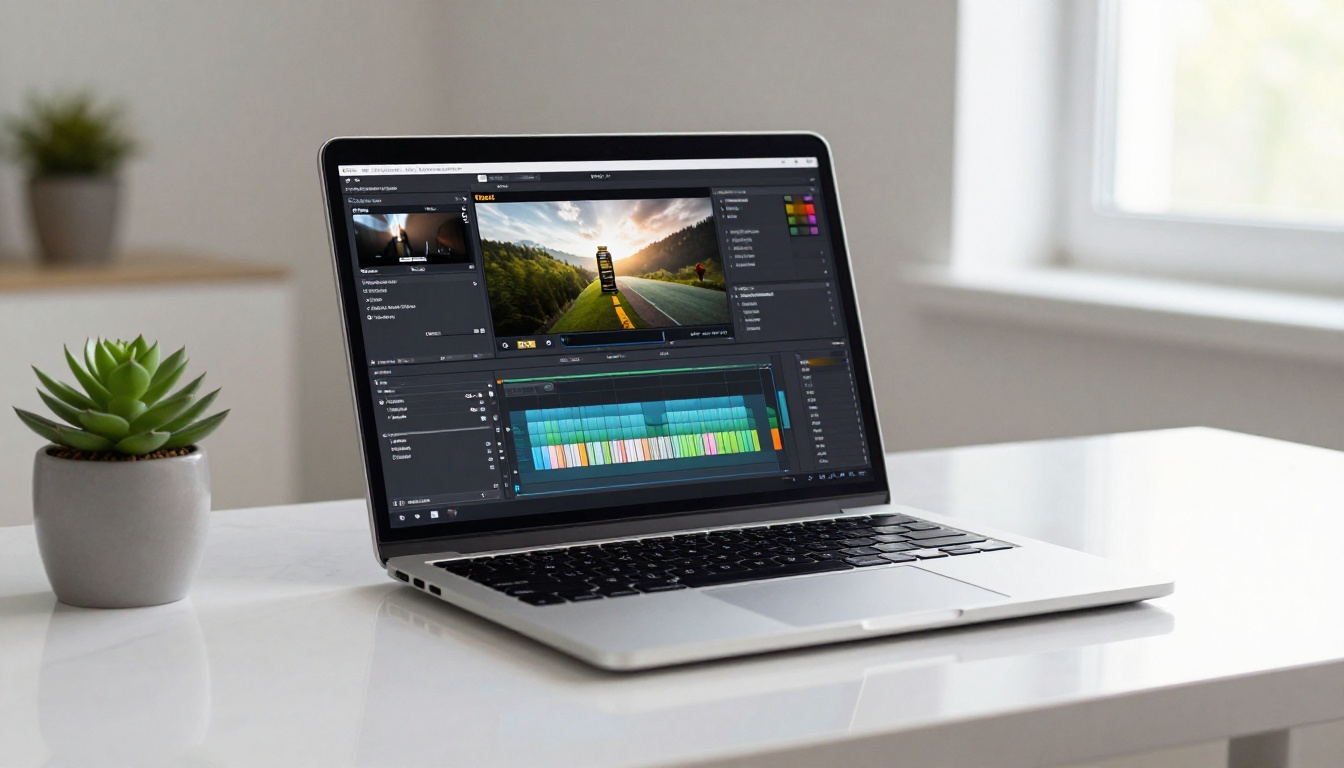
Raw Seedance 2.0 output is a strong starting point. A few targeted edits push it from "generated video" to "polished ad."
Captions and Text Overlays
Product ads increasingly need text overlays to communicate the value proposition in the first 2 seconds, particularly for viewers who watch with sound off. Use Autocaption on PicassoIA to add styled subtitles, or manually overlay product benefit text in your preferred editor.
Caption best practices for product ads:
- Place text in the bottom third to avoid covering the product
- Use high-contrast text color against the video background
- Limit to 6 words per caption card
- Keep each card on screen for at least 1.5 seconds
Upscaling for Premium Placements
If your product ad will appear on connected TV or digital out-of-home screens, a 1080p clip may not meet placement specifications. Use Video Increase Resolution to upscale your Seedance 2.0 output to 4K or 8K for programmatic TV and streaming platform placements. The AI upscaler adds realistic detail rather than applying simple bilinear scaling, which preserves the photorealistic quality of your original product shot.
For standard social platforms, the native 1080p output is fully adequate.
Where to Post Your Seedance 2.0 Ads
Different platforms have different technical requirements. Getting the specs right means your ad auto-plays cleanly without compression artifacts or pillarboxing penalties.
| Platform | Preferred Ratio | Max File Size | Min Resolution | Recommended Length |
|---|
| Instagram Reels | 9:16 | 650MB | 720p | 5-15s |
| TikTok Ads | 9:16 | 500MB | 720p | 5-10s |
| Meta Feed | 1:1 or 16:9 | 4GB | 1080p | 6-15s |
| YouTube Pre-roll | 16:9 | 128GB | 1080p | 6-15s |
| LinkedIn Sponsored | 1:1 or 16:9 | 200MB | 360p | 10-30s |
Seedance 2.0's 5-second clip duration hits the sweet spot for TikTok and Instagram Reels placements. For longer placements like LinkedIn or YouTube, consider generating two to three 5-second clips and merging them using Video Merge on PicassoIA to build a seamless 10 to 15 second sequence.
💡 Tip: Before uploading to Meta Ads Manager, run your clip through Featured Vid to compress it to web-optimal file sizes without visible quality loss.
Start Making Ads Today

The bar for product video advertising has shifted. Static images in paid ad placements consistently underperform against video, and the cost of producing that video has dropped to near zero with models like Seedance 2.0.
The process is straightforward: prepare a sharp source image, write a specific motion prompt with camera direction and lighting language, generate on PicassoIA, refine in two to three iterations, then edit and export.
Once you have the workflow down, PicassoIA's catalog gives you more to work with. Seedance 2.5 handles longer 30-second clips for brand storytelling formats. Aleph 2 restyles existing footage without regenerating from scratch. Wan 2.7 Videoedit lets you edit generated videos with text instructions after the fact, cutting down revision cycles significantly.
Every product deserves to be seen in motion. Open PicassoIA and generate your first product ad today.


