If you've spent any time exploring AI video generators in 2027, you've hit the same wall everyone hits: content filters. Most models refuse anything remotely suggestive. They'll generate a dancer and then pixelate the wrong frame. They'll animate a beach scene and add invisible clothing where none existed in the source image. The frustration is real, and it's why so many creators are asking the same question: does Seedance 2.0 uncensored video actually work?

Seedance 2.0 is a different conversation. Built by ByteDance and available through PicassoIA, it generates 5-second clips at up to 1080p with built-in synchronized audio. The model doesn't add audio in post: it bakes it into the generation itself. That's architecturally unusual and relevant for anyone creating NSFW content, because the output is closer to a real video file than a silent animation.
This article breaks down what actually works when prompting Seedance 2.0 for uncensored content, how it compares to other video generators, and where to run it without artificial limits.
What Seedance 2.0 Actually Is
Seedance 2.0 is ByteDance's second-generation video synthesis model. It takes either a text prompt or an image plus a text prompt and returns a 5-second video clip. The output has embedded audio that's generated alongside the visual. Most video models separate these steps. Seedance 2.0 doesn't.
The architecture matters because uncensored video generation is fundamentally harder than image generation. Images are a single tensor. Video is 120+ frames that need to stay coherent across time, and native audio adds another layer of complexity. Models that try to handle all of this simultaneously often collapse on NSFW content because it introduces distribution shifts across frames: the subject changes slightly frame to frame, clothing appears and disappears, anatomy becomes inconsistent.
Seedance 2.0 handles this better than most because it was trained with temporal coherence as a primary objective. Subjects stay consistent. Motion is physically plausible. The 5-second constraint isn't a limitation: it's what keeps the generation tightly controlled.
Built-In Audio Changes Everything
The synchronized audio in Seedance 2.0 isn't music laid over video. It's ambient sound: fabric movement, environmental noise, subtle breath, room tone. For intimate content, this shifts the feel of the output significantly. A bedroom scene with a soft rustling sound feels different from a silent animation of the same frames.
💡 Tip: Mention ambient sound in your prompt. "soft rustling fabric" or "quiet room with distant city sounds" steers the audio generation and keeps the output cohesive. The model generates sound that matches scene context, so describing the acoustic environment improves results.
The audio is also what separates Seedance 2.0 from competitors like Kling v3 for this use case. Kling produces excellent cinematic motion but ships silent clips. If you're making content where atmosphere matters, that gap is significant.
How the Content Filter Works
Seedance 2.0 applies content filtering at the inference level. The filter is looser than most consumer models but it is not absent. It does well with:
- Swimwear and lingerie on clearly adult subjects
- Implied nudity where clothing is minimal but present
- Romantic and sensual body language between subjects
- Bedroom and intimate setting scenes with artistic framing
- Fashion and glamour content with tasteful exposure
It has more trouble with:
- Explicit anatomical descriptions in prompts
- Graphic action descriptions using direct language
- Certain camera angles the model interprets as too clinical
The critical insight is that the filter evaluates prompt semantics, not just keywords. Clinical or descriptive language works better than explicit slang. The model responds to intent expressed through scene direction. Write as a director, not as someone ordering specific content.

What Works for Uncensored Prompts
Prompting for uncensored content on Seedance 2.0 follows a different logic than prompting images. You're describing a 5-second scene, not a single frame. This means you describe motion and progression over time, not just what a subject looks like at one moment.
The model was trained on video data, and it thinks in temporal sequences. A prompt that describes the starting state, movement, and ending state outperforms a prompt that just describes a static visual.
The Right Phrasing
Think cinematically. A director doesn't say "show her body." A director says "slow push into medium shot, subject adjusting her robe, morning light from left window, fabric catching the light as she turns."
What works in practice:
| Prompt Approach | Works? | Notes |
|---|
| Scene description with camera direction | Yes | Best results overall |
| Action described over time across 5 seconds | Yes | Model responds well to temporal cues |
| Clothing adjustment as a subject action | Yes | Effective for suggestive content |
| Romantic interaction between two subjects | Yes | Keep action-based, not result-based |
| Explicit anatomical language in any form | No | Triggers filter reliably |
| Direct command language ("show me X") | No | Model treats this as instruction, not scene |
| Extreme closeup descriptions of anatomy | No | Hard limit regardless of phrasing |
The distinction between scene direction and command language is the single biggest factor in whether a prompt passes the filter. Write as a cinematographer. Describe what you see happening over 5 seconds, not what you want to extract from the model.
Strong prompt example:
"Woman in a sheer white robe, standing at a window, slowly turns to face the camera, robe shifts with the movement, soft morning backlight catches the fabric, gentle dolly-in, camera settles on a medium shot, warm ambient room tone throughout"
Weak prompt example:
"Show sexy woman in a robe turning around to reveal herself"
The content is similar. The first passes the filter. The second typically doesn't.
What Gets Blocked Anyway
Even with careful prompting, some content consistently fails on Seedance 2.0:
- Explicit sexual acts regardless of how they're described
- Content involving subjects who appear to be minors
- Extreme anatomical closeups
- Combinations of nudity with any form of violence
These are hard limits. The model applies them independently of phrasing. If your creative direction falls into these categories, Seedance 2.0 is not the right tool, and no prompting approach will change that.
For everything else: artistic intimacy, glamour, sensuality, romantic scenes, implied content, the model performs at a level that's genuinely surprising compared to what most creators have come to expect from AI video generation.

Seedance 2.0 vs. Other Video Models
How does it actually stack up against other models available on PicassoIA? Here's an honest comparison:
| Model | NSFW Tolerance | Resolution | Audio | Best Use |
|---|
| Seedance 2.0 | Moderate | 1080p | Native sync | Artistic NSFW, intimate scenes |
| Seedance 2.0 Fast | Moderate | 720p | Native sync | Quick prompt iteration |
| Seedance 2.0 Mini | Moderate | 720p | Native sync | Lightweight, fast preview |
| Seedance 2.5 | Moderate | 1080p | Native sync | Longer clips up to 30 seconds |
| Kling v3 | Lower | 1080p | None | Cinematic motion quality |
| Wan 2.7 I2V | Moderate | 1080p | None | Detailed image-to-video animation |
| Pixverse v6 | Lower | 1080p | Yes | General purpose video |
| Ray 3.2 | Lower | HDR | None | Cinematic HDR non-NSFW scenes |
The Seedance lineage consistently handles suggestive content better than Kling or Pixverse. The tradeoff is that Kling v3 produces more photorealistic motion for non-NSFW scenes. For uncensored work specifically, Seedance 2.0 is currently the most capable model that combines artistic NSFW tolerance with native audio output.
💡 If you need longer clips: Seedance 2.5 extends to 30 seconds and maintains the same audio integration. For narrative content that needs room to breathe, the upgrade is worth it.
The Image-First Approach That Works Best

The most reliable workflow for uncensored video generation isn't starting with a text prompt alone. It's starting with a high-quality source image and then animating it. This approach consistently outperforms text-only prompting for NSFW content.
Here's why: the content filter in Seedance 2.0 evaluates both the text prompt and the visual content of the input image when you use image-to-video mode. A carefully generated image that's already within artistic NSFW territory gives the model a visual anchor. The animation follows the image rather than trying to construct an NSFW scene from a text description alone. This bypasses a significant portion of the semantic filter.
For this to work, you need the right image generator first.
Start with Seedream 4.5.
Seedream 4.5 from ByteDance is from the same model family as Seedance. It generates high-fidelity images with strong human anatomy consistency and natural skin rendering. Critically, it handles artistic NSFW prompts with significantly less resistance than most image generators. The shared training lineage means images from Seedream 4.5 animate more smoothly in Seedance 2.0 than images from other generators.
For unlimited generations without credit limits during the iteration phase, PicassoIA Image Editor Pro gives you the speed you need. When your source image needs to look a specific way before you animate it, being able to generate 20+ variations without worrying about costs makes the workflow practical instead of expensive.
The image-first workflow:
- Generate a base image with Seedream 4.5, framing the subject and composition as you want the video to open.
- Iterate on that image with PicassoIA Image Editor Pro until the source image looks exactly right.
- Pass the image URL to Seedance 2.0 with a motion prompt describing the 5-second animation.
This approach dramatically reduces failed generations because you've already established the visual content the model will work with. Your text prompt in step 3 focuses entirely on motion, camera movement, and atmosphere: it doesn't need to construct the subject from scratch.
How to Use Seedance 2.0 on PicassoIA

Using Seedance 2.0 on PicassoIA is straightforward once you know the workflow. Here's the full process from source image to animated clip.
Step 1: Generate Your Base Image
Navigate to Seedream 4.5 on PicassoIA. Write your image prompt with scene direction and lighting details. The goal is a single frame that could be the opening shot of your video.
Strong image prompt structure:
Subject + Pose + Environment + Lighting + Camera Lens + Mood
Example prompt: "Woman in a white silk robe, sitting on a bed edge facing a window, soft morning backlight from the left, 50mm lens, shallow depth of field, film grain, warm natural skin tones, photorealistic 8K"
Spend time on this step. The quality of your source image directly determines the quality of your animation. A well-composed, high-detail image animates far better than a rushed one.
Step 2: Animate with Seedance 2.0
Take the URL of your generated image and navigate to Seedance 2.0. In image-to-video mode, paste the image URL as your starting frame.
Write your motion prompt as a 5-second scene description using this structure:
Starting position, motion over time, camera movement, final frame state
Example: "Subject slowly turns from window toward camera, robe shifts as she moves, camera does a gentle dolly-in over 5 seconds, warm morning light catches moving fabric, settling on a soft medium shot"
Settings to check:
| Setting | Recommended Value | Notes |
|---|
| Duration | 5 seconds | Fixed on this model version |
| Resolution | 1080p for final, 720p for test | Use 720p during prompt iteration |
| Aspect ratio | Match input image | Keeps your composition consistent |
| Audio | Auto-generated | Native to the model, matches scene |
Step 3: Iterate with the Fast Variant
Seedance 2.0 Fast is worth using when you're testing motion prompts. It runs at 720p and returns results faster, so you can iterate on your motion description before committing to a full 1080p generation. Once your motion prompt produces the right result at 720p, switch to the standard Seedance 2.0 for the final output.
💡 Rate limit note: There is a 30-second minimum interval between video generations, enforced server-side to protect the production queue. You cannot bypass this by submitting multiple requests simultaneously: they queue automatically and each waits its slot.
Models That Pair Well With Seedance 2.0

Seedance 2.0 works best as part of a workflow, not as a standalone tool. The right models for each step make a significant difference.
For Image Generation
The recommended order for NSFW base images:
- Seedream 4.5 is the first choice. Same ByteDance family as Seedance, with the best human anatomy consistency and artistic NSFW tolerance in its category. Images from this model animate the most naturally in Seedance 2.0.
- PicassoIA Image Editor Pro is the iteration workhorse. Unlimited generations mean you can refine your source image without cost concerns. Use it after Seedream 4.5 establishes the base composition.
- Seedream 4 is the previous generation version. It still handles artistic NSFW content well and generates faster than 4.5, which makes it useful when you need volume.
Do not use Seedream 5 Lite for NSFW work. It applies a significantly stricter content filter than the 4.x generation and will block most artistic NSFW prompts. The 5 Pro version handles NSFW better, but the 4.5 model remains the strongest option in this category.
For Video Refinement
After generating with Seedance 2.0, you can extend or refine your output using other models:
- Wan 2.7 I2V allows you to take a refined still frame from your Seedance video and animate it into a second clip, enabling scene extension.
- LTX 2 Pro generates at 4K resolution if you need to upscale and re-render specific scenes.
- Ray 3.2 produces HDR cinematic motion for non-NSFW scenes you want to intercut with your Seedance 2.0 output.
The complete model catalog, including all video and image generators mentioned here, is at picassoia.com/en/all-models.
What the Output Actually Looks Like

People ask what "uncensored" actually means in practice with Seedance 2.0. Here's an honest answer.
The model generates cinematically plausible intimate content. The output looks like what you'd see in a prestige streaming series: close but artfully framed, physically accurate but not graphic, with natural-looking motion and ambient sound that matches the visual. It's the aesthetic of high-production adult content without crossing into explicit territory.
What you don't get: explicit anatomy shown graphically, explicit acts, or output that crosses into pornographic territory. The model wasn't built for that, and the filter enforces it reliably regardless of prompting approach.
What you do get: scenes that feel real, bodies that move naturally across all 5 seconds, ambient sound that matches the visual context, and frame quality that holds at 1080p without the motion artifacts (flickering, anatomy collapse, clothing materialization) that make most AI video generators unusable for NSFW work.
The difference between a frustrating experience and a productive one comes down to two things. First, the image-first workflow: start with Seedream 4.5, establish the visual clearly, then animate. Second, scene-direction prompting: describe what's happening over 5 seconds cinematically, not what you want the model to produce for you.
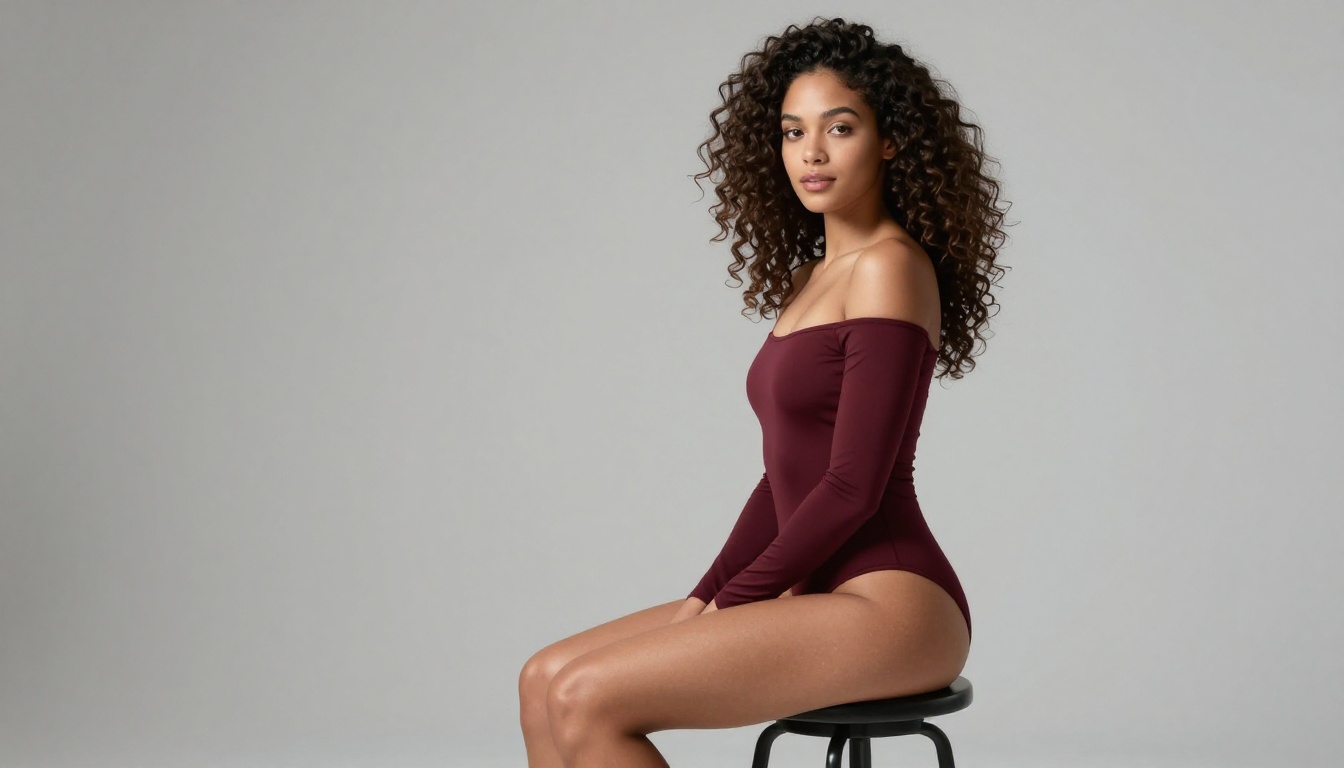
For creators making glamour, intimate relationship, sensual but artistic content, Seedance 2.0 is currently the most capable tool in its category. The Seedance 2.5 upgrade extends clips to 30 seconds, which opens significantly more narrative possibility for longer-form creative work.
Start Creating Right Now

The fastest way to validate this workflow for your own creative direction is to try it directly. Open Seedream 4.5 on PicassoIA, generate a base image using scene-direction framing, then bring that image to Seedance 2.0 with a motion prompt describing the 5-second animation.
If you want to iterate on images quickly before animating, PicassoIA Image Editor Pro gives you unlimited generations to perfect your source frame without cost pressure. When you're ready to test motion variations before committing to full resolution, Seedance 2.0 Fast handles that iteration cycle efficiently.
Every model mentioned in this article is available without signing up at picassoia.com/en/all-models. The full catalog includes 87+ video models and 91+ image models, with filters by category so you can find what you need without searching blind. The Seedance and Seedream families are both listed under their ByteDance owner pages, side by side, which makes the image-to-video workflow easy to set up from a single session.


