So you heard about Seedream 5.0 and want to know if the free version is actually usable, or if it's one of those "free" plans that gives you three blurry watermarked images before locking you behind a paywall. That's a fair question. The AI image generation market is full of that kind of bait-and-switch. Seedream 5.0 takes a different approach, and its free entry point through Seedream 5 Lite genuinely holds up for casual and creative use. But it has real limits too, and knowing them upfront saves you from chasing expectations that don't match the plan. Here's exactly what you get.

What Seedream 5.0 Actually Is
Seedream 5.0 is ByteDance's flagship text-to-image model, the same company behind TikTok and CapCut. It was built with a clear focus on two things: photorealistic output and strong handling of both English and Chinese prompts. That bilingual capability is genuinely rare in this category. Most Western models treat Chinese text as an afterthought, translating it rather than interpreting creative intent. Seedream treats it as a first-class feature.
ByteDance Built This One
ByteDance has quietly become one of the most serious players in generative AI. Seedream is their image-focused model line, and version 5.0 is a significant jump from Seedream 4 and Seedream 4.5 in terms of prompt adherence, lighting quality, and photorealism. The 5.0 architecture processes both semantic meaning and visual structure with more precision than previous iterations, which means your prompts translate into images that actually match what you described rather than a vague approximation.
The Lite Version vs. Full Version
The version available at the free access level is Seedream 5 Lite. "Lite" here means a few specific things: reduced inference time, slightly lower maximum resolution, and optimized compute usage. It is not a different model in terms of training data. It uses the same underlying architecture as the full Seedream 5.0 but runs with efficiency-focused settings that trade some peak quality for speed and accessibility. In practice, for most prompts, the Lite version produces results that are visually indistinguishable from the full model for non-specialists.

The Free Tier Breakdown
This is the section most people actually want. Here's the breakdown without padding.
Daily Generation Limits
Free users on platforms running Seedream 5 Lite typically operate within a daily credit or generation quota. The model itself is designed to be accessible, not locked behind aggressive paywalls. On PicassoIA, you can generate images with the Lite model as part of the platform's standard free access. You're not working with a one-image-per-day situation. You can experiment, iterate on prompts, and produce a meaningful volume of work before hitting any ceiling. For hobbyists and content creators, the daily allowance is enough to run a productive session.
Resolution and Output Quality
This is where the Lite designation shows up most clearly. Free tier outputs through Seedream 5 Lite are capped at a lower resolution than the full model's maximum. For web use, social media, and general creative work, the output is absolutely sufficient. You're getting clean, sharp images with strong detail and accurate color. For large-format printing or commercial production at billboard scale, you'd want the full model or a super-resolution upscaler to push beyond those limits.
💡 Tip: Generate your image on the free tier first to validate the composition and prompt. Then upscale it using a super-resolution tool to get print-ready quality without burning paid credits on failed drafts.
Watermarks and Ownership
One of the most important practical questions about any free AI tier. On Seedream 5 Lite through PicassoIA, registered free users get clean images without forced watermarks. The watermark policy is tied to authentication status, not to the plan tier itself. Sign up for a free account and your images are clean and usable. Unauthenticated sessions may show watermarks depending on platform settings, but creating a free account removes that barrier entirely.

What Free Users Can Actually Build
Beyond the limits, here's the real picture of what you can create with the free tier.
Prompt Complexity That Actually Works
Seedream 5 Lite handles complex, multi-element prompts better than most models in its weight class. You can describe a scene with specific lighting conditions, multiple subjects, and layered environmental details, and the model will mostly interpret all of it correctly. Where it occasionally struggles is with very unusual spatial relationships or extremely intricate compositional instructions with five or more conflicting elements. For standard creative briefs, portrait photography styles, product mockups, and lifestyle scenes, the prompt adherence is genuinely strong.
Here's what works particularly well with the free tier:
- Portrait photography: Realistic skin texture, natural lighting, specific camera angles and lens characteristics
- Product photography: Clean backgrounds, controlled lighting setups, sharp foreground detail
- Environmental scenes: Landscapes, urban street photography, interior design shots
- Conceptual compositions: Abstract mood-driven atmospheric pieces, editorial aesthetics
- Social media content: Lifestyle imagery, food photography, travel aesthetics, fashion editorial
Bilingual Chinese-English Prompts
This is genuinely distinctive about the Seedream line. If you work in Chinese, or if you're creating content for Chinese-language audiences, Seedream 5 Lite is one of the few models where writing your prompt in Chinese produces results just as good as writing in English. The model was trained with Chinese-language creative intent built in from the start, not retrofitted through translation. For multilingual teams, Asian market content, or bilingual creative workflows, this is a real practical advantage that most Western models still don't match.
Consistent Human Anatomy
One of the persistent weaknesses across text-to-image models is human anatomy: hands, fingers, facial symmetry, body proportions under complex angles. Seedream 5.0 shows notably fewer of these artifacts compared to earlier versions like Seedream 4 and many competitors at the same accessibility tier. You'll still encounter occasional issues with extreme poses or unusual angles, but for standard portrait and lifestyle content, the anatomy holds up without requiring heavy prompt correction.

How to Use Seedream 5 Lite on PicassoIA
Since Seedream 5 Lite is available on PicassoIA, here's how to actually use it step by step to get the best results from the free tier.
Step 1: Open the Model Page
Navigate to the Seedream 5 Lite page on PicassoIA. You'll find the model interface with a text prompt field, aspect ratio selector, and basic generation settings. No complex setup required.
Step 2: Write a Specific Prompt
Vague prompts produce vague results. Seedream 5 Lite rewards specificity in a way that shorter prompts don't capture. Instead of typing "a woman at a beach," try: "a woman in her late twenties with shoulder-length dark hair wearing a white linen dress, standing on a sandy beach at golden hour, soft warm light from the left casting long shadows across the sand, 85mm portrait lens, shallow depth of field, photorealistic photography." The delta in output quality between those two prompts is significant.
💡 Tip: Seedream 5 Lite responds especially well to photographic language. Terms like "Kodak Portra 400," "golden hour light," "85mm f/1.8," "film grain," and "shallow depth of field" give the model clear style signals that dramatically improve output.
Step 3: Set Your Aspect Ratio First
The model supports multiple aspect ratios. Choose before generating, not after. For social media content, 1:1 or 9:16 is standard. For web articles and headers, 16:9 works best. For portrait photography framing, 3:4 or 4:5 gives you more natural proportions. Getting this right upfront avoids wasted generations.
Step 4: Iterate One Variable at a Time
Your first generation is a draft, not a final output. Review it against your intent. If the lighting feels harsh, add "soft diffused natural light" to your prompt. If the composition is slightly off, add compositional direction like "subject centered, symmetrical framing." Changing one variable per iteration lets you identify what's actually affecting the result rather than making three changes and guessing which one worked.
Step 5: Use Super-Resolution for Print Work
When your image composition is exactly right but you need higher resolution for print or large-format use, run it through a super-resolution tool rather than regenerating at a higher tier. This preserves the exact composition you've already achieved while pushing the pixel count up. PicassoIA has dedicated super-resolution models for exactly this workflow.

What You Lose Without Paying
Being honest about the gap between free and paid matters. Here's where the free tier has real limitations.
The Resolution Ceiling
Full Seedream 5.0 generates at significantly higher native resolutions than the Lite version. For purely digital work at standard screen resolutions, this isn't a practical problem. For large-format print, commercial advertising, or high-resolution editorial production, the free tier will require an upscaling step that adds processing time. The upscaled result is very good but not identical to native high-res output.
Speed During Peak Hours
The free tier shares compute resources with other users. At peak usage times, generation can slow down noticeably. Paid tiers typically receive priority queue access, which means consistent generation speeds regardless of platform load. If you're working under tight deadlines or running content production on a schedule, this is the most practical reason to consider upgrading.
Batch Generation
Generating multiple variations in a single submission is typically reserved for paid plans. Free tier users generally process one image per generation. For someone iterating on a single concept, this is manageable. For someone running a content production workflow at volume, it creates a meaningful throughput bottleneck.

Other Free Models Worth Comparing
Seedream 5 Lite is not the only accessible option on PicassoIA. Here's how it compares to other models available at a similar access level.
| Model | Core Strength | Best Use Case |
|---|
| Seedream 5 Lite | Photorealism, bilingual prompts | Photography-style content, lifestyle imagery |
| Flux Schnell | Raw generation speed | Quick drafts, rapid iteration cycles |
| Stable Diffusion 3.5 Medium | Stylistic flexibility | Varied creative styles, artistic exploration |
| Seedream 4.5 | Proven, stable output | Reliable production work with consistent results |
| Seedream 4 | Lightweight baseline | Lower compute needs, simpler prompts |
Each model serves a different workflow. Flux Schnell is what you reach for when you need 10 iterations in 10 minutes and composition accuracy matters more than peak photorealism. Seedream 5 Lite is the one you use when the output needs to look like it came from a professional photographer rather than a generator.
Matching Models to Use Cases

What Makes Seedream Different Technically
Before writing off any model as "just another text-to-image tool," it's worth understanding what the Seedream 5.0 architecture actually does differently.
Long Prompt Handling
Most models have a ceiling where very detailed, layered prompts start producing inconsistent results. They collapse toward the most dominant concept and ignore the rest. Seedream 5.0's architecture was specifically optimized for long, detailed prompt handling. You can write a 150-word scene description and the model will attempt to incorporate all of it. This matters significantly for anyone who writes precise, art-directed prompts rather than short keyword strings.
Style Range Without Style Codes
The model produces a wide range of photographic and artistic styles purely from natural language prompt description, without requiring reference images, style tokens, or special syntax. From Kodak Portra film photography to clean commercial product shots to high-contrast editorial portraiture, the stylistic range comes from training rather than from bolted-on post-processing. You describe the look in words, and the model interprets the creative intent accurately.
Lighting Intelligence
Where Seedream 5.0 shows its clearest technical advancement over models like Seedream 4.5 and Seedream 4 is in lighting accuracy. Prompt for "volumetric morning light from the upper left" and the shadows, highlights, and ambient fill will actually reflect that. Prompt for "overcast diffused studio light" and you get flat, even illumination without hard shadows. Lighting has historically been one of the hardest things to control through text prompts, and Seedream 5.0 is among the best models in this regard.
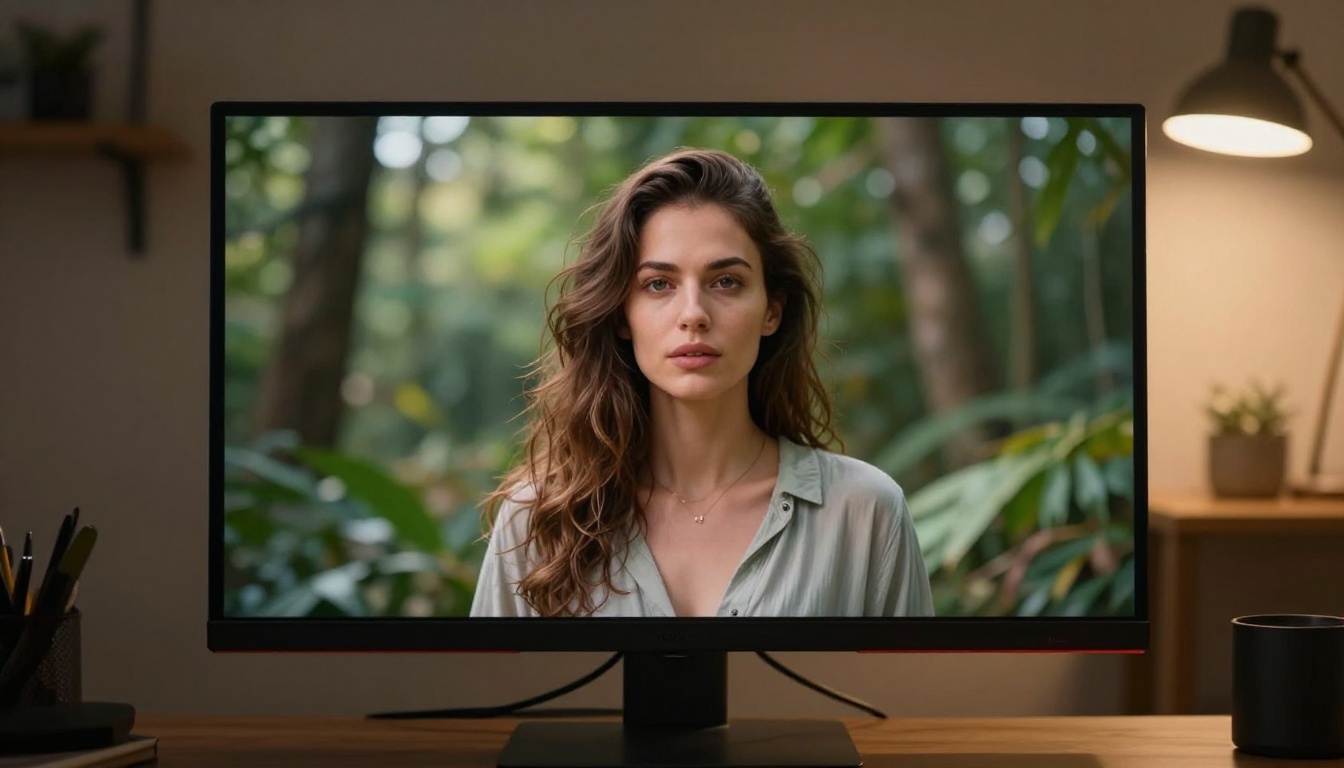
The Real Picture
Seedream 5.0's free tier via Seedream 5 Lite is one of the more capable free options in the current text-to-image landscape. The photorealism holds up for the vast majority of content use cases. The prompt adherence is strong. The bilingual capability is a genuine differentiator if you work in both English and Chinese. The anatomy accuracy is above average for the category.
The limits are real but not hostile. Resolution caps, slower speeds during peak hours, and single-image generation per submission are the main practical constraints. None of these are dealbreakers for personal projects, content creation, or early-stage commercial work. For high-volume production workflows, the paid tier makes sense. For everything else, the free version is a legitimate working tool.
💡 The bottom line: If you've been holding off on Seedream 5.0 because you assumed the free tier was useless, it's not. The Lite version is where you find out what the model can do for your specific workflow, at zero cost.
Try It on PicassoIA Right Now
If you've read this far, you have a clear picture of what the free tier actually delivers. The next step is to use it on something you actually care about.
Go to Seedream 5 Lite on PicassoIA and start with a specific prompt tied to a real project or idea. Write it with photographic detail: lighting direction, lens characteristics, subject specifics, environmental context. The quality of that first output will tell you more than any written breakdown can. If the composition is right but resolution isn't enough, combine it with PicassoIA's super-resolution tools to push the quality ceiling further without starting over.
The free tier is a real entry point. Not a teaser, not a frustration mechanism. A functional tool that lets you see exactly what Seedream 5.0 can do before you commit to anything.