Product photos drive purchase decisions more than any other element on a product listing page. Three seconds is the average time a buyer spends looking at a product image before deciding whether to read on or leave. If that shot does not communicate material quality, accurate color, and clean presentation within those three seconds, the sale is gone. Seedream 5.5 is the AI image model that finally gives sellers, brands, and content creators a way to produce studio-caliber product shots without a studio, a photographer, or an expensive post-production workflow.
Developed by ByteDance, Seedream 5.5 raises the bar on photorealism, text adherence, and material accuracy in a way that directly benefits e-commerce. You can describe a perfume bottle on marble, a watch on velvet, or a pair of sneakers on a seamless white background, and the model produces something that looks like it came out of a commercial shoot. On PicassoIA, this technology is available through Seedream 5 Pro, ready to use on any product category you sell.

What Seedream 5.5 Actually Does Better
Most text-to-image models were built and optimized for creative or artistic output. When you point them at a product photography brief, they struggle. The backgrounds are not clean, the material surfaces look painted rather than physical, and the labels either disappear or turn into illegible smears. Seedream 5.5 was trained with a different emphasis on precision, physical accuracy, and prompt fidelity that makes it specifically suited for commercial product work.
The four areas where it outperforms older generation models for product shots:
1. Photorealistic material rendering. Glass, metal, fabric, leather, and ceramic all behave the way they should optically. A glass perfume bottle refracts light with caustic patterns. A stainless steel watch shows brushed and polished alternating surfaces. A leather sneaker reveals the grain structure of the hide at a zoom level that stands up to scrutiny in Amazon's full-resolution viewer.
2. Text and label accuracy. E-commerce buyers read labels. They look for ingredient lists, brand names, and certification logos on product packaging. Seedream 5.5 handles label typography with an accuracy that makes product shots usable in real listings, especially when paired with prompt guidance about font weight, label position, and background contrast ratio.
3. Lighting consistency. Inconsistent lighting across a product catalog is one of the fastest ways to undermine buyer trust. Seedream 5.5 responds precisely to lighting direction instructions, whether you specify a softbox from the left, backlit light for liquid products, or a neutral overhead diffused light for flat lays.
4. Background isolation. Clean white, grey, or surface-specific backgrounds are a core requirement for marketplace listings. Seedream 5.5 generates isolated product shots with hard, clean edges that require minimal post-processing to use directly in a listing.

The Real Cost of Bad Product Photos
Before looking at what Seedream 5.5 can produce, it is worth being direct about what poor product photography actually costs a business. The visible costs are the photography budget. The invisible costs are the conversion rates you never see because buyers left after looking at an image that did not convince them.
A traditional product shoot for an e-commerce brand typically involves:
- Photographer fee: $200 to $800 per session
- Studio rental: $150 to $400 per half-day
- Post-production retouching: $15 to $50 per image
- Props and styling: Variable, often $50 to $200 per session
- Minimum turnaround: 3 to 7 business days
For a small seller launching 50 SKUs, the photography budget alone can hit $30,000 before the first sale. Larger catalogs can push into six figures. And that budget gets spent again every time a product line refreshes or seasonal variants are added.
💡 Tip: Seedream 5.5 on PicassoIA does not replace every photography use case, but for catalog shots, variant images, and marketplace listings, the cost is a fraction and the turnaround is minutes.
The alternative is not just cheaper. It is faster, scalable, and consistent across every image in your catalog. A seller adding 200 new SKUs can generate placeholder shots in an afternoon, then use those shots to test product-market fit before committing to a full photography budget.
How Seedream 5.5 Handles Different Materials
One of the most demanding tests for any AI product photography model is material variety. A skincare brand sells glass, plastic, and aluminum in the same catalog. A home goods seller shoots ceramics, wood, linen, and stainless steel in a single session. Here is how Seedream 5.5 performs across the material types that matter most to e-commerce sellers:
| Material | Rendering Accuracy | Prompt Approach |
|---|
| Glass | Excellent | Specify light direction, mention refraction |
| Brushed metal | Excellent | Describe surface finish (brushed vs. polished) |
| Matte plastic | Very good | Mention matte surface, soft diffused light |
| Leather | Very good | Specify grain direction and color depth |
| Fabric/textile | Good | Describe weave type and surface sheen |
| Ceramic/porcelain | Very good | Mention glaze finish and reflection type |
| Wood | Good | Specify grain pattern and finish type |
The model reads material descriptors and applies them physically, not decoratively. When you say "brushed stainless steel with alternating polished bevels," you get exactly that, not a generic silver surface. This specificity is what separates Seedream 5.5 from earlier generation models that approximate materials rather than simulate them.


How to Use Seedream 5 Pro on PicassoIA
Seedream 5 Pro is available directly on PicassoIA. No API setup, no trial limitations, no technical configuration required. Here is the workflow to go from a product idea to a market-ready shot:
Step 1: Open Seedream 5 Pro
Go to Seedream 5 Pro on PicassoIA. The model interface gives you a prompt field and aspect ratio controls.
Step 2: Write a structured product shot prompt
A high-performing product photography prompt follows this structure:
[Product and variant] on [surface], [background], [lighting direction], [camera angle and lens], [texture notes], RAW 8K photography, photorealistic
Example: "Amber glass serum bottle with white label, positioned upright on a polished white marble surface, soft diffused backlit studio light creating a warm glow through the amber glass, 85mm lens at product eye level, shallow depth of field blurring the marble surface, RAW 8K commercial photography, Kodak Portra 400 grain"
Step 3: Set the aspect ratio
For marketplace listings on Amazon, Shopify, and Etsy, square 1:1 is the standard product thumbnail format. For banner ads or social content, 16:9 works better.
Step 4: Generate and review
Seedream 5 Pro generates results quickly. Review the output against three criteria: background cleanliness, material accuracy, and label readability. If any fall short, adjust the prompt and regenerate.
Step 5: Upscale for marketplace requirements
Amazon requires product images to be at least 1000 pixels on the longest side for zoom functionality, and 3000 pixels or more for optimal display. After generating your shot, run it through a super-resolution model to hit those thresholds.
💡 Tip: Add "no props, no decorative elements, pure product shot" to the end of any prompt where you want a clean marketplace-ready image without background distractions.

Upscaling Product Shots for High-Resolution Listings
Generating a product image is only half the workflow. For marketplace listings that need to pass zoom tests and print at large format, you need resolution. PicassoIA offers a full suite of super-resolution models that work directly on your Seedream 5.5 outputs, giving you a full AI product photography pipeline in one platform.
Super-resolution options on PicassoIA:
Clarity Pro Upscaler is the strongest choice for photorealistic product images. It preserves fine label text, adds micro-surface detail, and maintains accurate color while boosting resolution up to 4x. For product shots where label legibility and surface detail matter most, this is the first upscaler to reach for.
Real ESRGAN handles a wide range of inputs and upscales up to 4x with strong general performance. It works well across all product categories and is particularly effective at recovering texture detail in fabric and leather shots.
Topaz Image Upscale goes up to 6x and is the right choice when you need maximum output resolution for print catalogs or very large hero images. The 6x factor on a standard Seedream 5.5 output creates files large enough for billboard-scale production.
Bria Increase Resolution and Google Upscaler both deliver clean 4x upscaling with strong edge preservation. Either works well for standard marketplace requirements across most product types.
For a standard Amazon listing workflow:
- Generate at 1:1 with Seedream 5 Pro
- Run through Clarity Pro Upscaler at 4x
- Crop to Amazon's required square format if needed
- Upload as your main product image
The result passes Amazon's zoom-feature requirements and stands up to buyer inspection at full resolution, especially in the product detail panel where buyers zoom into material texture and label details before adding to cart.
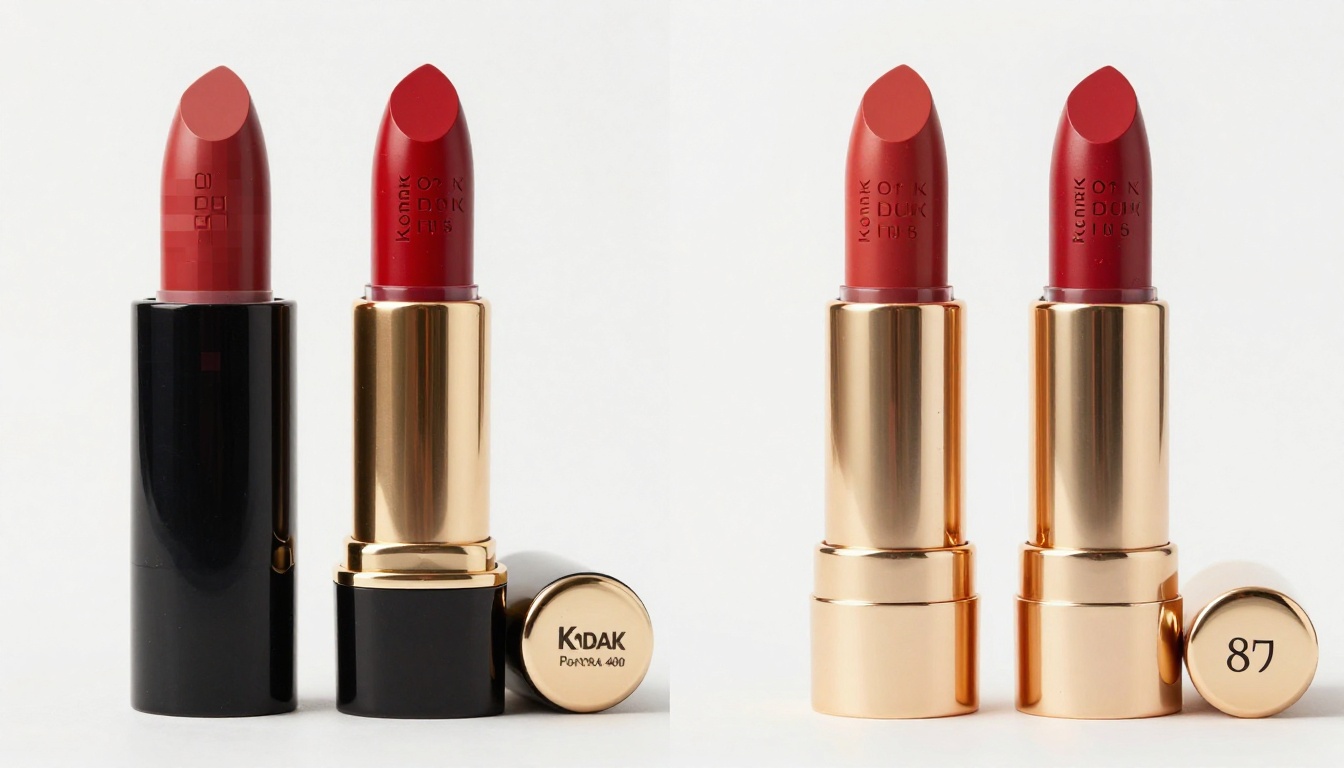
Product Shot Results by Category
Seedream 5.5 handles product variety well. Here is what to expect across the most common e-commerce categories:
Beauty and Skincare
Glass, aluminum, and plastic packaging are all strong outputs. The model handles translucent liquids inside glass bottles with visible color and depth, and it renders metallic pump mechanisms with accurate specular highlights. Flat lay arrangements of multiple product SKUs come out with consistent lighting across every item in frame.
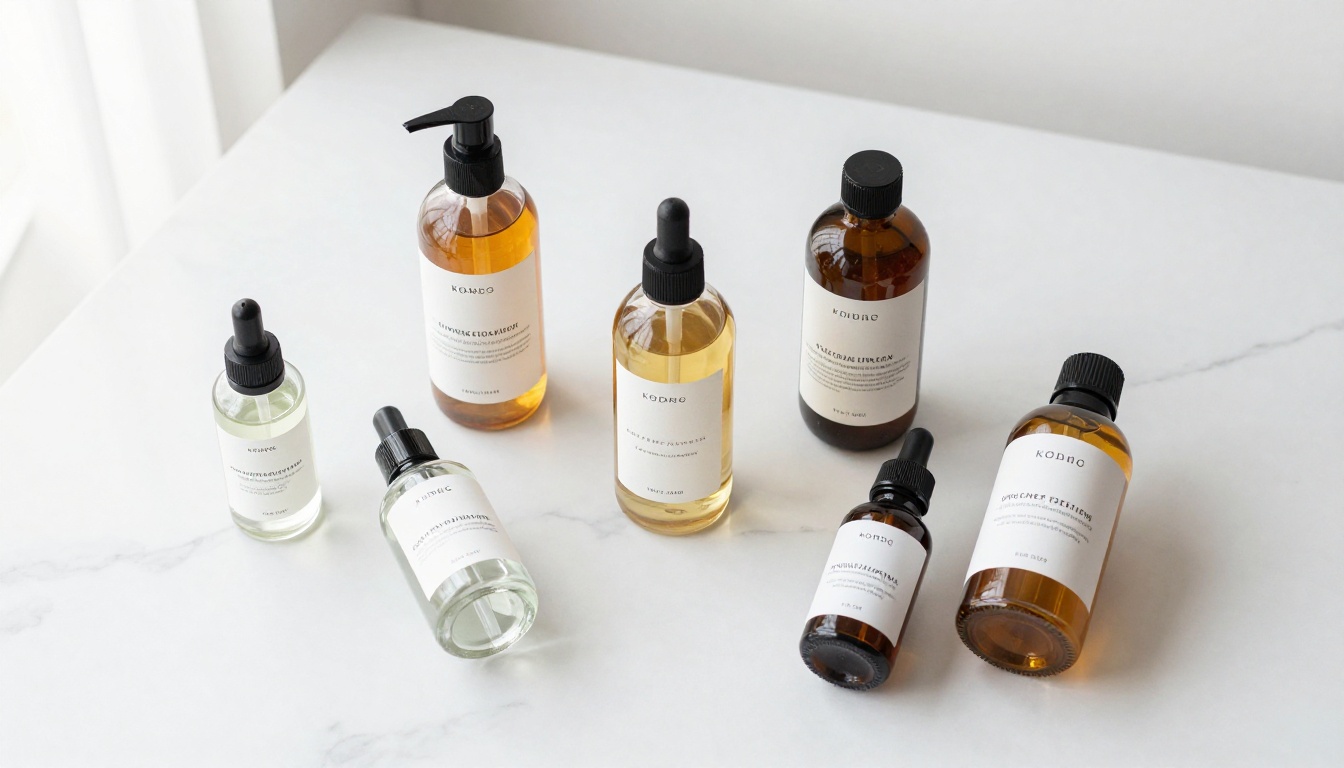
For beauty brands shooting a full product line, Seedream 5.5 generates catalog-consistent images where the lighting angle, background shade, and shadow softness match across every SKU. That visual consistency is what professional product photography studios charge a premium to deliver, and it matters enormously when a buyer is choosing between variants on a product page.
Jewelry and Watches
Macro-level detail is where Seedream 5.5 earns its place in the jewelry category. Diamond facets, metal grain direction, and surface finish differentiation between brushed and polished band sections all come through with clarity that holds up at full zoom. Velvet backgrounds and soft spot lighting translate precisely from prompt to output.
The model's ability to simulate light refraction through a diamond or sapphire, combined with its handling of metallic surface finish variations, makes it particularly strong for jewelry catalog work where buyers are making high-consideration purchases and expect to see every detail.
Food, Beverage, and Gourmet
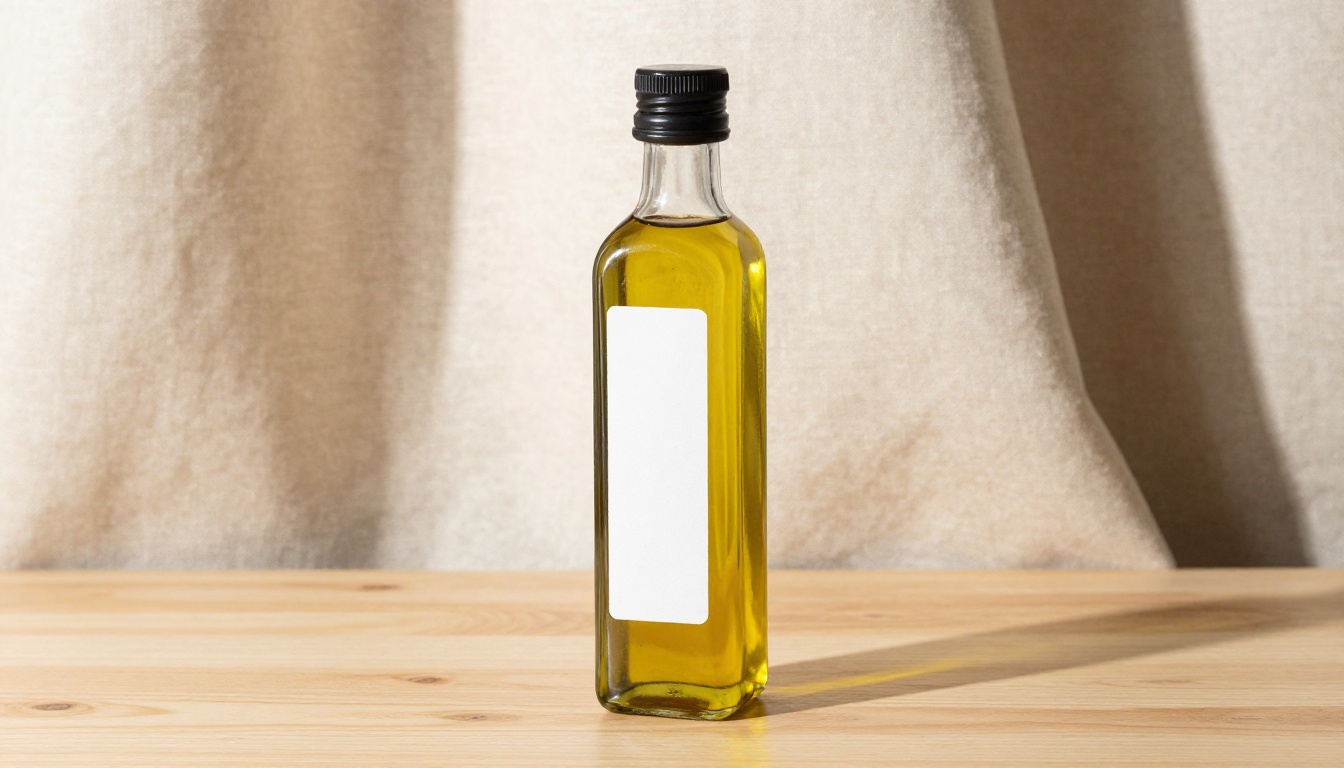
Liquid transparency in glass bottles, condensation on cans, and sauce texture on matte surfaces are all within the model's capability. The critical factor for this category is specifying the light source direction relative to the liquid container so the transmitted light reads correctly. A backlit amber bottle with visible product inside reads as premium product photography when the prompt specifies the right light angle and surface interaction.
Electronics and Tech Accessories
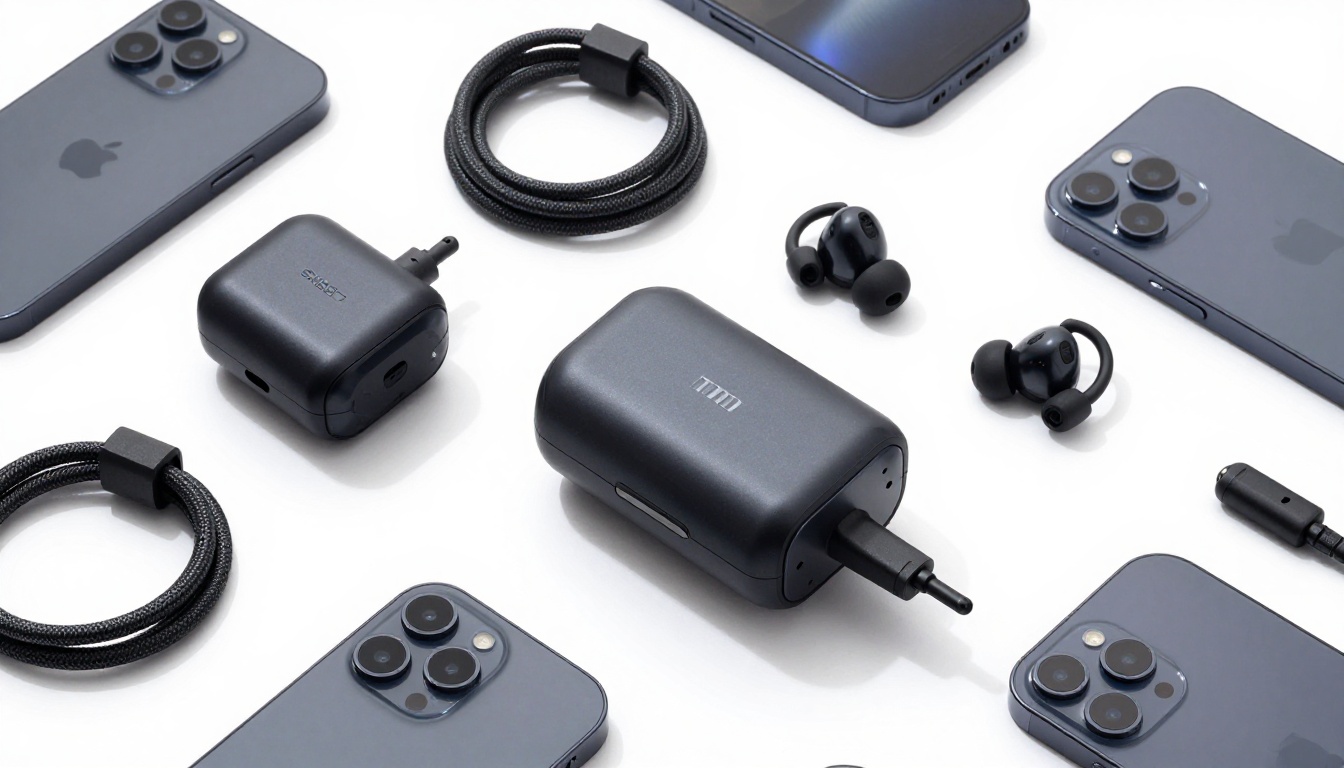
Clean matte plastic, glossy display screens, and braided cable textures all render accurately. The challenge in this category is controlling lens flare on glossy surfaces, which you can manage by specifying diffused overhead lighting rather than direct spot lighting in your prompt. Flat lays of accessory bundles come out with clean consistent lighting and accurate material differentiation across every component.
Fashion and Footwear
Leather grain, fabric weave, and sole rubber textures are the three most important material surfaces in footwear photography. Seedream 5.5 handles all three with strong detail. For apparel flat lays, the model accurately renders wrinkle patterns, button detail, and label stitching at close range. Prompt specificity about fabric weight and surface texture produces results that match the quality of lifestyle studio shots for marketplace thumbnails.
Seedream 5.5 vs. Traditional Product Photography
The comparison is not just about cost. Time, iteration speed, and catalog scalability all favor AI product photography for a specific set of use cases.
| Factor | Traditional Photography | Seedream 5.5 on PicassoIA |
|---|
| Cost per image | $20 to $100+ | Fraction of a cent |
| Turnaround time | 3 to 7 days | Under 60 seconds |
| Iterations per session | 5 to 10 | Unlimited |
| Catalog scalability | Linear cost increase | Flat cost at any volume |
| Material accuracy | High (physical) | High (AI-rendered) |
| Label accuracy | Exact | Very high with prompt guidance |
| Background control | Requires studio setup | Defined in the prompt |
| Variant shots | Separate shoot per variant | Prompt adjustment only |
Where traditional photography still has an advantage is when you need an exact real product shown on a real surface, specifically for hero images of flagship SKUs where physical authenticity signals matter most to buyers. For catalog shots, variant images, and marketplace thumbnails, AI product photography has reached the quality threshold where it competes directly with studio output.
💡 Tip: Use Seedream 5.5 for your full catalog and traditional photography only for your top 5 to 10 hero products. The savings fund the hero shoot many times over.
Start Shooting on PicassoIA
The gap between a seller with professional-looking product images and one without is no longer a budget gap. It is a workflow gap. The models are here. The quality is there. The only variable is whether you put them to work.
Seedream 5 Pro on PicassoIA gives you access to Seedream 5.5's photorealistic product shot capability directly in the browser, no downloads or API setup required. Combine it with Clarity Pro Upscaler for marketplace-grade resolution, or run outputs through Topaz Image Upscale when you need maximum file size for print or large-format display.
Start with one product category you sell. Write a specific, structured prompt following the format in this article. Generate three or four variations. Pick the strongest, upscale it to 4x, and compare it side by side with your current listing photo.
The difference is usually immediate. Browse the full collection of image generation and upscaling models at PicassoIA and start building your catalog today.


