OpenAI didn't just iterate with Sora 2 Pro. They built a video generation engine that takes what the original Sora promised and actually delivers on it. If you've been watching the AI video space for any amount of time, you know how rare that is. Sora 2 Pro sits at the top of OpenAI's text-to-video stack, competing directly with Google's Veo 3, Kling v3, and a growing list of capable models shipping every month.
This is a hands-on breakdown of everything you need to know before committing to it: the real output quality, what the features actually do in practice, how the pricing works, and how it compares to the strongest alternatives available right now.

What Sora 2 Pro Actually Does
Sora 2 Pro is OpenAI's flagship text-to-video model. It generates HD video clips from written prompts, with a particular emphasis on physics-accurate motion, cinematic framing, and scene coherence that earlier AI video tools struggled to maintain even for a few seconds.
It operates through OpenAI's API and is also accessible via platforms that integrate the model directly, which means you don't necessarily need a developer setup to use it.
The Core Generation Engine
The underlying architecture behind Sora 2 Pro is built on a diffusion transformer, which processes video as a sequence of spatiotemporal patches rather than frame by frame. This matters because it allows the model to reason about motion across the entire clip during generation, not just interpolate between keyframes. The result is motion that feels genuinely continuous rather than stitched together.
OpenAI trained Sora 2 Pro on a large and diverse dataset of licensed video content, with significant post-training refinement on cinematic footage. This is visible in the outputs: the default motion aesthetics lean toward professional camera work, with natural acceleration curves, realistic focal pulls, and lighting that changes consistently as subjects move through space.
Temporal Coherence and Motion
One of the biggest challenges in AI video generation has always been temporal coherence: keeping objects, faces, and scenes consistent from frame to frame. Sora 2 Pro handles this better than most. Subjects don't drift, backgrounds don't shift, and hands (historically the most problematic element in AI content) hold their shape through movement with noticeably fewer artifacts than competing models.
That said, complex multi-character interactions at longer durations still show occasional inconsistencies. Nothing catastrophic, but worth knowing if your use case depends on precise consistency across 10 or more second clips.
Sora 2 Pro Features Breakdown
The feature set on Sora 2 Pro is one of the most fully-featured in the market right now. It hits the essentials and goes well beyond them in several important ways.
Resolution and Duration Options
| Setting | Options Available |
|---|
| Resolution | 720p, 1080p |
| Clip Duration | 5 seconds, 10 seconds, 20 seconds |
| Aspect Ratios | 16:9, 9:16, 1:1 |
| Frame Rate | 24fps, 30fps |
The 1080p output is genuinely high definition, not upscaled 720p with sharpening applied. At 20 seconds, Sora 2 Pro generates longer clips than most competitors offer at this quality level, which is a real practical advantage for creators who need usable footage without stringing together multiple short clips.
Camera Controls and Cinematic Modes
This is where Sora 2 Pro separates itself from the crowd. You can specify camera movements directly in your prompt and expect them to be interpreted with real accuracy.
Supported camera movements include:
- Dolly in and dolly out
- Pan left and right
- Tilt up and down
- Orbit around a subject
- Static locked-off shots
- Handheld with simulated natural camera shake
These aren't just labels applied to generic motion. The model actually executes the described movement with consistent perspective geometry. If you ask for a slow dolly-in on a subject sitting at a table, the parallax between foreground and background shifts correctly, which is a cinematography detail most AI video tools get wrong.
💡 Prompt tip: Be specific with your camera instructions. "Slow dolly-in from medium to close-up, shallow depth of field, subject in sharp focus" will give you dramatically better framing control than a generic scene description.
Audio and Sound Sync
Sora 2 Pro includes native audio generation. The model synthesizes ambient sound, environmental audio, and in some cases basic sound effects that sync to the visual content. This isn't text-to-speech; it's ambient and environmental audio matched to the scene.
It's a meaningful addition. A clip of someone walking on a city sidewalk produces footstep sounds and street noise that matches the visual rhythm. A scene in a forest generates wind and birdsong. The sync accuracy is solid for ambient audio, though complex multi-track audio layers (music plus dialogue plus effects) still require post-production work.
Real Output Quality
Benchmark numbers and feature lists are easy to publish. What actually matters is what comes out when you run a prompt.
What the Clips Actually Look Like
At 1080p, Sora 2 Pro outputs are among the best-looking AI-generated clips available right now. Textures render with real detail: skin pores, fabric weave, and surface reflections all hold up under scrutiny. Lighting behaves correctly through motion, with shadows moving in the right direction as subjects cross light sources.
The default output has a slight filmic quality to it. There's a subtle color grading applied that leans warm and cinematic, similar to what you'd see from a color correction that pushed slightly toward the amber-teal split. For most commercial and social content, this looks great straight out of generation.
Where the quality consistently impresses:
- Single-subject scenes with clear focal points
- Landscape and architectural shots
- Product-style footage with controlled lighting descriptions
- Slow movement and calm pacing
Where quality varies:
- Fast-moving action sequences
- Large crowds or complex scenes with many subjects
- Text within the video frame
- Extended clips beyond 15 seconds
Where It Stumbles
The most consistent weakness is fast motion. High-speed action, sports, or fight choreography often introduces motion blur artifacts and brief frame inconsistencies. It's a known limitation across the entire category of diffusion-based video models, and Sora 2 Pro handles it better than most, but it's still a constraint to design around.
Text in scene is another area where precision suffers. If your prompt includes visible text on signs or screens within the video, expect accuracy to be imperfect. Use overlaid typography in post rather than relying on in-generation text.
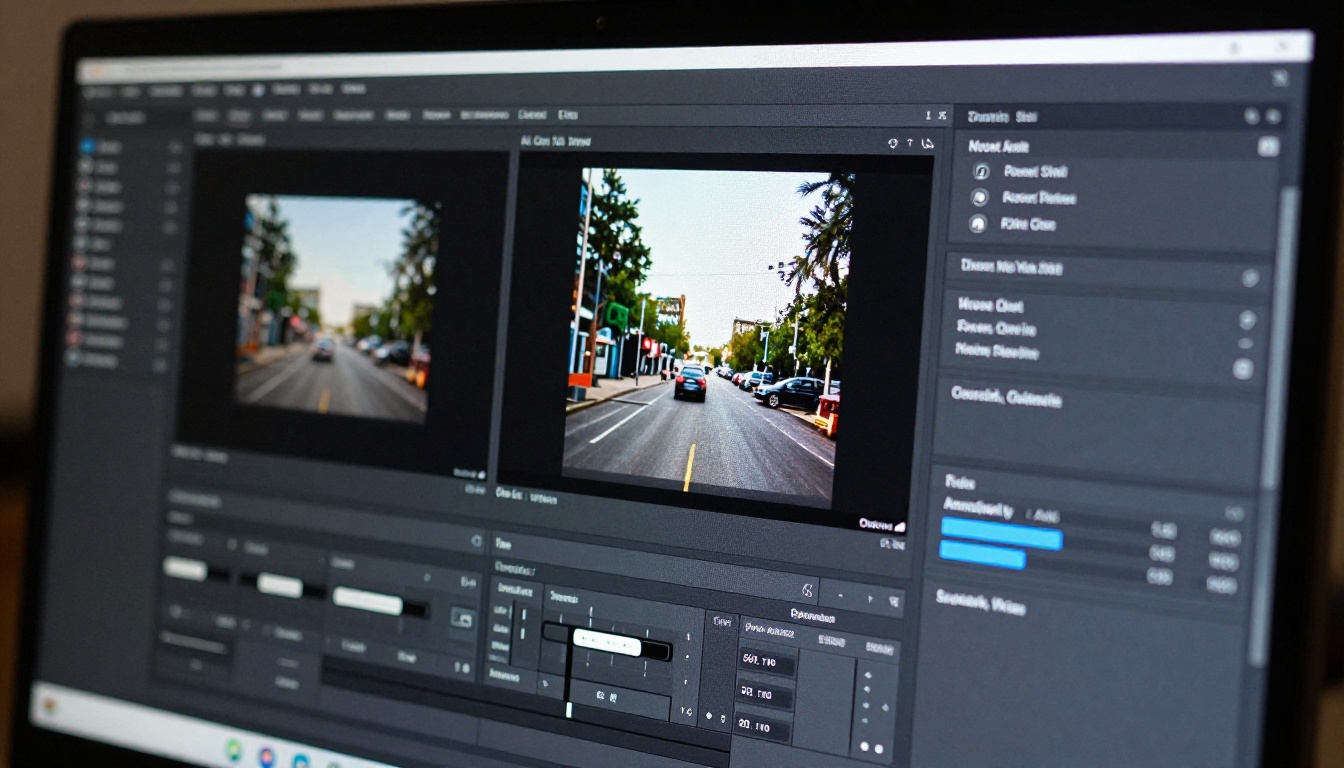
Sora 2 Pro Pricing
The pricing model for Sora 2 Pro runs through OpenAI's API, billed per second of generated video. The specifics shift as OpenAI updates their pricing structure, but the general framework is per-second billing at 1080p, with lower rates for shorter clips and lower resolutions.
OpenAI API Costs
| Resolution | Duration | Approximate Cost |
|---|
| 720p | 5 seconds | $0.08 to $0.12 |
| 720p | 10 seconds | $0.15 to $0.22 |
| 1080p | 5 seconds | $0.15 to $0.25 |
| 1080p | 10 seconds | $0.28 to $0.45 |
| 1080p | 20 seconds | $0.55 to $0.90 |
Note: These are approximate ranges based on publicly available API pricing as of early 2025. Always verify current rates directly through OpenAI's pricing page.
For individual creators doing occasional generation, the per-clip cost is workable. For high-volume workflows producing dozens of clips daily, the costs accumulate quickly. At scale, a platform that offers flat-rate access or credits can significantly change the economics.
Worth the Price?
At the quality level Sora 2 Pro delivers, yes, the pricing is justified for professional work. A 10-second 1080p clip that costs roughly $0.35 to generate would cost several hundred dollars to film, light, edit, and color grade with a production crew.
💡 For budget-conscious creators: If you need high volume at lower per-clip cost, Sora 2 (the standard tier) offers very similar quality at lower resolutions. For 720p social content, the standard model delivers comparable visual quality at a lower price point.
The real question isn't whether Sora 2 Pro is worth the cost in isolation. It's whether it's the right model for your specific use case compared to alternatives.
Sora 2 Pro vs The Competition
The AI video generation space has more capable models now than at any point before. Here's how Sora 2 Pro actually stacks up.
Sora 2 Pro vs Veo 3
Veo 3 from Google is the strongest direct competitor at the high end. The two models are genuinely close in quality, with different strengths.
| Factor | Sora 2 Pro | Veo 3 |
|---|
| Output Realism | Excellent | Excellent |
| Camera Control | Very Strong | Strong |
| Audio Generation | Native, good | Native, excellent |
| Max Duration | 20 seconds | 8 seconds |
| Max Resolution | 1080p | 1080p |
| Accessibility | API + platforms | API + limited platforms |
Veo 3 has the edge in audio quality and dialogue generation. Sora 2 Pro wins on clip duration and camera control precision. For most visual-first content without dialogue requirements, Sora 2 Pro holds its own against Veo 3 at every resolution level.
Sora 2 Pro vs Kling v3
Kling v3 Video takes a different approach, prioritizing cinematic aesthetics and motion-controlled animation over raw realism. The results are stylistically distinctive.
Where Kling v3 excels is in creative and stylized content. The motion has a specific cinematic quality that works very well for storytelling-driven clips. Where Sora 2 Pro wins is in prompt adherence and photorealistic detail. If your output needs to look indistinguishable from real footage, Sora 2 Pro is the safer choice. If you want expressive cinematic style, Kling v3 is worth testing.
Sora 2 Pro vs Seedance 2.0
Seedance 2.0 from ByteDance is one of the fastest-improving models in the category. Its recent iteration ships with built-in audio generation and impressive motion quality at 1080p. The gap between Seedance 2.0 and Sora 2 Pro is closing, particularly for standard content types like product shots, travel footage, and talking-head style clips.
Sora 2 Pro still has the advantage in complex scene composition and duration, but Seedance 2.0 offers competitive quality at potentially lower access costs depending on your platform.
How to Use Sora 2 Pro on PicassoIA
PicassoIA integrates Sora 2 Pro directly, so you can access it without setting up an API or managing credits through OpenAI's developer console.
Step 1: Open the Model
Navigate to the Sora 2 Pro page on PicassoIA. You'll see the generation interface with the prompt field, resolution selector, duration options, and aspect ratio controls. No configuration is needed before you start.
Step 2: Write Your Prompt
This is the most important step and where most people underinvest. Sora 2 Pro is highly prompt-responsive, which means vague prompts produce average results while specific prompts pull the model's full capability to the surface.
A strong prompt structure for Sora 2 Pro:
- Subject and action: What is in the scene and what is happening
- Environment: Where the scene takes place, with specific details
- Lighting: Direction, quality, and source of light
- Camera: Lens type, movement, framing
- Mood: Overall atmosphere or emotional tone of the clip
Example of a weak prompt: "A woman walking in a city"
Example of a strong prompt: "A young woman in a beige trench coat walking confidently through a rain-slicked Paris street at night, neon reflections in the puddles, slow dolly-in from a wide establishing shot to a medium close-up, natural ambient city sound, cinematic 24fps"
The difference in output quality between these two prompts is dramatic.
Step 3: Set Your Parameters
- Resolution: For final deliverables or social-ready content, use 1080p. For rapid iteration and testing prompts, start at 720p to save generation credits.
- Duration: Start with 5 seconds when testing a new prompt. Only move to 10 or 20 seconds once the framing and motion look right at the shorter duration.
- Aspect Ratio: 16:9 for standard video, 9:16 for vertical social content (Reels, TikTok, Shorts), 1:1 for square formats.
💡 Iteration tip: Generate 2 to 3 variations of each prompt at 5 seconds before committing to a 20-second generation. The shorter clips will reveal composition and motion issues at a fraction of the cost.
Who Should Use Sora 2 Pro?
Not every creator needs the Pro tier. Here's an honest breakdown of who benefits most and who should look elsewhere.
Best Use Cases
Sora 2 Pro is the right call if you need:
- 1080p video for commercial, advertising, or client deliverables
- Specific camera movement precision in your outputs
- Clips longer than 10 seconds in a single generation
- Photorealistic footage that needs to hold up at full screen
- Professional content where quality is more important than volume
Filmmakers, advertising teams, and social media creators producing premium content for brands will find Sora 2 Pro worth the cost. The output quality is close enough to real footage that it works as stand-alone content or as B-roll that cuts seamlessly with camera footage.
When to Pick a Different Model
If you're producing high volumes of shorter clips where 720p is sufficient, the standard Sora 2 tier will serve you better at lower cost. If you want stylized or animated aesthetics rather than photorealism, Kling v3 or Pixverse v5.6 offer distinct visual styles that might better fit your brand. If audio generation is your priority, Veo 3 has a slight edge in voice and dialogue accuracy.
For rapid content iteration where you're testing many prompt variations, Seedance 2.0 Fast or LTX 2 Pro offer speed that Sora 2 Pro doesn't prioritize.
Try Sora 2 Pro Right Now
Sora 2 Pro is one of the most capable AI video generation models available today. It doesn't excel at everything, and the pricing puts it in the professional tier for most workflows. But for cinematic quality, camera control precision, and 1080p output at durations that actually give you usable footage, it sits at or near the top of the category.
The best way to evaluate any AI video tool is to run your actual prompts through it and see what comes back. PicassoIA gives you direct access to Sora 2 Pro alongside over 100 other video models, which means you can compare outputs from Kling v3, Veo 3, Hailuo 02, and Seedance 2.0 side by side with the same prompt, in the same session.
If you're serious about AI video generation, that breadth of access changes how you work. Instead of committing to one model, you can route different content types to the model that handles them best. Sora 2 Pro becomes your go-to for cinematic 1080p work. A faster, lighter model handles the volume. The combination gives you quality and speed without sacrificing either.
Start with Sora 2 Pro on PicassoIA and see what your first prompt produces. The output might surprise you.