The Viral AI Prompts People Keep Using (and Why They Actually Work)
These are the exact AI prompts flooding social media right now. From hyperrealistic portraits to cinematic cityscapes and viral food shots, we break down which prompts consistently produce jaw-dropping results and the simple logic behind why they work on any major AI image platform.
The viral AI prompts people keep using share one thing in common: specificity. Not vague requests like "a beautiful woman" or "a nice sunset," but detailed, layered descriptions that tell the model exactly what to render, how to light it, and what camera captured it. That's the real secret behind every image that floods social media right now, from hyperrealistic portraits to cinematic street photography.
This breakdown covers the top prompt categories, exact prompt formulas, and why each one produces results people actually stop scrolling to look at.
Why Some Prompts Go Viral
Most AI prompts fail for the same reason: they're too general. "A beautiful portrait" gives the model nothing to work with. The prompts that consistently produce shareable results are the ones given real creative direction.
Three things make a prompt viral-worthy:
Specificity of subject: Not just "a woman" but "a woman in her mid-20s with olive skin and luminous brown eyes"
Lighting instructions: "Volumetric morning light from the left" vs. "good lighting"
Camera language: Naming a lens, aperture, and film stock forces the model to simulate real photographic physics
💡 Think of your prompt like a photography brief, not a wish. The more production detail you include, the more photorealistic the result.
The models on platforms like GPT Image 2 and Seedream 4.5 are trained on millions of real photographs. When you use real camera terminology, you're speaking their language.
The Portrait Prompts That Break the Internet
Portraits are the most viral category. Why? Because they're relatable, they're beautiful, and when done right, they look indistinguishable from professional photography.
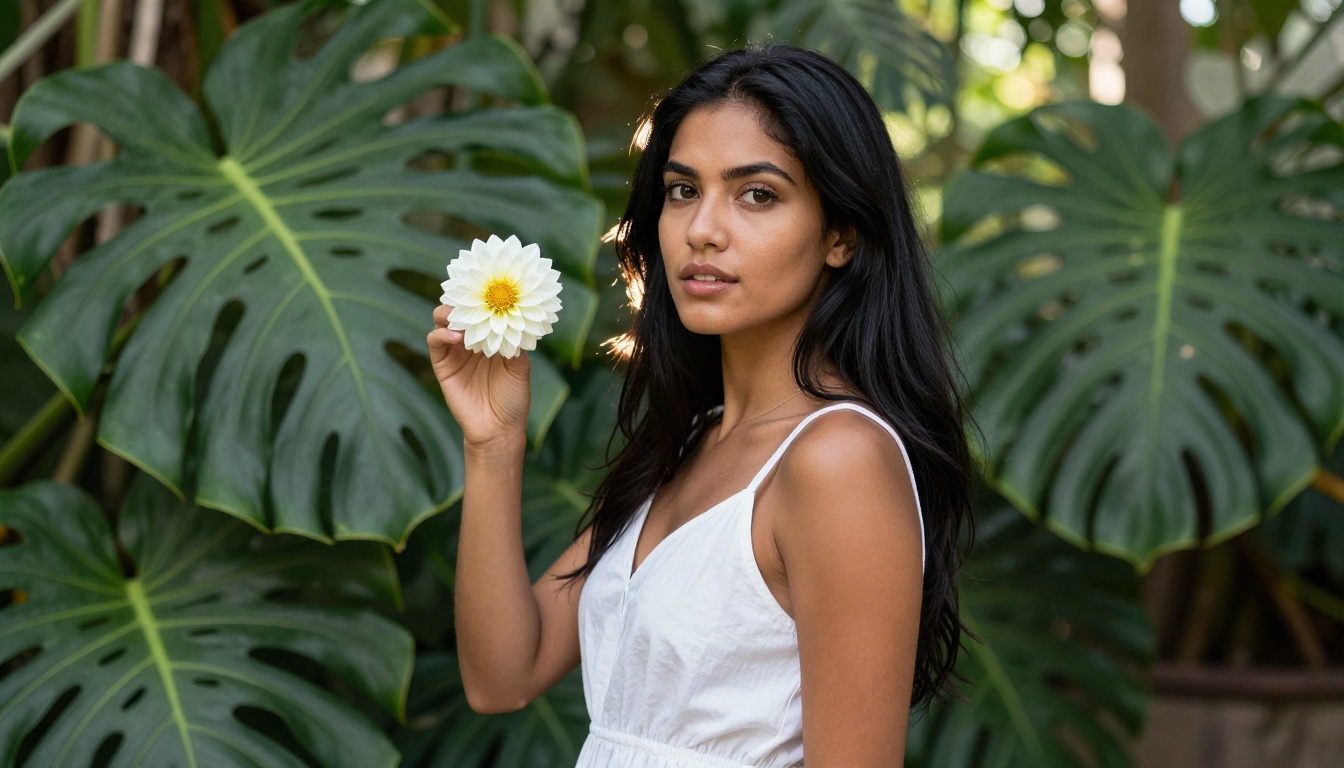
The Botanical Garden Shot
This is the prompt formula:
"[Subject description] standing in [specific environment]. [Clothing detail]. [One prop]. Background: [specific plants/elements] with [light description]. Shot on Canon EOS R5, 50mm f/1.2, Kodak Portra 800 simulation, 8K RAW photorealistic"
What makes this work is the layering of real-world details. The specific camera body (Canon EOS R5), the prime lens (50mm f/1.2), and the film stock (Kodak Portra 800) all signal to the model: this should look like a real photograph, not a render.
The Kodak Portra 800 reference is particularly powerful. It's a film stock known for warm, slightly lifted shadows and creamy skin tones. AI models trained on photography data associate this name with a very specific aesthetic.
The Studio Portrait Formula
The second most-shared portrait style uses controlled studio lighting:
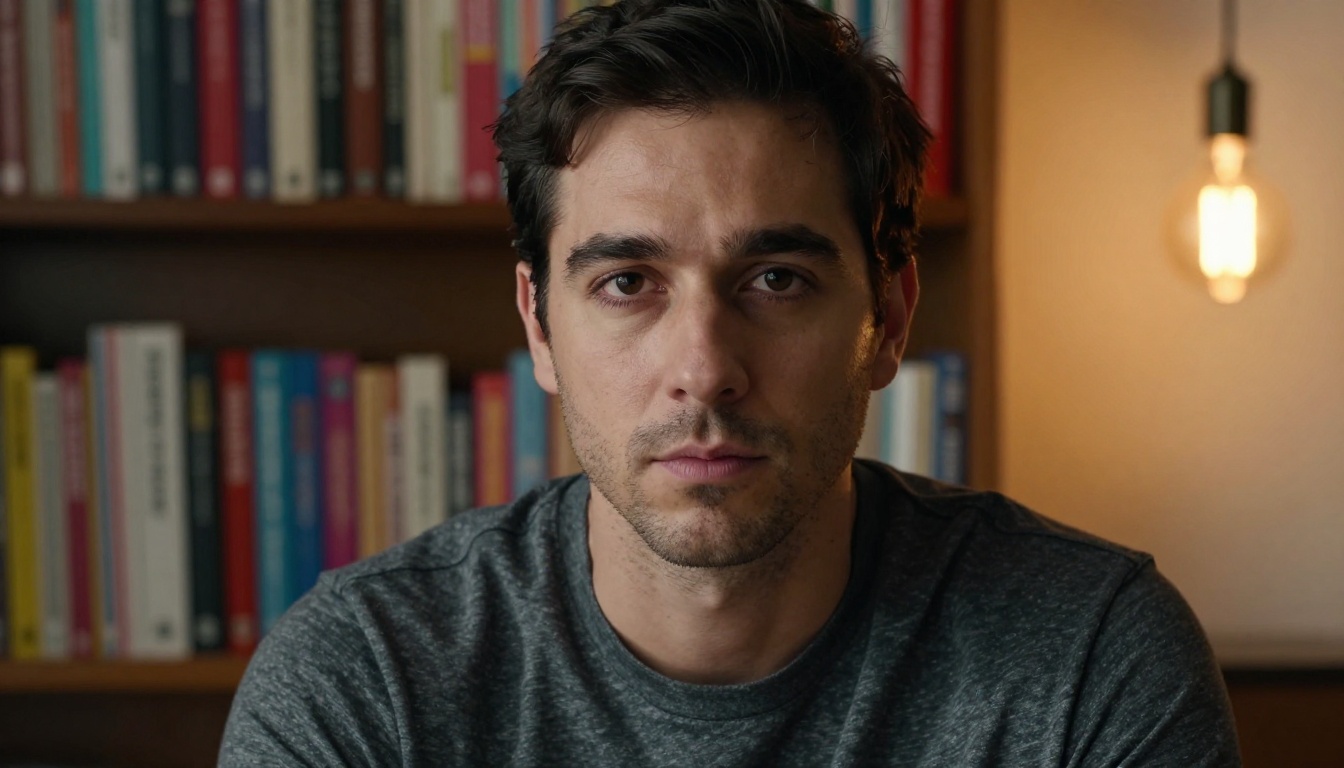
"Close-up portrait of [subject] in a dimly lit creative studio. [Clothing]. Background: [blurred environment]. Warm Edison bulb lighting from the [direction] creating dramatic side-lighting shadows. Natural skin texture with [detail]. Shot on Sony A7R V, 85mm f/1.8, Fujifilm Provia film simulation, photorealistic 8K RAW"
What matters most here is directional lighting specification. Saying "light from the right" tells the model where shadows should fall. Adding "Fujifilm Provia" shifts the color science toward cooler, slightly saturated tones with crisp shadow detail.
Element
Generic Prompt
Viral Prompt
Subject
"a person"
"a man in his early 30s with sharp jawline, short dark hair"
Lighting
"good lighting"
"warm Edison bulb lighting from the right, dramatic side-shadows"
Camera
nothing
"Sony A7R V, 85mm f/1.8"
Film
nothing
"Fujifilm Provia film simulation"
Detail
nothing
"natural skin texture, pores visible at nose bridge"
Cinematic Landscape Prompts
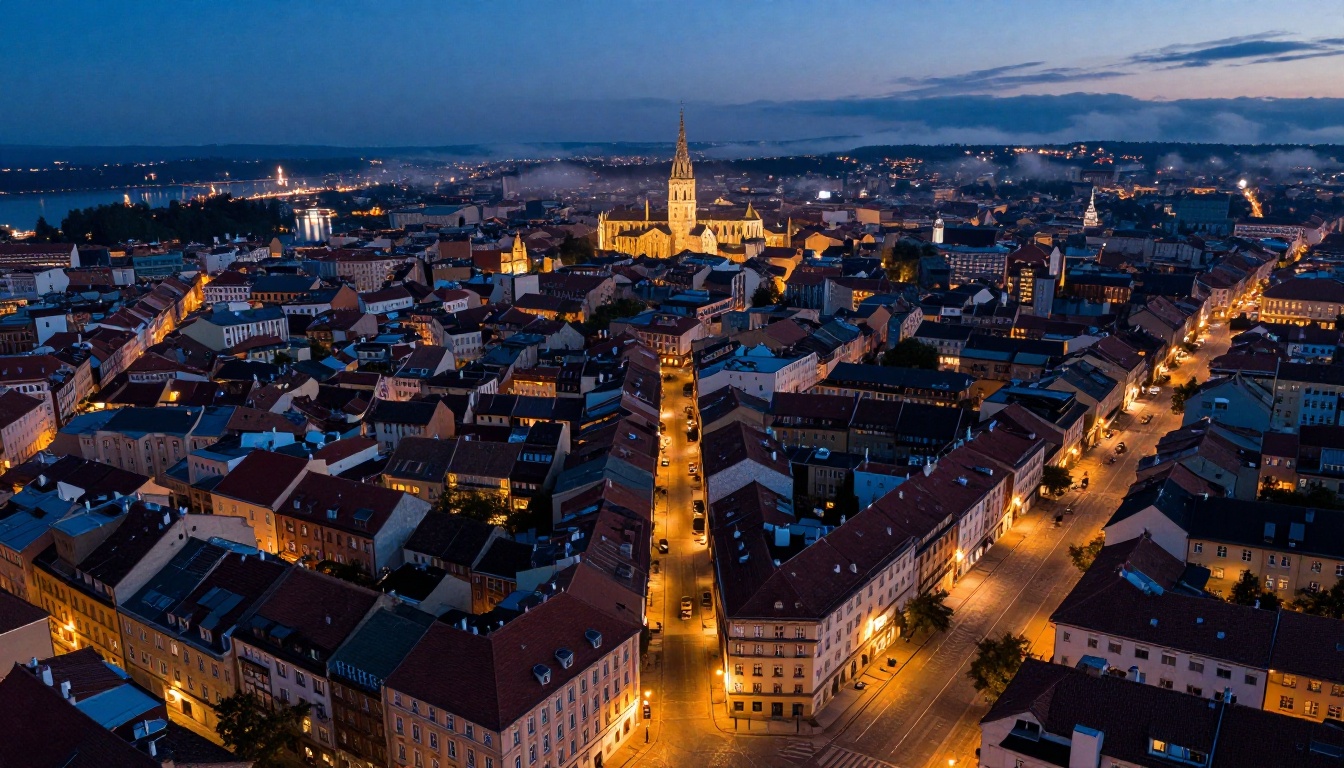
Landscape prompts are the second most viral category. The aerial city at blue hour shot in particular has been circulating for months. Here's the formula:
The Blue Hour City Formula
"Aerial drone photography of [city type] at blue hour, [street description] illuminated by [light type], [architecture details], [landmark] in the [position], [water element] reflecting city lights. [Atmospheric effect]. Shot from [angle], [lens], f/[stop], blue hour gradients from deep navy to amber, ultra-sharp detail, photorealistic 8K RAW"
Why blue hour? It creates a natural two-tone gradient, warm artificial lights against a cool sky, that looks inherently cinematic. AI models respond extremely well to this because the training data contains thousands of blue-hour travel photographs.
💡 Replace "European city" with "Tokyo," "New York," or "Istanbul" and the model will pull in culturally specific architecture and signage automatically.
The Misty Forest Road
Another viral landscape formula:
"Wide-angle photograph of a misty forest road at dawn, massive ancient oaks arching overhead forming a natural tunnel, single golden beam of morning light cutting through the fog from the left, fallen leaves on the wet asphalt, shot from ground level looking straight ahead, Canon 16-35mm f/2.8, long exposure, Kodak Ektar 100, photorealistic 8K RAW"
The "natural tunnel" framing and single directional light beam are both compositional techniques professional photographers use to create leading lines. AI models reproduce these because they're common in acclaimed landscape photography.
Models like Wan 2.7 Image Pro and Hunyuan Image 2.1 handle complex atmospheric effects like mist and volumetric light particularly well, making them ideal for this category.
Food Photography Prompts
Food photography is a surprisingly powerful vertical for viral AI images. The prompts that get the most shares focus on texture, steam, and natural imperfection.
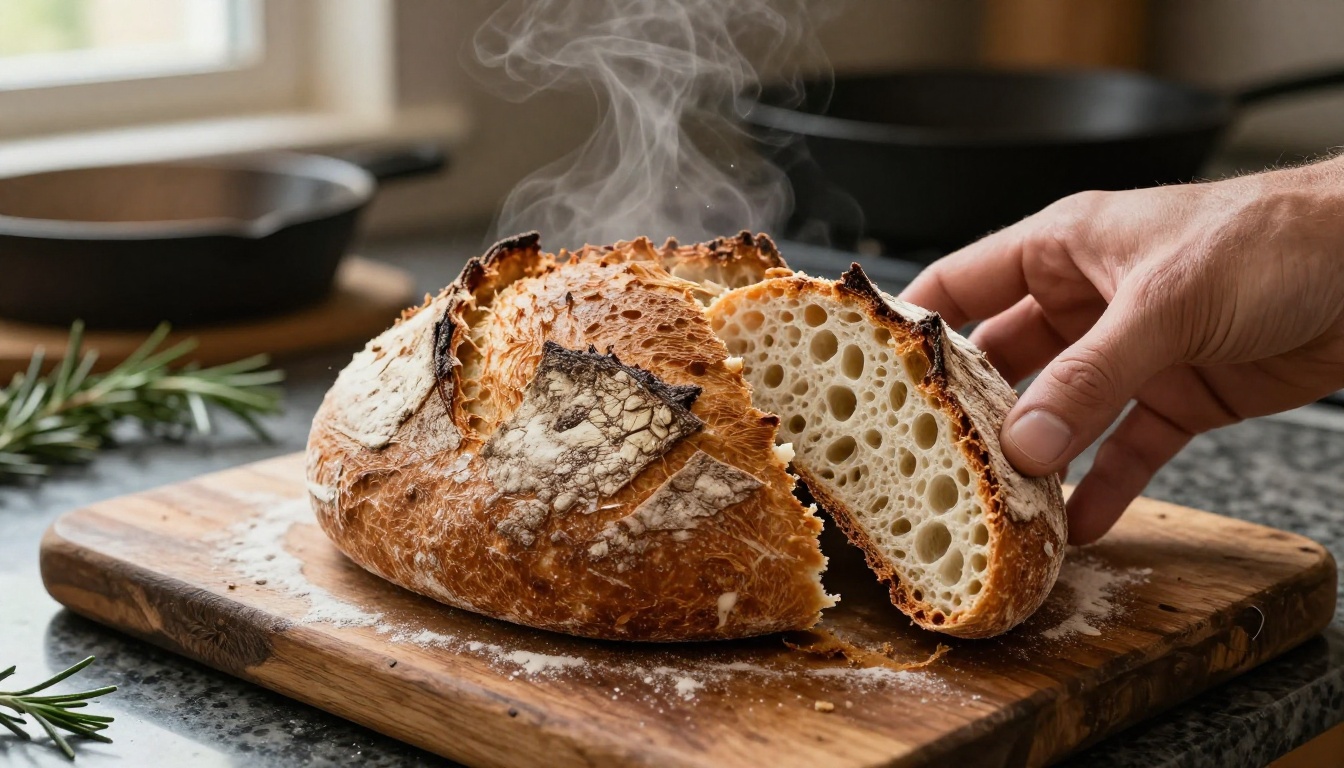
The Artisan Food Formula
"Close-up macro food photography of [food item] on [surface]. [Steam or visual detail]. [Human element, e.g., a hand]. Background: [minimal kitchen props]. [Window light direction]. Shot on Canon 100mm macro, f/2.8, shallow depth of field, Kodak Ektar 100 warm tones, photorealistic 8K RAW food photography"
Three things make food prompts viral:
Steam: Steam implies heat, freshness, and sensory experience. It's one of the most effective visual details in food photography.
Human hands: A hand breaking, reaching, or holding the food creates relatability and scale.
Imperfect surfaces: A "weathered oak board" or "scattered flour dust" signals authenticity over sterile commercial photography.
💡 The 100mm macro lens reference is critical here. Macro photography has a very specific look: extreme close focus, razor-thin depth of field, and texture that almost feels tactile. AI models trained on food photography associate "100mm macro" with this style reliably.
Fashion and Editorial Prompts
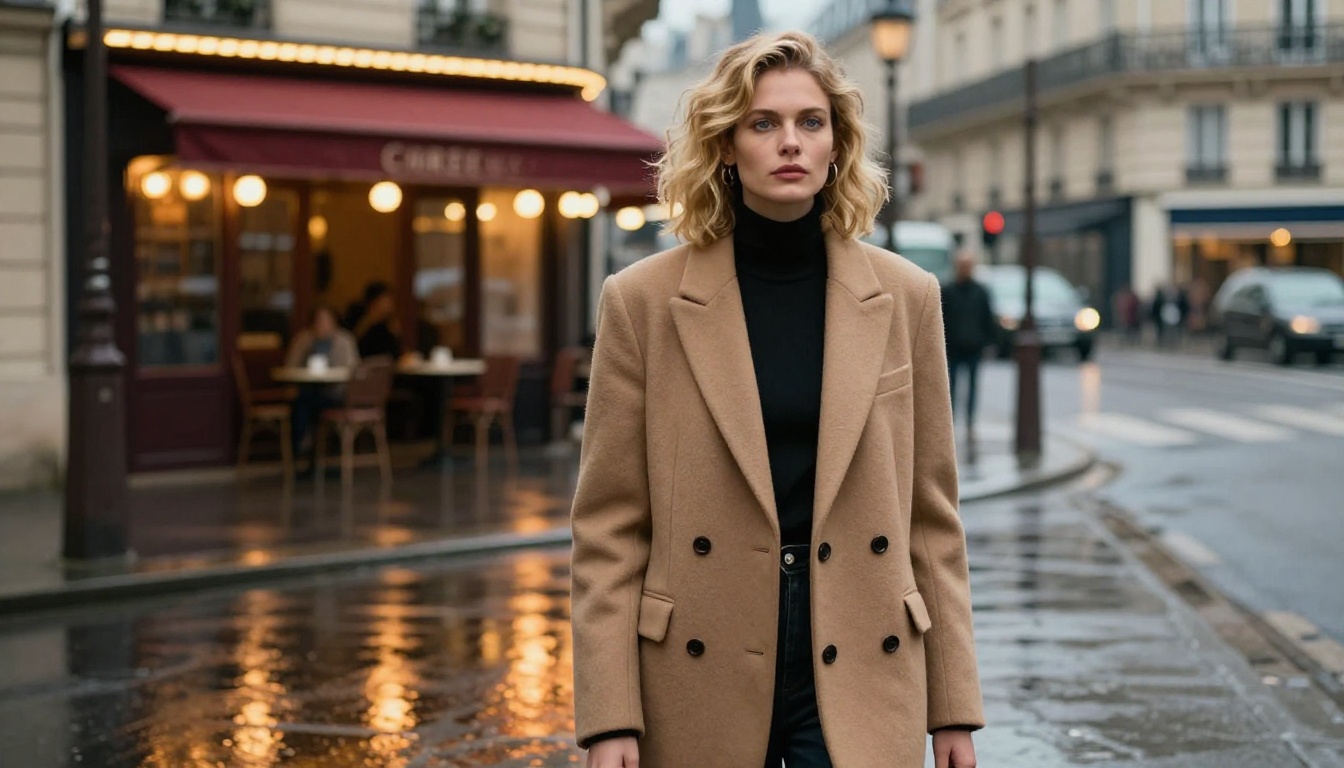
Fashion editorial prompts are where AI image generation really separates itself. The viral ones all share one trait: they describe location as a character.
The Rain-Slicked City Formula
"Editorial fashion photography of [subject] wearing [specific clothing], standing on a [weather condition] [city] street at [time of day]. Expression: [emotion]. [Pose detail]. The reflective wet pavement mirrors [background elements], creating [visual effect]. Shot from [angle] with a [lens], f/[stop], natural [light type] mixing, film grain, photorealistic 8K RAW"
The wet pavement reflection is the single most-shared visual element in viral fashion prompts right now. It doubles the visual complexity of the image by creating a second, distorted version of the subject in the ground, adding depth without adding clutter.
The clothing specificity matters too. "A structured camel-tone wool blazer over a thin black turtleneck" is not just a fashion description. It's a prompt that tells the model fabric type, color temperature, and fit. Each detail constrains the model toward a specific, high-quality output.
Wildlife and Nature Prompts
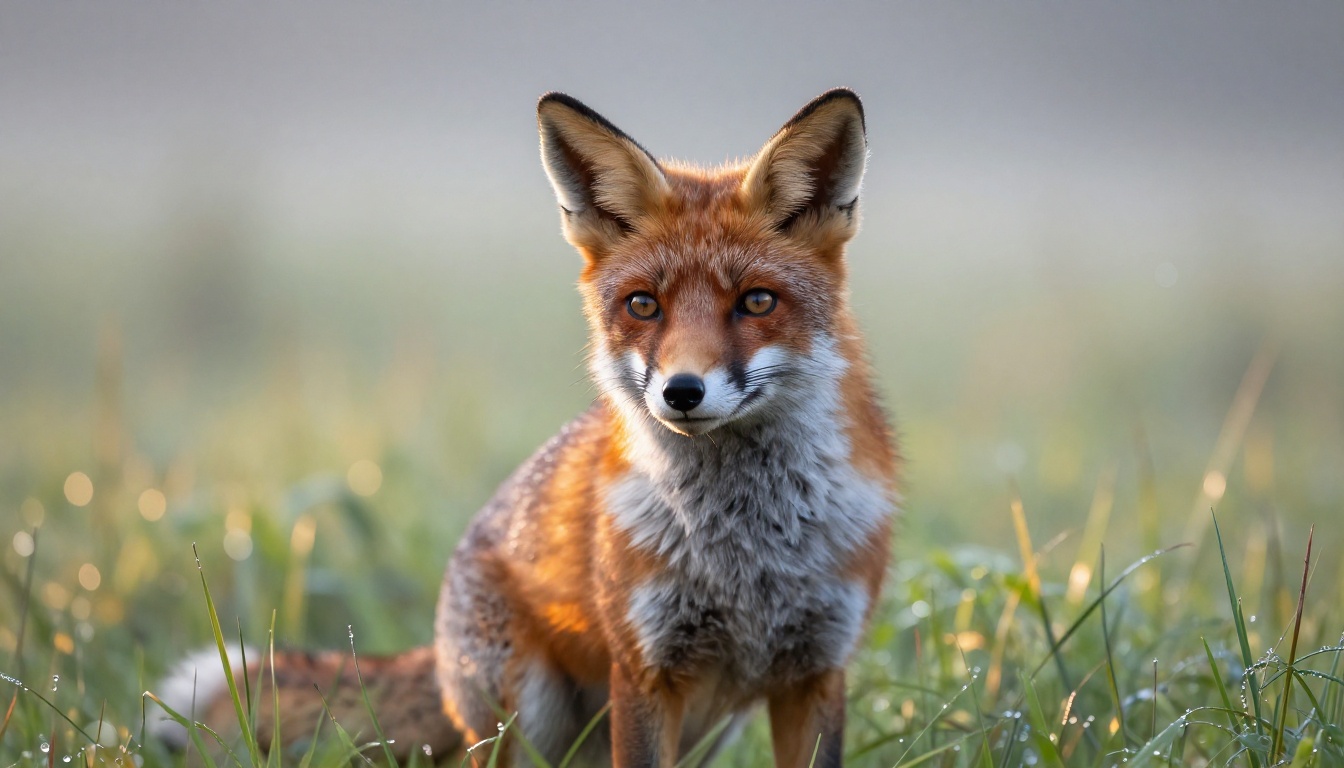
Wildlife photography prompts perform exceptionally well because the combination of an emotionally engaging animal subject and a cinematic natural background creates instant shareability.
The Golden Hour Wildlife Formula
"Close-up wildlife photography of [animal] in [habitat], [atmospheric condition], [animal's coat/fur] backlit creating a rim of [color] light around its [texture description], [specific eye/feature detail]. Background: soft bokeh of [environment]. [Time of day/atmospheric] visible. Shot on Nikon [telephoto lens], f/[stop], ISO [value], photorealistic 8K RAW nature photography"
The rim lighting technique is what separates average wildlife prompts from viral ones. Rim lighting, where the light source is behind the subject creating a glowing outline, is a technique used in professional wildlife photography to separate the subject from its background. When you name it in your prompt, the model produces it reliably.
💡 A 500mm telephoto reference tells the model to simulate extreme compression, where backgrounds appear closer to the subject and very blurred. This is the classic wildlife photography look.
Architectural and Interior Prompts
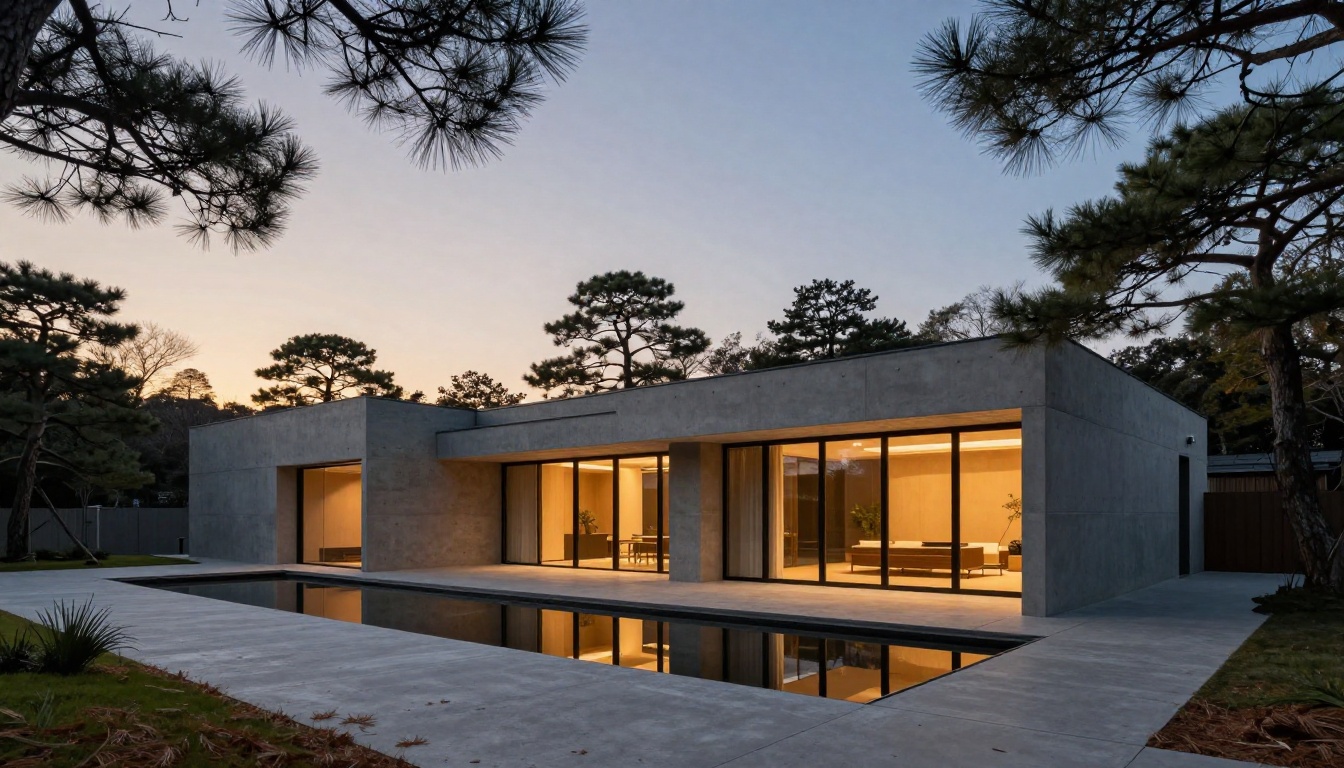
Architectural prompts get massive traction in design, real estate, and interior communities. The viral formula combines a strong material palette with a specific time of day.
The Dusk Exterior Formula
"Wide exterior photograph of a [style] home surrounded by [vegetation]. The facade: [material 1] alternating with [material 2], [interior light detail]. [Water element] runs along [path], mirroring home and sky. [Sky description]. [Organic texture on path]. Shot on [camera], [lens] tilt-shift, f/11, zero distortion, Kodak Portra 400, photorealistic 8K RAW architectural photography"
Tilt-shift lens reference is the secret weapon in architectural prompts. Tilt-shift lenses correct perspective distortion in buildings, making vertical lines truly vertical rather than converging at the top. Specifying this in the prompt signals to the model that this is a professional architectural photograph, not a snapshot.
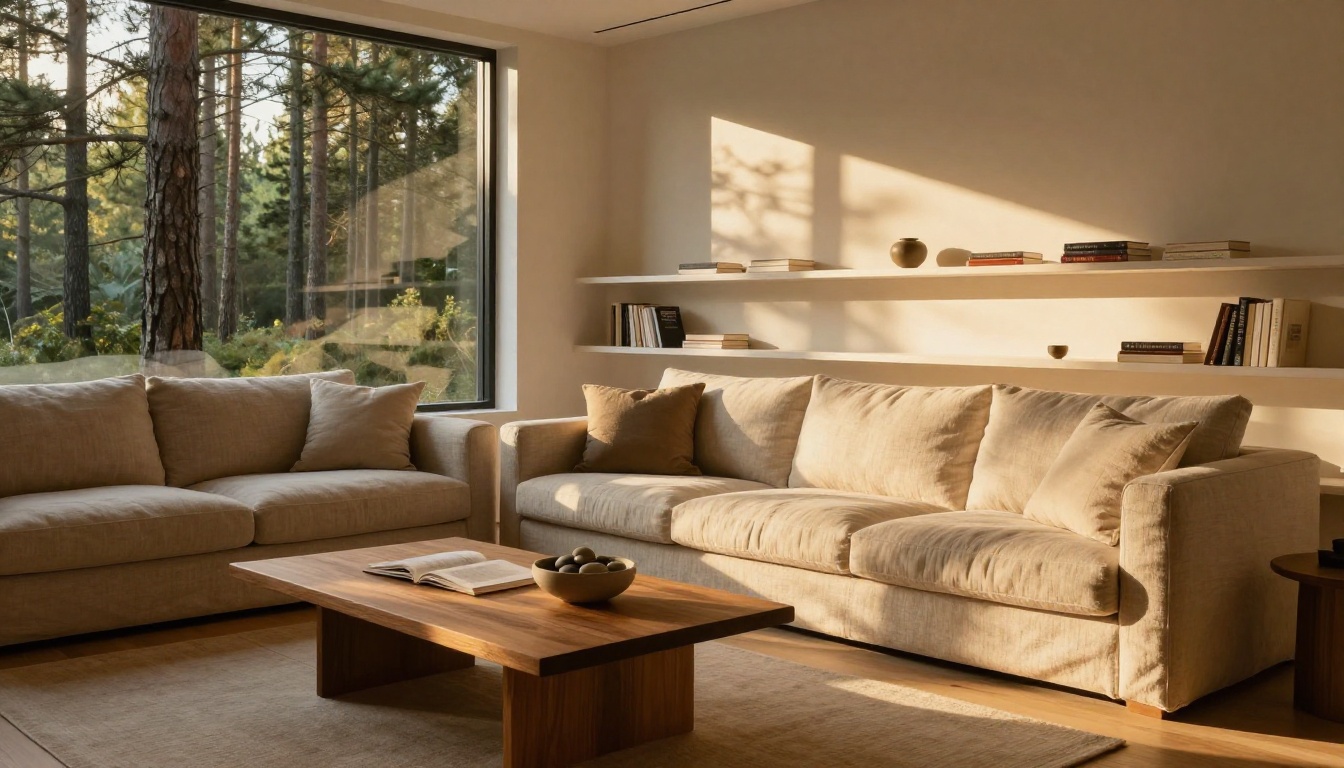
The Golden Hour Interior
Interior photography prompts are dominated by one theme: natural light as the hero. The prompts that go viral avoid mentioning artificial lights at all:
"Warm interior photography of [room type] at golden hour, [furniture description] facing [window/view description], amber sunlight streaming in creating [shadow pattern] across [flooring type]. [Prop on surface]. [Feature wall description]. Shot on Fujifilm GFX 100S medium format, 32mm, f/5.6, natural warm tones, no artificial light, Kodak Portra 400 film grain, photorealistic 8K RAW"
Specifying "no artificial light" is a counter-intuitive but effective technique. It constrains the model to render only window-sourced light, which produces the warm, directional, shadow-rich result that interior photographers spend hours setting up.
Street Photography Prompts
Street photography AI prompts follow a different logic. Instead of maximizing detail in a single subject, the best street prompts focus on crowd density, a single focal point, and motion.
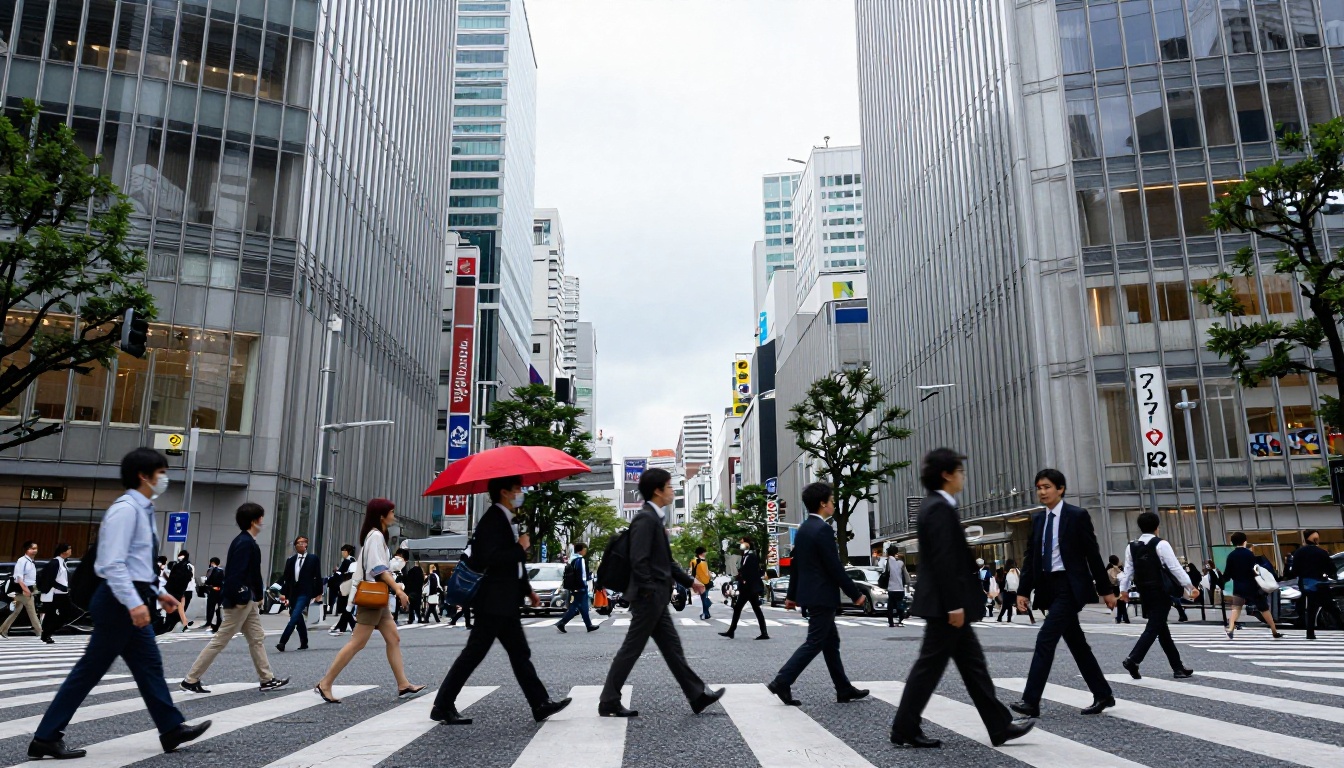
The Busy Intersection Formula
"Street photography of a busy [city] intersection at [time of day], dozens of pedestrians crossing in multiple directions, [clothing diversity detail], one person holding a [vivid color item] as the only vivid color contrast. [Building context]. Slight motion blur on [moving elements] while [stationary elements] are pin-sharp. Shot from [elevated position], [camera], [lens], f/[stop], photorealistic 8K RAW street photography"
The single vivid element in a desaturated crowd is the oldest trick in photojournalism. A red umbrella against a grey Tokyo crowd creates instant visual hierarchy. AI models reproduce this effect reliably when you specify it.
💡 The "motion blur on pedestrians, sharp on signage" contrast mimics long exposure techniques used by street photographers. Specify it explicitly and the model delivers it.
How to Use These Prompts on PicassoIA
PicassoIA's GPT Image 2 handles all of these prompt categories with exceptional quality. Here's how to run your first generation:
Paste your full prompt, including camera specs and lighting details
Set the aspect ratio to 16:9 for landscapes and interiors, 3:4 for portraits
Run the generation and evaluate the output against the formula
Fixing Common Problems
Issue
Fix
Looks like CGI
Add "photorealistic 8K RAW, film grain, Kodak Portra 400"
Flat lighting
Specify "volumetric light from the [direction]"
Generic face
Add age, hair color, eye color, skin tone specifics
Boring background
Name specific plants, surfaces, or materials
Wrong depth of field
Specify the aperture: "f/1.4" for shallow, "f/11" for deep
For portraits that need extreme sharpness and upscaling, P Image Upscale can take any generated image and render it at 4x resolution while preserving fine detail in skin texture, fur, and foliage.
For users who want stylistic control across multiple generations, Flux 2 Klein 9B Base LoRA and Flux 2 Klein 4B Base LoRA allow LoRA-based fine-tuning, which means you can apply a trained style layer on top of any prompt for consistent visual identity.
The Formula Behind Every Viral Prompt
Strip away the subject matter, and every viral AI prompt follows the same architecture:
[Subject with specific physical details] + [Action or pose] + [Specific environment with materials] + [Lighting direction and type] + [Camera body + lens + aperture] + [Film stock reference] + [Resolution] + [Style tag]
That's it. The subject changes. The environment changes. The structure stays identical.
The reason this formula works is that each element constrains the probability space the model operates in. A vague prompt gives the model too much freedom, and it defaults to a statistical average, which looks generic. A specific prompt forces the model to render the exact photographic conditions you described.
💡 Copy any prompt from this article, swap out the subject, and run it. The results will be immediately stronger than anything generated with a vague description.
Start Creating Your Own
The prompts in this article are starting points, not endpoints. The best way to develop your own viral formulas is to study real photography, borrow the language professional photographers use to describe their shots, and translate that into prompt language.
PicassoIA gives you access to over 91 text-to-image models, each with different strengths. GPT Image 2 excels at photorealistic portraits. Seedream 4.5 produces stunning 4K detail in landscapes. Wan 2.7 Image Pro handles complex atmospheric conditions with exceptional fidelity.
Pick a formula from above, choose your model, and start testing. The difference between a forgettable image and one that gets shared a thousand times is almost always in the prompt. Now you have the prompts.