Running Flux 2 locally is not just about having a fast CPU or enough RAM. The single biggest factor that will make or break your experience is VRAM, and if your GPU doesn't hit the threshold, you're either getting very slow generation times or flat-out errors.
Black Forest Labs built Flux 2 as a family of models, ranging from compact 4-billion-parameter variants to full 9-billion-parameter powerhouses. That range translates directly into very different hardware requirements. Whether you're running flux-2-dev on a mid-range card or pushing flux-2-max on an RTX 4090, knowing your VRAM numbers before you start saves hours of frustration.
Flux 2 VRAM Requirements at a Glance
The short answer: you need at least 8GB of VRAM to run the smallest Flux 2 variants, and 16GB or more to run the full models at reasonable speeds without aggressive memory optimizations.
Here's the quick reference table:
💡 Tip: "Minimum VRAM" means the model loads and generates, but slowly. "Recommended VRAM" means comfortable, real-world inference speed without major compromises.
The 4B vs 9B Model Difference
The flux-2-klein-4b is specifically designed as a lightweight variant. At 4 billion parameters, it fits in 8GB VRAM with standard float16 precision. It's the right choice if you're on an RTX 3070, RTX 3060 Ti, or AMD RX 6700 XT.
The 9B variants, including flux-2-dev, flux-2-pro, and flux-2-max, carry roughly twice the parameters. In float16, a 9B model occupies approximately 18GB of VRAM before any inference overhead. This is why a 16GB card like the RTX 4080 sits at the edge of comfortable operation, and a 24GB RTX 4090 becomes the go-to recommendation for serious local use.
Minimum and Recommended VRAM
The math behind VRAM requirements for large diffusion models works like this:
- Float16 precision: 2 bytes per parameter, so 9B params = ~18GB base weight memory
- BF16 precision: Same size as float16 but better numerical stability
- 8-bit quantization: ~9GB for a 9B model (significant savings)
- 4-bit quantization: ~5GB for a 9B model (heavy compression, some quality loss)
- Inference overhead: Add 2-4GB on top of model weights for activations and KV cache
This means even with 8-bit quantization, you're looking at 11-13GB total for a 9B Flux 2 model, which puts 12GB cards right at the limit.
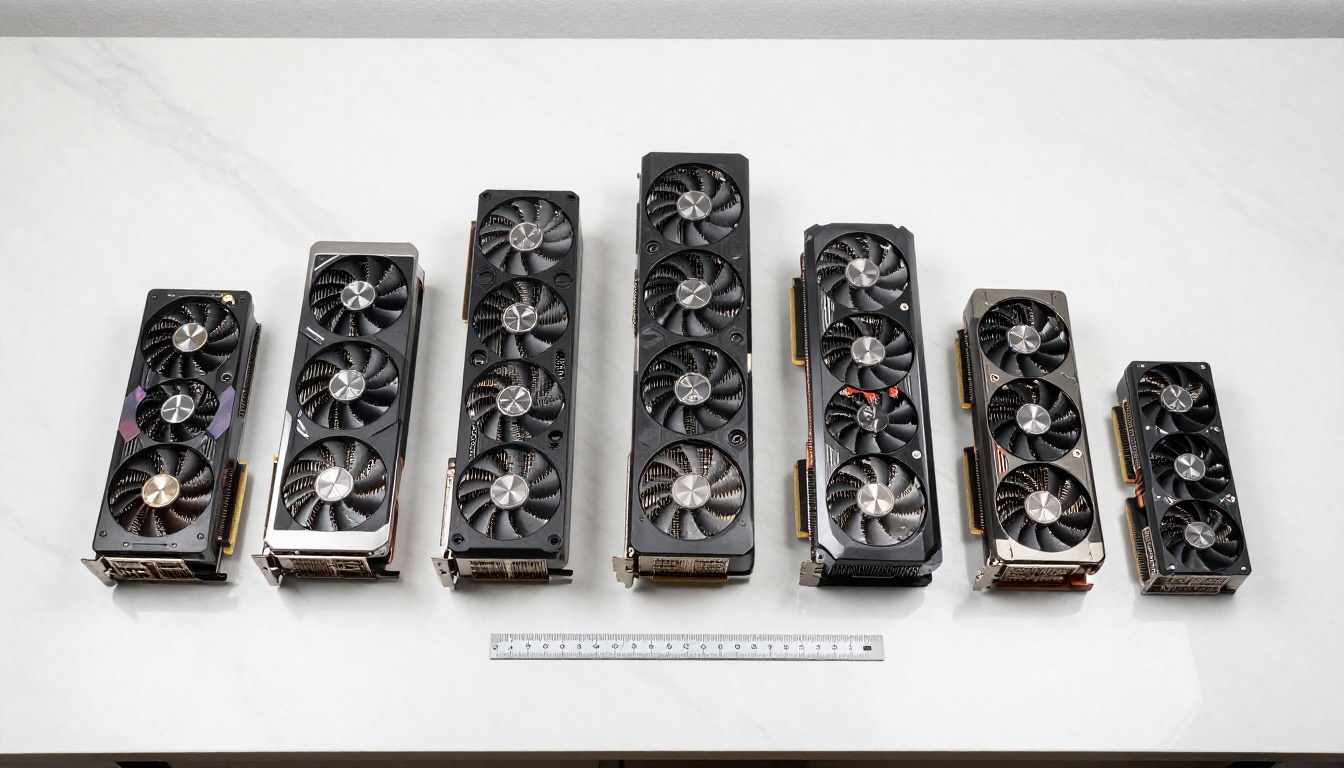
Best GPUs by VRAM Tier
8GB Cards: Possible, Not Comfortable
With 8GB VRAM, you're limited to the flux-2-klein-4b or heavily quantized versions of larger models.
Cards in this range:
- NVIDIA RTX 3070 (8GB GDDR6)
- NVIDIA RTX 3060 Ti (8GB GDDR6)
- NVIDIA RTX 4060 (8GB GDDR6)
- AMD RX 6700 XT (12GB, an advantage here)
💡 Note: The RX 6700 XT technically has 12GB, making it more capable than NVIDIA's 8GB cards in the same price bracket.
At 8GB, expect:
- 30-90 seconds per 1024x1024 image with flux-2-klein-4b
- Potential out-of-memory errors without sequential offloading enabled
- No practical path to running 9B models without 4-bit quantization
12GB Cards: The Real Entry Point
This is where Flux 2 becomes genuinely usable for everyday AI image generation.
Cards in this range:
- NVIDIA RTX 3080 12GB
- NVIDIA RTX 4070 (12GB GDDR6X)
- NVIDIA RTX 3060 (12GB GDDR6)
- AMD RX 7700 XT (12GB GDDR6)
With 12GB VRAM, you can run flux-2-dev using 8-bit quantization comfortably, and flux-2-flex at reasonable speeds. Expect generation times of 15-40 seconds at 1024x1024 with the right settings.
| GPU | VRAM | Flux 2 Dev (8-bit) | Flux 2 Klein 4B |
|---|
| RTX 4070 | 12GB | ~25s/image | ~10s/image |
| RTX 3080 12GB | 12GB | ~35s/image | ~14s/image |
| RTX 3060 | 12GB | ~55s/image | ~22s/image |
16GB and Above: Where It Gets Good
With 16GB or more, the Flux 2 experience changes dramatically. You can run full float16 inference on 9B models without quantization, which means maximum quality output.
Cards in this range:
- NVIDIA RTX 4080 (16GB GDDR6X)
- NVIDIA RTX 4080 Super (16GB GDDR6X)
- AMD RX 7900 GRE (16GB GDDR6)
- AMD RX 7900 XT (20GB GDDR6)
- NVIDIA RTX 4090 (24GB GDDR6X)
- NVIDIA RTX 6000 Ada (48GB GDDR6)
The RTX 4080 at 16GB sits right at the threshold for flux-2-pro in float16. Generation speeds hit 8-15 seconds per image, which is practical for iterative work. The RTX 4090 with its 24GB GDDR6X is the undisputed consumer benchmark: full float16 on any Flux 2 variant, including flux-2-max, at speeds of 5-10 seconds per 1024x1024 image.
💡 Pro tip: GDDR6X memory in the RTX 4090 delivers ~1008 GB/s bandwidth, which matters enormously for transformer-based diffusion models like Flux 2. Memory bandwidth, not just capacity, affects generation speed significantly.
Flux 2 Dev vs Pro vs Max
These three variants represent a quality-speed spectrum, and each has meaningfully different hardware demands.
Which Variant Needs More VRAM
flux-2-dev is the open-weight development model. It's optimized for local inference, supports fine-tuning and LoRA, and is the most hardware-friendly of the 9B models. At 12GB with 8-bit quantization, it's the right choice for enthusiasts on mid-range hardware.
flux-2-flex introduces structural conditioning for higher control over output composition. Memory demands are similar to Dev, but inference is slightly heavier due to the additional conditioning pathways.
flux-2-pro and flux-2-max are the high-end API-tier models. Max specifically uses full-precision inference pipelines designed for professional output quality. Running these locally at full quality requires 20-24GB of VRAM.

Speed vs Quality Tradeoffs
Here's what you actually get at each VRAM tier for the 9B Flux 2 models:
| Precision | VRAM Use | Quality Impact | Speed (RTX 4090) |
|---|
| Float16 (full) | ~18GB | None | 5-8s/image |
| BF16 | ~18GB | Minimal | 5-8s/image |
| 8-bit (NF8) | ~10GB | Very Low | 10-15s/image |
| 4-bit (NF4) | ~6GB | Moderate | 18-25s/image |
The quality difference between float16 and 8-bit is rarely visible to the eye at standard 1024x1024 resolutions. It becomes apparent at very high resolutions or with extremely fine detail in faces and textures. 4-bit quantization does introduce softness in fine details, but produces viable results on constrained hardware.
How to Use Flux 2 on PicassoIA
Since flux-2-dev, flux-2-pro, flux-2-max, flux-2-flex, and flux-2-klein-4b are all available on PicassoIA, you can generate images with any Flux 2 variant without worrying about local VRAM requirements at all.

Step-by-Step with Flux 2 Pro
- Open flux-2-pro on PicassoIA
- Type your prompt in the text input field. Be specific: describe the subject, lighting, environment, and mood.
- Set your desired resolution. 1024x1024 works well for portraits; 1792x1024 suits landscape scenes.
- Adjust the guidance scale. A value of 3.5-4.0 gives balanced prompt adherence without over-saturation.
- Hit generate. The cloud inference runs on professional-grade hardware, so you get full float16 quality regardless of your local GPU.
Choosing Your Flux 2 Variant
Use this decision tree to pick the right model:
💡 Tip: If you're comparing outputs between variants, always use the same seed and prompt so differences reflect model capability, not randomness.
VRAM Optimization Without Upgrading
Not everyone can drop $1,500+ on an RTX 4090. These techniques let you push further with your current hardware.
Quantization and Model Offloading
GGUF quantization through tools like llama.cpp and diffusers now supports Flux 2 models. Loading a Q5_K_M quantized version of flux-2-dev brings VRAM usage below 10GB with minimal quality loss.
CPU offloading with the enable_sequential_cpu_offload() method in Hugging Face Diffusers moves layers to system RAM when not actively processing. This makes it technically possible to run Flux 2 on 6GB or even 4GB cards, but generation times can stretch to 5-15 minutes per image.
Attention slicing and tiled VAE decoding also help. These options split memory-intensive operations into smaller chunks, reducing peak VRAM usage at the cost of slightly longer processing times.
The practical lower limits with all optimizations combined:
- 6GB VRAM: flux-2-klein-4b with 4-bit quantization and CPU offloading (very slow)
- 8GB VRAM: flux-2-dev with GGUF Q4 quantization (usable but not recommended for production)
AMD vs NVIDIA for Flux 2
AMD GPUs are often overlooked for AI workloads, but the situation has improved significantly with ROCm support. The RX 7900 XTX with its 24GB GDDR6 memory is a legitimate competitor to the RTX 4090 for Flux 2 inference.
| GPU | VRAM | Memory Bandwidth | Flux 2 Support |
|---|
| RTX 4090 | 24GB GDDR6X | 1008 GB/s | Excellent (CUDA) |
| RTX 4080 Super | 16GB GDDR6X | 736 GB/s | Good (CUDA) |
| RX 7900 XTX | 24GB GDDR6 | 960 GB/s | Good (ROCm) |
| RX 7900 XT | 20GB GDDR6 | 800 GB/s | Good (ROCm) |
| RTX 4070 Ti Super | 16GB GDDR6X | 672 GB/s | Good (CUDA) |
ROCm has matured to the point where HuggingFace Diffusers runs Flux 2 on supported AMD GPUs without major issues. That said, CUDA optimizations in PyTorch still give NVIDIA a speed edge, particularly with Flash Attention 2.
Cloud vs Local: Honest Cost Comparison
Running Flux 2 locally has zero per-image cost after hardware investment. But the upfront cost is substantial:
- RTX 4090: ~$1,600-2,000
- RTX 4080: ~$900-1,100
- RTX 4070: ~$550-650
Cloud inference at roughly $0.04-0.08 per image means you'd need 20,000-50,000 images to break even on a mid-range card purchase. For most casual users, cloud platforms are the smarter financial choice. For high-volume production work (1,000+ images per month), local hardware pays for itself within a year.
What This Means for AI Image Creation
Flux 2 represents the current ceiling of open AI image generation quality. The VRAM requirements are a direct reflection of the model's sophistication. The transformer backbone at 9 billion parameters requires serious memory bandwidth to deliver its signature photorealistic output, and there are no shortcuts that don't come with tradeoffs.
The good news: if your GPU doesn't hit the sweet spot, you don't have to sit out. Platforms like PicassoIA give you access to flux-2-pro, flux-2-max, and flux-2-dev running on professional-grade cloud hardware, delivering full float16 quality with no local VRAM constraints.
💡 Bottom line: Aim for 16GB VRAM minimum for comfortable local Flux 2 use. For flux-2-max and flux-2-pro at full quality, 24GB is the real target.
Create Stunning Images Right Now
You don't need to invest in new hardware to see what Flux 2 is capable of. On PicassoIA, every Flux 2 variant runs on professional-grade cloud infrastructure, which means your results are identical to what you'd get on a locally installed RTX 4090 with 24GB VRAM.

Start with flux-2-dev for open-weight flexibility and LoRA compatibility, or go straight to flux-2-max if you want the highest possible output quality. Try different resolution settings, adjust guidance scale, and compare results between the 4B and 9B variants firsthand. The platform runs all of them with the same ease, and you'll immediately feel the difference that proper VRAM headroom makes, even when the hardware is handled in the cloud.


