Something is happening in the AI video space in 2027 that most people in the creator economy are noticing whether they track it or not. Seedance 2.0 from ByteDance is picking up momentum fast. Not because of a massive marketing push, but because creators who tried it are not going back. The results speak clearly, and the workflow changes are real.
This is not another "try this new tool" post. This is about why a specific, measurable shift is happening among serious creators in 2027, what Seedance 2.0 does that its predecessors and competitors don't, and how you can start using it right now.
What Seedance 2.0 Actually Is
Seedance 2.0 is a text-and-image-to-video model developed by ByteDance. It accepts both a text prompt and an optional reference image as input, then generates a video clip with synchronized, native audio output. It is not simply an upgraded version of Seedance 1 Pro or Seedance 1.5 Pro. The architecture was significantly rethought to address the core friction points creators have lived with in AI video since the beginning.
Built by ByteDance
ByteDance is the company behind TikTok, and their research investment into AI video reflects that deeply. They understand short-form video at a scale no other lab comes close to. That context matters when you look at what Seedance 2.0 gets right: motion that feels native to a social-first generation of viewers. The output does not feel academic or experimental. It feels built for content.
From 1.x to 2.0: What Actually Changed
The jump from Seedance 1 Pro to Seedance 2.0 is not a small iteration. Three things changed substantially:
- Video quality: Resolution fidelity and temporal consistency improved significantly, with fewer artifacts across frames
- Motion coherence: Objects, people, and environments now move with physical plausibility rather than drifting or warping
- Native audio: This is the headline feature. Audio is now generated alongside the video, not bolted on afterward
💡 Tip: If you have used any of the Seedance 1.x models, testing 2.0 with the exact same prompt is the fastest way to see the difference directly. The gap is immediately visible.
The Quality That Stopped Creators in Their Tracks
The word "quality" gets used loosely in AI video discussions. Here, it refers to specific, measurable things: temporal consistency, resolution sharpness during motion, and how well the model holds detail across frames as action happens in the scene.
Motion Coherence Nobody Expected
Earlier AI video models, including many that are still widely used in 2027, produce clips where objects drift, faces blur mid-movement, and backgrounds stutter. Seedance 2.0 addresses this with a training approach that prioritizes temporal coherence above almost everything else. A person walking stays proportioned across every frame. A camera pan does not produce smearing artifacts. Water moves like actual water responding to physical forces.
For creators, this matters because post-production time drops. Clips that look consistent from start to finish need far less correction in editing. That time savings compounds enormously across a high-volume content workflow where you might produce dozens of clips per week.
Real Physics in AI-Generated Scenes
This is one of the subtler improvements in Seedance 2.0, but it is one of the most noticed in creator communities. The model appears to simulate light, shadow, and object interaction more accurately than earlier generations of AI video tools. Fabric folds realistically as a subject moves. Reflections behave predictably. Gravity exists in the way it should when objects fall or liquids pour.
These details push AI-generated footage across a threshold where it can hold up against casual real-world footage, which matters enormously for brand and promotional content where authenticity is everything.
Native Audio Changes Everything
This is the feature that most veteran creators point to when explaining why they made the switch. Native audio in Seedance 2.0 means the model generates sound at the same time it generates the video, not as a separate step. That single architectural decision changes a significant portion of the content production pipeline.
Why Audio Matters More Than Ever
Short-form video on every major platform in 2027 is consumed with sound on by default. Creators who produce AI video content have historically had to source or create audio separately, sync it manually, and iterate multiple times to get something that feels cohesive. This step is expensive in both time and tool cost. It often requires a separate subscription or audio service.
Seedance 2.0 collapses that into a single generation. The sounds in the scene, footsteps, ambient environment, subtle object interaction, all arrive already matched to the visual. This is not just convenient. It is a structural change to how AI video fits into a creator's pipeline.
Old Pipeline vs. New Pipeline
| Step | Before Seedance 2.0 | With Seedance 2.0 |
|---|
| Video generation | Text/image to video model | Text/image to video model |
| Audio sourcing | Separate tool or licensed library | Included natively in output |
| Sync and alignment | Manual work in video editor | Generated together automatically |
| Final output | Multi-step assembly required | Single clip ready for use |
| Total time cost | High, often hours per clip | Significantly reduced |
The reduction in assembly steps is real, and for creators producing several pieces of content per week, the cumulative time savings is one of the primary reasons the switch is happening.
💡 Tip: Use specific, sensory-rich prompts to get the most from Seedance 2.0's audio generation. Describe sounds you want in the scene the same way you describe visuals: "busy street café with espresso machine hissing and soft background conversations."
Speed Without Sacrificing Output

Generation time matters when you are running a content operation, not just experimenting. Seedance 2.0 operates at a speed that makes real-volume production feasible. But ByteDance also released Seedance 2.0 Fast, which is specifically optimized for situations where turnaround time is the primary constraint.
Seedance 2.0 Fast: When You Need It Now
Seedance 2.0 Fast preserves the core quality improvements of the full model while reducing generation time. The tradeoffs are minimal for most use cases: slightly shorter clip lengths and a marginal reduction in detail during high-motion scenes, but the motion consistency and native audio features remain fully intact.
For creators running reactive content strategies, such as responding to trends, producing daily posts, or working with tight client timelines, Seedance 2.0 Fast is the practical choice for day-to-day output. The standard Seedance 2.0 model becomes the tool for final, polished deliverables.
How This Changes a Creator's Day
Before models like Seedance 2.0, producing a short-form video piece with AI required: generating video, generating or licensing audio separately, editing and syncing both, adding color correction, and rendering a final file. That process could take several hours for a single 15-second clip.
With Seedance 2.0 and Seedance 2.0 Fast, a creator can go from concept to a shareable clip in a fraction of that time. The cognitive load drops. The iteration cycle tightens. More time goes into ideation and strategy rather than production assembly. This is why volume-focused creators are making the switch, and why they are not reversing course once they do.
How It Compares to the Competition
The AI video space in 2027 has serious competition. Kling v3, Veo 3, Sora 2, Hailuo 2.3, and LTX-2.3 Pro are all strong models with active user bases. Placing Seedance 2.0 in context makes the shift clearer.
The combination of native audio, excellent motion quality, image input support, and a dedicated fast variant puts Seedance 2.0 in a uniquely capable position. It is not the only model worth using, but it is the one that checks the most boxes for a broad range of creator workflows simultaneously.
💡 Tip: Different projects call for different models. Kling v3 Motion Control is worth using when precise motion choreography matters. Veo 3 shines for cinematic landscape content. But for general-purpose creator output with audio, Seedance 2.0 is the most capable option right now.
Who Is Actually Using Seedance 2.0
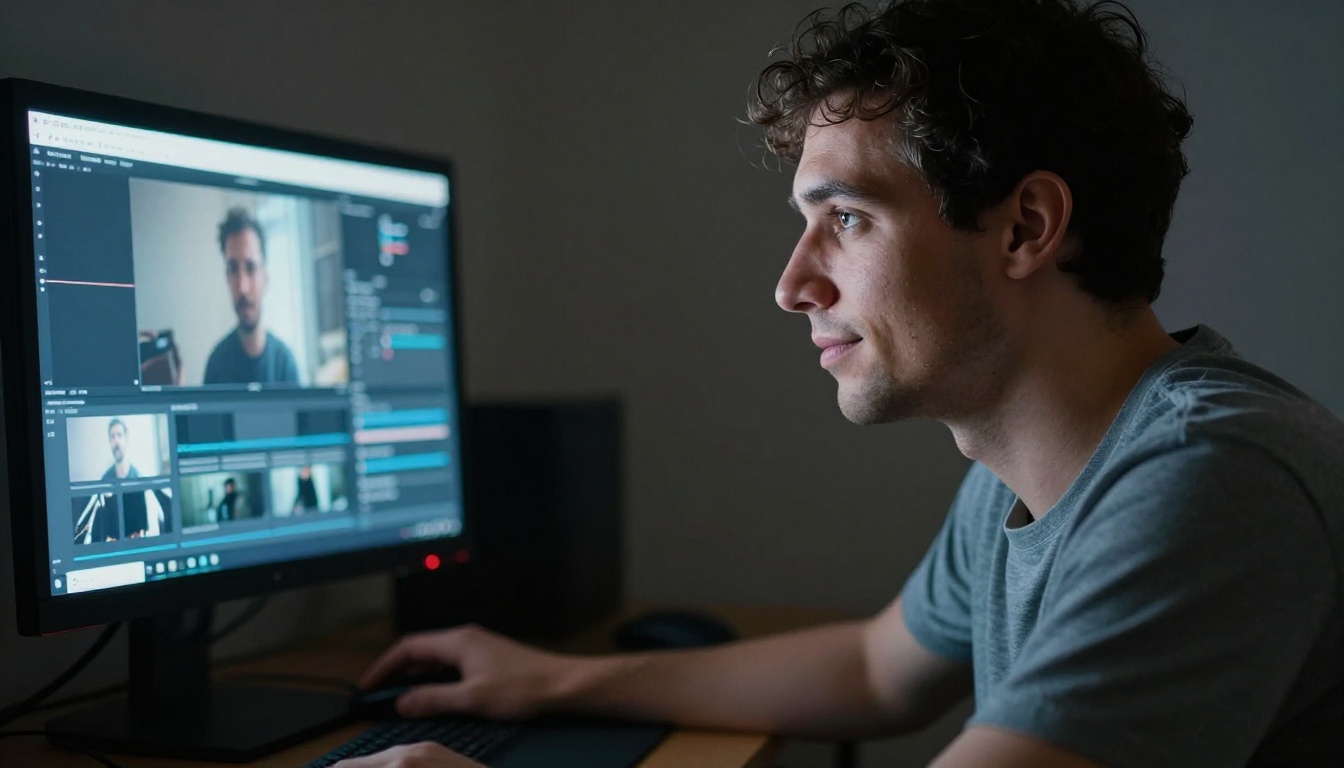
The creator profiles adopting Seedance 2.0 are diverse, but clear patterns emerge when you look at who is making the switch and why.
Short-Form Video Creators
This is the largest and fastest-growing group. Creators producing content for short-form platforms need volume, speed, and consistency above almost everything else. Seedance 2.0 delivers all three. The native audio means clips are platform-ready with minimal additional work. Motion quality means even quick, reactive content looks deliberate and polished.
Many short-form creators using Seedance 2.0 pair it with PixVerse v5.6 for stylized variations, using each model for different content moods within the same channel or brand.
Brand and Marketing Teams
Agencies and in-house brand teams working with social video have specific requirements: consistency of visual identity, controlled motion, and a finished output that does not require heavy post-production to be client-ready. Seedance 2.0 checks those requirements better than most alternatives because the frame-to-frame consistency is high and the output needs minimal cleanup before delivery.
Independent Filmmakers and Visualizers
A smaller but vocal segment of Seedance 2.0 adopters are independent filmmakers using it for previsualization, concept pitches, and experimental short-film segments. For these users, the physics accuracy and motion coherence are the primary draws. The ability to generate a scene from a single reference image and a text description reduces pre-production costs substantially, making ambitious projects viable on smaller budgets.
How to Use Seedance 2.0 on PicassoIA

Seedance 2.0 is available directly on PicassoIA's text-to-video collection alongside Seedance 2.0 Fast. Here is exactly how to run your first generation.
Step 1: Go to the Model Page
Navigate to the Seedance 2.0 model page on PicassoIA. You will land directly on the model's input interface with the text prompt field and optional image upload ready.
Step 2: Write Your Prompt
Your text prompt is the primary input. Be specific and sensory. Include:
- Subject: Who or what is in the scene, with physical detail
- Action: What is happening, with motion described explicitly rather than abstractly
- Environment: Where the scene takes place, with texture and atmosphere
- Audio cues: Describe sounds you want the model to include, such as ambient noise, specific object sounds, or environmental audio
Example prompt that performs well:
"A young woman walks slowly through a rain-soaked night market, vendors calling out softly, steam rising from food stalls, lantern light reflecting in wet cobblestones beneath her feet"
Step 3: Add a Reference Image (Optional)
Seedance 2.0 accepts an image input to anchor the visual style and character of your clip. This is particularly useful when you need visual consistency across multiple clips for a series or campaign. Upload your reference image before generating. It does not need to be elaborate, but it should be clear and well-lit.
💡 Tip: Use a clean, well-lit reference image with a clear subject at the center. Busy or low-contrast images can dilute the model's interpretation of your starting frame and reduce consistency.
Step 4: Generate and Iterate
Hit generate and review the output. Things to check on first review:
- Does the audio match the visual action in the scene?
- Is the motion physically consistent across the full clip duration?
- Does the scene hold the character and environment you described?
If any element falls short, adjust your prompt. Adding more specific motion description almost always improves temporal consistency. For faster iteration, switch to Seedance 2.0 Fast during the testing phase and move to the standard model for your final output.
Prompt Tips That Actually Work
| What You Want | What to Add to Your Prompt |
|---|
| Better audio sync | Name specific sounds: "gravel crunching underfoot" |
| Smoother motion | Add camera description: "slow dolly shot" or "static camera" |
| Consistent character | Use image input with a clear, centered subject reference |
| Cinematic atmosphere | Describe lighting and texture: "overcast diffused daylight" |
| Natural physics | Describe material behavior: "fabric billowing in light wind" |
Your Next Video Starts with One Prompt


The shift happening around Seedance 2.0 in 2027 is not difficult to explain once you use it. The quality is there. The speed is there. The native audio removes a friction point that has slowed AI video adoption for years. And both the standard and Fast variant are immediately accessible to any creator with a workflow to build or improve.
You do not need a production team or a complex setup to get results. PicassoIA gives you direct access to Seedance 2.0 alongside 89 other text-to-video models, including Kling v3, Veo 3, Hailuo 2.3, and PixVerse v5.6, all in one place. You can test, compare, and iterate across all of them without switching platforms.
Start with a single prompt. See what Seedance 2.0 produces. Then iterate. The creators making the switch are not doing anything complicated. They are using a better tool, producing better output in less time, and they are not going back.


