The gap between a YouTube creator who grinds for three days on a single video and one who ships four polished videos a week is no longer talent. It is tooling. AI video generators have reached a point where they produce results that look genuinely cinematic, and the best ones are now accessible through a single platform without needing a GPU, a production team, or five separate app subscriptions.
This breakdown covers the 6 best AI video tools available right now for YouTube creators: what each one does well, who it suits, and how to use them from one place. These are the models producing real results for real channels in 2027, not theoretical tools or early-access experiments.
Why the Algorithm Rewards AI Users Now
YouTube's algorithm rewards consistency above almost everything else. Channels that post twice a week, every week, outperform channels that post one polished masterpiece per month. The problem has always been production time: scripting, filming, editing, color grading, sound design. That chain used to require either a full team or a creator willing to burn 60 hours a week.
AI video generation collapses that chain. You type a prompt, adjust a few parameters, and within minutes you have footage that would have taken a full day to film and another to edit. The quality ceiling has risen sharply in 2027. These are not the wobbly, flickery clips from two years ago. They hold up in full-screen 1080p, and the best models are now producing 4K output.
Channels using these tools are not faking their content. They are using AI-generated video for B-roll, cinematic intros, mood-setting sequences, product showcases, and visual metaphors. The talking-head segments stay filmed. The filler footage that used to take hours to source and license is now generated in two minutes.
Tip: The best results come from creators who treat AI video as a production collaborator. Write a tight, specific prompt, run two or three variations, and use the output as your B-roll or hero shot rather than as a replacement for your on-camera presence.
The Real Bottleneck in Video Production
Most creators think their bottleneck is filming. It is not. Recording a talking-head segment takes 30 minutes. The real time sink is everything around it: sourcing B-roll footage, licensing stock video, color matching clips from different sources, filling gaps in coverage, and adding atmospheric sequences that make a video feel complete rather than rushed.
AI video generation directly removes these steps. Instead of spending two hours on stock video sites looking for footage that almost matches your vision, you describe exactly what you want and generate it in under five minutes. The result matches your script, your color palette, and your aesthetic, because you wrote the prompt.
This is where 2025 differs from 2023. The models available now read complex prompts accurately. They respond to lighting descriptions, camera movement instructions, texture details, and atmospheric conditions. A prompt that says "overcast afternoon light in a narrow European alley, wet cobblestones, a woman in a burgundy coat walking away from camera, 35mm lens perspective" will actually produce that, not a generic approximation.
Not every AI video model fits every workflow. Before committing to one, run it through these points:
- Resolution: Do you need 1080p minimum, or is 720p acceptable for your content format?
- Audio: Does the model generate synchronized audio, or do you layer it yourself in post?
- Speed: Are you on a deadline? Some models generate in 3 minutes, others take 20.
- Prompt control: Can you specify camera movement, character consistency, or lighting direction?
- Cost per generation: Some tools charge per second of video, others per clip. Know this before you run 50 generations in a session.
The six tools below score well across most of these criteria. Each has a specific strength that makes it better suited for particular types of YouTube content.
1. Kling v3 — For Cinematic Storytelling
Kling v3 from Kwaivgi is the standout choice for YouTube creators who need footage that looks like it was shot on a cinema camera. The model handles motion with exceptional smoothness and produces 1080p clips with realistic depth of field, natural motion blur, and consistent subject rendering from frame to frame.
What makes it work for YouTube:
- Camera motion control: Specify pan, dolly, orbit, or push-in movements directly in your prompt and the model executes them accurately
- Subject consistency: Characters and objects hold their appearance across the full clip without drifting or morphing mid-sequence
- Lighting accuracy: The model reads lighting descriptions precisely, whether that is golden-hour backlight, diffused overcast, or sharp midday contrast
The Kling v3 Omni Video variant handles full text-to-1080p generation for scripted sequences, and Kling v3 Motion Control gives frame-level control over character movement for creators who need precise choreography in their clips.
| Feature | Detail |
|---|
| Output resolution | 1080p |
| Camera motion control | Yes |
| Generation speed | Medium (8-12 min) |
| Synchronized audio | No |
Best for: Documentary-style channels, travel vloggers, cinematic intros, product showcase sequences.
2. Veo 3 — Native Audio and Photorealism
Veo 3 from Google changed what creators expected from AI video. It generates video with native synchronized audio: ambient noise, environmental sounds, tonal elements, and atmospheric cues emerge from the same generation process rather than being layered on afterward.
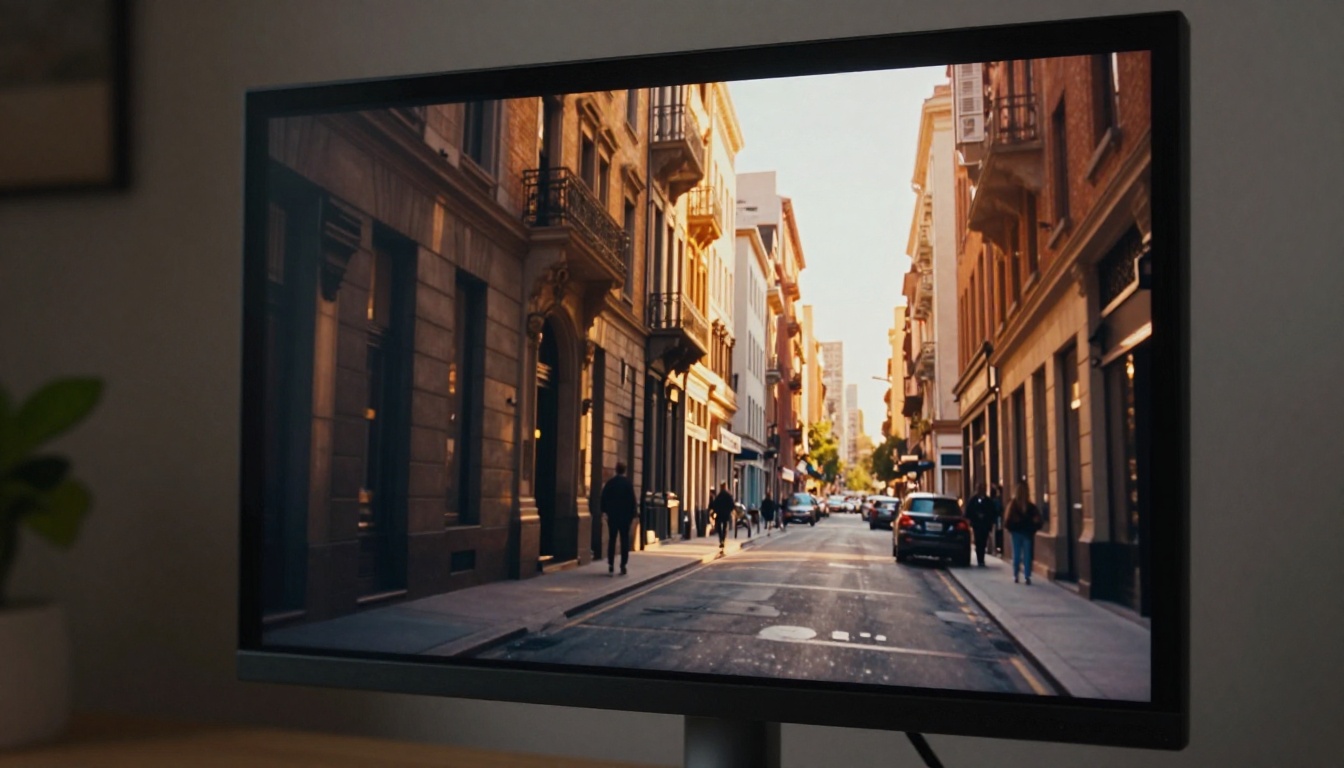
The photorealism is among the best available. Environments, fabrics, water, skin, and architectural surfaces render with a texture density that holds up on large screens. This matters for YouTube specifically, because viewers are increasingly watching on televisions and large monitors rather than phones, and soft textures or artifacts become obvious at that scale.
Tip: Veo 3 responds very well to environment descriptions. Describe the time of day, weather conditions, and the surface textures around the subject, and the model will render them with surprising accuracy.
Where it fits in a YouTube workflow:
- Use it for any segment where ambient audio is part of the mood: a busy market, a quiet forest, rain on glass, city traffic at dusk
- Pair it with recorded voice narration for a complete scene with minimal post-production audio work
- Works exceptionally well for ASMR-adjacent content where environmental texture is central to the experience
The faster Veo 3 Fast variant cuts generation time significantly for rapid iteration. Veo 3.1 and Veo 3.1 Fast offer updated generation quality with the same audio-inclusive pipeline.
Best for: Lifestyle channels, ASMR content, cinematic B-roll, travel montages, documentary narration.
3. Sora 2 — OpenAI's High-Fidelity Engine

Sora 2 delivers what many creators consider the most coherent narrative AI video currently available. Where other models sometimes drift visually or lose subject consistency after the first few seconds, Sora 2 maintains physical plausibility across longer clips, making it the strongest option for storytelling-heavy formats.
Where Sora 2 stands apart:
- Narrative coherence: Objects and characters maintain visual consistency across the full duration of the clip, not just the opening frames
- Physics accuracy: Water, cloth, smoke, hair, and other dynamic elements behave with convincing physical logic
- Complex prompt handling: Multi-part prompts with specific scene descriptions, lighting conditions, and subject behaviors produce accurate results more reliably than competing models
For YouTube channels producing short films, educational narratives, or brand films, Sora 2's coherence advantage is directly visible in the final output. Sora 2 Pro pushes the resolution and subject coherence ceiling even further for channels where quality is the primary consideration above speed.
Best for: Short film channels, educational content with storytelling arcs, brand films, high-production cinematic intros.
4. Seedance 2.0 — Built-In Audio from Text
Seedance 2.0 from ByteDance pairs 1080p video generation with built-in audio synthesis, making it one of the most complete single-step tools for YouTube creators who need video with ambient sound without a separate audio production pass.
The generation pipeline handles both visual and audio outputs from a single text prompt. For a creator producing content on a tight weekly schedule, removing the audio layer from post-production saves meaningful hours per video. Instead of sourcing or recording ambient audio to match AI-generated visuals, the ambient sound comes with the clip.
Production advantages:
- One-prompt, two outputs: Video and audio generated together with natural synchronization
- Strong instruction following: Subject descriptions, environment details, and atmospheric requests translate accurately into output
- 1080p delivery: No resolution compromise for the speed gains it offers
The Seedance 1.5 Pro and Seedance 2.0 Fast variants give creators control over the quality-to-speed tradeoff within the same model family.
Best for: Vlog-style content, ambient atmosphere videos, background loops, fast B-roll production with sound.
5. Hailuo 02 — Speed Meets 1080p Quality
Hailuo 02 from MiniMax occupies the practical sweet spot between generation speed and output quality. It produces 1080p video significantly faster than most competitors without the quality degradation that typically accompanies fast-generation models. For channels with a high posting frequency, this speed-to-quality ratio is difficult to match.
The model supports both text-to-video and image-to-video generation. This makes it particularly useful for creators who produce AI-generated images for thumbnails or social posts and want to animate those same images into video clips, maintaining visual consistency across their content pipeline.
Tip: Start with a still image that represents your channel's signature visual style, your brand color palette, a recurring set, or a recognizable character from your thumbnails. Feed it to Hailuo 02 as the starting frame, then describe the movement. The result integrates naturally with your existing visual identity.
Production strengths:
- Fast 1080p delivery: Clips generate in under 5 minutes in most cases
- Image-to-video pipeline: Animate any photo or AI-generated image into a clip
- Smooth motion quality: Movement stays consistent at typical YouTube playback speeds
Hailuo 02 Fast at 512p is available for concept testing and storyboarding passes where resolution is not the priority.
Best for: High-frequency posting channels, social media clips, image-to-video workflows, rapid B-roll production.
6. LTX 2 Pro — 4K Without the Wait
LTX 2 Pro from Lightricks stands apart as one of the only AI video models generating at 4K resolution. For YouTube channels that upload in 4K, this is significant. The model produces crisp, detailed frames that hold up on large television screens and 4K displays, an area where most AI video models still fall short.
LTX 2 Pro supports both text-to-video and image-to-video pipelines, giving creators multiple entry points depending on whether they are starting from a written prompt or an existing visual asset.
Why 4K output matters for YouTube:
- YouTube gives preferential treatment to 4K uploads in its recommendation systems
- Creators can downscale 4K source footage to 1080p during rendering, producing sharper 1080p output than native 1080p generation provides
- 4K assets allow cropping and reframing in post without quality loss, useful for repurposing clips across multiple formats
Practical production use: Generate a 4K establishing shot, a product close-up, or an atmospheric sequence. Use it as the opening of a video, as a B-roll insert, or as the visual background for a narration segment. The resolution means it will not be the weakest visual in your cut.
LTX 2.3 Pro and LTX 2.3 Fast extend the same 4K pipeline with updated generation quality, while LTX 2 Fast provides a speed-optimized variant for rapid iteration.
Best for: Premium channels, brand content, lifestyle and travel creators, any channel targeting 4K-first viewers.
All six models are available on PicassoIA within the text-to-video collection, alongside over 100 additional video generation models. Instead of subscribing to six separate platforms and managing different accounts, billing cycles, and interfaces, creators can run every model from a single dashboard.
This matters practically. Testing Kling v3 against Veo 3 for the same prompt takes two minutes when both are accessible from the same screen. Switching from Seedance 2.0 to Hailuo 02 for a speed-critical project is a single click rather than another account login.
The platform also provides access to the image generation models that feed into the image-to-video workflows for Hailuo 02 and LTX 2 Pro, making the entire production pipeline from first prompt to final video clip available without leaving a single browser tab.
Side-by-Side Comparison
| Tool | Resolution | Audio | Speed | Best Use Case |
|---|
| Kling v3 | 1080p | No | Medium | Cinematic B-roll |
| Veo 3 | 1080p | Yes | Medium | Photorealistic + audio |
| Sora 2 | 1080p | No | Slow | Narrative storytelling |
| Seedance 2.0 | 1080p | Yes | Fast | Audio-video together |
| Hailuo 02 | 1080p | No | Fast | High-volume workflows |
| LTX 2 Pro | 4K | No | Medium | Premium 4K production |
Which One to Start With
If you are new to AI video generation for YouTube, start with Hailuo 02. Its generation speed means you can run five or six prompt variations in a single session, which is how you build intuition for what these models respond to. Once you understand how they read descriptions, move to Veo 3 for projects where audio is part of the deliverable, or Kling v3 when you need that cinematic look for a high-stakes upload.
If 4K output is a requirement from day one because your channel shoots and uploads in 4K, go straight to LTX 2 Pro and skip the intermediate step.
For channels that need complete audio-video packages without post-production audio work, Seedance 2.0 reduces the total time-per-video more than any other tool on this list.
The creators winning on YouTube with AI video are not using these tools to replace their content ideas. They are using them to execute those ideas faster and with more visual range than their budgets previously allowed.
Start Generating Your Next Video
Every model in this article is live and ready on PicassoIA. Open the text-to-video collection, pick the tool that fits your next video's needs, and write your first prompt. The quality ceiling on AI video has risen sharply in 2027, and the creators who build fluency with these tools now will have a significant production advantage as the space continues to move.
Try Kling v3 for your next cinematic establishing shot. Try Veo 3 for a full audio-plus-video atmospheric clip. Try LTX 2 Pro if 4K is where your channel is headed. The platform is there. The models are ready. All that is missing is your prompt.


