GPT Image 1: How to Use OpenAI's First Image Model
GPT Image 1 is OpenAI's first native image generation model, built directly into GPT-4o. This article covers what makes it different from DALL-E, how to access it through ChatGPT and the API, how to write prompts that get results, and how it stacks up against Flux, Stable Diffusion, and Recraft in a real-world comparison.
GPT Image 1 arrived quietly, then hit the internet like a freight train. OpenAI dropped it in April 2025 as the first image generation model natively built into GPT-4o — not a bolted-on external tool, not a DALL-E wrapper, but something genuinely different sitting inside the same model that writes your emails and reads your documents.
If you have ever tried generating an image and gotten back something that looked like a fever dream from 2021, you already know why this matters.
This article breaks down exactly what GPT Image 1 is, what sets it apart, how to access it, how to write prompts that actually produce results, and where the model genuinely struggles so you know what to expect before you start.
What GPT Image 1 Actually Is
Born Inside GPT-4o
GPT Image 1 is not a standalone product. It is the image generation capability that lives natively inside GPT-4o, which means the model that processes your text prompt is the same model that generates your image. There is no handoff between systems, no translation layer, no separate image model parsing your request.
That tight integration is what makes it behave differently from every other image generator you have used. When you describe a scene, GPT-4o understands the full context of your words, not just the nouns and adjectives. It picks up on intent, handles negations properly, and produces results that more closely match what you described rather than what a model pattern-matched against similar training prompts.
How It Differs from DALL-E
DALL-E 3 was OpenAI's previous image model, and it was genuinely good. But it had a ceiling. You could feel it when your prompt was even slightly complex: the model would drop details, swap attributes between objects, or produce text in images that looked like someone sneezed on the keyboard.
GPT Image 1 clears that ceiling in a few specific ways:
Text rendering: It produces readable, accurate text inside images. This alone changes what is possible for marketers and designers.
Instruction following: Subtle details in prompts, like specifying the angle of light or the texture of a surface, actually appear in the output.
Consistency: Generating multiple images of the same subject gives more consistent results, which matters enormously for brand work.
Contextual iteration: Because it lives inside GPT-4o, you can refine an image in natural conversation without starting from scratch each time.
Feature
DALL-E 3
GPT Image 1
Text in images
Often garbled
Accurate and readable
Prompt adherence
Good on simple prompts
Strong on complex prompts
Iteration
New prompt each time
Conversational refinement
Integration
Separate model
Native in GPT-4o
Photorealism
Very good
Excellent
What GPT Image 1 Can Do
Photorealism at a New Level
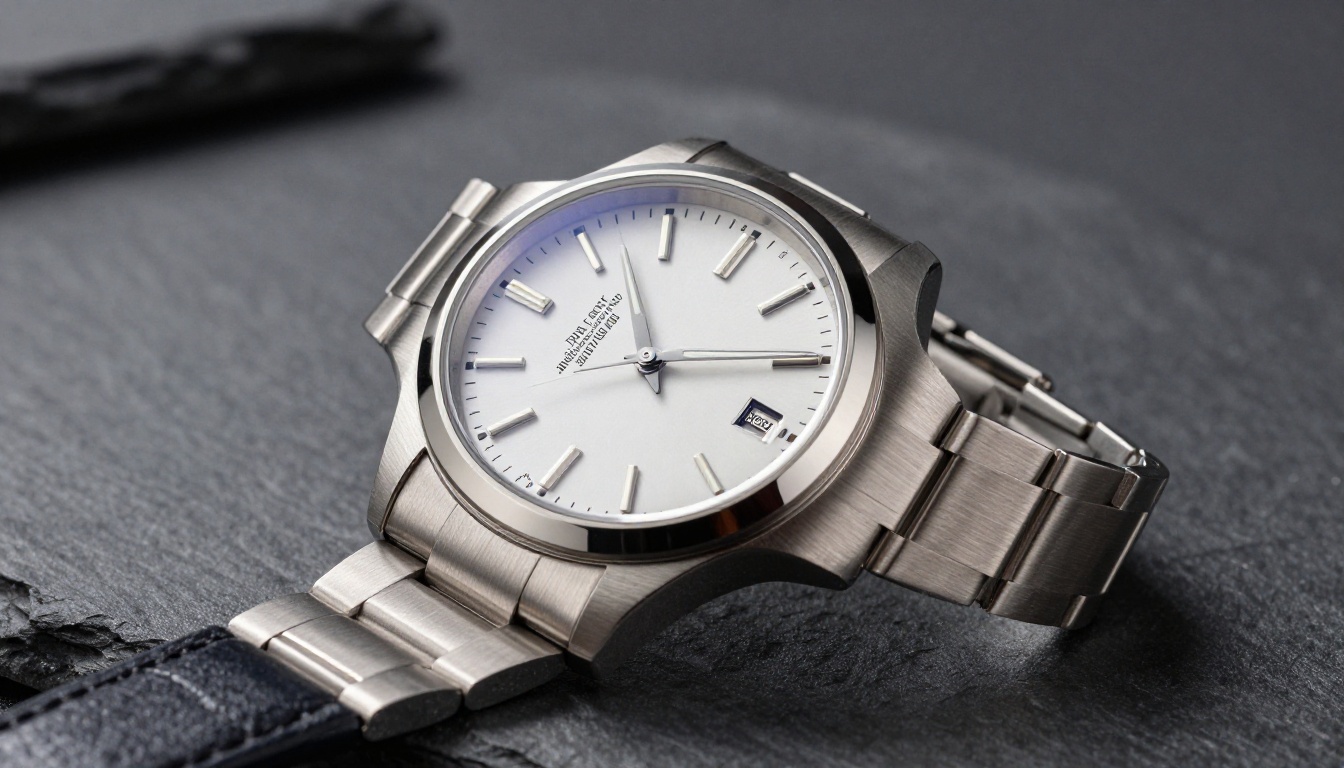
The output quality from GPT Image 1 lands in a category that makes it directly useful for commercial work without heavy post-processing. Product shots, lifestyle imagery, editorial portraits, the model handles all of these with a level of detail that would have required a professional photography setup or a full Stable Diffusion fine-tune just eighteen months ago.
The skin texture is realistic. Lighting follows the physics you describe. Objects have weight and material properties that look correct. That is not something you could take for granted with previous generations of image models.
Text in Images, Done Right
This is the single biggest practical improvement. Generating accurate text inside an image has historically been one of the hardest problems in image synthesis. Models would produce letters that looked almost right but were subtly wrong, like reading a word through frosted glass.
GPT Image 1 can place readable text into images reliably. That means:
Social media graphics with correct quotes or statistics
Mock product packaging with accurate label copy
Presentation slides with generated visual backgrounds and text overlays
Infographics where text labels need to be legible
💡 When you need text in an image, be explicit about font style, size, and position. The more specific you are, the better the placement and legibility.
Where It Falls Short
No model is perfect, and GPT Image 1 has clear limits worth knowing before you commit to a workflow:
Hands and fingers: Still occasionally wrong. Complex hand positions with multiple fingers in view can produce anatomically strange results.
Speed: It is slower than purpose-built image generators. If you need 50 images fast, it will feel sluggish.
Cost: Native API access is not cheap. For high-volume production work, the per-image cost adds up quickly.
Fine-tuning: You cannot fine-tune GPT Image 1 on your own dataset. If you need a very specific brand style or character consistency, you will need to look elsewhere.
How to Access GPT Image 1
Via the ChatGPT Interface
The simplest path is through ChatGPT itself. If you have a ChatGPT Plus or Pro subscription, image generation using GPT-4o is included. Type what you want in the chat interface, and the model generates it inline.
The iteration workflow here is strong. You can say "make the background darker" or "add a coffee cup on the left side" and the model will adjust the image based on the conversation context. This is the fastest way to experiment.
Via the OpenAI API
For developers and production workflows, GPT Image 1 is accessible through the OpenAI API. The endpoint is the standard images endpoint, and you specify gpt-image-1 as the model parameter.
The API gives you control over output size (square, landscape, portrait), response format (URL or base64), and the number of images per request. It supports sizes up to 1536x1024 for landscape and 1024x1536 for portrait.
💡 For API access, you need an approved organization with verified payment on file. New accounts may not have immediate access to GPT Image 1.
Via PicassoIA
If you want to access the GPT Image series without setting up API credentials or paying for a ChatGPT Plus subscription, GPT Image 2 is available directly on PicassoIA with no setup required.
On PicassoIA, you get the same generation quality through a clean interface that requires no API configuration. You can start generating in seconds, compare outputs with other models like Flux Redux Dev or Recraft 20B, and download your results immediately.
How to Use GPT Image 2 on PicassoIA
Since GPT Image 2 (the successor to GPT Image 1, sharing the same core OpenAI image architecture) is available on PicassoIA, here is exactly how to use it:
Step 2: In the prompt field, type a clear, descriptive prompt. Start with the subject, then add environment, lighting, and style details.
Step 3: Set your output ratio. For social media, 1:1 works well. For banners and headers, 16:9 is the standard.
Step 4: Click Generate and wait for the output (typically 15 to 30 seconds).
Step 5: If the result is close but not quite right, refine with a follow-up description of what needs to change rather than rewriting the entire prompt.
Step 6: Once satisfied, download the image in full resolution.
💡 PicassoIA also offers Flux Schnell LoRA if you need faster generation at a similar quality level. It is significantly quicker for high-volume tasks.
Writing Prompts That Actually Work
Structure That Gets Results
The biggest mistake people make with GPT Image 1 is treating it like a search engine. They type three words and expect a masterpiece. The model can handle very detailed instructions, and the quality of your output scales directly with the quality of your input.
A prompt structure that consistently works:
Subject and action: What is the main thing in the image, and what is it doing?
Environment: Where is this happening? What surrounds the subject?
Lighting: Where is the light coming from, what color temperature, how hard or soft?
Camera and lens: What angle is the viewer seeing this from? What focal length?
Mood and atmosphere: What should this feel like to look at?
5 Prompts to Try Right Now
These are tested to produce strong results with GPT Image 1:
1. Product shot:
"A sleek black coffee mug on a marble surface, steam rising from the top, soft overhead studio light, close-up at 85mm f/2.8, minimal white background"
2. Portrait:
"A woman in her 40s in a linen blazer, seated at a café table near a window, natural daylight, candid expression, 50mm f/1.8, film grain"
3. Architecture interior:
"Minimalist apartment interior, warm afternoon light through west-facing windows, hardwood floors, a single armchair, wide-angle 24mm"
4. Food photography:
"A sourdough loaf on a wooden cutting board with three slices cut, crumb texture visible, flour dust on the board, directional window light from the left, overhead shot"
5. Editorial lifestyle:
"A woman reading a book in a sunlit botanical garden, white dress, surrounded by lush greenery, soft diffused morning light, long lens compression, natural color grading"
GPT Image 1 vs. The Competition
Side-by-Side Comparison
The image AI space is crowded right now. Here is how GPT Image 1 compares to the other models you will encounter:
GPT Image 1 wins clearly on text rendering and natural language understanding. It loses on speed and the ability to fine-tune. The right choice depends on what you are building.
For most one-off creative work and iteration-heavy projects, GPT Image 1 is the strongest option available. For production pipelines where you need speed and fine-tuned brand consistency, Flux Fill Pro and similar models are more practical.
Real Use Cases Worth Trying
Product Photography That Skips the Studio
E-commerce teams have a real opportunity here. Generating product-in-context shots, lifestyle imagery, and variant photos without a photo shoot is now viable. The quality is high enough for most web applications, and the cost savings over physical shoots are significant for small brands.
The workflow: take a clean product photo on a white background, then use GPT Image 1 to place it into different environments (kitchen counter, café table, outdoor setting) by describing the scene around it.
Social Media Content at Speed
Content teams spending hours sourcing and licensing stock photos can cut that time substantially. GPT Image 1 produces on-brand imagery that matches a specific visual style when you describe it in enough detail.
The text rendering capability is particularly useful here. Quote graphics, statistics overlays, and text-based posts that need a visual element are now much faster to produce.
Marketing Materials Without the Agency
From presentation decks to digital ads, the model handles the kind of polished visual output that used to require a designer with a stock photo budget. Campaign concepts, mood boards, and visual mockups can now be iterated at the speed of conversation.
💡 For marketing imagery that needs brand consistency across multiple outputs, consider pairing GPT Image 1 for concept and iteration with Flux Redux Dev for high-volume production once the visual style is locked in.
Start Creating Your Own Images
GPT Image 1 represents a real shift in what is possible with AI image generation. The combination of strong photorealism, accurate text rendering, and conversational iteration makes it the most capable general-purpose image model available right now for the majority of use cases.
The fastest way to experience that quality firsthand is to try it directly. GPT Image 2 on PicassoIA gives you access to the same OpenAI image generation architecture without needing an API key or a paid ChatGPT subscription. You can run your first generation in under a minute.
If you want to go deeper, PicassoIA has Stable Diffusion 3, Recraft 20B, Flux Schnell LoRA, and over 90 other text-to-image models available for comparison. Each has different strengths, and the best way to figure out what works for your specific use case is to run the same prompt through several of them.
Pick a prompt, open PicassoIA, and see what comes out. The gap between what AI can produce today and what you thought was possible two years ago is substantial. It is worth finding out for yourself.