Anime fandom in 2027 is not just about watching series or reading manga. It is about creating, contributing, and building within a visual culture that spans hundreds of millions of people worldwide. AI image generators have become a real part of that creative ecosystem, and the apps that have earned their place do so because they understand what anime actually looks like and what anime fans actually want to make.
This is a practical breakdown of the 7 best AI apps for anime lovers in 2027, ranked by what each one does best and who they are designed for.
The creative barrier dropped overnight
For most anime fans who cannot draw, the gap between "I have a character in my head" and "that character exists visually" used to be enormous. Commissioning art is expensive and slow. Learning to draw takes years of consistent practice. AI image generators collapsed that gap in a way that nothing else has. In 2027, a fan with a clear concept and a well-written prompt can have a fully rendered anime character in seconds.
The quality ceiling has also risen sharply. What counted as impressive AI anime art two years ago looks rough compared to what the best tools produce today. Style accuracy, anatomical consistency, and expressive face rendering have all improved to a point where the outputs are genuinely usable for personal projects, fan fiction illustrations, and character reference sheets.
Anime style is specific, and the best tools know it
Early AI image generators treated anime as an afterthought. The default output was closer to a realistic face with slightly enlarged eyes than anything resembling actual anime art. The tools on this list have moved well beyond that. Several were trained predominantly on anime artwork, and others offer specialized fine-tuned models that understand the difference between a shounen action aesthetic, a soft shoujo romance style, and a dark psychological seinen atmosphere.
Getting that distinction right matters. A prompt for a "gentle schoolgirl character" should produce something tonally different from a "battle-hardened warrior in a seinen series," and the best anime AI apps in 2027 know how to make that distinction.
The 7 Best AI Apps for Anime Lovers
1. PicassoIA: Best Overall for Versatility and Output Quality
PicassoIA earns the top position on this list because of one specific advantage: it does not lock you into a single model or a single aesthetic. The platform hosts more than 91 text-to-image models in one place, and for anime fans, several of them are specifically built for the style.
The standout for anime character art is Proteus v0.3, which was designed specifically for generating anime and manga-style characters. It handles expressive faces, stylized hair with proper weight and volume, intricate costume details, and the soft cel-shaded coloring that defines modern anime illustration. For slightly darker, more atmospheric prompts with moody lighting and complex backgrounds, Proteus v0.2 often produces compelling results that feel more experimental in exactly the right way.
Beyond Proteus, PicassoIA gives anime fans access to Flux Dev for photorealistic anime-influenced character renders with cinematic depth, Flux Pro for high-fidelity scene generation, and Stable Diffusion, the foundational model that the anime AI community has built thousands of custom styles around over the past several years.
For users working on final pieces rather than quick iterations, Flux 1.1 Pro Ultra delivers 4-megapixel outputs with exceptional detail retention across hair strands, fabric texture, and facial micro-expressions.
What sets PicassoIA apart: The ability to switch between all these models within a single session without losing your work. One moment you are producing soft pastel character designs with Proteus. The next, you switch to Flux Dev for a cinematic scene render. No reinstalling, no server management, no waiting.
Best for: Anime fans who want real versatility and professional-grade output without technical complexity.
💡 Tip: When using Proteus v0.3 on PicassoIA, adding "anime promotional artwork quality, studio lighting, highly detailed, cel shading, professional illustration" to your prompt consistently improves character definition, color accuracy, and visual coherence in the final output.
2. NovelAI: Best for Dark and Fantasy Anime Characters
NovelAI built its reputation on AI-assisted text generation for interactive fiction, but its image generation module has become one of the most respected tools in the anime AI community. Unlike general-purpose generators adapted for anime as a secondary use case, NovelAI's image model was trained almost entirely on anime-style artwork. That origin shows clearly in the results.
The platform excels at dark fantasy aesthetics, gothic character designs, and emotionally complex portraits. If you are writing your own original series and need character reference sheets for a morally ambiguous antagonist, a world-weary mercenary, or a haunted protagonist, NovelAI produces results that feel tonally consistent with serious mature manga aesthetics. It reads the emotional intent of a prompt in a way that many other models miss entirely.
The subscription-based pricing model means image credits run out quickly during heavy iteration sessions. For those who need dark or fantasy character work done with that level of tonal accuracy, NovelAI remains one of the hardest tools to replicate elsewhere.
Best for: Writers and worldbuilders working on dark, fantasy, or psychologically complex anime narratives who need consistent tonal accuracy.
3. SeaArt AI: Best for Anime Style Variety
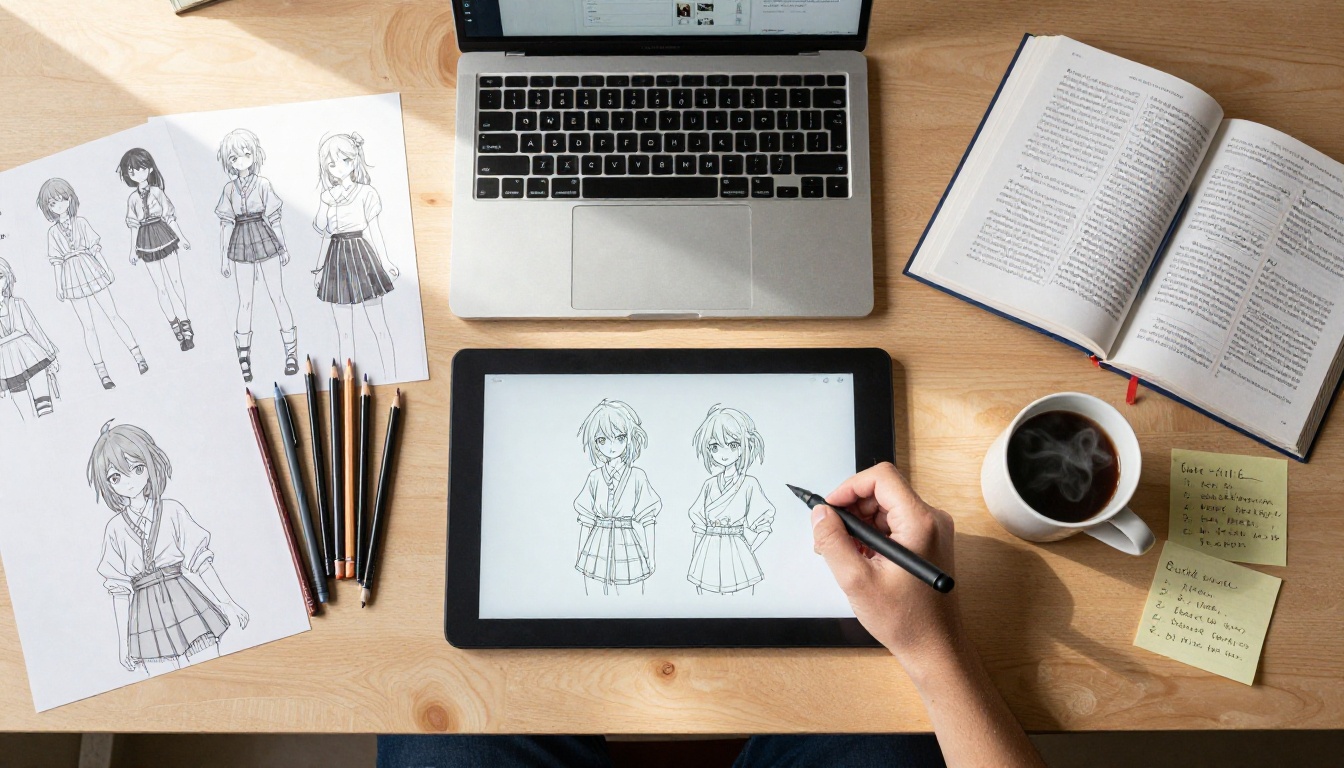
SeaArt positions itself as a community-first platform where users can publish, share, and use custom AI models. In 2027, its library of community-built checkpoints and LoRA fine-tunes for specific anime art styles is one of the largest available through any web interface, requiring no local installation whatsoever.
If you want art rendered in the exact visual style of a specific genre, era, or aesthetic school, SeaArt likely has a community model for it. Styles ranging from classic 1990s OVA art with flat coloring and thick outlines to contemporary isekai aesthetic with detailed environments and expressive lighting are all represented. Quality varies based on who created each community model, but the best contributions on the platform match what you would find in dedicated professional tools.
The free tier is accessible, and the platform encourages community building around specific fandoms and aesthetics in a way that the more polished commercial platforms do not.
Best for: Anime fans who need to match a very specific art style, genre aesthetic, or production era.
4. Midjourney: Best for Cinematic Anime Scenes
Midjourney is not an anime-first tool, but its scene composition capabilities make it one of the strongest options for generating anime-style backgrounds, establishing shots, and atmospheric full scenes. Where other tools struggle with spatial depth, environmental storytelling, and the subtle interplay of light through complex environments, Midjourney consistently produces images that could pass as official promotional artwork from a major anime production studio.
The practical limitation is character consistency. If you need a specific character design reproduced reliably across multiple images, Midjourney will produce variations that drift in ways that can frustrate detailed projects. The platform gives you less fine-grained control over specific anatomical and design choices than a model like Proteus v0.3 provides. But for generating a single stunning scene or a mood-establishing shot, Midjourney's composition instincts are hard to match.
Best for: Anime fans focused on scene and background art rather than consistent character design across multiple images.
5. Character.AI: Best for Anime Character Roleplay
Character.AI takes a fundamentally different approach from every other tool on this list. It does not generate images. It generates conversations. You can create or interact with AI-powered versions of anime characters, building out relationships, testing dialogue for fan fiction projects, practicing creative writing within established fictional worlds, or simply spending time with characters you care about.
In 2026, Character.AI has added significantly more robust persona customization tools, letting you define a character's precise speech patterns, emotional range, personality quirks, backstory details, and relationship dynamics. The platform is enormously popular with anime fans who are more interested in interactive storytelling and character connection than in visual output.
It is a different creative tool, but it belongs on this list because a meaningful portion of what anime fans actually want is not an image. It is a story, a conversation, an experience. Character.AI provides that.
Best for: Fans interested in narrative, roleplay, and character interaction rather than static image generation.
6. Waifu Labs: Best for Guided Original Character Creation
Waifu Labs has a simple, clear mission: help you create an original anime-style character that is entirely your own. The process is more guided than any other tool on this list. You start from a randomly generated character and make iterative choices about what aspects appeal to you, gradually steering the AI toward a final design through selection rather than text prompting.
The results are consistently clean, properly proportioned anime characters with expressive features and coherent color palettes. The aesthetic lane is narrow, staying firmly within cute, accessible character design rather than dark or cinematic aesthetics. But within that lane, the tool works very well. You can have a finished original character design in under five minutes, and because the process is selection-based rather than prompt-based, it is accessible to fans with no experience writing AI prompts at all.
Best for: Casual fans who want a quick, simple way to create an original anime character without any prompt writing.
7. Mage.space: Best Free Stable Diffusion Access
Mage.space provides web-based access to Stable Diffusion and several of its fine-tuned anime variants through a clean, approachable interface that requires no local installation or technical knowledge. For anime art specifically, Mage maintains a solid library of anime-optimized checkpoints, including SDXL-based variants that the community has refined for specific aesthetic goals.
The free tier is genuinely functional, not just a limited demo that forces you to upgrade immediately. You can generate a reasonable number of images per day at no cost, which makes Mage the strongest budget-friendly option for anime fans who want Stable Diffusion quality without the overhead of running it locally.
Best for: Anime fans on a budget who want Stable Diffusion quality and anime-optimized models without any technical setup.
Side-by-Side Comparison
| App | Anime Accuracy | Free Tier | Output Type | Best Use Case |
|---|
| PicassoIA | Excellent | Yes | Images | Versatility across 91+ models |
| NovelAI | Excellent | No | Images | Dark and fantasy character art |
| SeaArt AI | Very Good | Yes | Images | Community style-specific models |
| Midjourney | Very Good | No | Images | Cinematic scene composition |
| Character.AI | N/A | Yes | Text/Chat | Character roleplay and narrative |
| Waifu Labs | Good | Yes | Images | Guided original character creation |
| Mage.space | Good | Yes | Images | Free Stable Diffusion access |
How to Create Anime Art on PicassoIA
PicassoIA earns a dedicated section here because it gives anime fans the most hands-on control over output. Here is how to get strong results from your first session.
Step 1: Pick the Right Model for Your Goal
Navigate to the text-to-image collection on PicassoIA and start with Proteus v0.3 for character art. If your goal is a cinematic anime-influenced portrait with photorealistic lighting, Flux Dev or Dreamshaper XL Turbo will serve you better. Matching the model to your aesthetic goal is the single most impactful decision you will make in the session.

Step 2: Write a Specific, Structured Prompt
Vague prompts produce vague results. The structure that works consistently for anime character art is:
[Character appearance] + [Clothing and accessories] + [Art style] + [Lighting and mood] + [Quality modifiers]
An example that works well: "young woman with long silver hair and bright amber eyes, wearing a white and blue school uniform with gold trim, soft shoujo manga illustration style, diffused afternoon window light, warm and introspective mood, highly detailed, clean linework, professional anime illustration quality"
That level of specificity gives the model enough direction to make meaningful choices rather than defaulting to generic outputs.
💡 Tip: Use a negative prompt every time. "Realistic, photographic, 3D render, blurry, bad anatomy, extra fingers, low quality" added to your negative prompt alone removes the most common generation failures in anime character art.
Step 3: Iterate Fast, Then Refine
Generate several variations quickly at a lower step count to identify the direction you want. Lock in that seed, then increase the step count for a higher quality final render. Once you have your final output, run it through PicassoIA's super-resolution tools to increase image size and sharpen fine details across hair strands and fabric texture before saving or sharing.
Prompts That Consistently Work for Anime Art
For Character Portraits
- "anime character portrait, [hair color and style], [eye color and shape], [clothing type], [art style: shounen/shoujo/seinen/josei], [lighting condition], detailed expressive face, symmetrical composition, clean linework, vibrant color palette"
- "full body anime character, [description], [environment or background], [pose type: dynamic/relaxed/action], [time of day], polished anime illustration quality"
For Scenes and Backgrounds
- "[setting type] at [time of day], anime background art style, [weather and atmosphere], [mood: peaceful/ominous/romantic/nostalgic], warm color palette, hand-painted quality, no people"
- "anime establishing shot, [environment description], cinematic composition, rule of thirds, atmospheric depth, soft background bokeh, naturalistic light"
3 Mistakes That Ruin Anime Generations
1. Choosing the wrong model for your aesthetic. Using a photorealism-focused model like Flux Pro when you want flat cel-shaded anime art produces something caught between two styles that satisfies neither goal. Match the model to the aesthetic before writing a single word of your prompt.
2. Writing single-sentence prompts. One-line prompts lack the signal the model needs to make meaningful choices. A strong anime art prompt runs three to five descriptive phrases. Think of each phrase as a separate instruction being given to the model.
3. Skipping the negative prompt. Negative prompts are not optional. "Realistic, blurry, bad anatomy, extra fingers, low quality, 3D render" as a negative prompt alone removes the most common failure modes in anime character generation. Skipping this step is the fastest way to get outputs that look rough and unpolished.
Start Creating Your Own Anime Art
The gap between "I have an idea for a character" and "that character exists as a finished image" is smaller than it has ever been. All seven tools on this list can close it, each with a different strength depending on what you are trying to create.
PicassoIA is the platform that lets you experiment across the widest range of models without managing anything technical. Proteus v0.3 is the best starting point for anime character art. Flux Dev and Dreamshaper XL Turbo take you into cinematic territory. Stable Diffusion 3.5 Large brings one of the most capable open-source models to a clean, accessible interface.
Pick a character concept you have been thinking about, write a specific and detailed prompt, and see what comes back. Adjust, refine, and iterate. The only thing between you and a finished anime art piece is the willingness to experiment with the tools.


