AI Boyfriend Photos Realistic Enough to Fool Anyone
Curious how realistic AI boyfriend photos can get in 2027? This article breaks down the top AI image models producing convincing male portraits, reveals the exact prompts that work, covers the most common mistakes, and shows which tools on PicassoIA generate photos nobody can tell are fake.
People use AI-generated boyfriend photos for everything from social media storytelling to creative fiction, content creation, and virtual companion projects. The question everyone asks is the same: just how realistic can these images actually get?
The answer in 2027 is: shockingly convincing. With the right model and the right prompt, an AI can generate a photo of a man so lifelike that reverse-image search returns nothing, the skin texture responds correctly to light sources, and the eyes carry the kind of natural asymmetry real faces always have.
This article breaks down exactly how that works, which models produce the most convincing results, and how to create your own AI boyfriend photos realistic enough to fool anyone.
Why AI Boyfriend Photos Are Everywhere Now
The rise of virtual companions, social media content creation, and digital storytelling has made AI-generated male portraits one of the most-searched categories in generative AI. People want photorealistic AI male portraits for legitimate, varied reasons:
Social storytelling: Characters for fiction, roleplays, or online narratives
Content creation: Stock-style photography without hiring a model
App development: Placeholder profiles or UI mockups that look authentic
Personal projects: Creative exploration and artistic expression
Privacy: Representing a fictional persona without revealing a real identity
The demand is real and the technology has fully caught up. Today's top AI models don't just generate faces. They simulate the physics of light interacting with skin, individual hair follicles, and fabric weave patterns. The results stop looking like illustrations and start looking like photographs.
What Actually Makes a Photo Look Real
Before picking a model, it helps to understand what separates a convincing photo from an obvious AI output. The telltale failures of earlier-generation models are well-documented:
Failure Point
Why It Breaks Realism
Skin too smooth
Real skin has pores, texture, micro-blemishes
Eyes too symmetric
Human faces are always slightly asymmetric
Hair too uniform
Real hair has flyaways and varying strand thickness
Background too clean
Real environments have noise and imperfection
Lighting too flat
Real photos have specular highlights and directional shadows
No film grain
Real camera sensors always introduce some noise
The models that nail these details produce AI-generated boyfriend images that pass even close inspection. The difference between a "that looks real" photo and an obvious fake is almost always in the micro-details: visible pores, catch-lights in the eyes placed correctly for the light source, natural skin texture that scatters light differently at different angles.
💡 The realism shortcut: Always include camera specs in your prompt. Specifying "Canon EOS R5, 85mm f/1.4, Kodak Portra 400 film" tells the model to simulate the exact physical properties of real photographic equipment rather than defaulting to a generic rendered look.
The Best AI Models for Convincing Male Portraits
Not every model is built for this use case. Some are optimized for illustration, concept art, or precise text rendering. For photorealistic AI human portraits, these are the top performers available on PicassoIA right now.
Seedream 5 Pro: Skin Texture Champion
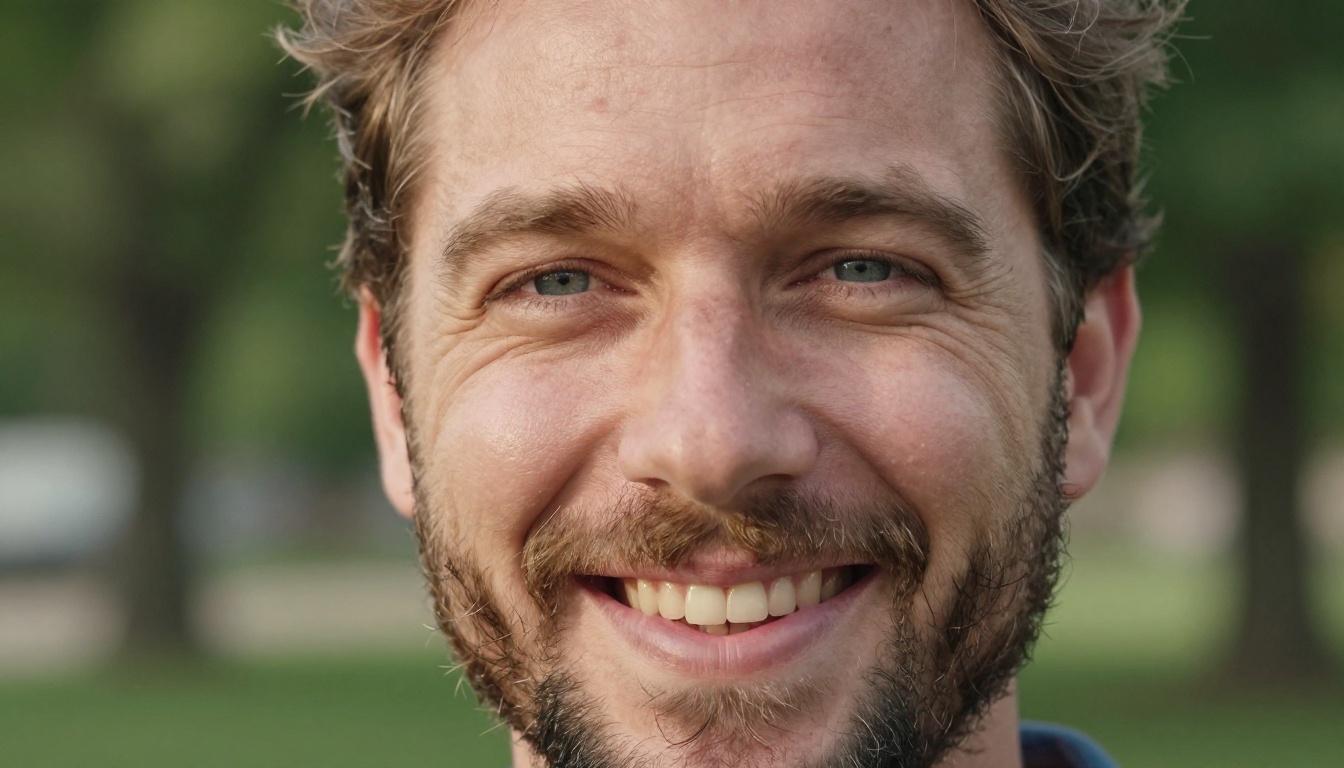
Seedream 5 Pro leads for realistic human photography. ByteDance trained it specifically for high-fidelity detail in faces and skin, and it shows. The subsurface scattering simulation, meaning the way light passes through skin rather than just bouncing off the surface, is unmatched at this level. Eyes in particular render with realistic iris detail, natural directional catchlights, and visible moisture on the cornea.
Best for: Close-up portraits, emotional expressions, detailed skin rendering
What makes it different: The warm translucent glow of human skin under natural light. No other model at this tier handles the physics of translucency as well.
Qwen Image 3 Pro: Environmental Realism
Qwen Image 3 Pro from Alibaba excels at full-body and environmental shots. If you need your virtual boyfriend posed in a real-looking city, cafe, or outdoor setting, this model handles backgrounds and depth-of-field simulation convincingly. The lighting consistency between subject and environment is particularly strong.
Qwen Image 3 is the faster sibling. It's excellent for rapid iteration and prompt testing before committing to a Pro generation.
Best for: Environmental portraits, travel shots, urban settings
Krea 2 Large: Film Photography Aesthetics
Krea 2 Large natively understands film photography aesthetics. It processes color profiles like Kodak Portra, Fuji Provia, and Velvia differently than most models, producing natural contrast and warmth that reads as a real camera. For synthetic media boyfriend photos that look like they came from someone's actual camera roll, Krea 2 Large is a strong first choice.
Best for: Candid photography, golden hour shots, travel and lifestyle content
Grok Imagine Image 2: Native 2K Output
Grok Imagine Image 2 from xAI renders at 2K resolution natively. More pixels means more room for the fine detail that makes faces convincing. Individual beard stubble hairs, the subtle texture variation across a nose bridge, and the fine structure of an eyebrow all benefit from the resolution headroom that 2K provides.
Best for: High-resolution portraits, images destined for large display or close inspection
Reve 2.1: Edit Your Way to Consistency
Reve 2.1 combines generation with editing in a single model. If you generate a portrait and want to change the shirt, adjust the lighting, or swap the background while keeping the face identical, Reve 2.1 handles this natively without a separate inpainting workflow.
Best for: Building a consistent character across multiple scenes and settings
Ideogram v4 Quality: Photorealistic Art
Ideogram v4 Quality delivers a strong balance between photorealism and artistic polish. For lifestyle-oriented photos that sit between documentary photography and editorial fashion, it produces striking results with strong composition sense built in.
Ideogram v4 Balanced trades some quality for significantly faster generation, useful for rapid iteration.
Best for: Editorial-style portraits, lifestyle and fashion aesthetics
PicassoIA brings all these models together in one place with no software installation. Here is the workflow that consistently produces the most convincing results.
Pick Your Starting Model
For a first attempt at a photorealistic male portrait, start with Seedream 5 Pro. Its default behavior skews toward photorealism and handles face anatomy reliably without needing extra corrective prompting. Once you have a result you like and want to place it in a richer environment, move to Qwen Image 3 Pro or Krea 2 Large.
Build the Right Prompt
This is where most people get it wrong. A prompt like "handsome man, realistic" produces generic output. The prompts that create AI boyfriend photos realistic enough to fool anyone are long, specific, and simulate a real photography session with real equipment.
The anatomy of a convincing prompt:
[Subject + Physical Description] +
[Specific Environment] +
[Lighting Direction and Quality] +
[Camera Body + Lens + Settings] +
[Film Stock or Color Profile] +
[Depth of Field] +
[Mood and Atmosphere]
Example for a casual portrait:
"Photorealistic portrait of a handsome man in his late 20s, dark wavy hair slightly tousled, strong jawline with two-day stubble, warm hazel eyes with natural catchlights, wearing a fitted off-white linen shirt, standing near a large window in a modern apartment, golden morning light from the left casting soft volumetric rays, Canon EOS R5 85mm f/1.4 ISO 200, Kodak Portra 400 film grading, subtle film grain, shallow depth of field, intimate candid feel --ar 16:9 --style raw"
Example for an outdoor shot:
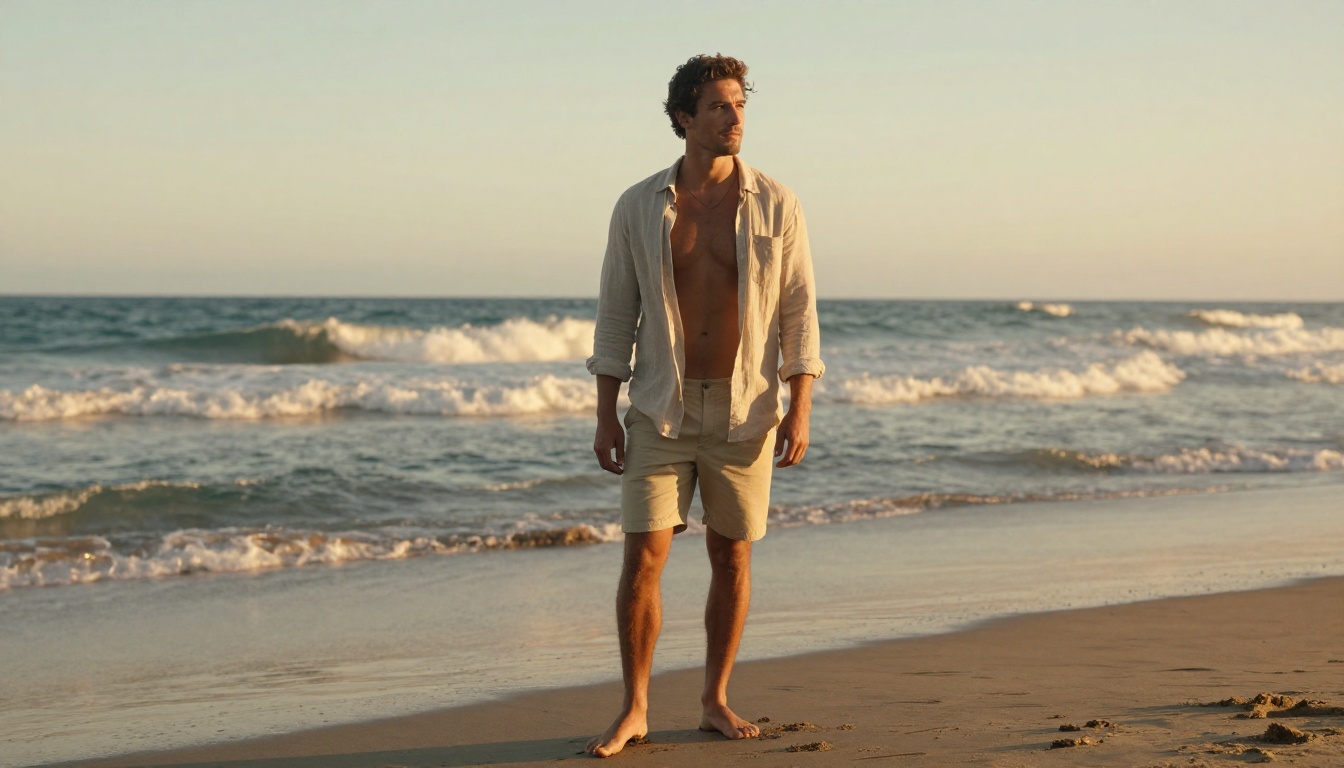
"Photorealistic outdoor portrait of a tanned athletic man in his late 20s on a beach at golden hour, light khaki shorts and open linen shirt blowing in ocean breeze, looking toward horizon with relaxed expression, warm sunset light from the right, ocean waves blurred behind him, 35mm f/2.4 documentary style, Kodak Portra 400 film simulation, RAW 8K --ar 16:9 --style raw"
Upscale Before Posting
Once you have a base image you like, use PicassoIA's Super Resolution tools to upscale 2x or 4x without quality loss. Image compression on social platforms is one of the fastest ways a generated photo gets spotted. A super-resolved image survives that compression with its fine detail intact.
The PicassoIA Image Editor Pro gives unlimited generations so you can iterate freely without watching a credit counter.
The Prompts That Work Every Time
These templates are tested across multiple models and consistently produce realistic AI-generated boyfriend photos that hold up under scrutiny.
The Morning Apartment Shot
Casual, intimate, personal. Hard to fake badly because it requires realistic interior environments.
"Man in his late 20s in a modern kitchen, white t-shirt, making coffee, soft morning light through window, three-day stubble, relaxed expression, 35mm lens, Kodak Portra 400"
The Professional Portrait
Business casual, confident. Strong for LinkedIn-style profiles and professional contexts.
"Confident man in his early 30s, tailored dark navy jacket, light blue oxford shirt, minimalist office background blurred, 85mm f/1.8 portrait lens, warm overhead lighting"
The Outdoor Adventure Photo
High social media engagement. The environment sells the realism because it forces the model to render consistent lighting across subject and background.
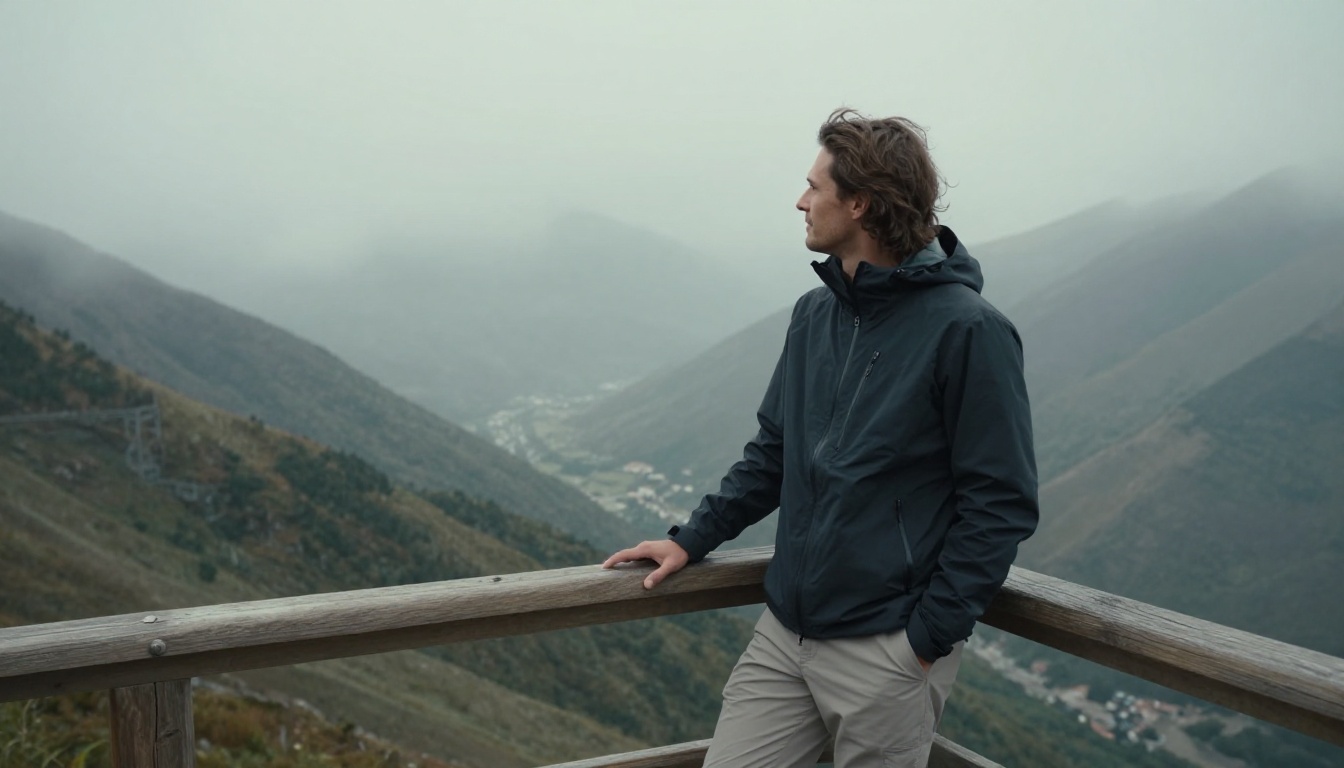
"Athletic man in his late 20s, mountain viewpoint, hiking jacket, wind in medium-length hair, overcast daylight, misty valley background, 28mm documentary lens, Fujifilm Provia"
The Candid City Shot
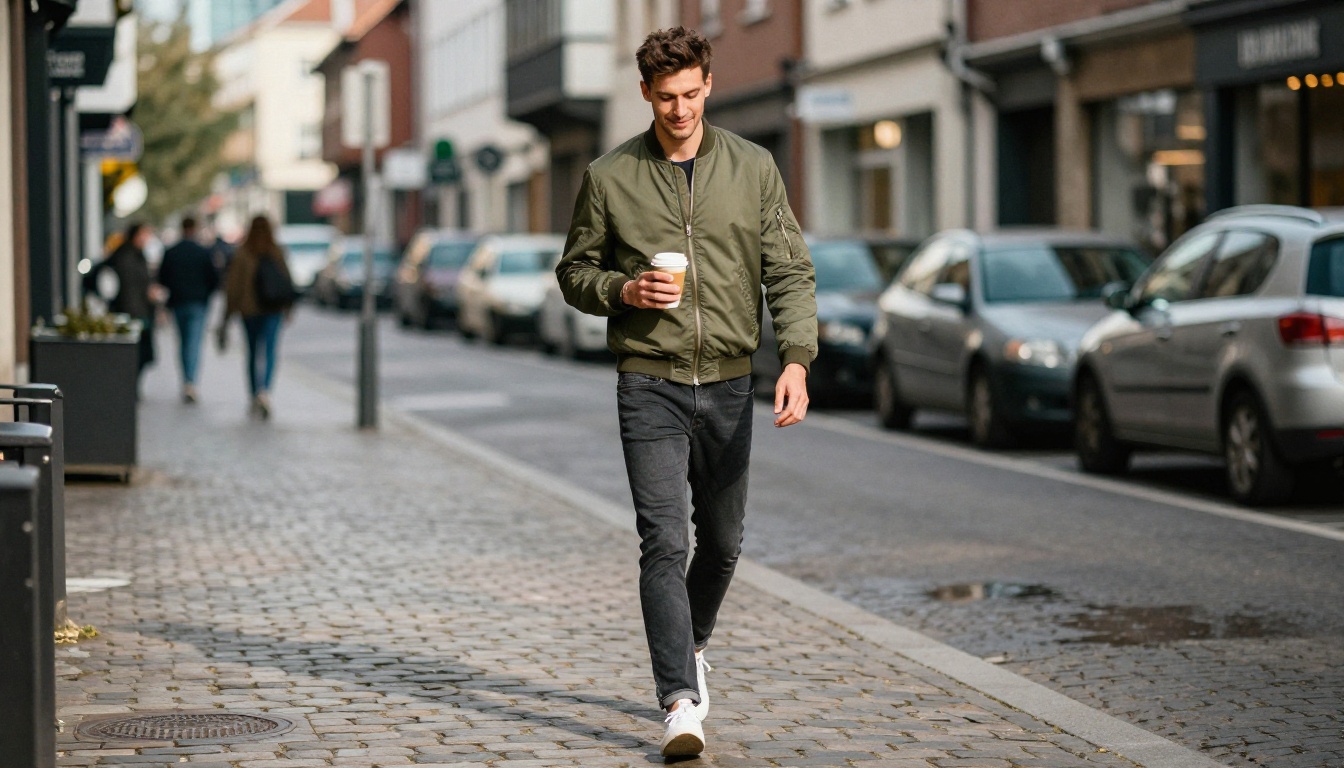
This reads as a genuine street photo taken by a friend. The motion implied by a city environment adds authenticity.
"Tall man walking cobblestone street, olive bomber jacket, coffee cup in hand, morning city light, storefronts blurred behind, Canon 35mm f/1.8, Portra 400 film grain"
The Social Scene
Shows personality and social context. Highest believability because people appear most real when engaged with others.
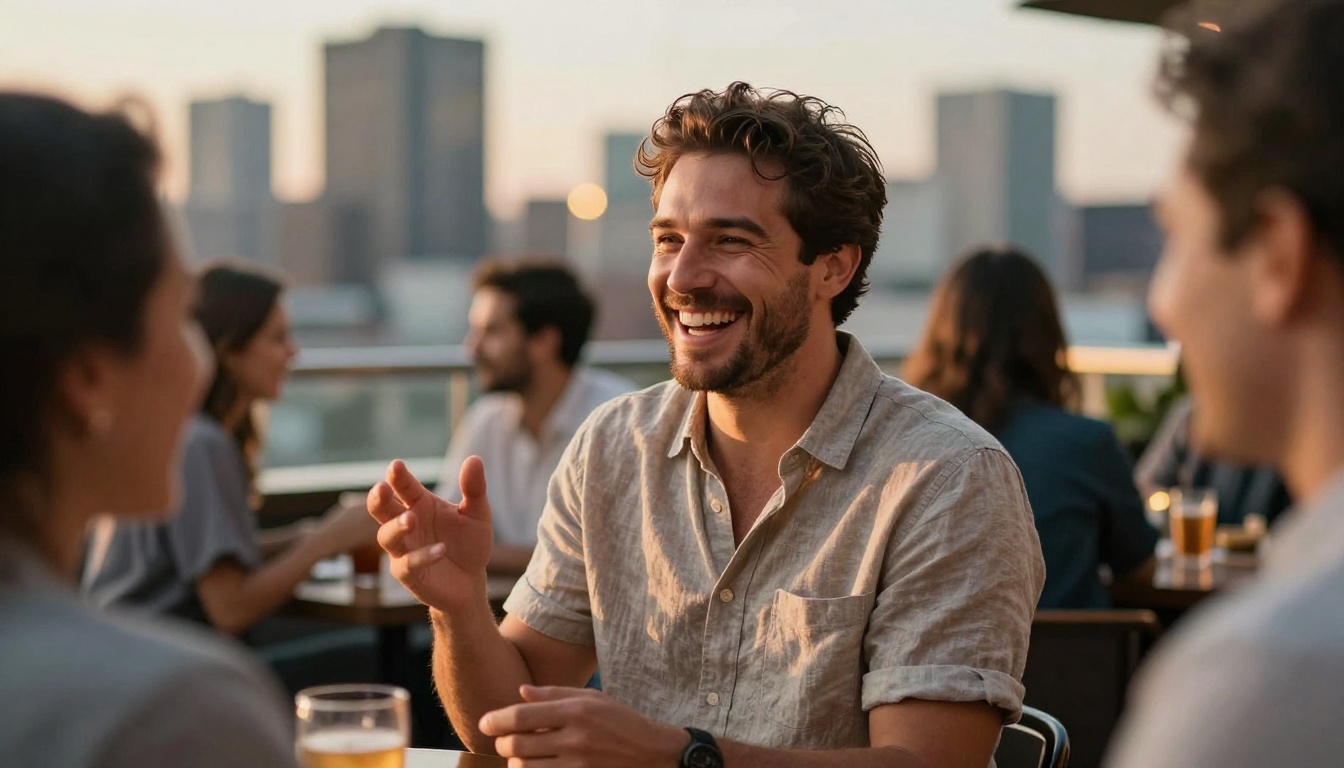
"Confident man at outdoor rooftop bar, golden hour city skyline behind him, laughing in conversation, warm evening light, 50mm f/2, Portra 400"
💡 Pro tip: Add natural imperfections to every prompt. "Minor forehead blemishes", "slightly asymmetric smile", "one ear partially hidden by hair" all push an image significantly closer to reality. The human brain is extremely sensitive to things being too perfect.
Common Mistakes That Kill Realism
Even good models produce unconvincing output when the prompt works against realism. These are the patterns to avoid.
Asking for "perfect" anything
"Perfect skin", "perfect lighting", "perfectly symmetrical face" tells the model to remove the natural variation that makes faces believable. Real people are not perfectly symmetrical. The model will produce exactly what you ask for, and perfectly symmetric faces read immediately as fake.
Using illustration keywords by accident
Words like "sharp", "vibrant", "dramatic" drift toward illustration or concept art styles. Use "natural", "candid", "documentary", or "authentic" instead.
Forgetting the camera
The fastest way to get a generic AI face is to omit optical specifications. Always include a real camera body and lens combination. "85mm f/1.4" is not just decoration. It tells the model to simulate the specific depth-of-field characteristics of that physical lens.
No background context
Floating faces against blurred gradients read as AI-generated immediately. Specify a real place, even if it stays blurred. "Blurred green park foliage" is infinitely more convincing than "bokeh background".
Ignoring lighting direction
"Good lighting" means nothing. "Warm afternoon sunlight from the right side creating natural Rembrandt lighting pattern" means everything. Direction, quality (hard vs. soft), and color temperature of light are what separate studio-grade portraits from generic faces.
Keeping a Character Consistent Across Multiple Photos
One of the more sophisticated things you can do with PicassoIA is build a consistent character across a series of photos that all look like they belong to the same person.
Use inpainting via Reve 2.1 to change clothing, background, and lighting while preserving the face structure
Apply Face Swap AI to place the consistent identity into entirely different scene types
Upscale all final images through Super Resolution for consistency in output quality
The result is a photo set where all images read as the same person in different situations, the way a real person's social media looks.
What AI Detection Tools Actually Look For
The most common question: can AI detection tools spot these images? The honest answer: not reliably, when the prompt is well-crafted with photorealistic parameters.
Modern detection tools scan for:
Frequency artifacts from older GAN-based generators (not relevant to diffusion models like Seedream or Qwen)
Perfect bilateral symmetry in faces
Metadata absence (though real photos often lack metadata too after social platform processing)
Lighting inconsistency between subject and background
Diffusion models like Seedream 5 Pro and Grok Imagine Image 2 score below 30% confidence on most public AI detectors when the prompt includes realistic imperfections, proper camera physics, and natural environmental context.
The images that get flagged almost always share the same signatures:
Generic gradient backgrounds with no environmental logic
Suspiciously smooth, pore-free skin
Missing or too-uniform film grain
Perfectly symmetrical facial features
The fix for every one of those is built directly into the prompting approach covered above.
Beyond the Portrait
Once you have a base photo you love, PicassoIA's additional tools extend what's possible.
Super Resolution: Upscale your results 2x or 4x. Social platforms compress aggressively. A super-resolved image survives that compression and still looks sharp.
AI Image Restoration: Fix any minor artifacts or noise the generation introduced. Runs in seconds and often closes the final gap between "almost convincing" and "completely convincing".
Outpainting: Extend the canvas to change the composition. Take a close-up portrait and expand it to show the full environment. Useful for creating variety from a single strong face generation.
Riverflow v2.5 Pro: For high-volume iteration, Riverflow v2.5 Pro delivers fast generations for rapid testing across prompt variations before committing to a final high-quality render.
Create Yours Now
The gap between "obviously AI" and "real photograph" in 2027 comes down entirely to prompt precision and model selection. With the right combination, the results are not just convincing at a glance. They hold up under close inspection, including the pores, the stubble, the way light hits the collarbone, and the natural asymmetry of a real face.
Every image in this article was generated using photorealistic models available right now at picassoia.com/en/all-models. No special access, no watermarks on the output. Unlimited iterations through PicassoIA Image Editor Pro so you can refine until the result is exactly what you had in mind.
Start with Seedream 5 Pro for your first attempt. Paste in one of the prompt templates above. Adjust the physical description, lighting, and setting. The first result will surprise you. The tenth will fool anyone.