Type a description of anything you can imagine, and within seconds, a photorealistic image of it appears on your screen. No camera. No Photoshop skills. No design degree required. That is the reality of AI image generators in 2024, and if you have never used one before, you are sitting on one of the most powerful creative tools ever built for regular people.
This article covers how AI image generators work from the ground up, what makes some models better than others, how to write prompts that actually produce good results, and which tools are worth your time right now on PicassoIA.
What Is an AI Image Generator?
An AI image generator is a software system trained on enormous datasets of images and text. You give it a written description, called a prompt, and it produces an image that matches that description. The output can range from photorealistic portraits and product photos to stylized illustrations, architectural renders, and abstract compositions.
The core idea sounds simple but the technology behind it is anything but. These systems have been trained on hundreds of millions of image-text pairs, giving them a visual vocabulary vast enough to produce almost anything you can describe.
From Text to Pixels in Seconds
When you type "a golden retriever sitting on a beach at sunset, photorealistic, 8K," the model does not search a database of existing images. It generates an entirely new image, pixel by pixel, based on patterns it absorbed during training.
This distinction matters because it means every image is unique. You are not pulling stock photos. You are generating original visual content on demand.
Not Magic — Just Math
The word "AI" tends to make things sound mystical. In practice, AI image generators are very sophisticated statistical systems. They have absorbed associations between language and visual patterns so deeply that they can reconstruct believable images from text descriptions alone.
💡 Think of it like autocomplete on your phone, but instead of predicting the next word, the model predicts the next pixel, and it does this millions of times to build a complete image.
Knowing the basic mechanics helps you use these tools more effectively. You do not need a computer science degree, just a rough map of what is happening under the hood.
The Role of Diffusion Models
Most modern AI image generators, including Stable Diffusion 3, Flux 2 Klein, and GPT Image 2, are built on what is called a diffusion architecture.
Here is what that means in plain terms:
- During training, the model learns to take a clean image and gradually add noise to it until it becomes pure static.
- It also learns the reverse: starting from noise and removing it, step by step, until a recognizable image emerges.
- At generation time, the model starts with random noise and iteratively removes it, guided by your text prompt, until the image is fully formed.
This process runs dozens or hundreds of times per generation, which is why some models take a few seconds while others take longer depending on the number of refinement steps.
What Happens When You Type a Prompt
The journey from your text to the final image involves several components working in sequence:
| Stage | What Happens |
|---|
| Text Encoding | Your prompt is converted into a mathematical vector that captures its meaning |
| Noise Initialization | The model starts with a grid of random pixel values |
| Denoising Loop | The model iteratively refines the noise guided by your prompt vector |
| Decoder | The refined data is converted into actual pixel values |
| Output | You see the finished image |
The quality of the final image depends heavily on how well the model was trained, how powerful the hardware running it is, and critically, how clearly you described what you wanted.
Types of AI Image Generators
Not all AI image generators do the same thing. There are several distinct categories, each built for different use cases.
Text-to-Image Models
These are the most common type. You provide a text prompt and get an image back. Within this category, there is massive variety:
- General purpose models like GPT Image 2 and Seedream 4.5 handle a wide range of subjects and styles well
- High-realism models like Hunyuan Image 2.1 excel at photorealistic output with fine detail
- Speed-optimized models like Flux 2 Klein 4B sacrifice some quality for much faster generation times
- Style-specialized models like Recraft 20B let you control the visual aesthetic more precisely
Image Editing and Inpainting Tools
These models take an existing image and modify parts of it based on your instructions. This is called inpainting when you fill in or replace a specific region, and outpainting when you extend the canvas beyond the original borders.
Tools like Fibo Edit and Qwen Image Edit fall into this category. You could use them to swap an object in an existing photo, change the background, or add elements that were not in the original scene.
💡 Editing tools are especially valuable for product photography, where you might want to place the same product in multiple different environments without doing a new photoshoot each time.
Style-Specific vs. General Models
Some models are trained or fine-tuned to produce a specific visual style consistently. Others try to handle everything. Here is a quick breakdown:
| Model Type | Best For | Trade-off |
|---|
| General purpose | Versatility, wide subject range | May not excel at any one style |
| Photorealism-focused | Product shots, portraits, commercial | Less creative flexibility |
| Style-specialized | Consistent brand aesthetics | Narrower subject range |
| Speed-optimized | Rapid prototyping, bulk generation | Lower resolution or detail |
Writing Prompts That Actually Work
This is where most beginners plateau. The tool is good, but the outputs do not match the vision in their head. Almost always, the gap is in the prompt.
The Simple Formula Most People Miss
Strong prompts follow a structure. Think of it in five layers:
- Subject: What is in the image? Who or what is the main focus?
- Context: Where are they? What is the setting or environment?
- Lighting: Time of day, light source direction, mood
- Camera/Style: Lens type, angle, film stock or style reference
- Quality modifiers: Photorealistic, 8K, high detail, sharp focus
Weak prompt: "a woman at a beach"
Strong prompt: "a woman in her mid-twenties standing at a rocky ocean beach at golden hour, wearing a white sundress, wind blowing her hair, warm backlight from the setting sun, photographed with a 50mm lens at f/1.8, Kodak Portra 400 film grain, photorealistic, 8K"
The second prompt gives the model enough information to make real decisions about composition, light, and mood. The first leaves too much to chance, and the model fills in those gaps inconsistently across generations.
Common Mistakes Beginners Make
These patterns show up constantly in early prompts:
- Vague subjects: "a nice landscape" gives you almost nothing to work with. "A misty pine forest with morning fog and frost on the ground" is something the model can actually build.
- Missing lighting: Lighting accounts for half the visual impact of any image. Always specify it.
- Contradictory styles: Asking for "photorealistic cartoon" sends the model in two directions at once.
- Too many subjects: One strong focal point almost always beats a crowded, chaotic scene.
- Forgetting aspect ratio: Specifying 16:9 for wide scenes or 9:16 for portraits dramatically improves how the composition fits the format.
💡 If your first output is not quite right, do not start over entirely. Adjust one variable at a time. Change the lighting first, then the angle, then the background. Iterating on a solid base is faster than starting from scratch each time.
Top Models to Try on PicassoIA
PicassoIA has over 90 text-to-image models. Here is a focused breakdown of the ones worth starting with, organized by what each does best.
GPT Image 2 for Photorealistic Results
GPT Image 2 is among the strongest general-purpose models available right now. It handles complex scenes, accurate text rendering in images, and realistic human subjects with impressive consistency. If you want a model that performs reliably across a wide range of prompts, this is a solid default starting point.
Best for: Portraits, product shots, realistic environments, scenes with text overlaid
Stable Diffusion 3 for Creative Control
Stable Diffusion 3 remains one of the most widely used models in the world because of its flexibility. It handles artistic styles, photography simulations, and abstract concepts all reasonably well. It also responds well to stylistic additions like "impressionist painting" or "cinematic lighting."
Best for: Creative experimentation, varied artistic styles, beginners who want range
Flux 2 Klein for Speed and Quality
Flux 2 Klein 9B Base LoRA from Black Forest Labs delivers high quality output with faster generation times than many comparable models. The 9B parameter version is the more capable variant. If you are generating many images quickly, for social media content or rapid prototyping, this model hits a sweet spot between speed and visual fidelity.
Best for: Rapid iteration, content creation at scale, social media visuals
Recraft 20B for Versatile Styles
Recraft 20B gives you more style control than most general models. You can steer it toward photorealism, illustration, or specific visual aesthetics more precisely. If you are a designer or marketer who needs consistent visual identity across generated images, Recraft rewards prompt refinement very well.
Best for: Brand-consistent visuals, design mockups, style-specific content
Seedream 4.5 for 4K Output
Seedream 4.5 from ByteDance produces 4K resolution images with strong prompt adherence. When you need to generate images for print or large-format digital display, this model is worth reaching for.
Best for: High-resolution output, print-ready visuals, large-format display content
What You Can Actually Make
The range of what these tools produce is wider than most beginners realize. Once you see the categories clearly, it becomes easier to plan your work.
Portraits and People
AI image generators are remarkably capable at generating photorealistic human portraits. Headshots, lifestyle photography, fashion imagery, and editorial portraits are all within reach with the right prompt. Models like GPT Image 2 and Hunyuan Image 2.1 are particularly strong here, producing faces with natural skin textures, accurate lighting, and believable expressions.
Landscapes and Architecture
Natural environments, cityscapes, interior design concepts, and architectural renders are another major strength. The ability to specify time of day, weather, season, and lighting style makes these tools useful for everything from travel content to real estate marketing materials.
Product and Commercial Visuals
This is arguably the most commercially valuable use case right now. Placing a product in different settings, generating lifestyle context around products, or creating advertising-style compositions can all be done without a photoshoot. Tools like Fibo Edit are designed specifically for product-focused editing and placement workflows.
💡 For product images, always include specific background descriptions. "White studio background with soft shadows" produces a very different result than "rustic wooden table in a coffee shop." Both can be useful depending on the brand context, and you can generate both in under a minute to compare.
Beyond Still Images: What Else PicassoIA Offers
Once you are comfortable with text-to-image generation, the platform has a broader toolkit worth knowing about.
PicassoIA is not limited to text-to-image generation. The full capability set includes:
| Capability | What It Does |
|---|
| Super Resolution | Upscale any image 2x to 4x without quality loss |
| Background Removal | Clean background removal in one click |
| Image Restoration | Fix noise, blur, and damage in old or compressed photos |
| Face Swap | Realistic face replacement in portraits |
| Text-to-Video | Generate short video clips from a text description |
| AI Music Generation | Create full music tracks from a text prompt |
| Text-to-Speech | Convert text to natural-sounding audio |
The P Image Upscale model, for example, lets you take any image you have already generated and make it sharper and higher resolution in seconds. This is particularly useful when you generate something you like and want to print it or use it at a larger size than the original output.
If an image has an unwanted background, the background removal tools handle that without any manual masking or selection work, making it practical for quick e-commerce product isolation.
How to Use Seedream 4.5 on PicassoIA
Seedream 4.5 is one of the strongest 4K image generators currently available on the platform. Here is how to use it from start to finish.
Step 1: Open the model page
Go to the Seedream 4.5 page on PicassoIA. No account setup or installation is required.
Step 2: Write your prompt
In the prompt field, write a detailed description following the five-layer formula: subject + setting + lighting + camera + quality modifiers. For example:
"a businesswoman walking through a modern glass office lobby, natural daylight from floor-to-ceiling windows, 35mm lens f/2.0, photorealistic, 4K, high detail, Kodak Portra 400 tones"
Step 3: Set your parameters
- Aspect ratio: Choose 16:9 for wide or landscape format, 9:16 for vertical or portrait, 1:1 for square social media
- Steps: More steps generally means higher quality but slower generation. Start with the default value.
- Guidance scale: Higher values make the model follow your prompt more strictly. Lower values give it more creative freedom to interpret the description.
Step 4: Generate and review
Click generate and review the output. If key elements are missing, add more specificity to your prompt. If the style is off, adjust the lighting or camera language in your next attempt.
Step 5: Iterate or export
Download the image directly or use it as a base for further refinement with tools like Fibo Edit or Qwen Edit Multiangle to adjust specific areas without regenerating the whole image.
💡 Seedream 4.5 responds particularly well to cinematic photography language. Words like "volumetric light," "bokeh," "film grain," and specific lens focal lengths tend to produce noticeably better results than generic quality tags alone.
The Bigger Picture on AI Image Generation
AI image generators are not replacing professional photographers or designers. They are adding a new capability layer for everyone, including professionals. A photographer can use them for rapid concept visualization before a shoot. A marketer can generate campaign mockups in hours instead of days. A solo creator can produce visual content at a scale that previously required an entire team.
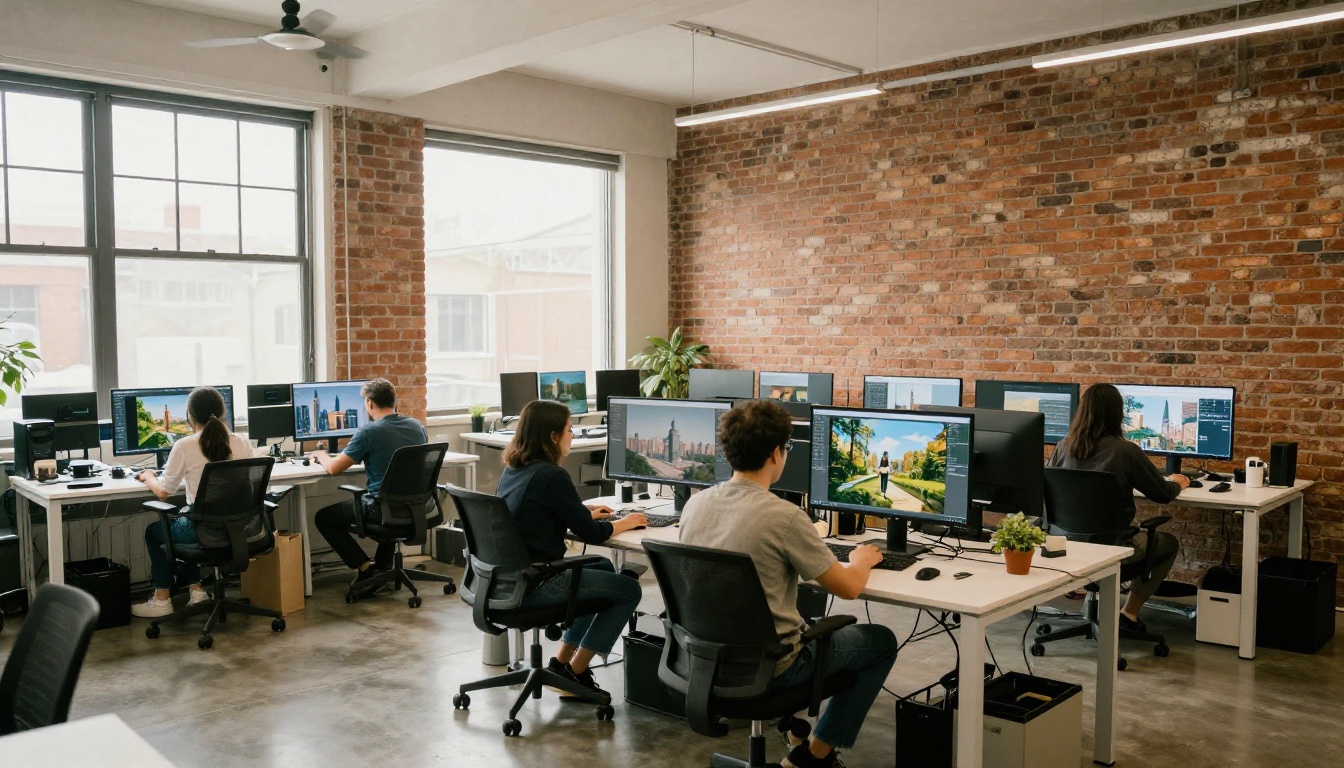
The barrier to entry has effectively dropped to zero. You do not need to know how diffusion models work or how to write prompts at an expert level to start producing useful images today. You need a clear idea of what you want and the willingness to iterate on the first result.
The models available on PicassoIA span from beginner-friendly general tools to specialized professional models built for specific workflows. The best way to find which ones fit your needs is to try several with the same prompt and compare the outputs directly. The differences in style, detail, and interpretation between models are often significant, and seeing them side by side builds intuition faster than any written comparison.
Create Your First Image Right Now
There is no better time to start than today. PicassoIA has over 90 text-to-image models available with no technical setup required. Open GPT Image 2 or Stable Diffusion 3, write a detailed prompt using the five-layer formula from this article, and generate your first image in under a minute.
Start simple, then add detail in each iteration. Within a few attempts, you will develop an instinct for what kinds of prompts produce the results you are after. That instinct, once built, does not go away, and it makes every creative project that follows faster and better.
Pick a subject you already have in mind, write it out with as much specificity as you can, and hit generate. The first result will show you exactly what to refine next.


