Large Language ModelsGenerate imagesGenerate videos
AI Storybook Generator Free With Pictures for Kids: Build One Tonight
A practical look at using an AI storybook generator for kids: how the story text and the pictures get made, which free tools fit which age group, how to keep a character looking the same from page to page, and how to turn the result into a bedtime book you can read aloud or print.
A bedtime story lasts ten minutes. Finding a new one that fits your child's mood, favorite animal, and reading level can eat the whole evening. That gap is why so many parents, teachers, and homeschool groups now search for an AI storybook generator free with pictures for kids: type an idea, get a short story, get a picture for every page, and pay nothing. It works better than most people expect, and it fails in a few predictable ways. This article shows which free tools fit which age group, how to keep a character looking the same from page one to page twelve, and how to build a finished storybook step by step, with a link to every model mentioned along the way.
What a Storybook Generator Does
Two Engines Under One Roof
Every storybook generator, whatever name sits on the front page, is two tools stitched together. The first is a large language model that writes the words: plot, dialogue, and the rhythm of each page. The second is a text-to-image model that turns a written description into one picture per page. Some products hide the split behind a single button. Others let you choose each engine yourself, and that choice matters because the best writer and the best picture maker are rarely the same model.
The split also explains most of the problems people run into. A story that reads beautifully but shows a dragon who changes color on every page is a picture-model problem. A gorgeous set of pictures attached to a plot that wanders is a writing-model problem. Fix the right half and the whole book gets better.
Why Pictures Matter to Kids
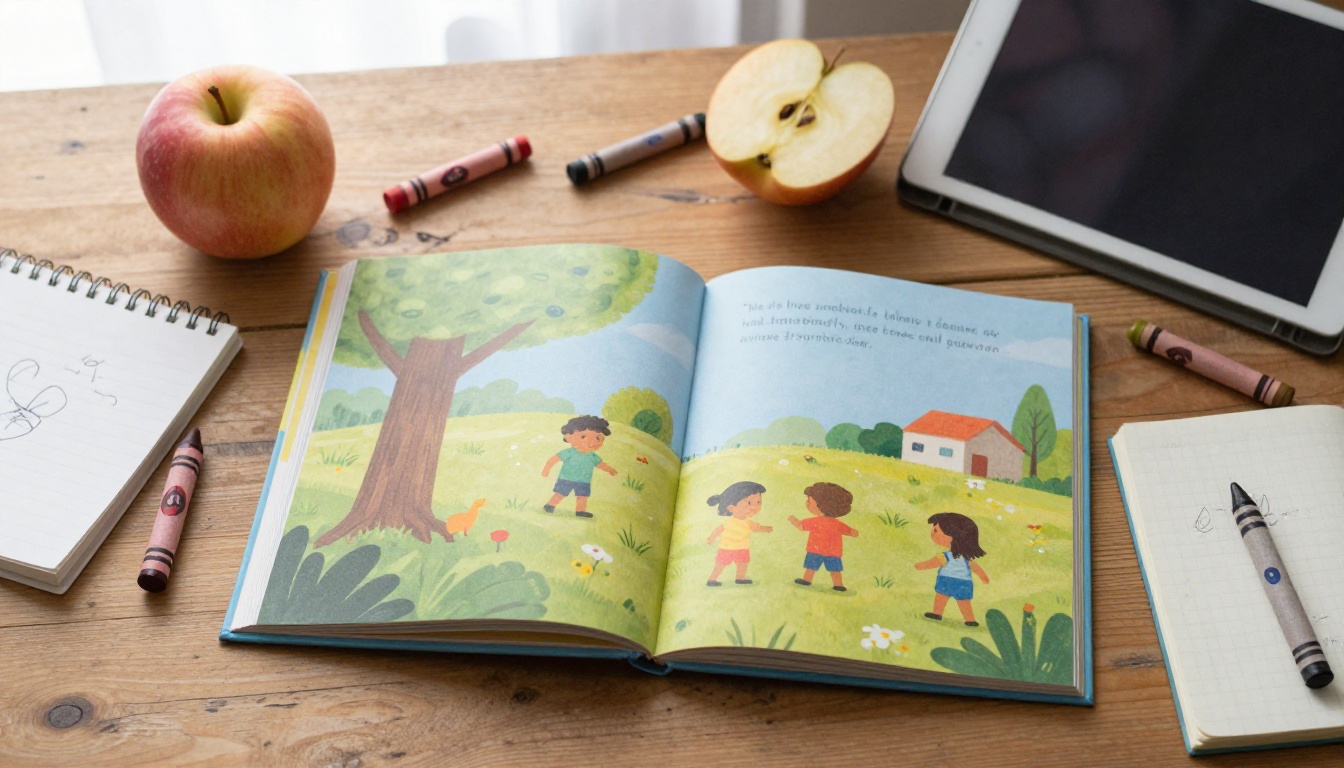
Young children read pictures long before they read words. In a typical picture book for ages three to six, the illustration carries half of the story: the character's face shows the feeling the sentence leaves out, and the background hints at what happens next. A text-only story generator disappoints for exactly that reason. A page with two lines of text and no image asks a four-year-old to do all the imagining alone.
Pictures also give a child something to point at. Every parent who reads aloud knows the moment when a child stops you mid-sentence to ask about a tiny detail in the corner. Good generated pictures have those corners: a snail on the windowsill, a kite stuck in a tree, a cat watching from the fence. Ask for them in the prompt, and each page earns a second look.
What "Free" Really Means
The word hides three very different things, and mixing them up is how people end up with a watermarked file or a surprise bill.
Type of free
What you get
Typical catch
Free trial
A handful of credits to test the tool
Runs out after a few pages
Free tier
A daily or monthly allowance
Watermarks, slower queue, lower resolution
Free and unlimited
No per-image counter
Fewer style controls on some models
A 12-page book needs one story and twelve pictures, and you will usually generate two or three versions of each picture before you keep one. That adds up to roughly 30 generations. A trial that sounds generous, say 20 free images, can vanish halfway through page eight. Unlimited models remove the pressure. The P Image listing states that there are no per-generation credits or usage quotas on PicassoIA and that it returns an image in under a second, and the Nano Banana 2 listing says the same about generation limits.
💡 Quick math: multiply the number of pages by 2.5 and compare the result with the free allowance. If the allowance is smaller, choose a different tool before you write a single sentence.
Three limits show up even with the best free tools:
Characters drift. Ask for "a small fox in a red scarf" twelve times and you get twelve slightly different foxes. The character card method in the tutorial below fixes this.
Lettering inside pictures breaks. Signs and labels can come out garbled, so let the page text carry the words and ask for blank signs.
Resolution varies. A screen-sized image looks sharp on a tablet but can look soft on a full printed page. Seedream 5 Lite outputs at 2K or 3K, which gives printing more room.
Picking Your Tools
Story Writers That Fit Kids
Any chat model can write a bedtime story. The differences show up in tone control and in how well the plot holds across twelve pages.
Claude Sonnet 5 takes a system prompt, so you can set the narrator's voice once ("warm, simple words, short sentences, a gentle joke every third page") and reuse it for every story. It also has an effort setting from low to max, and low is plenty for a first draft.
GPT 5.6 Luna is listed for fast text replies, which suits rhyming drafts when you want ten versions in a few minutes.
Qwen3.7-Plus is listed as able to interpret images, so you can show it a photo of a child's crayon drawing and ask for a story about the creature in it.
Teachers can use the same setup for a class project: each pupil supplies a hero and a setting, and the model writes the first draft that the class then edits together.
Seedream 5 Lite deserves special attention for this project. Its sequential setting lets the model generate up to fifteen related images in one session, and the setting's own description names story scenes as an example. Twelve pages in one run, with the same character on each, is the closest thing to a one-button picture set. Nano Banana 2 takes the other route: feed it your favorite picture of the character as a reference and it reuses that look in the next scene. Seedream 5 Lite also blocks adult content, which is a sensible default for a children's project.
Adding Motion to Pages
A read-along on a tablet gets livelier when the title page moves. Seedance 2.5 Lite is listed as a free, unlimited video generator for clips up to 10 seconds, and PicassoIA Video is listed as a free, unlimited generator that works from text or from an image. Give either one a finished page picture, ask for a gentle motion such as leaves swaying or a character blinking, and you get a short loop for the digital version.
Keep motion to the title page and the final page. Twelve moving pages tire small eyes and pull attention away from the words.
How to Build It on PicassoIA
This walkthrough pairs Claude Sonnet 5 for the words with P Image for the pictures. The same steps work if you swap in any model from the table above.
Step 1: Draft the Story Skeleton
Open the Claude Sonnet 5 page and fill in three fields:
Prompt: the story request (a ready-made template is in the next section).
System prompt: the narrator's voice, entered once and reused.
Effort: leave it on low for the first draft, and move to medium or high only when the plot has holes.
Ask for twelve numbered pages, two sentences each, plus a one-line picture note per page. The default output limit of 8,192 tokens is far more than a children's story needs, so leave Max Tokens alone.
Step 2: Lock the Character Look
Before any picture exists, ask the model for a character card: one paragraph of about 40 words that describes the hero down to the smallest visible detail. For example: "Pip, a small orange fox cub with a white chest, one bent ear, a red knitted scarf with two white stripes, and round brown eyes."
Copy that paragraph word for word into every picture prompt. Changing the scarf from "red" to "crimson" gives the model permission to redraw the character.
Step 3: Generate Each Page Picture
Open P Image, then paste the character card followed by the page's picture note. Three settings matter:
Aspect ratio: 4:3 for a landscape picture book page, 1:1 for a square board book, 16:9 for screens.
Prompt upsampling: off when you pasted a character card, because the automatic rewrite can change details. On for quick one-line scenes.
Seed: pick a number and write it down. The same prompt with the same seed reproduces the same picture, so you can fix one page without losing the others. Changing only the action words while holding the seed often keeps the look closer, though it is not a guarantee.
When a page comes out wrong, change one thing at a time. If the character is right but the room is wrong, edit only the room sentence.
Step 4: Assemble and Read Aloud
Drop the pictures and text into any slide or document tool, one page per slide: picture on top, two sentences below in a large, plain font of at least 24 points. Export a PDF for the tablet, or print double-sided and staple the spine for a physical copy. Then read the book out loud once before anyone else sees it. Awkward sentences and missing pictures show up immediately.
Prompts That Work
Story Prompt Template
Copy this, then fill in the brackets:
Write a 12-page picture book for a [age]-year-old about [hero] who [problem].
Setting: [place]. Tone: warm, gentle, a little funny.
Rules: two short sentences per page, simple words, one repeated phrase that returns on pages 3, 7, and 12, a happy ending, no scary moments.
For each page, also give a one-line picture note that describes only what is visible.
Start with a character card of about 40 words for the hero.
The repeated phrase is the secret weapon. Children love to join in on a refrain, and a refrain gives the story a shape for free. Once the first draft arrives, steer it with short follow-ups:
"Rewrite page 5 using only words a three-year-old knows."
"Add a sound word children can say along with on pages 4 and 9."
"Make the problem smaller and the ending warmer."
"Give me three alternate endings and keep the repeated phrase."
Picture Prompt Template
Use this order: character card, action, setting, light, style. A finished example looks like this:
Pip, a small orange fox cub with a white chest, one bent ear, a red knitted scarf with two white stripes, and round brown eyes, sits on a mossy log and watches a snail cross a puddle. Morning forest, soft light through the leaves, a tiny blue bird on a branch behind him. Warm storybook watercolor, gentle colors, no text, no signs.
Notice the small extras: the snail and the bird. They are the corner details that pull a child's eye around the page. The last four words, no text, no signs, stop the model from inventing garbled lettering. The same prompt also works for a photographic look: swap the final line for "natural light, 85mm lens, shallow depth of field" and you get a photo-style page, which suits true-to-life stories such as a day at the farm.
Page Counts by Age
Treat these numbers as starting points, then adjust to your child's attention span.
Age
Pages
Words per page
Picture style
2 to 3
8 to 12
5 to 15
One big subject, plain background
4 to 5
12 to 16
20 to 40
A few small background details
6 to 8
16 to 32
40 to 100
Busier scenes, hidden extras to spot
Professionally printed picture books usually run 32 pages, and most stay under about 1,000 words in total. A home project does not need to hit that number, but it makes a handy ceiling: when a story passes 1,000 words, it has probably turned into a chapter book.
For siblings of different ages, write the story at the younger child's level and hide extra details in the pictures for the older one to find. The younger child follows the words, the older one hunts for the hidden snail, and both stay on the same sofa.
Mistakes That Ruin a Storybook
Symptom
Likely cause
Fix
Hero looks different on every page
Character card reworded between prompts
Paste the card word for word, hold the seed
Pages feel empty
Prompt names only the hero
Add two small background details
Garbled letters on signs
Model invents lettering
Add "no text, no signs"
Child loses interest mid-book
Too many words per page
Cut to two sentences
Characters That Change Every Page
This is the most common failure. Fix it with the character card, a fixed seed, and a reference picture in Nano Banana 2 or Seedream 5 Lite. Both accept up to 14 reference images, so reuse your best picture of the hero as the reference for every later page.
Too Much Text Per Page
If you need to read four lines before the child can turn the page, the child is already looking elsewhere. Cut each page to two sentences and move the extra detail into the picture, where it costs nothing to read.
Skipping the Read-Aloud Test
Silent reading hides clumsy rhythm. A sentence that looks fine on screen can trip the tongue when you say it. Read the whole book aloud once, mark every stumble, and ask the model to rewrite only those lines.
💡 Stay private: never upload photos of real children to any generator, and leave full names, school names, and home details out of your prompts. A made-up hero with a made-up name gives the child the same joy with none of the exposure. Read every page yourself before sharing it, because no filter catches everything.
Make Your First Story Today
Pick a hero, pick a problem, and give it ten minutes. Open Claude Sonnet 5 to write the twelve pages, then open P Image and paste the character card for the first picture. By the time the tea cools you will have a title page, and by bedtime a full book.
Picasso IA puts the writers, the picture makers, and the video tools in one place, so the whole project can run without hopping between sites. Try one story this week. Swap in your child's favorite animal as the hero, keep the repeated phrase, and notice which page they ask to see again. Then make a second story, because the first one always ends with the same question: what happens next?