You have a trip on the calendar, a travel post due on Friday, or a feed that needs a week of destination shots, and no budget to fly anywhere. An AI travel photo generator free to use closes that gap in about a minute per image. You type a place, a kind of light and a lens, and the model returns a photograph that looks like it came off a mirrorless camera. The catch is the prompt. A vague request like "beach at sunset" returns the same generic postcard everyone else gets. A specific prompt returns a photo with a point of view.
This article gives you a prompt formula that works, a library of copy-and-paste prompts for travel photos from Santorini to Patagonia, a walkthrough of Flux 2 Pro on PicassoIA, and a model comparison so you pick the right engine for each scene. The photos below were generated with P-Image using prompts built on the exact formula you are about to read.
💡 Quick answer: A strong travel prompt names five things: the subject, the place, the light, the camera angle with lens, and the surface textures. Skip one and the result drifts toward stock-photo blandness.
Why AI Travel Photos Look Real Now
Not long ago, generated landscapes had obvious tells: melted signage, mirror-symmetrical clouds, skin like wax. Current text to image models handle those details far better. They read a long, structured description and respect it, which is why a photographer's vocabulary (focal length, aperture, film stock, time of day) works so well as input.
Three changes made a free AI image generator genuinely useful for travel photography:
- Believable light. Golden hour rim light, soft overcast and window light now behave the way they do through a real lens.
- Longer prompt memory. Models follow 60 to 100 word descriptions without dropping the second half.
- Reference input. Seedream 5 Lite accepts up to 14 reference photos and Flux 2 Pro accepts up to 8, so you can anchor a scene to a real location or keep the same traveler across a series.
Free does not mean low quality. Flux 2 Pro, Seedream 5 Lite, Nano Banana Pro and Imagen 4 all run online with no coding and no installation. P-Image goes further and lists unlimited generations with no credit caps, which matters when you iterate through 30 variations of one scene.
The Anatomy of a Travel Prompt
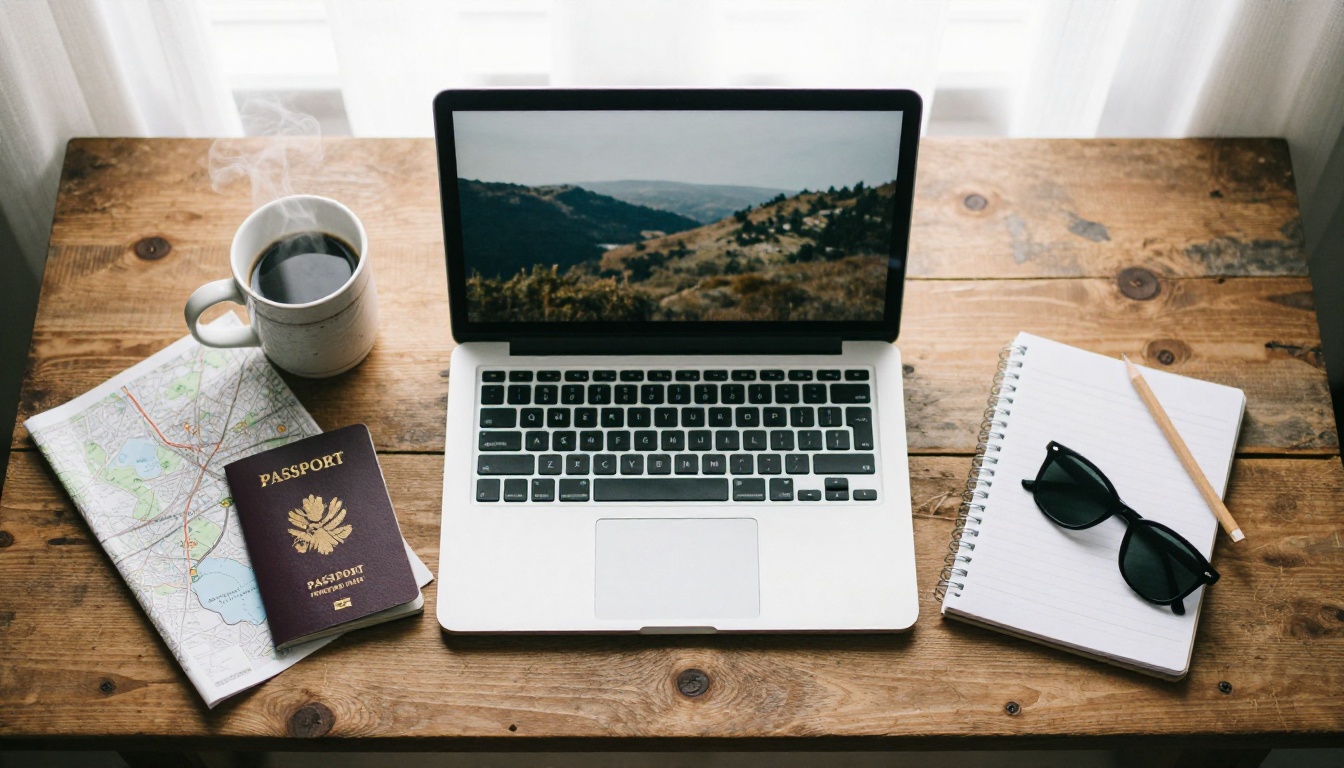
Every strong prompt in this article follows one structure: Subject + Place + Light + Camera + Texture. It reads like a photographer's shot list, not a poem.
| Layer | What to write | Example |
|---|
| Subject | Who or what, doing what | A traveler in a linen shirt leaning on a railing |
| Place | A specific location, not "a beach" | A whitewashed terrace above the Amalfi Coast |
| Light | Direction and time of day | Low golden light from the left |
| Camera | Angle, lens and depth of field | 35mm f/2.0 at eye level |
| Texture | Surfaces and grain | Weathered iron, dimpled lemon peel, fine film grain |
Subject and Action
Give the subject a verb. "A woman walking up a staircase" beats "a woman". Action creates posture, and posture is what makes a figure feel photographed instead of rendered. Add one clothing detail that fits the climate: a linen shirt for the Mediterranean, a wool coat for a cold sunrise, a red backpack for an alpine trail.
Place and Light
Name the real place. "Oia, Santorini" produces blue domes and whitewashed stairs. "A Greek island" produces a compromise between ten islands. Then pair the place with a time of day, because light is the biggest realism lever you have: sunrise from the right, dappled morning light through gates, flat midday sun on shallow water, warm afternoon shafts through a market roof.
Camera and Lens Language
Lens words steer perspective. 24mm gives a wide, slightly dramatic view. 50mm looks natural, close to human vision. 135mm compresses distance and stacks layers of a scene on top of each other. Pair each lens with an aperture: f/1.8 for a blurred background, f/5.6 to f/8 for a crisp landscape. Close with a film reference such as Kodak Portra 400 and the words "fine film grain" to avoid the glossy, over-smoothed look that gives generated images away.
💡 Tip: End every prompt with "no text, no logos". Generated signage is the fastest way to ruin an otherwise believable travel photo.
8 Travel Prompts to Copy and Paste
Each prompt below follows the formula and is written for a 16:9 frame. Paste it as is, then change one variable at a time (the time of day, the lens, the clothing) so you can see what each word actually does.
Islands and Coastlines
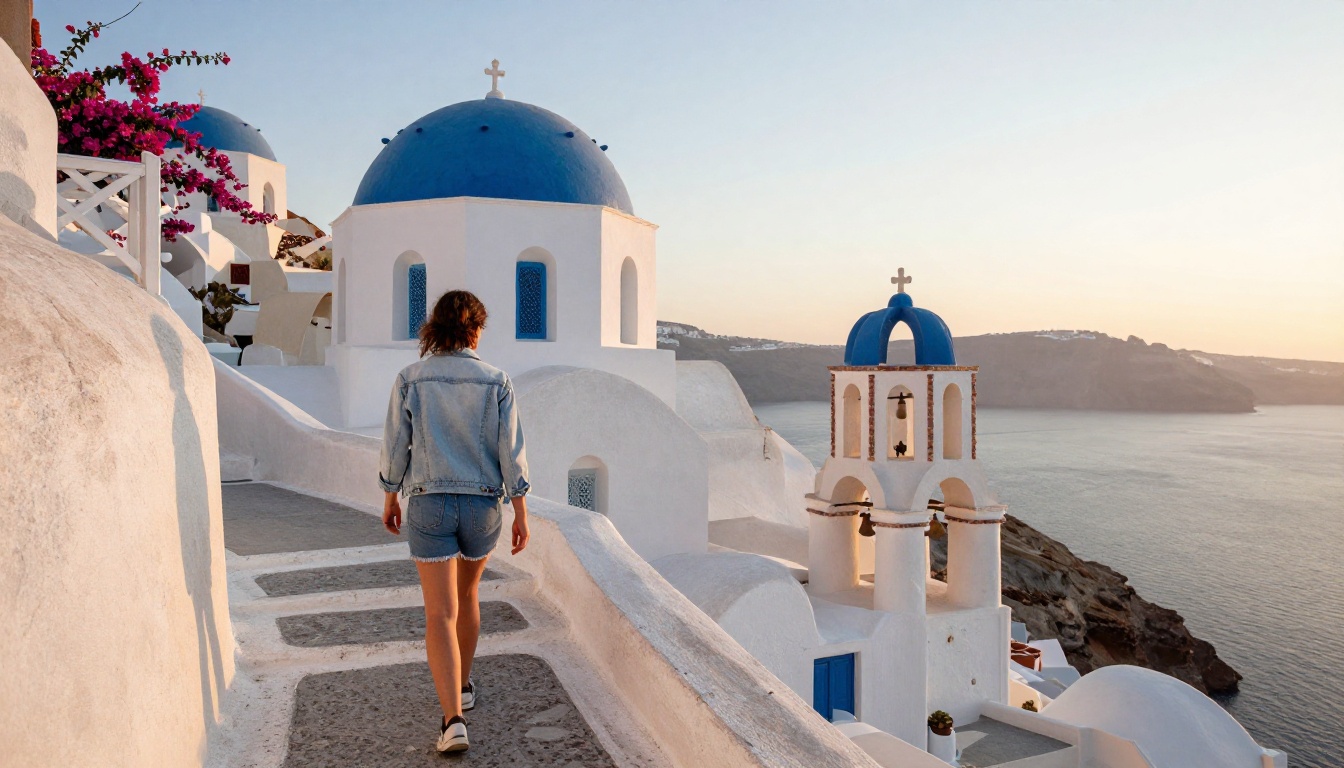
Santorini is the classic stress test: white plaster, blue domes and bright sky can easily blow out into a flat postcard. A low camera angle and directional sunrise light keep the plaster textured and the shadows readable.
Prompt: Low-angle shot of a traveler in a light denim jacket walking up a whitewashed staircase in Oia, Santorini, with blue-domed churches and pale stone walls framing the scene, bougainvillea spilling over the rail, soft volumetric sunrise light from the right, 24mm f/2.8 lens, rough plaster texture, fine film grain, Kodak Portra 400, natural color, no text
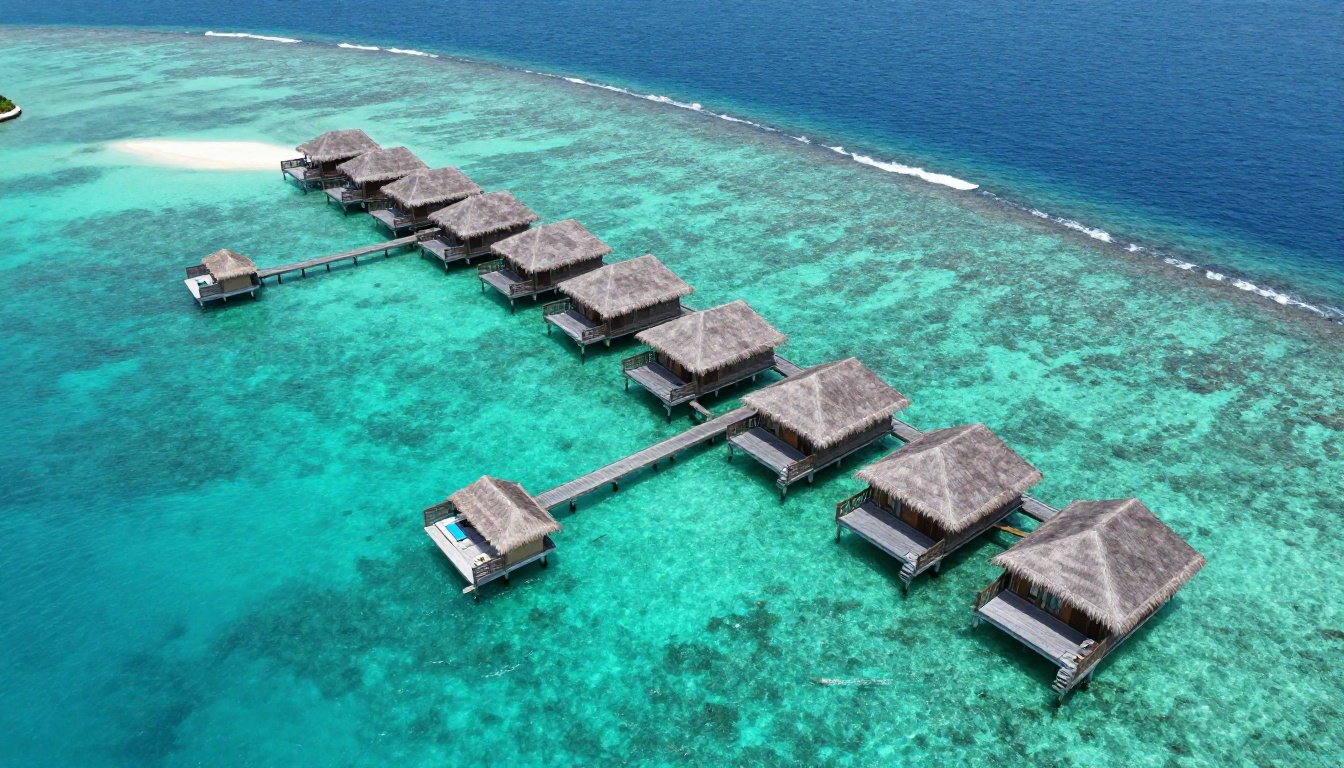
Aerial prompts work best when you describe the water in gradients. "Emerald to deep sapphire" gives the model a color map to follow, and "small ripples catching midday sun" adds the surface detail that separates a photograph from a wallpaper.
Prompt: Aerial drone view straight above a turquoise Maldives lagoon with a row of thatched overwater bungalows connected by a wooden jetty, sandbars in pale sand, gradients from emerald to deep sapphire water, small ripples catching midday sun, 24mm drone lens, crisp natural detail, subtle haze at the edges, Kodak Portra 400 tones, no text
Temples and Markets
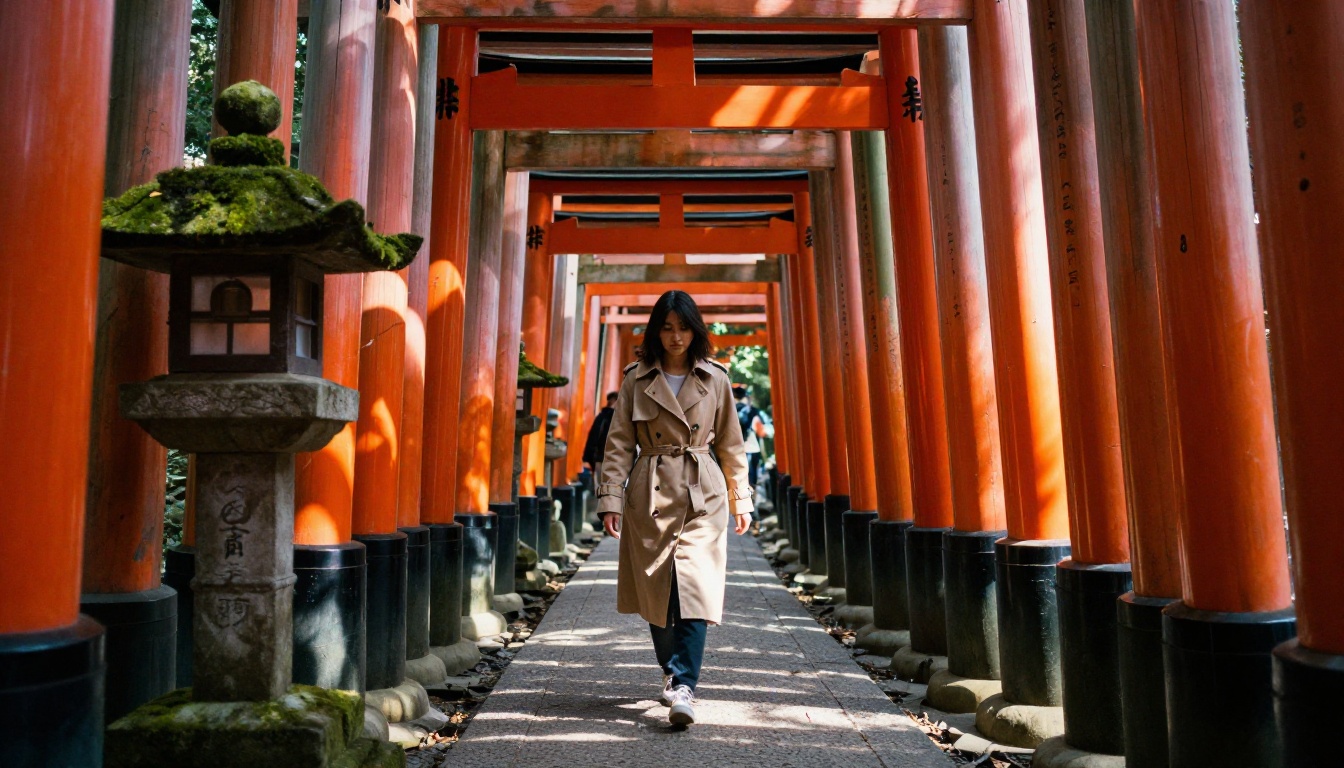
Repeating structures like torii gates reward a long lens. At 135mm the gates stack into a tunnel, and the dappled light between them does most of the storytelling.
Prompt: Telephoto compressed view of a woman in a beige trench coat walking through the vermilion torii gates of Fushimi Inari in Kyoto, dappled morning sunlight filtering between the gates, mossy stone lanterns on the side, painted wood grain visible on every pillar, 135mm f/2.8 lens with shallow depth of field, film grain, Kodak Portra 400, no text
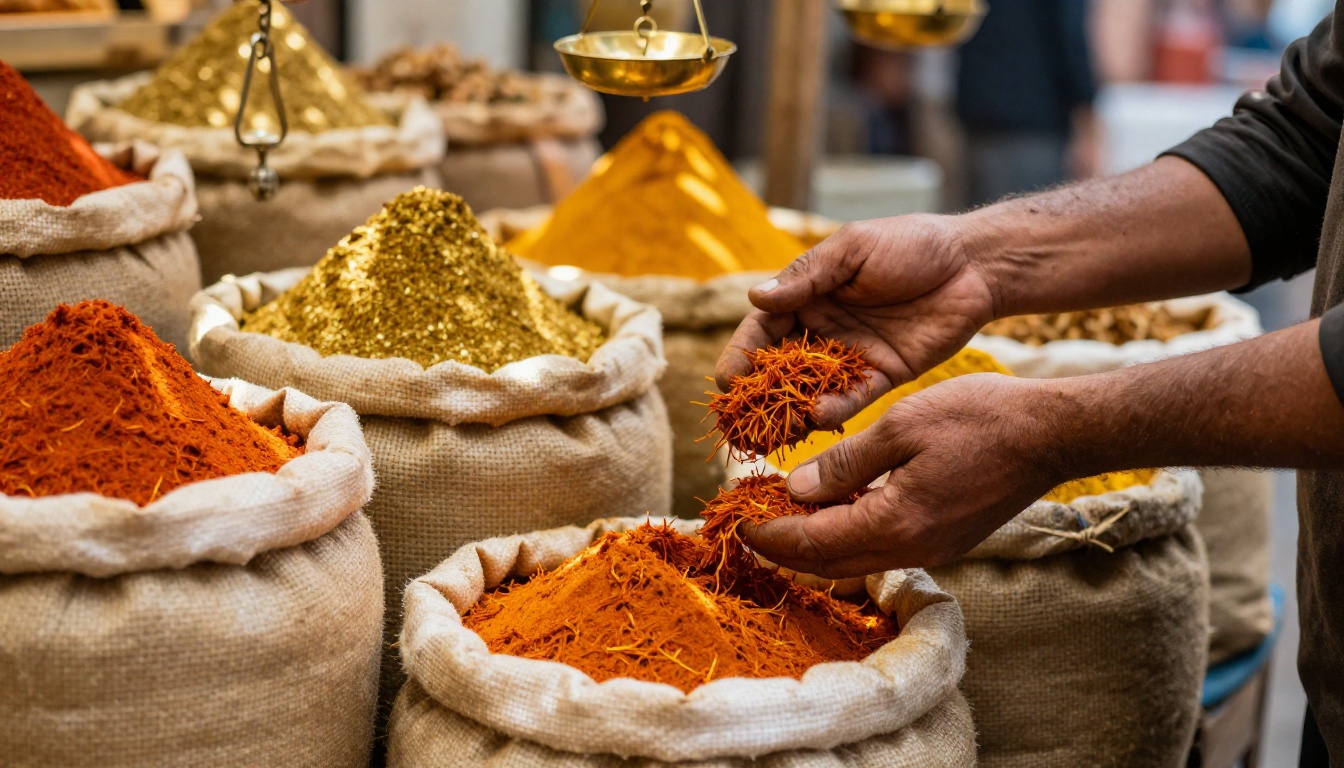
Not every travel photo needs a landmark. A close-up of hands and spices says "Marrakech" faster than a wide shot of a square, and tight crops hide the weak spots of a model, such as crowded backgrounds.
Prompt: Close-up of a vendor's weathered hands scooping saffron and paprika from burlap sacks in a Marrakech souk, bright pyramids of spices in orange, red and gold, brass scales hanging above, shafts of warm afternoon light slipping through a woven roof, 50mm f/1.8 lens, extreme shallow depth of field, coarse powder texture, film grain, no text
Mountains and Wild Places
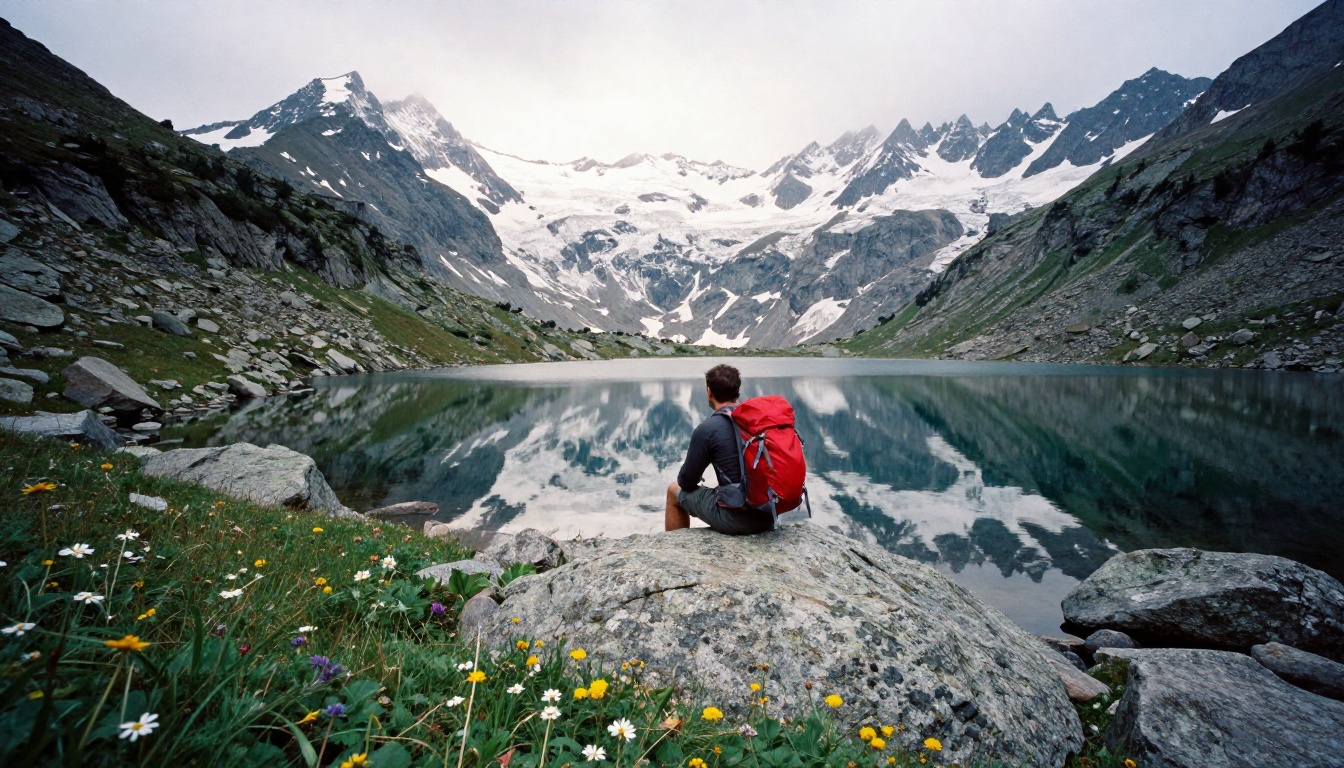
Alpine scenes need a single warm accent against a cold palette. The red backpack gives the eye a place to land, and the lake supplies a mirror for the peaks.
Prompt: Wide shot of a hiker with a red backpack sitting on a granite boulder beside a still alpine lake in the Swiss Alps, jagged snow-capped peaks mirrored in the water, cool crisp morning light from behind the ridge, wildflowers in the foreground grass, 28mm f/4 lens, deep depth of field, rocky texture, film grain, no text
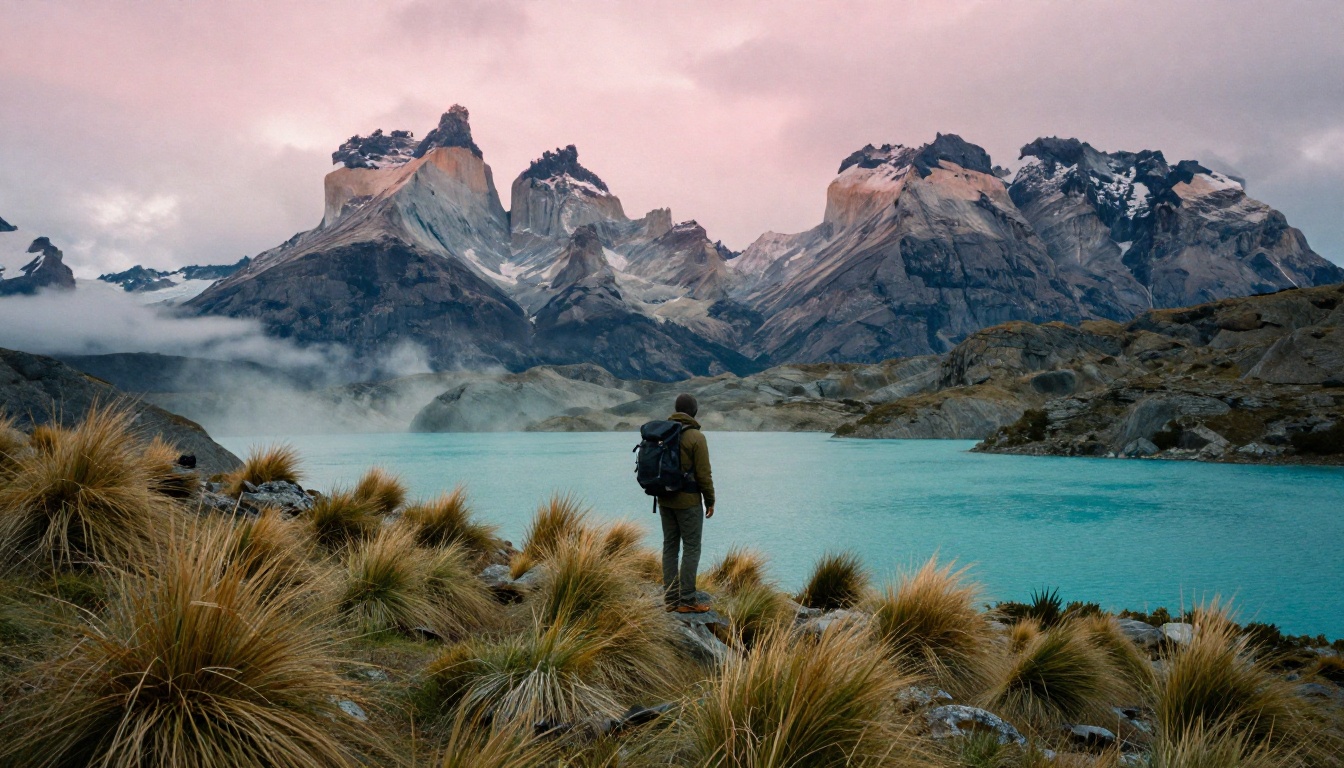
In Patagonia, scale is the subject. Keep the traveler small in the frame, let the granite spires fill the sky, and name the foreground grass so the shot has depth from front to back.
Prompt: Backpacker standing small in the frame on a windswept ridge in Torres del Paine, Patagonia, granite spires catching the first pink dawn light behind a turquoise glacial lake, wind-bent tussock grass in the foreground, thin low clouds drifting between peaks, 35mm f/5.6 lens, rugged rock texture, film grain, no text
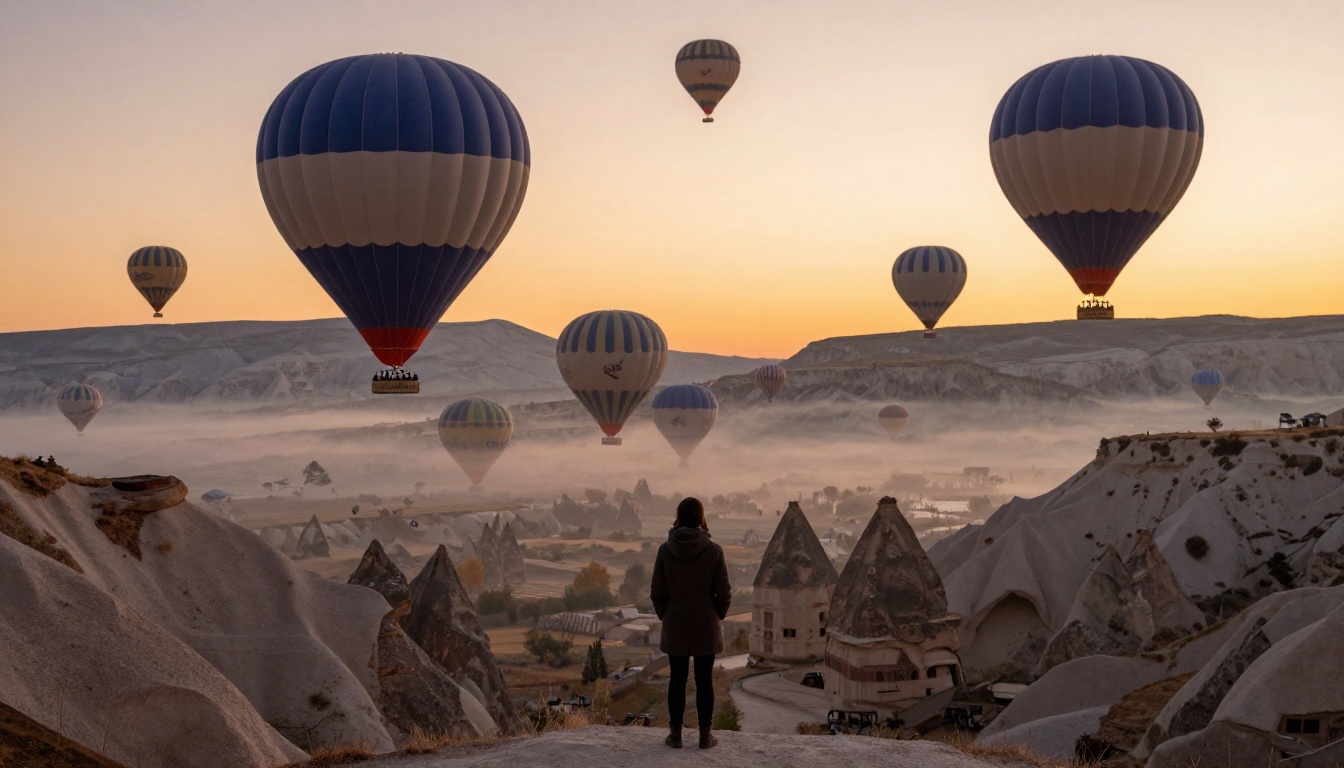
Balloons over Cappadocia sell the "once in a lifetime" feeling. A silhouetted figure on a rocky ledge puts the viewer inside the frame, and pale valley mist separates the layers of rock.
Prompt: Dozens of hot air balloons rising over the fairy chimney valleys of Cappadocia at sunrise, a traveler in a wool coat silhouetted on a rocky ledge in the foreground looking out, warm orange light from the horizon, pale mist in the valleys, 70mm f/4 lens, layered depth, volcanic tuff texture, film grain, no text
City Streets
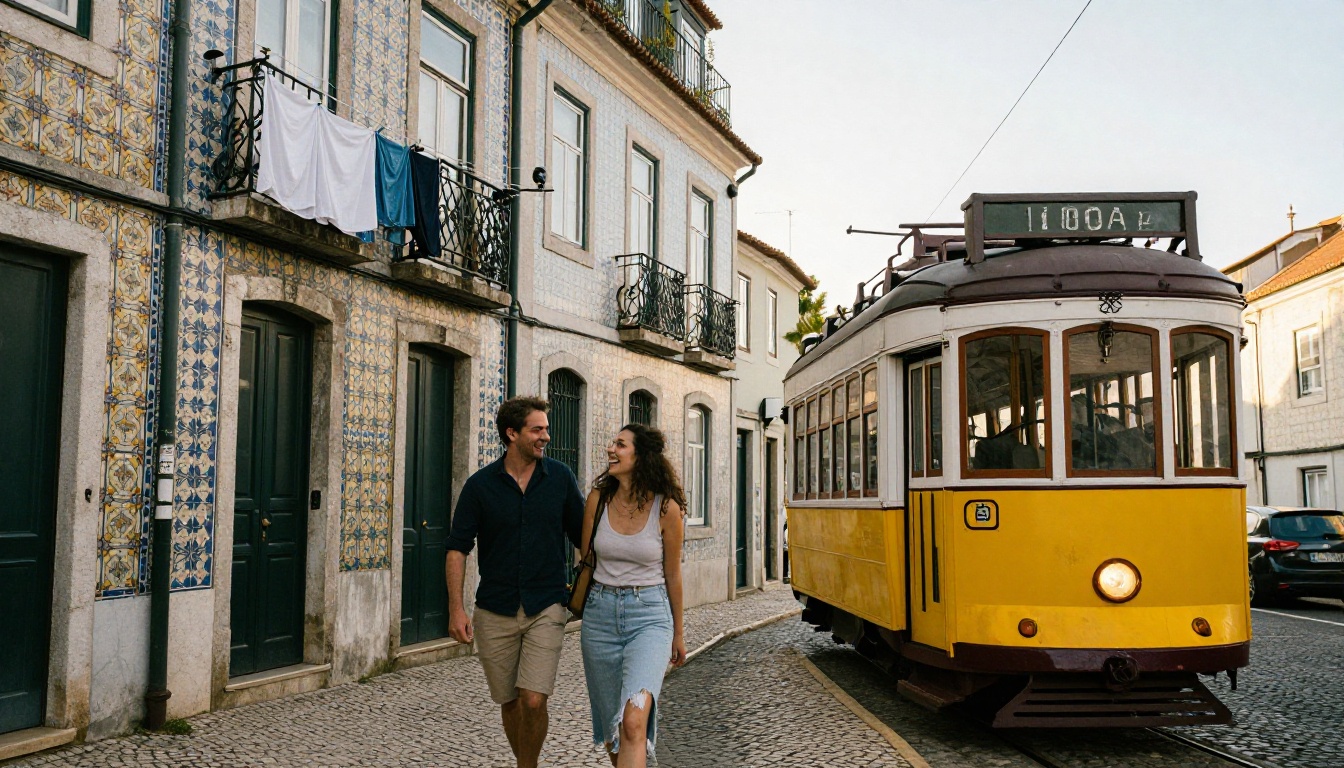
City scenes work when you add one moving object and one human moment. The yellow tram anchors the place, and two people laughing makes it feel like a captured instant instead of a posed render.
Prompt: Eye-level street photograph of a couple laughing on a narrow cobblestone hill in Lisbon beside a vintage yellow tram, colorful tiled facades with azulejo patterns, laundry hanging between balconies, soft late afternoon light from the left, 50mm f/1.8 lens, shallow depth of field, worn stone texture, film grain, no text
How to Use Flux 2 Pro on PicassoIA
Flux 2 Pro is a strong default for travel work because it takes a text prompt alone or up to 8 reference photos, and it outputs up to 4 MP. That second option is the secret to consistency: upload two or three photos of the same traveler and the model keeps the face and outfit steady across different destinations.
Open the Model and Write the Prompt
- Open the Flux 2 Pro page on PicassoIA.
- Paste one of the prompts above into the Prompt field.
- Set aspect_ratio to 16:9 for blog headers, or pick 9:16 for stories and 4:5 for feed posts.
- Leave resolution at 1 MP for quick drafts, then raise it to 2 MP for the final render. The model page recommends staying at 2 MP or below.
- Press generate, then change one detail in the prompt and generate again.
- When a result lands, note its seed so you can rebuild it later.
Settings Worth Changing
| Setting | Recommended value | Why it helps |
|---|
| aspect_ratio | 16:9, 9:16 or 4:5 | Matches the platform so you never crop away the subject |
| resolution | 1 MP draft, 2 MP final | Faster drafts, sharper final files |
| input_images | 1 to 8 photos | Keeps one traveler or one location consistent |
| output_format | jpg for sharing, png for editing | jpg keeps files light, png avoids recompression |
| output_quality | 80 default, higher for print | Balances file size against sharpness |
| seed | Reuse the same value | Rebuilds a result you liked |
💡 Tip: Draft with P-Image first. It returns an image in under a second, so you can test five wordings before spending a render on Flux 2 Pro.
Which Model Fits Which Shot
No single model wins every scene. Use this table to match the engine to the job, and run the same prompt on two models when a shot matters.
| Model | Best for | Standout feature |
|---|
| Flux 2 Pro | Consistent travelers across destinations | Up to 8 reference images, up to 4 MP |
| Seedream 5 Lite | Multi-part prompts and photo series | 2K and 3K output, up to 15 related images in one session |
| Nano Banana Pro | Large prints and wide banners | 1K, 2K and 4K output, 21:9 ratio, 14 reference images |
| Imagen 4 | Clean photorealistic landscapes | Sharp textures and depth with a simple prompt |
| P-Image | Fast drafts and high volume | Under one second per image, unlimited generations |
A practical workflow looks like this: draft ten wordings in P-Image, pick the strongest composition, then re-run that exact prompt in Flux 2 Pro or Seedream 5 Lite for the final file. If you need a long banner for a travel homepage, Nano Banana Pro and Seedream 5 Lite both offer 21:9.
Fixing Common AI Travel Photo Problems
Even strong models slip. Most failures trace back to a missing word in the prompt, not a broken tool.
Wrong Hands and Faces
Hands break first. Keep them busy with a simple, visible object (a railing, a coffee cup, a backpack strap) or hide them in pockets. For faces, shoot the traveler from behind or in profile, or keep them small in a wide frame. The header photo of this article shows a traveler from behind for exactly this reason.
Plastic Skin and Flat Color
If skin looks waxy, add physical detail: "fine skin texture, tiny hairs, light tan line" and a film stock with visible grain. If colors look oversaturated, remove words like "vibrant" and "stunning" and ask for "natural color grading" and "gentle highlight roll-off". Adjectives that praise the image push models toward glossy, advertising-style output.
Landmarks That Look Off
A famous building with the wrong proportions is the quickest tell. Fix it with a real reference photo through the input image field of Flux 2 Pro or Seedream 5 Lite, and describe the landmark by its parts: "three-tier pagoda with upturned eaves", not just the name. When the landmark is not essential, move it to the background and let a market, a street or a trail carry the shot.
Honest Uses for Generated Travel Photos
Generated images are a tool, and the best uses are the ones where nobody is misled.
Planning Trips and Mood Boards
Before you book, generate five versions of the trip you imagine: the terrace, the market, the ridge at dawn. Seeing the light and the palette side by side helps a group agree on a destination, and it takes minutes instead of hours of image searching. Use the images as a visual brief for the real trip, then shoot your own photos on location.
Content for Creators and Blogs
Travel bloggers use generated photos for article headers, newsletter banners, itinerary graphics and pins when they lack a matching real photo. Label them as AI-generated where context matters, and never present a generated image as a real visit, a real review or a real person's testimonial. Readers forgive an illustrative header. They do not forgive a fake experience.
| Use | Suitable | Avoid |
|---|
| Mood boards and trip planning | Yes | None |
| Blog and newsletter headers | Yes, with a label where relevant | Claiming it was shot on location |
| Itinerary and pin graphics | Yes | Implying a specific hotel looks like the image |
| Reviews and testimonials | No | Any fake first-hand experience |
Make Your First Travel Photo Today
You now have the formula, eight prompts that work and a clear picture of which model suits which scene. The fastest way to see the difference is to run one of the prompts yourself. Open P-Image on Picasso IA, paste the Santorini prompt, and generate it in under a second. Then change the sunrise to golden hour, swap 24mm for 85mm, and watch the scene change with each word.
When one draft deserves a polished render, move it to Flux 2 Pro and upload a reference photo of your own trip. Pick a destination you have never visited, write the shot list for it, and build your first set of travel photos on Picasso IA today.


