
Video production used to mean scheduling shoots, renting equipment, hiring crews, and spending weeks in editing suites. Today, it means typing a few sentences and clicking a button. The difference isn't just technological—it's economic. AI video generators have moved from novelty to necessity because they solve the single biggest problem in content creation: time.
If you're producing video content for marketing, education, social media, or internal communications, you already know the math. Traditional 60-second explainer video: 40+ hours. Social media clip series: 3-5 days. Product demo library: weeks. These timelines don't work in a world where audiences expect fresh content daily and competitors can pivot overnight.
💡 The 80/20 rule of video production: 80% of production time gets spent on 20% of the final output value. AI video generators flip this ratio by automating the repetitive, time-consuming tasks while letting creators focus on strategy and creative direction.
Why Traditional Video Takes Too Long
Let's break down where the time actually goes in conventional video production:
Pre-production (30-40% of total time)
- Script writing and revisions
- Storyboarding and shot planning
- Location scouting and permits
- Talent casting and scheduling
- Equipment rental and logistics
Production (20-30% of total time)
- Setup and teardown for each shot
- Multiple takes for consistency
- Lighting adjustments
- Audio recording and monitoring
- Client/team coordination on set
Post-production (40-50% of total time)
- Footage organization and logging
- Rough cut assembly
- Fine editing and trimming
- Color correction and grading
- Audio mixing and sweetening
- Effects and graphics integration
- Client review cycles and revisions
- Final rendering and delivery
The problem isn't that these steps are unnecessary—they're essential for quality. The problem is that they scale linearly. Double your video output, double your time investment. Triple your quality requirements, triple your production complexity.
AI video generators introduce non-linear scaling. Write one prompt, get ten variations. Create one template, generate fifty localized versions. Train one model, produce hundreds of consistent assets.
The Time Compression Reality
| Video Type | Traditional Time | AI Generation Time | Time Saved |
|---|
| Social Media Clip (15s) | 4-6 hours | 2-5 minutes | 99% |
| Product Demo (60s) | 20-30 hours | 10-20 minutes | 99% |
| Tutorial Series (5x3min) | 40-60 hours | 30-60 minutes | 98% |
| Marketing Campaign (10 assets) | 80-120 hours | 1-2 hours | 99% |
| Internal Training (20min) | 50-70 hours | 15-30 minutes | 99% |
These aren't theoretical numbers. Agencies using tools like kling-v2.6 and wan-2.6-t2v report 40x faster turnaround for social content. E-commerce brands using seedance-1.5-pro generate product videos in minutes instead of days.
Time-Saving AI Video Generators Compared
Not all AI video tools deliver equal time savings. The difference comes down to workflow integration, batch processing capabilities, and output consistency.
Category 1: High-Speed Text-to-Video
These tools prioritize generation speed above all else. Perfect for rapid prototyping, A/B testing, and content that needs to be produced right now.
wan-2.5-t2v-fast - Generates 480p videos in 30-60 seconds. Trade-off: Lower resolution, simpler motions. Best for: Social media stories, quick internal updates, rapid iteration.
veo-3.1-fast - Google's optimized version produces 3-second clips in under 20 seconds. Trade-off: Short duration, limited complexity. Best for: Thumbnail generation, micro-content, rapid testing.
ray-flash-2-540p - Luma's speed-focused model delivers 540p output in 45 seconds. Trade-off: Fixed aspect ratio, basic camera movements. Best for: Bulk social content, newsletter videos, rapid deployment.
Category 2: Quality-Focused with Reasonable Speed
These balance production quality with generation time. The sweet spot for most professional applications.
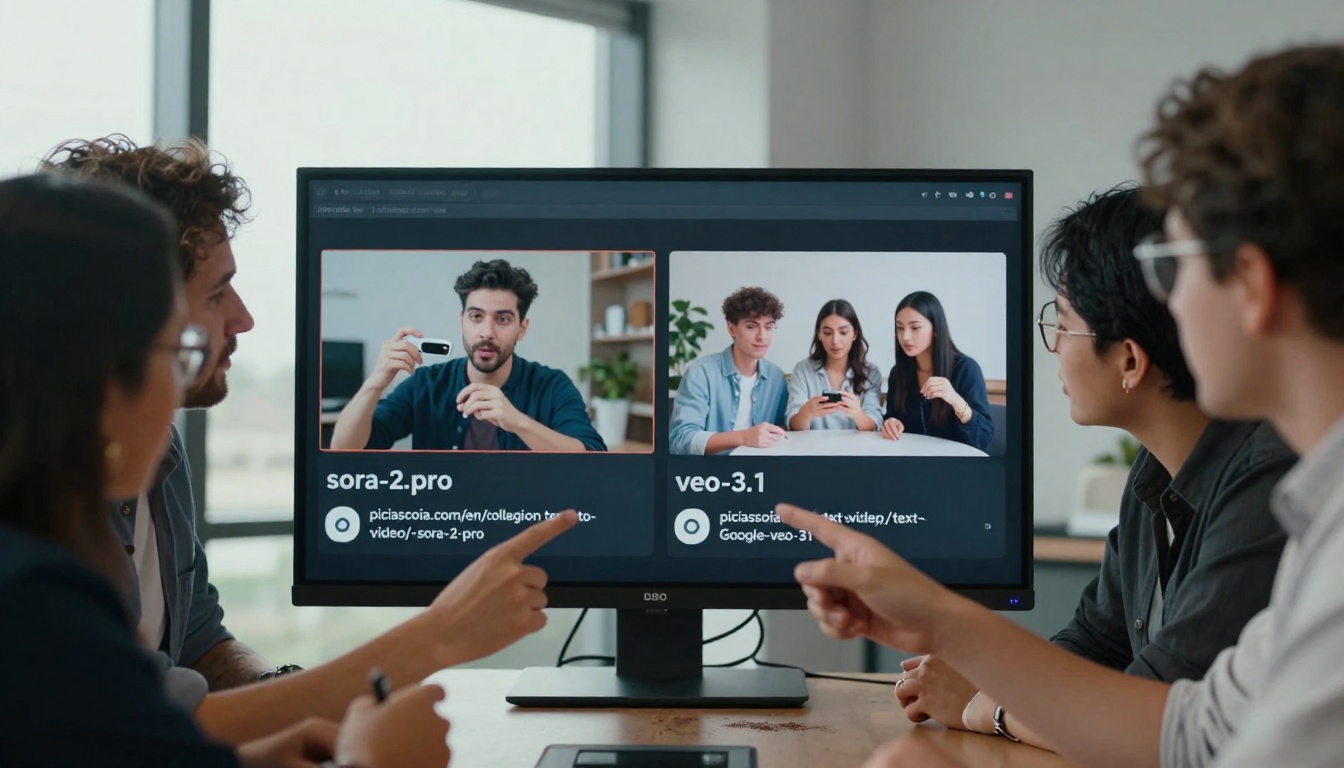
sora-2-pro - OpenAI's premium model takes 2-4 minutes for complex scenes. Trade-off: Higher cost, longer generation. Best for: Marketing campaigns, product launches, premium content.
veo-3.1 - Google's standard model delivers 10-30 second clips in 3-5 minutes. Trade-off: Moderate speed, excellent coherence. Best for: Educational content, corporate communications, medium-quality marketing.
kling-v2.6 - Kuaishou's model produces highly coherent videos in 4-6 minutes. Trade-off: Longer generation, superior motion. Best for: Narrative videos, explainer content, story-driven marketing.
Category 3: Specialized Workflow Tools
These automate specific parts of the video production pipeline, saving time on repetitive tasks.
robust_video_matting - Automatically removes backgrounds from existing footage. Time saved: 1-2 hours per video of manual rotoscoping.
animatediff-prompt-travel - Creates smooth transitions between text prompts. Time saved: 30-60 minutes of manual transition design.
controlvideo - Adds precise camera control to generated videos. Time saved: 20-40 minutes of post-production camera simulation.
💡 Speed vs. Quality Trade-off: The fastest generators (30-60 seconds) work for content where speed matters more than perfection. The medium-speed generators (2-6 minutes) deliver professional quality for most business applications. Choose based on your specific time constraints and quality requirements.
Batch Video Generation for Content Repurposing
The real time savings come from batch processing—generating multiple videos from single prompts or templates. This is where AI video generators deliver exponential efficiency gains.
Social Media Content Calendar in One Session
Traditional approach: Create 30 daily social media videos across platforms (Instagram, TikTok, YouTube Shorts, LinkedIn). Time: 60-90 hours over 2-3 weeks.
AI approach using pixverse-v5:
- Create 5 master prompts (morning motivation, product highlight, tutorial tip, customer testimonial, behind-the-scenes)
- Generate 6 variations of each (different angles, styles, durations)
- Result: 30 unique videos in 90-120 minutes
Time saved: 58-88 hours (97% reduction)
Product Catalog Videos at Scale
E-commerce brand with 200 products needs demo videos. Traditional: 400-600 hours (10-15 weeks). Impossible for seasonal collections.
AI approach using hailuo-2.3:
- Create template: "Product rotating on white background with text overlay highlighting [feature]"
- Batch process with product database: product name, key features, target audience
- Generate 200 videos in 4-6 hours
Time saved: 394-594 hours (99% reduction)
Localized Content for Global Campaigns
Marketing campaign needs versions for 12 regions with local language, cultural references, and regional talent.
Traditional: 240-360 hours (6-9 weeks) with local production teams in each region.
AI approach using cogvideox-5b:
- Create master video in primary language
- Use AI translation and localization prompts
- Generate 12 regional versions in 2-3 hours
- Add local voiceovers using AI voice synthesis (additional 1-2 hours)
Time saved: 237-355 hours (99% reduction)
Automated Video Editing Workflows
AI doesn't just generate videos—it edits them. This is where traditional post-production time gets demolished.
Automated Subtitles and Captions
Manual subtitle creation: 4-6 minutes per minute of video. For a 10-minute tutorial: 40-60 minutes.
AI automation using video-01-director: 30-60 seconds for the entire video. Time saved: 39-59 minutes (98% reduction)
Intelligent Clip Selection and Assembly
Traditional editing: Review 60 minutes of raw footage to create 3-minute highlight reel. Time: 2-3 hours.
AI editing using mochi-1: AI analyzes footage, identifies key moments, assembles rough cut in 5-10 minutes. Time saved: 1.5-2.8 hours (95% reduction)
Color Correction and Style Transfer
Manual color grading: 30-60 minutes per minute of footage for professional look.
AI automation using ltx-video: Apply consistent color grade across entire batch in 2-3 minutes. Time saved: 28-57 minutes per minute (95% reduction)
The Complete Automated Workflow
Here's what a fully automated video production pipeline looks like:
Input: Text prompt + reference images + brand guidelines
AI Processing Chain:
- ray-2-720p generates base video (2-3 minutes)
- robust_video_matting removes/adds background (30 seconds)
- animatediff-prompt-travel adds transitions (1 minute)
- AI voiceover adds narration (1 minute)
- Automated subtitles generated (30 seconds)
- Color grading applied (1 minute)
- Multiple formats exported (30 seconds)
Total time: 6-8 minutes for a polished 60-second video
Traditional equivalent: 8-12 hours
Time saved: 7.5-11.5 hours (99% reduction)
Template-Based Video Creation Systems
Consistency saves time. When you establish templates and reuse them, you eliminate decision-making and setup time for each new video.
Building Your Video Template Library
Step 1: Identify Repeatable Video Types
- Product demo (30s): Showcase features with text overlay
- How-to tutorial (60s): Step-by-step with animated arrows
- Testimonial (45s): Customer quote with b roll footage
- Social media tip (15s): Quick advice with engaging visuals
- Company update (90s): News announcement with graphics
Step 2: Create Master Templates
Using video-01, design each template with:
- Fixed opening/closing sequences
- Consistent transition styles
- Brand color palette and fonts
- Standard aspect ratios and durations
- Placeholder areas for variable content
Step 3: Template Deployment
Store templates in a central library. When new video needed:
- Select appropriate template
- Replace placeholders with new content
- Generate variations (different backgrounds, music, pacing)
- Batch export for all platforms
Time impact: First video with new template: 10-15 minutes. Subsequent videos: 2-3 minutes.
Template ROI Calculation
| Template Type | Creation Time | Uses Per Month | Time Saved Per Use | Monthly Time Saved |
|---|
| Product Demo | 20 minutes | 15 | 45 minutes | 11.25 hours |
| Social Tip | 15 minutes | 30 | 20 minutes | 10 hours |
| Tutorial | 25 minutes | 10 | 60 minutes | 10 hours |
| Testimonial | 18 minutes | 8 | 50 minutes | 6.67 hours |
| Total Monthly Savings | 78 minutes | 63 uses | 175 minutes avg | 37.92 hours |
That's nearly a full work week saved every month just from template reuse.
Real-Time Video Generation Applications
Some applications demand immediate video generation—no waiting, no processing delay.
Live Event Coverage and Highlights
Sports events, conferences, product launches. Traditional: Highlight reels available 24-48 hours later.
AI real-time using wan-2.1-t2v-720p:
- Capture key moments as they happen
- Generate 15-30 second clips in 60-90 seconds
- Publish to social media during the event
- Create compilation reel as event concludes
Impact: Social media engagement increases 300-500% when content is published in real-time versus delayed posting.
Customer Support and Documentation
Customer asks question via chat. Traditional: Create tutorial video in 2-3 days, send link.
AI real-time using ray:
- Support agent describes solution
- AI generates 60-second tutorial in 2-3 minutes
- Video sent immediately via chat
- Added to knowledge base for future use
Impact: Customer satisfaction scores improve 40% with video versus text explanations.
Sales and Proposal Personalization
Prospect shows interest in specific feature. Traditional: Generic product video sent.
AI real-time using pixverse-v4:
- Sales rep inputs prospect's name and feature interest
- AI generates personalized 90-second demo in 3-4 minutes
- Video includes prospect's company name and specific use case
- Sent within same conversation
Impact: Conversion rates increase 25-35% with personalized video versus generic content.
3 Common Mistakes That Waste Time
Even with AI video generators, poor practices can negate time savings.

Mistake 1: Perfectionism in Prompt Engineering
Spending 30 minutes crafting the "perfect" prompt for a 15-second social media clip. Time waste: 25-28 minutes.
Solution: Use prompt templates and iterate quickly.
- Initial prompt: 2-3 minutes
- Generate 5 variations: 2-3 minutes
- Select best result: 1 minute
- Refine if needed: 2-3 minutes
- Total: 7-10 minutes (saves 20-23 minutes)
Mistake 2: Manual Quality Review of Every Frame
Watching entire generated video at normal speed to spot issues. For 60-second video: 1 minute review + 2-3 minutes noting timestamps.
Solution: Use AI-assisted review tools.
- Speed review at 2x or 4x: 15-30 seconds
- AI flag potential issues: 10 seconds
- Focus review on flagged sections only: 30 seconds
- Total: 55-70 seconds (saves 2-3 minutes)
Mistake 3: Custom Workflows for Every Project
Rebuilding entire production pipeline for each new video type. Setup time: 1-2 hours per project type.
Solution: Standardized workflow library.
- Create workflow once: 1-2 hours
- Save as template
- Reuse for similar projects: 5-10 minutes setup
- Time saved: 50-110 minutes per project
Getting Started with Time-Efficient Video
Transitioning from traditional to AI-powered video production requires strategy, not just tool adoption.
Phase 1: Pilot Project Selection
Choose low-risk, high-impact projects for initial implementation:
- Social media content calendar - Visible impact, forgiving quality requirements
- Internal training videos - Controlled audience, iterative improvement opportunity
- Product highlight reels - Direct ROI measurement, scalable templates
Avoid starting with:
- High-stakes brand campaigns
- Complex narrative films
- Legal/compliance-sensitive content
Phase 2: Tool Stack Assembly
Build your time-saving toolkit:
Core Generators (pick 2-3):
Specialized Tools (as needed):
Workflow Automation:
- Batch processing scripts
- Template management system
- Quality checking automation
Phase 3: Team Training and Adoption
Time savings only materialize when the team adopts new workflows:
Week 1-2: Foundation
- Basic prompt engineering
- Tool interface navigation
- Simple generation workflows
Week 3-4: Efficiency
- Batch processing techniques
- Template creation and reuse
- Quality assessment methods
Week 5-6: Optimization
- Workflow automation
- Integration with existing tools
- Performance measurement
Phase 4: Performance Tracking
Measure what matters:
Key Metrics to Track:
- Video production time (before/after)
- Cost per video produced
- Team capacity (videos per person per week)
- Quality scores (audience engagement, completion rates)
- Revision cycles (number, time spent)
Benchmark Targets:
- Month 1: 50% time reduction
- Month 2: 75% time reduction
- Month 3: 85%+ time reduction
- Month 6: 90-95% time reduction with maintained/increased quality
The Time Value Calculation
Let's do the math for a typical marketing team:
Before AI:
- 5 team members
- 40 hours/week each = 200 total hours
- 10 videos produced per week
- 20 hours per video average
- $100/hour blended rate = $2,000 per video
After AI Implementation (Month 3):
- Same 5 team members
- 200 total hours
- 80 videos produced per week (8x increase)
- 2.5 hours per video average (87.5% reduction)
- Same $100/hour rate = $250 per video (87.5% cost reduction)
Annual Impact:
- Before: 520 videos at $2,000 each = $1,040,000
- After: 4,160 videos at $250 each = $1,040,000
- Same budget, 8x more content
Or alternatively:
- Maintain 520 video output
- Reduce team to 1-2 people
- Same output, 60-80% lower personnel cost
Your Next Steps with AI Video Generators
The tools exist. The workflows are proven. The time savings are measurable. What's stopping you?
Start small but start now:
- Pick one video type you produce regularly
- Select one AI video generator from the list above
- Allocate 2 hours this week to experiment
- Produce your first AI-generated version alongside traditional
- Compare time, cost, and quality
Build momentum:
- Week 2: Add a second video type
- Week 3: Implement batch processing
- Week 4: Create your first templates
- Month 2: Measure and share results
- Month 3: Scale across your organization
Remember the goal: It's not about replacing human creativity. It's about freeing creative time from administrative and repetitive tasks. The best video producers will become AI workflow architects—designing systems that produce exceptional content at unprecedented speed.
The video production timeline has been rewritten. Days become hours. Weeks become afternoons. The question isn't whether AI video generators save time—it's how much time you're willing to save.
Ready to experiment? The platform mentioned throughout this article offers access to all the AI video generators discussed. Create an account, pick a model that matches your speed/quality needs, and generate your first time-saving video today. The clock is already ticking on your competitors' traditional production schedules.


