Anime waifu hairstyles have made a striking leap from hand-drawn frames into the real world. Whether you have spent years admiring the long twin tails of a beloved character, the silky silver cascades of an isekai heroine, or the sharp bob that gives a kuudere her edge, these styles are no longer just ink and paint. They are being worn on city streets, photographed in golden fields, and recreated with stunning precision using AI portrait generators. If you have ever wondered which of these iconic looks are worth trying in real life, and how to generate photorealistic AI portraits that bring them to life, you are in the right place.
What Makes a Hairstyle "Waifu-Worthy"
Not every anime character hairstyle earns the waifu label. The styles that define the archetype share a specific visual grammar: they are expressive without being impractical, feminine without being fragile, and memorable in silhouette alone. A waifu hairstyle communicates personality instantly. Twin tails say energetic and playful. Silver hair says mysterious and otherworldly. A sharp bob with blunt bangs says precision and quiet confidence.
The Visual Language of Anime Hair
In animation, hair does the heavy lifting of character design. The signature ahoge (that single rebellious strand sticking up from the crown), the perfect center-parted curtain of silver-white hair, the elaborate braid that never seems to unravel no matter what the character goes through: all of these are visual shorthand for personality types that fans connect with deeply.
What makes them interesting for real-world application is their structural simplicity. Most waifu hairstyles are actually achievable. Twin tails are just high pigtails. The ahoge is a cowlick. The silver wave is just a good toner and a blow-dry. The translation from illustration to reality is closer than most people expect.
Why These Styles Hold Up Outside Animation
Beauty influencers, cosplay photographers, and AI portrait artists have all discovered the same thing: anime hairstyle aesthetics photograph beautifully. The strong graphic shapes, the clean lines, the dramatic color choices all translate into compelling real-world imagery. That is why these styles keep appearing in editorial fashion shoots, K-pop music videos, and, increasingly, in AI-generated portrait art.
💡 Quick fact: The global cosplay market is projected to exceed $23 billion by 2030. A significant part of that growth is driven by waifu aesthetics crossing into mainstream fashion and beauty culture.
Twin Tails: The Style That Started It All
Few hairstyles carry as much cultural weight as the twin tails. From Sailor Moon to Miku Hatsune to countless light novel covers, twin tails are the defining silhouette of the energetic, spirited female character. In AI portrait photography, they are also one of the most visually striking compositions you can create.
How to Pull Off Twin Tails IRL
The most common mistake with twin tails is placement. In anime, the tails sit impossibly high, sometimes originating at the very top of the head. In real life, the sweet spot is just above the temples. This placement gives you the visual volume and bounce of the animated version without looking childish. A few tips that actually matter:
- Use ribbon ties, not elastics. Thick satin ribbons in white, black, or soft pink match the aesthetic and read beautifully in photographs.
- Length matters. Twin tails work best at mid-back length or longer. Shoulder-length tails look truncated in photos.
- Volume at the root. Tease the hair lightly at the crown before tying. The slight lift gives that buoyant anime energy.
- Keep the part clean. A precise center part makes or breaks the symmetry that makes this style iconic.
How AI Renders Twin Tails
When you generate a twin-tails portrait with a model like Seedream 4.5, the results are often spectacular. The model handles long, flowing hair with exceptional realism, capturing individual strand behavior, natural wave patterns, and the way ribbons interact with the hair texture. The key in your prompt is specifying the ribbon material, the exact placement, and the lighting direction.
Prompt tip: "young woman, twin tails, pale pink silk ribbon, golden hour lighting from left, 85mm portrait, Kodak Portra 400" gets you much closer to the result you want than a vague "anime hairstyle" prompt.
The Silver Hair Obsession
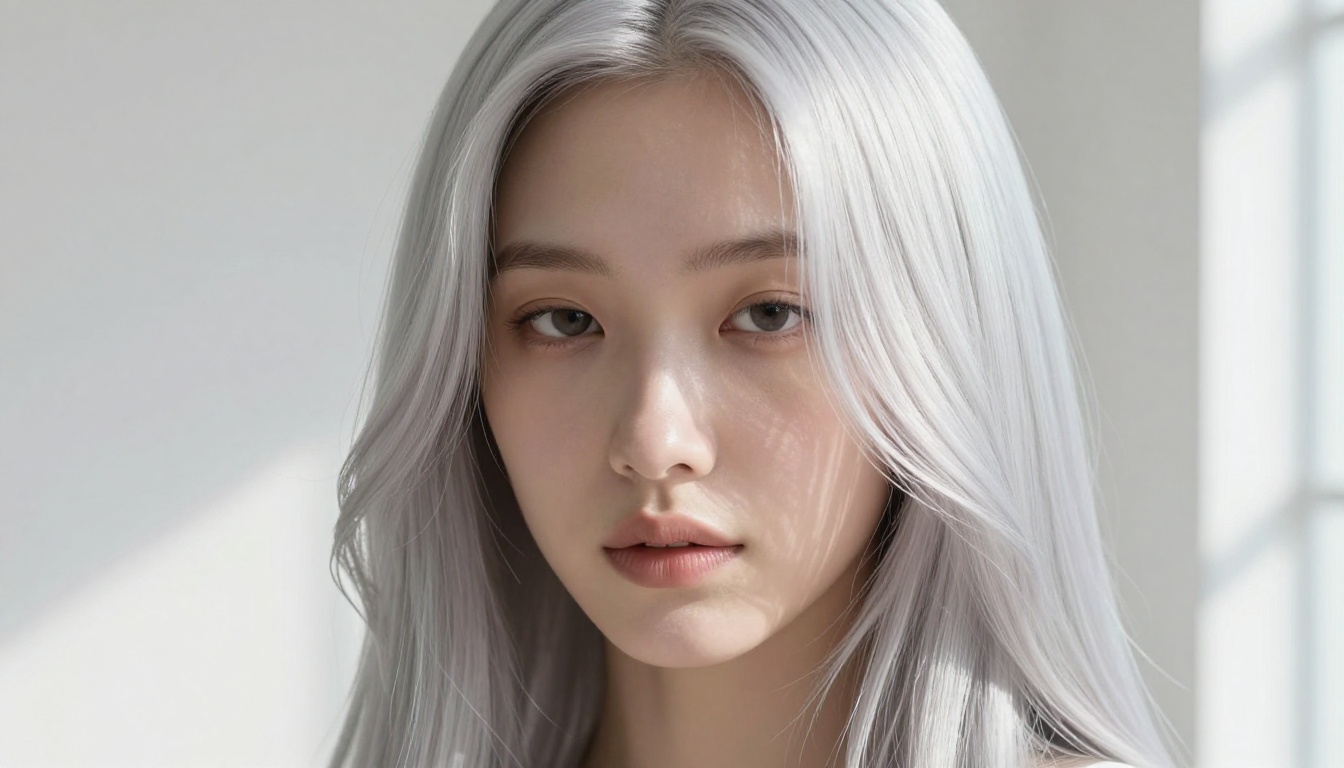
Silver and white hair might be the single most visually powerful element in the waifu aesthetic vocabulary. Characters with silver hair carry an air of otherworldly grace, and when this look is executed properly in real life or in AI-generated portraits, the effect is genuinely breathtaking.
Getting Silver Hair Right
Real-world silver hair requires commitment. The process involves bleaching to a pale yellow, then toning to the desired silver or platinum. The payoff is a color that catches light in a way no other shade does, transitioning from near-white in direct light to a soft dove grey in shadow. For AI-generated portraits, silver hair is one of the easiest effects to specify because the color has such distinctive light-interaction properties.
Why Silver Photographs So Well
Silver hair has a near-metallic quality in strong directional light. The way individual strands catch highlights creates a natural shimmer that reads as almost luminous in photography. In AI generation, specifying "pearlescent highlights, lavender-silver transitions, individual strand detail, studio window light from the right" gives the model enough texture cues to produce genuinely beautiful results.
Side Ponytail and Its Quiet Power
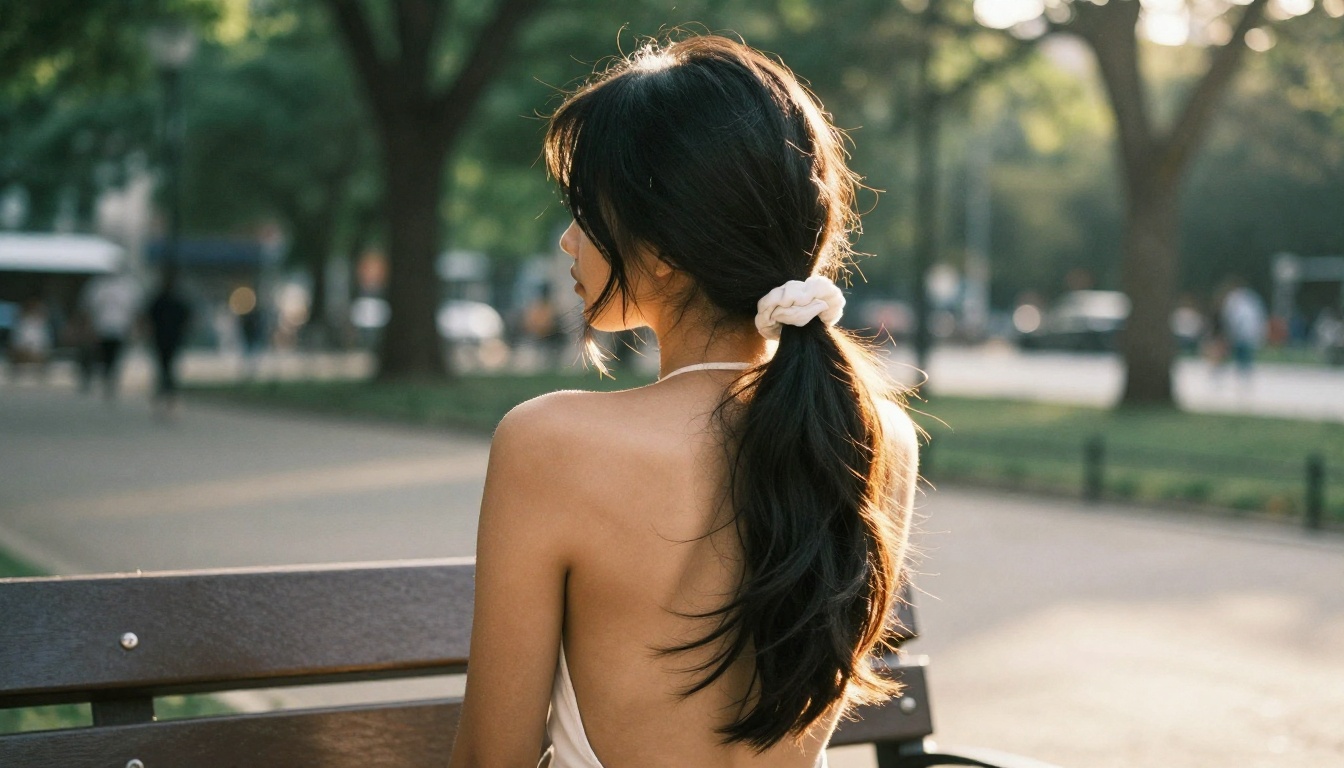
The side ponytail is one of those styles that looks effortless in anime but requires a bit of intention to execute well in real life. It sits at the intersection of casual and polished, giving the wearer an asymmetric, dynamic silhouette that photographs beautifully from multiple angles.
Getting the Placement Right
The side ponytail's placement is everything. Too low and it reads as sloppy. Too high and it skews toward the 1980s aerobics aesthetic. The ideal position sits between the temple and the top of the ear, pulled slightly to one side so the tail falls naturally over the shoulder. A scrunchie in a neutral or matching tone keeps the waifu aesthetic clean without looking overdone.
For AI portrait generation, the side ponytail responds very well to backlighting prompts. Rim-light that catches the tail edge turns every strand into a separate light source, creating that halo effect that makes this style so striking in anime scenes and dreamy in real-world portraits.
💡 Pro tip: When prompting for a side ponytail portrait, add "subject facing slightly away from the tail side" to get a natural three-quarter view that shows both the ponytail volume and the face simultaneously.
Short Bob with Statement Bangs
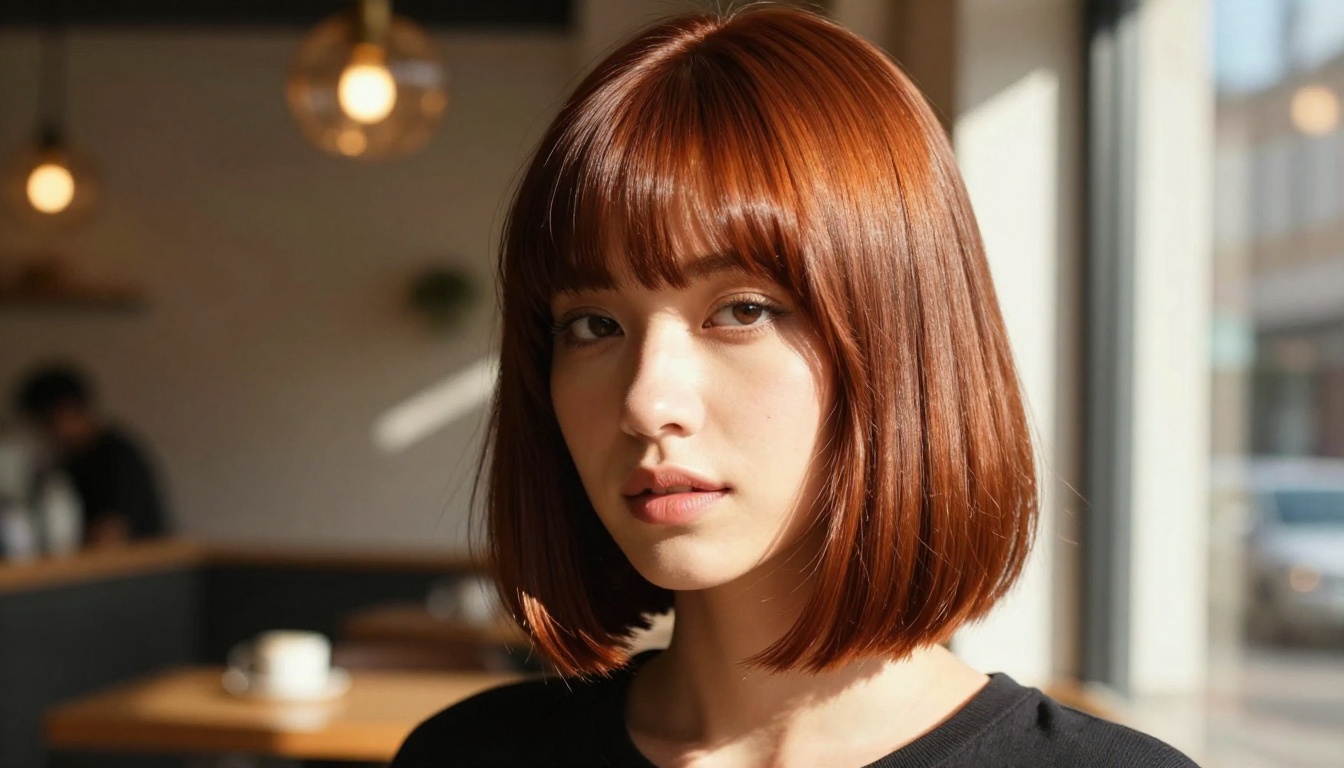
The sharp bob with blunt bangs is the hairstyle of the composed, unreadable female character. It is geometric, intentional, and visually assertive. In real life, this cut requires precision from a stylist but almost no daily effort to maintain its shape. In AI portrait generation, it produces some of the most striking, high-fashion results of any waifu-inspired style.
The Bob as a Personality Statement
What makes the waifu bob different from a standard bob is the relationship between the cut length and the bang angle. Anime bobs often feature bangs that taper slightly toward the outer corners, sometimes at a subtle diagonal, creating an asymmetry that feels sharp and intentional. The hair behind the ear is often cut shorter, emphasizing the jaw and giving the whole cut a structural, almost architectural quality.
Hair color matters enormously with this style. Deep auburn, blue-black, and cool dark brown all amplify the dramatic effect. When generating this look with SDXL or Dreamshaper XL Turbo, specify the exact bob angle, bang thickness, and the cafe or urban interior environment to get that moody, character-driven result.
What Makes It Work in AI Portraits
The bob with bangs generates well precisely because it has clear geometric properties. AI models respond to structured shape descriptions. "Chin-length bob, blunt bangs cut two centimeters above eyebrows, razor-straight edges catching studio light from the right" gives the model precise spatial cues. The result tends to be crisper and more fashion-forward than prompting loose or wavy styles.
Pastel Hair Colors That Actually Work
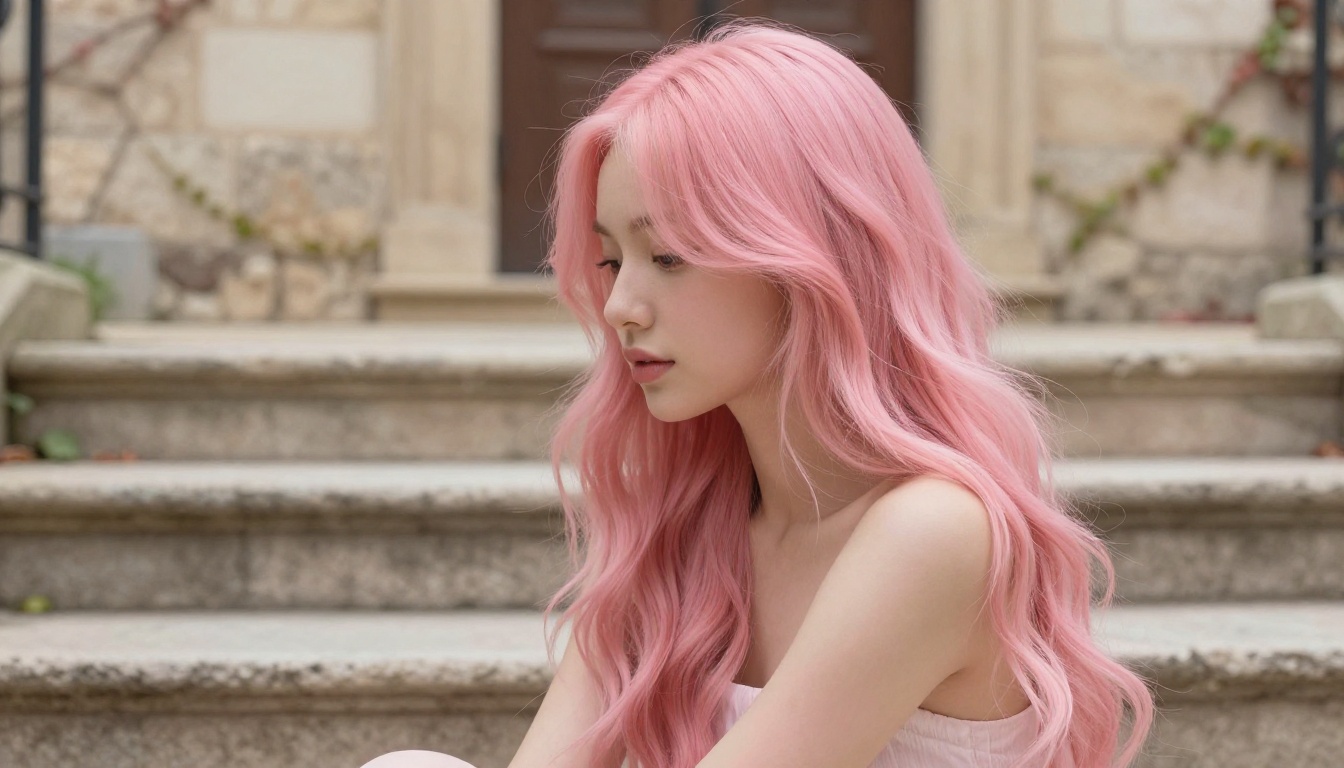
Pastel pink, soft lavender, mint green, and pale lilac are the color palette of a certain beloved waifu archetype: the warm, expressive character whose visual aesthetic matches her personality. These colors have moved from cosplay into mainstream fashion and AI portrait art, and they are consistently among the most popular prompts on AI image platforms.
Pink, Lilac, and Mint in the Real World
Pastel hair colors work best in soft, diffused natural light. Direct sun can wash them out or introduce unwanted warm tones. Overcast days, cafe interiors with warm ambient light, and golden-hour backlight all showcase pastel hair in its best context. The color looks most photorealistic when there is depth variation between the lighter surface strands and the slightly darker undertones in the shadows.
For AI generation, pastel hair benefits from very specific color language. "Cotton-candy pink, dusty rose in shadows, near-white highlights where direct light hits the surface" produces more nuanced and realistic results than simply writing "pink hair."
💡 Model pick: Flux 1.1 Pro handles pastel hair with exceptional color accuracy, especially in outdoor and natural light environments. Its training handles soft color gradients particularly well.
Choosing Your Pastel Tone
Not all pastel tones photograph the same way. Cotton-candy pink reads warm and playful. Lavender-silver reads ethereal and introspective. Mint green reads fresh and unconventional. Before committing to a color prompt, consider the overall mood of the portrait: the environment, the lighting, and the character energy you want to convey. Matching the pastel tone to the environmental palette creates images with visual harmony that feels intentional rather than random.
Braids and the Half-Up Half-Down Look
Braided hairstyles occupy a special place in the waifu aesthetic, associated with the capable, dependable character type who manages to look elegant in every situation. Dutch braids, crown braids, and elaborate multi-braid constructions all photograph beautifully and generate with extraordinary texture detail in AI portrait tools.
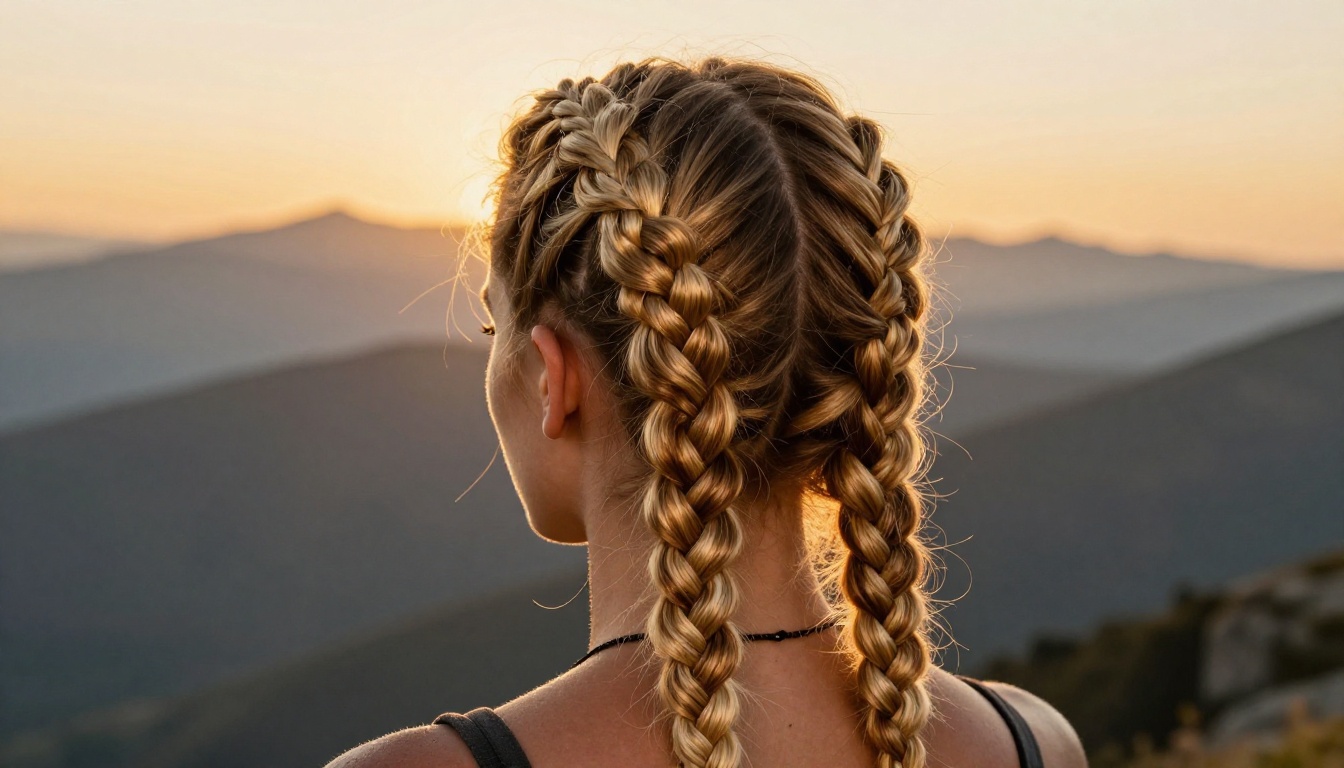
Dutch Braids as a Waifu Staple
Dutch braids have the visual complexity that makes anime hairstyles so satisfying to look at. Each crossing creates a shadow, each raised strand catches light from a different angle. In photographs, braids reward close attention in a way that smooth styles do not. The texture scales beautifully from full-portrait shots to extreme close-ups.
In AI generation, braids require detailed prompting to look authentic. Describing the braid as "raised-stitch Dutch braid, tight near the scalp, loosening toward the tail end, individual crossings visible, small flyaway strands softening the edges" gives the model enough texture information to produce a convincing result rather than a vague suggestion of a braid.
The Ahoge Detail Nobody Talks About Enough
The ahoge is a small touch that pays enormous dividends in character. That single strand or small loop standing up from the crown of the head is both a visual signature of anime character design and a surprisingly charming real-world element. A natural cowlick, allowed to do its thing instead of being forced flat, creates exactly this effect.
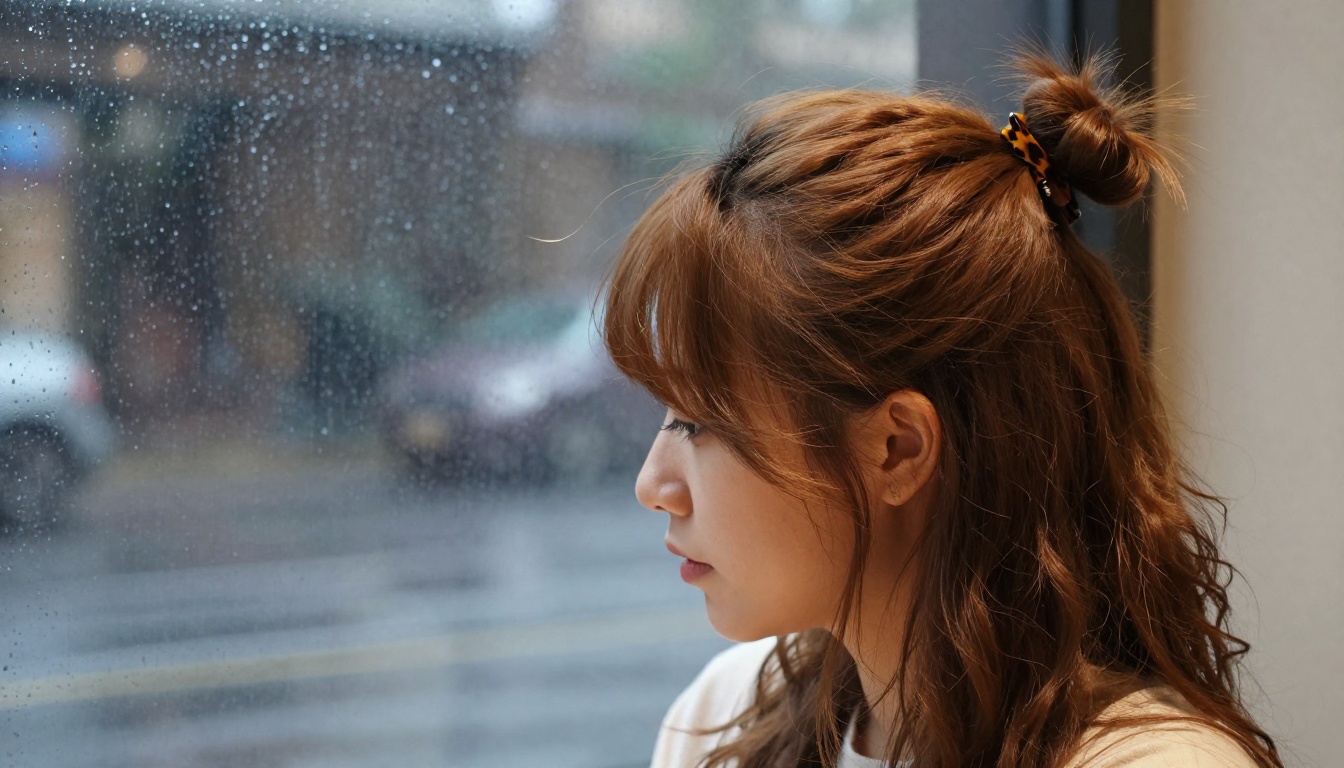
In AI portrait prompts, including "small ahoge, single curl standing from the crown, catching window light" adds a recognizable character-design element that makes the portrait feel distinctly anime-inspired without looking costumed. Pair it with a warm cafe environment and rain-streaked window light for the most evocative result.
The Half-Up Half-Down Variation
One of the most versatile waifu hairstyle structures is the half-up, half-down. The top layer is pulled back or twisted into twin buns, a small crown braid, or a casual clip, while the lower half of the hair falls freely. This creates a visual split that is dynamic in motion and interesting in still photography. The dual texture, structured on top and flowing below, is a recurring design element across dozens of beloved character types.
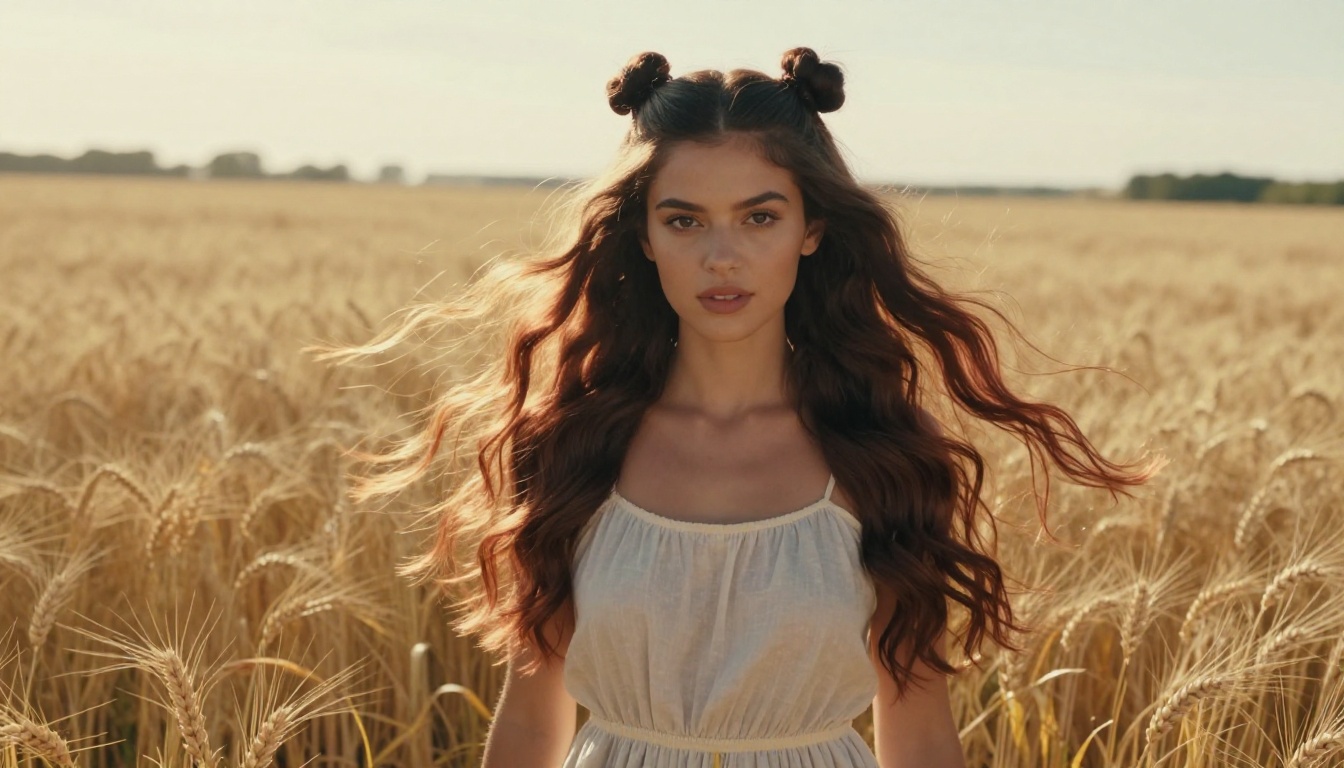
For AI generation, specify both layers separately in your prompt: "twin buns at the crown trailing into long loose auburn waves below, backlit at golden hour, rim-light catching the lower hair layer, individual strands glowing copper and bronze in the sun."
How to Generate These Looks with PicassoIA
Knowing which hairstyle you want is one thing. Getting an AI model to render it with genuine photographic realism, accurate texture, and authentic lighting is another challenge entirely. PicassoIA gives you access to the right tools for exactly this kind of portrait work.
Best Models for Waifu-Style Portraits
The choice of model shapes the entire character of your output. Here is a breakdown of which models excel at different aspects of waifu hairstyle portrait generation:
| Model | Strength | Best For |
|---|
| Seedream 4.5 | 4K output, hair texture, color accuracy | Silver hair, twin tails, outdoor portraits |
| Flux Dev | Photorealistic detail, lighting control | Studio beauty shots, hair close-ups |
| Flux 1.1 Pro | Fast, high fidelity output | Pastel hair, editorial portraits |
| Realistic Vision v5.1 | Hyper-realism, skin texture depth | Moody, cinematic portrait work |
| SDXL | Versatile stylized realism | Bob cuts, character-driven portraits |
| Stable Diffusion 3.5 Large | Rich color depth, composition | Braided styles, environmental portraits |
For portrait series with consistent character appearance across multiple images, Portrait Series lets you generate multiple stylistic variations of the same subject while keeping the hairstyle and face consistent across the set.
Prompt Tips That Actually Work
Most people who struggle with AI hair generation are prompting at the wrong level of specificity. Here is what the difference looks like in practice:
Weak prompt: "anime girl with long pink hair"
Strong prompt: "young woman, long pastel pink hair in loose romantic waves reaching mid-back, dusty rose shadow tones, near-white highlight strands, seated on stone steps, overcast soft light, European courtyard, 85mm f/1.6 portrait, Fujifilm Pro 400H grain, photorealistic, no illustration"
The strong version specifies: the color with shadow and highlight variation, the length and texture behavior, the environment, the lighting quality, the lens and film stock, and explicitly requests realism. Every additional detail narrows the model's generation space toward the result you actually want.
After generating your portrait, run it through Clarity Pro Upscaler to add fine strand detail and resolution beyond what the base model produces. The upscaler adds micro-texture that makes hair look genuinely photographic at large print sizes.
Editing Hairstyle Details
If your generated portrait is almost right but the hairstyle needs adjustment, Flux Kontext Pro lets you edit specific elements of an existing image using text instructions. You can refine the bang angle, change the ribbon color, extend the ponytail length, or adjust the braid tightness without regenerating the entire portrait from scratch.
For converting a real photograph into an anime-inspired portrait while preserving a specific hairstyle, Qwen Image Edit Plus LoRA Photo To Anime produces clean, stylized results that retain the original hair shape and color while translating the overall aesthetic.
Side-Swept Bangs: Simple but Iconic
The side-swept bang is perhaps the most wearable element from the entire waifu hairstyle catalog. A single diagonal sweep of hair across the forehead changes a face entirely: it adds mystery, creates asymmetry, and draws the eye naturally toward the uncovered side. It works with virtually any hair length and any hair color.
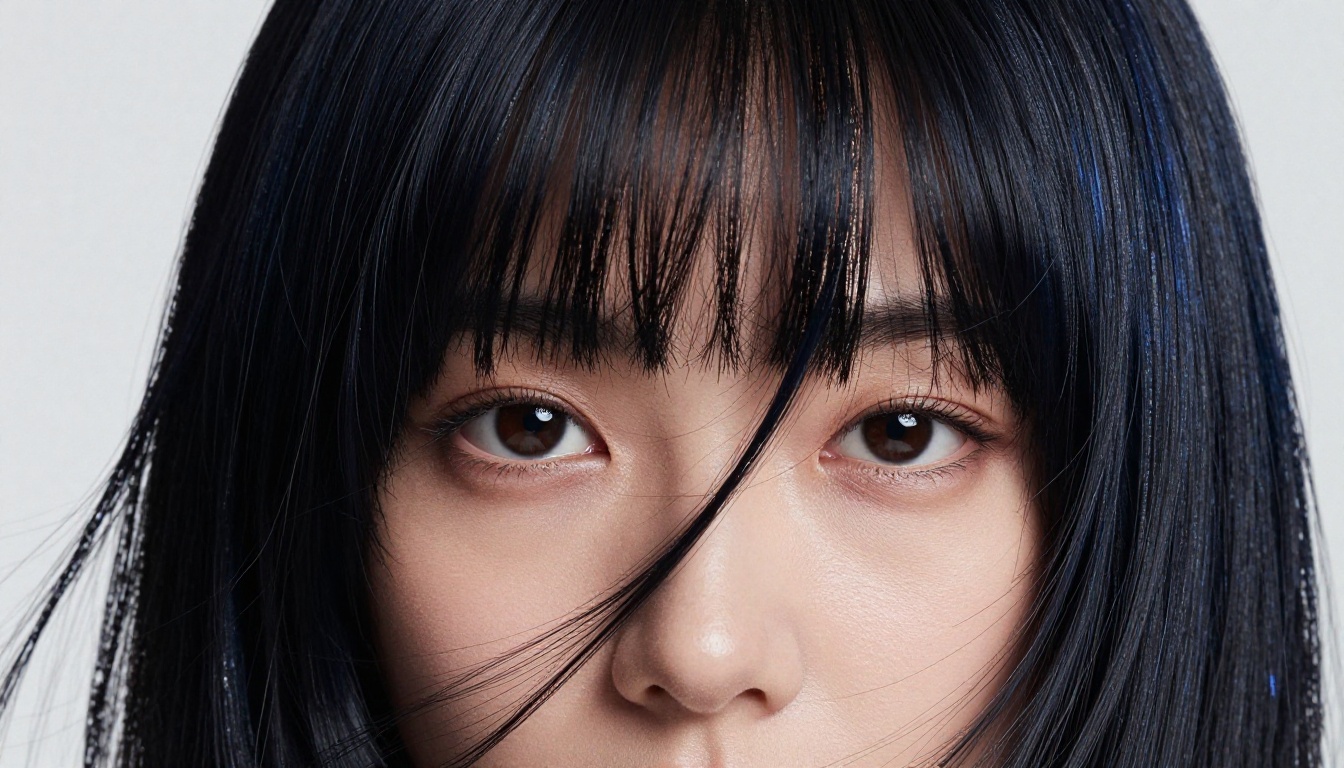
In AI portrait generation, side-swept bangs produce some of the most dramatic close-up compositions in the genre. The strong diagonal line of the bang against the skin creates graphic tension that reads powerfully even at small image sizes. For this shot type, specify the bang sweep direction (left-to-right or right-to-left), the degree of coverage (full eye coverage vs. partial), and the hair texture behavior (smooth and pressed flat vs. slightly lifted and catching light at the edge).
💡 Composition note: Side-swept bangs photographed or generated with a slightly low camera angle amplify the mysterious, slightly guarded character energy that makes this style so compelling. Try "slightly low angle, 105mm f/2.0, subject looking slightly down toward camera" for maximum impact.
Pairing Bangs with the Right Base Style
Side-swept bangs work with almost any base hairstyle but they shine brightest in two specific configurations. First: with a straight, center-parted curtain of long hair where the side sweep creates a deliberate asymmetric break in an otherwise symmetric style. Second: with a voluminous medium-length cut where the bang provides the only structured element in an otherwise relaxed composition. Both configurations generate beautifully in tools like Flux Dev when you specify the relationship between the bangs and the base hair in detail.
Create Your Own Waifu Portrait
Every hairstyle in this article can be yours in photorealistic AI portrait form within minutes. The technology to produce print-quality, fashion-editorial-level portraits with any of these iconic styles exists right now on PicassoIA, and the barrier to entry is nothing more than a well-crafted text prompt.
Start with Seedream 4.5 for your first attempt: its 4K output and exceptional hair texture handling make it the strongest starting point for waifu-inspired portrait work. Specify your chosen hairstyle with as much structural detail as you can, include lighting cues, a film stock reference, and an explicit "photorealistic, no illustration" instruction. Generate several variations and use Clarity Pro Upscaler to sharpen the best result to print quality.
Then iterate. Change the environment, the lighting, the hair color, the ribbon, the camera angle. The depth of what you can create with these tools, applied to these hairstyles, is genuinely substantial. The portraits you produce are not approximations of the look you want: with the right prompting approach, they are the look.
Browse all available models at picassoia.com/en/all-models and start generating.


