The question sounds simple enough, but the answer will reshape how you approach your next creative workflow. Artlist and Picasso AI are two platforms that get compared often, yet they solve fundamentally different problems. One built its reputation on royalty-free music and stock media. The other was architected as a dedicated AI generation engine with hundreds of promptable models across every format imaginable. If you need to choose based on raw AI model count and variety, this breakdown has the concrete numbers and side-by-side capabilities you need.
What Artlist Actually Offers
Artlist launched in 2016 as a music licensing platform and built its reputation on unlimited-use royalty-free tracks for video creators. Over the years it expanded into stock footage, sound effects, motion graphics templates, and LUTs, acquiring Motion Array in 2019 to add a massive video template library. By 2025, it positions itself as an all-in-one creative hub for video producers and social media teams.
Stock Library Focus
The heart of Artlist is its curated licensing catalog. That is where the value lives, and it is genuinely impressive for what it is. But "AI models" in the sense most creators now use the term means something different from AI-assisted search or AI-tagged stock content.
Here is what Artlist actually offers on the AI side:
| Feature | Description |
|---|
| AI-powered search | Find music by mood, genre, or tempo using natural language |
| AI background removal | One-click video background removal |
| AI scene detection | Auto-chapter video clips for faster editing |
| AI-generated music tracks | A curated library of AI-composed tracks |
| Template suggestions | AI-recommended templates based on project type |
What Artlist does not offer is a catalog of interchangeable, promptable generative AI models. You cannot choose between Flux Schnell LoRA and Stable Diffusion 3. You cannot adjust inference steps, swap LoRA weights, or select different model architectures for different creative results. The AI in Artlist is a feature layer built on top of a media catalog.
💡 The real distinction: Artlist uses AI to assist stock media workflows. Picasso AI is an AI model platform where generation itself is the product.

Who Artlist Is Built For
Artlist works well for YouTubers, video editors, and social media agencies who need legally cleared music and footage fast. The platform saves hours of licensing negotiations. But if your workflow increasingly depends on AI generation, prompt-to-image pipelines, or model-specific outputs, Artlist was not built with that in mind. You will hit a ceiling quickly once you need to generate rather than license.
PicassoIA's AI Model Library
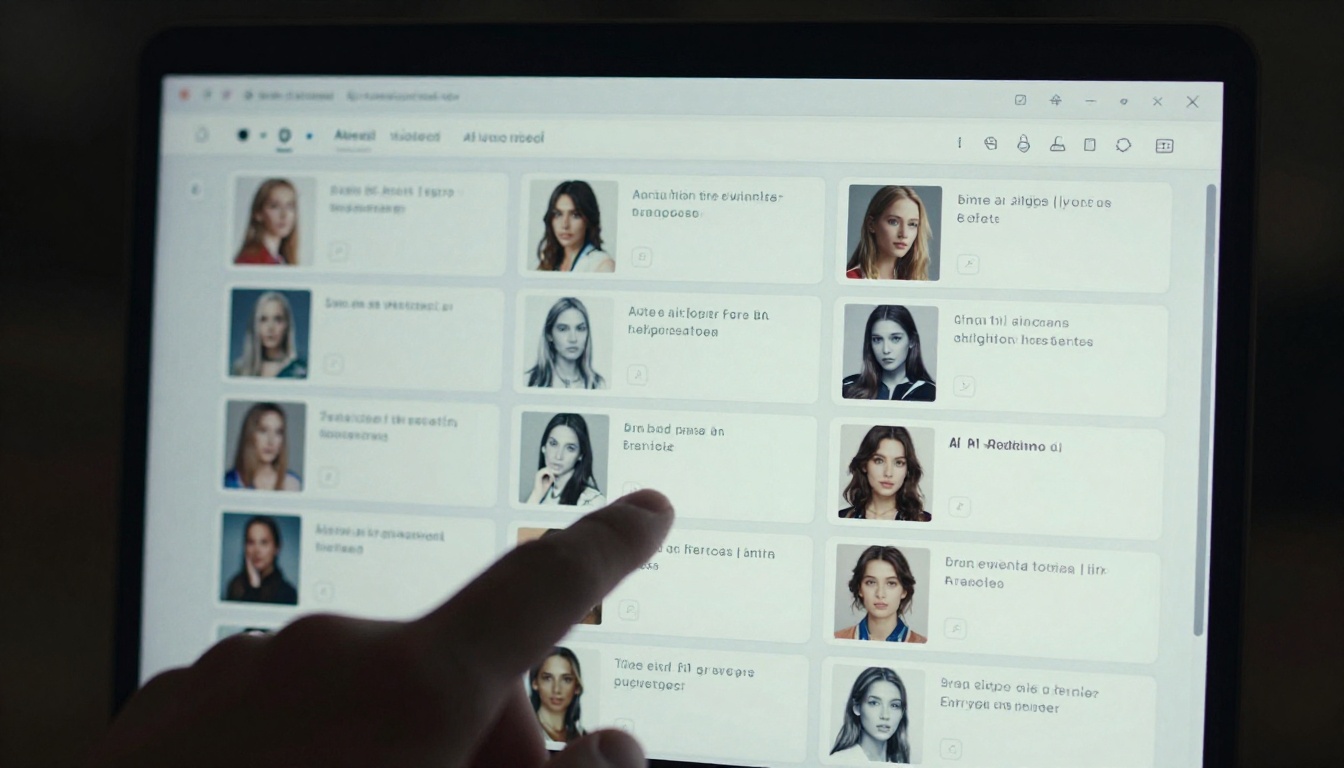
Picasso AI (PicassoIA) was built specifically as an AI model aggregator and generation platform. Rather than hosting a single proprietary model, it curates the best open-source and commercial AI models from across the ecosystem, deploys them via API, and makes them accessible through a clean browser interface. No local GPU required. No API key management. Just pick a model and generate.
The numbers tell the story clearly:
| Category | Model Count |
|---|
| Text-to-Image | 91+ models |
| Text-to-Video | 87+ models |
| AI Music Generation | Available |
| Text-to-Speech | Available |
| Speech-to-Text | Available |
| Super Resolution | Available |
| Video Editing and Effects | 500+ video effects |
| Background Removal | Available |
| Large Language Models | Available |
| Total | 300+ AI models |
That is not a stock library. That is a model ecosystem.
Text-to-Image Models in Depth
The text-to-image category is where PicassoIA's depth becomes obvious. With 91+ models available, the selection spans every major architecture and use case.
Flagship Generation Models:
The Flux Family from Black Forest Labs:
Black Forest Labs alone contributes over a dozen Flux variants to the platform. Each serves a different creative need:
- Flux Fill Pro: inpainting and canvas extension without regenerating the full image
- Flux Depth Pro: depth-aware editing that preserves spatial relationships
- Flux Schnell LoRA: rapid generation with custom style transfer built in
- Flux Canny Pro: edge-guided generation for structural consistency
- Flux Krea Dev: the anti-AI-looking model for photography-realistic output
Specialized and Niche Models:
- Recraft 20B: style-consistent generation with precise creative control
- Fibo: precision generation for commercial and product-oriented visuals
- Riverflow 2.0 Pro: generates images with embedded font control for typography work
- Recraft 20B SVG: converts text prompts directly to scalable vector graphics
💡 Worth noting: 91 text-to-image models is more AI image generation choice than most dedicated image platforms offer on their own.

Video Generation Capabilities
Video is where the gap between the two platforms widens further. Both platforms touch video, but the nature of that involvement could not be more different.
Artlist Video AI
Artlist's video tools center on editing assistance: background removal, scene detection, and color correction workflows. The platform has AI-generated stock footage, but this is pre-made content sitting in a library, not something you generate on demand from a text prompt. You browse and license; you do not prompt and create.
PicassoIA's 87-Model Video Library
With 87+ text-to-video models, PicassoIA covers the full spectrum of AI video generation:
- Text-to-video: Describe a scene, get motion video output from your words
- Image-to-video: Animate any still image into a moving video clip
- Video editing: Cut, stabilize, stylize, and reframe existing footage with AI
- AI video enhancement: Upscale, restore, and stabilize older or low-resolution video
- Lipsync: Sync audio to on-screen faces with realistic results
- Video effects: Over 500 preset effects to apply stylistic transformations in seconds
The model variety here includes contributions from leading AI labs and open-source projects, all accessible from the same platform. You are not locked into one provider's video model or one creative aesthetic.
Audio and Music AI
Where Artlist Wins
This is the one category where Artlist has a real structural advantage. Its music library has millions of tracks curated and licensed specifically for commercial use. The quality control, licensing clarity, and breadth of human-composed music cannot be matched by generative platforms. If you need sync-licensed tracks for a YouTube video or commercial project, Artlist's depth here is unmatched by any AI generation tool.
PicassoIA's Audio Capabilities
PicassoIA offers AI-generated music creation, text-to-speech voice generation, and speech-to-text transcription. These are strong tools for generating original audio assets, voiceovers, and transcripts from scratch. But the platform is not positioned as a music licensing service. It generates on demand; it does not curate a licensing catalog of existing tracks.
| Capability | Artlist | PicassoIA |
|---|
| Licensed music library | Millions of tracks | Not applicable |
| AI music generation | Limited selection | Available |
| Text-to-speech | No | Available |
| Speech-to-text | No | Available |
| AI voice generation | No | Available via models |
The audio advantage is context-dependent. For original generation and voiceover work, PicassoIA has more active AI tools. For licensing pre-existing high-quality tracks, Artlist wins clearly.
Head-to-Head Model Count

Let us be direct about the numbers:
| Platform | Promptable AI Models | Stock/Licensed Assets |
|---|
| Artlist | ~5 AI features (not models) | 3M+ stock assets |
| PicassoIA | 300+ distinct AI models | AI-generated on demand |
Artlist has AI-assisted features. PicassoIA has AI models. These are fundamentally different things. Comparing them on model count is like comparing a streaming platform's recommendation algorithm to a full DAW with hundreds of synth engines.
If the question is "which platform has more AI models," the answer is PicassoIA by a factor of roughly 60 to 1. There is no ambiguity here.
💡 Bottom line: Artlist is a content library with AI helpers. PicassoIA is a model hub. On raw model count, PicassoIA wins decisively.
Using Flux Schnell LoRA on PicassoIA
Since Flux variants rank among the most popular AI image models on the platform, here is a practical walkthrough using Flux Schnell LoRA, one of the fastest high-quality generation options available right now.

Step 1: Open the Model
Navigate to the Flux Schnell LoRA page on PicassoIA. You will see the generation interface with prompt input, parameter controls, aspect ratio options, and example outputs from other users.
Step 2: Write a Specific Prompt
Flux Schnell LoRA responds well to descriptive, specific prompts. Avoid vague terms. Instead of "a beautiful woman," write:
"Portrait of a woman in her 30s with dark hair, standing in a sunlit wheat field, wearing a cream linen dress, golden afternoon light, 85mm f/1.4, film grain, photorealistic"
The specificity directly improves output quality. Include lighting direction, camera lens details, and surface textures for best results.
Step 3: Set the LoRA Weight
The LoRA weight slider controls how strongly the trained style is applied. For photorealistic results, keep it between 0.7 and 0.9. For more stylized creative output, push it closer to 1.0.
Step 4: Adjust Inference Steps
More steps produce higher quality at the cost of slightly longer generation time. For quick drafts, 20 to 25 steps is sufficient. For final-quality images destined for print or large-format use, set it between 35 and 50.
Step 5: Generate and Iterate
Click generate, review the output, then adjust your prompt or parameters. Flux Schnell LoRA is fast enough that practical iteration is possible without long wait times. Running 3 to 5 variations before selecting a final output is the norm, not the exception.
💡 Pro tip: Combine Flux Fill Pro after initial generation to extend your canvas or refine specific areas without regenerating the full image from scratch.

Super Resolution and Image Restoration
PicassoIA's Super Resolution models upscale images from native resolution to 2x or 4x, with detail reconstruction that generates fine textures rather than simply interpolating pixels. This matters when AI-generated images need to work in print campaigns or large-format digital displays. Artlist has no equivalent feature. Image enhancement is simply not part of its product scope.
Background Removal and Product Photography
The Fibo model and dedicated background removal tools make PicassoIA practical for e-commerce teams producing product photography at scale. Removing backgrounds, replacing environments, adding professional AI-generated shadows, and building polished pack shots are all handled natively within the same platform you use for creative image generation.
Large Language Models
PicassoIA includes Large Language Model access for chat, writing assistance, and content analysis. This means a single platform subscription can cover content generation, image creation, video production, and audio work without switching tools or managing multiple subscriptions.
The Specialization Gap
| Creative Task | Artlist | PicassoIA |
|---|
| Royalty-free music | Best-in-class | Not applicable |
| Text-to-image generation | None | 91+ models |
| Text-to-video generation | None | 87+ models |
| Image inpainting and editing | None | Multiple models |
| Super resolution upscaling | None | Available |
| AI voiceover generation | None | Available |
| Background removal | Basic video only | Advanced AI models |
| LLM access | None | Available |
The overlap between these two platforms is smaller than the marketing language around both of them suggests.
Artlist is the right choice if:
- Your primary need is licensed music and sound effects for video projects
- You produce YouTube, TikTok, or Instagram content and need sync-safe tracks
- You want pre-made video templates and motion graphics assets
- Your team has strict licensing compliance requirements for client work
PicassoIA is the right choice if:
- You need to generate original images, video, or audio from text prompts
- You want access to the latest open-source and commercial AI models without managing separate API accounts
- You produce content at scale and need to iterate across different model outputs
- You need specialized tools like depth-aware editing, face swap, lipsync, or style-specific generation
These platforms serve different needs. The comparison on AI models is not a close race. PicassoIA was built specifically to give creators access to the widest possible range of AI generation tools. Artlist was built to give creators access to the widest possible range of licensed media assets.
Your Turn to Generate
If raw AI model variety is what you are after, the decision is straightforward. PicassoIA gives you access to 300+ models across image, video, audio, and language tasks, all from a single interface without managing individual API accounts or separate billing.
Start with Flux Schnell LoRA for fast, high-quality photorealistic images. Move to GPT Image 2 when you need instruction-following precision on complex prompts. Try Seedream 4.5 when 4K output matters. Reach for Recraft 20B when brand consistency across a series is the priority.
Pick the model that fits the creative task instead of forcing one tool to do everything. That kind of workflow flexibility is exactly what PicassoIA was built for, and it is a workflow Artlist simply was not designed to support.


