Best AI Tool for Vertical Video: Top Picks That Actually Deliver in 2027
Vertical video has taken over social media, and the right AI tool can be the difference between content that stops the scroll and content that gets ignored. This article breaks down the best AI tools for creating, editing, and optimizing vertical video for TikTok, Instagram Reels, and YouTube Shorts in 2027.
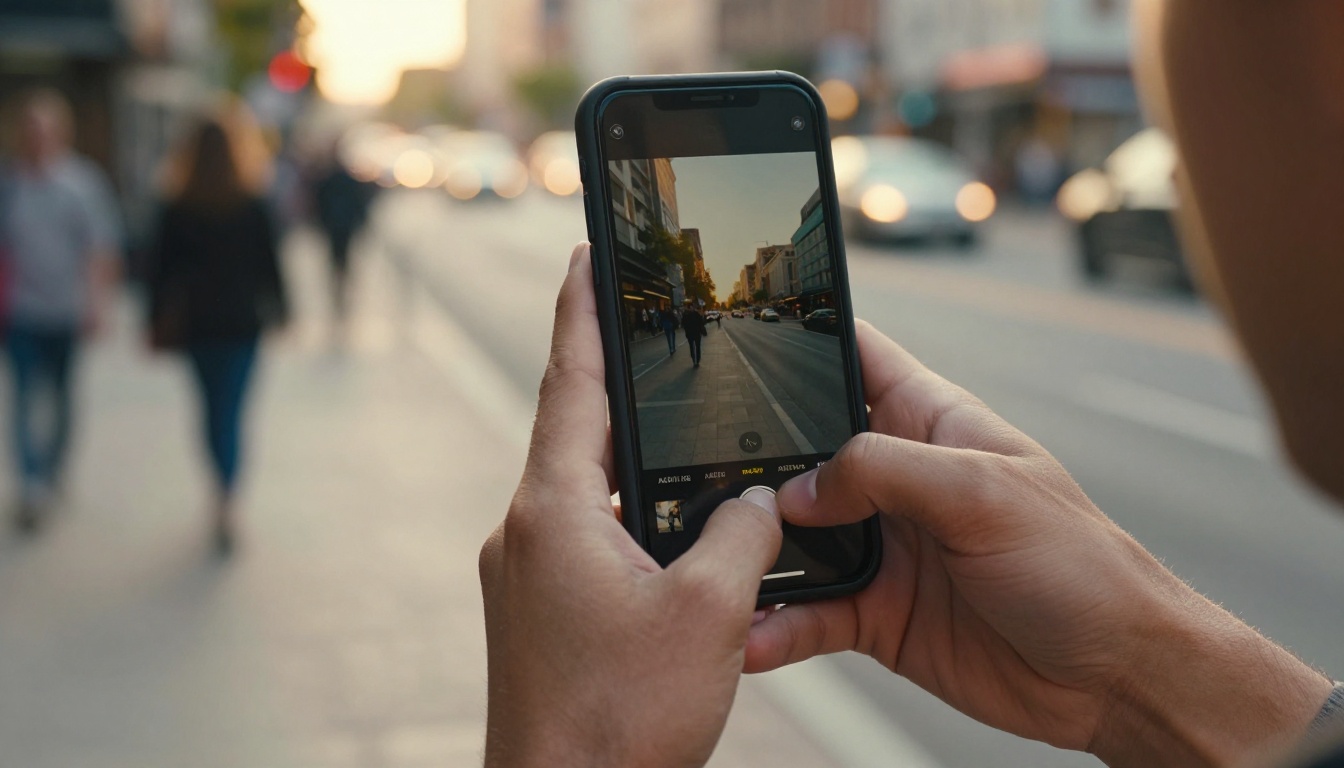
Vertical video now accounts for over 90% of mobile video consumption, and platforms like TikTok, Instagram Reels, and YouTube Shorts have made the 9:16 format the default expectation for audiences everywhere. If you are still creating content in widescreen and cropping it down, you are already behind. The real question in 2027 is not whether to make vertical video, it is which AI tool does it best.
Why Vertical Video Has Won
The shift did not happen gradually. Between 2020 and 2023, short-form vertical content exploded, and by 2024 it had fully displaced horizontal as the primary format for social media discovery. Today, creators, brands, and marketers who want reach on any major platform must produce content natively in portrait mode.
The 9:16 Format Is Now Standard
Platforms optimize their algorithms for content that was built for vertical viewing, not cropped from horizontal footage. A video shot natively at 9:16 performs better in recommendation feeds, gets more screen real estate, and feels more personal to mobile viewers who hold their phone upright 94% of the time. When you generate AI vertical video in native portrait format, the composition, subject placement, and motion all exist within that frame from the first frame to the last.
Brands That Skip It Lose Visibility
The cost of ignoring vertical is measurable. Widescreen videos posted to Reels or TikTok receive on average 30% less organic reach than native vertical content. For paid ads, horizontal creative served in vertical placements reduces conversion rates by up to 50%. This format is not a trend. It is infrastructure for every creator and brand building an audience in 2027.
What Makes a Good AI Vertical Video Tool
Not every AI video generator handles vertical format well. Many were built for cinematic 16:9 output and treat 9:16 as an afterthought. Here is what separates the tools worth your time from the ones that waste it.
Native 9:16 Support
The best AI vertical video tools treat 9:16 as a first-class output format, not a crop of a wider render. Native support means the AI models the composition, subject placement, and motion within the vertical frame from the start. Tools that crop after the fact lose subject framing and often cut off key visual elements, particularly faces and hands, which are critical for creator content and product videos.
Speed Without Sacrificing Quality
Creating short-form vertical content at volume requires speed. A generator that takes 20 minutes per clip is not viable for social media workflows. Top-tier AI tools in 2025 deliver 5-10 second vertical clips in under 3 minutes without visible compression artifacts or unnatural motion blur. The gap between fast and slow models has narrowed significantly this year, so there is rarely a reason to accept slow output.
Editing Flexibility After Generation
Raw AI output rarely goes straight to publish. The best platforms pair generation with editing tools: aspect ratio control, caption overlays, background removal, and resolution upscaling. A workflow that generates and then lets you refine is far more powerful than one that just outputs a file. A complete AI vertical video pipeline covers both creation and post-production.
💡 Pro tip: Always check whether a tool generates in native 9:16 or crops from 16:9. The difference in subject framing and composition quality is significant, especially for human subjects.
Best AI Tools for Vertical Video in 2027
After testing models across multiple platforms, these are the tools that consistently produce the best vertical video results for social media content.
Seedance 2.0 by ByteDance
Seedance 2.0 is one of the most capable AI video generators available right now for vertical content specifically. Built by ByteDance, the same company behind TikTok, it was designed with short-form content workflows in mind from day one. The model generates 1080p video from text or image prompts, includes built-in synchronized audio, and handles vertical composition with strong subject centering.
What sets Seedance 2.0 apart for portrait mode video:
Native portrait mode: Subjects stay centered and well-framed in 9:16 outputs with no cropping artifacts
Synchronized audio: Background music and ambient sound are generated alongside the video automatically
High motion fidelity: Camera movements like slow push-ins and pans look cinematic without artificial smoothing
For anyone creating TikTok-ready content at scale, Seedance 2.0 is the model to start with. Its image-to-video capability is equally strong, making it useful for animating still photography into short vertical clips for Reels or Shorts.
If you need faster output without sacrificing much quality, Seedance 2.0 Fast cuts generation time significantly while maintaining most of the visual quality.
Kling v3 Video by Kuaishou
Kling v3 Video produces cinematic-grade vertical video with some of the most realistic motion physics currently available in any AI model. Human subjects in Kling-generated clips move naturally, hair and clothing respond to motion convincingly, and lighting stays consistent across the full clip duration.
Key strengths for vertical video creation:
Realistic human motion without the uncanny valley effect that plagues lower-tier models
Strong subject isolation, critical for portrait compositions where backgrounds need to stay clean
Consistent lighting across the full 5-10 second clip length with no flicker or tone shifts
Kling v3 Omni Video adds text-to-video capabilities on top of the same engine, making it a flexible choice for creators who work from prompts rather than source images. For faster results at comparable quality, Kling v2.6 remains a reliable and popular option.
Pixverse v5.6
Pixverse v5.6 is the current flagship from Pixverse and has become a go-to for social media content creators because of its combination of speed and visual consistency. It handles vertical compositions cleanly and maintains quality on fast-moving subject matter, which is essential for the energetic pacing typical of TikTok and Reels content.
Pixverse v5.6 particular advantages:
Fast generation, typically under 90 seconds for a 5-second clip at 1080p
Strong color rendering in high-contrast outdoor scenes typical of social content
Handles kinetic energy and quick subject movement better than slower, heavier models
The previous Pixverse v5 is still a solid choice if you are working within tighter credit budgets and do not need the latest generation refinements.
LTX 2.3 Pro by Lightricks
LTX 2.3 Pro outputs 4K video from text prompts, giving vertical content exceptional sharpness when viewed on modern AMOLED phone screens. For brands where visual quality is non-negotiable, particularly for paid advertising on Instagram or YouTube Shorts pre-roll placements, LTX 2.3 Pro is in a category of its own.
It pairs well with the LTX 2.3 Fast variant for iteration and ideation work before committing to a final 4K render. Run fast drafts to test compositions, then generate the final version at full resolution.
When to choose LTX 2.3 Pro: Use it for hero content, campaign launches, or any vertical video that will be displayed on large screens or used in paid placements where resolution headroom matters.
Wan 2.7 T2V
Wan 2.7 T2V generates 1080p video from text and is the strongest open-architecture option in this comparison. It is highly responsive to detailed prompts and allows precise control over composition, which matters when crafting AI video content that needs to sit tightly within a vertical frame and match specific brand aesthetics.
For image-to-video workflows, Wan 2.7 I2V takes any photo as a starting frame and animates it with natural, physics-aware motion. For reference-based animation where you want to animate specific subjects, Wan 2.7 R2V lets you animate a person or object while keeping the rest of the scene stable and compositionally intact.
Comparing the Top Models
Here is how the top vertical video AI tools stack against each other across the metrics that matter most for social media content production:
💡 Speed matters at scale: For a creator publishing daily, Pixverse v5.6 or Seedance 2.0 Fast will save hours per week compared to slower premium models. Reserve LTX 2.3 Pro for weekly hero pieces.
How to Reframe Horizontal Video to Vertical
Not every project starts with vertical footage. Sometimes you have existing horizontal video that needs to be converted without losing the subject. AI-powered reframing solves this problem far better than manual cropping ever could.
AI Reframe vs Manual Cropping
Manual cropping is static. You pick a crop position and it stays fixed across the entire video. If the subject moves left, right, or toward the camera, they drift out of frame and nothing compensates. AI reframe tracks the subject automatically, adjusting the crop in real time to keep them centered and visible.
The Reframe Video tool on PicassoIA does exactly this. It analyzes subject position frame-by-frame and generates smooth, responsive reframing that maintains visual focus throughout the clip. The output looks intentional rather than cropped, with none of the jerky repositioning you get from automated crop tools in consumer editing apps.
When to Reframe vs Regenerate
Reframing is the right choice when:
You have high-quality existing footage with strong production value worth preserving
The original video has professional lighting and audio you do not want to lose
Time constraints make re-shooting or regenerating from scratch impractical
Regenerating with an AI text-to-video model is the better path when:
The source video is low resolution or has compression artifacts that will look worse at 9:16
You want a substantially different visual style or aesthetic
You are building content from a concept rather than adapting existing assets
Vertical Video for Each Platform
Different platforms have different technical expectations and audience behaviors. Understanding them shapes which AI generation settings you should use.
TikTok Specifics
TikTok's algorithm favors vertical video with strong motion in the first 2 seconds, clean audio, and on-screen captions. Generate at 1080p minimum. Autocaption on PicassoIA adds synchronized captions automatically, which measurably increases watch time on TikTok content where a large percentage of viewers never unmute.
For TikTok ad campaigns, Seedance 2.0 with its built-in audio generation is particularly effective because audio quality from the first unmute moment is critical for ad recall and conversion.
Instagram Reels
Instagram's compression pipeline is aggressive, particularly on vertical video. Always upload at the highest resolution available and let the platform handle compression. LTX 2.3 Pro's 4K output gives Instagram significantly more quality headroom to work with before the platform applies its own compression.
Reels also benefit from smooth slow-motion sections woven into faster cuts. Kling v3 Video handles slow-motion sequences with natural motion blur that reads as premium production quality, a noticeable differentiator in a saturated feed.
YouTube Shorts
YouTube Shorts audiences tend to engage with slightly longer content, up to 60 seconds, compared to TikTok's typical 15-30 second sweet spot. AI-generated content at that length requires either a model that maintains visual consistency over time or stitching multiple shorter clips together. Wan 2.7 T2V excels here due to its strong adherence to detailed prompts, making it reliable for building multi-clip narratives that share a consistent visual style.
AI Editing Tools for Vertical Video
Generating a clip is only part of the workflow. These AI editing tools on PicassoIA round out a complete vertical video production pipeline:
Video Remove Background: Removes backgrounds from video without a green screen. Ideal for product shots and talking-head content where you need to swap environments or add branded backgrounds.
Video Increase Resolution: Upscales video to 8K. If you generated at 720p for speed and want to upgrade before publishing, this tool recovers significant fine detail that platforms compress away.
Autocaption: Automatically transcribes and syncs captions to any video. Non-negotiable for accessibility and for every platform where content is watched without sound the majority of the time.
Reframe Video: Subject-tracking aspect ratio conversion. Takes 16:9 footage and produces clean 9:16 vertical output with AI subject tracking rather than static cropping.
Video To SFX v1.5: Analyzes your video and adds contextually appropriate synchronized sound effects automatically. Works well for AI-generated clips that have no inherent audio.
💡 Workflow tip: Generate your vertical clip, upscale with Video Increase Resolution, then add captions with Autocaption before exporting. That three-step sequence covers the main quality gaps in raw AI video output.
How to Create Vertical Video on PicassoIA
PicassoIA's free video generator, PicassoIA Video, gives unlimited text-to-video access and is a strong starting point for creators who want to experiment with vertical content before committing to a premium model workflow.
Here is a step-by-step process for producing vertical video on PicassoIA:
Step 1: Pick Your Model
Go to the PicassoIA text-to-video collection and choose a model based on your priority. For speed: Seedance 2.0 Fast. For maximum resolution: LTX 2.3 Pro. For cinematic output with realistic motion: Kling v3 Video.
Step 2: Write a Vertical-First Prompt
Structure your prompt to describe the scene with portrait framing in mind. Mention the subject in relation to vertical space and describe vertical camera movements. Example: "Close-up vertical portrait of a woman walking through a morning market, sunlit, 9:16 frame, slow camera tilt upward, natural skin tones, bokeh stall backgrounds."
Step 3: Set the Aspect Ratio
Set aspect ratio to 9:16 explicitly in the generation settings. Do not rely on the model defaulting to portrait mode. Most models support it directly in the parameter panel.
Step 4: Generate and Review
Run the generation. Review for subject framing, motion quality, and color accuracy. If the subject is off-center or motion feels unnatural, regenerate with a more specific prompt describing camera position and subject size within the frame.
Export at maximum available resolution. Platform compression handles the rest, and starting from a high-quality source ensures you finish above the quality floor even after compression.
The Prompt Formula That Delivers
Weak prompts produce weak vertical video. The difference between a generic output and a scroll-stopping clip often comes down to how specifically you describe the composition and motion in the vertical frame.
Here is a prompt formula that consistently delivers strong results:
Example that works: "Young woman walking through a morning farmers market, golden hour light from the left at 30 degrees, vertical portrait 9:16 frame, slow tracking shot following from behind, warm bokeh market stalls in background, relaxed and authentic mood, natural fabric clothing, Kodak film quality."
What to avoid in prompts:
Vague scene descriptions without a clear primary subject
No mention of frame orientation (always specify vertical, portrait, or 9:16)
Over-describing visual style without describing the actual action or motion
Multiple competing subjects that the model cannot decide to center
3 Common Mistakes in Vertical Video AI
Most creators unhappy with their AI vertical video results are making one of three mistakes:
1. Using widescreen footage and cropping it instead of generating natively at 9:16. Subject framing suffers every time, and faces frequently end up at the wrong vertical position within the frame.
2. Ignoring audio. On TikTok, audio drives replay rates more than visuals. Use models with built-in audio like Seedance 2.0 or add synchronized sound effects with Video To SFX v1.5 after generation.
3. Publishing at low resolution. Many creators skip the upscaling step entirely. Platform compression applied on top of already low-res AI output looks degraded on modern retina and AMOLED screens. Always run Video Increase Resolution before exporting for publishing.
Start Creating Vertical Video Now
The models covered here, from Seedance 2.0 to Kling v3 Video to LTX 2.3 Pro, are all available directly on PicassoIA. You can switch between them, compare outputs side by side, and use the full AI editing suite to build a complete vertical video production workflow without leaving the platform.
Start with the free PicassoIA Video generator to get familiar with portrait-mode generation, then move to premium models once you have a clear sense of what your content needs. With over 87 text-to-video models and a full suite of AI editing tools in one place, PicassoIA is the most complete platform for vertical video AI production in 2027.
Browse every available model at picassoia.com/en/all-models and start producing vertical content that actually performs.