The software that defined digital creativity for 30 years is no longer the default choice. In 2026, the best AI tools that replaced Photoshop are not just cheaper alternatives, they are genuinely better at specific jobs, faster to use, and accessible to anyone without years of training. Photographers, content creators, marketers, and designers are all switching, and they are not looking back.
This is not about hype. It is about the measurable reality of what these AI tools can now do automatically that used to take hours in Photoshop.
Why Photoshop Lost Ground So Fast
For decades, Adobe Photoshop was untouchable. Its layer system, selection tools, and adjustment panels were the industry standard. But it carried serious baggage: a steep learning curve, an expensive subscription, and a workflow that demanded your full attention for even basic tasks.
Three things accelerated its decline in 2025 and 2026:
- AI background removal became instant and flawless. What once required the pen tool and 20 minutes of careful selection now takes one click.
- Generative fill and inpainting matured. You no longer need to manually reconstruct missing parts of an image by hand.
- Super resolution AI reached a quality ceiling. Upscaling a photo to 4x its original size without losing sharpness or adding artifacts is now solved.
Creatives realized they were paying for features they had replaced with better, faster tools.
These are not theoretical picks. They are the actual platforms creatives are reporting as their primary workflow tools this year.
1. Midjourney for Visual Concepting
Midjourney has become the first tool designers open in the morning, not Photoshop. It handles the visual ideation phase that previously required hours of mood board assembly and manual mockups. Its v7 model produces imagery with consistent photorealistic quality that satisfies clients at the concept stage without requiring any retouching.
Where Photoshop required you to have the raw materials, Midjourney generates them from a description. That is a fundamentally different relationship with creative work.
Best for: Brand campaigns, editorial visuals, creative direction decks, social media content at scale.
2. Adobe Firefly for Quick Edits
Ironically, Adobe's own AI tool has cannibalized Photoshop's core use cases. Firefly's generative fill, available directly in the browser, handles the most common Photoshop jobs: removing objects, extending backgrounds, changing skies, and replacing elements. No layer knowledge required.
Non-designers in marketing teams now handle their own quick image edits through Firefly without involving a designer at all. That is one of the clearest signals that Photoshop's seat at the workflow table is shrinking.
Best for: Quick object removal, background extension, campaign asset variations.
3. Canva AI for Non-Designers
Canva's AI toolkit in 2026 is not the simple template tool it was three years ago. Its integrated AI image editing, background removal, and generative capabilities allow marketing professionals to produce outputs that would have required a junior designer in 2022. The magic eraser, AI photo editing, and instant brand kit application have made it genuinely competitive for commercial work.
Best for: Social media managers, marketing teams, small business owners.
4. Topaz Photo AI for Professional Photographers
Professional photographers care about one thing above almost everything else: image quality at maximum resolution. Topaz Photo AI directly attacks Photoshop's upscaling and noise reduction tools and beats them comprehensively. Its machine learning models are trained specifically on photographic content, producing results that retain fine detail in hair, fabric, and skin texture that Photoshop's upscaling algorithm destroys.
Noise reduction is the other shift. Portrait photographers shooting at high ISO in low light used to accept grain as part of the image or spend time manually reducing it in Photoshop. Topaz removes it selectively and intelligently, preserving skin texture while eliminating electronic noise.
Best for: Wedding photographers, portrait retouchers, photographers working with archival scans.
5. Luminar Neo for Landscape and Portrait Retouching
Luminar Neo builds Photoshop-style retouching workflows around AI layers. Sky replacement is fully automated with realistic lighting integration. Portrait retouching, including skin smoothing, eye refinement, and face reshaping, is handled with sliders rather than manual masking. For photographers who need Photoshop-quality results without Photoshop's complexity, Luminar Neo is the most direct replacement.
Best for: Landscape photographers, portrait retouchers wanting automated workflows.
6. Background Removal AI for E-commerce
E-commerce photographers and product teams process hundreds of images per month. The pen tool workflow in Photoshop was never designed for this volume. Dedicated background removal AI services that process images via API at scale have replaced Photoshop entirely for this use case. Results are clean, fast, and consistent.
Best for: Product photography, e-commerce catalog teams.
7. RunwayML for Video-Extended Workflows
Runway brought inpainting, rotoscoping, and background replacement to video, tasks that previously required After Effects and Photoshop working together. For creators whose work spans still images and video, Runway's ability to handle both in one interface is a workflow consolidation that makes switching from Photoshop logical.
Best for: Content creators, video editors, social media producers.
How AI Handles Photoshop's Core Jobs
It helps to see this mapped directly. These are the specific Photoshop capabilities and what has replaced them:
| Photoshop Feature | AI Replacement | Speed Improvement |
|---|
| Background Removal (Pen Tool) | One-click AI background eraser | 95% faster |
| Upscaling (Bicubic) | AI super resolution (4x-6x) | Better quality, same speed |
| Noise Reduction | Topaz DeNoise, Lightroom AI | Better selective results |
| Generative Fill | Firefly, Stable Diffusion inpainting | Faster iteration |
| Sky Replacement | Luminar Neo AI Sky | Fully automated |
| Object Removal | Firefly, Cleanup.pictures | One-click |
| Skin Retouching | Portrait-specific AI tools | 10x faster |
| Color Grading | AI LUT generation, automated grading | Consistent across batches |
💡 The pattern is clear: AI wins on speed for repetitive tasks and catches Photoshop on quality for complex ones. The gap is closing faster than Adobe anticipated.
AI Upscaling: Sharpness Without Artifacts
This is the category where AI has most definitively beaten Photoshop. Adobe's bicubic upscaling algorithm creates a blurry, softened image with artifacts around hard edges. AI super resolution models, trained on millions of images, reconstruct plausible high-frequency detail that was never in the original file.
The difference in a practical scenario: a photographer hands you a 6MP image from a 2015 camera and asks for a 24-inch print. In Photoshop, you upscale and hope. With AI, you upscale and print.
On PicassoIA, several best-in-class upscaling models are available without requiring software installation:
- Clarity Pro Upscaler delivers photorealistic upscaling with exceptional micro-detail reconstruction, particularly strong on portraits and architectural photography.
- P Image Upscale produces sharp results in under a second, making it ideal for batch workflows where speed matters.
- Topaz Image Upscale can enlarge any photo up to 6x without quality loss, the industry benchmark for professional output.
- Real ESRGAN remains the gold standard open-source upscaler, handling general photography with consistent 4x results.
- Google Upscaler offers clean 4x enlargement without the artifacts that plague bicubic and Lanczos algorithms.
For anyone still using Photoshop's Image Size dialog to upscale, running a file through any of these models is a straightforward quality upgrade with no additional workflow steps.
Photoshop's Quick Selection tool and Pen Tool were the industry standard for cutting subjects out of backgrounds for 20 years. They required skill, patience, and time. Fine hair was a nightmare. Transparent subjects were even worse.
AI background removal models trained on segmentation datasets handle these cases with a single inference pass. Hair strands, semi-transparent fabrics, and complex edges are segmented correctly without any manual intervention.

On PicassoIA, Remove Background by Bria delivers clean AI cutouts with accurate edge handling across portrait, product, and lifestyle photography. It processes the image and returns a transparent PNG ready for compositing, with no Photoshop masking workflow required.
💡 Pro tip: Run background removal before upscaling when preparing product images. The segmentation model works more accurately on the original resolution, and the upscaler then sharpens both subject and replacement background independently.
Generating Images From Scratch
This is where the conversation about Photoshop replacement moves past editing and into creation. Photoshop never generated source imagery. It manipulated what you brought to it. AI text-to-image tools now produce the raw material that designers previously sourced from stock photography, commissioned shoots, or created manually.
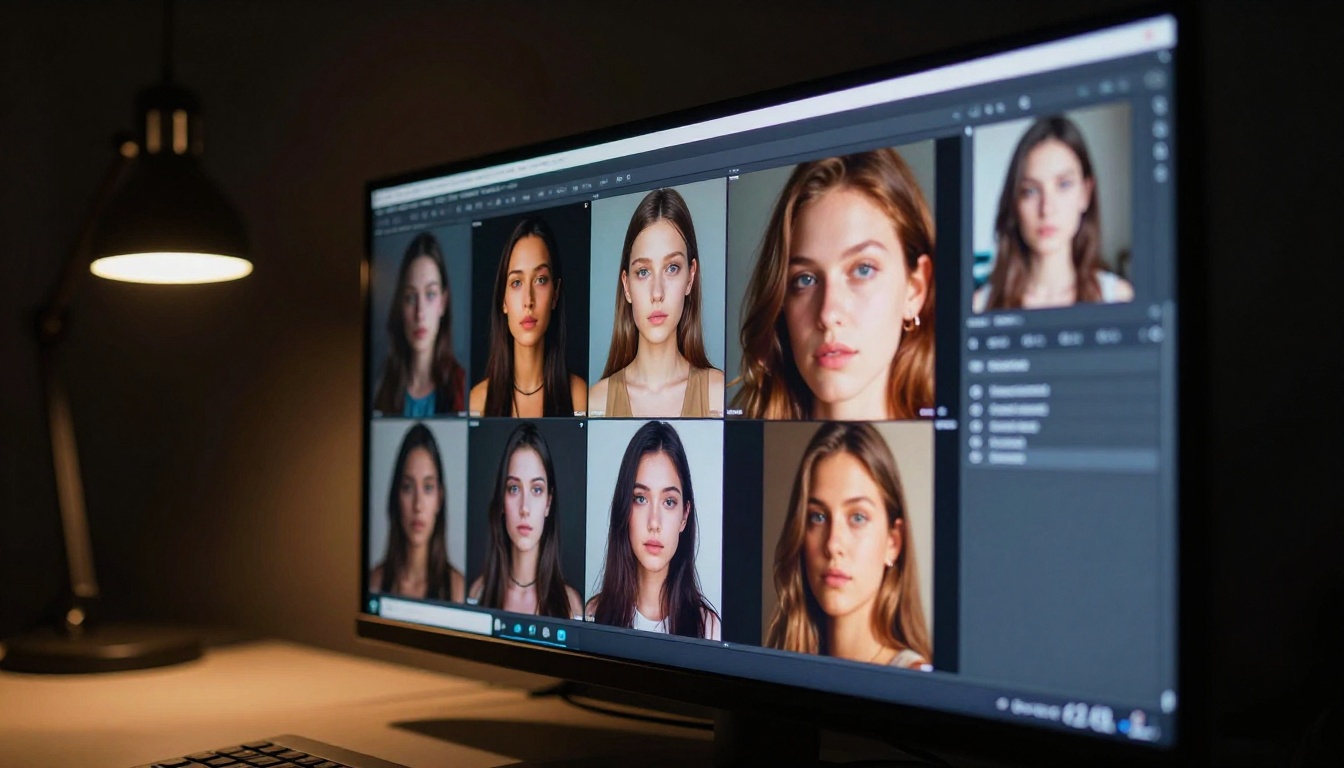
For commercial workflows in 2026, this means:
- Campaign hero images generated from a brief, not from a photoshoot budget
- Product lifestyle images created without renting studio space
- Social media assets produced at scale with consistent visual language
- Prototyping mockups before committing to actual photography
The quality threshold where clients cannot distinguish AI-generated images from photography was crossed in 2025 for many use cases. In 2026, that threshold is wider and more consistent across subject matter and lighting conditions.
💡 The economics are stark: A photoshoot for a campaign hero image costs thousands. A text-to-image generation costs cents. For non-hero assets and iteration rounds, the math is unambiguous.
What Photoshop Still Does Better
Fairness matters here. Photoshop remains the better tool in specific professional scenarios:
- Compositing complex multi-layer images with precise mask control
- Print prepress work requiring CMYK color management and spot color handling
- Technical retouching at pixel level for high-end beauty and fashion campaigns
- Non-destructive adjustment layer workflows for photographers who want precise manual control
- Typography-heavy design with professional text controls
The professional retoucher creating cover images for fashion magazines is not going anywhere without Photoshop. But that represents a shrinking fraction of the market compared to the vast middle ground of creatives who needed "good enough, fast."
The Cost Calculation That Changed Everything
Adobe's pricing structure played a significant role in accelerating the switch. Photoshop via Creative Cloud costs approximately $20 to $55 per month depending on the plan, and that is before factoring in the cost of a powerful enough computer to run it smoothly.
Many AI tools in this space operate on a pay-per-use or affordable subscription model, with free tiers that handle casual workloads. The value comparison shifted in 2024 and became undeniable by 2026.
| Tool | Monthly Cost | Time to First Good Result |
|---|
| Photoshop (Creative Cloud) | $20-55 | 40-200 hours of practice |
| Midjourney | $10-30 | 2-5 hours |
| Canva Pro with AI | $15 | 1-3 hours |
| Topaz Photo AI | $8.25 (annual) | 1-2 hours |
| Luminar Neo | $6.60 (annual) | 3-5 hours |
| PicassoIA | Free tier available | Under 1 hour |
The time-to-first-result column is where AI tools most dramatically undercut Photoshop. A marketing professional can produce competent work in Canva or Midjourney within hours. Photoshop took months to reach the same output level.
The Shift in Creative Identity
One of the less-discussed dimensions of this transition is what it means for creative identity. Photoshop mastery was a professional credential. Knowing how to use the pen tool, manage layers, apply luminosity masks, and work with curves was a differentiator that took years to build.
AI tools have redistributed that credential. The differentiator in 2026 is not tool proficiency. It is the quality of your prompts, your creative direction, your taste, and your ability to iterate quickly toward a specific visual outcome.
Some experienced designers resist this shift because it undercuts years of technical skill investment. That is understandable. But the work still rewards creative vision. AI has automated the technical ceiling. It has not automated judgment.
Where to Start If You Are Switching
If you are currently reliant on Photoshop and want to evaluate alternatives, the practical order is:
- Identify which tasks you do most often. Background removal? Upscaling? Generating new imagery? Each has a purpose-built AI tool that beats Photoshop at that specific job.
- Run your current workflow on both tools with the same source file. Compare the results and the time spent.
- Do not try to find one Photoshop replacement. The market has moved toward specialized tools, each excelling at a specific job.
- Budget for a hybrid period. Most switchers run Photoshop and AI tools in parallel for 3 to 6 months before committing fully.
💡 The fastest path: Pick the task you find most tedious in Photoshop, find the AI tool that automates it, and test it on your actual files. That single comparison is more persuasive than any chart.
Start Creating Without the Learning Curve
If reading this has made you want to try what these AI tools can actually do without committing to a new software subscription or spending an afternoon on tutorials, PicassoIA is the place to start.
The platform brings together best-in-class text-to-image generation models, background removal, AI upscaling tools like Clarity Pro Upscaler and Real ESRGAN, and image restoration tools in one browser-based environment, with no installation required. You describe what you want, and the tools produce it.
The creative capability that used to require Photoshop expertise and a powerful workstation now runs from a browser tab. Open PicassoIA and generate your first image today. The only thing you need is an idea of what you want to create.


