Ten dollars a month. That is less than a specialty coffee, a fast-food lunch, or a single premium app subscription for most people. And yet in 2027, that modest amount unlocks genuinely powerful AI tools capable of generating photorealistic images, producing professional copy, transcribing audio, and even creating short videos. The best cheap AI tools under 10 dollars are not stripped-down experiments or beta products with broken promises. Many are the exact same models trusted by professional designers, marketers, and developers.
This article is a no-nonsense breakdown of which budget AI tools actually deliver, which categories give you the most value per dollar, and where to find real quality without committing to a $50 monthly plan.

Why Cheap AI Doesn't Mean Low Quality
The AI software market has a funny pricing problem. The flashiest, most-advertised tools often charge $20 to $100 a month because their branding budget is as large as their R&D. Meanwhile, some of the best-performing models sit on platforms with pay-per-use or low monthly credit systems, waiting for people who know where to look.
Budget AI tools in 2027 exist across every major category: image generation, large language models, video editing, audio, and super resolution. The question is not whether affordable options exist. The question is which ones hold up under real use.
The Real Price Gap in AI
Most flagship AI subscriptions charge a premium for one of three reasons:
- Brand recognition: Users pay for the name, not the capability
- Interface polish: A clean dashboard costs money to build and maintain
- Exclusivity framing: Higher prices make a product feel more professional
💡 The gap is smaller than you think. Many open-source and API-accessible models now match or exceed closed commercial models in specific tasks, especially image generation and text production.
The trick is finding platforms that give you access to multiple models for a single low monthly fee, instead of paying per tool.
What You Get for Under $10
For under $10 a month, a well-chosen AI platform can give you:
- 100 to 500 image generations per month using top-tier models
- Access to multiple text-to-image models (not just one)
- Super resolution upscaling to 4x for your generated images
- Background removal tools for product photography
- Basic video generation credits
- Large language model access for writing and analysis tasks
That is not a stripped-down experience. That is a full creative toolkit for a price most people spend without thinking.
Best Cheap AI Image Generators
Image generation is where the best cheap AI tools under 10 dollars shine brightest. The text-to-image space has exploded, and many of the strongest models are accessible through affordable credit-based platforms.

Flux Schnell for Speed
Flux Schnell from Black Forest Labs is one of the most efficient cheap text-to-image AI models available right now. It generates high-quality images in a fraction of the time of heavier models, without a noticeable drop in quality for most use cases.
What it does well:
- Fast iterations when you need multiple composition variations
- Clean, sharp outputs for social media and blog content
- Strong prompt adherence with short, direct descriptions
If speed is a priority and you are generating in high volumes on a tight monthly AI tools budget, Flux Schnell earns its place at the top of the list.
SDXL Lightning for Near-Instant Results
SDXL Lightning by ByteDance pushes the speed ceiling even further. It was purpose-built for fast inference, generating full-resolution images in just 4 steps while maintaining respectable detail in textures, lighting, and composition.
For affordable AI image creation at volume, this is one of the best options per credit spent. It works especially well for:
- Social media content batches
- Concept thumbnails and mood boards
- Rapid prototyping of visual ideas before moving to a heavier model
Stable Diffusion 3.5 Medium for Fine Control
Stable Diffusion 3.5 Medium is the sweet spot in Stability AI's lineup. It is slower than the lightning variants but rewards patience with significantly better anatomical coherence, richer textures, and more nuanced prompt interpretation.
This model is ideal for:
- Portrait photography prompts where faces need to look real
- Detailed scene compositions with multiple subjects
- Any output that will be upscaled or printed
💡 Pro tip: Pair Stable Diffusion 3.5 Medium with a super resolution model on the same platform to get 4x enlarged outputs from a single image credit. That combination punches well above its price point.

Other Strong Contenders

Large Language Models That Cost Less
The large language model space is now highly competitive at the sub-$10 price tier. You no longer need a premium flagship subscription to get solid writing assistance, summarization, code help, or analysis.
Several platforms now offer bundled LLM access as part of a broader AI toolkit subscription. For content creators on a budget, this means you can generate images and write the captions, blog posts, or social copy from a single monthly plan.
What to look for in a low-cost LLM subscription:
- Daily or monthly token allowances that match your real use volume
- Access to multiple model tiers (faster models for quick tasks, stronger models for heavy writing)
- No per-query charges on top of the subscription fee
Which Plans Actually Offer Value
The worst value in AI subscriptions is paying for access to a single model. Single-model plans charge a premium for exclusivity that rarely justifies the cost for most everyday tasks.
The best value structures for AI tools under $10 per month are:
- Multi-model credit pools: One monthly credit balance usable across image, video, audio, and LLM models
- Free tier with paid upgrade: Robust free access lets you test before committing
- Pay-per-use with low minimums: A $5 top-up handles weeks of moderate use
💡 For most content creators and casual users, a platform offering 10 or more models for under $10 a month is significantly better value than a $20 single-model subscription.
The video and audio AI space is catching up fast, and several inexpensive AI video and audio options now sit at price points that were unthinkable two years ago.

AI Music and Speech Without the Premium
Text-to-speech models at the budget tier have reached a quality level where the outputs are genuinely usable for:
- YouTube narration and voiceovers
- Podcast intros and transitions
- Product demo videos and explainers
The price difference between a premium voice cloning service at $30/month and a capable TTS model accessible through a credit-based platform at $5 to $8/month is often not justified by quality differences for standard use cases.
AI music generation is another area where budget options perform surprisingly well. Platforms offering music generation for under $10 a month now include:
- Prompt-to-track generation (describe a vibe, get a full song)
- Genre and tempo controls
- Royalty-free output licensing
Text-to-Video on a Budget
Text-to-video is the one category where the $10 ceiling still feels tight. Full-length, high-resolution video generation from a single prompt takes significantly more compute than image generation, and that cost gets passed to users.
That said, for short clips, animated product shots, and social reels, several budget-friendly text-to-video models offer real value within a modest credit allowance. Look for platforms that include video generation as part of a broader bundle rather than a standalone subscription, since the per-credit cost drops significantly in bundles.
What you can realistically produce under $10/month:
- 5 to 15 short video clips (5 to 10 seconds each)
- Upscaled and enhanced footage from existing video
- Lipsync and audio-matched clips
How to Use Flux Schnell on PicassoIA
Since Flux Schnell is one of the most popular and cost-efficient models in the affordable AI image generation space, here is exactly how to get the best results from it.
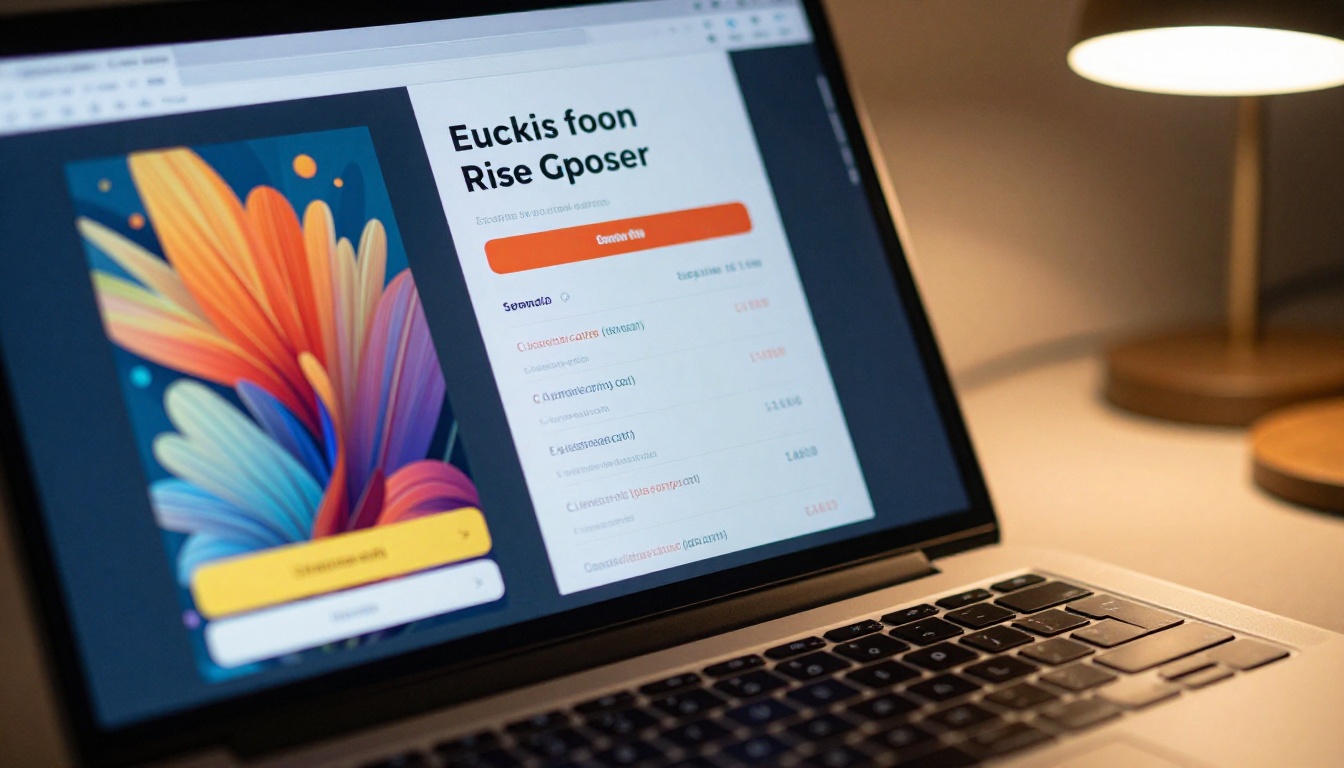
Step 1: Open the Flux Schnell model page
Head to the Flux Schnell model page on PicassoIA. No account setup needed to try it.
Step 2: Write a focused prompt
Flux Schnell responds best to direct, structured prompts. Instead of vague descriptions, be specific about subject, setting, lighting, and style.
Good prompt structure:
[Subject] + [Environment] + [Lighting] + [Style/Mood]
Example: "A young woman reading a book in a sunlit garden, golden hour lighting, photorealistic, 8K, shallow depth of field"
Step 3: Set your aspect ratio
For blog headers and social banners, use 16:9. For portrait posts and stories, use 9:16. For square thumbnails and profile images, use 1:1.
Step 4: Adjust the inference steps
Flux Schnell is optimized for low step counts. The default 4-step setting gives fast, clean results. If you want more detail, increasing to 6 or 8 steps adds refinement at the cost of generation time.
Step 5: Iterate fast
The real power of Flux Schnell is iteration speed. Generate 3 to 5 variations with slightly different prompts, then pick the best and refine. This workflow produces better results than trying to perfect a single prompt.
💡 If you need an upscaled, print-ready version of a Flux Schnell output, run it through a super resolution model to get 2x to 4x the pixel count without regenerating from scratch.
Comparing the Best Cheap AI Plans

Not all cheap AI subscriptions are structured the same way. Some offer flat monthly credits. Others give unlimited access to certain models with metered access to premium ones. Here is how the common plan structures stack up:
| Plan Type | Monthly Cost | Best For | Watch Out For |
|---|
| Multi-model credit pool | $5 to $9 | Variety creators | Credit exhaustion on heavy months |
| Single-model unlimited | $8 to $10 | Power users of one tool | No variety, lock-in risk |
| Free tier with paid top-up | $0 to $5 | Light users, testers | Slow queues on free tier |
| Annual prepaid plans | Effective $4 to $7/mo | Committed users | Upfront cost, harder to cancel |
| API pay-per-use | Variable | Developers | Unpredictable monthly spend |
For most users, the multi-model credit pool offers the best value. It gives flexibility to experiment with different tools, and the credit cost per image or task is low enough that a $7 to $9/month plan handles moderate daily use comfortably.
Smart Ways to Stretch Your $10 Budget
Spending less than $10 a month does not have to mean doing less. With the right habits, a small AI budget handles a surprising amount of output.
Combine Free Tiers Strategically
Most AI platforms have a free tier with real capability. The standard approach is to exhaust the free allowance of each tool before touching paid credits. A smart stack of 3 to 4 free-tier tools effectively multiplies your monthly output with zero extra cost.
Free-tier stack for content creators:
- AI image generation: Use the free daily allowance first
- AI writing: Use free LLM credits for short tasks
- Background removal: Many platforms offer unlimited free background removal
- Speech to text: Free transcription is widely available
Pay-per-Use vs Monthly Plans
Pay-per-use makes sense when your AI usage is irregular. Months where you have a big project get topped up, quiet months cost nothing.
Monthly plans are better when you create consistently. The per-credit cost is almost always lower than pay-per-use rates, and having a budget creates a useful creative constraint that forces prioritization.
💡 The worst mistake with cheap AI subscriptions is paying for a monthly plan and not using it. Set a reminder on the 20th of each month to check your credit balance and schedule a batch creation session if needed.
Use Faster Models for Drafts
SDXL Lightning and Flux Schnell use far fewer credits per image than heavier models like Flux Pro or Imagen 4 Fast. Use fast models for drafts and concept exploration, then spend your premium credits on the final polished versions only.
This two-stage workflow can cut your credit consumption by 40 to 60 percent while maintaining the same output quality on final deliverables.
Batch Your Generations
Running images one at a time uses more of your session overhead than batching them. If you need 10 images for a blog post, generate them in one session with consistent prompt parameters. Batch creation also helps with visual consistency, since the same model and seed range produces images that look like they belong together.
The Right Time to Pay More
Cheap AI tools handle most creative needs at the under-$10 level, but there are situations where a higher tier makes sense:
- Commercial campaigns with strict brand guidelines: Premium models with better instruction following reduce revision rounds
- High-volume professional production: If you need 500 or more images per month, the per-credit math shifts toward a higher tier
- Real-time customer-facing applications: API latency and rate limits on budget plans are real constraints for production apps
For personal projects, content creation, social media, and experimentation, the $10 tier handles everything most creators need without compromise.
Try It Right Now
The best way to see what affordable AI image generation actually feels like is to run a prompt on one of the models above. Flux Schnell, SDXL Lightning, and Stable Diffusion 3.5 Medium are all available with free credits on PicassoIA.

Open any of the models mentioned here, type a specific and detailed prompt, and generate your first image at no cost. Adjust the prompt, regenerate, and within 10 minutes you will have a clear sense of what a sub-$10 AI budget actually produces. It tends to be more than most people expect.
The best cheap AI tools under 10 dollars exist, they work, and they are available right now. The only thing left is to use them.


