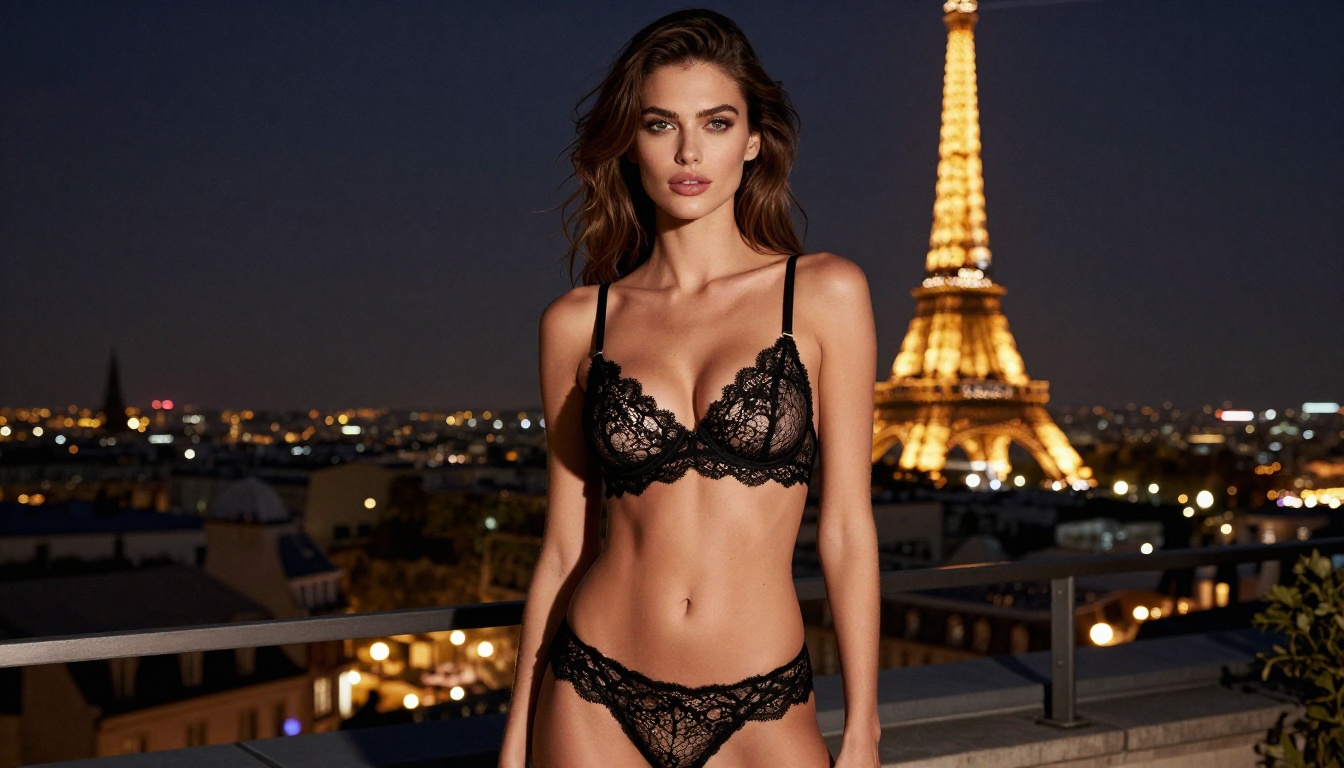
Best Free +18 AI Art Generator with HD Quality (What Actually Works in 2027)
Looking for the best free +18 AI art generator with HD quality? This article breaks down the top NSFW AI models, compares resolution, realism, and creative freedom, and shows you exactly which free platforms deliver photorealistic adult AI artwork without spending a cent. From Flux Dev to Realistic Vision, these tools are the real deal.
The demand for high-quality, unrestricted AI art has exploded. Millions of creators, artists, and hobbyists are searching for the best free +18 AI art generator with HD quality, and the options are overwhelming. Some tools promise freedom but deliver blurry, over-censored results. Others deliver quality but lock the best features behind expensive paywalls. This article cuts through all of that.
We tested dozens of models, compared resolutions, prompt flexibility, and realism scores, and narrowed down exactly which free NSFW AI art tools actually produce HD-quality results worth using.
Why Most Free +18 AI Generators Disappoint
The Resolution Trap
Free tiers of most AI image platforms cap output at 512x512 or 768x768 pixels. That is not HD. That is barely social-media worthy, let alone print-ready. The real HD threshold for adult AI art starts at 1024x1024. For truly cinematic, magazine-quality outputs, you need 2048px or higher.
The good news? Several open-source and freemium models now deliver 1024px outputs for free, without compromises on detail, skin texture, or lighting fidelity.
The Censorship Wall
Most mainstream platforms apply aggressive safety filters that misfire constantly. A woman in a swimsuit gets flagged. A nude sculpture inspired by classical art gets blocked. These filters are trained broadly and punish artistic intent.
The workaround is choosing platforms and models that give you actual control. That means selecting NSFW-capable models specifically, using platforms that allow adult content toggles, and writing prompts that clearly define artistic, non-pornographic intent.
💡 Pro tip: Phrasing like "editorial photography," "artistic nude," "glamour photography," and "fine art portrait" helps NSFW models understand the aesthetic you are targeting, not explicit content you are not.
The Best Free Models for HD Adult AI Art
These are not random recommendations. Every model below has been verified for its ability to produce photorealistic, HD-quality adult AI images with consistent results.
Flux Dev: The Free Powerhouse
Flux Dev from Black Forest Labs is widely considered the best free foundation model for high-quality image generation. It runs at 1024px natively, handles complex prompts with impressive coherence, and produces skin tones that hold up at full resolution.
What sets Flux Dev apart for +18 content is its prompt adherence. When you write a detailed, specific description, it follows it. This matters enormously for adult AI art where the difference between suggestive and explicit hinges on precise phrasing.
Best for: Photorealistic portraits, glamour photography, high-detail scenes.
Stable Diffusion 3.5 Large: Most Customizable
Stable Diffusion 3.5 Large is the gold standard for those who want full control over every output parameter. With native 1024px output and a rich LoRA ecosystem, this model lets you fine-tune styles, body types, lighting conditions, and artistic aesthetics to a degree no closed-source model can match.
For adult AI art, the real advantage is the LoRA library. Specific LoRAs trained for realistic skin texture, photographic grain, and anatomical accuracy push this model into a class of its own.
Best for: Custom styles, consistent character generation, controlled aesthetics.
Realistic Vision v5.1: Photorealism King
If your goal is photorealistic adult AI art that passes as actual photography, Realistic Vision v5.1 is the model to use. Built specifically for photographic realism, it excels at:
Natural skin texture with visible pores and micro-detail
Accurate lighting direction and shadow behavior
Realistic hair, fabric, and environmental rendering
Consistent facial proportions across multiple generations
💡 Prompt tip for Realistic Vision: Always include camera specifications. Terms like "85mm f/1.4, shallow depth of field, Kodak Portra 400 film grain" dramatically increase realism in the output.
DreamShaper XL Turbo: Speed Meets Quality
Speed is a real concern for adult AI art. Complex NSFW prompts often require multiple iterations to get right. DreamShaper XL Turbo generates at 4 steps, meaning you can test prompt variations in seconds rather than minutes.
It is not as photorealistic as Realistic Vision v5.1, but for rapid iteration and creative prototyping, nothing beats it in the free tier. Use it to lock in your composition and phrasing, then switch to Flux Dev for the final high-quality render.
Best for: Quick iterations, concept testing, high-volume generation sessions.
SDXL: The Reliable Standard
SDXL remains a rock-solid choice for adult AI art in 2027. Its 1024px native output, broad community support, and massive LoRA ecosystem make it one of the most versatile free options available. It handles complex compositions well and produces consistent anatomical accuracy when guided with detailed prompts.
Best for: Diverse creative scenarios, community-supported outputs, stylistic variety.
What HD Actually Means in AI Art
The Resolution Numbers That Matter
"HD" gets thrown around loosely in AI art circles. Here is what the numbers actually mean for adult AI image quality:
Resolution
Quality Level
Best Use Case
512x512
Low
Thumbnails only
768x768
Standard
Basic social media
1024x1024
True HD
Editorial, portfolio
1536x1536
Ultra HD
Print, wallpaper
2048x2048+
8K equivalent
Professional, commercial
The models listed above all deliver 1024px+ natively for free. That is the baseline you should demand from any +18 AI art generator worth using.
Prompt Engineering for Sharp Results
Resolution alone does not make an image look HD. The way you write your prompt has a direct impact on perceived sharpness and detail. These modifiers consistently improve output quality:
Camera-style terms: "Canon EOS R5, 85mm f/1.4, RAW format"
Film stock references: "Kodak Portra 400, film grain, natural emulsion"
Quality anchors: "8K, ultra-sharp, high detail, professional photography"
Lighting specifics: "volumetric golden hour light from the left, soft catchlights"
💡 Flux 1.1 Pro Ultra is the highest-resolution option available, capable of 2048px outputs with extraordinary realism. Even with limited free runs, results consistently outperform most paid alternatives on the market.
How to Use Flux Dev on PicassoIA
PicassoIA provides direct access to Flux Dev through its model collection. Here is a step-by-step process for generating your first HD +18 AI image.
Step-by-Step Walkthrough
Step 1: Open the model page
Navigate to Flux Dev on PicassoIA. You will see the generation interface with a prompt field and parameter controls.
Step 2: Set your aspect ratio
For portrait adult AI art, use 9:16. For editorial landscape shots, use 16:9. For square outputs suitable for social media, use 1:1. This setting directly affects the framing and composition of your final image.
Step 3: Write your prompt
Structure your prompt in this order for the best results:
Subject description: who, what pose, what clothing
Environment and background details
Lighting conditions and direction
Camera angle and lens specifications
Quality modifiers and texture terms
Example prompt for photorealistic adult AI art:
Beautiful woman in tasteful bikini at a luxury infinity pool, Mediterranean coastline at golden hour, volumetric warm light from the right, low angle 85mm f/1.4, skin texture visible with natural pores, Kodak Portra 400 film grain, 8K photorealistic, editorial photography
Step 4: Adjust inference steps
For Flux Dev, use 28-35 steps for the best quality-to-time ratio. Going beyond 40 steps adds marginal detail that is rarely worth the wait.
Step 5: Generate and iterate
Run your first generation. If the result is not quite right, adjust one variable at a time: lighting descriptors, pose phrasing, or camera angle terms. One variable per iteration keeps your changes trackable.
Best Parameters for Realistic Adult AI Images
Parameter
Recommended Value
Effect
Inference Steps
28-35
Sharp detail without over-processing
CFG Scale
3.5-5.0
Balances prompt adherence and creativity
Aspect Ratio
16:9 or 9:16
Cinematic framing
Seed
Fixed value
Consistent base for iterative edits
Super Resolution: Taking HD Further
Even 1024px images can be pushed into ultra-HD territory with super resolution upscaling. PicassoIA's super resolution models take any generated image and upscale it 2x-4x while preserving and sharpening fine details.
This is especially valuable for adult AI art because:
Skin texture stays crisp and natural at larger sizes
Hair strands remain individual and defined
Background environments gain depth and detail
Fabric and material textures become significantly more convincing
The workflow is straightforward: generate at 1024px using Flux Dev or Realistic Vision v5.1, then run the output through super resolution to hit 2048px or 4096px. This is how you achieve print-quality results without paying for a premium subscription.
LoRA Models for Specific Styles
SDXL ControlNet LoRA and Flux Dev LoRA allow you to apply style-specific fine-tuning on top of base models. For adult AI art, the most useful LoRA categories are:
Photographic realism LoRAs: Add film grain, lens distortion, and natural lighting behavior
Skin texture LoRAs: Improve pore detail, skin tone variation, and realistic imperfections
Lighting LoRAs: Simulate studio setups, golden hour, or dramatic Rembrandt-style lighting
💡 Stacking 2-3 compatible LoRAs at low weights (0.5-0.7 each) produces more nuanced results than using a single LoRA at full strength. The combination creates layered realism that single-model generation rarely achieves.
3 Mistakes That Kill Your Output Quality
Vague Prompts
"Beautiful woman, sexy, HD" is not a prompt. It is a suggestion. The AI has no idea what kind of beauty, what setting, what lighting, or what specific quality you mean. Every vague prompt wastes a generation run.
Fix it by adding specifics: describe the subject's pose, the exact environment, the time of day, the camera position, and at least 3 quality modifiers. A 60-word prompt outperforms a 10-word prompt consistently across every model.
Wrong Resolution Settings
Generating at 512px and hoping it looks sharp at full size does not work. Always set your target resolution in the model parameters before generating. For adult AI art intended for desktop wallpaper or print, use 1024px as your minimum and apply super resolution afterward.
Ignoring Negative Prompts
Negative prompts are where experienced users separate themselves from beginners. Telling the model what not to include removes common artifacts and anatomy errors:
A common misconception is that the platform matters more than the model. It does not. The same model running on two different platforms produces nearly identical outputs. What actually matters is:
Which model you select: Realistic Vision v5.1 will always outperform base SDXL on photorealism tasks
Your prompt quality: A well-written 70-word prompt beats a vague 10-word prompt every single time
Your parameter settings: Steps, CFG scale, and resolution all affect the final quality significantly
PicassoIA aggregates 91+ text-to-image models in one place, including all the models covered in this article. You can switch between GPT Image 1.5, Flux 2 Pro, RealVisXL v3.0 Turbo, and Ideogram v2 without signing up for multiple separate platforms or managing multiple subscriptions.
💡 Model switching strategy: Use Flux Schnell for rapid prototyping (very fast, 4-step generation), then switch to Flux Dev or Flux 1.1 Pro Ultra for your final renders. This approach saves generation credits while maintaining top quality on your best shots.
What You Can Create Right Now
The best free +18 AI art generator with HD quality is not a single tool. It is the right combination of model, precise prompting, and access to a platform that brings them together. With Flux Dev for detailed portraits, Realistic Vision v5.1 for photorealistic scenes, DreamShaper XL Turbo for fast iteration, and super resolution for pushing outputs into true HD territory, you have everything needed for professional-quality adult AI art at zero cost.
The only thing left is to start. Build your first prompt using the structure from this article, run it through Flux Dev, and see what comes back. Adjust one variable. Run it again. That iteration process is where great adult AI art gets made.
PicassoIA gives you access to every model covered here without juggling separate accounts or subscriptions. Pick a model, write a precise prompt, and start creating the HD +18 AI images you have been looking for.