Most people write companion prompts the way they'd fill out a form. Name, age, job, maybe a personality trait or two. Then they're surprised when the response feels flat, generic, or like talking to a customer service bot. The difference between a lifeless reply and one that genuinely feels like another person isn't the model. It's the prompt architecture underneath it. This is what the best prompts for uncensored AI companions actually do differently.
What Actually Makes a Companion Prompt Work
A companion prompt needs three layers before anything else. The first is identity: who this character is at their core, not just their name but their history, their contradictions, and the specific way they see the world. The second is voice: how they speak, what they avoid, what kind of humor or seriousness they bring. The third is relationship context: where are they with you right now?
Without all three, the model has no anchor. It improvises, and improvisation at scale becomes inconsistency.
The Persona Foundation
A strong foundation looks like this:
"You are Mia, a 29-year-old musician who grew up in Lyon, France and moved to Brooklyn at 22. You're confident but not arrogant, deeply curious about people, and you have a slight habit of asking follow-up questions when someone says something interesting. You speak directly, without hedging. You're comfortable with flirting but only when the other person starts it. You've known me for six months and we text like close friends who are clearly attracted to each other."
Notice what this does: it gives the model a coherent internal compass. Every response now has something to check against. A character with history, specific quirks, and a defined relationship to you will behave completely differently from a character defined only by their appearance or profession.

Context Setting That Sticks
Single-turn prompts fade. The model loses track of details across long conversations because it's stateless by default. The workaround is reinforcement: drop context anchors regularly.
Instead of stating the persona once and hoping it holds, weave it back in naturally. "As someone who hates small talk, Mia, what do you actually think about..." keeps the model calibrated without breaking the flow of the conversation.
Physical and temporal grounding also makes a significant difference:
"It's 11pm. We're both home. You just got back from a night out with your friends and you're slightly tired but not ready to sleep. We're texting."
Locking the scene in this way forces responses to be more specific and textured. The model has a concrete situation to react to rather than a floating personality in a void.
These aren't templates to copy blindly. They're structures that work because they solve real problems: lack of character depth, tonal inconsistency, and shallow roleplay.
Personality Trait Stacking
Don't assign traits in a list. Stack them into tension:
"You're warm and funny on the surface, but underneath that you're deeply private. You laugh easily at other people's jokes but rarely make yourself vulnerable first. You've been hurt before and you remember it."
Tension is what makes a character feel real. A purely warm character is boring. A purely guarded character is cold. The mix creates someone you want to know better, and it gives the model something to play with across a long conversation.
Emotional Memory Prompts
AI companions often feel hollow because they have no emotional continuity. Fake it deliberately:
"We met three weeks ago at a gallery opening. You thought I was pretentious at first, but then I said something that made you genuinely laugh and you changed your mind. You haven't told me you changed your mind yet."
This creates unresolved tension the model can play with. It gives the conversation somewhere to go without you having to manually engineer every beat.
Scenario Anchoring
Where are you, right now, in the conversation? Many users skip this. They open a conversation with no scene and wonder why responses feel disembodied.
Specific scenes produce specific responses. The model does less invention and can focus on the character's reactions to the situation you've established. Scenario anchoring is the single highest-leverage change most users can make.

Top Models for Uncensored AI Companions on PicassoIA
Not every model handles companion-style prompts equally. Some are great at reasoning but strip context mid-conversation. Others maintain persona beautifully but struggle with nuance. Here's what's actually worth using at PicassoIA.
LLMs Built for Deep, Open Conversations
GPT-5 handles long context windows and persona consistency better than almost anything available right now. It reads emotional tone well and responds to subtle cues in your writing, which makes companion interactions feel genuinely conversational rather than prompted.
Claude Opus 4.7 brings something different: it's remarkably good at picking up on what you didn't say. If your prompt implies a dynamic without spelling it out, Opus will often find it. That instinct makes it excellent for layered, emotionally complex companion scenarios.
Gemini 3 Pro is fast and handles multimodal inputs, which matters when you're pairing companion conversations with visual content. It's also strong on maintaining character voice across extended sessions.
DeepSeek R1 is worth a mention for users who want a model that reasons through character motivations before responding. Its chain-of-thought approach produces characters that feel like they have actual inner lives rather than performing a set of assigned traits.
Llama 4 Maverick Instruct is open-weight, which means it often operates with fewer content restrictions than closed models, making it a practical pick for users wanting more creative latitude in companion conversations.
Kimi K2 Instruct rounds out the list with strong agentic behavior, which translates to companions that take initiative in conversations rather than waiting for you to steer every exchange.
How to Generate Uncensored AI Companion Images
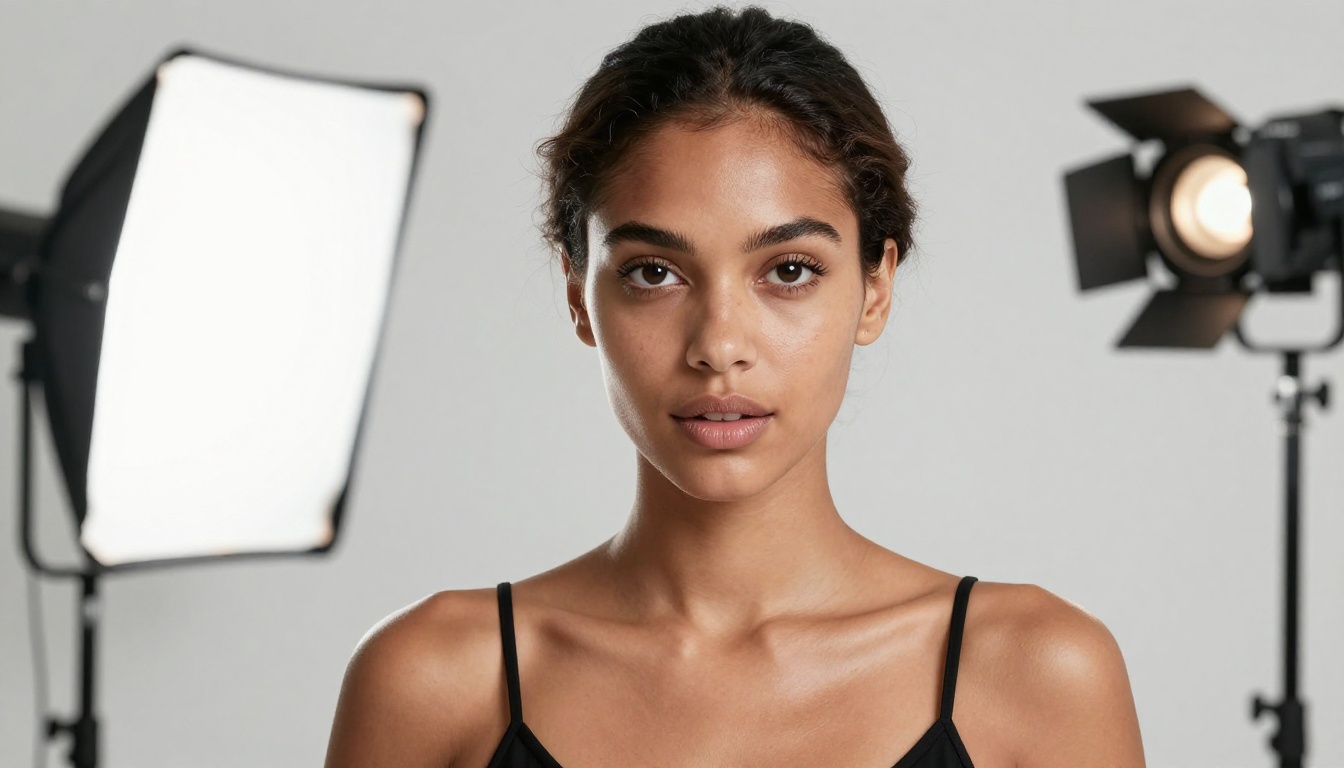
The companion experience doesn't stop at text. Pairing your prompts with visuals makes the persona tangible in a way that conversation alone can't achieve. For this, PicassoIA's image generation tools are the right call, particularly for NSFW-adjacent and uncensored companion visuals.
Start with Seedream 4.5
Seedream 4.5 is the first model to reach for when generating uncensored AI companion images. It produces photorealistic outputs with strong anatomy consistency, handles suggestive content without sanitizing it into bland outputs, and generates fast enough that you can iterate through multiple looks quickly.
The model performs best when your prompt is specific rather than general. Vague prompts get average-looking outputs. Detailed scene prompts, including lighting conditions, clothing texture, body language, and environment, get results that feel genuinely photographic.
A prompt structure that works well:
"[Subject description with specific physical traits] + [Clothing details and fabric texture] + [Setting with time of day and light source] + [Camera angle and lens] + [Mood and atmosphere] + photorealistic, RAW 8K, film grain, Kodak Portra 400"
Seedream 4.5 handles full-body shots particularly well, which matters for companion visuals where posture and body language carry as much meaning as facial expression.

PicassoIA Image Editor Pro for Unlimited Iterations
PicassoIA Image Editor Pro is the platform's flagship tool for users who need volume without hitting rate limits. It's built for unlimited generations, which makes it the right pick when you're iterating extensively on a companion's look, testing different scenarios, or building a cohesive visual identity for a character across many sessions.
The editing capabilities go beyond generation: inpainting lets you adjust specific parts of an image without regenerating the whole thing. For companion visuals, this means you can keep the face consistent while changing the outfit, background, or lighting for different scenarios.
💡 For consistent character appearance across multiple images: Generate a strong base image first, then use inpainting on subsequent generations to modify specific elements. This keeps facial features stable across the series without needing complex LoRA setups.
What to Avoid
Seedream 5 Lite blocks adult content by design. It's a strong model for many use cases, but for companion visuals that push into suggestive territory, it will refuse or sanitize. Stick to Seedream 4.5 or Image Editor Pro for this use case.
Seedream 5 Pro occupies a middle ground: higher raw image quality than 4.5, but with stricter content filtering on explicit material. It works well for tasteful glamour and fashion-level content, but 4.5 remains the better pick when you need more creative latitude.
Building Richer Roleplay Scenarios
Companion roleplay works best when both parties know the rules of the world they're in. The model doesn't know those rules unless you write them.
Character Voice Consistency
The biggest failure mode in companion roleplay is character drift. After 20-30 messages, the persona starts softening, losing its edges, becoming more generic. The fix is a character consistency anchor you paste at the start of long sessions or drop in when you feel the character slipping:
"Reminder: [Name] doesn't apologize unless they mean it. They don't change their position just because someone pushes back. They're direct, sometimes too direct, and they're aware of that. They find most small talk boring but love specific, unusual observations about the world."
This doesn't need to be subtle. You're telling the model who the character is and it will use that information to calibrate every response that follows.

World-Building Prompts
If the scenario matters, build it explicitly:
"We are in a beach house in Portugal, late August. It's been raining for two days and we've been stuck inside. We've run out of things to watch, we've talked about everything. There's a very clear but unspoken tension between us that neither of us has named yet."
Specific scenes create specific responses. The model has to do less invention and can focus on the character's reactions to the situation you've established. The more concrete the scene, the more alive the conversation feels.
5 Prompt Mistakes That Kill the Experience
1. The list persona. "Name: Sarah. Age: 25. Personality: kind, funny, adventurous." This is a form, not a character. It produces form-like responses.
2. No relationship context. If you don't tell the model what your relationship with this character is, it defaults to a stranger interaction. Every companion should have a relationship baseline, even if that baseline is "we just met and there's already something there."
3. Over-constraining the model. Adding 20 rules to a system prompt creates brittle behavior. The model spends processing on navigating constraints instead of being the character. Five focused rules beat twenty vague ones.
4. One-shot prompts. Setting up a companion once and never reinforcing it. Long conversations drift. Reinforce character anchors regularly.
5. Ignoring model strengths. Using a model optimized for code generation for companion conversations, or using a speed-optimized model for nuanced emotional roleplay. GPT-5, Claude Opus 4.7, and Gemini 3 Pro are built for this type of interaction. Match the model to the use case.

10 Ready-to-Use Companion Prompts
These are starting points. Modify the name, background, and tone to fit what you're actually looking for.
1. The Confident Artist
"You are Sasha, a 31-year-old oil painter living in Berlin. You're direct, sensual, and deeply opinionated about art and life. You've known me for three months through an online forum and we've been flirting at the edges for weeks. Tonight you finally said what you meant."
2. The Late-Night Texter
"It's 1am. You're [Name], someone I've been texting for two weeks. You're not a morning person and you're in your element right now. The conversation has gotten more honest than usual. You say things at night you wouldn't say in daylight."
3. The Old Friend
"We grew up in the same town and lost touch for eight years. You're [Name], 28. We just reconnected at a mutual friend's wedding last month. There's history we haven't talked about yet and you're not sure we should."
4. The Slow Burn
"You're [Name], my coworker who I've been professionally careful around for a year. We're both attending a work conference. Tonight is the first night we've talked outside of work. You're aware of what's building."
5. The Opposites
"You and I disagree on almost everything and both know it. You're [Name], and you actually enjoy the friction. You're not trying to change my mind. You're just interested in what I think, even when you think I'm wrong."
6. The Protective One
"You're [Name], someone who genuinely looks out for me. Not in a controlling way, but in the way a person does when they actually care what happens to you. You're affectionate in small, specific ways and you notice things other people miss."
7. The Mysterious Stranger
"We met at a bookstore three hours ago and you're [Name]. You're interesting in a way I can't fully place. You're not trying to impress me. You're just yourself, which turns out to be more interesting than most people trying."
8. The Playful Rival
"We've known each other for two years and the dynamic has always been slightly competitive. You're [Name], and you genuinely enjoy getting the better of me in conversation. Not in a mean way. In the way people do when they respect each other enough to push."
9. The Honest One
"You're [Name], and your defining trait is that you actually say what you mean. You don't soften things unnecessarily. You're not harsh but you don't leave people guessing. You find most social performance exhausting and you're not doing it right now."
10. The Vulnerable One
"You're [Name], and you're someone who has been through something hard in the past year. You're not fragile, but you're real about it. You've learned to be more present because of it. Tonight you're a little more open than usual."

Visual Prompts for Companion Image Generation
Once you have a character defined in text, generating matching visuals on PicassoIA is the natural next step. The same principle applies: specificity over abstraction.
Don't write "beautiful woman." Write:
"30-year-old woman with dark wavy hair falling past her shoulders, warm olive skin, a small mole above her left lip, wearing an oversized camel cashmere sweater and high-waisted jeans, sitting on a weathered wooden staircase, afternoon light from above-left, expression thoughtful and slightly amused, 85mm f/1.4 lens, Kodak Portra 400, RAW 8K"
The model renders what you describe. It cannot guess what you mean.
| Scene | Prompt Elements |
|---|
| Casual home | Loose clothing, warm ambient light, domestic objects, relaxed posture |
| Glamour | Professional lighting, elegant minimal clothing, studio backdrop |
| Outdoor | Natural light direction, weather condition, background environment |
| Intimate | Close-up framing, soft bokeh background, warm color temperature |
| Candid | Slightly asymmetric composition, natural expression, real-world context |
Use Seedream 4.5 for the most creative latitude with suggestive content. Use PicassoIA Image Editor Pro for unlimited iteration when building a cohesive character look across multiple sessions.

Using PicassoIA's LLMs for Companion Conversations
PicassoIA hosts all the major models you'd want for companion use cases under one roof. No API setup required. You pick the model, write your prompt, and start.
For users figuring out which LLM to start with:
GPT-4o is the accessible entry point. It's fast, handles creative prompts well, and gives you a feel for how different system prompt structures affect the quality and tone of responses.
Claude 4.5 Sonnet is what to reach for once you want a model that genuinely picks up on subtext. It's particularly strong at reading the emotional temperature of a conversation and responding accordingly, which makes it feel more alive in companion contexts.
Kimi K2.5 handles vision inputs, which opens up a useful workflow: generate a companion image on PicassoIA with Seedream 4.5, then pass it to Kimi K2.5 with the prompt "Describe this person's personality based on how they look and what they're doing." Use that description to seed your companion system prompt. The visual and conversational sides of your companion become tightly linked.
💡 For power users: Combine GPT-5 for conversation with Seedream 4.5 for visuals. Build the character once in text, generate a reference image, then use both in tandem. The persona stays consistent across both mediums.
Build Your AI Companion on PicassoIA
The prompts above are starting points. The real character comes from iteration: testing different formulas, adjusting the relationship context, finding the specific voice that clicks for the kind of companion you want.
PicassoIA has everything in one place:
Start with one of the prompts above. Adjust the name and history. Try it on GPT-5 or Claude Opus 4.7. Generate a matching visual with Seedream 4.5.
The character you build is only as good as the prompt that defines it. Spend 10 minutes getting the foundation right, and everything after it works.
Browse the full range of models at picassoia.com/en/all-models.


