If you've been searching for AI video tools that can actually match what Seedance 2.0 delivers, you're not alone. ByteDance's model set a new standard in text-to-video generation with its native audio output, cinematic motion quality, and remarkably flexible content policies. But Seedance 2.0 isn't the only player worth your attention. Whether you're creating adult-themed content, atmospheric lifestyle videos, or unrestricted artistic shorts, there are several serious contenders available right now that rival it in quality, flexibility, and speed. In 2027, the landscape of uncensored AI video generators has expanded dramatically, giving creators more options than ever before.
What Makes Seedance 2.0 Stand Out
Seedance 2.0 by ByteDance is widely considered one of the most capable AI video generators currently available. Its combination of native audio generation, high-resolution output, and relatively permissive content handling makes it a go-to for creators who want flexibility without sacrificing quality.
The Native Audio Advantage
Most AI video tools output silent clips. Seedance 2.0 is different. It generates synchronized ambient audio, background music, and even speech alongside the video itself. This means your output arrives as a complete media piece rather than a silent loop that needs additional post-production work. For creators focused on social content or storytelling, this alone changes the workflow significantly.
Cinematic Motion Quality
The motion in Seedance 2.0 videos is fluid, physically believable, and surprisingly nuanced. Hair moves naturally in wind. Clothing folds correctly. Camera pans don't stutter. For creators producing lifestyle content, glamour videos, or storytelling pieces, this level of realism is hard to find elsewhere. The physics simulation underlying the motion is noticeably more sophisticated than what older text-to-video models produced.
Quick stat: Seedance 2.0 Fast cuts generation time significantly while maintaining most of the quality of the full model, making it ideal for rapid iteration before committing to a final render.
Why Creators Look for Alternatives
Even with its strengths, Seedance 2.0 has limitations. Generation costs add up at scale. Queue times during peak hours can be frustrating. And for some very specific content categories or creative styles, other models simply produce better results. That's why having a shortlist of strong alternatives matters.
Top Alternatives Worth Trying
These models deliver comparable performance to Seedance 2.0 and are available directly through PicassoIA, meaning you can test all of them from a single platform without juggling multiple accounts or subscriptions.
Kling v3 Video
Kling v3 Video from Kwai is arguably the strongest competitor to Seedance 2.0 right now. It handles complex motion scenes, multi-character interactions, and extended video lengths with impressive consistency. The model excels at rendering detailed environments alongside moving subjects, which makes it particularly useful for atmospheric or narrative content.
For even more control, Kling V3 Omni Video adds text and image input flexibility, letting you use a reference photo as the visual starting point for your video generation. If you already have a specific look or character in mind, Kling V3 Omni makes it easier to maintain visual consistency across clips.
Kling v3 strengths:
- Excellent multi-subject motion coherence
- Longer clip lengths than most competitors
- Strong prompt adherence with complex descriptions
- Image-to-video input supported via the Omni variant
- One of the best uncensored text to video AI options available
WAN 2.6
The WAN series from wan-video has consistently pushed the boundaries of what's possible with open-architecture video models. WAN 2.6 T2V (text-to-video) delivers excellent realism with strong skin texture rendering and natural lighting behavior. WAN 2.6 I2V (image-to-video) lets you animate any photo with fluid, realistic motion.
WAN models are known for their relatively permissive handling of creative and suggestive prompts, which puts them high on the list for creators working with beauty, lifestyle, or mature-but-tasteful content. The model also handles diverse body types and skin tones with noticeably better accuracy than many of its competitors.
Tip: Pair WAN 2.6 T2V with detailed camera movement instructions in your prompt, for example "slow dolly zoom toward subject" or "static wide shot with subtle depth of field pull," for noticeably more cinematic results.
PixVerse v5.6
PixVerse v5.6 is one of the fastest high-quality video generators available. Its output quality is clean, its motion is smooth, and it handles close-up body shots and face-forward content with more natural results than older PixVerse versions. For creators who need to iterate quickly without waiting minutes per generation, PixVerse v5.6 is hard to beat.
What PixVerse v5.6 does well:
| Feature | Performance |
|---|
| Generation speed | Very fast |
| Motion smoothness | Excellent |
| Prompt responsiveness | High |
| Close-up realism | Very good |
| Audio output | Not included |
Hailuo 2.3
Hailuo 2.3 by MiniMax is a serious contender for photorealistic lifestyle and beauty content. Its color science is notably warm and flattering, which makes it a popular choice for creating sensual, glamorous, or fashion-style video clips. The model handles skin tones with impressive accuracy and generates soft, natural-looking lighting that feels photographically grounded rather than synthetically rendered.
Hailuo 2.3 also performs well with water, fabric, and hair motion, three areas where many AI video generators still struggle. If your content involves flowing dresses, swimming scenes, or windy outdoor settings, this model handles those physics with more believability than most.
Hailuo 2.3 Fast is available as a speed-optimized variant for quicker turnarounds while preserving most of the color fidelity that makes the model distinctive.
Veo 3
Veo 3 from Google represents one of the highest-quality video generation experiences available anywhere. Its motion quality is exceptional, its environmental rendering is rich with detail, and it handles long-form scene descriptions with a level of coherence that most other models struggle to match. Veo 3 also generates audio alongside video, similar to Seedance 2.0, making it one of the few models that competes directly on the native audio front.
The tradeoff is that Veo 3 is one of the more expensive models per generation. For creators focused on premium output where quality outweighs cost, it's worth the price. For rapid prototyping, Veo 3 Fast offers the same visual style at reduced cost and time.
More Strong Contenders
Beyond the top tier, several more models deliver solid results depending on your specific use case. These are worth having in your rotation.
LTX-2.3-Pro
LTX-2.3-Pro by Lightricks is a versatile model that accepts text, image, and audio inputs simultaneously. For creators who want to animate a reference photo with synchronized music or sound, this is a genuinely unique capability. The output quality is polished, and the multi-modal input support opens up creative workflows that purely text-based models can't replicate. If you're working on music video content or audio-driven storytelling, LTX-2.3-Pro belongs in your toolkit.
Gen-4.5 by Runway
Gen-4.5 from Runway is purpose-built for cinematic storytelling. It produces videos with deliberate, controlled camera movements and strong scene consistency across multiple seconds of output. If you're creating content that needs to feel like a professional film production, Gen-4.5's output aesthetic is hard to match. The model is particularly strong at maintaining subject identity and environment coherence across a full clip, which is a common failure point in other models.
Vidu Q3 Pro
Vidu Q3 Pro stands out for its start-end frame video feature. You can define the opening and closing frame of your video, and the model interpolates between them with natural motion. For creators working on specific narrative arcs or who want precise control over how a scene begins and ends, this capability is uniquely powerful. It removes a significant amount of the randomness that makes other AI video tools feel unpredictable.
Side-by-Side Comparison

Here's how these models stack up against each other across the metrics that matter most for unrestricted AI video creation:
| Model | Audio | Speed | Realism | Content Flexibility | Best For |
|---|
| Seedance 2.0 | Yes | Medium | Excellent | High | All-around use |
| Kling v3 Video | No | Medium | Excellent | High | Long clips, multi-subject |
| WAN 2.6 T2V | No | Fast | Very good | Very high | Lifestyle, beauty |
| PixVerse v5.6 | No | Very fast | Very good | Good | Quick iteration |
| Hailuo 2.3 | No | Medium | Excellent | High | Glamour, fashion |
| Veo 3 | Yes | Slow | Best-in-class | Medium | Premium cinematic |
| LTX-2.3-Pro | Input-supported | Medium | Good | Good | Multi-modal projects |
| Gen-4.5 | No | Medium | Excellent | Medium | Cinematic storytelling |
| Vidu Q3 Pro | No | Medium | Very good | High | Start-end control |
How to Use Seedance 2.0 on PicassoIA

Since Seedance 2.0 is available directly on PicassoIA, here's exactly how to get the best results from it without wasting credits on subpar generations.
Step 1: Open the Model Page
Go to the Seedance 2.0 model page on PicassoIA. You'll see the prompt input, parameter settings, and example outputs. Take a moment to browse the examples to calibrate your expectations before writing your first prompt. The examples are genuinely helpful for understanding what the model does well.
Step 2: Write a Detailed Prompt
Seedance 2.0 responds well to specific, descriptive prompts. Vague inputs produce mediocre results. Be explicit about:
- Subject: Who or what is in the video. Physical description, clothing, position.
- Environment: Where the scene takes place. Lighting conditions, time of day, weather.
- Motion: What is actually moving and how. Camera movement, subject action.
- Mood: The emotional tone of the clip. Warm, tense, serene, sensual.
Example strong prompt: "A young woman in a white linen dress walks slowly along a cliffside path at sunset, her dress and hair blown gently by the ocean wind, warm golden light behind her creating a soft backlit glow, handheld camera following at waist level from behind, peaceful and cinematic atmosphere."
Step 3: Fine-Tune the Parameters
- Duration: Start with 5-second clips for testing. Extend to 10 seconds once your prompt is dialed in.
- Resolution: 720p is the sweet spot for fast generation. Use 1080p for final outputs.
- Audio: Leave audio generation enabled unless you have a specific reason to turn it off. The synchronized ambient sound dramatically improves perceived quality and saves post-production time.
Step 4: Generate and Iterate
Your first output will rarely be your final output. Small prompt changes produce noticeably different results. If the motion feels stiff, add explicit movement language. If the lighting is flat, specify the light source direction more precisely. Treat each generation as a data point, not a finished product, and your results will improve fast.
Tip: If you want a faster workflow, use Seedance 2.0 Fast for iteration and switch to the full Seedance 2.0 for your final render.
Which One Actually Fits Your Needs
The best model depends entirely on what you're making. Here's a practical decision framework:
For maximum content flexibility: WAN 2.6 T2V or Kling v3 Video are your safest bets for AI video without restrictions.
For speed and iteration: PixVerse v5.6 generates fast without compromising too much on quality.
For audio-included output: Seedance 2.0 and Veo 3 both deliver synchronized sound natively.
For glamour and beauty content: Hailuo 2.3 produces the most flattering, warm color output with realistic skin rendering.
For cinematic production quality: Gen-4.5 and Veo 3 are the clear leaders.
For animating a reference photo: WAN 2.6 I2V or Kling V3 Omni Video handle image-to-video beautifully.
No single model wins across every category. The practical approach is to keep two or three of these in rotation and match the tool to what each specific project demands.
3 Common Mistakes With AI Video Prompts
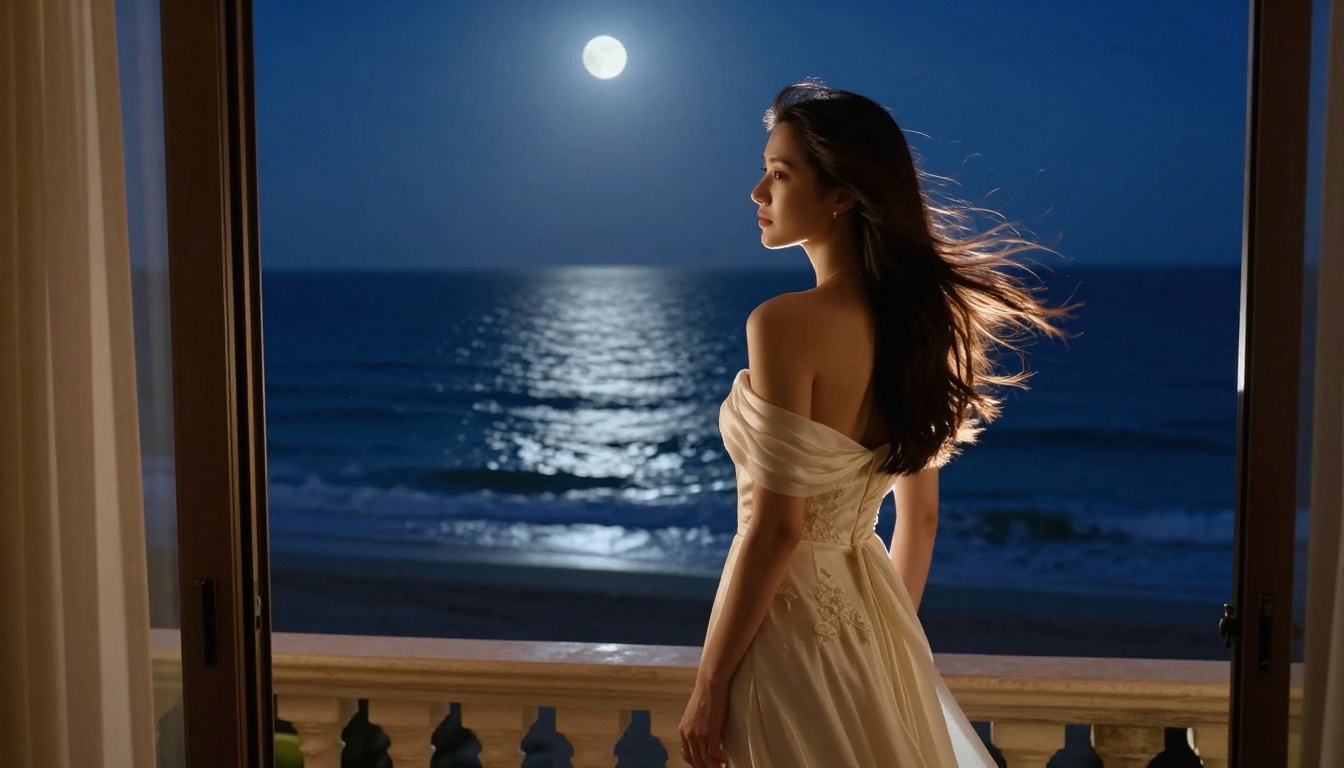
Even experienced users make these errors consistently. Fixing them immediately improves output quality.
1. Treating AI video like image generation. Still photos respond to aesthetic descriptions: "cinematic lighting, film grain, 8K." Video models need motion language: "slow pan left," "subject walks toward camera," "waves crash and recede." If your prompt reads like an image prompt, the video will feel like a still photo that barely moves.
2. Ignoring camera instructions. Camera movement is often the difference between a clip that looks like AI footage and one that looks like it was shot by a human. Simple instructions like "static shot," "slow dolly in," or "handheld tracking shot" immediately elevate the perceived realism of any video output.
3. Using maximum resolution for early drafts. Higher resolution means longer generation times and more credits spent on clips you'll likely discard. Draft at 480p or 720p, finalize at 1080p. This single habit cuts wasted generation time in half and keeps costs manageable during the iteration phase.
Beyond Video: What Else You Can Build

If you're building a creative workflow around AI-generated video content, you'll almost certainly need supporting assets. PicassoIA offers tools across the full production stack:
- Still images: Over 91 text-to-image models for generating thumbnails, promotional shots, or reference frames for your video prompts.
- Audio: Text-to-speech and AI music generation for creating voiceovers or original soundtracks to pair with your silent video outputs.
- Video upscaling: Super resolution and restoration tools for cleaning up and sharpening generated footage.
- Lipsync: If you're creating avatar or character videos, lipsync tools synchronize audio to a speaker's mouth movements with realistic accuracy.
- Effects: Over 500 video effects for stylizing and adding production polish to raw generated clips.
Having these capabilities in the same platform means you can go from a text prompt to a fully produced piece without bouncing between five different tools or managing separate subscriptions.
Start Making Videos Right Now

The models covered here represent some of the most capable AI video generators available anywhere. Every one of them is accessible on PicassoIA without needing to install anything, manage credentials, or sign up for separate services. You pick a model, write a prompt, and generate.
The best way to figure out which model fits your creative style is to actually use them. Start with Seedance 2.0 if you want audio included by default. Try Kling v3 Video when you need longer clips or complex motion. Switch to WAN 2.6 T2V when flexibility matters most. Drop in Hailuo 2.3 when you need that warm, flattering color treatment for beauty or glamour content.
Each generation teaches you something about how these models respond to your prompts. The more you experiment, the faster your creative output improves. Pick your model and start generating today.


