Seedance 2.5 introduced a feature that got attention fast: the ability to combine an image reference with a video reference to generate a new clip that inherits traits from both. Creators immediately started pushing the limits, asking whether this extends to adult and NSFW content. The short answer is complicated, and it depends heavily on where you run the model. This article breaks it all down, covering what the multi-reference system actually does, where content filters interfere, and which platform and model combinations give you the most creative freedom without restrictions.
What Seedance 2.5 Actually Does
Seedance 2.5 is ByteDance's flagship video generation model, capable of producing clips up to 30 seconds long. Its most discussed capability is multi-reference generation, where you feed it a combination of three inputs at once:
- An image reference (the subject or visual identity you want in the output)
- A video reference (the motion, pacing, or scene structure you want the output to follow)
- A text prompt (additional direction on environment, lighting, and mood)
The model fuses all three inputs and produces a video that attempts to satisfy all of them simultaneously. This makes it fundamentally different from simple text-to-video generation, where the model is working purely from language descriptions with no grounding in existing visual material.

The Image Reference Feature
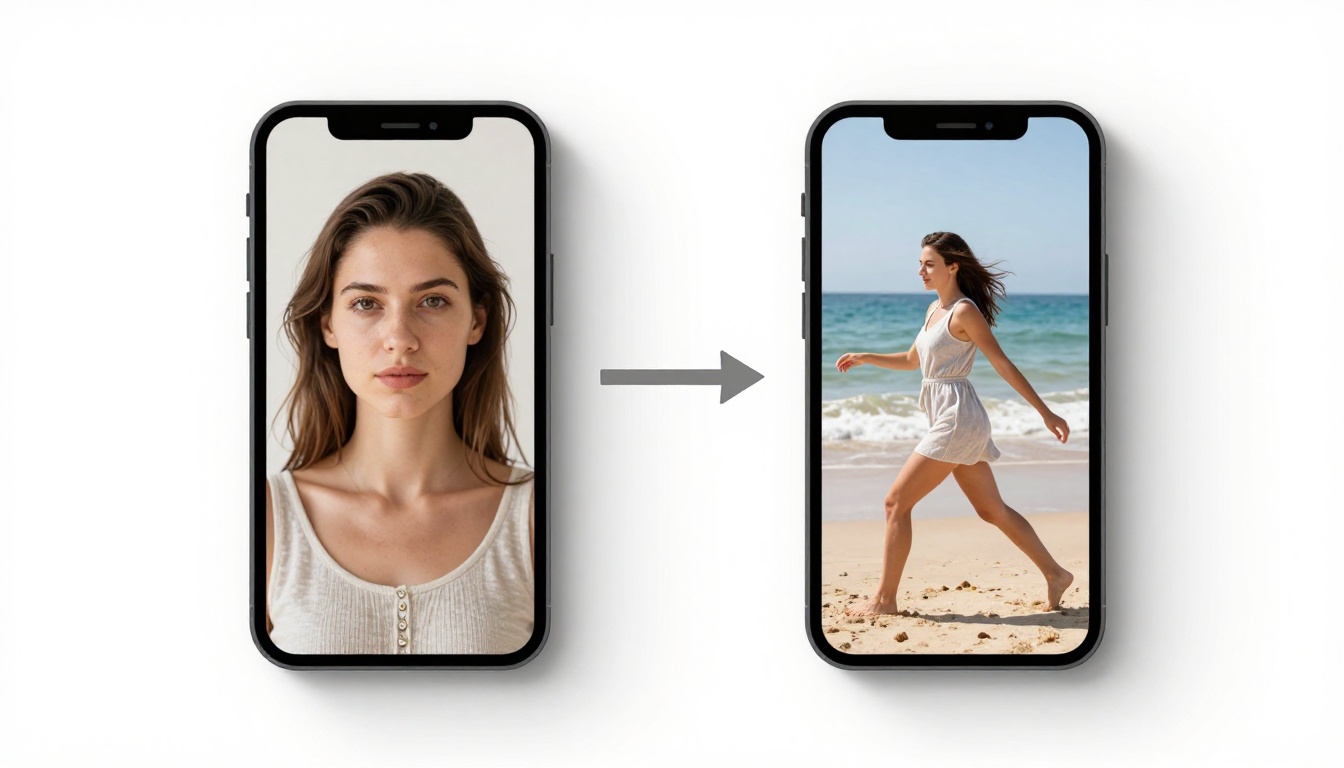
The image reference in Seedance 2.5 works similarly to an IP-Adapter or ControlNet approach from the image generation world. When you supply a photo, the model extracts identity, texture, and compositional cues, and tries to preserve them through the video frames. This is what makes it useful for character consistency, one of the biggest unresolved challenges in AI video production.
If you have a portrait of a specific person, Seedance 2.5 can maintain their likeness across multiple frames, something that older models like Seedance 1 Pro struggled to do reliably. The model handles realistic human subjects significantly better than animated or illustrated characters. Identity drift, where a face subtly changes between frames, is substantially reduced when a strong image reference is provided with a weight of 0.6 or above.
The Video Reference Feature
The video reference acts as a motion template. Seedance 2.5 samples the kinetic rhythm, camera movement, and scene structure from the reference clip, then applies those motion patterns to a new subject or environment specified by your text prompt or image reference.
This creates a powerful creative workflow: you can take a slow cinematic tracking shot from any video, pair it with a portrait image, and generate a new clip of that subject performing the same type of motion in a different setting, with different lighting. The model does not copy the actors or scenes from the reference video. It copies the movement language and applies it to entirely new content.
Note: Seedance 2.5 gives you control over the weighting between references. A higher image reference weight preserves identity more strongly. A higher video reference weight lets motion dominate. Finding the right balance typically takes two to four iterations to get right.
Does It Work With NSFW Content
This is where things get nuanced. Seedance 2.5 is a ByteDance model. ByteDance operates under regulatory scrutiny in multiple jurisdictions, and the model ships with content moderation built into the default pipeline on most commercial hosting platforms. The capability exists in the model weights, but whether you can access it depends entirely on the distribution layer.
What Passes and What Doesn't
Running Seedance 2.5 through mainstream commercial APIs will block most NSFW content at the prompt level. Reference images containing adult content are frequently rejected or sanitized before the model even processes them. Some platforms apply silent filtering, where the image is accepted but sanitized in a way you cannot see, resulting in a clean output that ignores the adult elements of your reference.
The picture changes significantly on platforms that run models with moderation bypassed or relaxed. On PicassoIA, for example, Seedance 2.5 Lite is available for free unlimited video generation, and the broader platform gives access to models that handle unrestricted content without the layered filtering found on mainstream APIs.

The Content Filter Reality
Most platforms running Seedance 2.5 apply at least three layers of filtering that stack on top of each other:
| Filter Layer | What It Checks | When It Triggers |
|---|
| Prompt text | Keywords and semantic meaning | Before generation starts |
| Input image | Visual content classification | Before generation starts |
| Output video | Frame-by-frame classification | After generation completes |
This means your NSFW image reference could be rejected before the model even processes it. Even if the prompt clears moderation, the output can be flagged and withheld after a successful generation run. For adult content creators, paying for a generation that gets flagged at output is a real problem.
The practical solution is to use platforms designed for unrestricted AI generation rather than trying to work around moderation on mainstream tools. This is where PicassoIA's model catalog becomes the relevant answer.
Best NSFW Models on PicassoIA
PicassoIA is designed to give creators full control, with models that do not apply the restrictive censorship layers found on mainstream platforms. Here is the recommended lineup in order of performance for adult content creation.
Seedream 4.5 Sets the Standard
Seedream 4.5 is the top recommendation for NSFW image generation on PicassoIA. It accepts adult content, supports image editing, and produces ultra-realistic results in under 3 seconds. The quality is cinematic, the anatomical detail is accurate, and the model handles realistic human subjects with a precision that most alternatives miss.
One critical point: do not confuse Seedream 4.5 with Seedream 5 Lite. The newer Seedream 5 Pro is a sharper 2K image generator, but the Lite version of Seedream 5 blocks adult content completely. For any NSFW workflow, Seedream 4.5 is the correct model. Its successor intentionally removed the permissive content handling that made Seedream 4.5 valuable for adult creators.
PicassoIA Image Editor Pro Goes Unlimited
PicassoIA Image Editor Pro solves the generation limit problem that plagues adult content creators who need to iterate through dozens of variations to land on the right result. As an img2img model, it lets you take any reference image and edit it continuously, pose by pose, detail by detail, without burning through a credit budget.
With an Elite or Infinite plan, generation is unlimited. That means 1,000 iterations costs the same as 10. Compare that to credit-based models like Nano Banana 2, where 1,000 images would cost roughly $100. For creators building character libraries or producing high-volume adult content, the economics are completely different. The model also accepts NSFW content, delivers results in under a second, and includes a 3-generation free trial without requiring a credit card.
10 More Options Worth Knowing
PicassoIA offers a full catalog of models that support adult content creation without restriction. Here is the complete recommended lineup:
How to Use Seedance 2.5 on PicassoIA
Seedance 2.5 is available directly on PicassoIA alongside its free sibling Seedance 2.5 Lite. Here is the reference-based generation workflow from start to finish.
Step-by-Step Image Reference Workflow
-
Prepare your image reference. Use a high-resolution portrait or full-body shot with clear lighting and minimal compression artifacts. JPEG artifacts in the source image will appear amplified in the output video. PNG or lossless formats work best.
-
Prepare your video reference. Select a clip that has the motion pattern you want the output to follow. A 3 to 10 second clip is usually sufficient. The model samples overall kinetics, not specific choreography, so the reference does not need to show the same type of subject as your image reference.
-
Open Seedance 2.5 on PicassoIA. Navigate to Seedance 2.5 in the model catalog on PicassoIA.
-
Upload your references. Set the image weight between 0.6 and 0.8 for strong identity preservation while allowing the motion reference to take effect. If the output looks too locked to the reference image and lacks movement, drop the image weight to 0.5.
-
Write your prompt. Focus on environment, lighting, and mood. The prompt handles scene composition while the references handle identity and motion.
-
Generate and iterate. The first output rarely captures everything. Adjust the reference weights by increments of 0.1 and rerun until the balance between subject identity and motion feels right.
Mixing Multiple References
Seedance 2.5 does not currently support more than one image reference simultaneously. If you need to composite multiple subjects or mix styles from different visual sources, the workaround is to first merge your references into a single coherent image using PicassoIA Image Editor Pro or Qwen Image 2, then feed the merged result as a single image reference to Seedance 2.5.
Tip: When using Grok Imagine Video or P-Video as an alternative, both accept a combined image and video input, and both have safety filters relaxed by default, making them stronger choices specifically for adult reference content where filter interference is the main obstacle.
Real Results From Reference-Based Generation
The reference mixing capability in Seedance 2.5 addresses a problem that has frustrated creators for years: temporal consistency across frames. Older text-to-video models generated frames somewhat independently, causing characters to shift appearance mid-clip, faces to morph subtly between shots, and clothing to change texture in ways that broke the illusion of a continuous take.

Consistency Across Frames
With a properly weighted image reference, Seedance 2.5 maintains facial identity across most frames in a 5 to 10 second clip. The consistency rate is not perfect, but it is substantially better than unguided generation. In comparative testing, reference-guided clips show roughly 70 to 80% frame-to-frame identity consistency versus 30 to 40% without a reference input.
For adult content where subject identity is critical, this is a meaningful practical improvement. A creator building a consistent character across multiple scenes for a content series will see far fewer identity drift artifacts, which means less post-processing time and fewer rejected clips that don't match the intended subject.
Style Transfer Without Losing Identity
The video reference works as a style and motion donor without overriding the identity contribution of the image reference. This means you can use a fashion film clip as your motion reference, feed in a portrait as your image reference, and the output will show your subject performing the fashion film's movements without resembling the original actors from the reference video.
This is where Seedance 2.5 separates itself from earlier models like Seedance 2.0. The 2.0 version accepted image references but the multi-reference fusion was not as cleanly separated, leading to more blending artifacts between the image identity and the video style. The 2.5 architecture treats the two reference streams more independently and blends them at a later stage in the generation process.
Compare Seedance 2.5 to Similar Models
Seedance 2.0 vs 2.5
| Feature | Seedance 2.0 | Seedance 2.5 |
|---|
| Max clip length | 10 seconds | 30 seconds |
| Video reference input | No | Yes |
| Image reference input | Yes | Yes |
| Identity consistency | Moderate | High |
| Motion transfer from video | Not available | Yes |
| NSFW on unrestricted platform | Possible | Possible |
The upgrade from 2.0 to 2.5 is not incremental. Adding the video reference input is a category shift that makes character-consistent motion production genuinely viable for the first time in this model family. If you are currently using Seedance 2.0 for reference-based generation, the switch to 2.5 is straightforward and the results are noticeably better for any workflow that involves matching a specific subject identity to a specific motion style.
Wan 2.2 I2V vs Seedance 2.5
Wan 2.2 I2V Fast is a strong alternative, particularly for NSFW workflows where speed matters more than motion control. It does not support a separate video motion reference but it does a very effective job of animating static images into smooth, natural video without requiring a motion template. It runs faster than Seedance 2.5 and operates with fewer content restrictions on the right platform.
The choice between them comes down to your specific production need. For strict character consistency with deliberate motion control, Seedance 2.5 is the stronger pick. For fast, unconstrained image animation where you do not need to specify a particular movement pattern, Wan 2.2 I2V Fast gets there with less setup and less friction.
Tips for Better NSFW Reference Results

Prompt Structure That Works
When generating NSFW content with reference inputs, the prompt should focus on scene construction rather than character description. Since the image reference is already handling identity, your text prompt should work on:
- Setting and location (indoor vs outdoor, lighting environment)
- Camera direction (angle, distance, movement type)
- Mood and atmosphere (warm, cool, dramatic, soft, natural)
- Styling adjustments if you want the output to differ from the reference image
Avoid over-describing the subject in the text prompt when you have an image reference active. The model will try to satisfy both the prompt description and the image reference simultaneously, and when they conflict, the output often shows artifacts from the tension between the two instructions.
3 Common Mistakes to Avoid
-
Using compressed or low-resolution reference images. A 512x512 JPEG with heavy compression artifacts will generate an output that inherits those artifacts at scale. Always use the highest quality source material available. Shoot or source at 1080p or above and use lossless formats wherever possible.
-
Setting both reference weights too high. If image and video reference weights are both near 1.0, the model receives competing signals and attempts to satisfy both fully, which frequently results in a confused or incoherent output. One reference should always take a dominant role. A good starting point is image weight at 0.7 and video weight at 0.5.
-
Ignoring the output filter on the hosting platform. Even if your reference images pass input moderation, the output video may still be flagged after generation completes. On platforms that apply post-generation filtering, you might run a successful generation but receive a withheld result. On PicassoIA, this is not the typical experience, but it is worth running a few test outputs before scaling a production workflow to confirm the platform's behavior for your specific content type.
Start Generating on PicassoIA
If you have been running Seedance 2.5 elsewhere and hitting content walls, the platform is the variable that needs to change, not the model. PicassoIA gives you access to Seedance 2.5, its free Lite sibling, and a full library of NSFW-capable models from Seedream 4.5 to P-Video, all without the content walls found on mainstream platforms.

The reference-based workflow produces the best results when you bring clean, high-quality source material and pair it with a platform that does not second-guess your creative intent. Start with Seedream 4.5 to generate or refine your image references, feed them into Seedance 2.5 for motion generation, and iterate freely without hitting censorship interruptions.
For unlimited image generation without burning through credits across iterations, PicassoIA Image Editor Pro removes the ceiling entirely. Elite and Infinite plan subscribers generate as many iterations as they want, which makes building a consistent character across dozens of scenes or hundreds of variations economically viable in a way that per-generation pricing never allows.
The full catalog of models is available at picassoia.com/en/all-models. Whether you are working with reference images, video motion transfers, or building out an adult content library from scratch, there is a model in the lineup that handles exactly that workflow without restriction.


