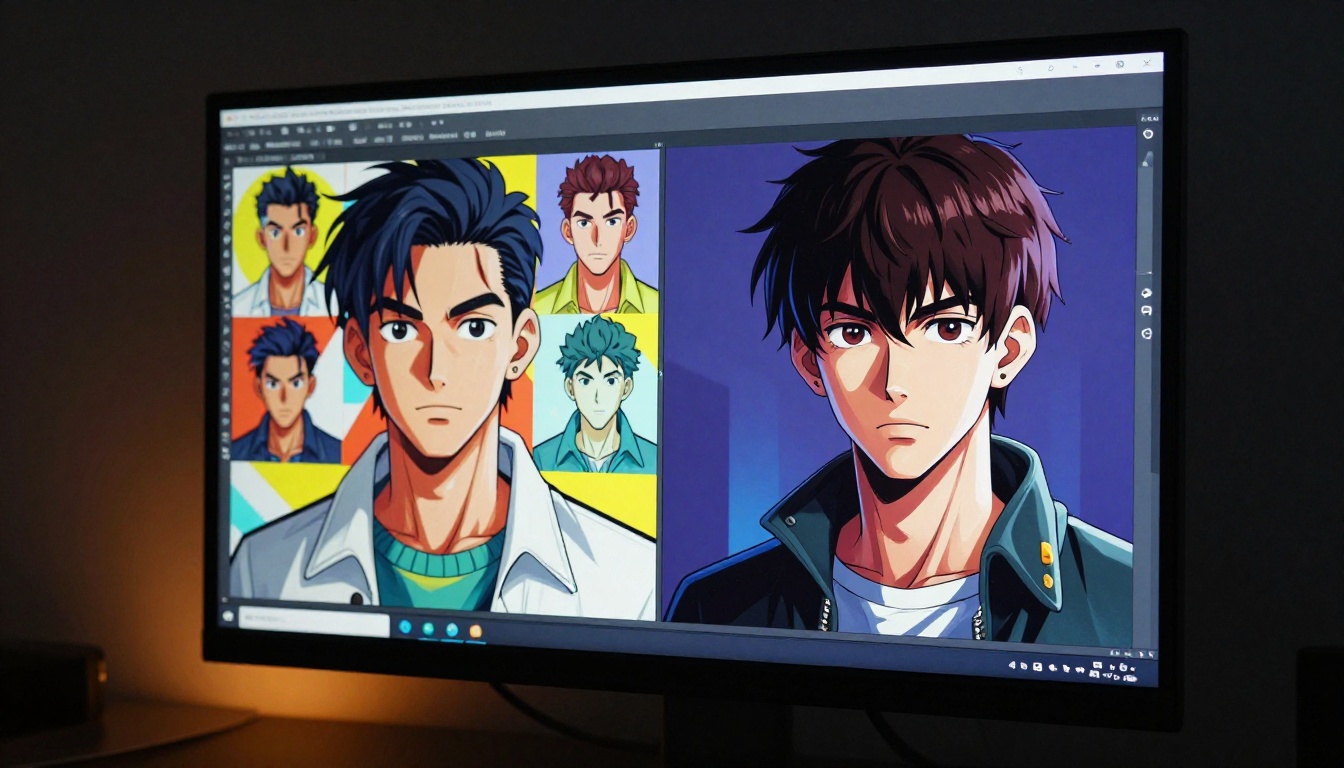
The visual internet is moving fast right now, and one art style is cutting through the noise louder than anything else: cell-shaded anime companions. These aren't the soft, painterly illustrations that flooded feeds a few years back. They're bolder, sharper, and more graphic than ever, with thick outlines that demand attention, flat color zones with precise shadow shapes, and character personalities that feel alive even in still images. And they're being made with AI at a pace that would have seemed impossible two years ago.
What Cell-Shaded Art Actually Is
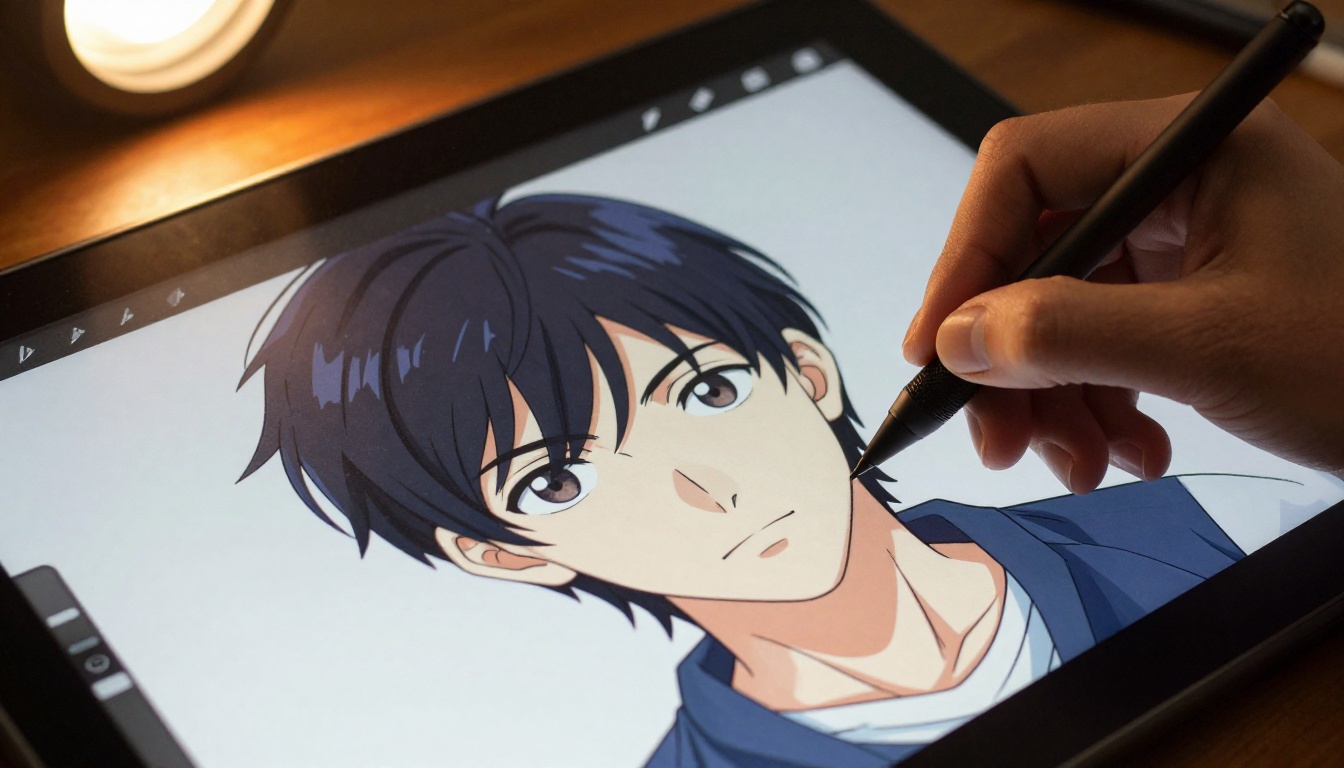
Before anything else, it helps to get one thing straight. "Cell shading" and "cel shading" are the same thing. The name comes from animation cels, the transparent sheets hand-painted by animators for decades before digital tools took over. The shading technique mimics the way those cels were painted: instead of smooth gradients, you get hard-edged shadow zones. Instead of soft transitions, you get deliberate, flat color blocks that create a graphic, almost print-like quality.
The Visual Language of Cel Art
The core elements that define the style are:
- Hard-edged shadows: Two or three tones maximum, with clean borders between them
- Bold outlines: A strong ink line around every major form, often varying in width
- Flat ambient color: No complex texture within color zones, just pure, saturated fill
- Strong contrast: High difference between light and shadow tones, no muddy mid-tones
- Simplified form: Complex 3D structures reduced to clean 2D-readable shapes
This combination creates images that read instantly from a distance, feel energetic at scale, and hold up across every screen size from a phone thumbnail to a billboard.
Why It Reads So Well Digitally
There's a practical reason this style has survived for decades and is thriving online now. Bold outlines and flat colors have tremendous compression resilience. When a JPEG or WebP compresses a cel-shaded image, almost nothing degrades visually because there's no fine texture or complex gradient to lose. On social platforms, where images are downsampled constantly, this matters a lot. A softly rendered illustration loses nuance with every resize. A cel-shaded companion character stays sharp.
Why Anime Companions Hit Different in This Style
The word "companion" has specific weight in this context. We're not talking about background characters or world-building filler. Companion characters are designed to hold emotional relationships with the viewer. They have consistent personalities, recognizable silhouettes, and expressions that tell a story even without dialogue.
When you layer the cel-shading aesthetic onto companion character design, the results are particularly powerful. The flat colors and hard shadows create an immediate sense of graphic identity. A companion character doesn't need a complex backstory to feel like someone you've met before. The visual shorthand does most of the work.
The Personality Signal in Bold Outlines
Ask any anime fan to describe a character from memory, and they'll start with silhouette and color palette, not texture or shading nuance. This is the genius of cel-shaded companion design. It's optimized for recognition and emotional attachment, not for technical realism.
The outline weight carries personality information:
| Outline Weight | Character Type |
|---|
| Heavy, irregular | Rough, energetic, rebellious |
| Thin, consistent | Elegant, calm, composed |
| Variable, expressive | Dynamic, emotional, theatrical |
| Absent or minimal | Mysterious, ethereal, uncanny |
AI models working in this aesthetic territory are learning to encode those signals into their outputs, which is why the results feel so much more intentional now than they did even 18 months ago.
How AI Changed the Cell-Shading Equation
The history of cell-shaded AI art is short but dramatic. Early text-to-image models in 2022 and 2023 struggled significantly with the style. Ask them for "anime cell shading" and you'd get something muddy: too many gradients, outlines that dissolved into ambient color, color zones that bled into each other. The style requires a kind of deliberate restraint that early diffusion models weren't trained to produce.
That changed for several reasons. Training datasets got more carefully curated. Anime-specific models started appearing with LoRA weights fine-tuned on curated cel-shaded artwork. And the models themselves got better at responding to structural prompts describing shadow shape, outline weight, and color zone discretion.
The LoRA Revolution for Anime Style
Low-Rank Adaptation layers changed everything for style-specific generation. Instead of retraining massive models from scratch, LoRA files could inject a specific aesthetic into the generation process with a small file and a targeted prompt trigger. The anime cel-shading community was one of the first to deeply exploit this, producing hundreds of LoRA files optimized for specific sub-styles: chunky graphic outlines, soft pastel tones with hard shadows, high-contrast action-scene lighting, and companion character archetypes.
Today, tools like Flux Dev LoRA let anyone apply these fine-tuned style layers to powerful base models, creating anime companion art that would have required a professional illustrator two years ago.
💡 Prompt insight: The phrase "cel shading" works better in most models than "cell shading" because cel is the term used in training data drawn from animation and art communities.
The Best AI Models for Anime Cell-Shading
Not all image generation models handle the cel-shading style equally. Some produce outstanding outlines but muddy color zones. Others nail the flat shadows but lose character in the faces. Here's a breakdown of the strongest options available right now on PicassoIA.
Krea 2 Medium: Built for Anime Aesthetics
Krea 2 Medium is one of the clearest standouts for anime and painterly art styles. It's specifically designed to handle the kind of graphic, stylized output that cel-shading demands. The model responds well to explicit outline and shading prompts and tends to produce clean color zones without dithering or unwanted gradients. For companion character work, it handles face proportions and expression in the anime vocabulary far better than general-purpose photorealistic models.
Dreamshaper XL Turbo: Speed with Style
Dreamshaper XL Turbo brings fast generation to the table without sacrificing stylization quality. For iterating through character concepts, this model lets you run through dozens of variations quickly. It doesn't have the refined anime facial accuracy of Krea 2 Medium, but it's excellent for establishing silhouettes and color palette directions. Think of it as the concept-phase workhorse.
Recraft v4.1: Art Direction at Scale
Recraft v4.1 gives you art direction control that most other models don't. Its style presets allow you to dial into specific graphic aesthetics, which is valuable when you need a consistent look across an entire set of companion characters. For series-based character design where coherence matters, Recraft v4.1 is worth testing against alternatives.
Seedream 4.5: High-Resolution Detail
Seedream 4.5 generates at 4K resolution with detail that holds up under close inspection. For cel-shaded art, this matters because the technique relies on clean edge definition. A blurry outline at standard resolution becomes a crisp, intentional line at 4K. If final output quality is the priority and generation speed is secondary, Seedream 4.5 deserves serious consideration.
Flux Kontext Pro: Editing Companion Designs
Once you have a base character design you're happy with, Flux Kontext Pro lets you refine it through text-prompt editing. Change the outfit without altering the face. Adjust the color palette while keeping the outline style intact. For companion characters where small details matter, this edit-in-place capability is extremely useful.
Cell-Shaded vs Photorealistic: A Real Comparison
There's a persistent myth in AI art communities that photorealistic generation is the pinnacle of quality and stylized output is a compromise. This misses something important about how visual communication works.
Where Each Style Wins
| Criterion | Cell-Shaded | Photorealistic |
|---|
| Character recognition speed | Very fast | Moderate |
| Emotional shorthand | Strong | Varies by context |
| Compression stability | Excellent | Poor at high compression |
| Style consistency across variants | Easier to maintain | Harder without LoRA |
| Detail rendering | Intentionally minimal | Maximum |
| Merchandise scalability | Very high | Limited |
| Social media shareability | High (bold, thumbnail-readable) | Lower (detail lost at small sizes) |
The cell-shaded aesthetic is not a technical limitation. It's a deliberate visual language that happens to align extremely well with how digital content is consumed today: on small screens, at scrolling speed, often compressed by platforms.
💡 Worth knowing: Many game studios prefer the cel-shaded style precisely because it compresses better for real-time rendering and remains readable across different display quality levels.
How to Prompt for Cell-Shaded Anime Characters
Getting strong cel-shaded anime companion results from AI models comes down to a specific prompting structure. Generic "anime character" prompts produce generic results. Precise, technical prompt language produces intentional output.
The Core Prompt Architecture
Build your prompts in this order:
- Character identity: What kind of companion? Age, energy, role (warrior, healer, scholar, trickster)
- Shading specification: "cel shading," "hard-edged shadows," "2-tone shadow," "no gradients"
- Outline specification: "bold black outline," "variable weight ink lines," "thick contour lines"
- Color palette direction: "saturated primary colors," "muted analogous palette," "high-contrast complementary"
- Composition and framing: "3/4 view," "dynamic action pose," "waist-up portrait"
- Lighting shorthand: "single directional light source," "hard shadow shapes," "clear rim light"
The Prompts That Actually Work
Here are three prompt frameworks tested across multiple models on PicassoIA:
Framework 1: Classic Anime Companion
Cel-shaded anime companion character, 3/4 view, thick black outline with variable weight, 2-tone hard-edged shadow, saturated warm color palette, dynamic confident pose, clean white background, single directional overhead lighting
Framework 2: Action Scene
Cel-shaded anime warrior companion, full-body action pose mid-leap, bold ink contour lines, 3-tone flat shadow, high-contrast cool/warm color split, dramatic low-angle perspective, cel shading, no gradients, anime aesthetic
Framework 3: Soft Companion Type
Cel-shaded anime healer character, gentle pose with clasped hands, thin consistent outline, soft pastel flat colors, 2-tone minimal shadow, warm ambient light direction, waist-up portrait, clean graphic design aesthetic
💡 Model tip: Krea 2 Medium and Flux Dev LoRA respond best to explicit shadow-count specifications ("2-tone" or "3-tone shadow"). Most other models do well with "cel shading, no gradients."

How to Use PicassoIA for Cell-Shaded Characters
PicassoIA has specific tools that work particularly well for this style of character creation. The workflow below takes you from initial concept to polished companion character in a few steps.
Step 1: Start with PicassoIA Image
PicassoIA Image gives you unlimited text-to-image generation with no credit caps. Use this for rapid concept iteration. Run 15 to 20 variations using your chosen prompt framework before committing to a direction. Change one variable at a time: first the pose, then the color palette, then the outline weight specification.
Step 2: Refine with Flux Kontext Pro
Once you have a base character design, switch to Flux Kontext Pro to make targeted edits. Common refinements for companion characters:
- Adjust the outfit color without altering the face or proportions
- Change the background context while keeping the character consistent
- Swap the expression while maintaining the established outline style
- Test different hair color options against the same body design
Step 3: Upscale for Final Output
After finalizing the design, use PicassoIA's Super Resolution tools to push the output to print quality. The cel-shaded style particularly benefits from clean upscaling because the hard edges and flat colors scale mathematically better than organic textures.
Step 4: Create Variant Sets
A single companion character is a concept. A set of variants, showing the character in different contexts, poses, and expressions, is a character sheet. Use Seedream 4.5 for generating the full character sheet at 4K resolution with consistent quality across all variants.
Where This Art Trend Is Heading
The cel-shaded AI companion trend is not a passing aesthetic moment. Several forces are converging that suggest it becomes more prominent over the next two to three years, not less.
Games and Interactive Media Are Driving Demand
The indie game industry has fully absorbed the economic logic of cel-shaded art: it looks intentional rather than budget-limited, performs better in real-time rendering environments, and scales across different device quality levels without breaking. AI tools that generate consistent cel-shaded character art on demand are directly solving a production bottleneck that has stopped many indie studios. The demand for character artists who understand this style is already climbing, and AI tools are enabling smaller studios to punch above their weight.
Social Platforms Reward the Style
Algorithm behavior on short-form visual platforms rewards content that stops the scroll fast. Bold outlines and high-contrast flat colors are visually arresting in a way that soft-gradient illustrations are not. Cel-shaded companion characters, particularly ones with strong personality expression, perform disproportionately well in the click and share rates that determine whether art gets seen by thousands or millions. Artists who've noticed this are deliberately moving toward the style even when it isn't their natural preference.
AI Consistency Is Getting Better
The biggest limitation of AI-generated companion characters right now is consistency across multiple images. A character looks one way in pose A and subtly different in pose B. The field is actively solving this. Models like Flux Dev LoRA with custom-trained LoRA files can now maintain character identity across more variations than was possible six months ago, and the trajectory is clearly toward full character-consistent generation within the next model generation.
The Models Worth Bookmarking
For anyone building a serious practice around cel-shaded anime companion creation, this is the shortlist worth keeping:
Try It Yourself
The real proof of what's possible is always in the making. Cell-shaded AI companion creation is one of the most immediately rewarding things to try on PicassoIA because the visual feedback is so fast and so clear. A strong prompt produces a recognizable character personality in the first generation, and from there, refinement is genuinely fun rather than frustrating.
Start with one of the three prompt frameworks above and run it through Krea 2 Medium or PicassoIA Image. See what comes back. Then change one element: add a specific weapon, shift the color palette to a contrasting hue, adjust the outline weight description. The model responds to each of these changes in ways that teach you the style's vocabulary faster than any written reference could.
The best cell-shaded companions being made right now aren't coming from professional studios. They're coming from individuals with a clear character idea and the right tools to execute it. PicassoIA has 91 text-to-image models available, all accessible through a single platform at picassoia.com/en/all-models. The style is yours to own.