Generate imagesLarge Language ModelsVisual Effects
ChatGPT Image Prompts: Copy-Paste Ideas for Women, Men and Couples
Nine ready to paste ChatGPT image prompts for women, men and couples, each built on a five part formula of subject, setting, light, lens and texture. Includes light and lens cheat sheets and a tutorial for running the prompts in GPT Image 2 on PicassoIA.
Most people type "a beautiful woman in a field" into ChatGPT, get a flat stock-photo look, and decide the tool is average. The tool is fine. The prompt is thin. A photographer would never brief an assistant with seven words, and an image model works the same way: the more specific the brief, the closer the result lands to a real photograph.
This page gives you nine copy and paste ChatGPT image prompts split across women, men and couples, plus the five part formula behind them, two tables of light and lens words that reliably change a result, and a short tutorial for running the same prompts in GPT Image 2 on PicassoIA, where you get ratio, quality and batch controls that a chat window hides. Every prompt is written for photorealistic portraits with natural skin, real light and believable places.
💡 How to use this page: paste a prompt as is, look at the first result, then change only one detail at a time (the light, the lens, the location). Changing three things at once makes it impossible to see what worked.
Why Most Prompts Fall Flat
A short prompt leaves every decision to the model, and the model picks the safest average: a centered subject, even lighting, smooth skin and a generic background. That is why so many AI portraits look alike. Nothing in the prompt asked for anything else.
Here is what a vague prompt returns next to a specific one:
Vague prompt
What you usually get
Specific fix
A woman in a field
Centered stock photo, flat daylight
Golden hour backlight, 85mm lens, wheat stalks sharp in the foreground
A man in a city
Stiff pose, gray background
Low angle, rooftop at sunrise, coat moving in the wind
A couple at the beach
Posed, symmetrical, plastic skin
Walking barefoot, holding hands, shot from behind at knee height
Three mistakes show up again and again:
Stacking adjectives. "Gorgeous, ultra realistic, 8k, perfect" tells the model nothing about the picture. Describe the light and the place instead.
Skipping the camera. A focal length and an aperture change perspective and background blur more than any adjective can.
Asking for perfect skin. "Flawless skin" produces a plastic finish. Ask for visible pores, fine freckles, natural texture.
The Five Part Prompt Formula
Every prompt below follows the same order. Once you spot the pattern, you can write your own in under a minute.
Subject and action. Who is in the frame and what are they doing? A verb beats an adjective: walking, laughing, tilting a print toward the window.
Setting. Two or three physical details of the place, such as cobblestones, copper pans or a brick wall.
Light. Direction and quality: backlight from the setting sun, soft window light from the left.
Lens and angle. Focal length, aperture and camera height. 85mm f/1.8 at eye level looks very different from 24mm from below.
Texture and mood. Skin, fabric, surfaces and film feel. Fine grain, Kodak Portra 400 tones.
A Template You Can Reuse
Paste this into ChatGPT and fill the brackets:
[Subject doing a specific action] in [setting with two or three physical details], [light direction and quality], shot on [focal length and aperture] from [camera angle], [skin, fabric and surface textures], [film or color feel], no text, no logos, photorealistic
A filled version looks like this: a woman in a rust colored sweater reading at a window seat in a quiet café, soft window light from the left, shot on 50mm f/1.8 at eye level, visible skin pores and knit fibers, warm film grain, no text, no logos, photorealistic.
💡 If the chat rewrites your wording and drifts from the look you wanted, start your message with "Use this prompt exactly as written" and paste the block below it.
Prompts for Women
Portraits of women live or die by light. A flattering result rarely comes from the outfit or the pose; it comes from where the light sits relative to the face and hair. The three prompts below each use a different light setup, so you can see how much a single line changes the mood.
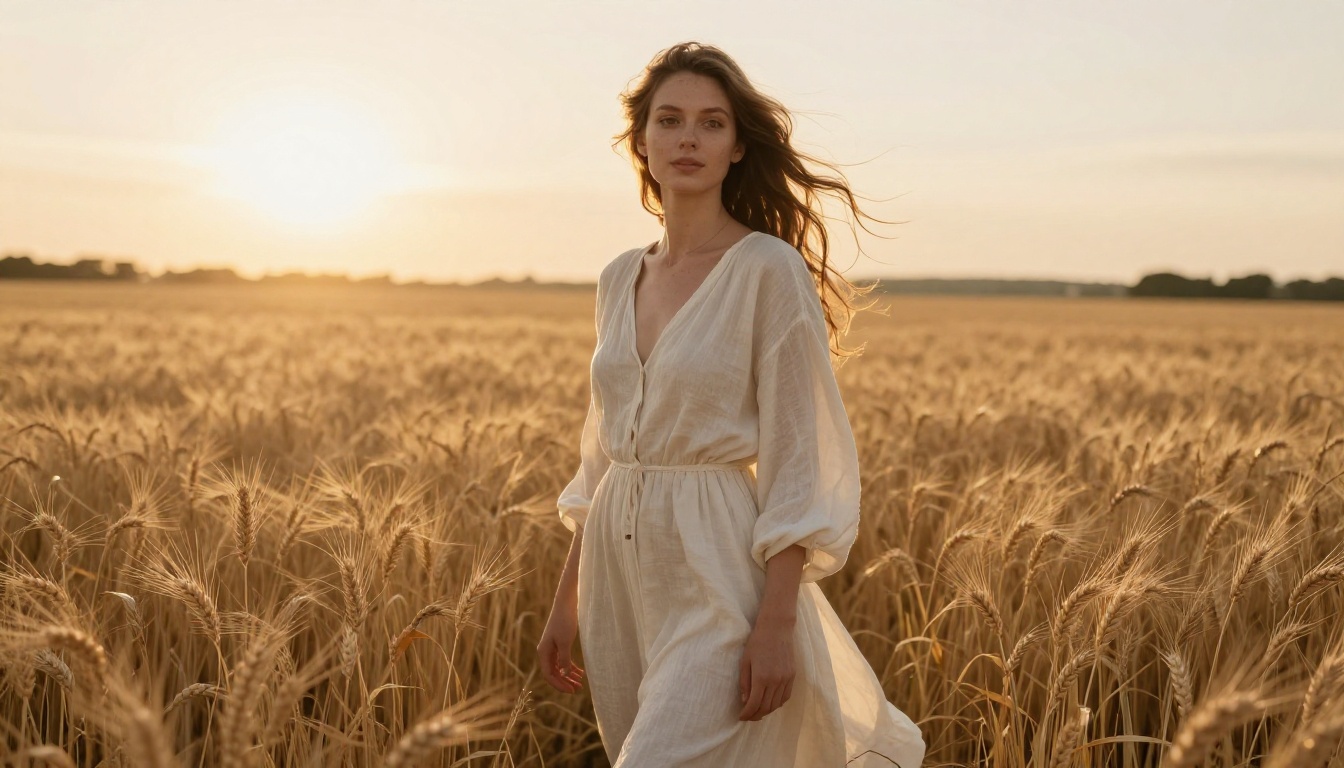
Golden Hour Field Portrait
Golden hour portrait of a woman in her late twenties wearing a flowing ivory linen dress, standing waist-deep in a wheat field with her hair lifted by a light breeze, warm backlight from the setting sun creating a glowing rim on her hair, 85mm f/1.8 shallow depth of field, creamy bokeh of distant hills, visible skin pores and freckles, individual wheat stalks sharp in the foreground, Kodak Portra 400 film grain, photorealistic
Swap it: trade the wheat for a lavender row or a dry meadow, and the dress for a denim jacket. Keep the backlight and the 85mm. Those two details carry the whole look.
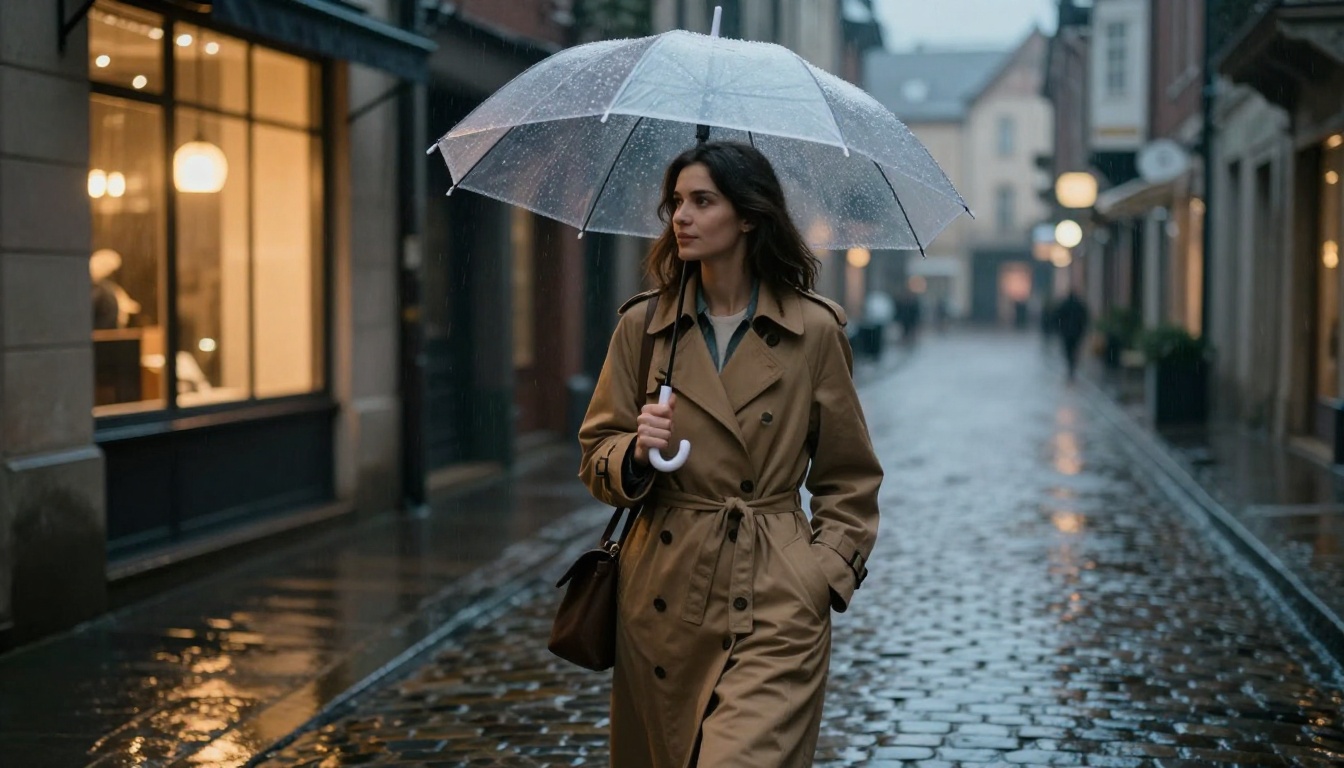
Rainy City Street Walk
Cinematic street portrait of a woman in a camel trench coat walking along a rain-soaked cobblestone alley at dusk, holding a transparent umbrella, warm shop-window light reflecting on the wet stones, 35mm f/1.4 lens at chest height, slight motion in her stride, raindrops on the umbrella and wool coat texture visible, soft amber and gentle blue ambient tones, natural unretouched skin, subtle film grain, no text, photorealistic
Swap it: move the scene to a tram stop or a bookshop doorway. The wet ground reflecting warm windows is what sells the mood, so keep that line.
Studio Editorial Close-Up
Close-up editorial portrait of a woman with short dark hair and a black turtleneck against a seamless warm gray backdrop, single large softbox from the left at 45 degrees, subtle fill from a white reflector on the right, 100mm f/2.8 lens, catchlights in both eyes, fine peach fuzz and pores visible on the skin, a loose strand of hair crossing her cheek, calm direct gaze toward the camera, natural unretouched look, subtle film grain, photorealistic
Swap it: change the backdrop to deep green or terracotta for a bolder palette. Naming the softbox angle matters; without it you tend to get flat, shadowless light.
Prompts for Men
Male portraits go wrong in the opposite direction: too stiff, too posed, arms hanging at the sides. The fix is the same every time. Give him something to do and somewhere real to be.
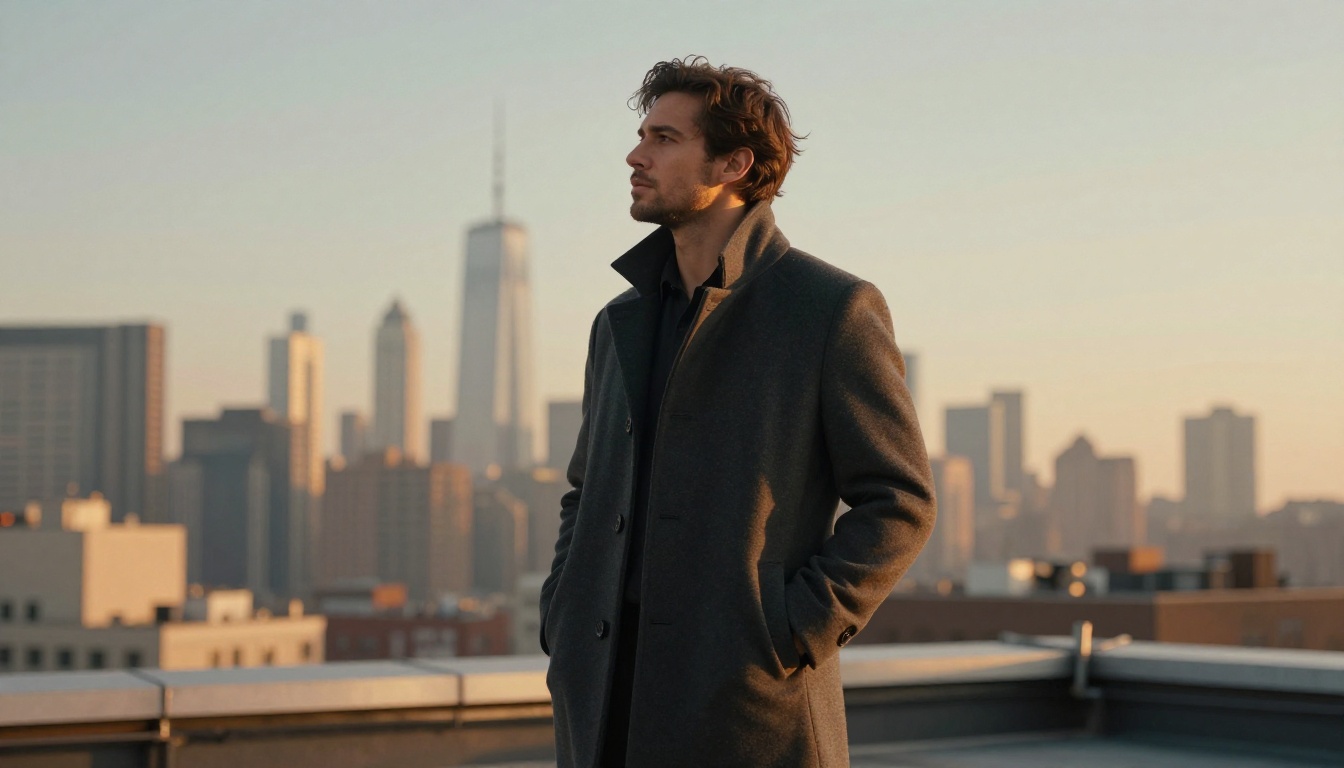
Rooftop Sunrise Portrait
Low-angle shot of a man in his thirties wearing a tailored charcoal overcoat standing on a city rooftop at sunrise, hands in pockets, looking toward the skyline, golden light from the right grazing the wool fabric and his light stubble, 24mm f/2.8 lens tilted upward, hazy skyscrapers and pale sky behind, wind moving the coat collar, realistic skin texture, fine film grain Kodak Portra 400, no text, photorealistic
Swap it: replace the overcoat with a leather jacket or a suit without a tie. The low angle and the 24mm lens give him presence, so leave them alone.
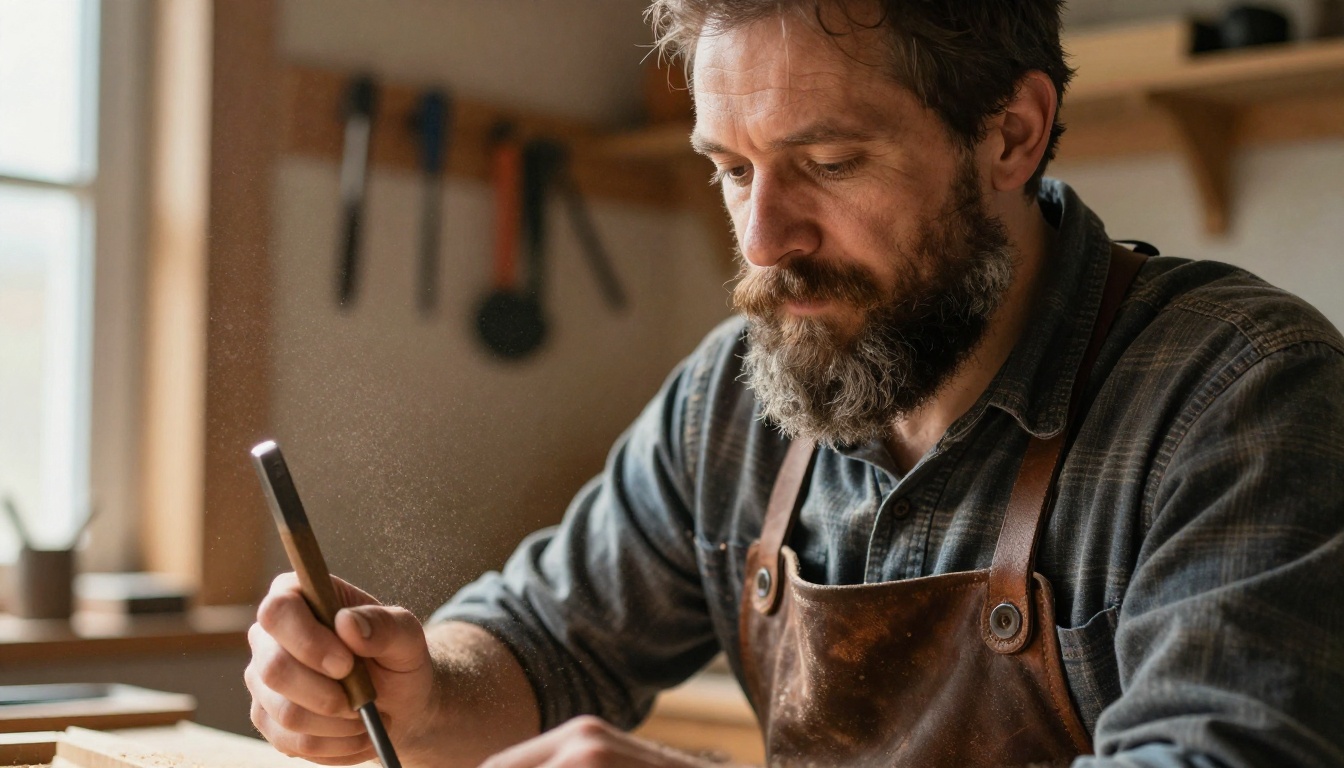
Workshop Character Close-Up
Close-up portrait of a bearded man in his forties in a woodworking workshop, sawdust floating in a shaft of window light from the left, leather apron and rolled flannel sleeves, a chisel held in his hand, 50mm f/1.8 lens, shallow depth of field, deep wrinkles and beard hairs in sharp focus, warm wooden tones, tools hanging blurred on the wall behind, natural candid expression, fine film grain, no text, photorealistic
Swap it: try a barista behind an espresso machine, a mechanic under a garage lamp or a chef at a pass. A hand holding a tool gives the picture a story without any extra words.
Trail Candid Mid Stride
Candid shot of a man in his early thirties hiking a narrow ridge trail in the mountains, mid stride, olive rain jacket open over a gray t-shirt, backpack straps visible, looking out at a valley filled with morning mist, side light from a low sun on the left, 70mm f/2.8 compressing the layered ridgelines behind him, light sweat on his forehead, stubble and wind-tossed hair in sharp focus, muted green and stone tones, fine film grain, no text, photorealistic
Swap it: move him to a desert canyon or a coastal path. The longer 70mm lens stacks the background layers, which makes landscapes feel deep instead of flat.
Prompts for Couples
Couples are the hardest request because the model has to render two faces, two bodies and the connection between them. Vague wording like "a romantic couple" gives you two people posed side by side, looking at the camera like a catalog. Tell the model how close they are, where they look and what their hands do.
Detail
Weak wording
Stronger wording
Distance
together
shoulders touching, or a step apart
Eye lines
looking at the camera
looking at each other, mid laugh
Hands
not mentioned
fingers laced, his hand on her back
Moment
posing
mid stride, mid pour, mid laugh
Beach Sunrise Walk
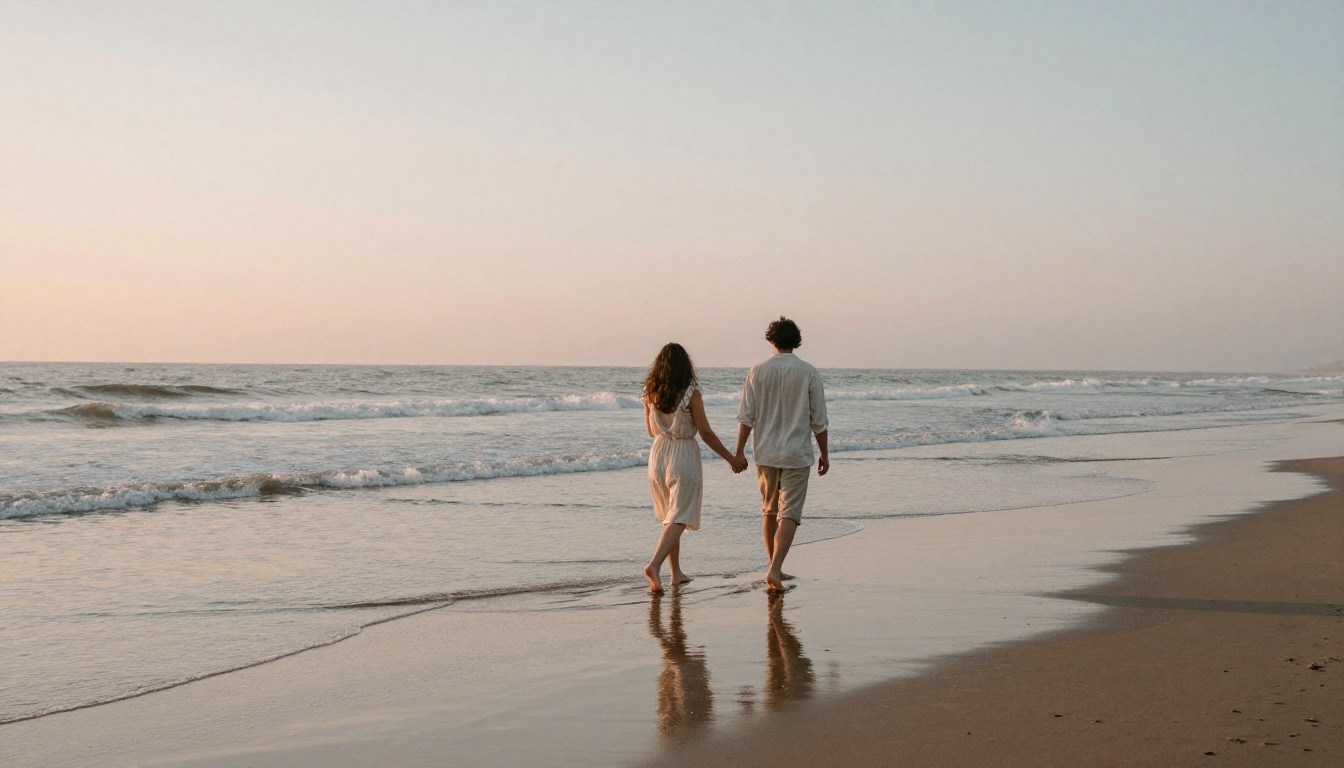
Wide shot of a couple walking barefoot along a quiet beach at sunrise, holding hands, her light summer dress and his rolled linen trousers moving in the sea breeze, long soft reflections on the wet sand, 28mm f/4 lens from behind at knee height, pastel peach and pale blue sky, small waves foaming at their feet, subtle sand texture, gentle film grain, candid and unposed, no text, photorealistic
Swap it: shoot them from behind on a forest path or a pier. Back views hide the hardest part of a couple image, two faces at once, and still read as intimate.
Kitchen Candid Laugh
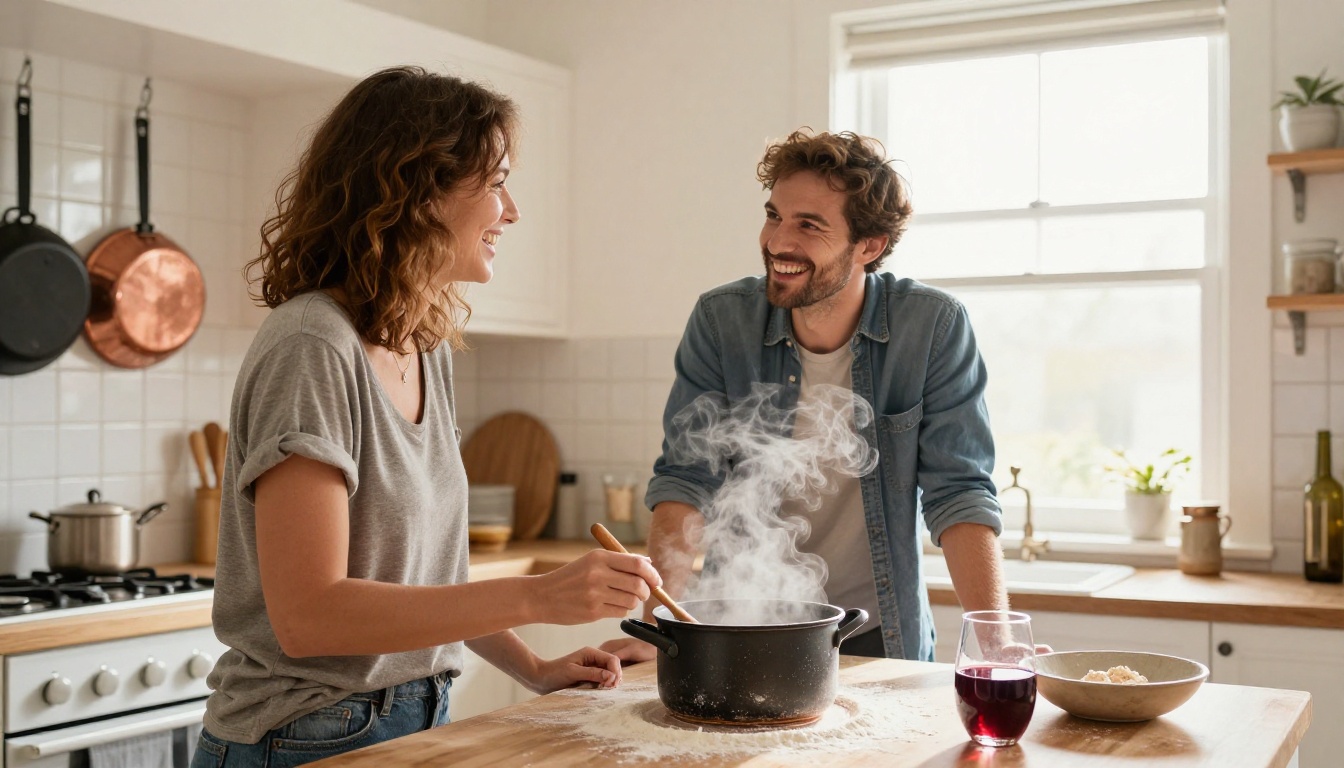
Candid medium shot of a couple laughing together in a small sunlit home kitchen, she stirring a pot while he leans against the counter holding a wooden spoon and a glass of red wine, soft window light from the right, 35mm f/2 lens at eye level, steam rising from the pot, flour dusting on the counter, ceramic tiles and hanging copper pans behind, natural skin texture, warm Kodak Portra 400 tones, no text, photorealistic
Swap it: try assembling a bookshelf, painting a wall or sharing an umbrella at a bus stop. Shared chores read as warmer than any posed embrace.
Picnic Seen From Above
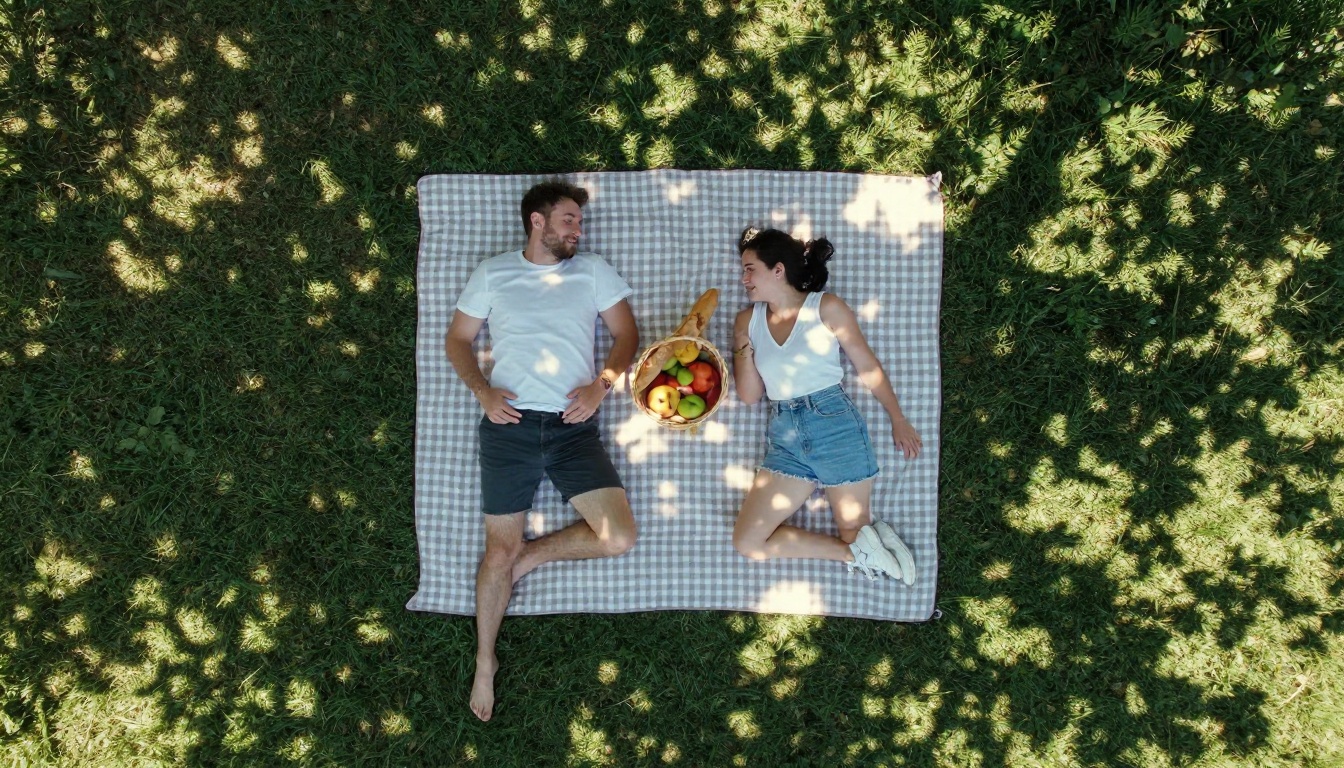
Aerial top-down view of a couple lying on a checkered picnic blanket in a green park, faces turned toward each other, a wicker basket with fruit and bread beside them, dappled sunlight through leaves above, 24mm lens from drone height, fabric weave and grass blades sharp, soft shadows, natural summer afternoon light, realistic skin and clothing textures, light film grain, no text, photorealistic
Swap it: put them on a rooftop with a blanket and string lights or on a hay bale in a field. Overhead angles add variety to a set of images that otherwise all sit at eye level.
Light and Lens Words That Work
Photographers talk about light and glass in a short vocabulary, and image models respond well to the same words. You do not need a real lens for this to work; the phrase simply pulls the output toward the look that lens produces. Keep both tables open while you write.
Light Words
Phrase
Effect
Best for
Golden hour backlight
Warm rim light, glowing hair
Women outdoors, couples
Soft window light from the left
Gentle shadows, natural skin
Indoor candids
Overcast diffused light
Even tones, no harsh shadows
Street portraits
Single softbox at 45 degrees
Sculpted face, clean catchlights
Studio headshots
Low sun grazing from the side
Texture on fabric and stubble
Men outdoors
Dusk with warm shop windows
Cool sky, amber highlights
City evenings
Lens Words
Lens
Look
Use it for
24mm
Wide, dramatic perspective
Low angles, rooftops, overhead shots
35mm f/1.4
Natural, storytelling frame
Street scenes and candids
50mm f/1.8
Close to the human eye
Everyday portraits
85mm f/1.8
Soft background, flattering faces
Headshots, golden hour
100mm macro
Fine detail, thin focus
Objects, textures, hands
💡 One lens per prompt. Mixing "24mm" and "85mm" in the same prompt confuses the perspective. Pick one focal length and let the other details support it.
Using GPT Image 2 on PicassoIA
A chat window gives you one result at a time and little say over the format. GPT Image 2 on PicassoIA takes the same long, detailed prompts and adds the controls that matter when you are testing a lot of variations: aspect ratio, quality level, batch size and reference images. It also follows multi-part instructions closely, which suits the five part formula above.
Paste one of the prompts from this page into the prompt box.
Set the aspect ratio: 16:9 for wide scenes like the beach walk, 2:3 for vertical portraits, 3:2 for classic photo framing.
Set quality to high for the final render and low or medium while you are still testing wording.
Raise number of images to 4 and run the prompt once. Four variations of the same brief show you quickly which line is doing the work.
Pick output format based on use: PNG for editing, WebP or JPEG for web pages.
Compare the results, change one detail in the prompt, and run it again.
You can also upload a reference photo next to your prompt to steer or edit the output, which is handy when you want a specific outfit or pose to carry over.
Settings Worth Changing
Setting
Suggested value
Why
Quality
Low while testing, high for finals
Saves time during wording tests
Number of images
4
Enough variations to compare
Aspect ratio
2:3 for portraits, 16:9 for scenes
Matches how the shot is framed
Background
Auto
Photographic scenes need a full background
Output format
PNG or WebP
PNG for edits, WebP for lighter pages
If the look is close but not right, run the same prompt through GPT Image 1, Nano Banana Pro or Seedream 5 Pro. Each model reads prompts a little differently, and a prompt that lands at 70 percent in one often reaches 90 in another.
Not sure how to word a scene? Describe it in plain language to a text model such as GPT 5.6 Luna or Claude Sonnet 5 and ask it to rewrite your idea using the five part formula: subject, setting, light, lens, texture. Then paste the result into the image model.
Try Your Own Prompts Today
You now have nine prompts that work as written and a formula that makes the next ninety easy. The fastest way to build a feel for it is to run one prompt, change a single detail and watch what moves. Switch the light from golden hour to overcast. Swap the 85mm for a 35mm. Put the couple on a rooftop instead of a beach.
Open GPT Image 2 on Picasso IA, paste your favorite prompt from the women, men or couples sections, and generate four variations. Keep the best one, note which line made the difference, and build your own library of prompts from there. Your next portrait is one edited sentence away.