Three platforms. One creative goal. The question of which AI tool produces the best images has no simple answer, but the differences between ChatGPT, Google Gemini, and dedicated image generation platforms like PicassoIA are substantial enough to change your entire workflow.
This is not a theoretical comparison. It covers real output quality, actual model architecture, practical pricing, and the creative control each platform gives you. By the end, you will know exactly where to invest your time.

The Core Difference in Architecture
Before comparing outputs, you need to understand what you are actually comparing. ChatGPT, Gemini, and PicassoIA are built on fundamentally different architectures, and that shapes everything about how they behave and what they can produce.
ChatGPT Is Not an Image Generator
ChatGPT is a large language model that happens to have image generation bolted on. The image capability comes from DALL-E 3, which OpenAI integrated directly into the chat interface. This means image generation is a secondary function, not the primary one.
When you ask ChatGPT to generate an image, you are working inside a text conversation interface. You have no model selector, no parameter controls, no style settings. You type a description, and DALL-E 3 interprets it. The output is decent for casual use, but the constraints are real and they accumulate quickly.
💡 ChatGPT with DALL-E 3 does not let you adjust steps, guidance scale, sampler, or any technical parameter. What you see is what you get, every single time.
Gemini's Integrated Approach
Google's Gemini takes a similar philosophy. The platform uses Imagen 3 as its image generation backbone, which is genuinely impressive in certain scenarios, particularly for photorealistic portraits and natural scenes. Google has invested heavily in this model, and the quality shows in those specific domains.
However, Gemini shares the same core limitation as ChatGPT: you are working inside a general-purpose AI assistant. The image generation is a feature, not the focus. You cannot swap models, adjust parameters, or choose between different artistic styles at the infrastructure level. You get what Imagen 3 decides to give you.
Why Dedicated Platforms Think Differently
A platform built specifically for image generation operates on a completely different premise. PicassoIA offers access to 91+ text-to-image models, each optimized for specific use cases. Instead of one model interpreting your prompt, you choose which model is best suited to your specific creative goal.
This matters because no single model is best at everything. A model trained for photorealistic portraits will outperform a general model on that specific task. A model fine-tuned for concept art will produce more interesting stylized results than a general-purpose tool. Having access to multiple models is not just a feature — it is an entirely different creative paradigm.
Image Quality in Real Conditions
Architecture explains the "why." Now let's look at what actually comes out of each tool when you use it seriously.
Where ChatGPT Falls Short
DALL-E 3 produces clean, well-composed images with solid prompt adherence. It handles text within images better than most models, which is a legitimate advantage for business use cases requiring readable labels or titles in visuals.
The weaknesses become apparent quickly in professional use:
- Photorealism: Skin textures, fabric details, and environmental realism often look slightly over-processed
- Stylistic range: All outputs share a similar aesthetic quality, making it hard to achieve truly distinct visual styles
- Consistency: Generating the same character or scene multiple times produces noticeably different results with no way to lock in a look
- Detail density: Complex scenes with many interacting elements often feel simplified or flattened
Gemini's Visual Strengths
Imagen 3 is genuinely strong in specific areas. Google has prioritized photorealistic human photography, and the results are often impressive. Skin tones render well, lighting feels natural, and facial features maintain coherence across similar prompts.
Where Gemini tends to underperform:
- Fantasy and concept art: The model skews heavily toward realism, making stylized or imaginative content harder to produce
- Architectural and technical images: Complex structures sometimes show distortion or inconsistency at edges
- Image editing workflows: Gemini's generation is largely one-shot; meaningful iterative editing is not currently part of the experience
What Dedicated Models Produce
With access to models like Flux Redux Dev on PicassoIA, the ceiling for output quality rises significantly for specific use cases. Flux-based models are known for exceptional prompt adherence, high detail density, and photorealistic rendering that consistently outperforms what general-purpose tools produce.
The critical difference: when a specific model underperforms for your task, you switch to a different one. You are never locked into a single output style, and you are never waiting for a platform decision to give you access to better models.
Creative Control and Flexibility
This is where the comparison becomes most consequential for anyone doing professional creative work.
The Prompt-Only Problem
Both ChatGPT and Gemini operate on a prompt-only input model. You describe what you want in words, and the system interprets it. This is fine for quick, casual generation, but it creates a hard ceiling for professional creative work.
Consider what you cannot do in a prompt-only interface:
- Control image resolution independently from aspect ratio
- Adjust the balance between creativity and prompt adherence
- Apply specific artistic styles without lengthy workaround descriptions
- Generate systematic variations of an existing image
- Use reference images for style or composition guidance
- Reproduce a specific look across multiple separate generations reliably
These are not edge cases. For anyone doing regular creative work, they are constant friction points that add up to significant lost time.
Model Selection Changes the Equation
PicassoIA's model selection means you are not choosing settings within one model. You are choosing the right tool for the specific job in front of you. Here is how that plays out practically:
| Creative Need | Best Tool on PicassoIA | Why It Works |
|---|
| Photorealistic portraits | Flux Redux Dev | Exceptional skin texture and lighting realism |
| Upscaling generated images | Clarity Pro Upscaler | Photorealistic detail improvement to any resolution |
| Fast photo quality improvement | P Image Upscale | High-quality results in under one second |
| Clean background removal | Remove Background | Commercial-grade cutouts without manual masking |
| Legacy image restoration | Real ESRGAN | Proven 4x upscaling with detail recovery |
| Maximum print resolution | Topaz Image Upscale | Industry-standard up to 6x enlargement |

Speed, Limits, and Pricing
The real cost of any AI tool is not just the subscription price. It includes time spent on unusable outputs, regeneration attempts, and workarounds for missing features. Factor all of that in, and the pricing comparison looks very different.
A Direct Comparison
| Factor | ChatGPT Plus | Gemini Advanced | PicassoIA |
|---|
| Monthly Cost | $20/month | $19.99/month | Usage-based |
| Daily Image Limit | ~40-50 images | ~40 images | Model-dependent |
| Model Choice | DALL-E 3 only | Imagen 3 only | 91+ models |
| Parameter Control | None | None | Full |
| Editing Features | Basic inpainting | Very limited | Inpainting, Outpainting, Object Replacement |
| Upscaling Built In | No | No | Yes, multiple tools |
| Background Removal | No | No | Yes |
| API Access | Separate pricing | Separate pricing | Yes |
💡 Worth noting: The per-image cost on both ChatGPT and Gemini looks low until you count the regenerations needed to get acceptable results. With dedicated models and full parameter control, your acceptance rate per generation is significantly higher, which means fewer wasted credits.
Generation Speed in Practice
ChatGPT and Gemini both prioritize a conversational experience, which means generation is integrated into a chat flow. This is convenient for casual use but not optimized for batch generation or efficient workflow integration.
Dedicated platforms build for throughput. Models like P Image Upscale are specifically designed to be fast without trading away quality. When you are generating images regularly, that speed difference compounds across hundreds of sessions.
Features That Actually Separate Them
Beyond raw generation, the tools diverge substantially in editing and post-processing capabilities. This is where the practical gap between general-purpose chatbots and dedicated platforms becomes undeniable.
Inpainting and Outpainting
Inpainting lets you select a specific region of an existing image and regenerate just that area. It is essential for fixing mistakes, replacing objects, or adding elements that were not in the original generation without redoing the whole image.
Outpainting extends an image beyond its original borders while maintaining visual consistency with the existing content. This is invaluable for creating wider compositions from portrait-cropped images, extending backgrounds, or adapting content to different aspect ratios.
ChatGPT has a basic inpainting capability that works inconsistently. Gemini's editing tools remain limited. PicassoIA offers both as dedicated, controllable tools built natively into the workflow, not bolted on as afterthoughts.
Super Resolution and Upscaling
Once you have a strong generated image, you often need it at a higher resolution for print, large-format display, or simply to see more detail in the final result. This requires a dedicated upscaling model, not just software interpolation.
PicassoIA's super-resolution category offers a full range of specialized tools:
Neither ChatGPT nor Gemini offers integrated upscaling at this level of specialization.

Background Removal
For commercial photography, product images, and design work, clean background removal is a constant requirement. Manual masking is time-consuming, and automatic tools vary significantly in output quality.
PicassoIA includes Remove Background as a dedicated tool, producing clean cutouts suitable for commercial use without manual intervention. This integrates directly into a generation workflow: create your image, remove the background, upscale if needed, and export. ChatGPT and Gemini require you to leave the platform and use external tools for each of these steps, which breaks creative momentum and adds friction to every project.
Not every tool is wrong for every user. The right choice depends on what you are actually trying to accomplish and how often.
Casual Users and Content Creators
If you are writing a blog post and need a quick illustration, or you want to add a visual to a social media post without investing much time, ChatGPT or Gemini work fine. The integration into a conversational interface means you can describe what you want and get something usable quickly.
The trade-off is a quality ceiling. For truly casual use, "good enough" is genuinely good enough. These tools will serve you well for low-stakes, infrequent generation needs.
Digital Artists and Creative Professionals
For anyone who generates images regularly as part of their work, the limits of prompt-only, single-model interfaces become apparent within days. PicassoIA's model variety means you can match the right tool to each specific creative project. One day you need cinematic photography. The next, you need concept art, or a product render, or a stylized portrait. These require different models, and having access to all of them in one platform eliminates the need to manage multiple subscriptions.
Marketing Teams and Businesses
Businesses generating images at scale need consistency, control, and workflow integration. The ability to upscale with Clarity Pro Upscaler, remove backgrounds with Remove Background, and maintain visual consistency across campaigns requires tools that operate beyond the limits of a chat interface.
How to Use Flux Redux Dev on PicassoIA
Since Flux-based models consistently outperform general-purpose tools for photorealistic image generation, here is a practical walkthrough for getting strong results immediately.
Setting Up Your First Generation
- Navigate to Flux Redux Dev on PicassoIA
- Write your prompt with specific details about subject, environment, lighting, and composition
- Select your output aspect ratio (16:9 for landscape, 1:1 for social media, 9:16 for vertical formats)
- Run the initial generation and evaluate both composition and detail quality
Writing Prompts That Perform
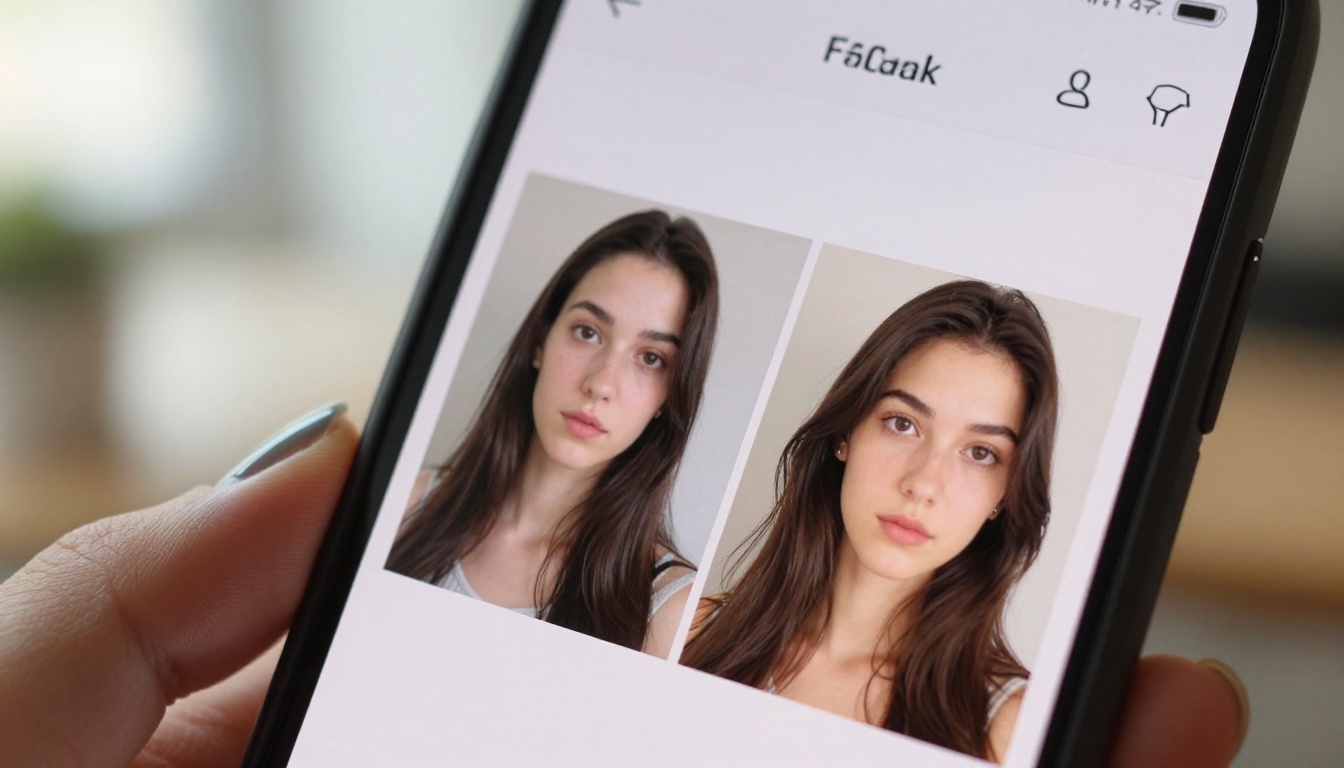
Flux models respond well to descriptive specificity. The more precise detail you provide about lighting conditions, camera angle, texture, and subject, the higher the output quality. Compare these two approaches directly:
Weak prompt: "A woman in a studio"
Strong prompt: "Professional woman in her 30s, bright modern photography studio with white walls, natural window light from the left creating soft shadows, wearing a white linen shirt with visible fabric weave, 85mm portrait lens, photorealistic, 8K"
The second prompt gives the model concrete parameters to execute against, and the output reflects that precision in every detail.
Getting Consistent Results Across Sessions
Use the same seed value across multiple generations when you need visual consistency between images. Adjust your prompt incrementally rather than rewriting it entirely. This approach lets you refine specific aspects of the output without losing elements that are already working well.
💡 Generate at 16:9 aspect ratio first to establish composition, then use Topaz Image Upscale to bring the final image up to 6x its original resolution for print-ready output.

The Real Answer on ChatGPT vs Gemini vs Picasso AI for Image Generation
After examining architecture, output quality, creative control, pricing, and specialized features, the honest answer is that these tools are not in direct competition because they serve fundamentally different purposes.
ChatGPT's DALL-E 3 integration is best as a quick, casual, conversational image generation tool. It works well when image quality is secondary to speed and simplicity, and when you are already inside a ChatGPT workflow for other tasks.
Gemini's Imagen 3 excels at photorealistic photography of people and natural scenes. If that specific use case is your primary creative need and you are already in the Google ecosystem, it is a reasonable choice with genuinely strong output in its lane.
PicassoIA's dedicated platform is the right choice when image generation is a serious, recurring part of your creative or professional workflow. The model variety, parameter control, integrated editing tools, and upscaling capabilities create a complete image production environment rather than a feature within a chatbot.
For most creators who take visual output seriously, the single-model, prompt-only limitations of ChatGPT and Gemini become real constraints within the first week of regular use. A platform built specifically for image generation gives you more of what matters: better models, more control, and a complete workflow from generation to final export.
Start Creating Your Own Images Now
The fastest way to see the difference is to try it directly. PicassoIA lets you experiment with models like Flux Redux Dev and compare outputs across different specialized models in one place.
Start with a specific subject you have already tried generating on ChatGPT or Gemini. Run the same prompt on a dedicated model. The difference in detail, photorealism, and prompt accuracy is visible immediately in the output.
Once you have a strong generated image, take it through the full production workflow: upscale with Clarity Pro Upscaler, remove the background if needed with Remove Background, and export at full resolution ready for any use. That complete workflow, available in one platform without switching tools, is what separates a dedicated image generation platform from a chatbot with image features.
Your next great image is one prompt away.