Every December the same thing happens. Your feed fills with warm family portraits, snowy street shots, and dogs in tiny scarves, and a growing share of them never touched a camera. People type Christmas AI photo prompts into a free generator, wait a few seconds, and get images that pass for real holiday photography. The gap between a flat, plastic result and a convincing one comes down to the prompt. Below you get a free generator setup, a prompt formula you can reuse, a dozen prompts to copy, and the trend ideas that keep showing up in holiday searches.
Why Christmas AI Photos Are Trending

Three things push this trend every year. First, time: booking a studio, dressing everyone, and finding a free Saturday in December is a lot to ask. Second, distance: relatives live in different cities, and an AI image can place a whole family in the same cozy room. Third, cost: a holiday card with a professional photo used to mean a photographer's invoice, and now it means a prompt and a few minutes.
The images people share look real because the best prompts borrow from photography instead of fantasy art. Lens choice, window light, and film grain matter far more than adjectives like "beautiful" or "magical."
What People Actually Search For
Most holiday image searches fall into a handful of intents. Matching your prompt to the intent saves a lot of retries.
| Intent | What the person wants | Prompt focus |
|---|
| Family card | A warm portrait for a greeting card | Faces, matching sweaters, tree backdrop |
| Social post | A scroll-stopping seasonal scene | Strong light, one clear subject |
| Pet photo | A funny or sweet holiday portrait | Eye level, fur detail, scarf or hat |
| Wallpaper | A calm, wide holiday background | 16:9 ratio, empty space, soft focus |
| Gift idea | A printable image for a present | High resolution, clean composition |
Free Versus Paid Generators
A free generator is enough for most holiday projects. Where free tools usually fall short is in the limits: watermarks, a daily cap on generations, or lower resolution. Paid plans mostly buy volume and speed. If you only need a handful of cards and posts, start free and pay only if you hit a wall.
💡 Tip: Generate at a wide ratio first, then crop. Cropping a 16:9 image into a card shape is easier than stretching a square image into a wallpaper.
The Free Generator Setup

You do not need ten tools. One text-to-image model, a clear prompt, and a quick edit pass handle almost every holiday project. PicassoIA puts several strong models in one place, so you can test the same prompt across them and keep the winner.
Pick the Right Model
| Model | Best for | Why it fits Christmas scenes |
|---|
| Nano Banana Pro | Realistic portraits at 4K | Its page lists free generation, ideal for big holiday batches |
| Flux 2 Pro | Text or photo input | Good for texture heavy scenes like wool, wood, and glass |
| Seedream 4.5 | Rich color at 4K | Handles warm, saturated tree and lamp tones |
| GPT Image 2 | Long, detailed prompts | Follows many instructions inside one scene |
| P Image | Fast drafts | Returns images in under a second, perfect for testing wording |
How to Use Nano Banana Pro
- Open the Nano Banana Pro page on PicassoIA.
- Paste a prompt built with the formula in the next section.
- Pick the aspect ratio for where the image will live: wide for wallpapers and posts, tall for cards and stories.
- Generate, then check the result against your brief: light direction, lens feel, and skin texture.
- Change one detail at a time and run it again. Swap the sweater color, move the window light, or tighten the lens.
💡 Tip: Draft with P Image because it is quick, then re-run the winning prompt in Nano Banana Pro or Flux 2 Pro for the final version.
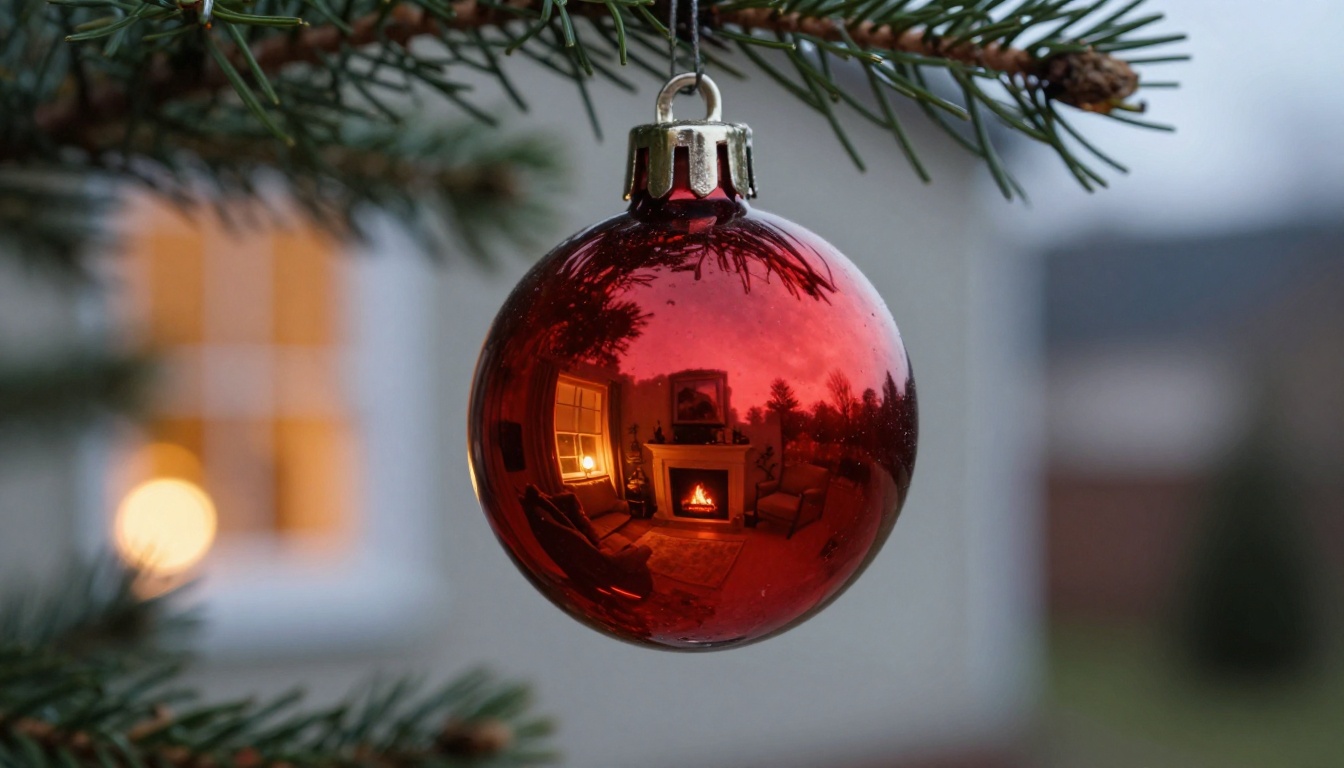
Strong Christmas prompts follow four parts, in this order: subject and action, scene, light, and lens with texture. The model reads the start of your prompt as the most important part, so put the person or object first.
| Weak prompt | Strong prompt |
|---|
| "Christmas family photo, beautiful, magical" | "A family of four in cream sweaters laughing on a wool rug beside a fir tree, window light from the left, 85mm f/1.8, visible knit texture, Kodak Portra 400 grain" |
Subject and Scene
Say who is doing what, and where. Age, clothing, and one clear action beat vague words. "A six year old in red flannel pajamas placing an ornament on a low branch" gives the model a story. "A cute child at Christmas" gives it nothing to hold. Keep it to one scene, not five.
Light and Lens
Light is what makes an image look photographed. Name the direction and the color: late afternoon window light from the left, 2700K lamp fill, cold blue dusk. Then add a lens: 35mm for rooms, 85mm for portraits, 100mm macro for ornaments. A wide aperture like f/1.8 gives the soft background blur people expect from real portraits.
| Scene | Light to name | Lens to name |
|---|
| Living room with a tree | Window light from one side plus warm lamp fill | 35mm f/1.8 |
| Portrait by the fireplace | Firelight on one side of the face | 85mm f/1.8 |
| Snowy street | Soft overcast light with warm shop windows | 35mm f/2 |
| Ornament close-up | Dusk window light mixed with warm bulbs | 100mm macro f/2.8 |
| Gift table from above | Soft daylight from a high window | 50mm f/4 |
Texture and Mood
Real photos show touchable detail. Mention knit wool, kraft paper, frost on glass, steam from a mug, and visible skin pores. Close with a film stock such as Kodak Portra 400 and one mood word: candid, quiet, lived in.
💡 Tip: End every prompt with "no text, no logos, no plastic skin." It helps remove the most common giveaways of a generated image.
Prompts You Can Copy Today
Each prompt below follows the formula and works as written. Paste it, run it, then adjust the clothing, colors, or lens to match your own story.
Family Portrait by the Tree
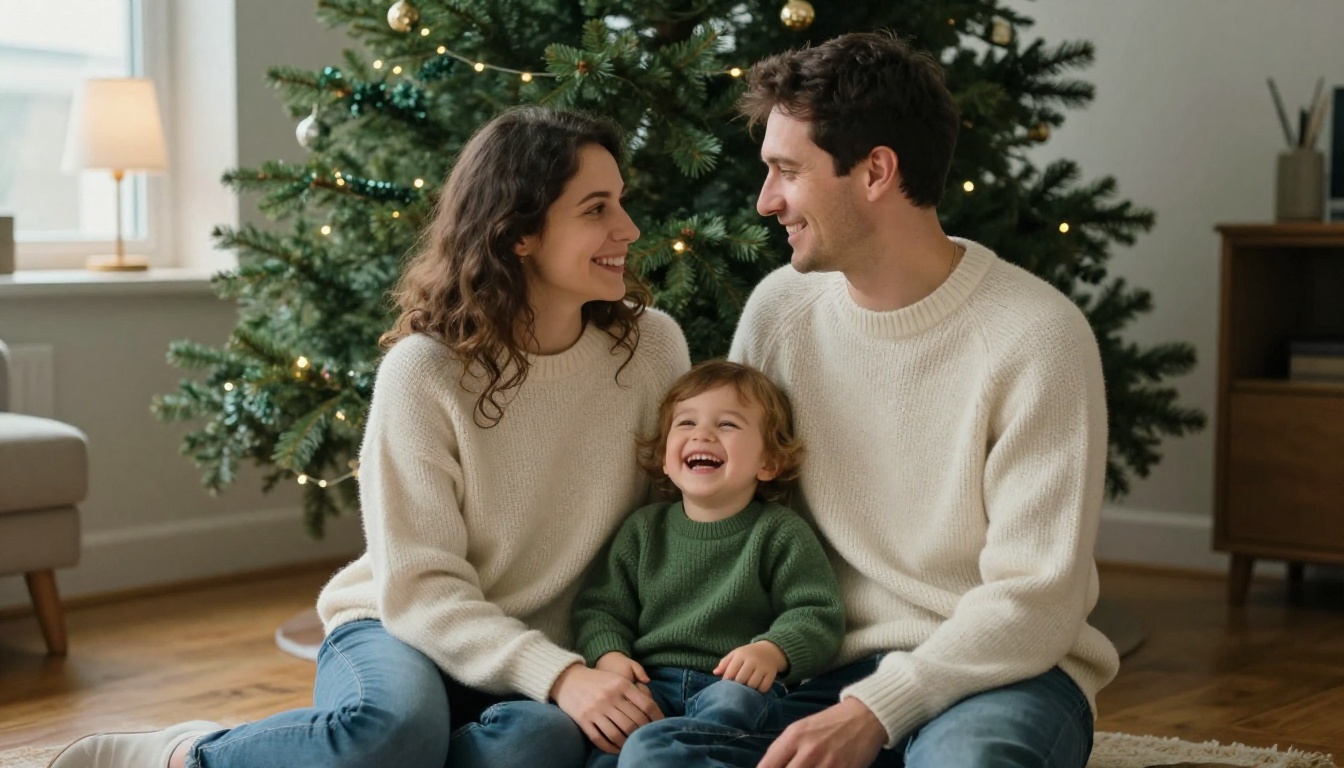
Prompt: Eye level medium portrait of a couple in matching cream and green wool sweaters sitting on a wooden floor in front of a large fir tree, a toddler laughing between them, candid moment, natural window light from the left with warm lamp fill, 85mm f/1.8, detailed skin pores, knit wool texture, soft film grain, Kodak Portra 400.
The toddler gives the frame a focal point, and the lamp fill stops the faces from going flat.
Fireplace Reading Scene
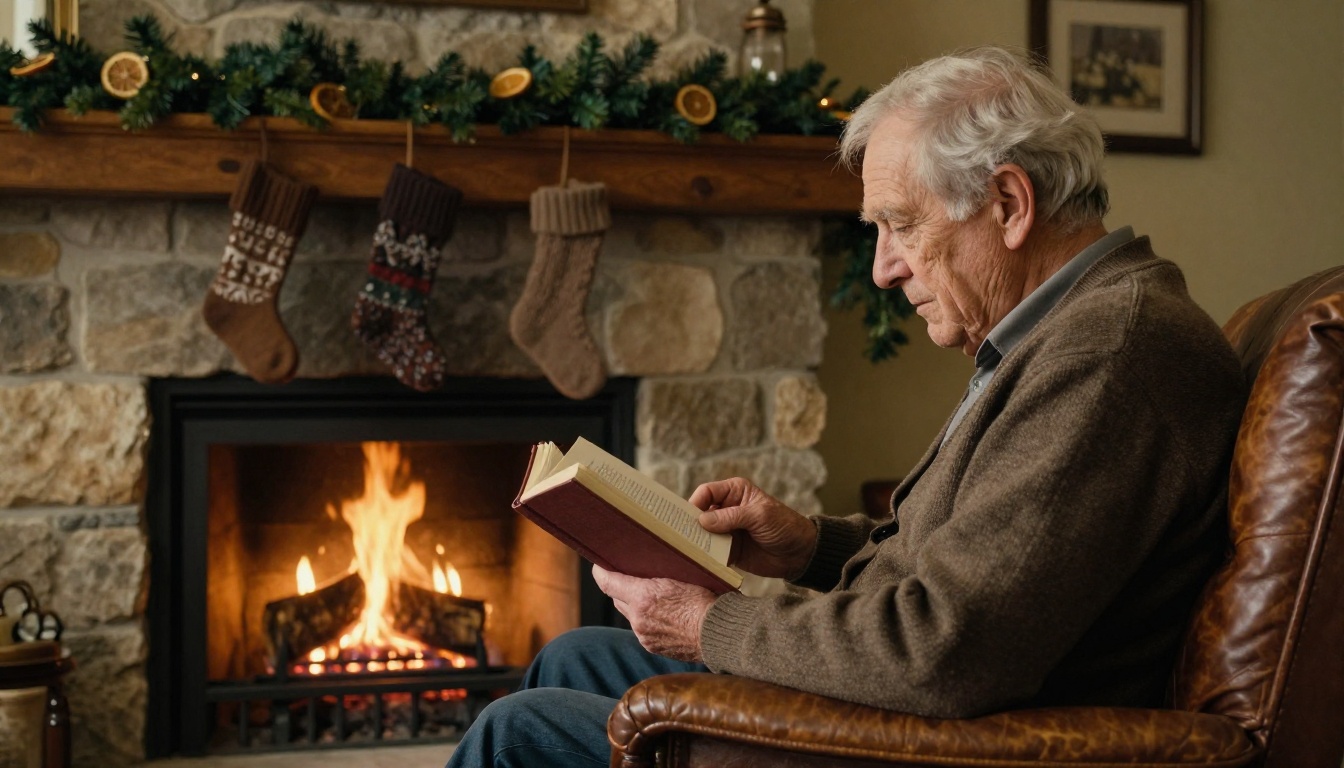
Prompt: Side angle shot of an elderly man in a brown cardigan reading a hardback book in a leather armchair beside a stone fireplace with a real wood fire, three knitted stockings on an oak mantel, pine garland with dried orange slices, warm firelight on his weathered face and hands, 35mm f/2, deep wrinkles and fabric texture, subtle film grain.
Age gives AI portraits character. Deep wrinkles and weathered hands read as real because they are imperfect.
Snowy Street Portrait
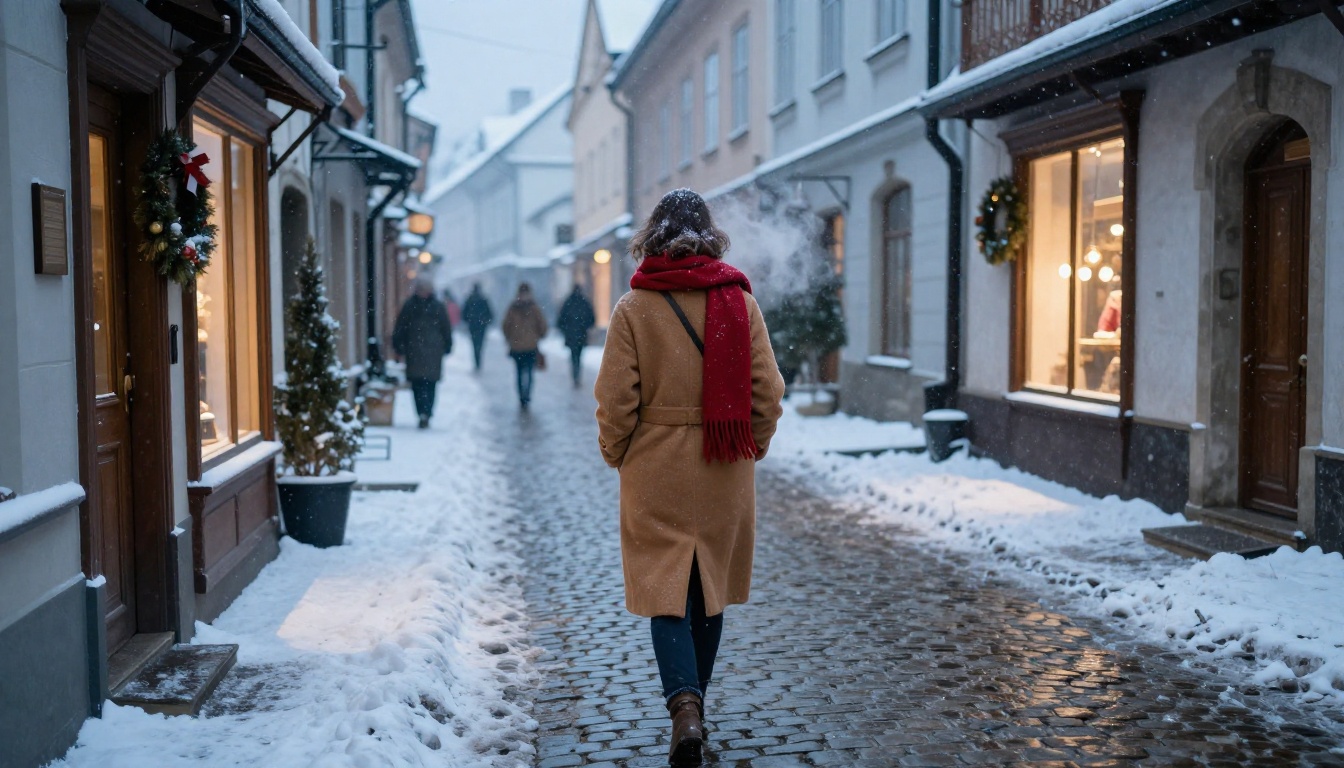
Prompt: Wide shot from behind of a woman in a long camel wool coat and red scarf walking down a snow-dusted cobblestone street in a European old town at blue hour, wreaths on wooden doors, frosted breath in the cold air, soft overcast light with warm shop window light on the snow, 35mm f/2, fine snowflakes, wet cobblestone texture.
Shooting from behind is a smart shortcut. It keeps the mood and avoids face problems in wide scenes.
Gift Wrapping Flat Lay

Prompt: Top-down flat lay of a rustic oak table with kraft paper, red cotton ribbon, scissors, a brass tape dispenser, cinnamon sticks, fir sprigs, and two partly wrapped gifts, a woman's hands tying a bow in the center, soft diffused daylight from above left, 50mm f/4, tactile paper fibers, natural soft shadows.
Flat lays hide the hardest parts of generation, like faces and perspective, so they are a safe first project.
More Prompts for Cards and Pets
Short prompts for the scenes people ask for most. Add your lens and light line from the formula to each one.
- Morning gifts: Two siblings in matching red pajamas tearing wrapping paper on a living room floor at sunrise, 35mm f/2, low window light, paper scraps everywhere.
- Cookie baking: A grandmother and grandchild dusting flour over gingerbread dough on a worn wooden counter, 50mm f/1.8, steam from the oven, flour in the air.
- Cabin window: Snow falling outside a small wooden cabin window, a candle and a mug on the sill, 35mm f/2, cold blue light mixed with candle light.
- Card portrait: A woman in a deep green velvet blazer beside a fir tree, soft side light, 85mm f/1.8, neutral background, room for card text.
- Ornament macro: A single gold bauble on a branch with frost on the needles, 100mm macro f/2.8, shallow depth of field.
- Dinner table: A long wooden table set for Christmas dinner with candles, pine, and folded linen napkins, seen from the end of the table, 35mm f/2.
- Doorstep wreath: A close view of a fresh pine wreath with a red ribbon on a dark green door, light snow on the ribbon, 50mm f/2.8.
- Hot chocolate break: Two hands wrapped around a ceramic mug with marshmallows, knit mittens on a windowsill, 85mm f/2, morning light.
Trend Ideas Worth Trying
The same few ideas keep returning each season. They work because each one has a clear emotional hook and a visual style that suits photography.
Christmas Market Nights
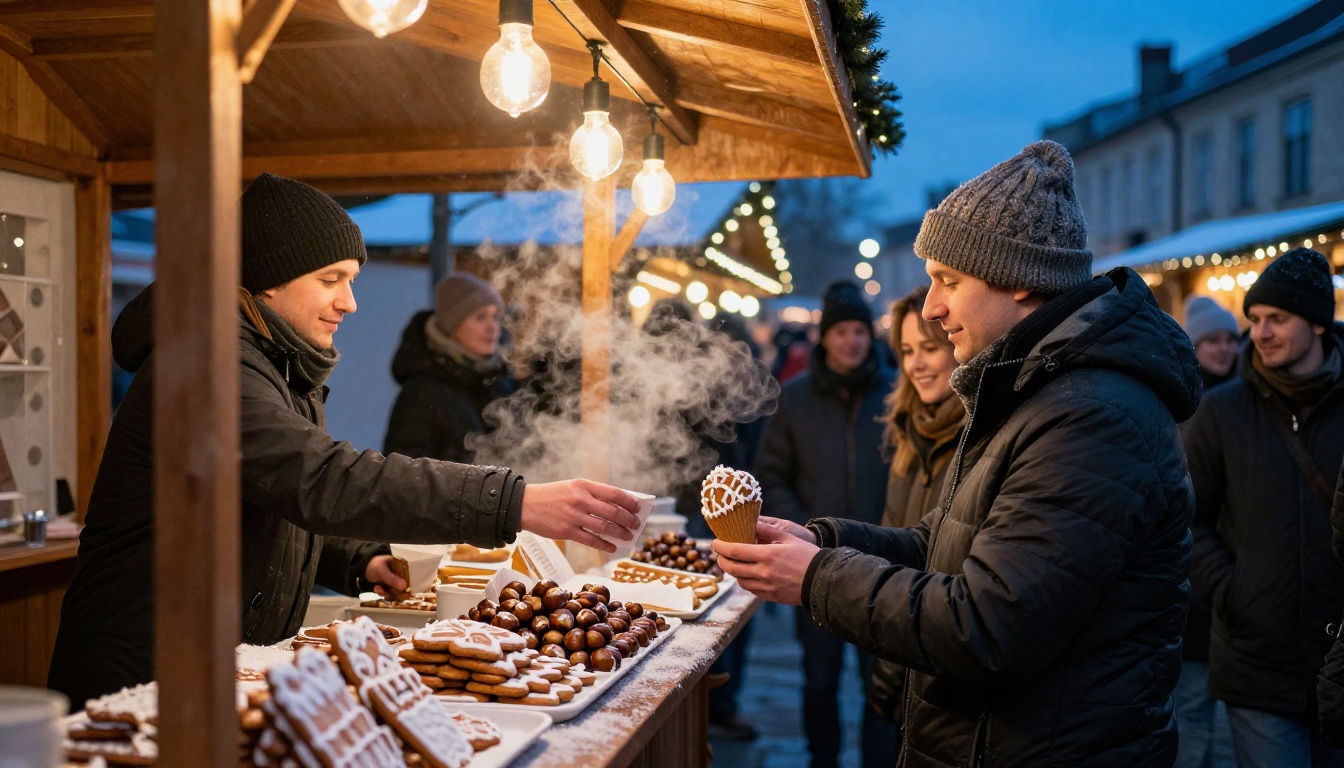
Markets mix three things AI handles well: warm bulbs, cold air, and background crowds turned into soft blur. Ask for visible breath, steam, and frost on the counter to add depth. Keep the vendor and customer in sharp focus and let everyone else fall away with a wide aperture. If the first result feels too clean, add worn wooden counter, paper bags, and scuffed boots so the scene looks like a real evening and not a set.
Pets in Holiday Outfits
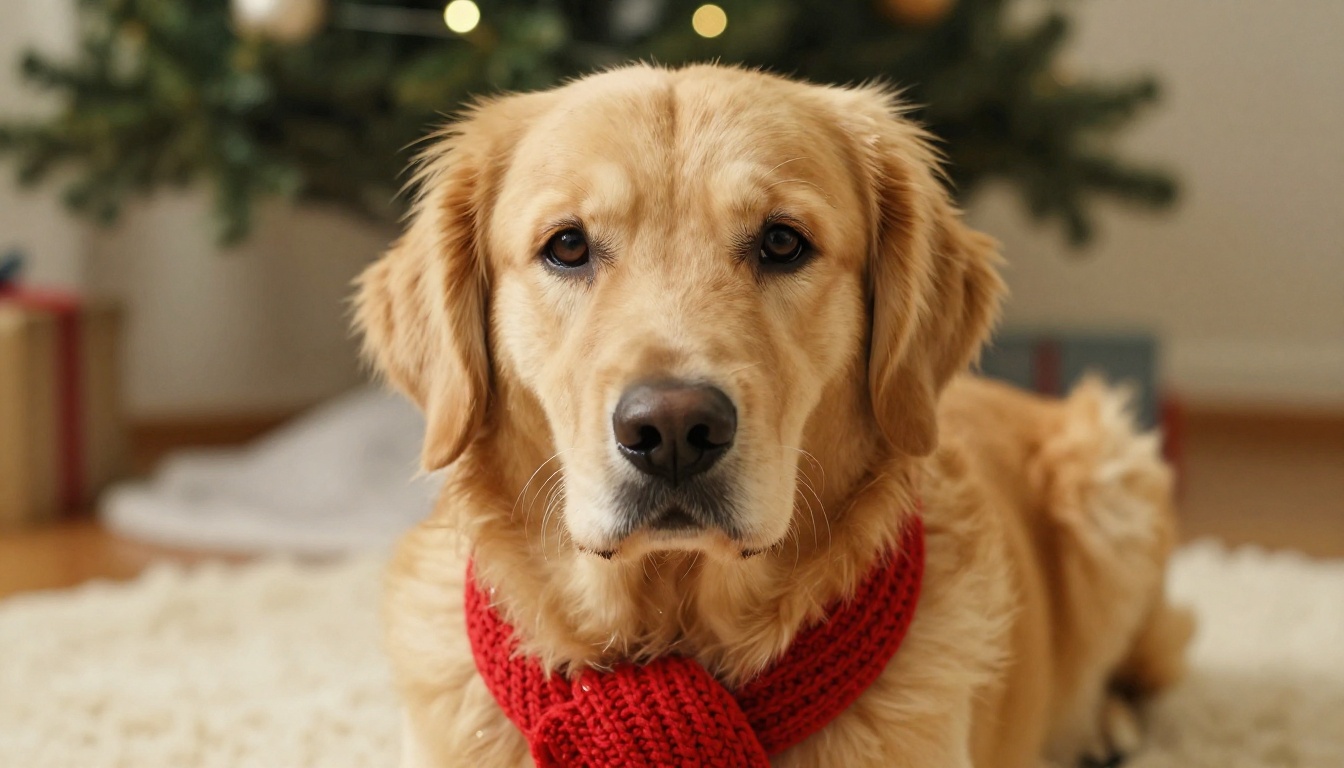
Pet portraits are the easiest shares of the season. Shoot at the pet's eye level, name the breed, and ask for individual fur strands and a wet nose in sharp focus. A scarf or small hat is plenty. Over-dressing the animal pushes the result toward a cartoon.
Film Look Holiday Cards
Soft grain, slightly warm shadows, and a gentle fade bring back the feel of printed family photos. Add Kodak Portra 400, film grain, and natural color to your prompt, then keep the composition simple: two people, one tree, one light source. These images print well and look right on a mantel next to real photos.
| Trend | Best model type | Prompt trick |
|---|
| Market nights | Fast, color rich | Name the bulbs and the cold air |
| Pet portraits | Detail focused | Specify breed, eye level, fur strands |
| Film look cards | Realistic portraits | Name the film stock and grain |
Fix and Polish Your Results
Even a strong generation sometimes needs a small fix: a stray finger, a crooked ornament, a background that feels busy. Edit instead of regenerating from scratch.
- Edit with text: Flux Kontext Pro changes an existing image from a plain text instruction, such as "remove the lamp on the left."
- Edit in one place: PicassoIA Image Editor Pro is an online photo editor listed as unlimited, handy when a card needs several rounds of tweaks.
- Bring old photos in: Restore Image fixes and colorizes old family pictures, so a grandparent's holiday photo can sit beside your new ones.
💡 Tip: Fix faces and hands first. Viewers judge an image on those two areas within a second.
Before you post or print, run through this short checklist:
- Hands: five fingers on each hand, and no extra thumbs holding a mug.
- Eyes: both eyes look in the same direction and carry a small light reflection.
- Light: shadows fall the same way across every object in the frame.
- Text: no invented letters on gift tags, signs, or cards.
- Edges: no melted ornaments or branches that fade into the background.
Mistakes That Ruin Results
- Piling on adjectives. "Magical, stunning, beautiful" adds noise. Light, lens, and texture add realism.
- Mixing too many scenes. A tree, a market, a beach, and a cabin in one prompt gives a muddy result.
- Skipping the light. Without a light source, images look flat and evenly lit like stock art.
- Ignoring the aspect ratio. Choose it before you generate, not after.
- Forgetting what to leave out. Add "no text, no logos" so the model does not invent signs and lettering.
- Changing everything at once. If you edit five details between runs, you never know which one helped.
- Using a different look in every image. For a card set or a social series, reuse the same film stock, lens, and color palette so the images feel like one photo session.
Make Your Own Christmas Images
You now have the formula, the models, and a dozen prompts to start from. Pick one scene that matters to you, a family room, a snowy street, or your dog by the tree, and run it on Picasso IA today. Try the same prompt in two or three models, change one detail per run, and keep the version that looks like a photo you could have taken yourself. Your first strong image is usually two or three tries away.


