If you've spent any time in the AI art space, you've probably landed on both Civitai and OpenArt at some point. They look similar on the surface: big libraries, search filters, downloadable models, and a community of creators sharing their work. But once you dig into what each platform actually gives you for free, the differences become significant.
This isn't a surface-level comparison. We're going into the actual model counts, what "free" really means on each platform, which models are worth your time, and where things break down. By the end, you'll have a clear picture of which platform deserves your attention and when it makes sense to use something else entirely.
What Civitai Actually Offers for Free
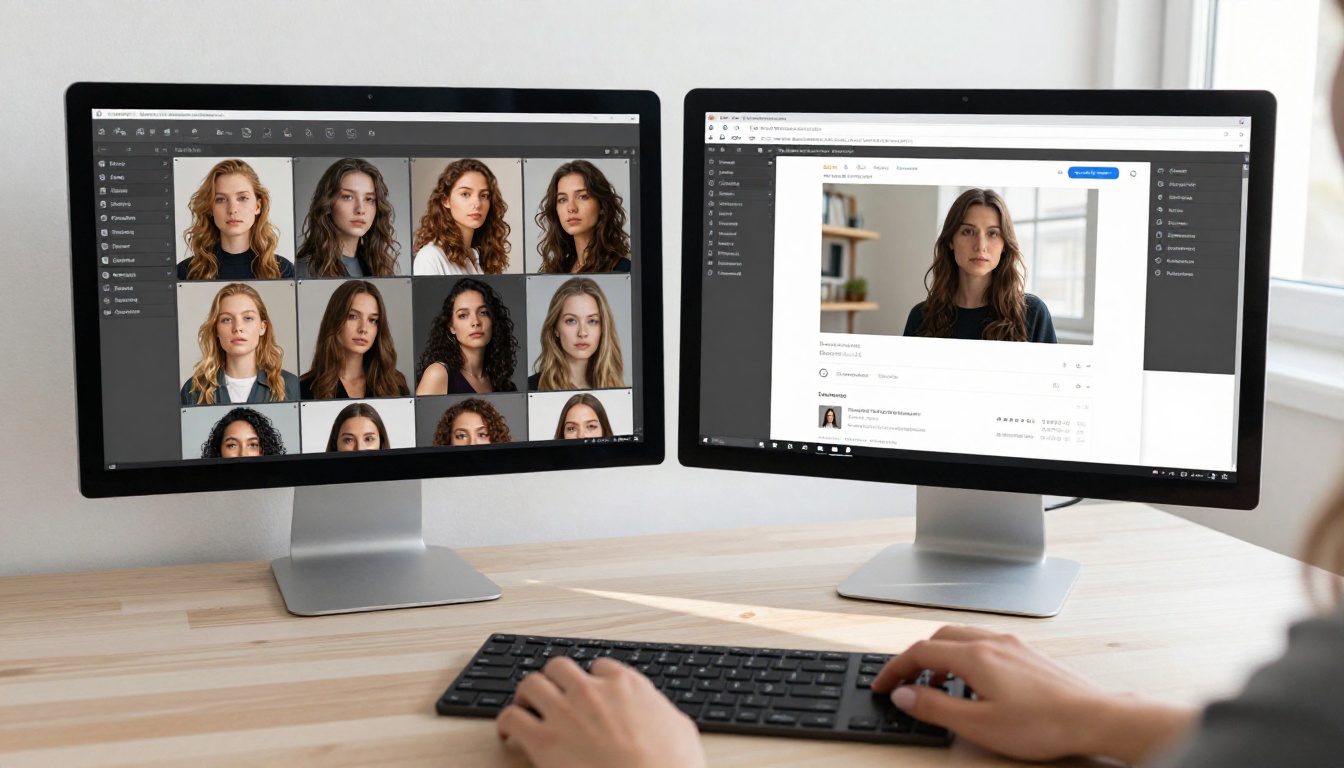
Civitai built its reputation on being the community hub for Stable Diffusion models. At its core, it's a model-sharing platform where creators upload checkpoints, LoRAs, embeddings, and hypernetworks, and anyone can download them.
The Raw Numbers
As of 2025, Civitai hosts over 100,000 models across all categories. The majority are free to download. That number sounds enormous because it is. No other platform comes close in sheer volume. You'll find:
- Checkpoints: Full model files (SDXL, SD 1.5, SD 3.5, Flux-based)
- LoRAs: Lightweight fine-tuned adapters targeting specific styles, faces, or concepts
- Embeddings: Textual inversions for specific prompts or characters
- Wildcards and workflows: Supporting assets for automation
The free tier on Civitai lets you browse, filter by base model, download unlimited files, and access community ratings and review prompts.
What "Free" Means on Civitai
Here's where it gets nuanced. Civitai introduced a "Buzz" credit system in 2023. Some models, particularly newer premium uploads, require Buzz to download. You earn Buzz by being active on the platform, or you buy it. The bulk of models remain fully free, but the best-performing newer uploads often sit behind a soft paywall.
The truly free tier still gives you access to thousands of high-quality models. The platform's search filters let you filter by free-only, which is a useful workaround. But the trend has been moving toward monetization.
💡 Tip: Filter Civitai by "Free" + "Checkpoint" + your preferred base model to find the highest-rated freely available files without sifting through premium content.
OpenArt's Free Model Library
OpenArt operates differently from the ground up. It's not primarily a model download platform. It's a browser-based AI image generation tool that integrates models into its interface. You don't download anything; you use the models directly in the web app.
How OpenArt Counts Its Models
OpenArt claims access to hundreds of AI models, including Stable Diffusion variants, SDXL fine-tunes, and some proprietary options. But here's the catch: many of those models are accessible only through their generation interface, meaning you're using compute resources that OpenArt provides.
The free tier on OpenArt gives you a daily credit allowance. Once you exhaust your credits, you wait until the next day or upgrade to a paid plan. The number of images you can generate on the free tier is limited, though it's workable for casual use.
OpenArt's Credits System
| Tier | Daily Credits | Model Access |
|---|
| Free | ~25 credits | Standard models only |
| Starter | ~100 credits | Full library + custom training |
| Pro | Unlimited | All models + API access |
The free tier model selection is narrower than what's available on paid tiers. Some of the most popular fine-tuned models are locked behind subscriptions.

The Real Count
When you strip everything down to what you can actually use for free without hitting a wall, the picture looks like this:
| Feature | Civitai | OpenArt |
|---|
| Total Models | 100,000+ | 200+ |
| Truly Free Models | 80,000+ | ~40 on free tier |
| Requires Download | Yes | No |
| Generation Included | No (local only) | Yes (limited) |
| LoRA Support | Yes (download) | Yes (in-app) |
| Daily Limits | None for downloads | Yes (25 credits) |
| Community Reviews | Yes | Limited |
| NSFW Content | Yes (filtered) | Restricted |
Civitai wins on raw model count by an enormous margin. But you need your own hardware to run those models, which changes the equation significantly. If you're comparing purely on the number of models accessible for free, Civitai is the clear winner. If you want to generate images without setting up local infrastructure, the comparison gets more complicated.
💡 Reality check: Downloading a 6GB checkpoint from Civitai requires a capable GPU to run it. That's not "free" in any practical sense if you don't already have the hardware.
Volume means nothing if the models aren't good. Here's where each platform stands on quality.

Civitai's Top Free Models
Civitai's community-driven rating system does a solid job surfacing quality work. The highest-rated free models tend to be:
- Realistic Vision series: consistently praised for photorealistic portrait output
- DreamShaper: excellent general-purpose model with strong stylistic range
- Juggernaut XL: one of the most popular SDXL-based models for photorealism
- Flux.1 derivatives: newer models based on Black Forest Labs' architecture with exceptional prompt adherence
The sample images on each model page are user-generated, which gives you a realistic sense of what the model produces. You can also browse prompts that generated specific images, which accelerates your learning curve.
OpenArt's Best Free Options
OpenArt's free tier gives you access to a curated subset of popular models. The selection tends to include:
- Standard SDXL
- SD 1.5 variants
- Some anime-focused fine-tunes
The model variety on the free tier is noticeably thinner. You won't find niche community fine-tunes or experimental checkpoints unless you're paying. That said, the models that are available work well within the browser interface, and the prompt-following tends to be solid because the platform standardizes generation settings.

Community, Sharing, and Discovery
This is where Civitai genuinely stands apart. The platform has built a real creative community around model sharing, not just a static library.
On Civitai you can:
- Follow specific creators and get notified when they upload new models
- Comment on models with specific feedback or prompt examples
- Share your own generations and tag which model and LoRA combination produced them
- Browse "bounties" where community members request specific models
- Join clubs focused on particular styles or genres
OpenArt has a community gallery where users share outputs, but it's more passive. There's no deep model-creator ecosystem. You're not following a model author the way you follow a developer on Civitai. The social layer on OpenArt is thinner.
For serious AI artists who want to stay on the edge of what the community is producing, Civitai's social infrastructure is meaningfully better.
💡 Discovery tip: Civitai's "New" filter combined with high community ratings is one of the best ways to find recently released free models before they become widely known.

Ease of use depends heavily on what "using" means to you.
Civitai's Interface
Civitai is a model repository, not a generation tool. You browse, you download, you run locally. The browsing experience is genuinely good: filters by base model, type, content rating, and sort by rating or download count all work well. The model pages are detailed with multiple sample images, version history, and required additional files like VAEs.
The friction comes after download. You need Automatic1111, ComfyUI, or another local interface to actually generate images. If you're not already set up with local tools, the learning curve is steep.
OpenArt's Interface
OpenArt's browser-based approach removes that barrier entirely. You pick a model, write a prompt, adjust settings, and generate. The interface is clean and approachable for beginners. The downside is the credit wall and the narrower free model selection.
For someone starting from zero, OpenArt's free tier produces results faster. For someone with local infrastructure who wants maximum model variety, Civitai's library is unbeatable.

NSFW Content and Content Policies
Both platforms have navigated NSFW content differently, and this affects the model libraries in meaningful ways.
Civitai allows NSFW content with a content filter toggle. Adult-oriented models exist in large numbers and are clearly tagged. You need an account and must confirm your age to enable the NSFW filter. This policy has made Civitai the dominant platform for adult AI art communities, but it's also created some friction with payment processors and app store policies.
OpenArt takes a stricter approach on the free tier. NSFW generation is restricted, and the platform has tightened its content policies significantly in recent years. The paid tiers have some relaxed policies for certain content types, but OpenArt is generally more conservative.
If NSFW model access matters to your use case, Civitai is the obvious choice. For workplace-appropriate or educational use, OpenArt's stricter defaults actually make it easier to use without configuration.
A Third Option Worth Knowing About
The Civitai vs. OpenArt comparison misses something: both platforms assume you either want to download and run models locally, or you're okay with a credit-limited browser tool. There's a third path.

PicassoIA's Model Library
PicassoIA offers a browser-based generation platform with access to a curated library of text-to-image models. Unlike OpenArt's credit-constrained free tier, PicassoIA's approach is built around giving creators access to production-quality models without requiring local GPU setup.
The platform includes models across a broad range of categories:
- Text to Image: Dozens of fine-tuned models covering photorealism, illustration, and conceptual styles
- Super Resolution: Upscale models that enhance output quality beyond base resolution
- Background Removal: Automated background removal tools integrated into the workflow
- Effects: Creative effects for post-processing generated images
What makes PicassoIA practical for the Civitai vs. OpenArt decision is that it sidesteps the core problem both platforms have: Civitai requires local hardware, OpenArt limits your free generations. PicassoIA focuses on a streamlined creative workflow where you're not managing downloads or watching a credit counter.
Getting Results on PicassoIA
The workflow is direct. You navigate to any model in the text-to-image collection, write your prompt with specific detail, and generate. No ComfyUI configuration, no local VRAM requirements, no daily credit ceiling.
The platform also supports ControlNet-style controls for pose and composition, inpainting and outpainting for editing generated images, and face swap tools for character consistency across outputs.
For creators who want access to capable models without the overhead of local setup or credit anxiety, it's worth adding to your toolkit alongside whatever you use from Civitai or OpenArt.

What Actually Matters for Your Decision
Strip away the marketing and platform positioning, and the choice comes down to what you're actually trying to do:
Choose Civitai if:
- You have a GPU with at least 8GB VRAM and local tools set up
- You want the largest possible selection of fine-tuned models
- You're researching specific model types or following community trends
- NSFW or experimental model access is part of your workflow
Choose OpenArt if:
- You want zero setup and browser-based generation immediately
- You're producing a small volume of images (25/day is sufficient)
- You prefer a more curated, beginner-friendly experience
Try PicassoIA if:
- You want browser-based generation without the daily credit ceiling
- You're looking for a platform built around a production workflow rather than model hoarding
- You want to experiment with multiple model categories from text-to-image through video and audio in one place
The honest answer to "which has more free models" is Civitai, and it's not close. But more models don't mean better results for your specific project. The platform that matches your infrastructure and workflow will produce better outcomes than the one with the biggest library you can't efficiently navigate.

Try Creating Something Today
The fastest way to know which platform works for you is to generate something. If you're curious about what browser-based AI image generation looks like without the friction of local setup or daily limits, PicassoIA's text-to-image models are worth an hour of your time.
Pick a model from the collection, write a detailed prompt, and see what comes out. The difference between reading platform comparisons and actually generating images is enormous. You'll form clearer preferences in one session than you will reading a dozen articles.
The tools are there. The models are accessible. The only thing left is to start.


