Claude Fable 5.1 redefines what's possible in AI-powered content production. This article shows how teams run industrial-scale writing pipelines, from prompt architecture to token cost math, with real workflow patterns that actually ship at volume.
Publish 500 articles a month. That's the ask from a growing media company or SaaS content team today. Two years ago it required a room full of writers. Now, one engineer with the right LLM stack pulls it off before lunch. Claude Fable 5.1 for Content Production at Scale sits at the center of that shift, and what follows is a practical breakdown of how it works, what it costs, and how to wire it into a pipeline that actually ships.
What Makes Fable 5.1 Different
Not every large language model is built to run in production. Most are optimized for single-turn chat interactions. Claude Fable 5 breaks from that pattern with an architecture tuned for sustained, high-throughput workloads. The 5.1 update tightens that further with faster time-to-first-token, tighter instruction adherence across very long prompts, and more predictable output formatting when the same template runs hundreds of times.
The result is a model that feels less like a chatbot and more like a writing engine you can point at a queue and walk away from.
200K Context, Actually Used
Context window size is often marketing copy. Fable 5.1's 200K token window is not. It holds an entire SEO brief, a competitor article for reference, a brand voice guide, and detailed output instructions simultaneously, without losing coherence 150K tokens into the request.
For content teams this matters in concrete ways:
Brand voice consistency: The style guide lives in the system prompt, not a separate call. Every article it generates reflects it automatically.
Long-form articles: 8,000-word pillar posts stay coherent from the introduction through the final call-to-action section.
Multi-section generation: Generate a 10-section article in a single pass instead of ten separate calls that you have to stitch back together manually.
Tip: Load your editorial style guide as a system prompt before anything else. Fable 5.1 respects it across the entire conversation without needing reminders at each individual request.
Output Speed at Production Load
At sustained batch load, Fable 5.1 maintains roughly 180 to 220 output tokens per second per instance. A 1,500-word article sits at approximately 2,000 tokens of output. That is under 12 seconds per article at full speed.
More importantly, it does not truncate. Older generation models would silently cut off output when they approached context limits mid-article. Fable 5.1 finishes the thought, the section, and the article. For a batch pipeline, silent truncation is a production-breaking failure mode. Reliability here is not a minor convenience. It is the difference between a pipeline you can run unattended and one you have to babysit through every batch.
Note: Throughput numbers above reflect sustained batch load with well-structured prompts. Complex reasoning tasks, very long system prompts, or heavy JSON output formatting may reduce effective tokens-per-second.
3 Batch Writing Patterns That Ship
There is no single correct way to run a content pipeline. The pattern that fits depends on your error tolerance, cost constraints, and how much human review you need between generation and publish.
The Serial Queue
The simplest production-ready pattern. Articles are generated one at a time from a shared queue. Each article finishes before the next one starts.
Best for: Teams with limited API quota or strict rate limits from their hosting environment.
Tradeoff: Slow total throughput. A 100-article batch at 12 seconds per article means a minimum of 20 minutes, not counting review time.
Stack: One Fable 5.1 instance, a Redis queue or flat JSON file, a single worker process.
Human review slots in at the "Review Buffer" stage. The worker pauses, a reviewer approves or rejects, and the queue moves forward. Simple to debug. Simple to resume after a failure. The right starting point for most teams.
The Parallel Fork
Multiple workers pull from the same queue simultaneously. Each worker runs its own independent Fable 5.1 request in parallel.
Best for: Teams that absorb higher API costs in exchange for dramatically faster batch completion times.
Tradeoff: Errors in one worker do not surface until all workers finish. A bad prompt template affects every article in the batch simultaneously, not just the one currently processing.
Stack: 5 to 10 workers, shared queue, aggregated output folder with per-article status tracking.
A 100-article batch at 10 parallel workers finishes in 2 to 3 minutes. The speed improvement is linear until you hit API rate limits, at which point adding more workers produces no additional benefit and increases failure complexity.
The Hybrid Pipeline
The practical answer for most teams. A small pool of parallel workers (3 to 5) feeds into a staged review system. Completed drafts go through a lightweight Claude Sonnet 5 pass for SEO scoring and fact-check flagging before reaching a human reviewer.
Best for: Teams shipping 50 to 200 articles per week who want automation without losing editorial control at the end of the chain.
Tradeoff: Two API calls per article (generation plus review pass), so per-article model cost roughly doubles compared to the serial queue.
The review pass does not need Fable 5.1's full weight. A faster, cheaper model like Claude 4.5 Haiku handles the scoring pass at a fraction of the cost and adds minimal latency to the overall pipeline. Reserve Fable 5.1 for generation. Use smaller, faster models for everything after.
Use Claude Fable 5.1 on PicassoIA
PicassoIA gives you direct access to Claude Fable 5 through its large language models interface, without infrastructure setup or credential management on your end. Here is how to run your first production-grade content job.
Open the prompt editor: Click "Try this model" to enter the interactive interface.
Set a system prompt: Paste your editorial style guide or brand voice rules into the system field. This applies to every request in the session without repeating it.
Write a structured user prompt: Include your target keyword, word count, H2 structure, and any content restrictions or internal link requirements.
Run and review: The model generates the full article. Copy the output to your review buffer or CMS draft queue.
For batch runs, use the PicassoIA API endpoint connected to Fable 5.1. You can script requests from Python, Node, or any language with an HTTP client and pipe outputs directly into your publishing system or a local file store.
Prompt Structure for Volume
Random prompts produce inconsistent output quality. At scale, you need a prompt template that enforces identical structure on every single run, regardless of which keyword is filling the slot. Here is the pattern that holds up at 500 articles per month:
SYSTEM:
You are a professional content writer for [BRAND].
Write in second person ("you"). Avoid these words: [list].
Target reading level: Grade 8.
Word count target: [COUNT].
Output format: Markdown with H2 and H3 headings only.
Do not include a conclusion section.

USER:
KEYWORD: [keyword]
H2 STRUCTURE:
1. [H2 #1]
2. [H2 #2]
3. [H2 #3]
INTERNAL LINKS: [URLs to reference naturally]
CALL TO ACTION: [CTA text for final section]
Fill the bracketed fields from your batch input file. Fable 5.1 follows this template precisely, even at 2,500-word target lengths, without drifting from the specified format or inventing structure you did not request.
Fable 5.1 vs. The Field
Every team running content at scale eventually asks the same question: is this the right model, or is there something cheaper that produces the same result?
Here is an honest breakdown of the major options available on PicassoIA:
GPT 5 has an edge on agentic tasks where function calling and tool routing are central to the workflow. For pure text generation at volume, Fable 5.1 holds its own and outperforms GPT 5 on instruction following when the prompt length exceeds 50K tokens.
Gemini 3 Pro wins on raw context size (1M tokens), which matters when you need to ingest entire document libraries before writing. For typical content pipelines, 200K handles every realistic use case without needing to trim inputs.
DeepSeek R1 earns its place when articles require heavy research synthesis. Its chain-of-thought reasoning produces more accurate fact integration and citation handling, but latency per request is higher than Fable 5.1, which makes it less suitable as the primary generation model in a high-volume batch.
When to Use a Smaller Model
Not every task justifies Fable 5.1's full footprint. Routing correctly saves significant cost at volume:
SEO meta descriptions: Claude 4.5 Sonnet handles 160-character outputs in milliseconds at a fraction of the cost.
Social media copy: GPT 5 Mini is fast and cost-efficient for sub-300-character posts.
Accuracy review pass: DeepSeek v3.1 works as a strong second-pass reviewer for factual accuracy checks without paying Fable 5.1 pricing for a review task.
The most efficient content pipelines are not single-model. They mix models by task, routing heavy generation jobs to Fable 5.1 and lightweight edits or scoring tasks to faster, cheaper alternatives.
The Real Token Math
Before committing to a Fable 5.1 pipeline, run the numbers. Content production at scale carries real costs, and understanding the token math prevents expensive surprises when your batch job hits article 400 and the invoice arrives.
Per-Article Cost Breakdown
A 1,500-word article in English is roughly 2,000 output tokens. Add a 500-token system prompt and a 300-token user prompt, and each article costs approximately 2,800 tokens of combined input and output.
At Fable 5.1's pricing (approximately $0.003 per 1K output tokens, $0.001 per 1K input tokens):
For 500 articles per month, that is approximately $3.40 in model costs.
The expensive parts of a content pipeline are not the model calls. They are the infrastructure around it: queue management, blob storage, review labor time, and CMS API rate limits on the publish end. Model cost is almost always the smallest line item in a mature content operation.
Caching Cuts Bills by 40%+
If your system prompt is consistent across articles (and it should be, if you built a proper template), you can use prompt caching at the API level. Fable 5.1 supports prefix caching, which means the first call pays full input price, and every subsequent call with the same system prompt pays roughly 10% of the input cost for those cached tokens.
For a 500-token system prompt across 500 articles:
That is a 90% reduction on system prompt costs. At higher monthly volumes, this becomes one of the most impactful cost optimizations you can make without touching a single line of article logic or prompt quality.
Tip: Put your static content (style rules, brand voice, output format instructions) at the very beginning of the system prompt. Fable 5.1 caches from the start of the prompt, so the more static content you front-load, the larger the cache hit rate across your batch.
Visual Content in the Stack
A text-only pipeline misses significant value in a well-produced article. Articles with custom images hold readers longer, receive more social shares, and tend to perform better in organic search. The challenge at scale is generating visuals at the same volume and speed as the text, without creating a bottleneck that slows the entire pipeline.
Pairing LLMs with Image Generation
The integration workflow is straightforward:
Fable 5.1 generates the full article text in Markdown.
A second lightweight pass extracts image prompt descriptions from each H2 section heading.
An image generation model runs those prompts in batch.
A merge step stitches the image URLs into the article Markdown before it reaches the review buffer.
This runs as two parallel queues: one for text, one for images. A final merge step combines the outputs. The human reviewer sees a full draft with images already embedded, not a text-only document they have to manually add visuals to later.
For image generation at this scale, PicassoIA's text-to-image catalog handles visual production without requiring separate accounts, separate billing, or separate infrastructure. Browse the full collection at picassoia.com/en/all-models to find the generation style that matches your content's visual language.
Building the Full Stack
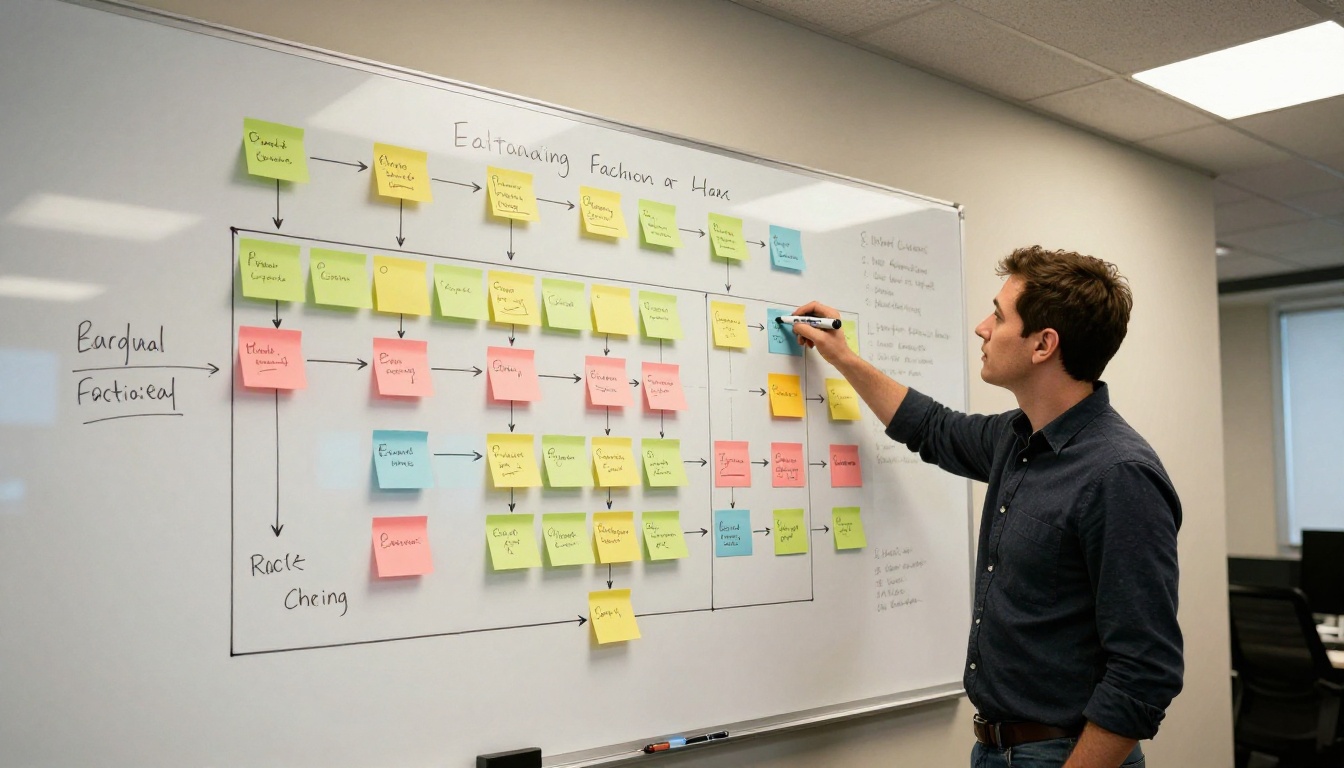
Here is what a production-ready content pipeline looks like end to end:
Input: Keyword batch (CSV or JSON file)
         ↓
Stage 1: Claude Fable 5.1 → Article drafts in Markdown
         ↓
Stage 2: Claude 4.5 Sonnet → SEO scoring + meta description generation
         ↓
Stage 3: Image generation → Custom visuals per article section
         ↓
Stage 4: Merge step → Stitch image URLs into Markdown
         ↓
Stage 5: Human review buffer (optional, asynchronous)
         ↓
Stage 6: CMS API → Publish to live site
Every stage runs asynchronously. Articles do not block each other. Images generate in parallel with the SEO scoring pass. The only natural blocking point is the human review gate in Stage 5, which you can make asynchronous or skip entirely for lower-stakes content categories like product descriptions or FAQ articles.
The pipeline scales linearly. Double the workers in Stage 1 and you double the throughput. The bottleneck is almost never the model itself. It is usually the CMS API rate limit on the publish end, or reviewer capacity in Stage 5. Both of those constraints are solvable with scheduling and queueing, not by changing the LLM.
Start Your Own Pipeline Today
If you have a keyword list and ten free minutes, you can run your first Fable 5.1 batch today without a single line of infrastructure code.
Start at Claude Fable 5 on PicassoIA. Build a five-article prompt template using the structure from the "Prompt Structure for Volume" section above. Run all five articles in sequence. Read the outputs side by side before moving anything to review.
You will notice three things immediately:
The output quality is consistent across all five articles, more so than with any other model you have tested at this context length.
The articles need minor edits at most. Not rewrites.
The system prompt carries serious weight. A well-structured style guide produces on-brand output on article one and article five hundred without needing to repeat instructions.
From that point, the path to 500 articles per month is an engineering problem, not a writing problem. PicassoIA also gives you access to Claude Opus 4.7 for the most demanding reasoning-heavy tasks, Claude Sonnet 4.6 for balanced everyday generation workloads, and the full large language models catalog to mix and match as your pipeline grows in complexity and volume.
The model is there. The cost per article is under a cent. The infrastructure to run it at scale is a weekend project. The only variable is whether your prompt template is sharp enough to produce what you need without hand-holding.
Write the template. Run the batch. Iterate on what comes back. That is the entire workflow.