The open source AI video generation space moved fast in 2024, and CogVideoX sits at the center of that shift. Released by THUDM, the research lab behind CogVLM and other notable models, CogVideoX is a diffusion-based text-to-video model that produces surprisingly smooth, coherent video clips from plain text prompts. It does not require a subscription, does not sit behind a proprietary API wall, and does not hide its weights. That combination puts it in a genuinely different category from most of the AI video tools getting headlines.
What CogVideoX Actually Is
CogVideoX is an open-weight video generation model built on a video diffusion transformer architecture. The flagship version, CogVideoX-5B, has 5 billion parameters and is capable of generating 6-second video clips at 720x480 resolution with 8 frames per second. A smaller 2B variant exists for lower-resource environments, and both are released under permissive licenses that allow commercial use.
The model was trained on a large corpus of text-video pairs, enabling it to bridge natural language descriptions with coherent visual motion. You type a description, the model denoises from Gaussian noise over multiple steps, and the result is a short video clip where objects move, lighting shifts, and scenes transition with reasonable temporal consistency.

The THUDM Research Lab Behind It
THUDM (Tsinghua University Department of Machine Learning) has a track record of producing capable open-source multimodal models. Before CogVideoX, the lab released CogVLM for visual language understanding and GLM-4 for language generation. CogVideoX follows the same philosophy: release capable weights, publish detailed technical reports, and let the community build on top.
That academic backing gives the model credibility that purely commercial "open" releases often lack. The architecture choices are documented, the training approach is described, and the limitations are stated honestly rather than buried in fine print.
Why Open Source Matters Here
Proprietary video generators like Sora or commercial APIs give you no control over what happens to your data, your prompts, or the outputs. They can change pricing, restrict use cases, or simply shut down. An open-weight model like CogVideoX means you can host it yourself, fine-tune it on your own dataset, and build production pipelines without a dependency on a third party.
For creators, this translates into lower long-term cost. For developers, it means genuine flexibility. For researchers, it means the architecture is inspectable and improvable by anyone with the hardware and interest to do so.
How the Architecture Works

CogVideoX does not use a standard UNet backbone. Instead, it builds on a 3D causal attention transformer, sometimes called an Expert Transformer, that processes space and time jointly. This architectural choice is central to the model's ability to produce temporally consistent motion across all frames in a clip.
The Diffusion Backbone
Like most modern generative models, CogVideoX uses denoising diffusion probabilistic modeling as its core mechanism. The model learns to reverse a noise process: given a noisy video latent, it predicts and removes the noise step-by-step until a clean video latent remains.
What separates CogVideoX from earlier video diffusion models is how it handles the temporal dimension. Most early video models processed frames somewhat independently, leading to flickering and inconsistent motion. CogVideoX applies 3D attention across spatial and temporal dimensions simultaneously, allowing the model to reason about how pixels should change over time rather than just where they should appear in each frame.
Expert Transformer Design
The transformer backbone in CogVideoX uses an expert adaptive layer norm strategy. Rather than a single set of normalization parameters for all content, the model conditions its normalization statistics on the text input. This means the processing behavior of the transformer shifts depending on what you are describing, making the model more responsive to semantic differences between prompts.
This design helps CogVideoX maintain subject identity across frames. A person described in the prompt stays visually consistent from frame to frame, rather than drifting in appearance the way some earlier models did.
Text Encoder and Video VAE
CogVideoX uses T5-XXL as its text encoder, the same 11-billion-parameter language model used in Stable Diffusion 3 and several other high-performance generators. T5-XXL produces rich semantic representations from long, detailed prompts, giving the video model more to work with than simpler CLIP-based encoders.
On the video side, the model uses a 3D Variational Autoencoder to compress video frames into a compact latent space where diffusion happens, then decodes them back into pixel space. The 3D VAE is trained to encode both spatial structure and temporal dynamics, so the latent representation already carries motion information before the diffusion process begins.
CogVideoX vs The Closed Competition
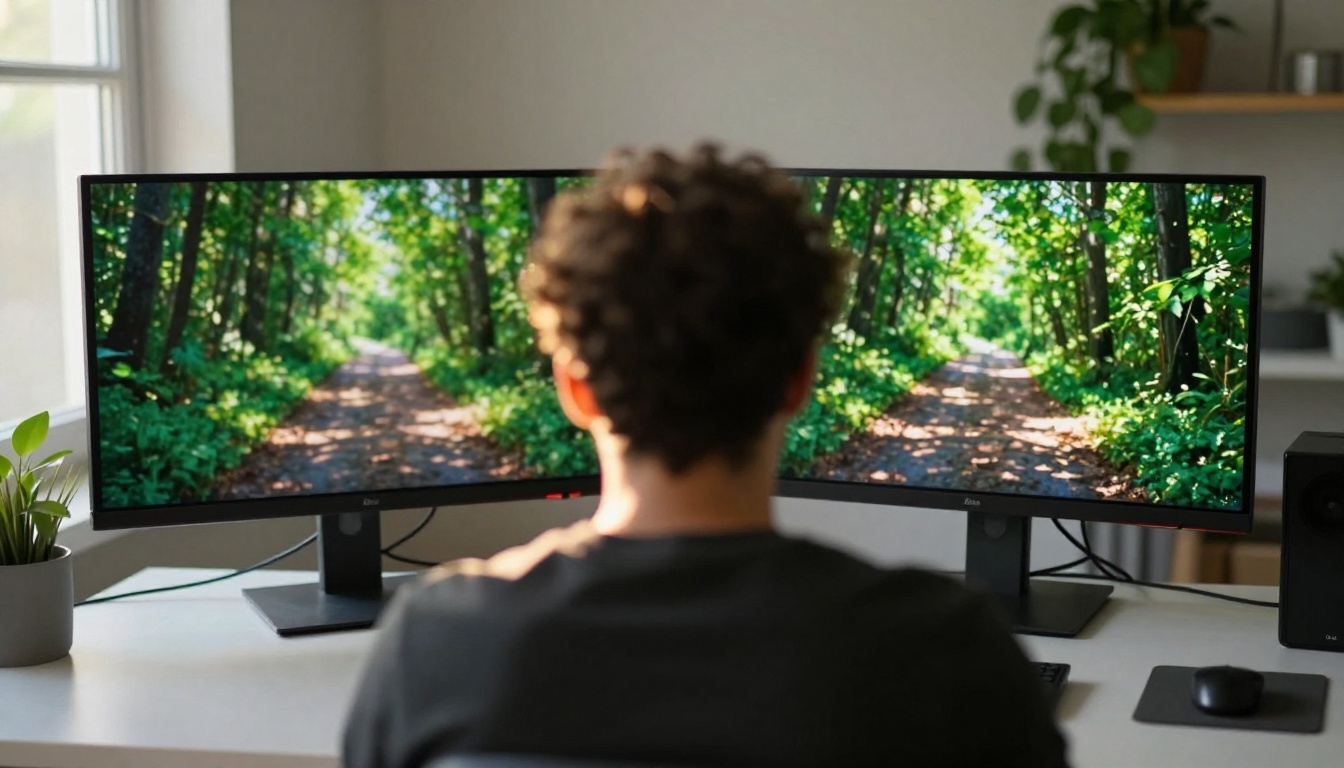
The honest comparison between CogVideoX and top-tier proprietary models is nuanced. It does not beat Sora 2 on raw visual quality, and it does not match the cinematic output of Kling v2.6 at its best settings. But that comparison misses the point entirely.
Comparing Output Quality
For general-purpose, short-clip generation from text, CogVideoX-5B produces output that most viewers would describe as impressive. Objects move with physical plausibility, camera motion follows the prompt reasonably well, and scenes hold together over the 6-second duration. The 720x480 native resolution is modest by 2027 standards but is sufficient for most web and social media use cases.
Where CogVideoX noticeably falls behind proprietary models is in fine-grained detail and complex motion sequences. Hands, text within scenes, and fast-moving objects sometimes show the familiar AI generation artifacts. These are known limitations, documented openly by the THUDM team rather than quietly suppressed.
The Open Weight Advantage
The closed models give you a polished output with no control over the underlying process. CogVideoX gives you the weights, which means:
- Fine-tune the model on your own video dataset to specialize it for a domain
- Run locally on a single A100 or two 24GB consumer GPUs
- Inspect and modify the architecture for research purposes
- Build production pipelines without per-second API pricing that scales unpredictably
For product teams building AI-powered video tools, the total cost of ownership over time often favors open models even when per-inference costs of proprietary APIs look cheaper initially.
Benchmarks That Matter
On standard video generation benchmarks like EvalCrafter and VBench, CogVideoX-5B scores competitively with models that were state-of-the-art in mid-2024. It particularly scores well on semantic consistency (does the video match the prompt?) and motion smoothness (does it move without jarring cuts?).
| Metric | CogVideoX-5B | Typical Closed API |
|---|
| Semantic Alignment | High | Very High |
| Motion Smoothness | High | High |
| Native Resolution | 720x480 | 720p to 1080p |
| Open Weights | Yes | No |
| Fine-tunable | Yes | No |
| Self-hosted Cost | ~$0.01 to $0.05 | $0.05 to $0.50+ |
What You Can Build With CogVideoX

The open nature of CogVideoX makes it a building block, not just a consumer product. Developers and creators have used it for a wide range of applications since its release, many of which would be impossible or prohibitively expensive with closed API alternatives.
Text-to-Video in Practice
The most direct use is exactly what it sounds like: describe a scene, generate a video clip. CogVideoX handles a wide range of prompt styles, from cinematic descriptions ("a golden retriever running through autumn leaves, slow motion, warm afternoon light") to abstract concept animations ("a time-lapse of a city growing from empty land over decades").
Prompts that work well tend to be specific about subject, action, setting, and lighting. Vague prompts produce inconsistent results. Detailed prompts that respect the model's training distribution, meaning real-world scenes described in natural language, consistently produce the strongest outputs.
Fine-Tuning for Custom Use Cases
This is where CogVideoX separates from every closed competitor. With access to the weights and a training framework like Diffusers, teams can fine-tune the model on:
- A specific actor or character for consistent appearance across multiple clips
- A visual style such as specific color grading or a particular cinematography aesthetic
- A product or brand for commercial video generation at scale
- A specialized domain with limited public data, like medical visualization or industrial simulation
Fine-tuning requires meaningful GPU resources, typically multiple A100s for practical turnaround times, but the ability to do it at all is something no proprietary model currently offers to external users.
Running It Locally
CogVideoX-5B can run on a single 40GB A100 GPU or across two 24GB consumer GPUs using model offloading. The Hugging Face Diffusers library provides direct integration, so the setup is a few lines of Python rather than weeks of infrastructure work.
Tip: For faster inference without sacrificing much quality, use the quantized versions of CogVideoX available on Hugging Face. These reduce VRAM requirements significantly while keeping output quality close to the full-precision model.
How to Use CogVideoX 5B on PicassoIA

If you want to try CogVideoX without setting up your own GPU infrastructure, CogVideoX 5B is available directly on PicassoIA. You get the same open-source model running in the cloud, without managing dependencies, CUDA versions, or hardware procurement.
Step-by-Step Instructions
- Open CogVideoX 5B on PicassoIA in your browser.
- Type your video description into the prompt field. Be specific: include the subject, action, environment, and lighting.
- Adjust the number of inference steps if available. Higher steps (50 or more) produce smoother output at the cost of generation time.
- Click generate and wait for the clip to render, typically 60 to 120 seconds in cloud mode.
- Download or share your generated video directly from the interface.
Tips for Better Prompts
- Lead with the subject: "A woman in a red coat walking through a snowy forest" outperforms "snowy forest with a woman in it"
- Describe motion explicitly: "the camera slowly pans left" or "the subject turns to face the camera" gives the model clear direction
- Include lighting information: "overcast diffused light", "golden hour sidelight", or "interior warm lamplight" dramatically shifts the mood of the output
- Avoid negatives in prompts: Saying what you do NOT want is far less effective than describing precisely what you DO want
Getting the Most Out of Parameters
When inference steps are configurable, 30 to 50 steps is the sweet spot for speed versus quality. Going above 75 steps rarely improves output in a meaningful way. The guidance scale, when exposed in the interface, controls how strictly the model follows your prompt versus generating with more creative freedom. Values between 6 and 9 work well for most descriptive prompts about real-world scenes.
The Real Limitations to Know

No model review is useful without addressing what does not work. CogVideoX has specific constraints that affect what you can realistically produce with it, and knowing them in advance saves a lot of frustration.
Resolution and Length Constraints
The standard output is 720x480 at 8fps for approximately 6 seconds. For social media use, this is acceptable. For broadcast, streaming platforms, or premium production work, it falls short of current expectations. Models like LTX 2 Pro generate at 4K, and Wan 2.7 T2V reaches 1080p with longer clips. If resolution or duration is your primary requirement, those are stronger choices for your workflow.
Supersampling the output with an AI video upscaler can push CogVideoX output to 1080p visually, but this adds a processing step and does not recover detail that was never generated in the first place.
Hardware Requirements
Self-hosting CogVideoX requires meaningful hardware. The 5B model at full precision demands a 40GB GPU. The 2B model is lighter but produces noticeably softer output with less semantic fidelity. For most individual creators and small teams, this means using a cloud service rather than local inference, which partially offsets the cost advantages of open weights.
What It Still Gets Wrong
- Hands and faces in motion often show artifacts, especially with complex or fast-moving interactions
- Text within scenes is rarely legible or consistent, which is a shared limitation across most video generation models
- Complex camera movements such as long tracking shots through crowds degrade in coherence over their duration
- Clips beyond 6 seconds require stitching multiple generations together, which introduces consistency challenges at the seams
These are active research areas, and community fine-tuned variants have improved on several of these points since the base model release in mid-2024.
The Broader Open Source Video Landscape

CogVideoX did not arrive in isolation. The open source video generation landscape in 2024-2025 has several strong contenders, each with different strengths and different target use cases.
Other Models Worth Watching
Hunyuan Video from Tencent produces longer clips with better motion dynamics and higher resolution. It requires more compute but represents the current ceiling for open-source video quality as of early 2025.
LTX Video from Lightricks prioritizes generation speed, producing clips in near real-time on consumer hardware. The quality ceiling is lower, but the iteration speed is dramatically faster for workflows that need rapid prototyping.
Wan 2.7 T2V from Wan-Video offers multiple resolution tiers and strong image-to-video capabilities alongside text-to-video, making it more versatile for workflows that involve animating existing visuals alongside generating new ones.
Where CogVideoX Fits In
CogVideoX holds a specific position in this landscape: a well-documented, commercially usable, fine-tunable model with good semantic alignment and reasonable hardware requirements. It is not the highest-resolution option, not the fastest, and not the most feature-rich. But it is the model with the clearest documentation, the cleanest licensing, and one of the most active community development ecosystems.
For developers building on top of video generation, that combination of properties matters more than raw benchmark scores in many real-world scenarios.
Generate Your First AI Video Today

Reading about CogVideoX only goes so far. The architecture is interesting, the open-source story is compelling, and the benchmarks are informative. But what actually matters is whether it produces video clips you can use for your specific creative or technical goal.
CogVideoX 5B on PicassoIA lets you generate a clip in the next few minutes without any setup, hardware, or configuration. Write a specific description, hit generate, and see what the model does with your prompt.
Beyond CogVideoX, PicassoIA runs over 87 text-to-video models including Kling v2.6, Wan 2.7 T2V, and Sora 2, all accessible without managing infrastructure or juggling API keys. If CogVideoX does not fit your use case, you are one click away from trying a completely different model with different strengths.
The best way to form a real opinion about any video generation model is to generate video with it. Start with a scene you know well, describe it precisely, and compare what comes back. That hands-on experience will tell you more than any benchmark table or technical explanation. Start with CogVideoX 5B and see where it takes you.


