The number one question in short-form video right now isn't what to post. It's how fast you can produce something worth watching. Kling 3.5 answers that with AI-generated video that holds cinematic quality at a pace no human production team can match. For TikTok creators, this model is reshaping the economics of content production.
What Kling 3.5 Actually Does
Kling 3.5 is Kuaishou's latest video generation model, sitting at the top of current AI video benchmarks for motion fidelity, temporal consistency, and output resolution. Where earlier versions struggled with subjects warping between frames or losing detail during fast motion, version 3.5 produces 1080p clips that hold together frame by frame.
The model accepts text prompts, image inputs, or both. You describe what you want to happen, optionally anchor it to a reference image, and Kling 3.5 synthesizes video from that description. The clip length typically runs between 5 and 10 seconds at 24fps, which maps almost perfectly to TikTok's highest-performing hook segment.

Motion That Holds Up at 1080p
The biggest leap in Kling 3.5 over its predecessors is motion coherence at high resolution. Earlier Kling versions, particularly 1.5 and 2.0, were usable at 720p but showed drift and subject inconsistency at 1080p. Version 3.5 solves this through improved temporal attention, meaning the model actively tracks what it rendered in previous frames and keeps it consistent through the full clip.
For TikTok, this matters because the platform's default playback compresses video aggressively. If your source clip has drift or warping, compression amplifies those artifacts visibly. Starting with a clean 1080p Kling 3.5 output gives you headroom that survives TikTok's encoding pipeline intact.
Frame-to-Frame Consistency
One of the persistent problems in AI video generation is subject drift: a person's face changes slightly between frames, a product's shape shifts imperceptibly, a background element flickers. Kling 3.5 has measurably better subject anchoring than any version before it. This directly translates to professional-looking output that doesn't betray its AI origin when viewed on a phone screen.

Why TikTok Needs This
TikTok's algorithm rewards three things above almost everything else: watch time, replays, and shares. All three are determined primarily in the first three seconds of the video. If the opening frame doesn't immediately stop a scrolling thumb, the rest of the video is irrelevant.
AI-generated video from Kling 3.5 hits this requirement in a way that traditional filming rarely can. You can generate ten different opening sequences in the time it takes to set up a physical shot, test which visual approach stops the scroll, and then build the rest of your content around the winner.
The 9:16 Short-Form Constraint
TikTok is a 9:16 vertical format platform. Most filmmaking tools and instincts are built around 16:9 horizontal composition. This mismatch trips up creators who repurpose horizontal content for TikTok: the composition breaks, the subject gets cropped, and the video feels wrong even if the content is good.
Kling 3.5 generates natively in 9:16 when you specify it in the prompt or model settings. There's no cropping, no letterboxing, no composition compromise. You get vertical video composed for a phone screen from the first frame.
💡 Tip: When prompting for TikTok content, always specify the orientation. Add "vertical 9:16 composition, subject centered, tight framing" to your prompt and Kling 3.5 will orient the visual hierarchy accordingly.
Hook Timing in the First 3 Seconds
The data on TikTok retention is consistent: 62% of abandonment happens in the first 3 seconds. Kling 3.5's default 5-second output is almost perfectly sized to function as a pure hook clip. Drop it at the opening of a longer TikTok video, pair it with a text overlay question, and the remaining content inherits the attention that hook captured.

Kling 3.5 vs Previous Versions
Not every creator needs the top-tier model. Here's how Kling versions compare on the metrics that matter for TikTok production:
| Version | Max Resolution | Frame Consistency | Motion Realism | Best Use Case |
|---|
| Kling 1.5 | 720p | Moderate | Good | Budget clips, text-heavy content |
| Kling 2.0 | 720p | Good | Very Good | Product demos, static scenes |
| Kling 2.1 | 1080p | Good | Very Good | Portrait mode, lifestyle |
| Kling 2.6 | 1080p | Excellent | Excellent | Dynamic scenes, travel |
| Kling 3.5 | 1080p | Outstanding | Outstanding | Viral hooks, fashion, narrative |
Kling v1.5 Pro is a solid choice for creators on a tight credit budget. Kling v1.6 Pro adds better motion at the same resolution tier. Kling v2.1 Master is the sweet spot for portrait-mode creator content. But when you're building TikTok hooks designed to compete in a feed full of professional footage, Kling v3 Video and Kling v3 Omni Video are where the quality ceiling sits.

How to Use Kling v3 on PicassoIA
PicassoIA gives you access to the full Kling v3 series without needing API credentials, local hardware, or monthly subscriptions to individual model providers. The entire workflow runs in the browser.
Setting Up Your First Prompt
- Go to Kling v3 Video on PicassoIA
- Choose your output mode: text-to-video or image-to-video
- Write your prompt (see the prompt structure section below)
- Set resolution to 1080p for TikTok output
- Select duration (5 seconds for hooks, 10 seconds for product demos)
- Generate and download the MP4
The interface is direct. No complex parameter tuning is required unless you want it. The model defaults are calibrated for high-quality output, so a well-written prompt is the primary variable you control.
Choosing Between Kling v3 Models
PicassoIA offers three Kling v3 variants, each suited to different scenarios:
- Kling v3 Video: General-purpose text and image to video. Best all-around choice for TikTok content.
- Kling v3 Omni Video: Native audio synchronization included. Use this when you need ambient sound baked into the clip.
- Kling v3 Motion Control: Lets you define camera movement trajectories. Use when the motion path is as important as the subject.
For most TikTok use cases, start with Kling v3 Video. Move to Kling v3 Omni Video when your content relies on environmental sound. Use Kling v3 Motion Control for cinematic product reveals where the camera path tells the story.
💡 Pro tip: For avatar-based content where you want a consistent AI face across multiple videos, Kling Avatar v2 produces character-consistent clips that work well for talking-head TikTok formats.

Prompts That Work for TikTok
Kling 3.5 is a prompt-driven system. The quality of your output is directly proportional to the specificity of your description. Vague prompts produce vague video. Precise prompts produce exactly what you need.
Structure That Gets Cinematic Results
A strong Kling 3.5 prompt has four components:
- Subject + action: What is in the video and what is it doing
- Environment: Where it's happening and what surrounds it
- Camera: Angle, distance, and movement type
- Mood/lighting: Atmospheric conditions, time of day, emotional tone
Example (weak): "A woman walking on a beach"
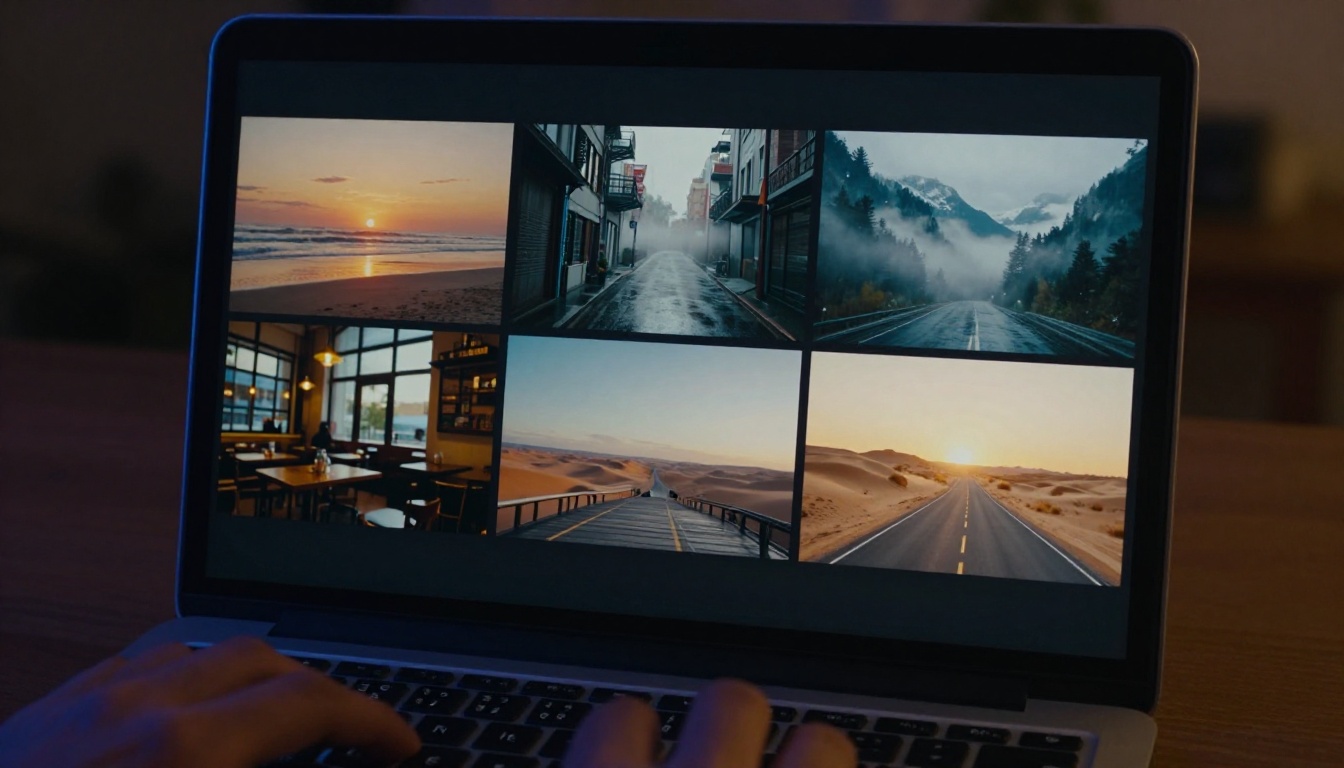
Example (strong): "A woman in a white linen dress walking slowly along a wet shoreline at sunrise, gentle waves washing over her bare feet, shot from a low angle at knee height with a slow dolly-forward, warm rose-gold morning light from the horizon rim-lighting her silhouette, shallow depth of field with the ocean horizon softly blurred, 9:16 vertical composition"
The strong version gives Kling 3.5 enough specificity to make decisions that align with your creative intent rather than averaging toward the statistical mean.
What to Avoid in Prompts
Contradictions: "Fast-moving subject with extreme close-up" asks the model to resolve competing constraints. Pick one.
Negative descriptions: Kling models don't process "not" well. Instead of "no bright lights," write "soft diffused natural lighting."
Overloading motion: If you specify both camera movement and subject movement, simplify to the one that matters most. Conflicting motion instructions produce inconsistent output.
💡 Callout: Start simple. Add complexity in successive iterations once you have a baseline you like. This approach wastes fewer credits and builds your intuition for how the model interprets language.
Other AI Video Models Worth Knowing
Kling 3.5 is the current benchmark for TikTok content, but other models on PicassoIA have legitimate strengths depending on your use case.
Seedance 2.5 from ByteDance produces 30-second clips with native audio, which makes it better than Kling for longer-form TikTok content that benefits from a full narrative arc. If you're producing educational or story-driven TikToks over 15 seconds, Seedance 2.5 is worth testing.
Veo 3 from Google is the strongest competitor to Kling 3.5 for pure visual realism. Its motion fidelity is comparable, with the added advantage of native audio generation in the same output pass. For lifestyle and travel TikTok content where ambient sound carries emotional weight, Veo 3 is a serious option.
Hailuo 02 from MiniMax generates at 1080p with clean motion, particularly strong on portrait and face-heavy content. If your TikTok strategy centers on human subjects in closeup, Hailuo 02's face rendering is notably clean.
Ray 3.2 from Luma offers HDR-calibrated output that holds up particularly well on OLED phone screens. If your audience is primarily on premium Android devices, the HDR range shows visibly in playback.
All of these models are available on PicassoIA's full model directory, so you can test across them without managing multiple platform subscriptions.
Real Workflow for TikTok Creators
Here's a production-tested workflow for building TikTok content with Kling 3.5:
Step 1: Define the hook concept
Write one sentence describing the visual moment that will stop the scroll. This becomes the core of your prompt.
Step 2: Generate 3 prompt variations
Take the core concept and write three different versions: one with slow cinematic movement, one with close-up framing, one with environmental context. Generate all three in Kling v3 Video.
Step 3: Select the strongest opener
Watch all three outputs at full speed on your phone, not on desktop. The clip that reads most immediately on a 6-inch screen wins, regardless of which looks best on a monitor.
Step 4: Build context around the hook
Use your best clip as the opening 5 seconds. Film or generate the remaining content with a matching visual style.
Step 5: Add text overlays in TikTok's native editor
Kling 3.5 output is text-free by default. TikTok's editor adds captions, questions, or prompts in your brand style without degrading video quality.
Step 6: Post and measure
Watch the retention graph in TikTok analytics. If the first 3-second completion rate is below 70%, the hook needs revision. If it's above 80%, build a series with the same visual approach.

When Kling 2.6 Beats Kling 3.5
Before committing entirely to Kling 3.5, it's worth knowing that Kling v2.6 and Kling v2.6 Motion Control have a specific advantage for content where the camera movement is the narrative device.
Kling 2.6 Motion Control lets you draw a camera path over a still reference image and the model animates accordingly. This works particularly well for product reveals, architectural walkthroughs, and fashion content where the trajectory from A to B is the entire story. For those content types, 2.6 Motion Control can outperform 3.5 in predictability even if the raw quality ceiling is slightly lower.
The Kling v2.5 Turbo Pro model is a strong option when generation speed matters more than absolute quality. It produces cinematic output significantly faster than standard Kling 3.5, which is useful in production pipelines where turnaround time is the binding constraint.
| Scenario | Recommended Model |
|---|
| Viral hook clip, landscape B-roll | Kling v3 Video |
| Hook with ambient sound included | Kling v3 Omni Video |
| Product reveal with defined camera path | Kling v2.6 Motion Control |
| Fast production turnaround | Kling v2.5 Turbo Pro |
| Consistent avatar or character | Kling Avatar v2 |
| Narrative 30-second content | Seedance 2.5 |
Start Making TikTok AI Videos Now
Every creator who has built a significant TikTok following in the past 18 months has done it through volume: more videos, faster iteration, better testing. AI video generation from Kling 3.5 makes the volume problem solvable without scaling a production team.
The barrier is lower than it has ever been. You don't need a camera, lighting equipment, a location, or a subject. You need a specific visual concept, a well-structured prompt, and 30 seconds of generation time.
PicassoIA gives you access to Kling v3 Video, Kling v3 Omni Video, and Kling v3 Motion Control alongside 80+ other video generation models in one interface. Test Kling 3.5 today, compare it against Veo 3 or Seedance 2.5, and build a production workflow that matches your TikTok content strategy.
The full library of AI video generation tools is at picassoia.com/en/all-models.


