Posting on TikTok every day is brutal. Filming, lighting, editing, exporting, and scheduling while the algorithm quietly punishes anyone who slows down. Most creators burn out or accept mediocre output just to stay consistent. Seedance 2.0 Mini by ByteDance offers a completely different path: text-in, TikTok-ready video out, with native synchronized audio, in seconds.
This is what the AI short-form video shift actually looks like in practice, and how to make it work for your channel.

What Is Seedance 2.0 Mini
Seedance 2.0 Mini is a text-to-video AI model built by ByteDance, the company behind TikTok itself. That heritage matters. ByteDance trained this model on a vast corpus of short-form video content, which means it innately understands what makes a short clip feel native to social platforms.
It's the Mini variant of Seedance 2.0, optimized for speed and efficiency without sacrificing the cinematic motion quality the Seedance series is known for. Where the full Seedance 2.0 targets longer, more complex sequences, the Mini variant is engineered specifically for short punchy clips, exactly the format TikTok rewards.
ByteDance's Fastest AI Video Model
Speed is the headline capability. Seedance 2.0 Mini generates videos significantly faster than comparable models. For a creator who needs five to seven pieces of content per week, that turnaround time changes the math entirely. Instead of waiting minutes per generation, you can iterate on prompts rapidly, testing three or four variations and picking the best one.
The generation quality holds up despite the speed advantage. Motion is fluid, objects track consistently through frames, and foreground-background separation is handled naturally, without the stuttering or flickering artifacts that plagued earlier fast video models.
Native Audio: A Real Differentiator
Most AI video generators produce silent clips. You then have to layer music, sound effects, or voiceover in a separate editing app. Seedance 2.0 Mini generates synchronized native audio as part of the video itself. Ambient sounds, environmental audio, and tonal cues are baked into the output.
This is not a cosmetic feature. On TikTok, audio is half the content. Videos without compelling sound lose 40-60% of their potential watch time within the first second. Having AI-generated audio that matches the visual context, such as waves for an ocean shot, crowd noise for a street scene, or rain for a moody interior, removes a major post-production step and improves first-impression retention.

Why TikTok Loves Seedance 2.0 Mini
TikTok's content mechanics are specific. The algorithm evaluates completion rate, re-watch rate, and share velocity. These metrics all favor short, visually distinctive content that rewards a second viewing. Seedance 2.0 Mini's output aligns with those mechanics in several concrete ways.
Short-Form Specs That Match TikTok's Format
TikTok's optimal content window sits between 7 and 30 seconds for discovery-phase content. Seedance 2.0 Mini generates clips in that range by default, so there's no need to trim or pad a longer video to hit TikTok-friendly durations.
The aspect ratio behavior also adapts intelligently. Provide a vertically-composed prompt and the model generates vertical content. This is critical for TikTok, where videos that aren't natively vertical are penalized in fullscreen presentation.
Scroll-Stopping Motion Quality
The Seedance 2.0 series uses ByteDance's proprietary motion synthesis pipeline, which handles camera motion, subject motion, and background motion as separate tracked layers. The result is that a prompt like "a woman walking through a Tokyo street market at night" produces believable parallax between the subject and the background, natural head and shoulder movement, and environmental elements like hanging lanterns that sway slightly rather than staying static.
On a platform where users decide in 1.5 seconds whether to swipe, that depth of motion is what causes the scroll to pause.

Using Seedance 2.0 Mini on PicassoIA
Seedance 2.0 Mini is available on PicassoIA without requiring an API key, ByteDance account, or technical setup. The platform wraps the model in a clean interface that any creator can use in under two minutes.
Step 1: Access the Model
Go to Seedance 2.0 Mini on PicassoIA. You'll see two input modes: text-to-video (write a prompt and generate from scratch) and image-to-video (upload or link a still image to animate).
For TikTok content creation, text-to-video is the most flexible option since it requires no source material. Image-to-video is powerful when you have a specific visual identity you want to bring to life, such as a product shot, a character design, or a branded background.
Step 2: Write Your Video Prompt
This is where most creators underperform. A weak prompt produces a technically functional but creatively flat video. A strong prompt specifies subject, action, environment, camera behavior, lighting, and mood.
💡 Prompt tip: Think in terms of what a film director would describe in a shot brief. "A subject doing X in Y environment, shot from Z angle, with W lighting mood" produces dramatically better results than just describing what you want to see.
Weak prompt: "a beach sunset"
Strong prompt: "A woman in a white sundress standing at the edge of ocean waves at golden hour, gentle wind lifting her hair, slow-motion dolly push toward her, soft amber backlight, warm sand texture underfoot, birds visible in background"
The difference in output quality between those two prompts is substantial. The specificity gives the model the necessary constraints to make composition decisions that look intentional rather than random.

Step 3: Set Your Parameters
PicassoIA surfaces Seedance 2.0 Mini's main parameters in a clean panel:
| Parameter | Recommended for TikTok | Notes |
|---|
| Duration | 5-10 seconds | Matches TikTok discovery window |
| Aspect Ratio | 9:16 (Vertical) | Required for full-screen TikTok playback |
| Motion Intensity | Medium to High | Low motion underperforms on TikTok's scroll behavior |
| Audio | Enabled | Native audio is the Seedance 2.0 Mini advantage, always leave on |
Step 4: Download and Post
The generated video downloads as an MP4. On TikTok, post directly without re-compressing or running through additional encoding. Re-encoding adds generation artifacts and can reduce the quality TikTok's own CDN delivers.
If you're planning a caption overlay, TikTok's native text tool adds it without touching the video file. External subtitle burns will reduce quality through an additional encoding pass.
Prompts That Actually Work for TikTok
Prompt quality is the single biggest lever in AI video creation. The model can only execute on what you describe. Everything it has to infer, it handles generically.
What to Include in Every Prompt
Every Seedance 2.0 Mini prompt should contain these five elements:
- Subject: Who or what is in frame. Be specific about appearance, age, clothing, and what they're doing.
- Environment: Where the scene takes place, with texture and contextual details.
- Lighting: Time of day, light source direction, and quality (hard sun vs. diffused overcast).
- Camera behavior: Static, handheld, dolly, zoom, crane, or aerial. Each produces a different feel.
- Mood: The emotional tone you want viewers to feel. Words like "serene," "urgent," "playful," or "melancholic" steer the color grading and motion style.
10 Prompt Templates for Viral TikToks
These templates are optimized for TikTok's performance patterns:
Travel: "Aerial slow descent over [location] at sunrise, soft morning mist, golden light breaking over rooftops, ambient city sounds waking up"
Beauty/Lifestyle: "Close-up of a woman applying serum, fingers gently pressing product into cheek skin, natural morning light from a window to the left, soft bokeh background, relaxed confident expression"
Food: "Overhead pour shot of maple syrup onto a stack of golden pancakes, slow motion, steam rising, warm kitchen light from the right, sound of syrup hitting plate"
Fitness: "Low-angle shot of running shoes hitting pavement, legs pumping, early morning park trail, golden hour light filtering through trees, rhythmic footfall sound"
Motivation: "Timelapse-style shot of a city skyline transitioning from night to dawn, lights fading as sun rises, birds taking flight from rooftop, calm orchestral ambient audio"
Product demo: "Hands unboxing a matte-black product on a clean marble surface, slow deliberate movements, overhead studio light, crisp ambient sound of packaging"
Nature/Aesthetic: "A forest path in autumn, leaves falling in slow motion, warm orange and red tones, handheld camera walking gently forward, muffled rustling and bird calls"
Urban: "Rainy street scene at night, neon reflections on wet asphalt, pedestrians with umbrellas walking past, shallow depth of field, ambient traffic and rain sound"
Fashion: "Model in oversized camel coat walking toward camera on a quiet European street, wind in hair, autumn afternoon light, slow-motion stepping, cobblestone texture"
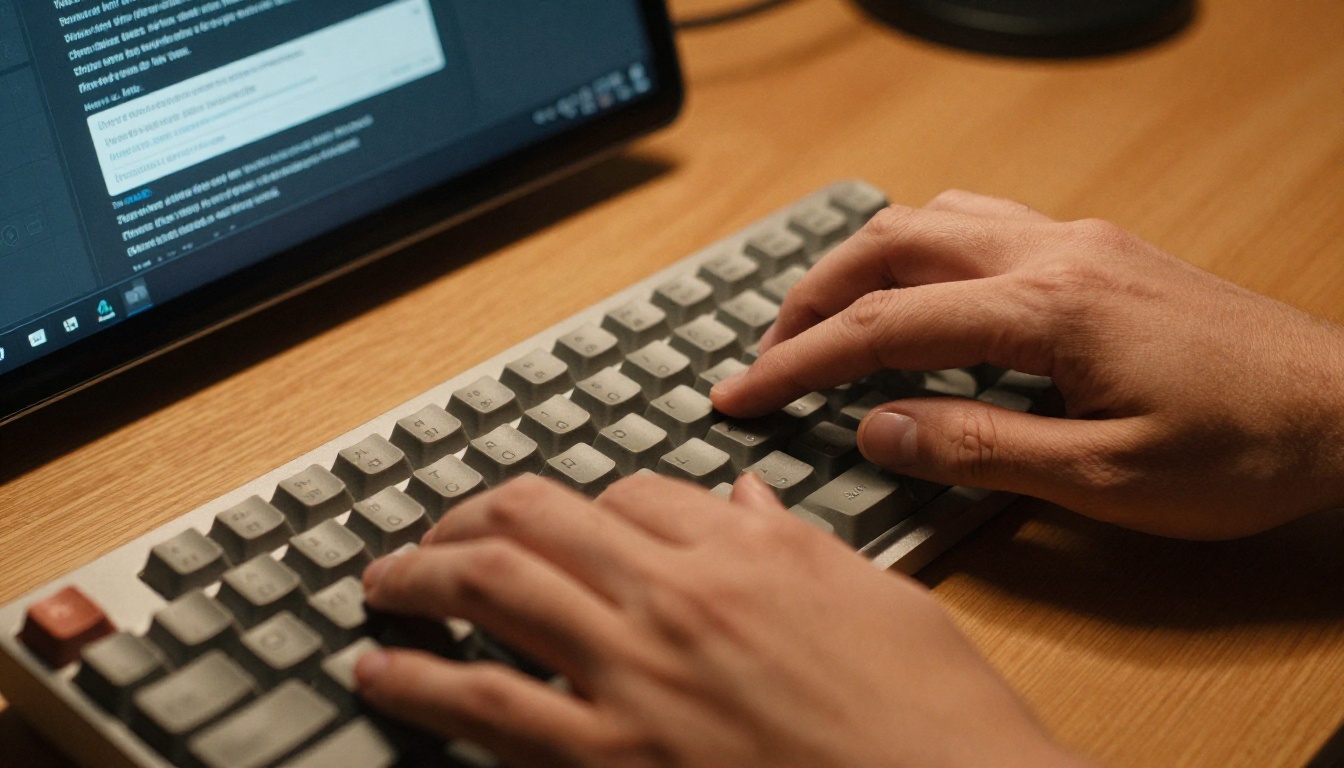
Behind-the-scenes: "Creator sitting at a wooden desk typing on a laptop in a sun-filled room, over-the-shoulder angle, plants in background, warm morning light, quiet ambient workspace sound"

Common Mistakes That Kill Video Quality
Overloading the prompt with subjects. Seedance 2.0 Mini handles one primary subject well. Two or more competing focal points degrade tracking quality and produce unclear composition.
Ignoring camera behavior. A prompt without camera direction defaults to static shots. Static shots on TikTok have 30-40% lower completion rates than shots with deliberate camera motion.
Skipping lighting description. Without lighting context, the model interpolates from the subject description alone, often producing flat or inconsistent illumination.
Requesting text in the video. Seedance 2.0 Mini, like most video models, produces unreliable in-video text. Use TikTok's native caption tools instead.
Seedance 2.0 Mini vs. the Competition
Understanding when to use Seedance 2.0 Mini versus its siblings and alternatives helps you pick the right tool for each piece of content.
Seedance 2.0 Mini vs. Seedance 2.0
| Feature | Seedance 2.0 Mini | Seedance 2.0 |
|---|
| Generation speed | Faster | Moderate |
| Max duration | Short clips | Longer sequences |
| Native audio | Yes | Yes |
| Best use case | TikTok, Reels, Shorts | Long-form social, YouTube |
| Motion complexity | Optimized for simple to medium | Handles complex multi-subject |
For pure TikTok output, Seedance 2.0 Mini wins on speed. The turnaround advantage lets you generate more content per session, and the shorter clip output matches platform expectations without any cutting required.
When to Use Seedance 2.5 Instead
Seedance 2.5 is the right choice when you need clips up to 30 seconds, higher resolution headroom, or more complex multi-element scenes. It costs more per generation and takes longer, but for hero content like a brand campaign or a high-production piece, the quality ceiling is higher.
Kling v2.6 excels at cinematic quality with sharp object definition and precise motion control. It's the choice when you need photorealistic product shots or controlled character movement with a specific aesthetic. For daily TikTok volume, though, Seedance 2.0 Mini's speed advantage makes it the more practical tool.
Other models worth knowing about on the platform:
- Veo 3: Google's model with strong audio-visual sync for music-driven content
- Hailuo 2.3: excellent for animated and stylized content
- Pixverse v5: fast turnaround for social-first clips
- Wan 2.7 T2V: best-in-class for 1080p text-to-video output
- Ray 3.2: cinematic HDR output for premium visual content
The 5 Best TikTok Content Niches
Not every content niche benefits equally from AI video generation. These five perform exceptionally well with Seedance 2.0 Mini.
Travel Content Without Leaving Home
Travel is TikTok's most-consumed vertical, and it's also the most expensive to produce authentically. Flights, accommodations, equipment: the cost of a single travel shoot can run into thousands of dollars. Seedance 2.0 Mini generates visually credible scenes of cities, landscapes, and cultural environments without the logistics.
A channel that posts daily travel content from fifty different countries can now exist without a passport. Prompts for travel perform best when they include specific environmental textures: "ancient stone cobblestones," "humid jungle canopy," "dusty Sahara road" all push the model toward scenes that feel genuinely placed rather than generic.
Beauty and Lifestyle Clips
Close-up beauty content, including skincare routines, makeup application, and product reveals, is exactly the kind of short, focused, motion-rich footage the model handles best. Lighting descriptions for beauty prompts are particularly effective: "diffused ring light," "soft window morning light from the left," and "backlit glowing skin" produce outputs that look like professional product photography in motion.
For lifestyle content, slow-motion details perform consistently well on TikTok. A coffee being poured, a candle being lit, a book opened to a specific page: these micro-moments are quick to prompt, quick to generate, and visually satisfying enough to hold attention through to the end.
Product Demos Without a Budget
For brands and solo entrepreneurs, product demo videos are both essential and expensive. Seedance 2.0 Mini can generate believable product handling footage, including unboxing scenes, application sequences, pour shots, and before-and-after comparisons, from a text description alone.
While it can't generate brand logos or specific trademarked product designs reliably, it handles product categories with convincing realism: skincare serum, protein powder, leather wallet, wireless earbuds. Pair the generated footage with TikTok's native text tool for product callouts and you have a complete demo with no studio required.
Abstract and Visual Art Content
Some of TikTok's most-shared content is purely aesthetic: no subject, no narrative, just visually compelling loops of color, texture, and motion. Seedance 2.0 Mini generates these reliably. "Liquid ink spreading across white paper in slow motion, extreme close-up, soft diffused light" produces exactly the kind of hypnotic loop that accumulates re-watches.
💡 Creator insight: Abstract and aesthetic content performs best when posted at volume. Generate ten to fifteen variations of a core visual concept and post them sequentially over two to three weeks. The algorithm uses early performance data from each post to decide how hard to push the next one.
Educational Short-Form Videos
Educational explainer content on TikTok benefits from visual metaphors. Instead of screen recordings or talking heads, creators can illustrate concepts with cinematic visuals. "A single coin landing on a vast empty desk in slow motion, representing a starting financial decision" is more arresting than a slide, and Seedance 2.0 Mini generates it in seconds.
This approach works for any field where the core idea has a physical or sensory analogy: physics, cooking, finance, history, psychology. The more concrete the metaphor, the better the model renders it.
Building a Sustainable AI Video Workflow
The creators who will benefit most from Seedance 2.0 Mini are those who treat it as a production system, not a one-off tool.
Batch Generation for Consistent Output
The speed of Seedance 2.0 Mini makes batching viable. Set aside 60-90 minutes once a week, generate 14-20 clips across your content pillars, and schedule them. Your TikTok posting stays consistent regardless of what's happening in your schedule.
💡 Workflow tip: Write fifteen prompts before opening the generator. Separate the creative thinking from the generation process. You'll produce better prompts and generate faster when you're not switching between ideation and production.
Iteration Over Perfection
Generate three variations per concept and pick the best one. Post it, check TikTok analytics at 24 hours and 72 hours, and use completion rate and re-watch rate to understand what's working. Run more of what works.
AI video creation is a creative output with a feedback loop. The model gives you speed; TikTok's algorithm gives you signal. Over four to six weeks of consistent posting, your prompt quality improves based on what actually performs on your specific audience.
Combine with the Seedance Ecosystem
For more demanding content, PicassoIA gives you the full Seedance series in one place:
This tiered approach lets you scale spending to content importance rather than using the same model for everything from quick daily posts to polished brand campaigns.
Your First TikTok Video Awaits
The gap between knowing about a tool and actually using it is where most creators stall. Seedance 2.0 Mini on PicassoIA requires no ByteDance account, no API setup, and no technical knowledge: just a prompt and a click.

Pick one of the ten templates from this article, customize the subject and location to your niche, paste it into the generator, and run it. Your first output will show you more about what the model can do than reading another ten articles.
The entire Seedance lineup, plus Kling v2.6, Veo 3, Wan 2.7 T2V, and 80+ other video models are all available in one place at picassoia.com/en/all-models. No context-switching between platforms, no managing multiple subscriptions. Everything runs through a single interface so you spend time on creative output, not tool management.
Start with one prompt. Iterate from there.


