Your anime husbando has been wearing the same outfit for twelve episodes and, honestly, you can do better. Whether you are devoted to a stoic swordsman locked into his training robes, a charming prince in perpetual formal wear, or a rebel anti-hero who somehow never changes his jacket, AI image generation gives you the tools to reimagine his entire wardrobe from scratch.
No drawing skills required. No expensive commissions. No waiting weeks for an artist slot to open. Just a well-written prompt and the right model.
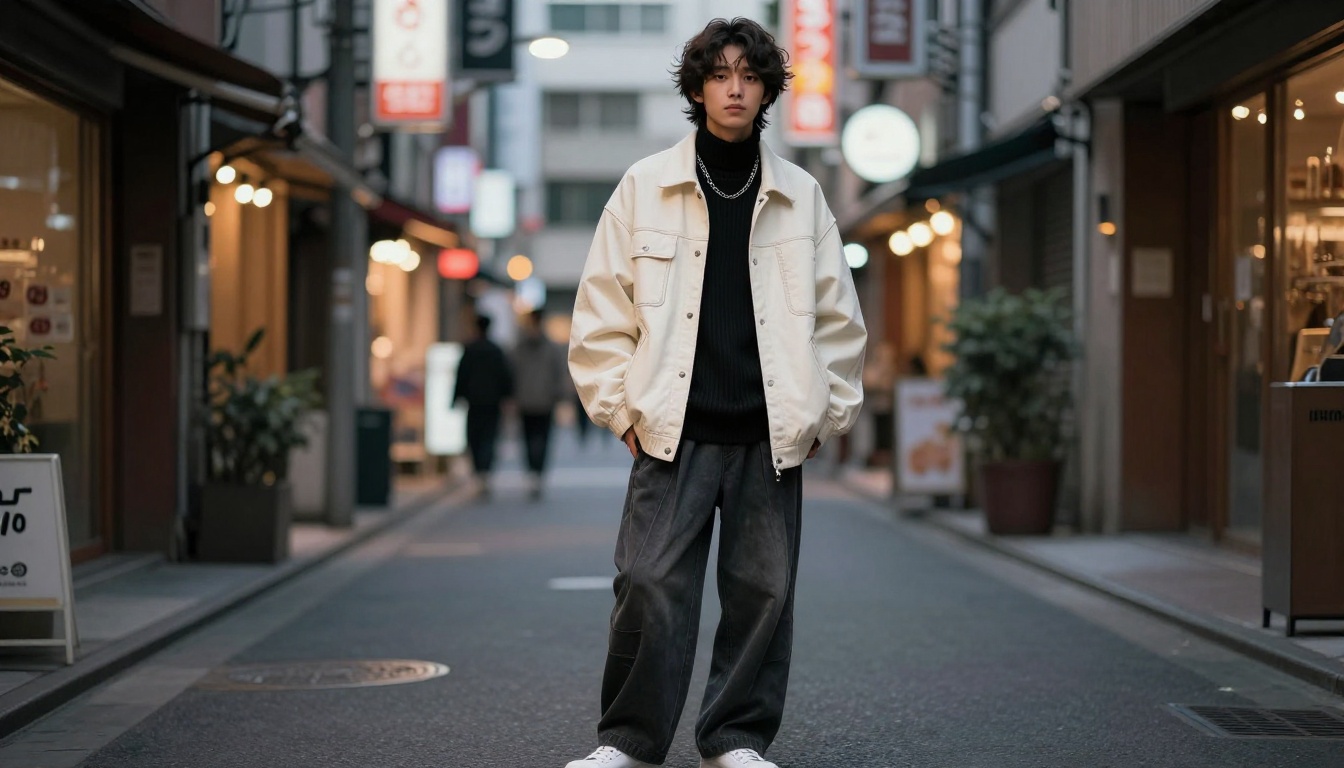
Why AI Changes Anime Outfit Design
Before AI models reached this level of capability, fans had two real paths for custom outfit art: pay a skilled artist for a commission (expensive, slow, limited rounds of revision) or learn to draw yourself (years of practice with uncertain results). Both required resources most fans simply did not have in quantity.
AI image generation removes those barriers entirely. You describe what you want and the model produces it. Assess the result, adjust the prompt, regenerate. The only skill you are building is the ability to translate your mental image into precise language — and that skill compounds fast.
This workflow is especially powerful for husbando outfit design because your concept is already highly specific. You know exactly what he looks like. You know the vibe: regal and controlled, dangerously casual, soft and domestic, dramatically revealing. You just need to dress him the way the story never did.
The community using these tools runs the full spectrum. Some fans want to see their favorite stoic general in relaxed festival wear for the first time. Others want the noble-born prince in something that actually shows off the physique the artist clearly intended but never let the canon outfit reveal. Others are building comprehensive visual lore, costume reference sheets for their own fan fiction, or simply satisfying the creative itch that a 24-episode run left unscratched.
💡 The difference between a generic output and a result worth saving almost always comes down to three things: fabric description, lighting direction, and structural layering. Describe all three and your prompt immediately separates itself from the average query.
What Actually Works in Outfit Prompts
After generating hundreds of character outfit images, here is what consistently moves the needle:
| Element | Weak Version | Strong Version |
|---|
| Color | "blue outfit" | "prussian blue structured frock coat with pale silver lining" |
| Fabric | "silk robe" | "heavyweight lustrous silk haori with visible weave texture" |
| Structure | "fancy clothes" | "layered with wide outer sleeves over a fitted inner robe" |
| Accessories | "with jewelry" | "layered silver chains at the collar, ornate sapphire signet ring" |
| Setting | "outside" | "standing at stone castle battlements, overcast dramatic sky" |
| Light | "good lighting" | "volumetric golden morning light from the left" |
Every additional detail narrows the output toward your specific vision. The model is not guessing what "cool outfit" means to you. You have to show it.
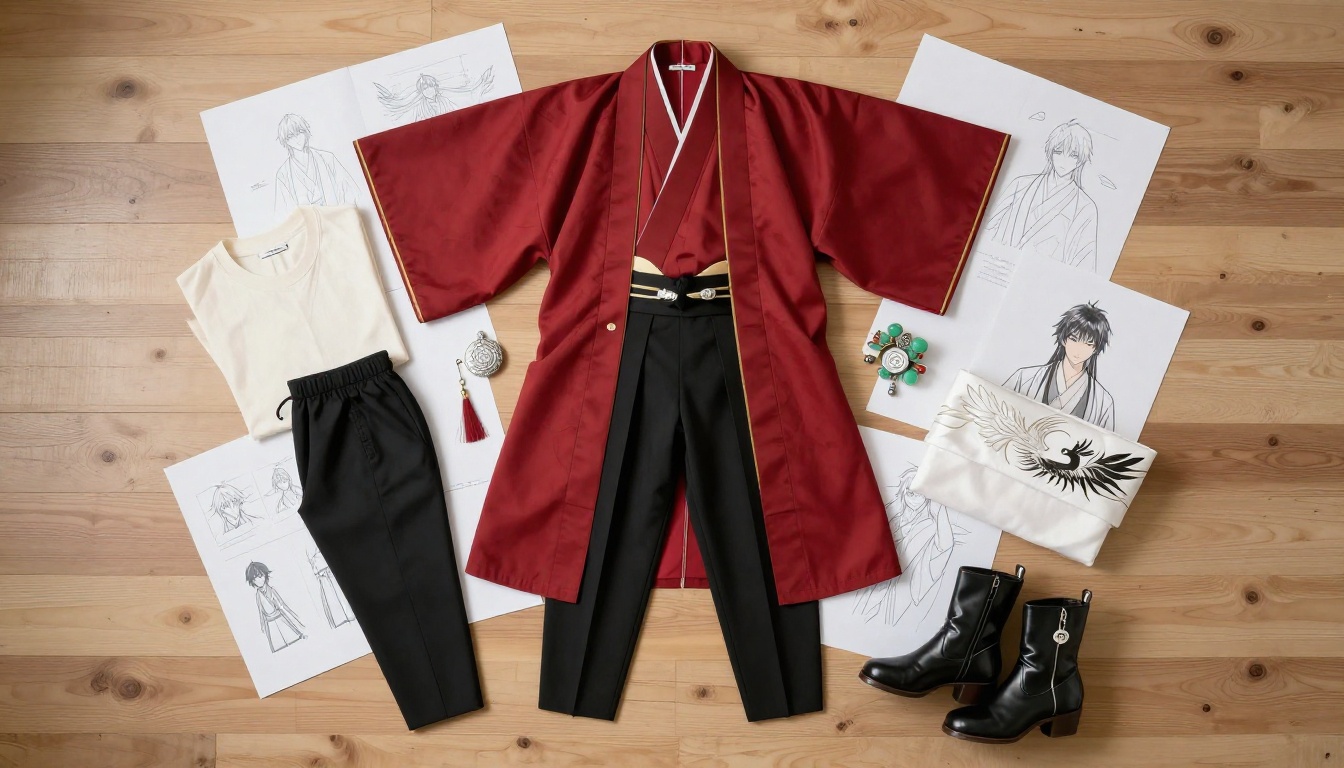
The Best AI Models for Husbando Outfit Art
Platform matters as much as prompt. Not every AI model handles male character fashion generation with the same quality. Some lose fabric texture at high resolution. Others over-smooth anatomy into something uncanny. A few apply content filters that block suggestive styling choices entirely, which is a problem when your design concept is deliberately bold.
These are the models that consistently deliver on PicassoIA.
This is the model to open with. Seedream 4.5 produces character-focused photorealism that feels genuinely cinematic. Fabric texture is sharp and detailed, anatomy is accurate, and complex layered outfits — robes over armor over undershirts — hold together compositionally in a way that cheaper models cannot manage.
It is also one of the few models that handles revealing and suggestive outfit styles without the content restrictions that hobble lighter alternatives. If your husbando is supposed to be shirtless in a windswept open robe at the ocean cliffs, or wearing armor that deliberately emphasizes his physique, Seedream 4.5 delivers it with the physical presence the concept calls for.
Speed is a practical advantage here too. On PicassoIA's infrastructure, Seedream 4.5 returns full-resolution results fast enough that iteration does not feel like a waiting game.
Once you have a base character image you are genuinely happy with, the wardrobe work shifts to PicassoIA Image Editor Pro. This is the unlimited-generation editing suite on the platform. Swap the jacket, change the color palette entirely, add armor layers over an existing outfit, remove accessories, or adjust the fit of every garment, all without regenerating the underlying character from a text prompt.
The inpainting precision lets you mask exactly the outfit region while the character's face, hair, and body stay completely consistent. This is how you build a cohesive series: same person, different outfit in every image, all feeling like the same character.
Flux Kontext Pro: Character Consistency Across Outfits
If you want multiple images that clearly show the same character in different outfits, Flux Kontext Pro is purpose-built for this. Its context-aware architecture adapts new outfit descriptions to an established character design rather than drifting toward a generic-looking person with each new generation.
The result is a wardrobe series with real visual cohesion. Same bone structure, same build, same hair. Different outfit every image. This is the model for fan lore projects, reference sheets, and any use case where identity continuity across images matters.
For reference sheets, large-format pieces, or any output where you need to see individual stitching and embroidery at full resolution, Flux Kontext Max sets the quality ceiling. What Kontext Pro does for character consistency, Max does at a resolution level that holds up to close inspection of every textile detail.
Seedream 5 Pro: Maximum Single-Image Quality
The most capable Seedream model currently available. Seedream 5 Pro handles the most demanding prompts, including outfits with multiple simultaneous layers, ornate embroidery, mixed material textures, and elaborate accessories, with stronger compositional coherence than any predecessor.
Use this when you want one definitive high-quality image rather than a fast iteration cycle.
For outfit styles that benefit from a specific aesthetic trained into the model weights, Flux Dev LoRA opens access to community-trained style layers. Feudal historical accuracy, Victorian aristocratic detail, high-fantasy aesthetics — if a LoRA weight fits the look you are after, this is where you apply it.
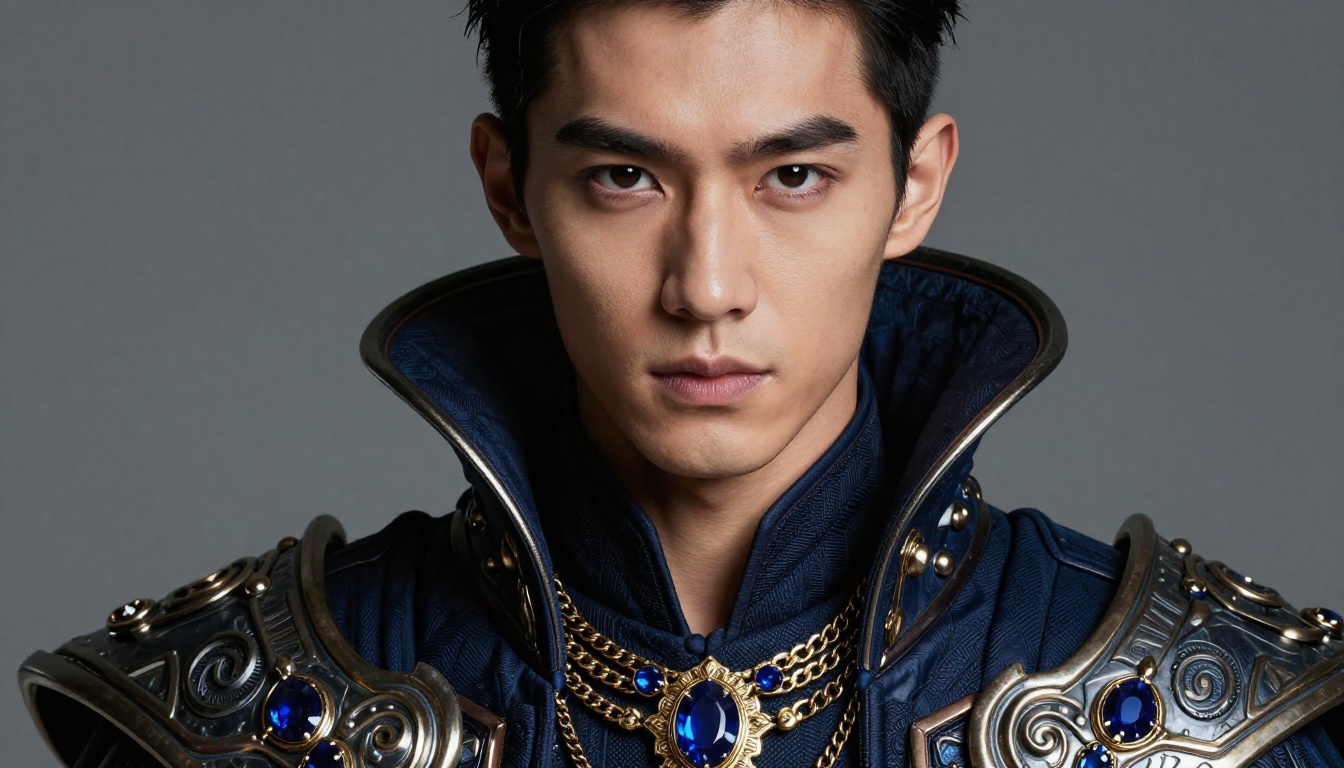
How to Use Seedream 4.5 for Custom Outfit Generation
The process is consistent once you internalize the structure. Every strong outfit prompt follows the same five-layer architecture.
Step 1: Build the Character Base
Do not name the character. Name the person by description:
"Photorealistic young Asian male, sharp defined features, raven-black hair, athletic build with defined shoulders, confident composed expression"
This establishes who you are dressing before you specify what they are wearing.
Step 2: Layer the Outfit Description
Stack outfit details in order from body outward:
"wearing a fitted ivory inner robe beneath a structured deep crimson haori with gold phoenix embroidery along every hem and sleeve, wide black hakama trousers with subtle pleat, leather ankle boots with silver buckle hardware"
Describing in this physical order — innermost layer first, outer garments last — helps the model construct the outfit with correct layering logic.
Step 3: Set the Environment
Where he stands shapes how the outfit reads. A formal robe in a stone imperial courtyard signals power and ceremony. The same robe in a modern urban setting reads as costume. Choose the environment that matches the outfit's intent:
"standing at the entrance of a grand imperial stone courtyard, sakura petals drifting on warm air, golden afternoon light from the left casting long shadows across cobblestone tiles"
Step 4: Add Technical Photography Modifiers
These are not decoration. They actively control output quality and visual character:
"85mm f/1.4 portrait lens, RAW 8K photography, Kodak Portra 400 film grain, volumetric golden light from left, photorealistic silk weave texture visible at close range"
Step 5: Close with Style Restrictions
Explicit constraints at the end of the prompt prevent aesthetic drift toward CGI or illustrated results:
"no CGI, no cartoon, no illustration, no glowing effects, no anime filter, photorealistic only"
💡 If your first output shows soft or inconsistent fabric texture, add this modifier: "extreme micro-detail on embroidery thread, silk weave structure clearly visible in fiber-level close-up"
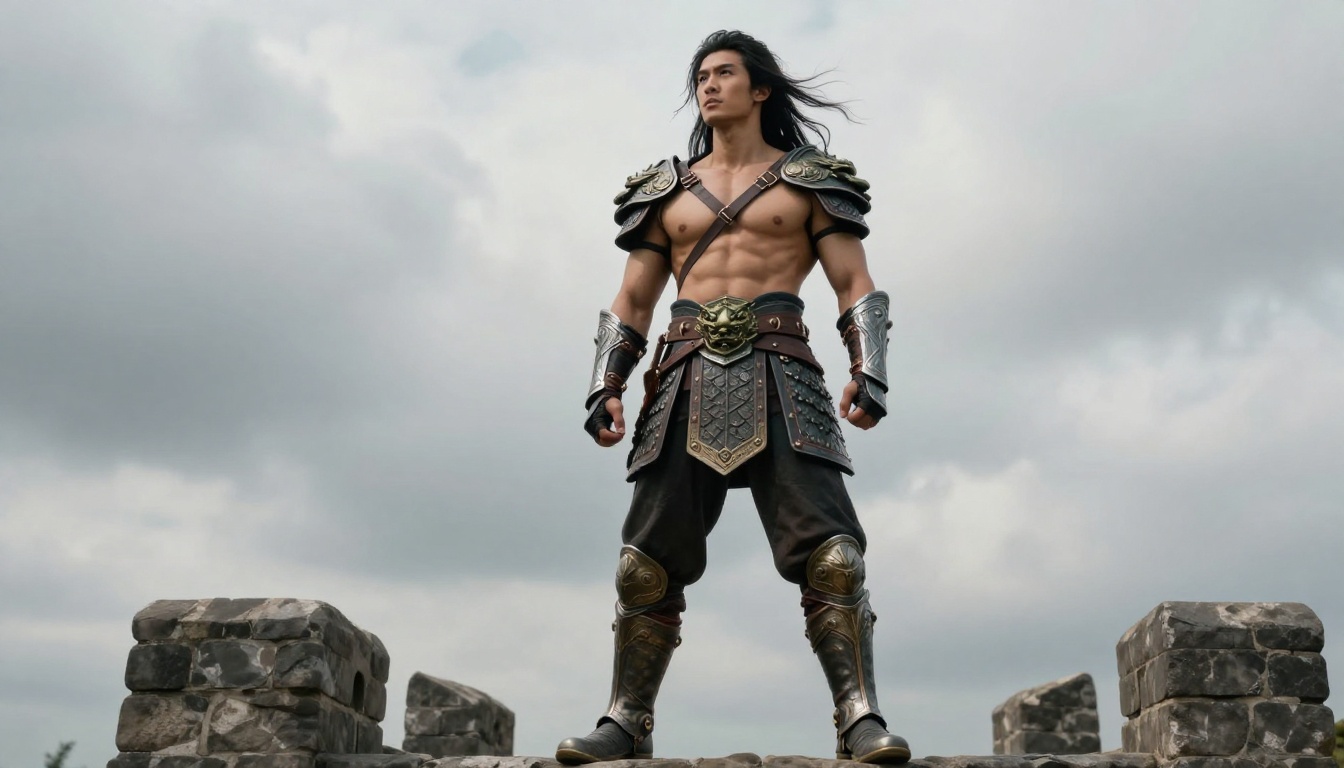
5 Outfit Archetypes Worth Creating
These categories cover the most common requests in husbando outfit design communities. Each archetype has its own prompting logic and a model recommendation optimized for that specific output.
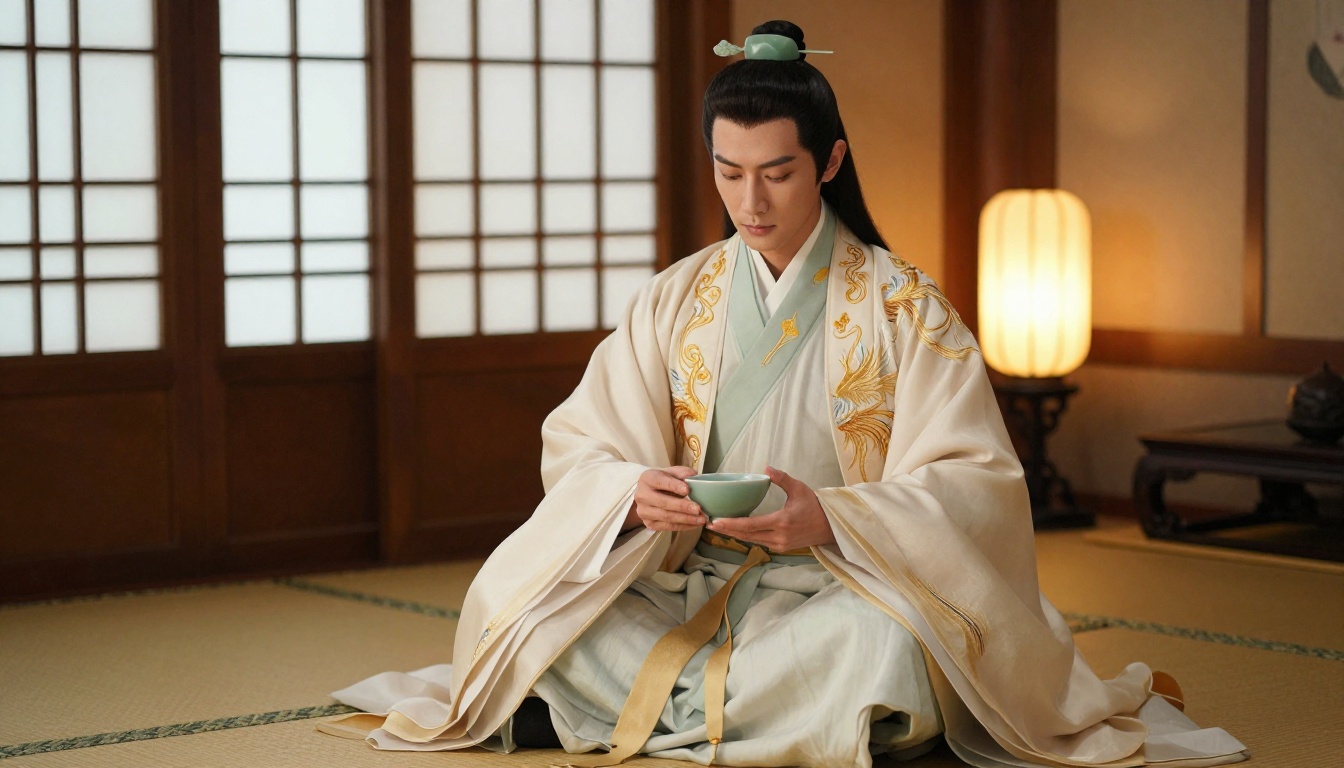
1. Royal and Court Wear
Layered, formal, status-forward. The outfit of political intrigue and controlled elegance.
Prompt structure: structured outer robe with architectural shoulder line, embroidered family crest at chest, layered inner silk robe in contrasting pale tone, wide decorative obi sash, formal imperial stone courtyard setting, golden ceremonial lighting
Best model: Seedream 4.5
2. Combat and Partial Armor
Worn and functional. The outfit that shows what battles have cost him.
Prompt structure: open chest armor strapped asymmetrically over bare torso, bronze pauldron on one shoulder, fitted dark battle trousers tucked into armored boots, visible wear on metal surfaces including scratches and patina, stone fortress backdrop with dramatic overcast sky
Best model: Flux Kontext Pro
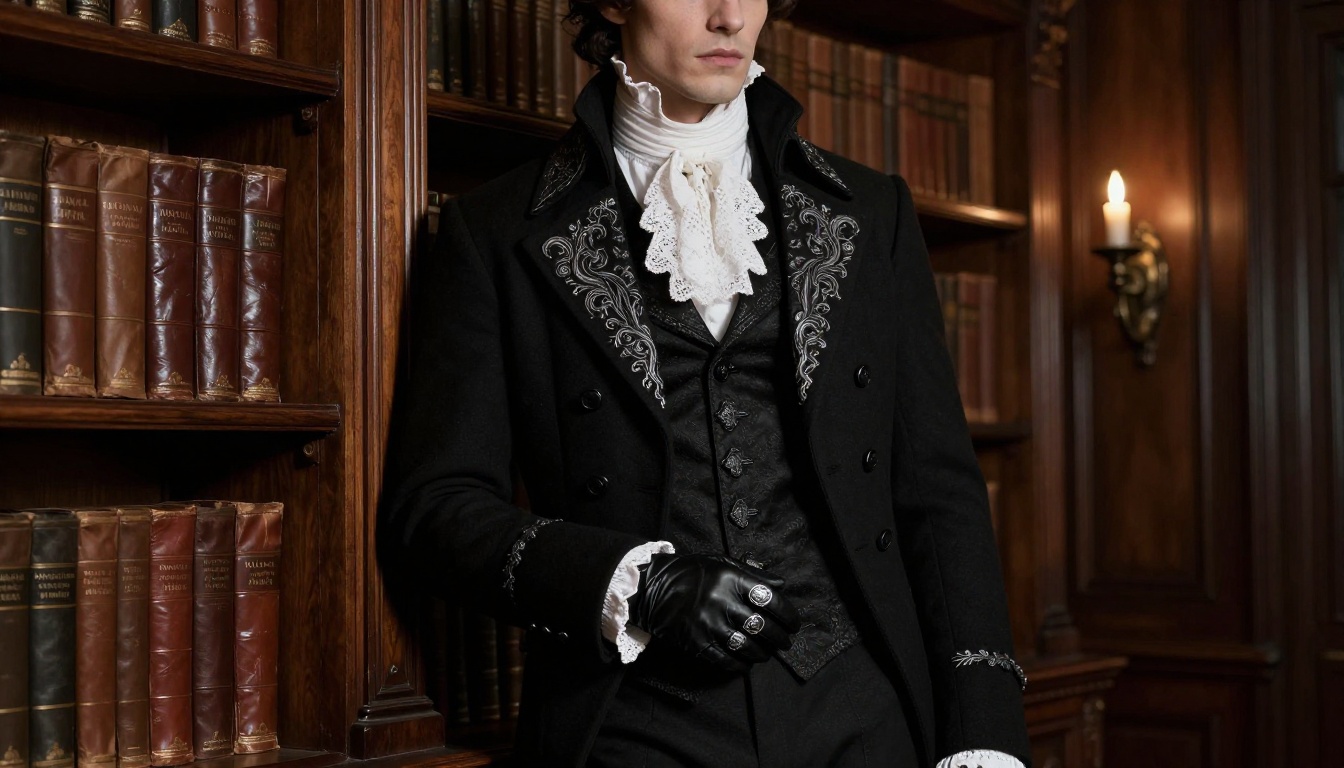
3. Gothic Aristocrat
Cold, controlled, dark. For the character who operates in the shadows of high society and never raises his voice because he never needs to.
Prompt structure: fitted black frock coat with silver embroidery at lapels and cuffs, white lace cravat at the neck, high-waisted fitted trousers, black leather gloves held in one hand, silver signet ring, Victorian library interior, sharp chiaroscuro candlelight from above
Best model: Seedream 5 Pro
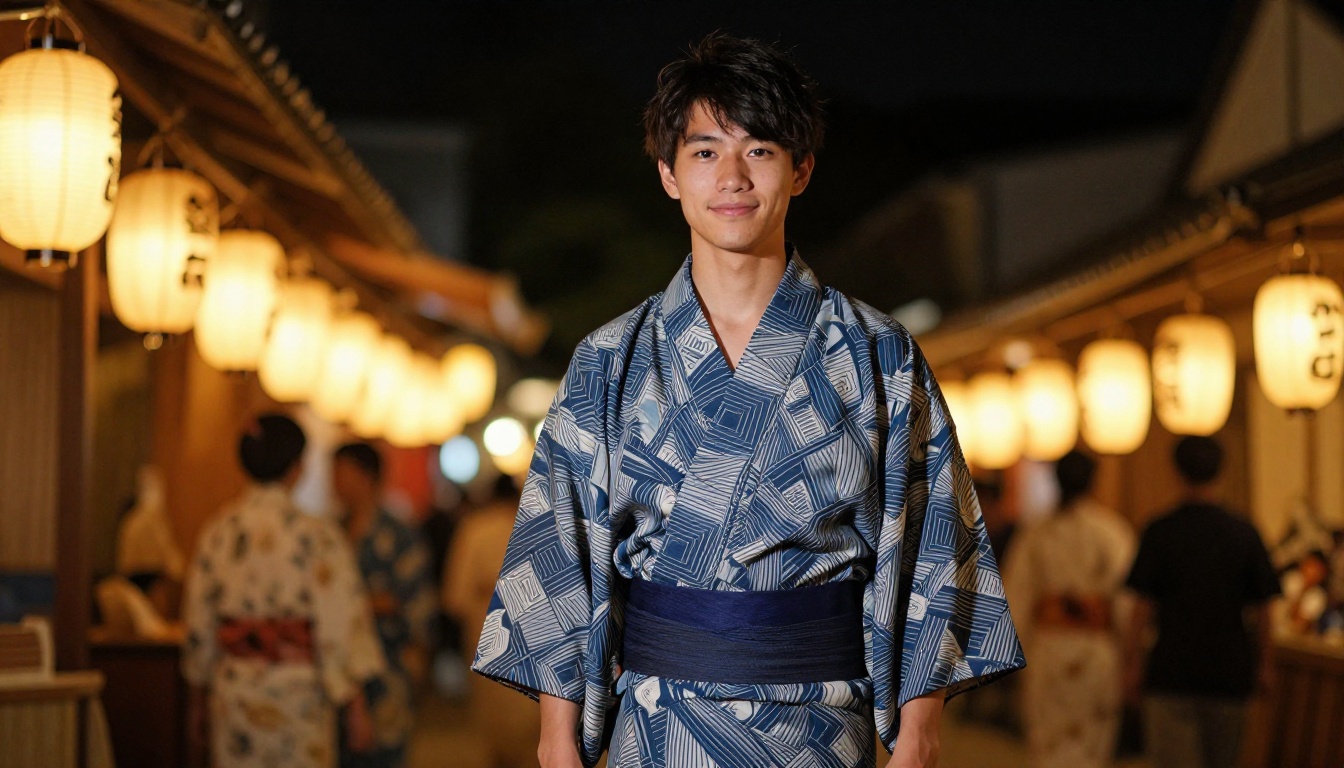
4. Festival and Traditional
Warm, approachable, briefly at ease. For the character who spends every episode in armor or formal wear and deserves at least one image where he looks relaxed.
Prompt structure: indigo and white geometric-pattern cotton yukata tied with wide navy obi sash, wooden geta sandals, relaxed collar, dark hair slightly tousled from warm evening breeze, Japanese summer festival background, warm paper lantern bokeh behind him
Best model: Seedream 4.5
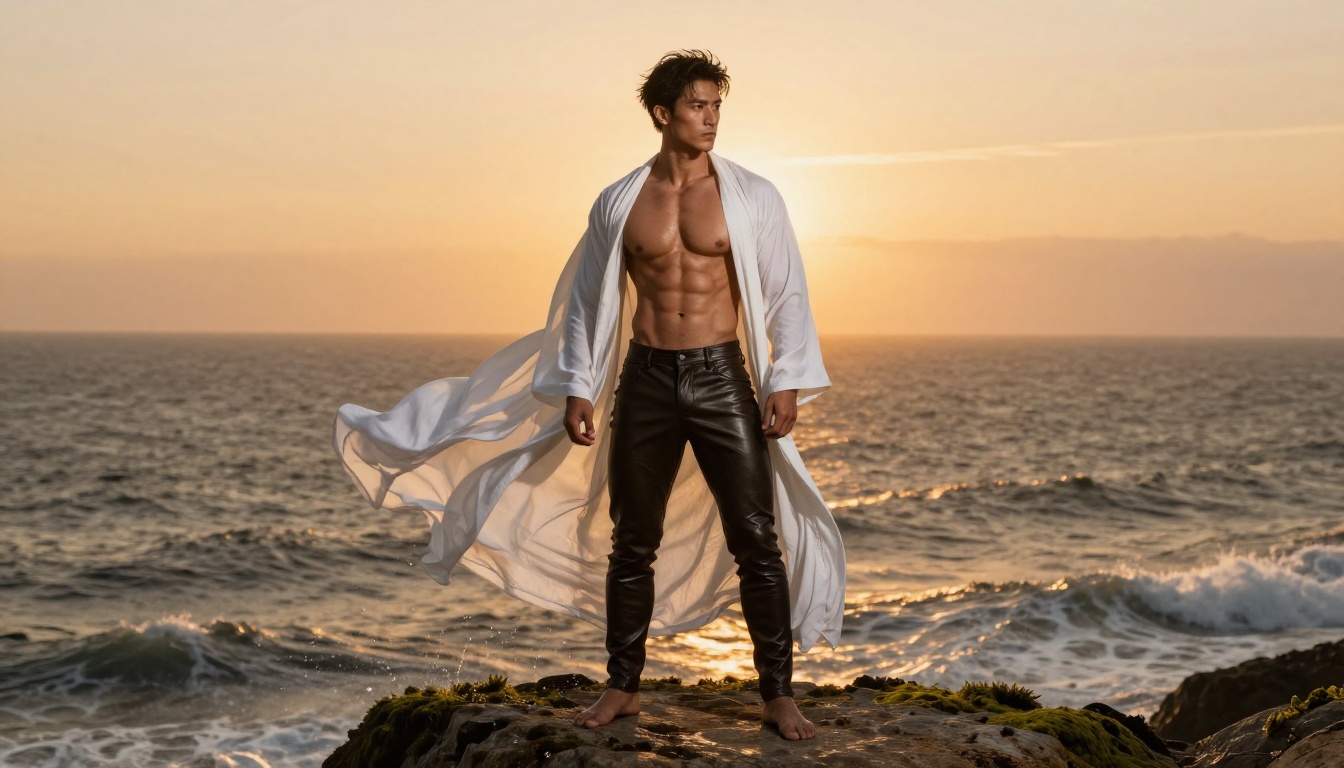
5. Revealing and Fantasy
For outfits that are deliberately minimal, sensual, or dramatically open. Think billowing open robes caught by wind, harness strapping over bare torso, or any design that prioritizes physical presence over coverage.
Prompt structure: unbuttoned flowing white gauze shirt with wide billowing sleeves caught by ocean wind, fitted leather riding trousers, bare feet on mossy cliff stone, defined physique with natural skin texture, dramatic warm sunset backlight from far horizon creating volumetric haze
Best model: Seedream 4.5 for base generation, PicassoIA Image Editor Pro for iterating the exact amount of coverage
💡 For suggestive or revealing outfit art, avoid Seedream 5 Lite. It applies heavier content filters that block artistic non-explicit designs. Seedream 4.5 and PicassoIA Image Editor Pro are the reliable options for this archetype on the platform.
Editing and Refining Your Husbando's Look
First-generation outputs almost never need to be your final images. The real workflow is: generate a strong base, then iterate through edits rather than regenerating from text each time.
PicassoIA Image Editor Pro handles the iteration half. These are the three tools you will use most:
Inpainting lets you paint over just the outfit region and describe the replacement. The character's face, hair, and body remain exactly as generated. Only the selected area updates. This is the fastest way to try five different jacket designs without rebuilding the full image each time.
Outpainting expands the canvas when your source image cuts off too high. If you generated a chest-up portrait but need full-length to show the boots, outpainting fills the missing area naturally in a way that matches the existing image's lighting and style.
Object replacement handles specific accessory changes. Swap the belt, modify the collar piece, change the footwear, add a weapon prop to his hand. Select the element, describe the replacement. The rest of the image stays intact.
For final output, Flux Kontext Max or PicassoIA's Super Resolution tool takes a finished image to print-level quality, adding genuine fine detail rather than simply scaling pixels up.
Building a Character Reference Sheet
If you want a full wardrobe document rather than individual images, the workflow is: generate your character base with Seedream 4.5 using a neutral outfit and pose, then use Flux Kontext Pro for each outfit variation to maintain character identity, and use PicassoIA Image Editor Pro to fine-tune individual outfit details within each variation.
The result is a series of images that clearly show the same person in five or ten distinct outfits, all with genuine visual consistency. This is the workflow fan fiction writers, cosplayers, and world-builders are using to create character documentation that actually looks professional.
10 Prompting Moves That Actually Work
These are specific, actionable adjustments rather than broad advice. Each one shifts output quality in a measurable direction.
1. Name the fabric first. Start outfit descriptions with the material, not the color. "Heavy lustrous silk" tells the model considerably more than "shiny blue cloth."
2. Specify light direction explicitly. "Volumetric morning light from the left" produces far better fabric rendering than "good lighting." Light direction determines shadow behavior across every fold and texture.
3. Use precise color names. "Prussian blue," "celadon green," "aged bronze patina," "obsidian black" produce better results than "dark blue," "light green," "brown metal."
4. Describe the collar in detail. The collar region is where outfit personality concentrates. Describe it with specificity: "wide open collar," "fitted standing mandarin collar," "white lace cravat," "layered neck armor with visible jaw shadow."
5. State layering order from body outward. Describe the innermost layer first, then the mid-layer, then the outer garment. This structural description prompts the model to render correct physical layering.
6. Use lens focal length as composition shorthand. "85mm f/1.4" signals portrait compression with shallow depth of field. "35mm f/2.8" signals wider environmental inclusion. These actually influence the model's compositional choices.
7. Add visible wear for non-formal outfits. "Slight crease at the elbow," "worn leather patina on buckles," "faded dye at collar edge" makes outfits feel lived-in rather than costume-box-fresh.
8. Reference surface texture explicitly. "Visible weave texture," "brushed canvas surface," "hammered metal with casting imperfections" tells the model to render material at micro-detail level rather than as a smooth approximation.
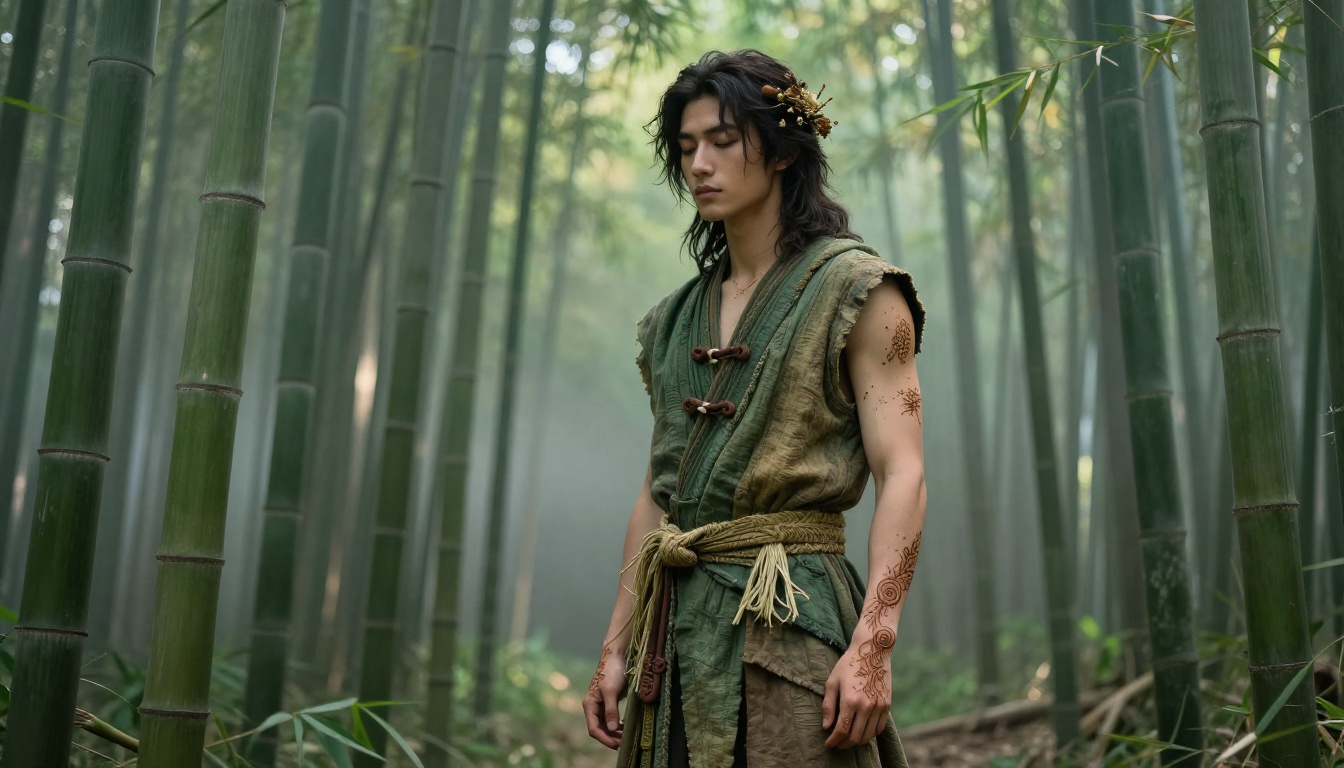
9. Anchor the scene to a specific archetype. "Imperial stone courtyard," "Victorian library interior," "bamboo grove at dawn mist," "ocean cliff at golden hour" gives the model a strong environmental anchor that the outfit then fits within naturally.
10. Iterate with PicassoIA Image Editor Pro rather than regenerating from scratch. Generate a strong base character with Seedream 4.5, then use Image Editor Pro for outfit swaps. Regenerating from text each time drifts character identity. Editing preserves it.
Prompts That Consistently Fail (and the Fix)
Some prompt patterns reliably produce weak results:
- "In the style of [anime title]" rarely works well and often produces generic results. Describe the aesthetic with material and structural language instead.
- "Very detailed" as a standalone modifier does little. Replace it with specific detail descriptions: "individual stitch lines visible at collar seam."
- "Beautiful" as a character descriptor contributes almost nothing. Describe specific features with specific lighting: "sharp jaw catching harsh sidelight from right."
Your Husbando's Wardrobe Starts Here
The whole point of loving an anime character is the version of him that exists in your head: the one who gets the scene the story never wrote, wears the outfit the animators never drew, inhabits the moment the canon skipped entirely.
AI image generation puts that version within reach. Not as a distant aspiration but as something you can produce today, in minutes, with enough specificity in your prompt and the right model selected for the job.
Start with Seedream 4.5 for your first outfit concept. It handles the photorealism, the fabric detail, and the non-restricted styles that other models refuse. Move to PicassoIA Image Editor Pro when you want to iterate the design without rebuilding from scratch every time. Use Flux Kontext Pro when you are building a cohesive wardrobe series where character identity needs to stay consistent across every image.
Every model currently available on the platform is at picassoia.com/en/all-models. There are over 90 text-to-image options alone, spanning every aesthetic from photorealistic portrait work to stylized fashion illustration. The right combination for your specific husbando's look is in there.
His best outfit does not exist anywhere yet. That is exactly the point. Build it yourself.


