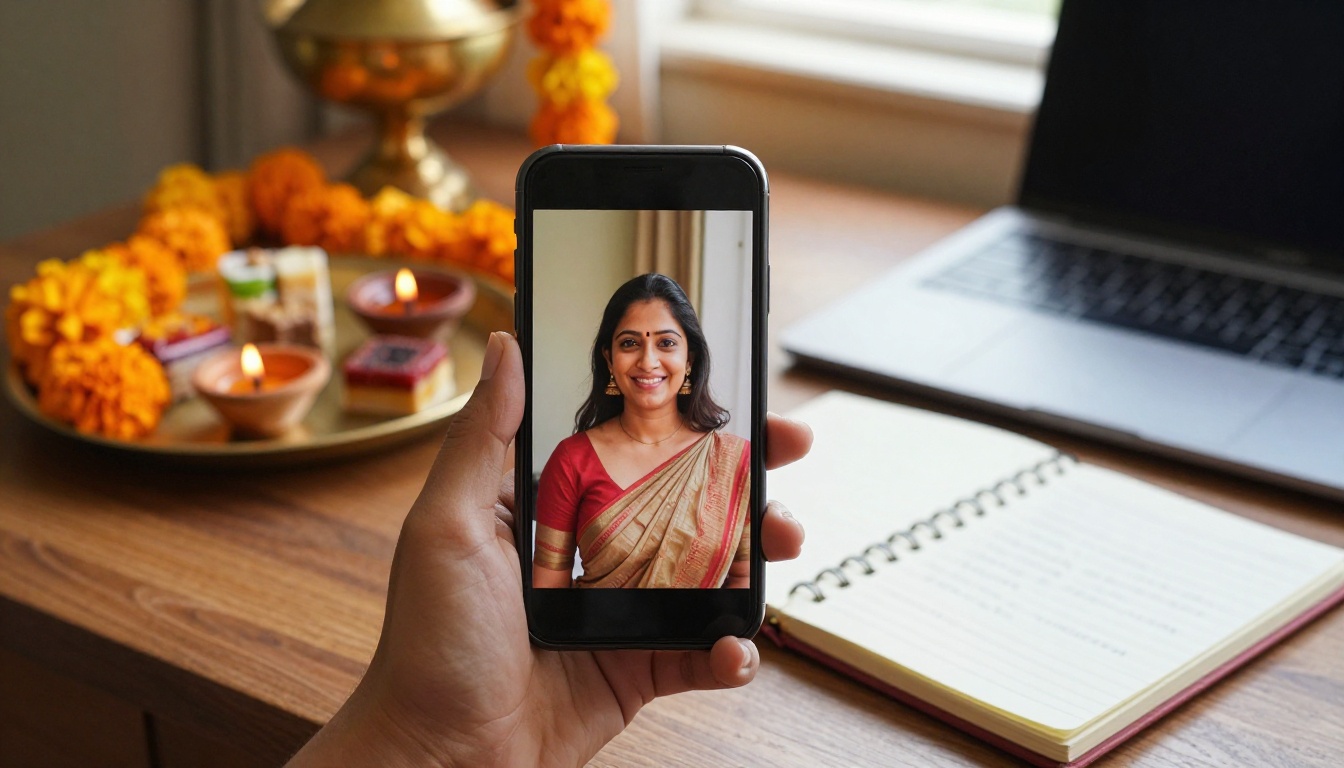
Diwali AI Photo Editing Prompts for Girls, Boys and Couples
Copy and paste Diwali AI photo editing prompts for girls, boys and couples. See how to add diya light, sarees, kurtas, sparklers and rangoli to your own photos, which models fit each edit, and how to keep faces looking real.
Every year around Diwali the same thing happens in phone galleries everywhere: the lamp light looks magical in person and flat in the photo. The sky is dull, the room is cluttered, and the diya in your hand turns into a yellow dot. That gap is why Diwali AI photo editing prompts have become one of the most searched festive tricks. You upload a normal photo, type a short instruction, and the editor adds glowing diyas, a rangoli at your feet, a fireworks sky or a richer outfit, while your face stays your own. This post gives you copy ready prompts for girls, boys and couples, plus family scenes, a model comparison and the settings that keep results looking like real photography instead of a cartoon filter.
How Diwali Photo Edit Prompts Work
Most people try a Diwali edit once, type "make me look festive", get a muddy orange filter and quit. The problem is not the AI. The problem is the instruction. An editor needs to know what stays, what changes and how the light should behave.
Edit Prompts Versus Generation Prompts
A generation prompt builds a picture from nothing. An edit prompt starts with your photo and describes only the change. That is why the best Diwali prompts spend half their words on what must stay the same: the face, the pose, the skin tone, the hairstyle.
PicassoIA Image Editor Pro is built around this idea. You upload up to three reference images, then point to them inside the prompt as "image 1", "image 2" and "image 3". That means a couple portrait can be built from two separate solo photos, one for each person, which keeps both faces far more accurate than asking the model to invent a partner.
The Five Part Prompt Formula
Every prompt in this post follows the same skeleton. Fill each slot and you rarely get a surprise.
Part
What it does
Diwali example
Subject lock
Protects face, pose and skin tone
"Keep her face, hairstyle and pose unchanged"
Outfit
Swaps the clothes
"emerald green silk saree with a gold zari border"
Setting
Builds the new background
"rooftop terrace at blue hour with clay diyas on the parapet"
Light
Sets direction and color
"warm flame light from the lower left, cool blue fill from the sky"
Camera
Gives the photographic feel
"85mm lens look, shallow depth of field, fine film grain"
💡 Tip: Write the subject lock first and the camera line last. If a result drifts, shorten the middle of the prompt before you touch the lock line.
Diwali Prompts for Girls
Festive photos of girls lean on three things: fabric, jewelry and flame light. Get those right and the picture reads as Diwali at a glance. Each prompt below is written for one portrait uploaded as image 1.
Saree and Diya Portrait
This is the classic. A rooftop, a lit brass diya and a rich silk saree.
Edit image 1. Keep her face, hairstyle, pose and skin tone unchanged. Dress her in an emerald green silk saree with a gold zari border and small gold jhumka earrings. Place her on a rooftop terrace at blue hour holding a lit brass diya in both hands. Warm flame light on her face from the lower left, cool blue sky fill on the right, a row of blurred terracotta diyas along the parapet behind her. 85mm lens look, shallow depth of field, natural skin texture, fine film grain.
The flame lights one side of the face and the sky lights the other. That warm and cool split is what makes the result look photographed instead of pasted on.
Sparkler Night Look
Sparklers are tricky because they throw light and motion at the same time. Tell the editor about both.
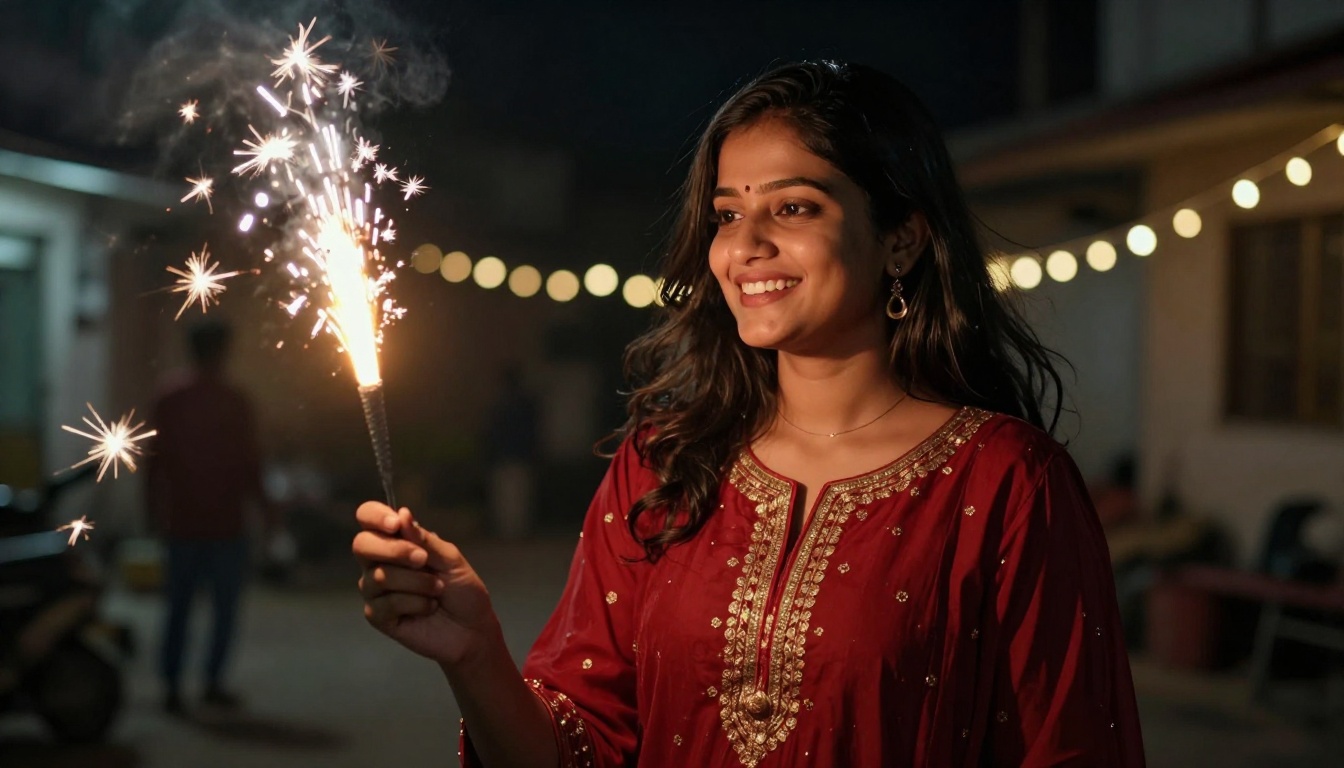
Edit image 1. Keep her face and expression unchanged. Dress her in a deep red anarkali with gold embroidery. She holds a lit sparkler at arm's length, white sparks trailing in a slight motion blur. Dark residential street behind her with blurred string lights. Spark glow lights her face from the left, deep shadows elsewhere. 85mm f/1.4 look, slight low angle, visible fabric detail, film grain.
Notice that the motion blur is limited to the sparks. Without that phrase, the whole frame can smear, face included.
Mehndi and Close Up Details
Not every Diwali photo needs a face. Hands with mehndi, bangles and a small diya make a great profile picture or story slide.
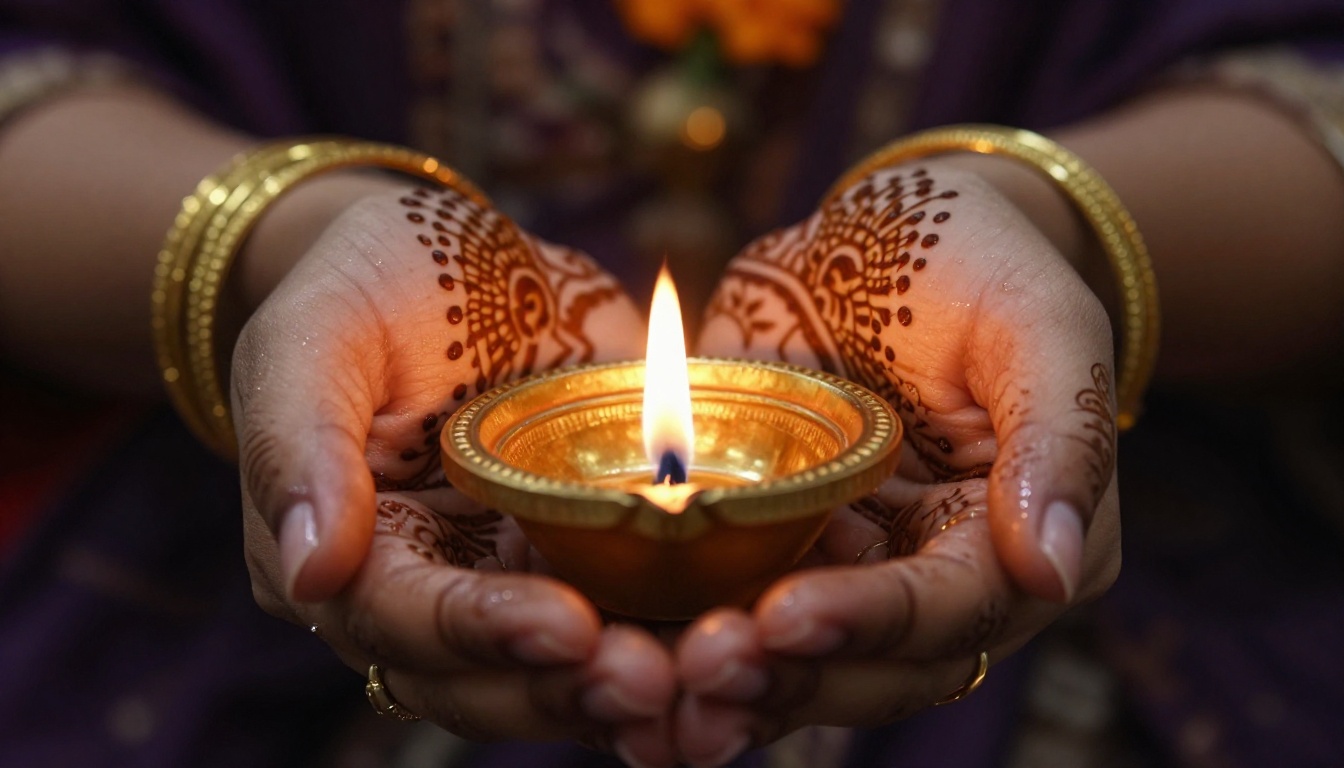
Edit image 1. Keep the hands and the henna pattern unchanged. Add gold bangles on both wrists and a lit brass diya in her cupped palms. Dark moody background with soft golden bokeh and a few marigold petals. Flame light from the front, shallow depth of field, 100mm macro look, visible skin texture and a faint oil sheen on the henna lines.
Macro prompts reward patience. If the henna lines look soft, add "sharp focus on the henna" and run it again with the same seed.
Diwali Prompts for Boys
Boys' edits tend to fail for the opposite reason: the prompt is too short. "Diwali look, kurta" gives you a costume on a plain background. The setting and the light do the heavy lifting, so give them real attention.
Kurta and Doorstep Diyas
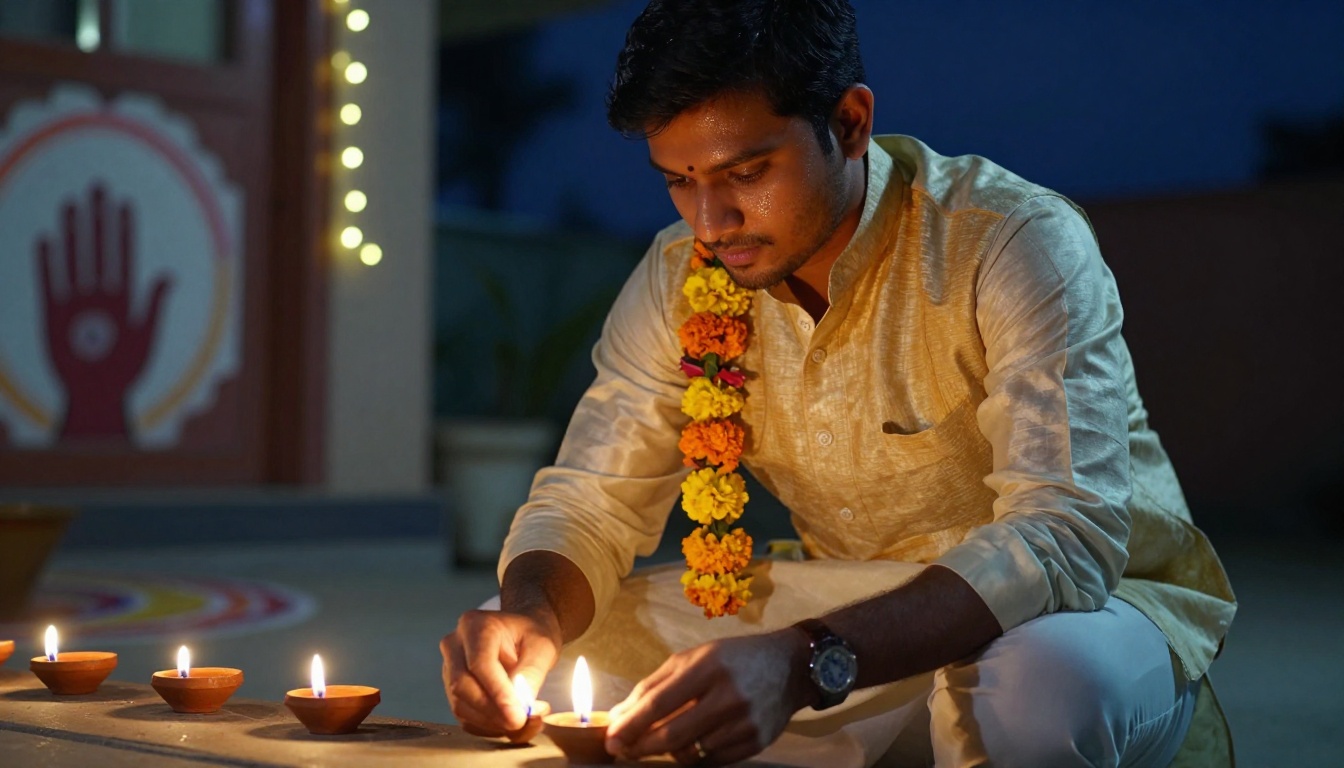
Edit image 1. Keep his face, stubble, hairstyle and pose unchanged. Dress him in a cream silk kurta with a mustard Nehru jacket and a marigold garland over one shoulder. He crouches on a stone doorstep at dusk, lighting a row of clay diyas. Warm flame light from below on his face, cool blue ambient fill, a hand drawn rangoli and string lights blurred behind him. 50mm f/1.8 look, low angle, realistic fabric texture, film grain.
The low camera angle is doing real work here. Light from the diyas hits the jaw and cheekbones from underneath, which gives the portrait a cinematic feel without any retouching.
Rooftop Fireworks Look
Edit image 1. Keep his face, beard and pose unchanged. Dress him in a black kurta with a gold threaded stole. Place him on a rooftop at night with distant fireworks bursting out of focus in the sky behind him and a few lit diyas on the wall beside him. Soft warm light on his face from the left, cool night blue in the shadows. 70mm lens look, shallow depth of field, matte skin, subtle film grain.
Keep the fireworks blurred. Sharp fireworks behind a sharp face look fake because real cameras cannot hold both in focus at night.
Diwali Prompts for Couples and Families
With two or more people, the biggest risk is faces blending into each other. The fix is simple: use one reference image per person and name them in the prompt. Image Editor Pro accepts up to three references, so a couple fits comfortably and a third image can hold an outfit or a background.
Balcony Fairy Light Portrait
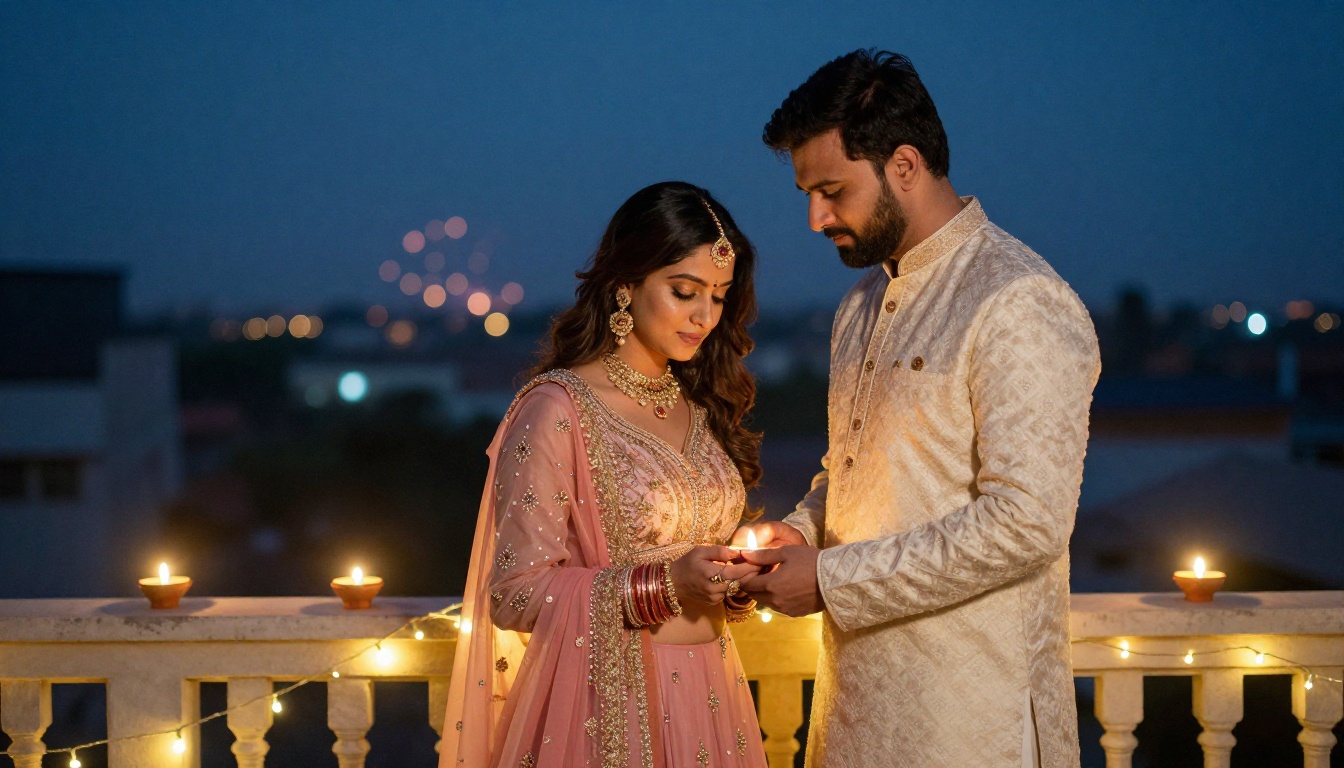
Create one portrait using the woman from image 1 and the man from image 2. Keep both faces and skin tones unchanged. She wears a pastel pink lehenga, he wears an ivory sherwani. They stand close on a balcony strung with warm fairy lights, her forehead resting against his, hands lightly clasped. Diyas glow on the railing in front of them, city lights and distant fireworks blurred in a twilight sky. Golden light from the right, cool dusk fill behind. 35mm f/2 look, eye level, visible embroidery, film grain.
Matching color families, here ivory and blush, make a couple read as a pair even when the original photos were taken apart.
Night Market Walk
A walking shot feels more natural than a posed one, and it hides small hand and pose errors.
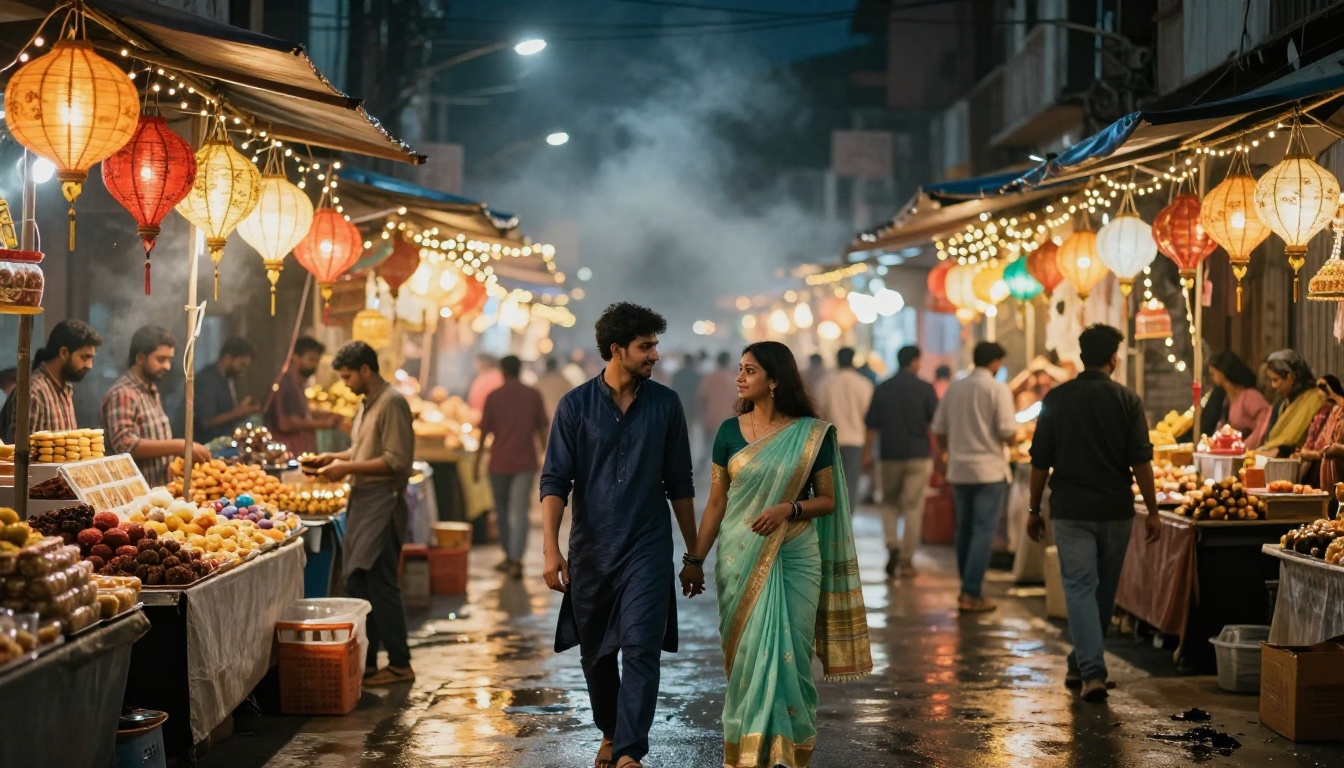
Create one image using the woman from image 1 and the man from image 2, keeping both faces unchanged. They walk hand in hand through a Diwali night market, seen from slightly behind and below. He wears a navy bandhgala, she wears a mint green saree. Paper lanterns, string lights and blurred sweet stalls line the lane, with a light haze of incense smoke and wet pavement reflections. Backlight from the stall lamps. 35mm f/1.8 look, golden bokeh, film grain.
Studio Portrait With Negative Space
Want a clean photo for an invitation, a card or a profile banner? Ask for empty space on purpose.
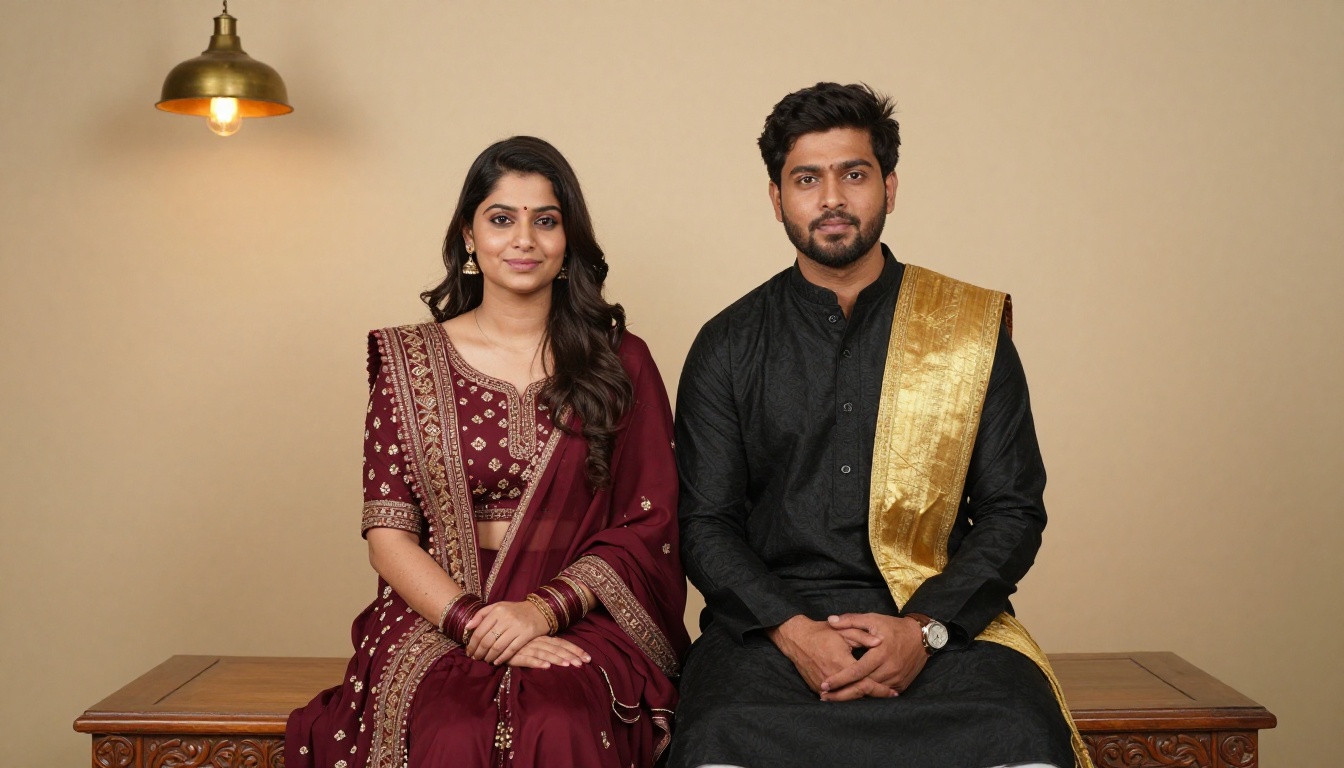
Create a studio portrait of the man from image 1 and the woman from image 2, faces unchanged, seated side by side on a carved wooden bench. He wears a black kurta with a gold threaded stole, she wears a burgundy lehenga. Plain warm beige wall behind them with one hanging brass lamp. Soft box light from the left with gentle falloff. Leave empty space on the right side of the frame. 70mm f/2.8 look, natural skin texture, film grain.
Family Sofa Portrait
Group edits work best when you keep the original faces and change only the room and the clothes.
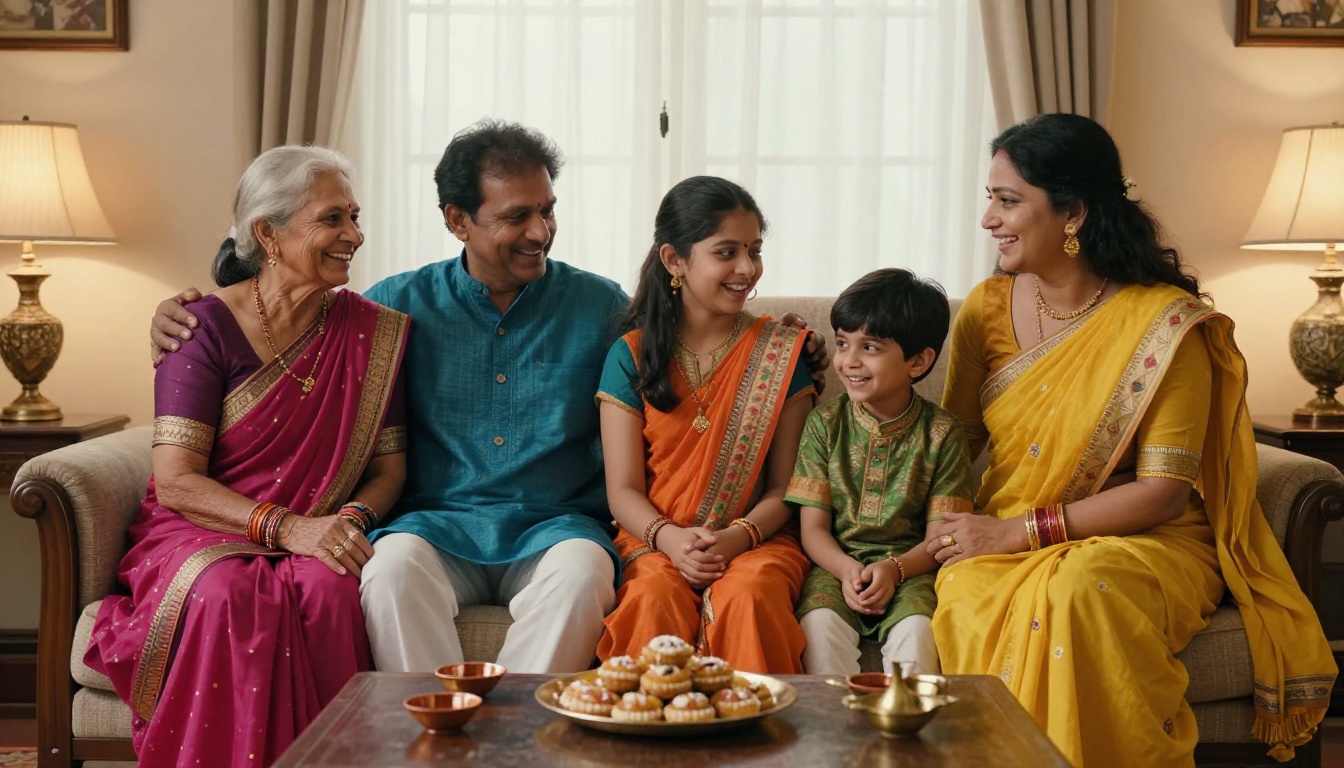
Edit image 1. Keep every face, age and expression unchanged. Dress the grandmother in a magenta silk saree, the father in a blue kurta, the mother in a yellow saree and the two children in orange and green festive outfits. Add brass diyas on a low table in front and a plate of mithai. Warm lamp light mixed with soft window daylight. 35mm f/2.2 look, eye level, visible fabric patterns, natural skin texture.
Overhead Rangoli Scene
Rangoli looks best from straight above. Use a photo of hands or a floor and add the pattern on top.
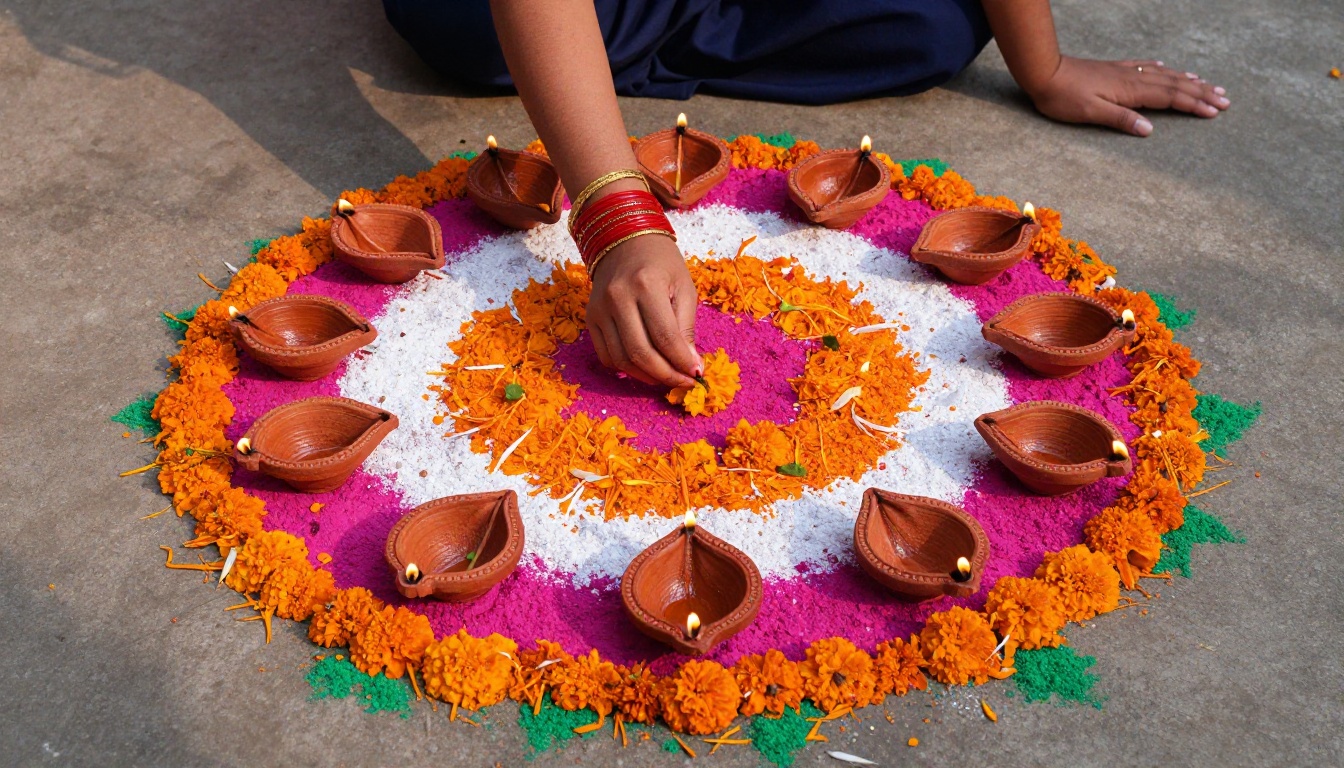
Edit image 1. Keep the hands and bangles unchanged. Place them over a hand made rangoli on a courtyard floor in orange, magenta, white and green powder with marigold petals and a ring of twelve lit terracotta diyas. Slightly uneven, hand drawn lines. Soft late afternoon sunlight from the left, 24mm lens shot straight down, crisp macro level texture.
The words "slightly uneven, hand drawn" matter. Perfect symmetry is the clearest sign that a rangoli was generated and not made by hand.
Which Model Fits Which Edit
No single model wins every job. Here is how the main PicassoIA options line up for Diwali photos.
Long, detailed prompts and greeting card layouts with a short line of text
💡 Tip: Start every project in Image Editor Pro, because it has no per edit cap. Once you have a prompt you like, rerun it in Seedream 4.5 when you need a larger, print ready file.
How to Use Image Editor Pro
This is the fastest route from a normal phone photo to a Diwali portrait on PicassoIA. The whole loop takes a few seconds per edit.
Upload your photo in the Images field. The first image is the primary one. Add a second or third image if you are combining people or borrowing an outfit.
Paste one of the prompts above into the Prompt field. Refer to your uploads as image 1, image 2 and image 3.
Leave Aspect ratio on match_input_image to keep your original framing, or pick 9:16 for stories and 16:9 for banners.
Set Number of outputs to 2 so you can compare two variations of the same edit.
Run the edit. When one result is close, note the seed and rerun with small prompt changes to reproduce the same base.
Export as JPG or PNG when you want a file for sharing, and keep the quality near the default for a balance of sharpness and size.
Settings Worth Changing
Setting
Recommended value
Why
Aspect ratio
match_input_image
Stops the crop from cutting off heads
Number of outputs
2
Gives you a choice without extra effort
Seed
Fixed once you like a look
Lets you tweak one detail at a time
Output format
JPG or PNG
WebP is the default, but JPG and PNG open everywhere
Output quality
90 to 100
Keeps skin texture from turning waxy
Mistakes That Spoil Diwali Edits
Almost every weak result traces back to one of these.
Too many light sources. Name one main source, usually the diya or sparkler, and one fill. Five glowing sources make the picture look like a screensaver.
No subject lock. Without "keep her face unchanged", a model may smooth, slim or reshape features. Always protect the face first.
Neon color words. Words like "glowing", "magical" and "vibrant" push the result toward illustration. Describe real objects and real light instead.
Perfect skin. Add "natural skin texture" or "visible pores". Over smooth skin is the quickest giveaway of an AI edit.
Sharp backgrounds. If everything is in focus, the subject stops standing out. Ask for a shallow depth of field and blurred lights.
Overloaded outfits. One saree color and one metal tone is enough. A rainbow of patterns and jewelry makes fabric details collapse.
Make Your Own Diwali Photos
You now have a full set of prompts to paste, from solo portraits to couples, families and rangoli floors. Pick the one closest to your photo, change the outfit colors to match your own, and run it. Try two outputs, compare them, and keep adjusting one detail at a time until the light looks right.
Open PicassoIA Image Editor Pro, upload a favorite photo and try the saree and diya portrait or the balcony couple prompt first. Then browse the other editors on Picasso IA to see which one gives your photos the warmest, most natural glow this Diwali.