The moment you decide to dress your AI waifu, you run into the same wall every time: the outfit looks vague, wrong, or totally off from what you pictured. A generic prompt gives a generic result. The difference between a character who looks like she stepped out of a fashion editorial and one who looks like a placeholder is almost always in how precisely you describe the clothing, the setting, and the light hitting the fabric. This article breaks down outfit ideas across every major style category, from casual street looks to fantasy gowns to NSFW-friendly intimate wear, along with the exact tools on PicassoIA that make each one work.
Every style here is actionable. Each section gives you the vocabulary, the prompt elements, and the model recommendations to stop guessing and start generating characters that actually look the way you imagined them.
What Makes an AI Outfit Actually Work
The outfit is not just the clothing. It is the fabric texture, the lighting on the fabric, the fit, the pose, the environment, and the camera angle. When any of these are missing from your prompt, the AI fills in the blanks with something average. The goal is to leave no blanks.
The Prompt Is the Blueprint
Think of your prompt as a costume designer's brief. You would not hand a costume designer a note that says "nice dress." You would specify the silhouette, the fabric (silk, velvet, cotton, leather), the color and saturation, where the hemline falls, whether there is embroidery or lace, and how the fabric interacts with the body. The more specific the brief, the more precise the output.
💡 Pro tip: Always include the fabric material in your prompt. "A red dress" and "a structured deep red silk midi dress with a flared skirt" are not the same prompt and will not generate the same image.
The camera angle matters just as much as the outfit description. A low-angle shot with a 35mm lens creates very different visual dynamics than a centered 85mm portrait shot. Describe the lens, the distance, and whether the background is sharp or softly blurred. These technical details tell the AI how to frame the shot, not just what to put in it. Without them, you get a character floating in a generic environment with flat, directionless light.
Style Consistency Matters
If you want your AI waifu to feel like a real character rather than a random beautiful woman in different outfits, you need to maintain consistency in a few anchors: hair color and length, eye color, skin tone, and general facial structure. Models like Seedream 4.5 and Reve 2.1 both support detailed character description that locks in these features across multiple generations. Write a character reference block and paste it at the beginning of every prompt, varying only the outfit and setting.
Casual Looks That Hit Every Time
Casual outfits are deceptively hard to prompt well. The temptation is to under-describe them because "casual" implies simple. But casual fashion has just as many layers of specificity as formal wear. A well-prompted streetwear look has fit, fabric, color coordination, and styling details that communicate a whole personality.
Street Fashion and Oversized Layers
Street fashion is defined by contrast: oversized against fitted, relaxed against structured. When prompting this style, describe the fit relationship between the top and bottom. Is the hoodie oversized while the jeans are slim-fit? Does the jacket hang open over a cropped tank? Are the sneakers chunky platform styles or clean low-profile ones?
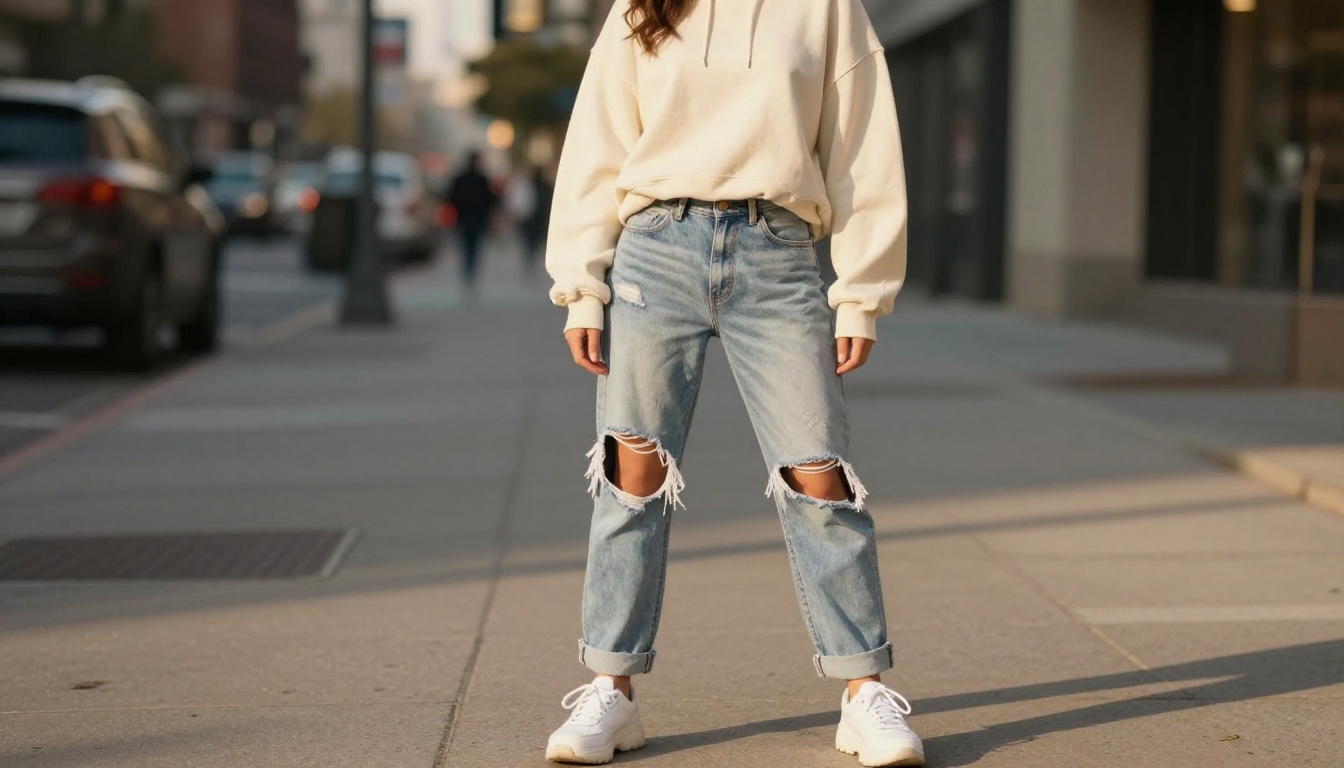
Effective casual prompt elements:
- Fabric: cotton, jersey, denim, fleece, brushed flannel
- Fit: oversized, cropped, slim, relaxed, boxy
- Color palette: monochrome, earth tones, pastel, bold color-block
- Accessories: cap, tote bag, layered necklaces, white socks, sunglasses
- Setting: sunlit urban sidewalk, skate park, coffee shop exterior, brick alley
Lighting for street fashion should feel natural and directional. Specify golden hour light from one side, or bright overcast diffusion for a clean editorial look. Avoid asking for studio lighting in an outdoor street context because the two conflict and produce results that feel artificial.
Academia and School Style
The academia aesthetic, with its plaid skirts, blazers, knee socks, and leather Oxfords, is one of the most requested styles for AI waifu characters. It blends cute and sophisticated in a way that works across both SFW and more suggestive creative directions. For this style, the environment matters almost as much as the outfit.
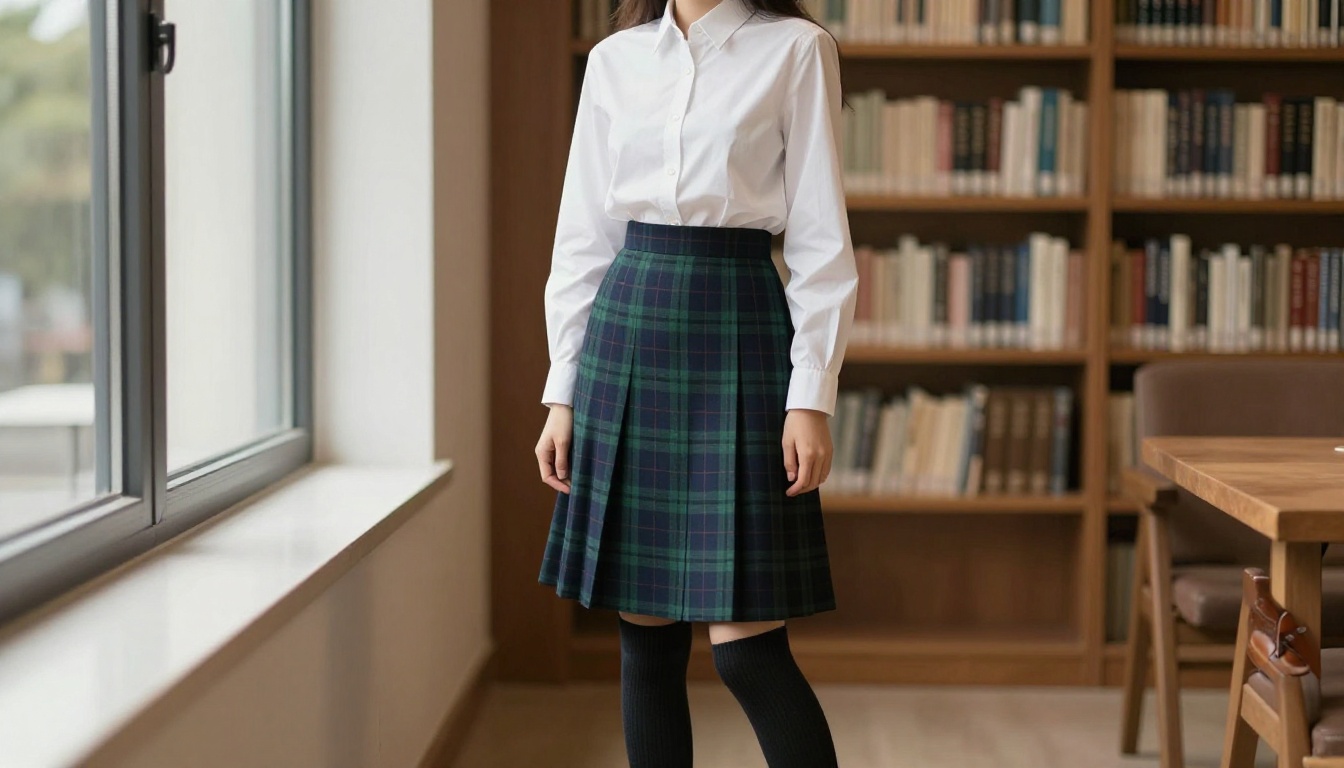
💡 Setting tip: A library window with diffused natural light, a lecture hall, or a cobblestone university courtyard all reinforce the academia mood without elaborate description. Simply writing "classical university architecture in background, soft window light" is enough to set the scene.
Academia outfit components:
| Element | Options |
|---|
| Top | White button-down, cable-knit sweater, turtleneck |
| Bottom | Plaid mini skirt, high-waisted trousers, pinafore dress |
| Outerwear | Fitted blazer, trench coat, oversized cardigan |
| Footwear | Oxford shoes, Mary Janes, knee-high boots |
| Accessories | Round glasses, leather tote, hair ribbons |
Glamour, Fantasy, and Statement Styles
These are the showstopper outfits. Evening wear, fantasy gowns, and statement fashion push visual drama to its maximum. For AI-generated images, these styles reward the most detailed prompts because the AI has the most latitude to interpret something like "fantasy gown" in wildly different ways. Pin it down with specifics.
Evening Wear Done Right
A successful evening gown prompt specifies the silhouette (A-line, mermaid, column, ball gown), the fabric and how it moves (structured satin versus flowing chiffon), the neckline, any embellishment details (beading, embroidery, cutouts), and the styling of hair and accessories. The setting for evening wear should always have defined lighting, such as soft warm chandeliers, blue-hour outdoor photography, or dramatic studio strobes.
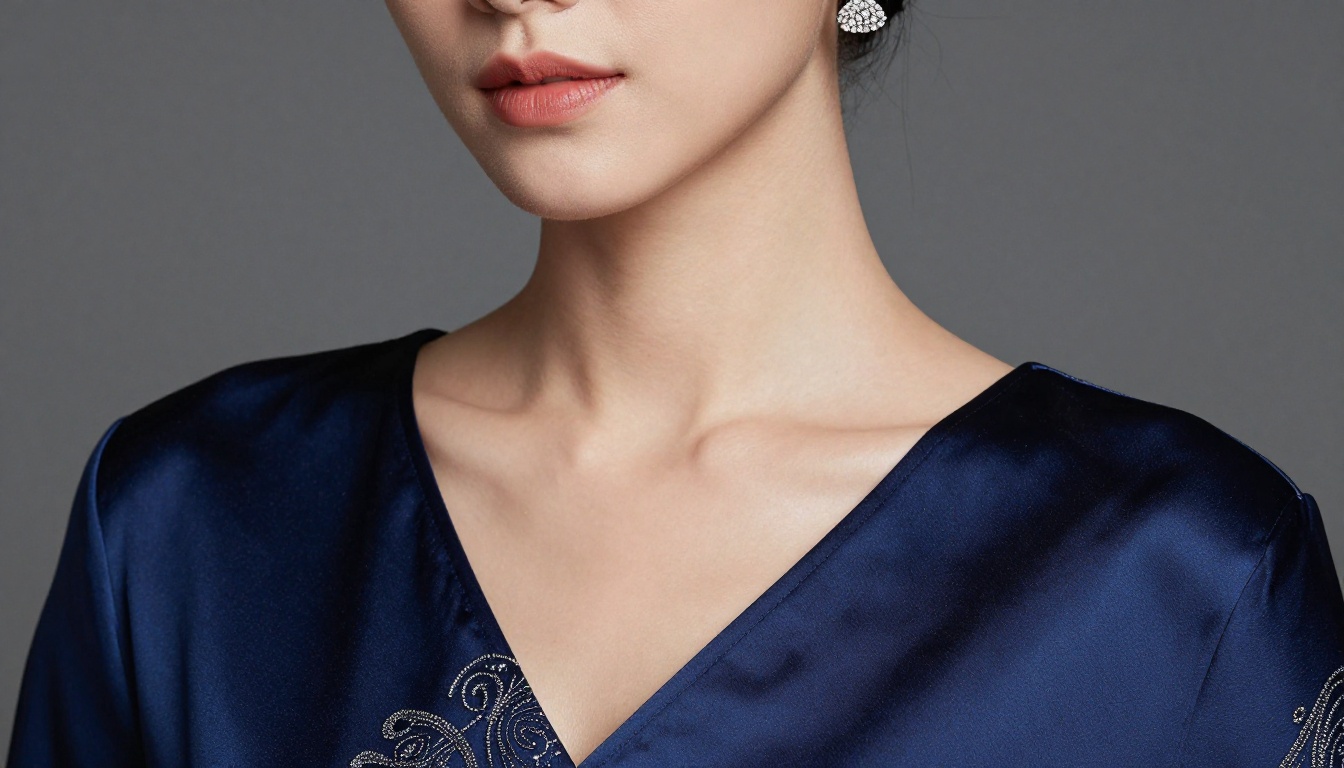
Models like Portrait Series excel at this kind of refined character work. The model holds fine detail in fabric and jewelry well, which is exactly what you need for glamour shots. Pair it with a detailed lighting description and you will get editorial-quality evening fashion in a single generation.
Fantasy Gowns and Ethereal Looks
Fantasy outfits need an environment to anchor them. A flowing silver gown means nothing without a backdrop that tells the viewer why someone is wearing it. A forest clearing, a castle balcony, a misty lakeside at dawn: these settings do as much work as the outfit description itself.
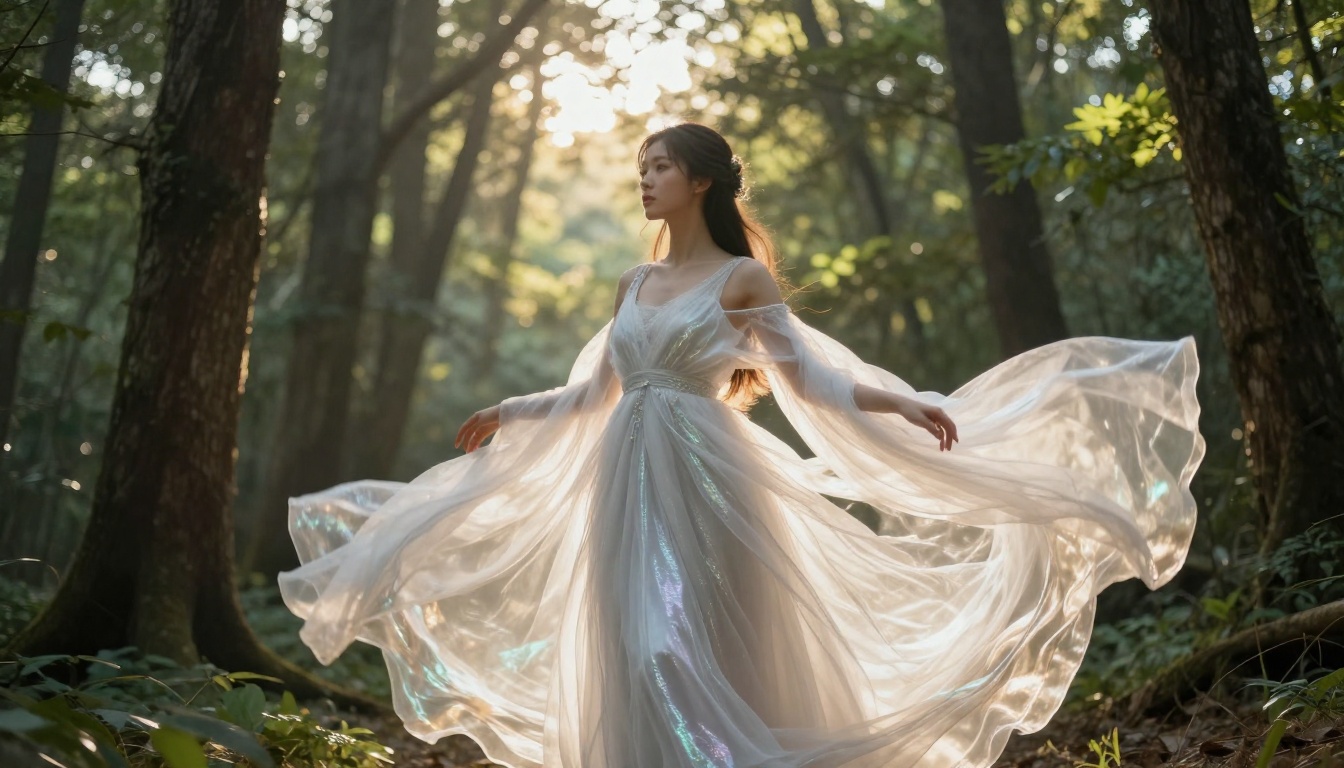
Flux Redux Dev is particularly strong for rendering flowing fabric and natural environments with atmospheric depth. If you have a reference image of a specific fantasy outfit, this model can reinterpret it onto your character while maintaining the spirit of the original garment design.
Fantasy outfit prompt checklist:
- Fabric weight and movement (heavy velvet vs. light chiffon vs. structured brocade)
- Color theory (complementary colors to the environment)
- Light source (moonlight, firelight, golden hour sun through trees)
- Hair styling that matches the mood (braided crown, loose waves, ornate pinned up)
- Accessories that fit the fantasy world (circlet, staff, ornate belt, pauldrons)
Not every outfit is designed for a general audience, and PicassoIA does not pretend otherwise. The platform supports non-explicit NSFW generation with the right models. The trick is knowing which models handle this content well and which ones do not, because the gap in output quality between the right and wrong model here is significant.
Why Seedream 4.5 Is the Starting Point
Seedream 4.5 is the first model you should reach for when generating suggestive or NSFW-adjacent outfit styles. It renders realistic skin tones with natural texture, handles delicate fabric like silk and lace without making it look plastic, and produces consistent anatomy with a level of detail that most models at this speed cannot match. It does not censor or water down adult-adjacent content, making it the right tool for swimwear, lingerie, and intimate fashion.
💡 Important: Do not use Seedream 5 Lite for this kind of content. It blocks adult material and will either refuse or heavily modify your prompt result. Stick with Seedream 4.5 for anything in the NSFW-adjacent space.
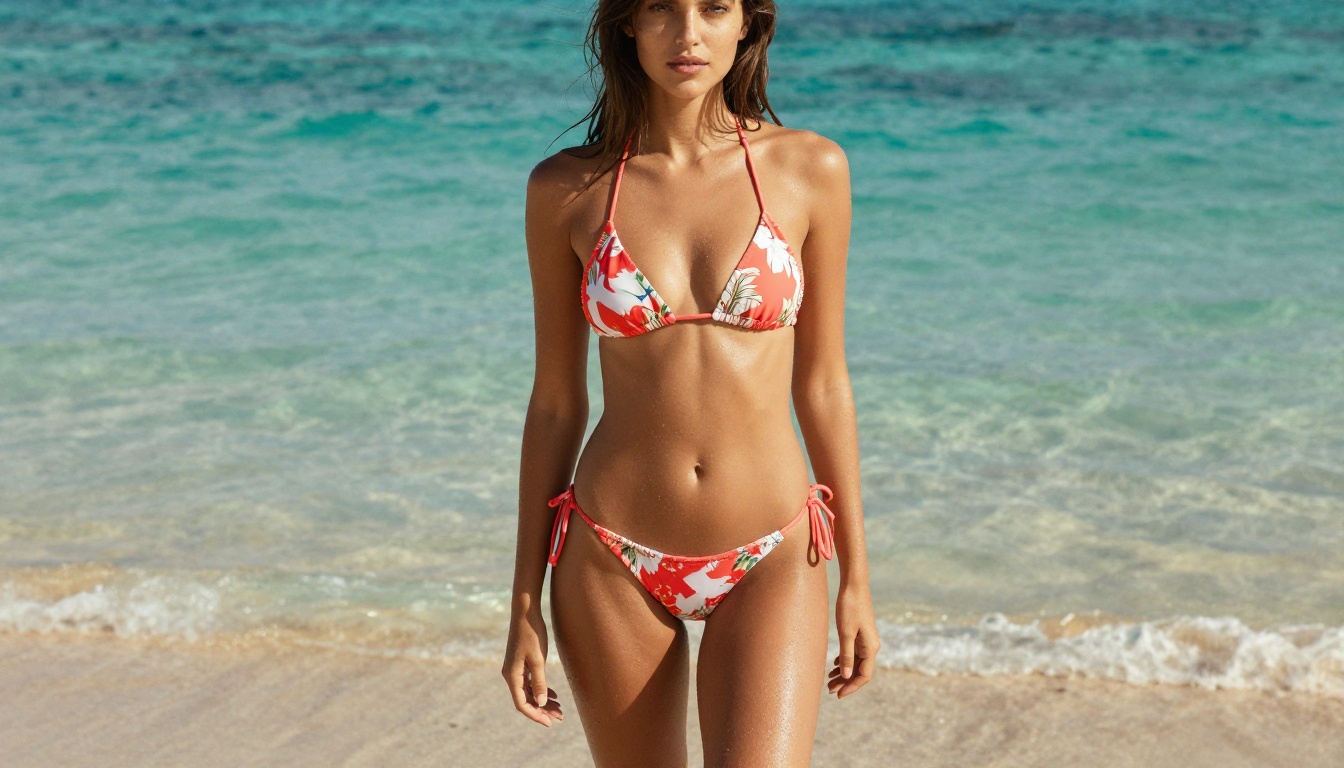
Prompt style for Seedream 4.5:
Describe the specific garment with precision: "a coral string bikini with thin ties at the hips and a triangle top, photographed from waist height at a tropical beach, soft afternoon light from the right, wet sand texture in foreground, natural bronzed skin, 35mm lens, Kodak Portra 400 film grain, RAW 8K photography." That level of detail produces a result that looks intentional, not accidental.
PicassoIA Image Editor Pro for Unlimited Runs
Once you have a strong base image, PicassoIA Image Editor Pro becomes your best tool for iteration. It supports unlimited generations, which means you can run variations on your NSFW-friendly outfits without worrying about credit limits. Change the color of the lingerie, adjust the neckline, swap the setting, refine the lighting, all without starting from scratch each time.
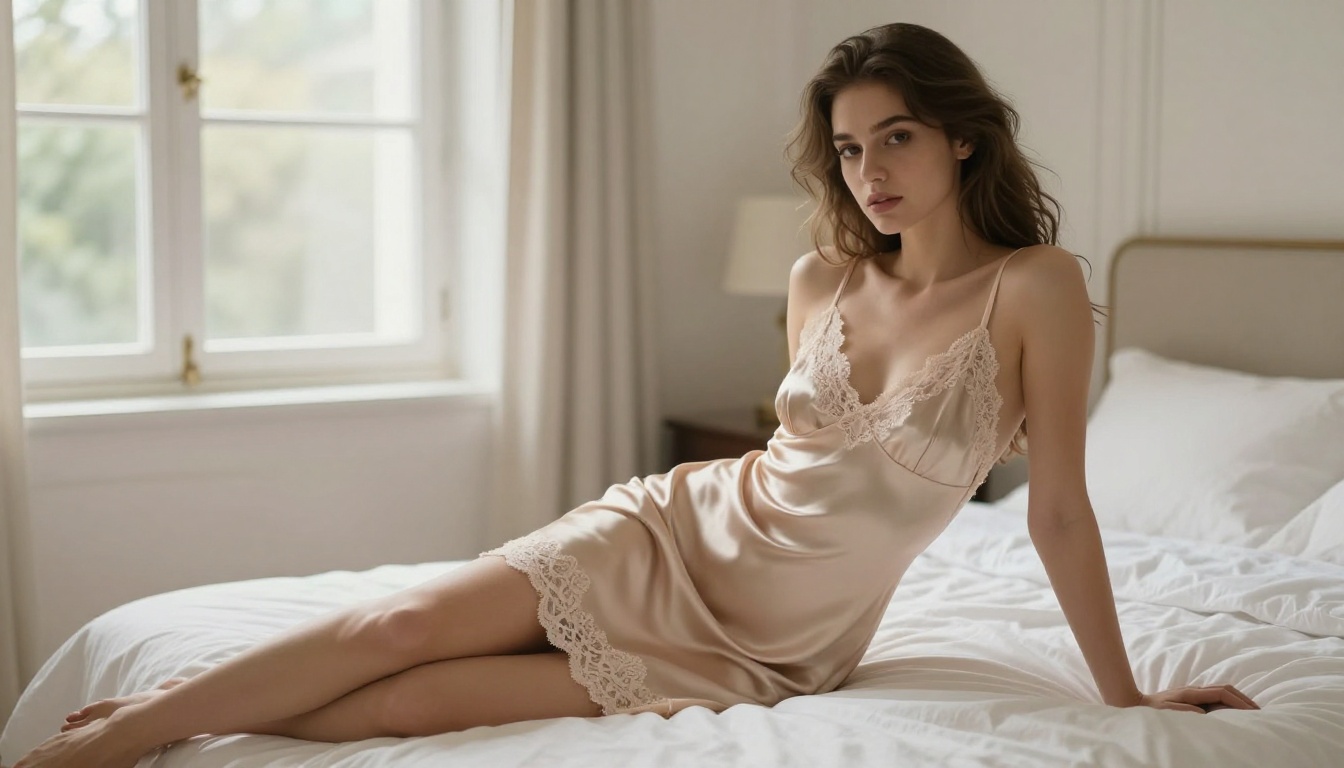
The workflow is straightforward: generate a strong base character with Seedream 4.5, then bring her into Image Editor Pro to vary the outfit details. This two-step approach gives you both quality on the first pass and flexibility on every iteration after. The unlimited generation model means you can iterate aggressively without counting credits or slowing down your creative process.
Cultural and Aesthetic Fashion Styles
Some of the most striking AI waifu outfits come from specific cultural or aesthetic traditions. These styles have defined visual vocabularies that make prompting easier once you know the right descriptors, because you can reference a whole system of meaning with just a few well-chosen words.
Japanese and Traditional Fashion
The kimono and its variations (yukata, furisode, hakama) are rich in detail. For a convincing kimono prompt, describe the base color, the pattern (floral, geometric, crane motifs), the obi style and color, the footwear (geta, zori), and the hair accessories (kanzashi). The setting, whether a cherry blossom garden, a traditional wooden corridor, or a festival street, locks in the cultural context instantly.
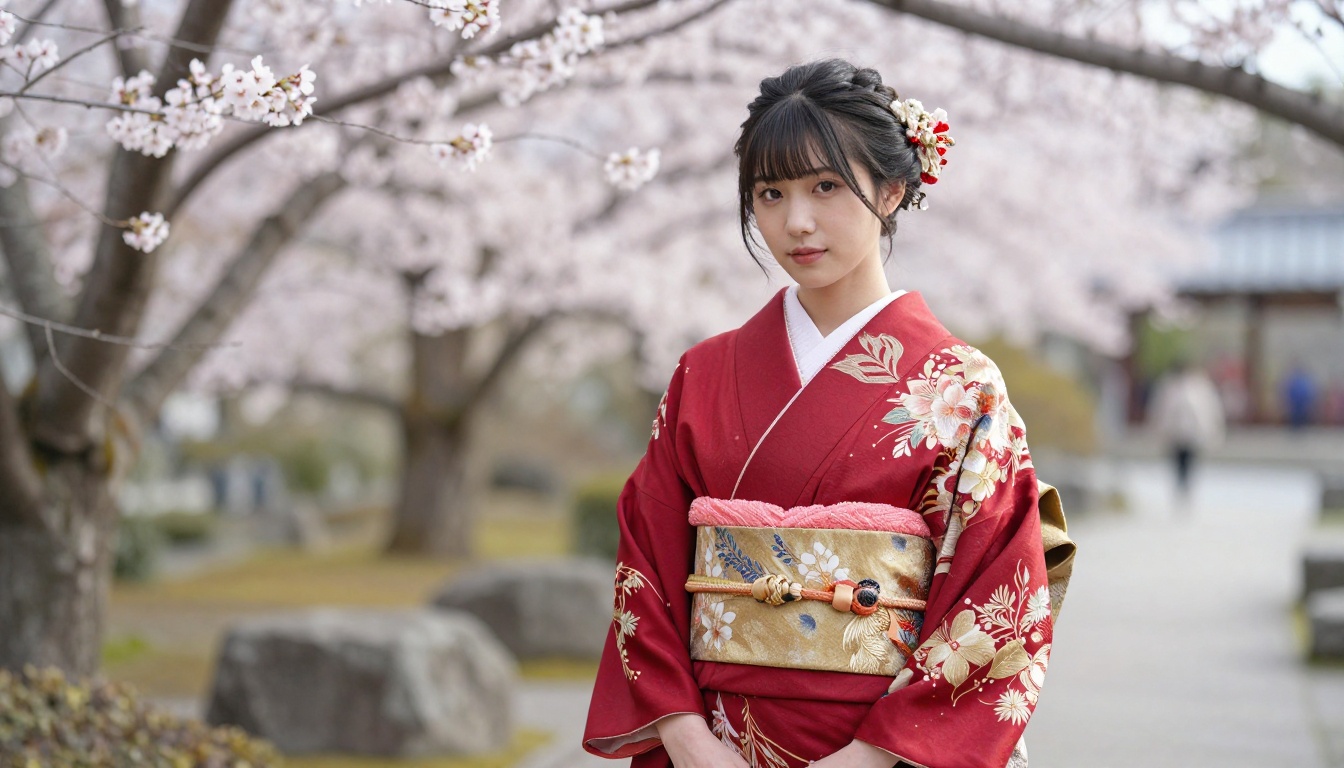
Reve 2.1 handles fine pattern details in traditional fabric particularly well. The model preserves the intricate repeat patterns of kimono fabric and the textures of obi silk at a level of fidelity that makes the result feel genuinely authentic rather than approximated. For patterns with strong geometric or floral structure, it consistently outperforms more generalist models.
Gothic and Dark Aesthetics
Gothic fashion lives in the details: the lace overlay, the structured corset, the velvet, the silver hardware, the pointed collar. Prompt this style with specific references to Victorian silhouettes, dark color palettes (black, deep plum, burgundy, forest green), and moody environments like stone courtyards, candlelit interiors, or overcast outdoor scenes.
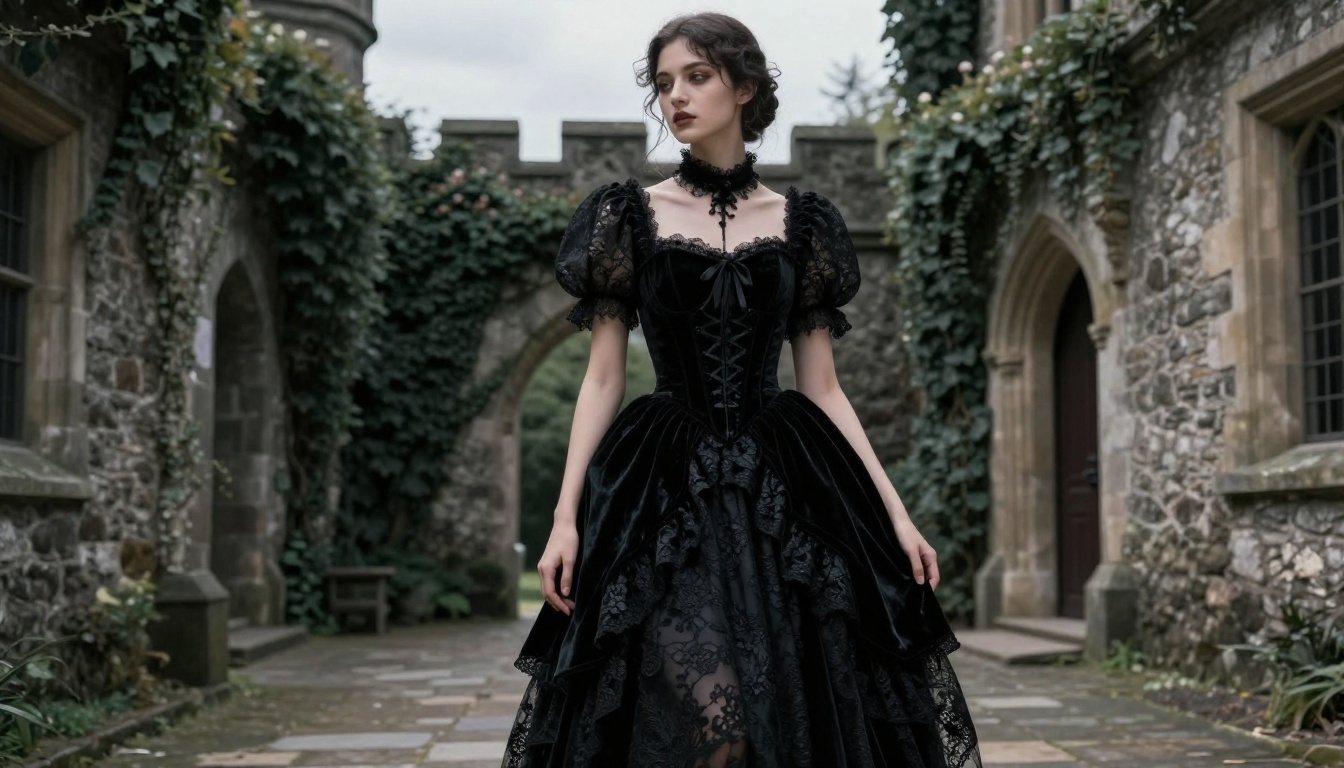
Flux Fill Pro can be used to modify specific parts of a gothic outfit, such as adding a lace veil or changing the sleeve style, without regenerating the entire image. This inpainting approach is particularly useful when you have a strong gothic base character but want to adjust a single element without starting over.
Gothic outfit vocabulary:
- Silhouettes: Structured bodice, full skirt, fitted column, layered petticoat
- Fabrics: Velvet, lace, brocade, leather, tulle
- Details: Corset boning, button closures, lace-up backs, dramatic puff sleeves
- Accessories: Choker, cameo brooch, fingerless gloves, platform boots
- Settings: Castle ruins, cemetery at dusk, candlelit stone room, foggy forest
Athletic and Active Wear
Athletic fashion for AI waifus is underused but visually powerful. The combination of form-fitting sportswear, strong confident posing, and environments with direct natural light creates some of the cleanest, most dynamic images you can generate. There is a reason athletic photography has been a dominant visual genre for decades: it works.
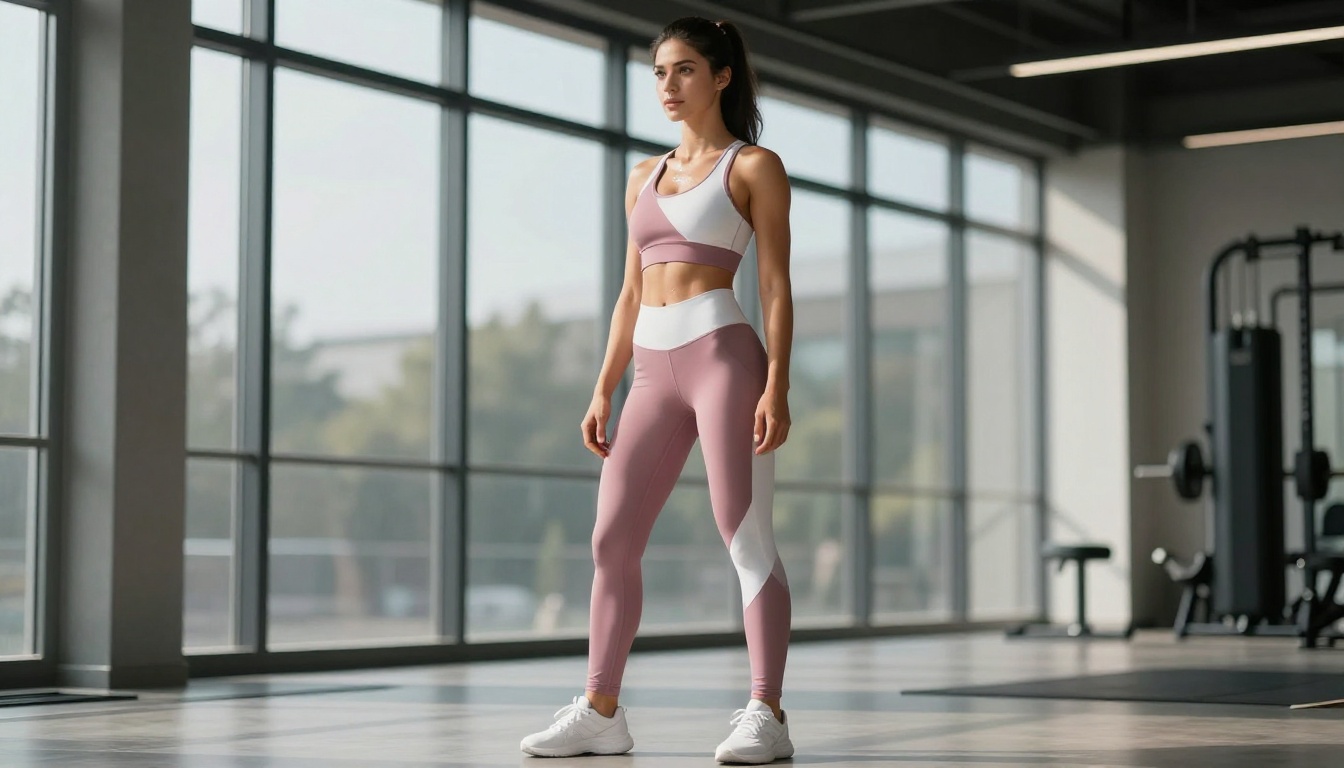
The trick to making athletic wear look real rather than generic is describing the specific cut and fit. "Leggings" is not enough. "High-waisted compression leggings in dusty rose with a color-block white panel at the side seam" is a prompt. Pair this with a setting that has direct natural light to create the kind of sharp muscle definition highlights that make athletic photography feel kinetic and alive rather than posed and static.
💡 Model pick: Seedream 5 Pro handles sharp photorealistic detail for athletic wear and sports environments without any of the softening that some models apply to skin and fabric. For SFW athletic content, it is the sharpest option available.
Athletic outfit prompt tips:
- Specify the compression level: fitted, compression, relaxed-fit
- Include the color-blocking or pattern: color-block, solid, printed, ribbed
- Describe the activity context: post-workout gym, outdoor running trail, yoga studio with wood floors
- Mention sheen or matte finish: "matte compression fabric" vs "shiny lycra"
- Add a light source that creates definition: "morning sun from the right creating sharp highlight on shoulder"
Generating a great outfit image is only the beginning. The real power of PicassoIA is what you can do after the first generation. Outfit customization tools let you iterate, refine, and perfect without starting from scratch every time.
Virtual Try-On with P Image Try On
P Image Try On lets you take a specific garment and place it onto your AI character. Instead of describing an outfit from scratch and hoping the AI interprets it correctly, you provide a reference garment image and a character image, and the model handles the fitting. This is the most accurate way to dress your waifu in a specific outfit you already have in mind. It works especially well for real-world fashion pieces you want to translate onto an AI character, because you are working from a concrete reference rather than a description.
Outfit Editing with Flux Kontext
Flux Kontext Fast is built for image editing with context awareness. If you generated an image and want to change the jacket color, swap the shoes, add a belt, or remove a layer, Flux Kontext processes that as a plain-language instruction. You describe what to change and the model makes targeted modifications without disrupting the rest of the image.
For more structural changes to outfits, such as filling in a missing sleeve or extending a skirt, Flux Fill Pro handles inpainting with precise control over the masked region. Mask the area you want to change, describe the replacement, and the fill will match the surrounding style and lighting consistently.
Upscaling for Perfect Detail
When your outfit image looks good but lacks the fine detail needed for close-up shots of fabric texture, embroidery, or jewelry, upscaling brings it to life. Clarity Pro Upscaler adds genuine detail to upscaled regions rather than just interpolating pixels, making silk look like silk and lace look like lace at high resolution.
For portrait-focused upscaling, Crystal Upscaler is specifically tuned for face and skin texture, which makes it the better choice when the face detail matters as much as the outfit.
For quick background isolation, such as placing your dressed waifu onto a new background, Remove Background cleanly cuts the character from whatever environment was generated so you can composite her into any setting without manual masking.
Build Your Waifu's Wardrobe Today
The outfits your AI waifu wears are only limited by how specifically you can describe them. Every style category in this article responds to the same underlying principle: specificity wins. Vague prompts produce vague characters. Precise prompts produce characters with presence, personality, and the kind of visual detail that makes someone stop scrolling.
Start with a single outfit category that fits your character's personality. Write a prompt that names the fabric, the fit, the color, the setting, and the lighting. Run it with Seedream 4.5 for NSFW-adjacent styles or Seedream 5 Pro for clean editorial results. Then use P Image Try On to fit specific garments, Flux Kontext Fast to refine details, and Clarity Pro Upscaler to bring the final image to full resolution.
Every model you need is waiting at picassoia.com/en/all-models. Pick a style, write the prompt, and start generating. The results will surprise you.


