Every few months, a new text-to-image model arrives claiming to be the best. Most disappoint. Flux 2 Max does not. Released by Black Forest Labs as the flagship of the Flux 2 series, it represents a meaningful leap in photorealistic image synthesis, native 4-megapixel output, and the kind of prompt adherence that professional creators actually need. This article breaks down exactly what Flux 2 Max is, how it compares to its predecessors, and what you can do with it right now.

What Flux 2 Max Actually Is
Flux 2 Max is the most capable model in Black Forest Labs' second-generation Flux architecture. Where earlier Flux models like Flux Dev and Flux Schnell established the foundation of the family, Flux 2 Max pushes the ceiling on resolution, coherence, and commercial viability. It is a diffusion transformer model trained on a significantly expanded dataset, optimized for high-fidelity output at resolutions that earlier generations could not produce natively.
The practical result is an AI image generator that produces photos indistinguishable from real camera shots when the prompt is well-crafted. Skin pores, fabric weave, architectural stone, water reflections, and bokeh effects all render with the kind of micro-detail that previously required post-processing or significant prompt engineering tricks.
The 4MP Ceiling
The most headline-worthy specification of Flux 2 Max is its native 4-megapixel output. This matters for more than just pixel count. At 4MP, images hold detail at print scale. A portrait generated at this resolution can be cropped, retouched, and used in editorial layouts without visible degradation. For commercial work, that is the threshold between a novelty tool and a production asset.
Earlier models like Flux 1.1 Pro Ultra pushed toward this territory, but Flux 2 Max achieves it as a baseline rather than an exceptional setting. The difference is not just numbers: at 4MP native, the model was trained to render at that scale, so detail is generated, not interpolated.
Prompt Adherence Like Nothing Before
A persistent frustration with generative image models has been the gap between what you write and what you get. Flux 2 Max narrows that gap considerably. It handles multi-element prompts accurately, respects specified lighting conditions, honors compositional instructions (rule of thirds, low-angle, close-up), and maintains subject integrity even in complex scenes.
💡 If your prompt specifies "morning light from the left casting soft shadows on a woman's face near a window," Flux 2 Max will render that literally. Earlier models often interpreted "morning light" as a stylistic suggestion rather than a spatial direction.
This spatial accuracy is not a minor improvement. It means art directors can specify exact visual language in a prompt and get consistent results without extensive iteration. Lighting direction, camera angle, depth of field, and subject positioning all respond precisely to written instruction.
How Flux 2 Max Differs From Earlier Models
The Flux family has grown fast. Understanding where Flux 2 Max sits requires context about what came before it and what exists alongside it.
Flux 1.x vs Flux 2 Series
The first-generation Flux models (Flux Pro, Flux Dev, Flux Schnell) were strong releases for their time. Flux 1.1 Pro refined the architecture and improved output quality notably. But the Flux 2 series represents a new training generation, not just an incremental patch.
What changed from Flux 1.x to Flux 2:
- Higher native resolution: 4MP vs. the 1MP standard of first-gen models
- Better anatomy: Hands, fingers, teeth, and facial symmetry render correctly far more often
- Richer texture rendering: Fabric, skin, metal, and organic materials at microscopic fidelity
- Stronger coherence: Multi-person scenes and complex compositions hold together without distortion
- Improved lighting physics: Shadows, reflections, and caustics behave as they do in real photography
Where Flux 2 Pro Falls Short
Flux 2 Pro is an excellent model. It handles image-to-image inputs and prompt-to-image generation at high quality, and it is the more accessible entry in the Flux 2 tier. But compared to Flux 2 Max, it produces slightly softer fine detail, has a marginally higher error rate on complex anatomical instructions, and tops out at lower native resolution. For creators who need the absolute ceiling of what the architecture can produce, Max is the answer.
The Full Flux 2 Lineup at a Glance
Image Quality in Practice
Raw specifications only tell part of the story. Here is what Flux 2 Max actually produces when you push it across different subject categories.
Skin, Fabric, and Fine Texture
Flux 2 Max is arguably the first AI image generator that consistently renders human skin at a level indistinguishable from RAW photography when viewed at 100% zoom. Pores are where they should be. Subsurface scattering behaves naturally under soft light. Hair strands separate realistically. Fabric weave on clothing shows thread structure, creasing where it should, reflecting light where the material demands it.
For fashion and beauty photography use cases, this is the model to reach for. When combined with prompts specifying camera lens (e.g., "Canon 85mm f/1.8"), film stock ("Kodak Portra 400"), and lighting direction ("volumetric morning light from the left"), the output looks like it came from a set with a director of photography.
Architecture and Complex Scenes
Architectural photography is a hard test for generative models because it demands straight lines, consistent perspective, and accurate material rendering. Flux 2 Max handles stone facades, glass curtain walls, exposed concrete, and wood grain with a fidelity that earlier models could not maintain across a full wide-angle shot.
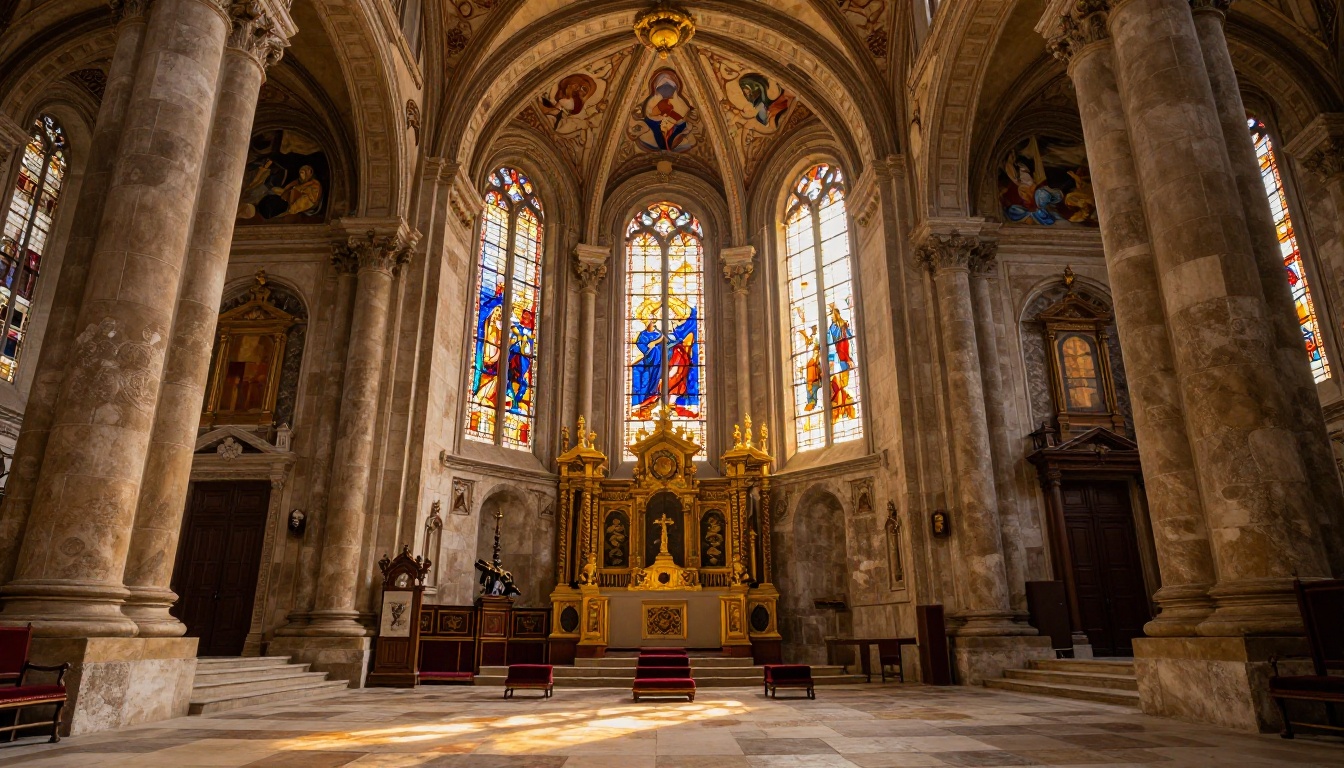
The cathedral interior image above was generated at 16:9 with a 24mm wide-angle instruction. Notice the consistent perspective on the columns, the behavior of colored light through stained glass on the stone floor, and the depth of detail in the painted ceiling vaults. That level of architectural coherence is a product of the Flux 2 architecture's spatial reasoning, not prompt luck.
💡 When generating architecture with Flux 2 Max, specify the camera angle explicitly: "low-angle looking upward" vs. "eye-level street shot" vs. "aerial view." The model responds to compositional language with a precision that rewards specific prompting.
Portrait Photography
Portrait output from Flux 2 Max is where the model separates itself most clearly from its predecessors. Facial symmetry, eye detail, natural skin tones, and realistic bokeh separation all render at a level that serves commercial use cases directly. Hair, which has historically been a failure point for diffusion models, renders strand-by-strand when the prompt specifies close-up framing.
The coastal portrait at the top of this section shows what the model produces with a relatively concise prompt. Sharp eyes with detailed irises. Individual eyelashes. Realistic skin texture catching the diffused morning light. Atmospheric fog in the background responding to the depth instruction. No retouching.

How to Use Flux 2 Max on PicassoIA
Flux 2 Max is available directly on PicassoIA without any setup or API configuration. Here is how to use it effectively.
Step 1: Access the Model
Navigate to the Flux 2 Max model page on PicassoIA. The model loads directly in the browser interface, and generation begins as soon as you submit a prompt. No account tier is required to test it.
Step 2: Write a Photorealistic Prompt
Flux 2 Max rewards specificity. A prompt structured around five elements produces the best results:
- Subject and action: Who or what is in the scene, doing what
- Environment: Where the scene takes place, with specific details
- Lighting: Direction, quality, color temperature, source
- Camera specs: Lens focal length, aperture, film stock
- Texture and atmosphere: Surface materials, atmospheric conditions
Example prompt structure:
"A woman in her 30s with dark hair sitting at a cafe table in Paris, reading a book. Late afternoon sunlight from the left filters through sheer curtains, casting warm shadows. Shot on 50mm f/2.0 Leica, Kodak Portra 400 film grain, photorealistic skin texture, shallow depth of field, soft bokeh street background."
This structure gives the model spatial anchors (light from the left), rendering targets (skin texture, film grain), and compositional constraints (shallow depth of field). All three are honored in output.
Step 3: Adjust Parameters
Within the PicassoIA interface, you can control:
- Aspect ratio: Select 16:9 for landscape, 9:16 for portrait/mobile, 1:1 for social square
- Seed: Set a specific seed to reproduce a result or iterate variations on the same composition
- Guidance scale: Higher values tighten prompt adherence; lower values allow more interpretive generation
Tips for Best Results
- Be spatial with lighting: "Morning light from the left" outperforms "nice lighting" every time
- Name your lens: "85mm f/1.8 bokeh" gives a different result than "70mm f/8 wide depth of field"
- Add film grain intentionally: "Kodak Portra 400 film grain" prevents the over-processed look
- Avoid negative phrasing: Frame instructions positively rather than telling the model what to avoid
- Specify subject position: "Rule of thirds, subject off-left" vs. "subject centered" changes the composition meaningfully
💡 For photorealistic portraits, always add "photorealistic skin pores, natural subsurface scattering" to the prompt. This addition significantly improves skin rendering quality on Flux 2 Max and prevents the waxy, over-smooth look common in lower-tier models.
The Broader Flux 2 Ecosystem
Flux 2 Max is the flagship, but the Flux 2 ecosystem offers specialized tools worth knowing about for specific workflow stages.
Flux 2 Dev for Experimentation
Flux 2 Dev is the open-weight variant of the Flux 2 architecture. It is the model used for LoRA fine-tuning, custom style training, and research applications. If you want to train a custom face, aesthetic, or character style on top of the Flux 2 architecture, Dev is the starting point. It supports image-to-image conditioning as well, making it useful for guided generation workflows where a reference image shapes the output.
Flux 2 Flex for Editing
Flux 2 Flex handles the editing side of the workflow. Where Max generates from text, Flex takes an existing image and modifies it with text instructions. This covers inpainting (replacing specific regions), outpainting (extending the canvas), and reference-guided generation. When you generate a hero shot with Flux 2 Max and need to swap a background or add an element, Flux 2 Flex is the natural next step.
Flux Kontext for Image Rewriting
Flux Kontext Max and Flux Kontext Pro represent a different class of tool: instruction-following image editors. You feed them an image and a text instruction like "change the jacket to red" or "make it winter outside the window," and they apply the change while preserving the rest of the image's content and style. Flux Kontext Dev is the open-weight version, trainable with custom LoRA weights for brand-consistent editing pipelines at scale.
Flux 2 Klein for Speed
The Flux 2 Klein 9B and Flux 2 Klein 4B models are efficiency-optimized variants designed for applications requiring low latency. The 4B model is built for real-time or near-real-time generation where raw quality is secondary to speed. For batch workflows, prototyping, or applications that generate hundreds of images rapidly, the Klein series handles throughput that Max was not designed for.
The Flux 2 Klein 9B Base LoRA and Flux 2 Klein 4B Base LoRA variants extend this with custom fine-tuning support, letting you apply a trained aesthetic to fast generation without switching to a heavier model.
Flux 2 Max vs. Older Flagship Models
It is worth placing Flux 2 Max in context against the previous generation flagships that many creators are still using.
| Capability | Flux 2 Max | Flux 1.1 Pro Ultra | Flux Pro |
|---|
| Native Resolution | 4MP | 4MP (limited) | ~1MP |
| Anatomy Accuracy | Excellent | Good | Fair |
| Prompt Adherence | Highest | High | Moderate |
| Texture Fidelity | Best in class | Strong | Good |
| Inference Speed | Moderate | Moderate | Fast |
| Fine-tuning Support | Via Dev/LoRA | Via finetuned variant | Via LoRA |
Flux 1.1 Pro Ultra was the previous resolution champion, and its finetuned variant Flux 1.1 Pro Ultra Finetuned adds custom style support. Both remain strong options for workflows already built around first-gen Flux. But Flux 2 Max's architecture improvements produce better anatomy, more accurate spatial prompts, and more consistent texture at the same resolution tier.
The Finetuned Variants
Flux Pro Finetuned allows custom training on top of the Flux Pro base. For brand teams or artists with a specific aesthetic, finetuned models offer a persistent style layer that pure prompt engineering cannot fully replicate. The same logic applies across the ecosystem: Flux Dev LoRA and Flux Schnell LoRA bring this capability to the speed tiers.
Who Should Use Flux 2 Max
Commercial Creators
If your output goes into print, editorial, advertising, or any context where image quality is scrutinized at full resolution, Flux 2 Max is the correct tool. The 4MP ceiling means images hold at A4 print scale without upscaling artifacts. Combined with PicassoIA's super-resolution tools for additional size increases, you can push outputs to poster or billboard dimensions.
Photography and Fashion
The model's strength in portrait rendering, natural skin tones, and fabric texture makes it particularly suited for fashion reference generation, lookbook creation, casting materials, and editorial concept images. Its response to lighting direction instructions allows art directors to specify the exact visual language they want before any physical production begins, saving significant set time and budget.
When to Use a Smaller Model
Flux 2 Max is not always the right choice. For rapid iteration and prompt testing, Flux Schnell generates in seconds at a fraction of the computational cost. For image editing workflows, Flux Fill Pro and Flux Depth Pro offer structure-aware editing that Max does not provide natively. For maintaining edge structure and perspective during edits, Flux Canny Pro is the more appropriate fit.
The right workflow often combines multiple models: draft fast with Flux Schnell, finalize at production quality with Flux 2 Max, then edit with Flux 2 Flex or Flux Fill Pro.
Flux 2 Max in Context: The Bigger Picture
The arrival of Flux 2 Max sits within a broader shift in what generative image tools can do. For the first time, a text-to-image model produces output that can be used in commercial workflows without significant human post-processing as a baseline expectation, not a best-case scenario.
The model's gains in anatomy accuracy are worth dwelling on. Hands have been the enduring joke of AI image generation since the format emerged: too many fingers, bent the wrong way, fused at the knuckles. Flux 2 Max gets hands right the overwhelming majority of the time. Teeth render naturally. Ears are symmetrical. Eyes track correctly even in three-quarter profiles. These are not small improvements; they are the difference between a tool that produces usable assets and one that still requires human retouching on every output.
Paired with the editing ecosystem around it (including Flux Kontext Max for instruction-based modification, Flux Redux Dev for generating variations, and Flux Fill Pro for inpainting), Flux 2 Max becomes the centerpiece of a complete image production workflow rather than just a generation step.
Start Creating at 4MP
The gap between what AI can generate and what professional work demands has narrowed sharply with Flux 2 Max. The model is available on PicassoIA without any setup, and the results are immediately apparent even on a first generation.
If you have been using first-generation Flux models and have not yet tried Flux 2 Max, the difference in anatomy accuracy, texture fidelity, and prompt adherence is visible on the first output. Open the Flux 2 Max model page on PicassoIA, write a detailed prompt using the five-element structure from this article, and see what 4-megapixel photorealistic generation actually looks like in practice.
For variation workflows after generation, pair it with Flux Redux Dev to create styled variations of your best outputs. For text-driven image modification, Flux Kontext Max handles the editing side with the same architectural quality. The full ecosystem is on PicassoIA, and Flux 2 Max is where the quality ceiling currently sits.


