Two of the most-discussed AI image generators in 2027 sit at opposite ends of the commercial-use spectrum. FLUX.2 Max from Black Forest Labs pushes photorealistic output quality to its current ceiling, while Adobe Firefly 4 wraps its generations in a layer of enterprise-grade legal protection. If you are a freelancer, creative agency, or solo brand owner trying to decide which tool deserves space in your paid workflow, the answer depends on a handful of very practical factors: budget, output realism, licensing clarity, and how much your clients care about content provenance. This article breaks all of that down without jargon, with real numbers wherever possible, so you can make the call today.
What "Commercial Use" Actually Means
The phrase gets thrown around loosely, but the stakes are real. Using AI-generated art commercially means the output appears in a product, advertisement, publication, or any asset that earns money or promotes a business. Both FLUX.2 Max and Adobe Firefly 4 technically allow commercial use, but the conditions attached to that permission are very different.
The License Fine Print
FLUX.2 Max is released under a commercial research license by Black Forest Labs. When you access it through a third-party platform like PicassoIA, the platform's own terms of service apply on top of that. PicassoIA grants commercial use rights to outputs generated on the platform, so images you produce there can go straight into client work, print campaigns, or social ads without additional licensing negotiations.
Adobe Firefly 4 is different. Adobe explicitly markets Firefly as trained on licensed content, including Adobe Stock imagery and public domain material. This means every image it produces ships with a "Content Credentials" tag, a metadata signature that records the generation details. For risk-averse enterprise clients or regulated industries, that provenance marker has tangible value. Adobe also provides an IP indemnification clause for paid subscribers, meaning they will defend you legally if a third party claims copyright infringement on a Firefly-generated image.
💡 Worth noting: IP indemnification from Adobe only applies to Firefly content generated through paid Adobe plans, not free-tier outputs. Verify your subscription tier before committing to client deliverables.
Why Copyright Matters Right Now
Copyright law around AI-generated images is still evolving in most jurisdictions. The US Copyright Office has declined to register purely AI-generated images without significant human authorship. That does not make commercial use illegal, but it does make legal exposure a real concern for clients who are selling at scale. Adobe's indemnification offer directly addresses that concern. FLUX.2 Max does not, placing the responsibility for due diligence on you or your client.
The practical answer for most freelancers: the risk is low for standard commercial uses like social media advertising, editorial illustration, and web design. It becomes a genuine conversation for broadcast television, pharmaceutical marketing, and large-scale print runs where infringement claims carry serious financial weight.
FLUX.2 Max at a Glance
FLUX.2 Max is the flagship model in Black Forest Labs' second-generation lineup. It builds on the original FLUX.1 architecture with substantially higher parameter counts and a reworked attention mechanism that dramatically improves text rendering, fine detail, and prompt adherence.

What the Model Does
At its core, FLUX.2 Max is a text-to-image diffusion model with a flow-matching backbone. It accepts a natural-language prompt and returns a high-resolution image, typically at 1024x1024 or larger, within a few seconds on capable hardware. What separates it from earlier FLUX versions:
- Text in images: FLUX.2 Max renders legible text inside images with far fewer errors than FLUX.1 Pro or FLUX Dev
- Photorealism: Skin texture, material rendering, and lighting coherence are visibly improved over every prior version
- Prompt adherence: Complex, multi-clause prompts are followed more precisely, reducing the iteration cycles needed to reach usable output
- Aspect ratio control: Native support for 16:9, 9:16, 1:1, and custom ratios makes it immediately useful for diverse ad formats without crop artifacts
Output Quality for Commercial Work
For product photography mockups, lifestyle advertising visuals, and editorial illustrations, FLUX.2 Max produces results that can go directly into production without heavy post-processing. The model handles difficult subjects like reflective surfaces, fabric textures, and human hands remarkably well compared to previous FLUX generations. It still struggles occasionally with complex multi-person scenes and highly specific brand color matching, but for most commercial applications the output is exceptional.
💡 Tip: For the highest-quality results on client work, always generate at FLUX.2 Max's native resolution and let Super Resolution handle any enlargement afterward. Upscaling natively in the prompt degrades the compositional coherence.
Adobe Firefly 4 at a Glance
Adobe Firefly 4 is the latest version of Adobe's proprietary image generation system, integrated directly into Photoshop, Illustrator, and the Firefly web app. It is built on a different philosophy than open-weight models: everything Firefly produces is designed to be legally safe for commercial deployment.

Content Credentials Explained
Adobe pioneered the Content Authenticity Initiative (CAI) and every Firefly output carries embedded metadata via the C2PA standard. In practice, this means:
- Anyone inspecting the image file can see it was AI-generated
- The generation model is recorded in the file's metadata
- Any subsequent edits made in supporting apps are logged automatically
For brands that need to prove their content pipeline is transparent, especially in pharmaceutical, financial, or government advertising, this is a genuine differentiator that FLUX.2 Max cannot currently match.
The Enterprise Pitch
Firefly 4 is not sold as a standalone product at a per-generation price. It comes bundled inside Adobe Creative Cloud plans. If your team already pays for CC, you effectively get Firefly access at no additional cost. Adobe also offers Firefly-powered APIs for enterprise integration, making it possible to pipe AI-generated images directly into CMS workflows, DAM systems, and design templates at scale.
The catch: generation quality, particularly for photorealistic outputs, sits noticeably below FLUX.2 Max. Firefly 4 excels at illustrated styles, logo-adjacent concepts, and clean product mockups on neutral backgrounds. Push it toward complex real-world scenes and the results often feel flat or synthetic in ways that require significant manual editing to fix.
The Real Differences Side by Side
Here is an honest, factual comparison across the dimensions that matter most for commercial work:
| Factor | FLUX.2 Max | Adobe Firefly 4 |
|---|
| Photorealism | Industry-leading | Good, not exceptional |
| Text in images | Strong | Moderate |
| Commercial license | Platform-dependent | Adobe IP indemnification |
| Content provenance | None by default | C2PA metadata embedded |
| Pricing model | Per-generation / subscription | Bundled in Creative Cloud |
| Workflow integration | Standalone / API | Deep Adobe CC integration |
| Speed | Fast (seconds per image) | Fast (comparable) |
| Style range | Broad, photorealistic bias | Broad, illustrated bias |
| Training data transparency | Limited disclosure | Licensed and public domain |
Speed and Cost
On PicassoIA, FLUX.2 Max generates at a competitive per-image cost that undercuts Adobe's effective per-generation price when you account for the CC subscription fee divided across actual usage. For high-volume commercial work, the economics favor FLUX.2 Max significantly. A freelancer who generates 200 images per month pays a fraction of what a full Creative Cloud subscription costs just for Firefly access.
For low-volume users already inside the Adobe ecosystem, Firefly's bundled pricing makes it essentially free to try, and the integration with Photoshop's generative fill tools adds real productivity value that FLUX.2 Max cannot replicate natively.
Quality on Commercial Work
If your deliverable is a photorealistic lifestyle image for a social ad campaign, FLUX.2 Max wins. The skin tones, environmental detail, and lighting coherence are simply more convincing, and the gap is visible to non-technical clients.
If your deliverable is a clean product mockup on a white background or a conceptual illustration for a corporate presentation, Firefly 4 is perfectly adequate and comes with a legal backstop that enterprise clients increasingly demand.
💡 Worth knowing: These tools are not direct substitutes. Smart commercial workflows use both: FLUX.2 Max for hero imagery and photorealistic assets, Firefly for brand-safe concept drafts and Creative Cloud-integrated finishing work.
Who Should Pick Which

Choose FLUX.2 Max If...
- Your work requires photorealistic output that could be mistaken for professional photography
- You generate images at high volume and cost per image directly affects your margins
- You want access through a flexible platform like PicassoIA without infrastructure overhead
- You are willing to handle your own licensing due diligence or your clients accept that responsibility
- You need fine control over aspect ratios, prompting behavior, and access to a wide range of model variants
- Your clients are in industries where content provenance metadata is not a requirement
Choose Firefly 4 If...
- Your clients are in enterprise or regulated industries that require IP indemnification documentation
- Your team already works inside Adobe Creative Cloud and switching costs matter
- You prioritize legal protection over raw output quality
- You need content provenance metadata for compliance, audit trails, or brand transparency commitments
- Volume is low and the bundled CC pricing is more cost-efficient than per-generation billing
- Your primary use case is editing existing images rather than generating new ones from scratch
Running FLUX.2 Max on PicassoIA
PicassoIA gives you direct access to FLUX.2 Max without setting up API keys or managing GPU infrastructure. Here is the practical workflow for commercial image production:
Step 1: Write a specific, grounded prompt
FLUX.2 Max performs best when prompts include concrete visual details: lighting direction, camera angle, subject positioning, material textures, and color palette. Vague prompts produce mediocre outputs regardless of model quality.
Strong example: "A woman in her early 30s wearing a beige linen blazer standing at a floor-to-ceiling window, holding a ceramic coffee cup, shallow depth of field, 85mm lens, soft morning light from the left, photorealistic, 8K"
Weak example: "Professional woman in office"
The difference in output quality between these two prompts is dramatic, even on a model as capable as FLUX.2 Max.
Step 2: Set aspect ratio for your format
Select the ratio that matches your deliverable before generating. For social ads: 1:1 or 4:5. For website hero images: 16:9. For vertical content and stories: 9:16. FLUX.2 Max handles all of these natively without the distortion artifacts that occur when you crop after the fact.
Step 3: Iterate on the best candidate
Generate 3-4 variations with slight prompt adjustments. FLUX.2 Max's output varies meaningfully with different seeds and phrasing choices. Pick the strongest result rather than accepting the first attempt. Small wording changes often produce substantially different compositions.
Step 4: Upscale for print if needed
For print-quality output above 2000px, use Super Resolution tools after generation. This preserves sharpness and detail better than requesting oversized dimensions in the prompt itself.
Step 5: Confirm licensing for your platform
Review PicassoIA's terms of service to confirm commercial use is covered for your specific use case. For most standard commercial applications, including advertising, editorial, and web design, it is.
Tips for Better Commercial Results
- Describe materials precisely: "brushed aluminum", "rough linen", "matte skin finish" give the model much stronger signals than generic descriptors
- Use FLUX Fill Pro for inpainting corrections on near-perfect images where only one element needs fixing
- FLUX Kontext Fast works well for fast iteration when you need many concepts quickly before committing to final renders
- FLUX Krea Dev produces outputs with a distinctly non-AI aesthetic that clients who are sensitive to the AI look will prefer
- FLUX Redux Dev generates controlled variations of an approved image, useful when you need multiple versions of a hero shot with different subjects or lighting
Other FLUX Variants Worth Knowing
FLUX.2 Max is the quality ceiling, but not every commercial job requires maximum fidelity. PicassoIA offers the full FLUX family to match different speed and cost requirements:
| Model | Best For | Link |
|---|
| FLUX.2 Max | Final hero images, highest fidelity | Open |
| FLUX 1.1 Pro Ultra | Near-Max quality, faster render | Open |
| FLUX 1.1 Pro | High quality at standard speed | Open |
| FLUX Dev | Experimentation, style testing | Open |
| FLUX Schnell | Rapid iteration, concept work | Open |
| FLUX Krea Dev | Natural, non-AI aesthetic | Open |
| FLUX Fill Pro | Inpainting and image editing | Open |
| FLUX Redux Dev | Controlled image variations | Open |
Speed vs. Quality in Practice

For most commercial workflows, the practical three-stage approach works well:
- Draft phase: Use FLUX Schnell for rapid concept validation at low cost. Generate 10-20 variations to find the right composition and mood.
- Refinement phase: Switch to FLUX 1.1 Pro to sharpen the chosen direction. At this stage you are optimizing prompt wording, not exploring concepts.
- Delivery phase: Produce final assets with FLUX.2 Max for maximum output fidelity. Generate 2-3 final candidates and select the strongest.
This approach keeps generation costs low during exploration while ensuring the final deliverables meet professional standards. The cost difference between a Schnell concept iteration and a FLUX.2 Max final render is significant enough to matter on high-volume projects.
Start Producing Your Own Commercial Images
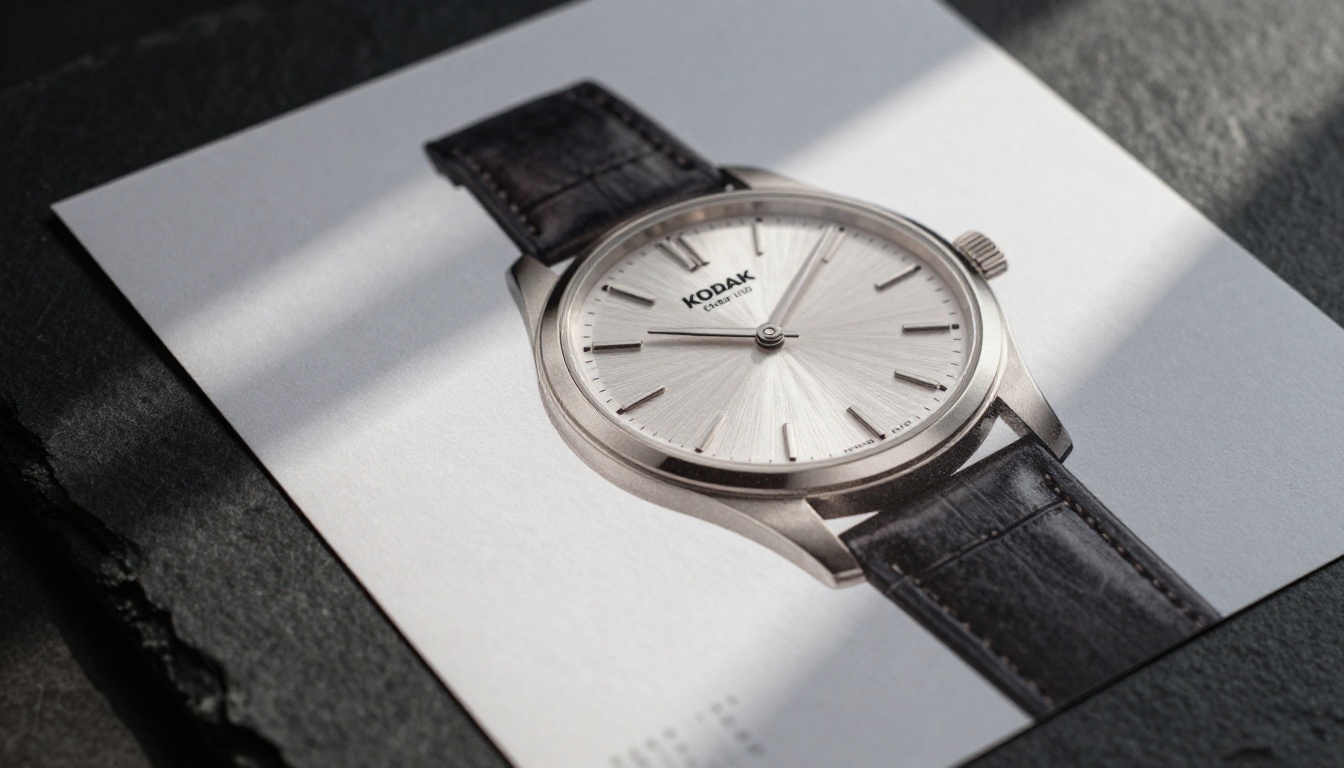
The FLUX.2 Max vs Adobe Firefly 4 decision is not a binary one for most creative professionals. It is a toolkit decision shaped by your client base, your volume, and the legal expectations of the projects you take on. FLUX.2 Max on PicassoIA gives you the output quality and flexibility to handle demanding commercial visuals at competitive per-image costs. Firefly 4 gives you enterprise-grade legal cover and frictionless integration into the Adobe Creative Cloud tools you may already rely on daily.
If you have not yet tested FLUX.2 Max for yourself on commercial work, now is the right moment to run your own prompts on PicassoIA. The platform gives you access to the full FLUX model family, plus FLUX Kontext Fast for image editing workflows, FLUX Fill Pro for precise inpainting corrections, and a broader catalogue of over 90 text-to-image models at picassoia.com/en/all-models. Pick a prompt from a real client brief, generate a few candidates, and compare the results directly against what Firefly produces. The quality difference speaks for itself.


