Social media moves fast. The brands and creators getting the most traction right now are not spending hours in design software; they are generating photorealistic, scroll-stopping graphics in seconds using FLUX.3 Max, the most capable model in the Black Forest Labs FLUX family. Whether you need an Instagram post that stops the scroll, a LinkedIn banner that signals authority, or a Facebook event graphic that drives clicks, FLUX.3 Max delivers image quality that genuinely changes what is possible for social media teams working at speed.
What FLUX.3 Max Actually Does
FLUX.3 Max is the flagship model in the FLUX.3 lineup from Black Forest Labs, built for maximum fidelity, compositional accuracy, and prompt adherence. Where earlier models traded quality for speed, FLUX.3 Max prioritizes output that rivals studio photography when given detailed, structured prompts.
The architecture uses a diffusion transformer (DiT) backbone, which gives it far superior control over spatial composition and fine detail compared to older UNet-based models. That matters enormously for social media, where small visual details, from product label readability and clean typography contrast to accurate color representation, are what separate a graphic that performs from one that gets scrolled past.
How It Compares to Earlier FLUX Models
The FLUX family has evolved through distinct generations:
- FLUX.1 Schnell: Ultra-fast, lower detail. Good for rapid prototyping.
- FLUX.1 Dev: Balanced speed and quality. Strong for most workflows.
- FLUX.1 Pro: Higher coherence and prompt fidelity than Dev.
- FLUX.3 Max: Maximum quality, maximum prompt adherence, best for final-output social media graphics.
The jump from FLUX.1 Pro to FLUX.3 Max is most visible in how it handles typography-adjacent elements (text near objects, logo-style compositions), complex lighting scenarios, and fine texture rendering, all of which matter when creating polished social graphics.
Why Output Quality Matters for Social Media
Not all image generators deliver the same quality at small display sizes. Mobile screens display graphics at 375 to 430 pixels wide, which means low-resolution or compositionally weak images fall apart fast. FLUX.3 Max generates images with detail and sharpness that holds up at every size, from a 1080x1080 Instagram post on a phone screen to a 1200x628 Facebook link preview on a desktop browser.
💡 Tip: Always generate at native 16:9 or 1:1 ratios and resize in post. Avoid upscaling FLUX.3 Max outputs. They are already high enough resolution that downscaling looks cleaner.

Every social platform has its own visual language, aspect ratio requirements, and audience expectations. FLUX.3 Max is flexible enough to handle all of them with targeted prompting.
Instagram Feed Posts and Reels Thumbnails
Instagram rewards visual consistency and high-production aesthetics. FLUX.3 Max excels at generating:
- Lifestyle imagery: People using products in natural settings with soft editorial lighting
- Flat-lay compositions: Products arranged on textured surfaces with controlled color palettes
- Reels thumbnail frames: Single-scene stills with strong focal subjects and clean negative space for overlay text
The most important factor for Instagram is using portrait or square ratios (9:16 or 1:1) and being explicit about lighting direction in your prompt. Instagram's algorithm slightly favors images that look like they were taken by a professional photographer. FLUX.3 Max's natural lighting simulation is built for that outcome.
Facebook and LinkedIn Banners
Facebook event graphics and LinkedIn banners operate differently from feed posts. They need:
- Wider aspect ratios (16:9 or 1200x628)
- Strong left-third composition so text overlays do not obscure the visual subject
- Corporate or professional color palettes (navy, charcoal, white, gold)
- Environmental depth: A subject in context rather than isolated on a white background
For LinkedIn specifically, FLUX.3 Max's ability to render realistic workplace environments and professional portraits without the artificial sheen of lesser models is a major advantage. Prompts that include architectural or interior detail tend to produce work that reads as expensive and credible.

Twitter and Pinterest Visuals
Twitter (now X) headers are 1500x500 pixels, an unusual panoramic format that benefits from low-depth-of-field wide shots, cityscape photography, and typographic-adjacent compositions. Pinterest favors tall 2:3 images with editorial quality.
FLUX.3 Max handles both with appropriate prompting. For Twitter headers, ask for cinematic widescreen compositions with subjects positioned off-center. For Pinterest, lean into vertical lifestyle photography with products or subjects centered in warm, naturally lit environments.
Writing Prompts That Get Results
The model is only as good as the instructions it receives. FLUX.3 Max's strong prompt adherence means it will follow detailed, structured prompts far more faithfully than earlier models, but vague prompts still produce generic outputs.
The Anatomy of a Strong Prompt
Every high-performing FLUX.3 Max prompt follows the same structure:
- Subject: Who or what is in the frame, with specific physical details
- Action or Pose: What they are doing or how they are positioned
- Environment: Where the scene takes place, with specific architectural or surface details
- Lighting: Direction, color temperature, source (window, studio, golden hour)
- Camera: Lens focal length, aperture, angle (overhead, eye-level, low-angle)
- Film Stock: Kodak Portra 400, Fujifilm Provia, Ektar 100 to specify color science
- Quality Tag: "Photorealistic 8K RAW photography --ar 16:9 --style raw"
Example prompt for a product launch post: "A 30ml amber glass serum bottle centered on a white marble surface with a small sprig of rosemary to its left, morning sidelight from the right casting a long soft shadow, close-up 85mm f/2 macro lens, Kodak Portra 400, photorealistic 8K RAW photography"

Three Mistakes That Hurt Output
1. Vague style descriptors: Saying "beautiful" or "professional" tells the model nothing. Say "natural window light from the left at 45 degrees" instead.
2. Overloading the prompt: Adding 15 different scene elements usually means none of them render correctly. Keep the scene simple with 4 to 6 elements maximum.
3. Ignoring aspect ratio: Not specifying --ar or the equivalent aspect ratio parameter often results in a 1:1 square composition that does not fit your social media slot.
💡 Tip: Write your prompt as if you are directing a photographer on a specific shot. The more cinematically precise your language, the better FLUX.3 Max performs.
How to Use FLUX Models on PicassoIA
PicassoIA makes FLUX models accessible without any local setup, API keys, or hardware requirements. You generate directly from the browser in seconds.
Step-by-Step with Flux Redux Dev
Flux Redux Dev on PicassoIA lets you create high-quality image variations from an existing reference image, which is particularly powerful for social media brand consistency.
How to use it:
- Open Flux Redux Dev on PicassoIA
- Upload your reference image (brand photo, product shot, or a previous post)
- Enter a descriptive prompt for the variation you need
- Adjust the strength parameter to control how closely the output follows your reference
- Generate and download at 16:9 or your required ratio
This workflow is ideal for creating variation sets from a single brand asset. Give the model one hero product image and generate 10 social posts from it without any manual design work.

Adjusting for Brand Consistency
Brand consistency across social media means controlling two variables: color palette and compositional style. Both are manageable with prompt engineering in FLUX.3 Max.
For color control, name your target colors explicitly in the prompt:
- Instead of "warm colors", say "dusty rose, warm cream, and deep teal"
- Instead of "dark theme", say "charcoal background with gold accent lighting"
For compositional style, use the same camera and lighting descriptors across every prompt in a set. If your first post used "85mm f/1.8, morning window light from the left", use those exact words for every subsequent post to build a cohesive visual series.
How FLUX.3 Max Stacks Up Against Other Models
FLUX.3 Max does not exist in a vacuum. PicassoIA offers dozens of top-tier text-to-image models, each with distinct strengths for social media work.
FLUX.3 Max vs. Ideogram v4
Ideogram v4 Balanced and Ideogram v4 Quality are the strongest options for legible text generation within images. If your social graphic needs actual readable words rendered into the image itself (sale percentages, event dates, short slogans), Ideogram v4 outperforms FLUX.3 Max on that specific task.
However, FLUX.3 Max produces more photorealistic natural scenes and handles complex lighting scenarios that Ideogram v4 tends to stylize. For photography-style social content, FLUX.3 Max wins clearly.
FLUX.3 Max vs. GPT Image 2
GPT Image 2 (available on PicassoIA) excels at creative conceptual compositions and works well with descriptive language rather than technical photography terminology. It also has strong text rendering.
FLUX.3 Max has a sharper edge in technical photographic realism. Skin textures, material surfaces, and environmental depth tend to look more convincingly real in FLUX.3 Max output compared to GPT Image 2 for lifestyle social content.
When to Use Each Model

Real Use Cases That Actually Work
Abstract capability descriptions are useful. Concrete examples are more useful. Here are three social media scenarios where FLUX.3 Max consistently delivers.
Product Launches
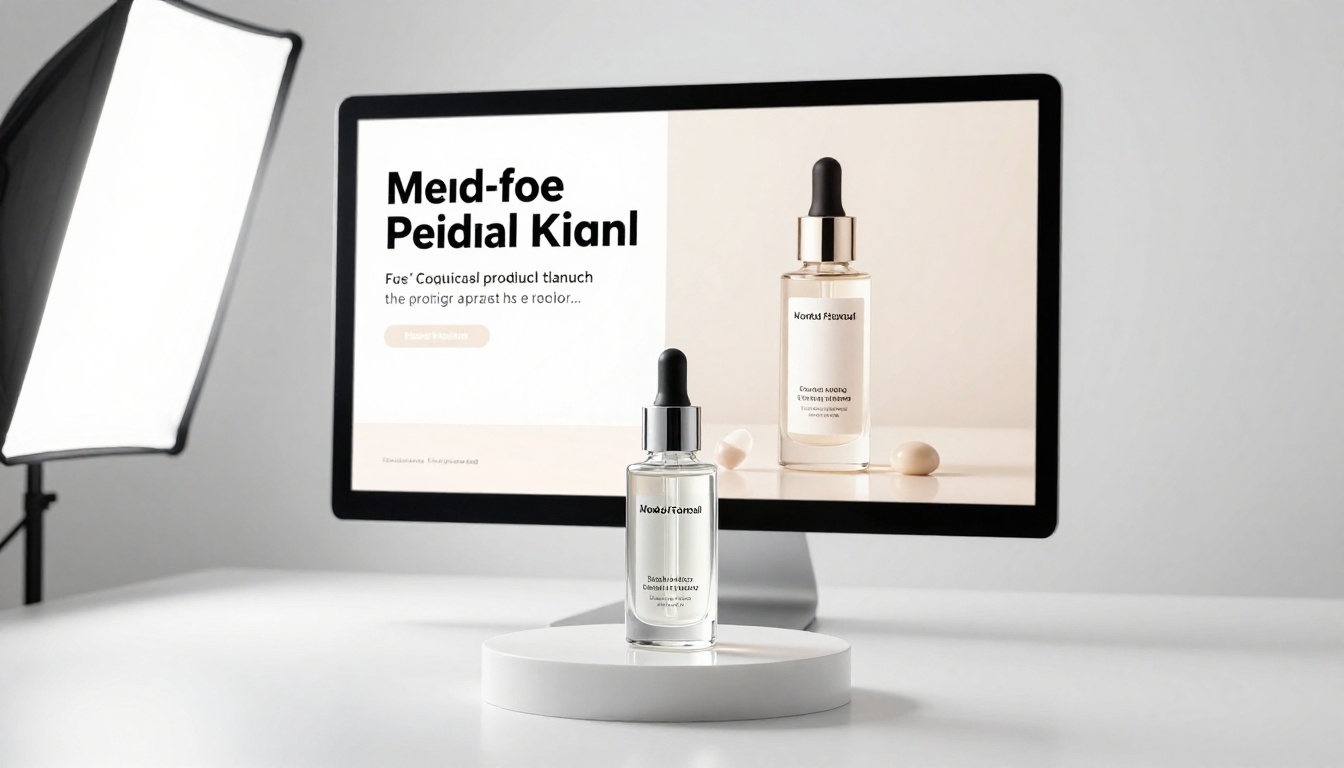
A product launch graphic needs to do several things simultaneously: highlight the product, communicate quality, and create desire. FLUX.3 Max handles this through still-life photography prompts that position the product in aspirational settings.
Prompt structure that works for product launches:
- Place the product on a surface with material texture (marble, linen, weathered oak)
- Add complementary props that reinforce the product's category (herbs for skincare, cables for tech, fabric for fashion)
- Use side lighting to create depth and reveal product surface detail
- Keep the background simple and uncluttered
Event Announcements and Promotions
Event graphics need energy and context. Whether it is a webinar, a store opening, or a conference, the visual needs to communicate the event's tone in the first half-second of viewing.
FLUX.3 Max produces compelling event graphics through environmental scene-setting:
- For professional events: Office interiors, conference spaces, corporate environments with clean architectural lines
- For casual events: Coffee shop interiors, outdoor market settings, warm amber lighting
- For brand celebrations: Venue interiors with ambient lighting and groups of people in social motion
The main difference from product shots is including people in context rather than isolated objects. FLUX.3 Max's handling of natural human poses and expressions at wide and medium distances is strong enough for event promotion work without looking artificially generated.

Personal Brand Content
Creators and entrepreneurs need consistent visual content that represents their personal brand. This is where FLUX.3 Max's lifestyle photography capability is most valuable.
Personal brand content patterns that work:
- Workspace shots: Clean desk setups with relevant props (books, coffee, notebook) that signal the creator's niche
- Behind-the-scenes: Relaxed, candid-style captures that feel spontaneous but are compositionally controlled
- Thought leadership visuals: Environmental portraits with depth, serious expression, and off-center composition

Keeping Your Brand Consistent
Posting 20 visually incoherent images is worse than posting 5 tightly consistent ones. FLUX.3 Max gives you the tools to maintain visual brand standards across every piece of content you generate.
Color and Palette Control
The fastest path to brand consistency with FLUX.3 Max is building a prompt template for your brand:
- Define your 3 to 4 brand colors in descriptive terms, not hex codes. Use names: "slate blue, warm cream, charcoal"
- Lock in your lighting style (always morning light, always overcast neutral, always studio warmth)
- Set your camera signature (always 85mm portrait-distance, always 35mm environmental)
- Save this template and paste it as the base of every new prompt
Social media managers working at volume generate 50 to 100 graphics per week with this method. FLUX.3 Max's consistency within a well-defined template is high enough to maintain visual brand coherence across an entire month of content without any manual design correction.
Aspect Ratios That Matter
| Platform | Recommended Format | FLUX.3 Max Ratio |
|---|
| Instagram Feed | 1:1 (1080x1080) | 1:1 |
| Instagram Story and Reels | 9:16 (1080x1920) | 9:16 |
| Facebook Post | 1.91:1 (1200x628) | 16:9 |
| LinkedIn Banner | 4:1 (1584x396) | custom |
| Twitter / X Header | 3:1 (1500x500) | 3:2 |
| Pinterest | 2:3 (1000x1500) | 2:3 |
| YouTube Thumbnail | 16:9 (1280x720) | 16:9 |

Start Creating on PicassoIA
The fastest way to see what FLUX.3 Max actually does for your social media workflow is to generate something now. PicassoIA gives you access to Flux Redux Dev and over 90 other text-to-image models with no software to install and no GPU required.
Pick one social media format you need this week, an Instagram post, a Facebook event graphic, or a LinkedIn banner, and write a specific 60-word prompt using the structure from this article. Generate it. Adjust one element. Generate again. You will have a production-ready graphic within minutes.
The brands and creators who are already ahead on social media content are not spending more time creating. They are spending that time on what they create, while AI handles how it looks. FLUX.3 Max makes that division of labor practical at any scale.
Visit PicassoIA to browse over 90 text-to-image models and start with Flux Redux Dev to see what photorealistic AI image generation can do for your social media output today.


