The FLUX 3 release date is not one date. Black Forest Labs announced the model on July 23, 2026, opened its video model to the public API on August 4, 2026, released an open-weight robotics model on September 23, 2026, and launched the image model in the first days of October 2026. The piece many people are actually waiting for, the open-weight FLUX 3 Dev, still has no date as of October 6, 2026.
This page sorts out what you can use today, what you can download, and what is still a promise. The short version: video is live, image is live, and open weights for creative work are not out yet. You can already run the video model on PicassoIA's FLUX 3 page, and the walkthrough near the end shows how.
💡 Status on October 6, 2026: FLUX 3 Video and FLUX 3 Image are live through the Black Forest Labs API. FLUX 3 Action has open weights on Hugging Face. FLUX 3 Dev, the open-weight model for video, audio and images, has no published release date.
FLUX 3 Release Date Timeline
Black Forest Labs (BFL), the Freiburg company behind the original FLUX image models, split FLUX 3 into four product lines: Video, Image, Action and Dev. Each line follows its own schedule, which is why search results keep contradicting each other.

| Date | What happened | How you can access it |
|---|
| July 23, 2026 | FLUX 3 announced as one model for images, video, audio and robot actions | Gated early access with approval |
| August 4, 2026 | FLUX 3 Video generally available | BFL API and select partners |
| September 23, 2026 | FLUX 3 Action released, 7B parameters | Open weights on Hugging Face |
| October 1, 2026 | FLUX 3 Image launched | API, commercial weights license, free demo |
| No date yet | FLUX 3 Dev, the open-weight backbone | "Coming weeks" in October reports |
Why Dates Differ Between Reports
Three things cause most of the confusion. First, the July 23 announcement came with early access only, so the first articles describe a model nobody outside a partner list could call. Second, the image launch is dated October 1 in some reports and October 2 in others, a gap that looks like a time-zone difference. Third, "release" can mean API access, a research preview or downloadable weights, and FLUX 3 has had all three at different moments for different parts of the family.
💡 When you read a FLUX 3 date, ask which product it refers to: Video, Image, Action or Dev. The answer can move the date by two months.
What the FLUX 3 Video Model Does
FLUX 3 Video is the first video model from Black Forest Labs, and its feature list reads like a wish list from short-form creators. It renders sound and picture together, runs clips up to 20 seconds in a single pass, and accepts text, still images or existing footage as input.
20 Seconds in One Pass
Text-to-video and image-to-video clips run from 5 to 20 seconds at 24 frames per second. The native resolution is HD (720p), and BFL's documentation lists higher tiers up to 3840 x 2176 at higher prices. Video continuation, which extends an existing clip, runs 5 to 15 seconds and accepts up to 4 seconds of earlier footage as its starting point. Aspect ratios range from ultrawide 21:9 to vertical 9:16, so the same model can serve a cinema-style teaser and a phone-first short.
| Spec | FLUX 3 Video |
|---|
| Clip length | 5 to 20 seconds (5 to 15 for continuation) |
| Frame rate | 24 fps |
| Native resolution | HD (720p) |
| Input modes | Text, one image, start and end images, a storyboard of up to 10 images, an existing clip |
| Audio | Generated with the frames, on by default |
| Editing | Video-to-video edits through a separate FLUX Video Edit endpoint |
| Status | BFL's docs still label the model a preview |
Audio Made With the Frames
Most video models still render silence and leave sound to another tool. FLUX 3 generates multilingual speech with lip sync, sound effects and ambience in the same pass as the picture. BFL says audio accounts for less than 0.5% of the tokens in a 720p generation, yet it stays tied to what happens on screen, so a door slam can land on the frame where the door closes.
In the API, the generate_audio flag defaults to true. Set it to false when you plan to score the clip yourself. Typography and dialogue are two other strengths BFL highlights, which matters for clips that need a spoken line or a short word on screen.
Start Frames, End Frames, Storyboards
Image input is where the control lives. One image opens the clip. Two images set the first and last frames. Between three and ten images become a storyboard, and the model paces the motion across them. BFL's docs also describe pinning images to exact timestamps. Pair that with continuation and you can extend a clip one shot at a time, which is the closest thing to a timeline editor that a prompt-based model offers.
Are the FLUX 3 Open Weights Out?
Not for the model that generates video, audio and images. That is the answer behind most FLUX 3 searches, and it is worth being exact about what is and is not downloadable.
What FLUX 3 Dev Promises
BFL lists FLUX 3 Dev as "Open-weight access to a multimodal backbone, for content creation (video, audio and image) and action prediction." At the July announcement the open-weight release was planned for later in 2026. In October reporting the wording moved to "coming weeks," still without a date. If it ships as described, it would be the first publicly available open-weight model that generates video, audio and images together, a claim that Tech Times reported at launch.
What You Can Download Today
FLUX 3 Action is open. The 7B model is on Hugging Face under the FLUX Kommunity License v1.0, with code, a fine-tuning recipe, benchmarks and a LeRobot integration. It controls robots, though, so it will not render a single frame of your next ad.
For open-weight image work, the FLUX 2 line is still the practical path. PicassoIA hosts FLUX 2 Dev, FLUX 2 Klein 9B and FLUX 2 Klein 4B, so you can test them without a local GPU. License terms differ per model, so read each one before you ship client work.
What Nobody Has Confirmed
Several details that decide whether Dev will run on your hardware are still unpublished: the license, the parameter count, the memory requirements, and whether the first Dev release includes the full video and audio pipeline. BFL has said its robotics backbone runs in under 80 ms on a single NVIDIA RTX 5090, but that figure is for robot control, not for rendering 20-second clips, so it says little about video hardware.
💡 If a website claims to host FLUX 3 Dev weights today, treat the claim as unverified. As of October 6, 2026, BFL has not released them.
FLUX 3 API Access and Pricing
FLUX 3 Video became generally available through the BFL API on August 4, 2026, and FLUX 3 Image followed in October. Both use the same asynchronous pattern, which suits batch jobs and queue-based apps.

How the API Works
You send a request to POST /v1/flux-3-video (or /v1/flux-3-image for stills) with your BFL credentials in a request header, then poll until the job finishes. Result URLs are signed and stay valid for about two hours, so download the file as soon as it is ready. Draft mode is the feature to build around: draft: true returns a fast preview, and a second request re-renders the draft you approve at full quality while keeping the seed, so the shot you liked is the shot you get.
What Each Second Costs
BFL prices video by the second. The figures below come from BFL's docs and third-party summaries from early October 2026. Check docs.bfl.ai before you budget, because the model is still labeled a preview.

| Mode | HD (720p) | Full HD |
|---|
| Text or image to video | $0.17 per second | $0.29 per second |
| Draft preview | $0.06 per second | Drafts render at HD |
| Continuation | about $0.41 to $0.43 per second | $0.54 per second |
Run the numbers and the draft flow earns its place. A 10-second HD clip costs about $1.70. A 20-second Full HD clip costs about $5.80. A 10-second draft costs $0.60, so testing five ideas as drafts runs about $3.00, less than two finished 10-second HD clips at $3.40.
FLUX 3 Image and Action
The other two product lines matter less for video creators, but they explain why BFL calls FLUX 3 a single multimodal model rather than a video model with extras.
FLUX 3 Image in Detail
FLUX 3 Image launched on October 1, 2026. BFL built it for editing control: multi-step edits that leave the rest of the picture untouched, layout by bounding boxes, up to 10 reference images, and output up to 4K. Organizations can license commercial weights to run and fine-tune it on their own infrastructure, a free demo is online, and API access was discounted 50% through October 8. An open-weight version is expected "in the coming weeks."
While you wait, PicassoIA already carries strong image models. FLUX 2 Pro and FLUX 2 Max handle text-to-image, and FLUX Kontext Max rewrites existing photos from a text instruction.
FLUX 3 Action and Robots
FLUX 3 Action is a 7B world action model. It takes camera frames, a robot's current state and a text instruction, then returns the next motor commands along with predicted video of how the scene should unfold. BFL reports 42.92% on NVIDIA's RoboLab-120 benchmark, 6.1 points above the previous leader. Its sibling FLUX-mimic, built with mimic robotics, has been tested at Audi production sites, with a reported end-to-end reaction time of about 101 milliseconds and new tasks picked up from as little as 30 minutes of robot data.
How FLUX 3 Compares to Rivals
FLUX 3 Video arrived in a crowded field, and BFL chose its comparisons carefully. Two views help: the vendor's own preference numbers, and a plain look at length and resolution.
BFL's Benchmark Claims
At launch BFL published preference results for FLUX 3 Video against five rivals, and the company says raters chose FLUX 3 in 52% to 93% of head-to-head comparisons. Developers Digest summarized the per-model numbers like this:
These are vendor-run numbers, so treat them as a reason to test, not as a verdict. A preference rate says how often raters picked a clip, not whether that clip fits your brief.
Length and Resolution Trade-Offs
Raw preference is one axis. Length, resolution and audio matter just as much when you pick a tool, and the PicassoIA catalog lets you line them up in one place.
If you need the longest single clip, Seedance 2.5 lists 30 seconds. If you need native 1080p or 4K, check Wan 3 Prime, Veo 3.1 or LTX 2.5 Fast. If you need dialogue and sound effects baked into a clip of up to 20 seconds, FLUX 3 is the specialist. None of this replaces a test: run the same prompt through two or three models and keep the one that fits your shot.
How to Use FLUX 3 on PicassoIA
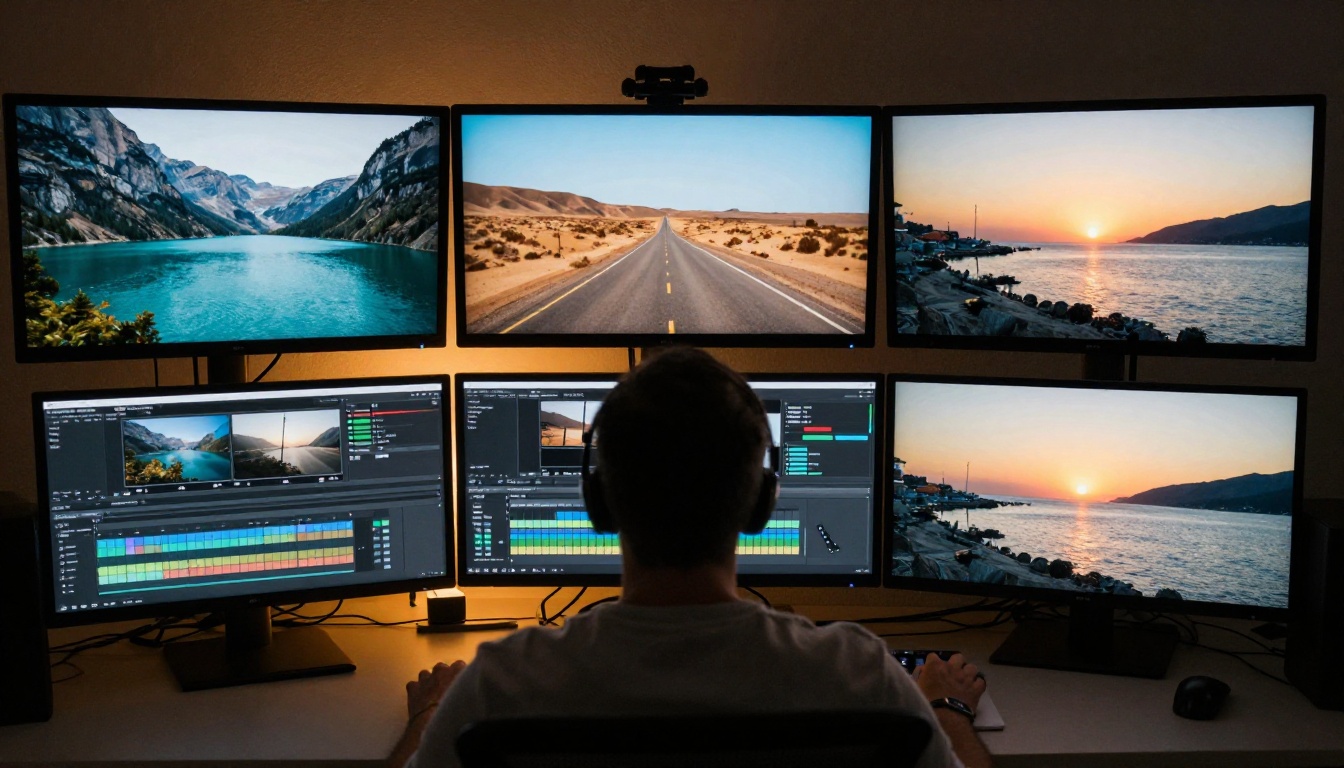
PicassoIA lists FLUX 3 in its text-to-video collection as Generate Synced-Audio Video with Flux 3, free to try online. You do not need API credentials, a queue request or a local GPU. Here is the workflow, step by step.

- Open the FLUX 3 model page and pick your input: text only, one photo, two images for start and end frames, or three to ten images as a storyboard.
- Write the prompt in plain language. Describe the scene, the action, the camera move and the sound. The page notes that your prompt is interpreted and expanded before generation, so you do not need special syntax.
- Set the duration. Choose 5 to 20 seconds, or leave it on auto so the model fits the length to the content. Three or more images need an explicit duration.
- Run a draft first. Draft mode renders a fast 720p preview so you can check pacing and framing before you spend time on a full render.
- Render the final clip at 720p or 1080p, with audio on unless you want a silent clip.
A prompt that works well: "A fisherman pushes a wooden boat into a calm harbor at sunrise. Slow dolly-in, gulls overhead, rope creaking, soft waves, and a low voice saying 'Ready.'" It names the camera move and the audio, the two things most prompts forget.
| Parameter | Options | Tip |
|---|
aspect_ratio | auto, 21:9, 2:1, 16:9, 4:3, 1:1, 3:4, 9:16 | Auto reads your prompt and inputs; set 9:16 for vertical platforms |
duration | auto, or 5 to 20 seconds | Required when you supply three or more images |
resolution | 720p or 1080p | Drafts are always 720p |
draft | true or false | A cheap pacing check before the final render |
generate_audio | true by default | Turn off for a silent clip |
images | 1 to 10 PNG, JPEG or WebP files | One opens the clip, two set start and end, three or more form a storyboard |
start_video | MP4, up to 50 MB and 15 seconds | Extends an existing clip; cannot be combined with images |
safety_tolerance | 0 (strictest) to 4 (default) | Requests with image or video inputs are limited to 2 |
💡 Build the first frame with an image model, then animate it. Generate a still with FLUX 2 Pro, pass it as the opening image, and the video begins exactly where you want it to.
PicassoIA also lists effects, video upscaling and super resolution tools in its full model catalog, useful for pushing a finished clip past 1080p or adding visual effects in post.
Make Your First Clip Today
FLUX 3 is a moving target, and the remaining pieces will land over the coming weeks. You do not need to wait for any of them to start. Pick the route that matches what you need right now:
| If you are... | Best route today |
|---|
| A creator who wants a clip with sound | FLUX 3 on Picasso IA, no setup |
| A developer building an app | The BFL API at docs.bfl.ai, with draft mode for testing |
| A researcher or roboticist | FLUX 3 Action weights on Hugging Face |
| Someone who needs local, open weights for video | Wait for FLUX 3 Dev; nothing official has shipped |
Open Picasso IA, pick FLUX 3, and run three prompts today: one from text only, one from a photo, and one with start and end images. Compare the drafts, keep the best take, and render it at 1080p. Then try the same idea in a second model from the catalog and see which one reads your scene better. Every clip you make is a free lesson in what these models respond to, and it costs nothing to experiment.
Three things to watch next: the FLUX 3 Dev weights with their license and parameter count, the open-weight release of FLUX 3 Image, and BFL's final pricing once the preview label comes off. When any of them lands, the model will show up in the PicassoIA catalog for you to try the same day you read about it.


