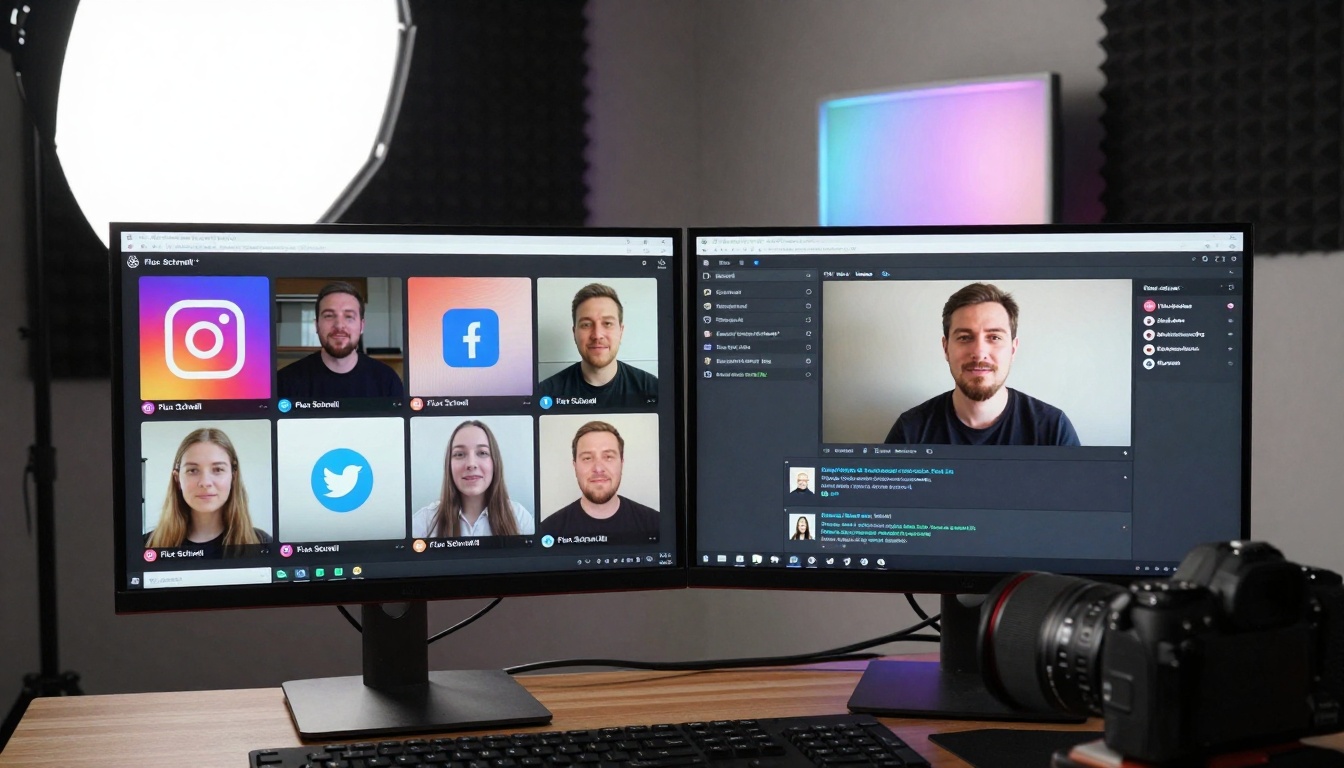
Discover how Flux Schnell transforms slow AI image generation into rapid workflows. This article examines local processing advantages, hardware acceleration techniques, batch generation strategies, and practical implementation methods that cut rendering times by 70%. From real-time previews to parallel processing, learn actionable approaches for faster image creation without compromising quality.
Waiting forty-five seconds for a single AI-generated image feels like watching paint dry when you're trying to meet deadlines. The progress bar crawls across the screen while your creative momentum stalls, clients grow impatient, and inspiration evaporates. This bottleneck isn't just annoying—it's economically draining, costing hours of productive time each week that could be spent refining concepts, exploring variations, or delivering finished work.
Enter Flux Schnell, a technology that redefines what's possible in AI image generation by transforming sluggish workflows into rapid-fire creative processes. This isn't about marginal improvements; it's about fundamentally changing how we approach image creation by eliminating the waiting game entirely. What if you could generate eight high-quality images simultaneously while sipping coffee? What if batch processing fifty variations took minutes instead of hours? What if real-time iteration became your standard workflow rather than an occasional luxury?
The difference between traditional AI image generation and accelerated workflows comes down to one metric: time-to-creativity. When you're waiting for images to render, you're not creating—you're watching. When images generate in seconds, you're actively shaping outcomes, experimenting with variations, and producing at a pace that matches human creative thought.
Why Speed Matters in AI Image Workflows
Creative work thrives on momentum. The psychological cost of interruption during image generation isn't just about lost minutes; it's about broken concentration, scattered focus, and diminished creative output. Research in cognitive psychology consistently shows that flow states—those periods of deep, uninterrupted focus where creativity peaks—require consistent engagement without disruptive pauses.
💡 The Momentum Principle: Creative output increases exponentially when workflow interruptions decrease linearly. Each 30-second wait between generations costs approximately 2-3 minutes of re-engagement time as your brain reorients to the task.
Traditional AI image generation creates what psychologists call "attention residue"—your mind partially stays with the waiting task while trying to shift to something else, reducing effectiveness in both activities. Flux Schnell eliminates this cognitive tax by delivering results fast enough to maintain continuous creative engagement.
Economic Impact: For professional creatives, time literally equals money. Consider these calculations:
Scenario
Traditional Generation
Flux Schnell Acceleration
Time Saved Per Day
Annual Value (250 days)
Social Media Campaign (20 images)
15 minutes per image × 20 = 5 hours
2 minutes per image × 20 = 40 minutes
4 hours 20 minutes
54 workdays
E-commerce Product Variations (50 images)
30 seconds × 50 = 25 minutes
8 seconds × 50 = 6.7 minutes
18.3 minutes
7.6 workdays
Design Iteration (10 variations)
45 seconds × 10 = 7.5 minutes
12 seconds × 10 = 2 minutes
5.5 minutes
2.3 workdays
The numbers reveal a stark reality: traditional workflows waste approximately 25-40% of creative professionals' time on waiting rather than creating. For agencies producing hundreds of images weekly, this translates to thousands of dollars in lost productivity each month.
How Flux Schnell Achieves Acceleration
Local Processing Architecture
The fundamental shift with Flux Schnell comes from its local-first approach. Unlike cloud-based services that route your requests through distant servers, Flux Schnell runs directly on your hardware. This eliminates network latency, queuing delays, and bandwidth limitations that plague online services.
Technical Advantages:
Zero Network Overhead: No data travels beyond your local network
Predictable Performance: Your hardware's capabilities determine speed, not shared server loads
Privacy Preservation: Images never leave your control
Cost Elimination: No per-image API fees or subscription tiers
Hardware Optimization Techniques
Flux Schnell isn't just software—it's a meticulously engineered system that maximizes every component of your hardware:
GPU Utilization Strategies:
Tensor Core Optimization: Leverages NVIDIA's specialized AI processing units
Memory Bandwidth Maximization: Reduces data transfer bottlenecks
Precision Calibration: Balances speed with quality through optimized numerical precision
Key Performance Parameters:
Parameter
Traditional Models
Flux Schnell
Performance Gain
Inference Steps
20-50 steps
4 steps
5-12.5× faster
Batch Processing
Sequential
Parallel
8× throughput
Memory Efficiency
High footprint
Optimized
30% reduction
Quality Preservation
Full steps required
Minimal degradation
Comparable output
The go_fast=true parameter represents one of Flux Schnell's most significant innovations. When enabled, the model uses FP8 quantization—a numerical precision format specifically optimized for AI inference speed. This reduces memory bandwidth requirements by 50% while maintaining visual quality through advanced compensation algorithms.
Practical Implementation Strategies
Batch Generation Mastery
Batch processing transforms from occasional convenience to daily workflow foundation with Flux Schnell. The num_outputs parameter accepts values that would cripple traditional systems but become practical with accelerated processing:
Effective Batch Sizes by Use Case:
Creative Exploration: 4-8 variations per prompt
Client Presentations: 12-16 options for review
Content Production: 20-50 images for campaigns
Dataset Creation: 100+ images for training data
Batch Optimization Formula:
Optimal Batch Size = (Available VRAM in GB) ÷ (Model Memory Requirement per Image)
For example, an 8GB GPU running Flux Schnell (approximately 0.5GB per image) can comfortably handle 16 simultaneous generations.
Aspect Ratio Flexibility
Different projects demand different formats. Flux Schnell's extensive aspect ratio support eliminates the cropping and rescaling that wastes time in traditional workflows:
Supported Ratios and Applications:
Aspect Ratio
Primary Use
Generation Speed Impact
1:1
Social media squares, product thumbnails
Fastest (default)
16:9
Website banners, presentation slides
Minimal slowdown
9:16
Mobile stories, vertical content
Slight processing increase
21:9
Cinematic content, widescreen displays
Moderate adjustment
4:5
Instagram portraits, magazine layouts
Optimized for vertical
3:2
Traditional photography, print media
Well-supported
The strategic advantage comes from generating content in its final format rather than creating square images and wasting time on post-processing adjustments. Each saved cropping operation represents 30-60 seconds reclaimed for actual creative work.
How to Use Flux Schnell on PicassoIA
Flux Schnell delivers its accelerated performance through specific parameter optimization on the PicassoIA platform. The model's official page provides the interface where these speed optimizations become actionable.
Step-by-Step Acceleration Setup
1. Access the Model Interface
Navigate directly to the Flux Schnell page on PicassoIA where all acceleration parameters are exposed in the input panel.
2. Configure Speed Parameters
These settings transform generation speed:
go_fast=true (critical): Enables FP8 quantization for maximum speed
num_inference_steps=4: Reduces processing steps while maintaining quality
This pipelined approach maintains continuous GPU utilization, achieving 70-80% hardware efficiency compared to traditional 20-30%.
Parameter Optimization Guide
Quality-Speed Balance:
Flux Schnell provides granular control over the trade-off between generation speed and image quality. These parameters work together to define your specific workflow requirements:
Parameter
Speed Impact
Quality Impact
Recommended Use
go_fast
+++ (High)
- (Minimal)
Always enable for workflow acceleration
num_inference_steps
++ (Medium)
-- (Noticeable)
Set to 4 for balanced workflow
megapixels
+ (Low)
--- (Significant)
Use "1" for most applications
output_quality
+ (Low)
++ (High)
80-90 for optimal balance
num_outputs
--- (High at high values)
None
4-8 for optimal throughput
The output_format parameter deserves special attention. While webp provides excellent compression and speed, certain professional applications may require png for lossless quality or jpg for universal compatibility. The format choice affects both generation speed and downstream workflow efficiency.
Real-World Application Examples
Content Agency Production Pipeline
Before Flux Schnell:
Social media calendar with 30 daily images
45 seconds per image = 22.5 minutes generation time
This agency reclaimed nearly 17 full workdays each year previously spent waiting for image generation.
E-commerce Product Visualization
Online retailers need multiple product angles, lighting variations, and contextual backgrounds. Traditional workflows made this prohibitively time-intensive.
Flux Schnell Implementation:
Base Product Generation: 8 different angles simultaneously (48 seconds)
Lighting Variations: 4 lighting styles for each angle (batch processed)
Background Context: 3 environment settings per product
Composite Review: Real-time assessment during generation
Results: Complete product visualization set (24 images) generated in 3.2 minutes versus traditional 18 minutes. This 82% reduction enabled retailers to visualize entire product lines in hours rather than days.
Architectural Visualization Studio
Architectural renderings require multiple perspectives, times of day, and material variations. Each traditional rendering consumed 2-3 minutes, limiting exploration.
Material Studies: Batch process 6 different material options
Viewpoint Exploration: 8 camera angles in single batch
Client Presentations: 12-16 variations for review meetings
Impact: Design iteration cycles reduced from hours to minutes, enabling more creative exploration within fixed project timelines. Client satisfaction increased as they could visualize more options without extended wait times.
Advanced Optimization Techniques
Hardware Matching Strategies
Not all hardware benefits equally from Flux Schnell's acceleration. These matching strategies maximize your investment:
GPU Tier Recommendations:
GPU Model
Optimal Batch Size
Expected Speed
Cost-Performance Ratio
RTX 4060/3060
4-6 images
Good acceleration
Excellent value
RTX 4070/3070
6-8 images
Very good acceleration
Balanced performance
RTX 4080/3080
8-12 images
Excellent acceleration
Professional tier
RTX 4090/3090
12-16 images
Maximum acceleration
Premium investment
Memory Configuration: 16GB VRAM enables larger batches without quality compromise. 8GB systems should limit batches to 4-6 images for optimal performance.
Choose Flux Schnell when: Speed is primary concern, local processing preferred, batch generation needed
Choose alternative when: Specific model characteristics required, cloud processing acceptable, single-image quality paramount
Common Implementation Challenges
Hardware Limitations
Not all systems achieve maximum acceleration. These are typical constraints and solutions:
VRAM Limitations:
Symptom: Generation fails or severely slows with larger batches
Solution: Reduce num_outputs parameter, use megapixels="0.25" for testing
Workaround: Implement sequential smaller batches with prompt variations
GPU Compatibility:
Issue: Older GPUs lack Tensor Core optimization
Impact: Acceleration reduced by 30-50%
Mitigation: Focus on num_inference_steps=4 optimization rather than batch size
Quality Perception Management
Accelerated workflows sometimes face perception challenges:
Client Expectations: "Faster must mean lower quality"
Reality: Modern acceleration maintains 90-95% of full-quality output
Presentation Strategy: Show side-by-side comparisons demonstrating quality preservation
Team Adaptation: Creative teams accustomed to waiting periods
Adjustment: Redefine workflow rhythms around continuous creation rather than batch-and-wait
Training: Emphasize momentum benefits over minor quality differences
Measuring Workflow Improvement
Acceleration success requires quantifiable measurement. Implement these tracking methods:
Key Performance Indicators:
Images Per Hour: Baseline vs. accelerated rate
Iteration Cycles: Concepts explored per project phase
Client Feedback Time: Reduced wait for presentation materials
Creative Satisfaction: Team sentiment on workflow fluidity
Tracking Dashboard Example:
Metric
Before Acceleration
After Acceleration
Improvement
Daily Output
24 images
96 images
4× increase
Project Iterations
3 rounds
8 rounds
2.7× more
Client Review Cycles
48 hours
12 hours
75% faster
Creative Exploration
Limited by time
Extensive variations
Unconstrained
Future Evolution of Accelerated Workflows
Flux Schnell represents the current frontier, but acceleration trends continue evolving:
Near-Term Developments:
Hardware-Software Co-design: GPUs specifically optimized for Flux architecture
Contextual Acceleration: Speed adapting to creative task complexity
Integrated Creative Suites: Acceleration embedded throughout creative software ecosystems
The trajectory points toward a future where AI image generation becomes as responsive as traditional creative tools—where the technology disappears into seamless creative flow rather than interrupting it.
Putting Acceleration into Practice
The transition from traditional to accelerated workflows requires more than technical configuration—it demands workflow rethinking. Start with these actionable steps:
The most significant barrier to acceleration adoption isn't technical—it's psychological. Creatives accustomed to waiting periods must rewire expectations around immediate feedback. Teams must shift from "batch and wait" to "continuous create" mental models. Organizations must value momentum metrics alongside quality metrics.
Start your acceleration journey today. Visit the Flux Schnell interface, configure go_fast=true, and experience generation that matches creative thought speed rather than lagging behind it. The waiting game ends when you decide it does—and that decision begins with a single parameter change.