ByteDance dropped Seedream 5.0 quietly, and within days the AI image generation community was paying serious attention. This is not another incremental update. The jump from Seedream 4 to 5.0 is measurable in quality, speed, and especially in the kind of free access that most competing models simply do not offer. If you have been waiting for a truly capable free AI image generator to land, this review will tell you whether Seedream 5.0 is finally it.
What Seedream 5.0 Actually Is
ByteDance's Newest Image Model
ByteDance, the company behind TikTok and CapCut, has been quietly building a competitive AI research division. Seedream is their flagship image generation model family, and version 5.0 represents the most significant architectural update they have shipped. Built on a diffusion transformer backbone similar to the one powering Flux Dev and Google's Imagen 4, Seedream 5.0 was trained on a dataset reportedly 40% larger than its predecessor, with heavy emphasis on real-world photography rather than stylized artwork.
The result is a model that leans strongly toward photorealism. You get images that look like they came from a camera, not a render farm. ByteDance's training approach prioritized natural color response and authentic texture rendering over the hyper-polished aesthetic that some competing models favor. Whether you are shooting a portrait, a landscape, or a product, the output has a tangible sense of physical reality.

The 5.0 Leap from Previous Versions
Previous Seedream releases were competitive but inconsistent. Seedream 4 produced excellent landscape shots but struggled with human faces and hands at lower resolutions. Seedream 4.5 improved hand anatomy noticeably but introduced a slight oversaturation problem in skin tones that made portraits look processed rather than natural.
Seedream 5.0 addresses both. Anatomy improvements are measurable, and color calibration is noticeably more neutral, closer to what you would get shooting on Kodak Portra 400 film in natural light.
First Impressions: Photorealism
Portrait and Human Subjects
This is where Seedream 5.0 earns its reputation. Human portraits are the hardest benchmark for any image generator, and Seedream 5.0 passes it with a level of detail that genuinely impresses. Skin pores, individual hair strands, the slight imperfections that make a face look real rather than sculpted: all of these are present when you push the model for close-up portraits.
The model does not aggressively smooth skin the way that some older SDXL variants tend to do. Eyes carry specular catchlights. Teeth are not unnaturally white. The color palette under natural light conditions reads as honest rather than flattering, which is exactly what photorealistic work demands.

💡 Pro tip: Adding "Kodak Portra 400, film grain, 85mm f/1.8" to any portrait prompt dramatically increases the photorealism of skin tones and depth of field rendering in Seedream 5.0.
Still life and texture work is similarly impressive. Food, fabric, and natural materials — the model renders microscopic surface detail in a way that previously required premium models like Flux 1.1 Pro Ultra or Google's Imagen 4 Ultra.

Where the Cracks Show
No model at this price point is flawless. Seedream 5.0 has a few known weak spots you should plan around:
- Complex hand positions: Fingers in unusual grips or overlapping hands still occasionally produce subtle anatomical errors, though far less than previous versions
- Extreme close-up eyes: At very high zoom levels, eyes can lose coherence in the iris pattern
- Architectural interiors: Rooms with complex perspective grids, particularly staircases and hallways with multiple vanishing points, sometimes produce geometry that does not add up
- Very long text in images: Multi-word text elements are still unreliable; short single words fare much better
These are limitations worth knowing before you commit Seedream 5.0 to a professional project. For most creative and commercial use cases, they will rarely surface in practice.
Speed and Availability
Generation Times in Practice
One of the most practical advantages Seedream 5.0 has over heavier models like Flux 2 Max or Stable Diffusion 3.5 Large is speed. Under normal load conditions, you are looking at these approximate generation times:
| Image Size | Average Generation Time |
|---|
| 512 x 512 | 2 to 4 seconds |
| 1024 x 1024 | 6 to 10 seconds |
| 1536 x 1024 (16:9) | 10 to 16 seconds |
| 2048 x 1152 (high-res) | 18 to 28 seconds |
These numbers are competitive. Flux Schnell is faster at smaller resolutions, but Schnell sacrifices quality for speed. At equivalent quality tiers, Seedream 5.0 is among the fastest models available to everyday creators. For a professional producing ten to twenty images daily, that speed advantage compounds into real time savings.

Is It Genuinely Free?
Yes, with some nuance. Seedream 5.0 and its lighter variant Seedream 5 Lite are available at no cost through several platforms, including PicassoIA, where you can run the model without paying per generation. There are rate limits on heavy usage, and very high-resolution outputs may require credits depending on the platform, but for standard 1024px generation the free tier is genuinely usable for daily creative work.
The Lite variant is optimized for speed over maximum quality, making it ideal for rapid iteration and concept testing before committing to a final high-resolution render.
💡 Worth knowing: The Lite version of Seedream 5.0 produces results at around 85 to 90% of the quality of the full model while being roughly 40% faster. For most social media content, it is the smarter choice.
Prompt Accuracy and Control
Simple Prompts
Seedream 5.0 follows simple prompts reliably. Single-subject, single-environment descriptions produce exactly what you ask for with minimal variation. A prompt like "a woman in a red dress on a rainy street at night" produces consistent cinematic results without needing to load the prompt with technical photography jargon.

This is a meaningful improvement over earlier Seedream versions, which sometimes failed to follow color or outfit descriptions accurately. The 5.0 release shows significantly stronger token-to-visual mapping, meaning what you write is closer to what you get.
Complex Multi-Element Scenes
When you start stacking multiple subjects, environments, lighting conditions, and actions into a single prompt, the accuracy holds up reasonably well. Seedream 5.0 tends to prioritize the subject and lighting over background details, which is the right call for photorealistic outputs. Background elements can become slightly simplified at high complexity levels.
The most reliable practice is to front-load your prompt with the most critical visual elements. Subject first, lighting second, environment third, style and camera specifications last. This ordering closely mirrors how the model processes and weights token importance.
Text Rendering in Images
Text in images remains an industry-wide challenge. Seedream 5.0 handles single English words reliably in most cases. Short two-word phrases work around 70% of the time. Anything longer becomes unreliable and will often produce garbled characters.
If accurate in-image text is a hard requirement for your project, pairing Seedream with an Ideogram V3 Quality workflow on PicassoIA is a more dependable path. Ideogram's text rendering is still the strongest in the industry.
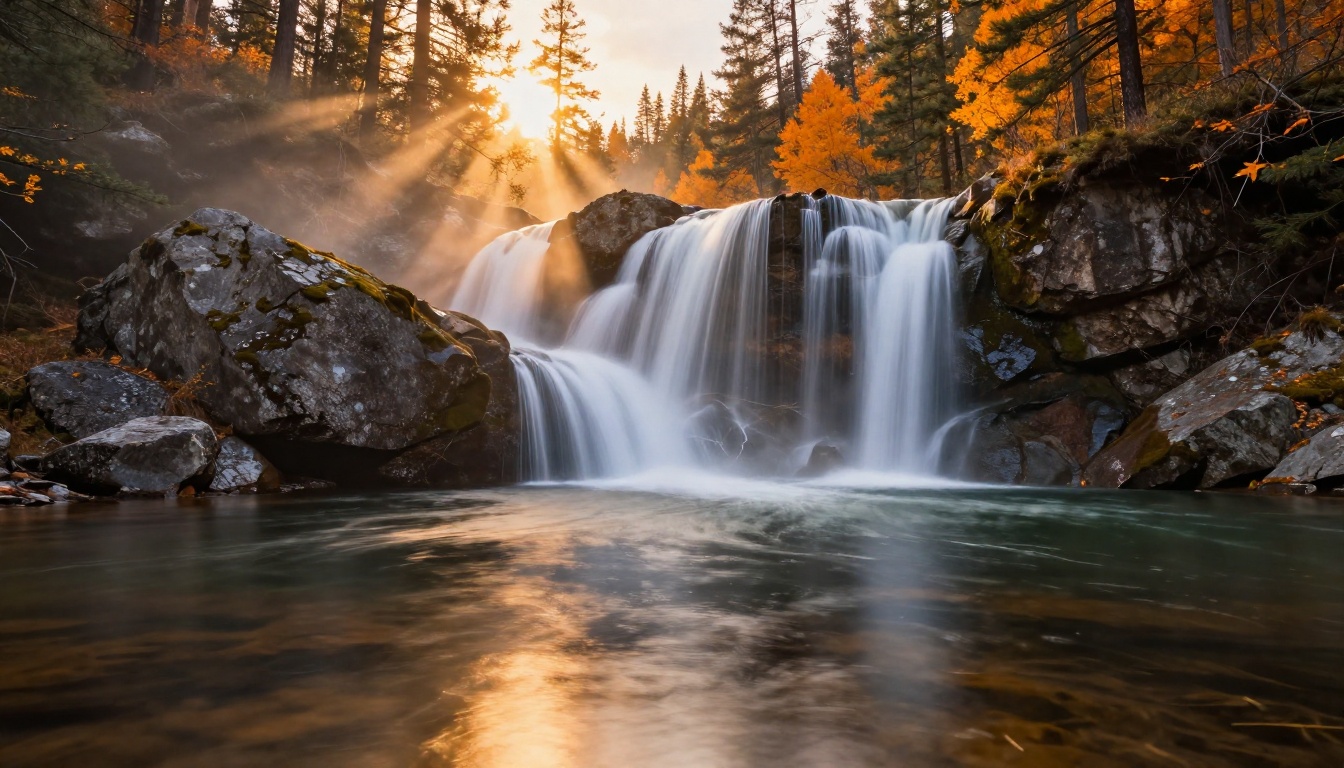
Using Seedream 5 Lite on PicassoIA
The PicassoIA platform gives you direct access to Seedream 5 Lite without setting up API keys or paying per-image fees. Here is exactly how to get your first image.
Getting Your First Image
Step 1. Open Seedream 5 Lite on PicassoIA and go to the model interface.
Step 2. Write your prompt in the text field. Start with the subject and what they are doing, then describe the environment, then add lighting and camera details. Front-load the most important elements.
Step 3. Set your aspect ratio. For social media and widescreen content, 16:9 is the most versatile. For portraits and vertical feed content, use 9:16.
Step 4. Set inference steps. The default (around 20 to 30 steps) balances speed and quality well. For final-quality outputs, pushing to 40 or 50 steps adds visible detail in textures and fine features.
Step 5. Click generate. Your image appears in the result panel in seconds.
Step 6. If the result misses something important, add negative prompts to exclude the unwanted elements rather than rewriting the whole prompt from scratch. This is faster and more precise.
Tips for Better Results
- Be specific about light. "Morning light from the left" produces better results than "good lighting." Describe direction, quality (hard or soft), and color temperature.
- Name the lens. Adding "85mm f/1.4" or "24mm wide angle" changes the perspective and depth of field rendering noticeably.
- Use film stocks as style anchors. "Kodak Portra 400," "Fujifilm Provia," and "Velvia 50" each pull the color palette in distinct and reliable directions.
- Iterate in Lite, finalize in Full. Use the faster Lite variant to confirm composition and mood, then run the winning prompt through the full Seedream 5 Lite model at higher steps for the final output.
💡 PicassoIA bonus: After generating your image, you can pass it directly to PicassoIA's Super Resolution tools for a 2x or 4x upscale without leaving the platform. This takes a 1024px Seedream output to print-quality resolution in a single additional step.
Seedream 5.0 vs the Competition
Seedream 5.0 vs Flux 2 Pro
Flux 2 Pro from Black Forest Labs is the current benchmark for premium image generation. Here is how the two models actually compare:
| Metric | Seedream 5.0 | Flux 2 Pro |
|---|
| Free tier | Yes | Limited |
| Photorealism | Excellent | Excellent |
| Prompt following | Very Good | Excellent |
| Speed at 1024px | ~8 seconds | ~12 seconds |
| Text in image | Fair | Good |
| Color accuracy | Natural film tones | Slightly processed |
| Anatomy (hands and faces) | Very Good | Excellent |
| Pricing | Free | Paid credits |
The honest verdict: Flux 2 Pro edges out Seedream 5.0 on prompt adherence and hand anatomy in direct head-to-head tests. But for free-tier use, Seedream 5.0 produces 90% of the quality at zero cost. That gap narrows further when you factor in that Flux 2 Dev and Flux 2 Flex are also available at competitive tiers on PicassoIA, giving you flexibility to switch based on the specific requirements of each project.
Seedream 5.0 vs Imagen 4
Google's Imagen 4 is arguably the strongest photorealism competitor right now. It produces images with a distinctive clean look that many commercial photographers prefer. Seedream 5.0 produces output that looks more like natural film photography, while Imagen 4 tends toward a slightly processed, polished aesthetic.
For lifestyle and editorial content where authenticity matters, Seedream 5.0's film-like color response often wins. For technical product photography and clean commercial visuals requiring precise color accuracy, Imagen 4 or its faster sibling Imagen 4 Fast have a slight edge.

Best Use Cases for Seedream 5.0
Social Media Creators
Seedream 5.0 is built for the kind of content that performs on Instagram, Pinterest, and TikTok thumbnails. The model's natural color response and fast generation speed make it practical for batch-producing lifestyle images, travel shots, food content, and portrait-style imagery without the washed-out or overly digital look that plagues cheaper generators.
A creator who needs 20 unique lifestyle images per week can realistically produce that volume on Seedream 5.0's free tier without touching their budget. The consistency of the model's color palette also makes images feel cohesive across a feed without requiring post-processing to match tones.

Product Visualization
Product shots are a strong use case where Seedream 5.0 punches above its weight class. The model handles reflective surfaces, studio lighting setups, and material textures well. For e-commerce sellers who need mockup images quickly, this is one of the most cost-effective tools available anywhere in 2026.
Pair it with PicassoIA's background removal tools to isolate generated products and place them on custom backgrounds for a complete product photography workflow at no extra cost.

Portrait and Glamour Work
The model's portrait capabilities are strong enough for professional reference shoots, social media profile imagery, and glamour content. For photographers who use AI-generated images as shot references or mood boards, Seedream 5.0 produces reference images that are genuinely usable rather than merely suggestive.
The strongest creative workflow involves using Seedream 5.0 for initial concepts, then refining the best compositions through PicassoIA's image editing tools for inpainting or outpainting adjustments. You generate the base image free, then make targeted edits without regenerating from scratch.
💡 Workflow tip: Generate your base image in Seedream 5 Lite at 16:9, upscale 2x with PicassoIA's Super Resolution, then use Outpainting to extend the canvas if you need a different crop ratio for a specific platform.
Start Creating Right Now
If you have read this far, you already know Seedream 5.0 is worth testing. The free access via Seedream 5 Lite on PicassoIA means there is no barrier to trying it right now. No credit card, no trial limit that expires in 24 hours, no watermarks on outputs.
PicassoIA gives you access to over 90 text-to-image models alongside Seedream, including Flux 2 Pro, Imagen 4, and GPT Image 1.5, all in one place. You can run the same prompt across multiple models and pick the result that fits your project, which is something most single-model platforms simply cannot offer.
Seedream 5.0 is not the single best image generator available in absolute terms. What it is: the best free image generator for photorealistic content that most creators and professionals will encounter in 2026. For the price of nothing, it produces results that would have required a paid subscription a year ago.
Open PicassoIA, load Seedream 5 Lite, write a prompt, and see what you get. That is the only test that actually matters.


