If you have ever wanted to produce smooth, cinematic AI videos without buying expensive software or spending hours learning a timeline editor, Seedance 2.0 is worth your full attention. It is a text-to-video AI model built by ByteDance that has quickly become one of the most talked-about free video generation tools available right now. Whether you are a solo content creator, a small business owner, or just someone who wants to experiment with AI video synthesis, this model opens up possibilities that were locked behind professional budgets only a year ago.

What Seedance 2.0 Actually Is
Seedance 2.0 is ByteDance's second major release in its Seedance model family, specifically designed for high-fidelity video generation from text prompts. Unlike earlier iterations that struggled with motion coherence or produced clips that looked visibly artificial, the 2.0 release prioritizes temporal consistency, meaning objects and subjects stay stable across frames rather than flickering or morphing unexpectedly.
The model processes natural language descriptions and converts them into video clips that can range from a few seconds to longer sequences depending on the configuration. It handles a wide variety of styles, from realistic outdoor scenes and product showcases to abstract motion graphics and stylized storytelling.
Built by ByteDance
ByteDance, the company behind TikTok and CapCut, has been investing heavily in AI video research since 2023. Their Seedance line is positioned as a direct competitor to models like Kling v3 and Veo 3 from Google. The advantage ByteDance brings is their deep familiarity with short-form video consumption patterns, which directly informs how Seedance 2.0 handles pacing, motion speed, and visual storytelling within short clips.
The training pipeline for Seedance 2.0 uses a significantly larger and more diverse dataset than its predecessor, which explains the noticeable jump in output quality, particularly in human motion, natural lighting simulation, and camera movement realism.
What Changed from Version 1
The differences between Seedance 1.x and Seedance 2.0 are substantial. Here is a direct comparison:
| Feature | Seedance 1.x | Seedance 2.0 |
|---|
| Motion coherence | Moderate | High |
| Human anatomy accuracy | Inconsistent | Significantly improved |
| Prompt adherence | Basic | Detailed multi-element |
| Lighting realism | Flat | Dynamic, directional |
| Maximum output length | Short clips | Extended sequences |
| Free access | Limited | Available via platforms |
The motion coherence improvement alone makes it a different tool entirely. In version 1, characters would sometimes drift in shape or shift unnaturally between frames. Seedance 2.0 maintains structural consistency throughout the clip, which is critical for anything involving people, branded objects, or scenes with specific spatial relationships.

Why Free Matters Here
The word "free" carries a lot of weight in the AI video space. Most high-quality text-to-video models are either paywalled entirely or available only through expensive API credits. Seedance 2.0 breaks that pattern by being accessible through platforms that offer free generation credits, allowing users to test and produce real content without committing to a paid plan first.
No Subscription Walls
For individual creators and small teams, subscription fatigue is real. You already pay for cloud storage, social scheduling tools, design software, and a dozen other services. Adding another monthly fee for video generation is a friction point that stops a lot of people from even trying these tools.
Tip: You can access Seedance models directly on PicassoIA and generate your first videos using free credits, no credit card required at the start.
Platforms like PicassoIA offer Seedance 1 Pro and Seedance 1.5 Pro as accessible options, with the workflow being straightforward enough that your first video can be done in under three minutes.
Who Benefits Most
Free AI video generation with Seedance 2.0 is particularly valuable for:
- Content creators who need consistent video output for Reels, TikTok, or YouTube Shorts without a film crew
- E-commerce brands that want product showcase videos without hiring videographers
- Marketers testing multiple video concepts before committing budget to production
- Educators and trainers who want to illustrate concepts visually without screen-recording every session
- Developers and indie makers building apps or demos that need video assets quickly

The AI video generation space has exploded with options. LTX-2.3 Pro from Lightricks focuses on real-time rendering speed. Veo 3 emphasizes cinematic quality with native audio generation. WAN 2.6 T2V offers strong open-weight performance for technical users. Where does Seedance 2.0 fit?
The Quality Gap
Seedance 2.0 sits in a strong middle ground between raw speed and premium quality. It does not render quite as fast as LTX-2.3 Fast, which is purpose-built for rapid iteration, but it consistently produces outputs with more natural motion and better lighting than most free-tier alternatives.
For human subjects specifically, Seedance 2.0 is noticeably ahead of many competitors. Hands, faces, and body movements are rendered with a coherence that avoids the uncanny valley problems that have plagued AI video since the beginning. This matters enormously for anyone generating content that features people.
Speed and Output
Generation speed depends on clip length and resolution settings. For a 5-second clip at standard resolution, Seedance 2.0 typically returns results within 30 to 90 seconds on most platforms. That is fast enough for iterative creative workflows where you are testing multiple prompt variations to find the right output.
Tip: Start with shorter clip durations (3 to 5 seconds) when testing prompts. Once you find a prompt that works, you can extend or refine without wasting generation credits on long clips that miss the mark.

How to Use Seedance on PicassoIA
PicassoIA gives you direct access to the Seedance model family without needing a Replicate account, API keys, or any technical setup. The interface is built for creators, not developers, which keeps the barrier to entry low.
Step 1: Pick Your Model
PicassoIA hosts several Seedance variants, each tuned for different use cases:
- Seedance 1 Lite: The fastest option, ideal for quick concept testing and social content where turnaround speed matters more than maximum quality.
- Seedance 1 Pro: The balanced choice. Strong quality, reasonable speed. This is where most creators should start.
- Seedance 1 Pro Fast: Optimized for faster inference without sacrificing too much on output fidelity. Good for high-volume workflows.
- Seedance 1.5 Pro: The highest quality Seedance model currently available on the platform. Use this when the output needs to be polished and presentation-ready.
Step 2: Write Your Prompt
Prompt writing for text-to-video AI is slightly different from image prompting. The key differences:
- Describe motion explicitly. Instead of "a woman on a beach," write "a woman walking slowly along the beach, soft waves washing over her feet, her hair moving in the breeze."
- Specify camera behavior. Phrases like "slow dolly shot," "static wide angle," or "tracking shot following the subject" significantly affect the output.
- Set the lighting scene. "Golden hour backlighting," "overcast soft diffused daylight," or "warm interior candlelight" give the model strong visual direction.
- Keep subjects singular when possible. Complex multi-subject scenes are harder for the model to render coherently, especially in shorter clips.
Step 3: Configure and Generate
After entering your prompt, you will typically have options to set clip duration, aspect ratio, and in some cases motion intensity. For social media content, a 9:16 vertical format is usually the right call. For YouTube or landing pages, stick with 16:9 horizontal. For square-format Instagram posts, 1:1 keeps things clean.
Hit generate and wait for the result. If the output misses on motion or composition, tweak the prompt description of movement or camera behavior and try again.

Tips for Better Results
Use reference adjectives for lighting: "cinematic," "volumetric," "golden hour," or "studio-lit" all signal specific visual styles to the model.
Avoid negative-only descriptions: Instead of saying "no dark shadows," describe what you do want: "evenly lit with soft fill light on both sides."
Mention texture and environment detail: Rich environmental descriptions, things like "cobblestone street with morning dew," "pine forest with light filtering through branches," or "polished concrete floor reflecting overhead lights," help the model build a more detailed, believable scene.
Be specific about subject action: "sitting" is vague. "Sitting on a wooden stool, leaning forward slightly with both hands wrapped around a coffee mug" is actionable.
What You Can Actually Make
The practical applications for free AI video generation with Seedance 2.0 are broader than most people initially assume.

Social Media Content
This is the most obvious use case, and it is also where Seedance 2.0 genuinely shines. Short-form video platforms reward consistency, and being able to produce multiple clips per day, each slightly different in scene, style, or subject, gives creators a real advantage in maintaining posting cadences without burning out.
You can generate lifestyle B-roll, product-adjacent scenes, mood-setting clips, or abstract visual loops that pair well with music or voiceover. None of this requires a camera, a shoot location, or a production budget.
Marketing and Ads
Brands running performance marketing campaigns test dozens of creative variations. With traditional video production, each variation means a new shoot. With Seedance 2.0, a single product concept can be iterated into five or ten different visual interpretations in an afternoon. The winning concept then gets the production budget it deserves.
Tip: Use AI-generated video as concept validation before committing to full production. If the scene concept does not work in an AI mockup, it probably will not work with a real crew either.
Creative Projects
Music videos, short films, mood boards, experimental visual art, interactive installations, animated story sequences: all of these benefit from having a fast, accessible AI video generation tool in the workflow. Even if the final piece uses traditionally shot footage, Seedance 2.0 can fill in establishing shots, transitions, or visual metaphors that would otherwise require expensive stock footage licenses.

Comparing Seedance Models on PicassoIA
Here is a practical breakdown of when to use each available Seedance model:
For most people starting out, Seedance 1 Pro is the right entry point. It gives you strong output quality without the longer wait times of the 1.5 Pro, and it handles the majority of creative use cases well. Once you have a workflow you are happy with and need that extra layer of visual polish, moving to Seedance 1.5 Pro for final outputs makes sense.
Once you are comfortable with Seedance, PicassoIA gives you access to a broader ecosystem of video AI tools that extend what you can do:
Text-to-Video Alternatives
- PixVerse v5.6: Strong stylization options, particularly good for fantasy and stylized creative content.
- Kling v3: High fidelity for realistic human motion, a solid alternative for people-focused scenes.
- Hailuo 2.3: Excellent for cinematic landscape and environmental videos.
- LTX-2.3 Pro: Real-time rendering capabilities for rapid iteration loops.
- WAN 2.6 T2V: Open-weight model with strong performance across diverse scene types.
Video Enhancement After Generation
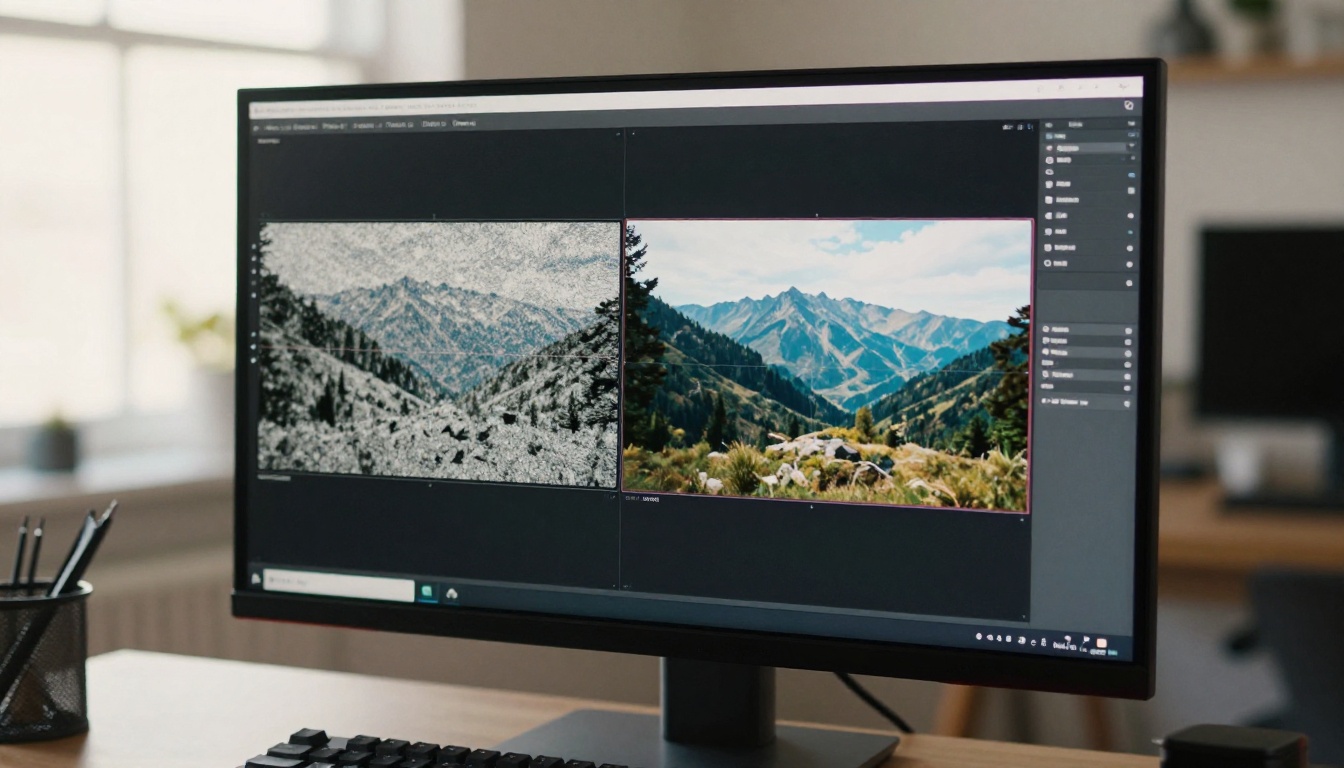
Generating the clip is just the first step. PicassoIA also offers AI video enhancement tools for upscaling resolution, stabilizing shaky motion, and restoring detail in clips that came out softer than expected. Pairing Seedance 2.0 generation with an enhancement pass often closes the quality gap between AI-generated and professionally shot footage.
Your First Video Is Three Minutes Away
The barrier between having an idea and having a video clip has essentially collapsed. With a free AI video generator powered by Seedance 2.0, you can describe a scene, click generate, and have something watchable in the time it takes to make a cup of coffee. That is a meaningful shift in what is possible for individual creators and small teams working without production resources.
The best way to see what the technology can do is to try it yourself. PicassoIA gives you access to the full Seedance model family, alongside 87 other text-to-video options and dozens of enhancement, editing, and audio AI tools, all in one place. You do not need to know how the models work technically. You just need a good description of what you want to see.
Start with Seedance 1 Pro for your first attempt. Describe a simple scene with clear motion, specific lighting, and a defined subject. Iterate from there. Most creators land on something genuinely usable within two or three attempts, even without prior experience with AI video tools.

The tools are free. The creative ceiling is high. There is no reason to wait.


