OpenAI's Sora 2 Pro has become the benchmark that every other AI video tool is measured against. It generates 1080p footage with a level of physical realism, temporal consistency, and prompt fidelity that most competitors have not matched. The good news is that you do not need an OpenAI subscription or a ChatGPT Plus account to use it. PicassoIA hosts Sora 2 Pro alongside over 100 other text-to-video models in a single free-to-access interface. This article walks you through exactly how it works, how to write prompts that produce cinematic results, and which model to use for which job.
What Sora 2 Pro Actually Does
Before jumping into the free-access workflow, it helps to understand what makes Sora 2 Pro worth using over the dozens of alternatives. It is not simply a faster or prettier version of an older model. The architecture was rebuilt around temporal coherence, which means objects, characters, and environments maintain consistent appearance across the full clip, rather than morphing or flickering between frames, a problem that still plagues many competitors.
Resolution, Duration, and Output Quality
Sora 2 Pro outputs up to 1080p with selectable aspect ratios including 16:9, 9:16, and 1:1. Clip lengths range from 5 to 20 seconds depending on the platform. At the higher end of that range, it sustains character consistency and environmental logic in ways that shorter-form models simply cannot. Lighting behaves correctly across the duration. Surfaces retain their texture. Faces stay recognizable from frame to frame.
Why Prompt Fidelity Matters
The model's prompt fidelity sits noticeably above most rivals. Ask it for "a woman walking through a rainy Tokyo alley at night, shallow depth of field, neon reflections on wet cobblestones" and it delivers that specific composition rather than a generic approximation. This matters for real work because it means less iteration, fewer wasted generations, and faster arrival at usable footage.
💡 Worth noting: Sora 2 Pro responds particularly well to cinematographic language. Phrases like "slow dolly-in," "rack focus," "over-the-shoulder medium shot," and "low-angle close-up" produce noticeably better results than vague scene descriptions alone.
How to Use Sora 2 Pro for Free on PicassoIA
PicassoIA provides direct access to Sora 2 Pro without requiring an OpenAI account, a ChatGPT Plus subscription, or a waitlist. The platform pools model access so you can switch between video generators in one interface, comparing outputs side by side before committing to a final render.
Step 1: Open the Model Page
Navigate to the Sora 2 Pro model page on PicassoIA. The interface is clean: a text prompt field at the top, aspect ratio and duration controls below it, and a generate button. No configuration required before your first generation.
Step 2: Write a Specific Prompt
Type a descriptive prompt. The more specific the input, the more cinematic the output. A prompt like "A chef plates an intricate dish under hard overhead kitchen spotlights, close-up slow dolly-in, steam rising, 50mm lens" will outperform "a chef cooking" every time. The four components that consistently produce strong results are: subject and action, environment, lighting direction, and camera movement.
Step 3: Set Your Parameters
Choose your aspect ratio based on the platform the video is for. 16:9 works for YouTube, websites, and presentations. 9:16 is the correct choice for Instagram Reels, TikTok, and YouTube Shorts. Leave the duration at 5 seconds for your first test to confirm the scene looks right before committing to a longer generation.
Step 4: Generate and Download
Hit generate. Processing typically takes 30 to 90 seconds depending on server load and clip length. Once complete, the video plays directly in the browser and can be downloaded as a standard MP4.
Sora 2 Pro vs. The Competition
The AI video space has genuinely matured. Several models now produce results worth comparing to Sora 2 Pro, and each has a scenario where it outperforms the others. Here is an honest breakdown.
The critical takeaway from this table is that every model listed is accessible through PicassoIA without a separate subscription to each company's platform. Instead of managing an OpenAI account for Sora 2 Pro, a Google account for Veo 3.1, and a Kwai account for Kling v3 Video, you access all of them from one place.
The Best Free Models for Specific Jobs
Not every job calls for Sora 2 Pro. Matching the right model to the right task produces better results faster.
PicassoIA Video: Unlimited Free Generation
The platform's own PicassoIA Video model offers genuinely unlimited free text-to-video and image-to-video generation. For high-volume content work, rapid prototyping, or anyone who wants to experiment without credit limits, this is the fastest starting point. Output quality sits solidly in the professional-usable range for social media and web content.
Seedance 2.0: When You Need Audio
Seedance 2.0 from ByteDance generates video with synchronized ambient audio in a single pass. No separate audio track needed in post-production. For social media content where the first two seconds of sound determine whether a viewer stops scrolling, that built-in audio generation is a significant practical advantage. Seedance 1.5 Pro is the faster sibling, worth using when speed matters more than maximum quality.
Veo 3.1: Google's Strongest
Veo 3.1 delivers 1080p output with physics accuracy that rivals Sora 2 Pro in most natural and landscape scenarios. Water, fabric, smoke, and hair all move with convincing weight and flow. For travel, nature, and atmospheric content, it consistently produces the most visually convincing results of any model currently available for free.
Kling v3 Video: Best for Characters
When the video involves a human subject, Kling v3 Video outperforms most alternatives. Faces remain stable across the full clip, limbs articulate naturally, and complex actions like running, dancing, or expressive gesturing occur without the distortion artifacts seen in other models. Kling v2.6 is the slightly faster version with similar character capabilities.
LTX 2.3 Pro: 4K Output
LTX 2.3 Pro from Lightricks is the only widely accessible AI video model delivering true 4K output. For commercial work where footage must hold up on large displays, broadcast contexts, or print-quality exports, it is the only choice. Generation takes longer than faster-tier models, but the output quality is unmatched at that resolution tier.
Writing Prompts That Produce Cinematic Results
The single biggest variable in AI video quality is not the model. It is the prompt. A well-constructed prompt with Sora 2 Pro will outperform a weak prompt on a stronger model. These patterns have been tested across hundreds of generations.
The Four-Part Prompt Structure
Every high-performing AI video prompt contains four components working together:
- Subject and Action: Who or what appears in the frame, described specifically, and what they are doing
- Environment: The setting in concrete sensory terms, not generic labels like "outdoors" or "urban"
- Lighting: Direction, quality, color temperature, and intensity ("volumetric afternoon light from the left," "hard single overhead spotlight")
- Camera: Angle, movement, lens, and distance ("slow dolly-in with 85mm lens," "aerial wide-angle pull back")
💡 Example prompt that works: "A woman in a burgundy coat walks through a cobblestone alley in Lisbon at dusk, terracotta building facades catching the last warm light, tracking shot from behind at knee level, 35mm lens with slight lens flare, steam rising from a nearby restaurant vent."
Mistakes That Produce Weak Output
Several prompt patterns reliably underperform:
- Vague subjects: "A person walking" instead of "A woman in her thirties in a structured blazer walking with purpose"
- Missing environment: Leaving out the setting forces the model to invent a generic one
- No camera direction: Without a specified angle, the model defaults to static medium shots
- Abstract emotional cues: "Show loneliness" produces inconsistent results; describe the physical scene that conveys it instead
Prompts Built for Different Models
Sora 2 Pro responds best to cinematographic language borrowed from real film production. Seedance 2.0 responds well to audio cues woven directly into the prompt. Kling v3 Video benefits from explicit character description at the start. Wan 2.7 T2V handles dense environmental detail particularly well.
Image-to-Video: Animating Your Own Photos
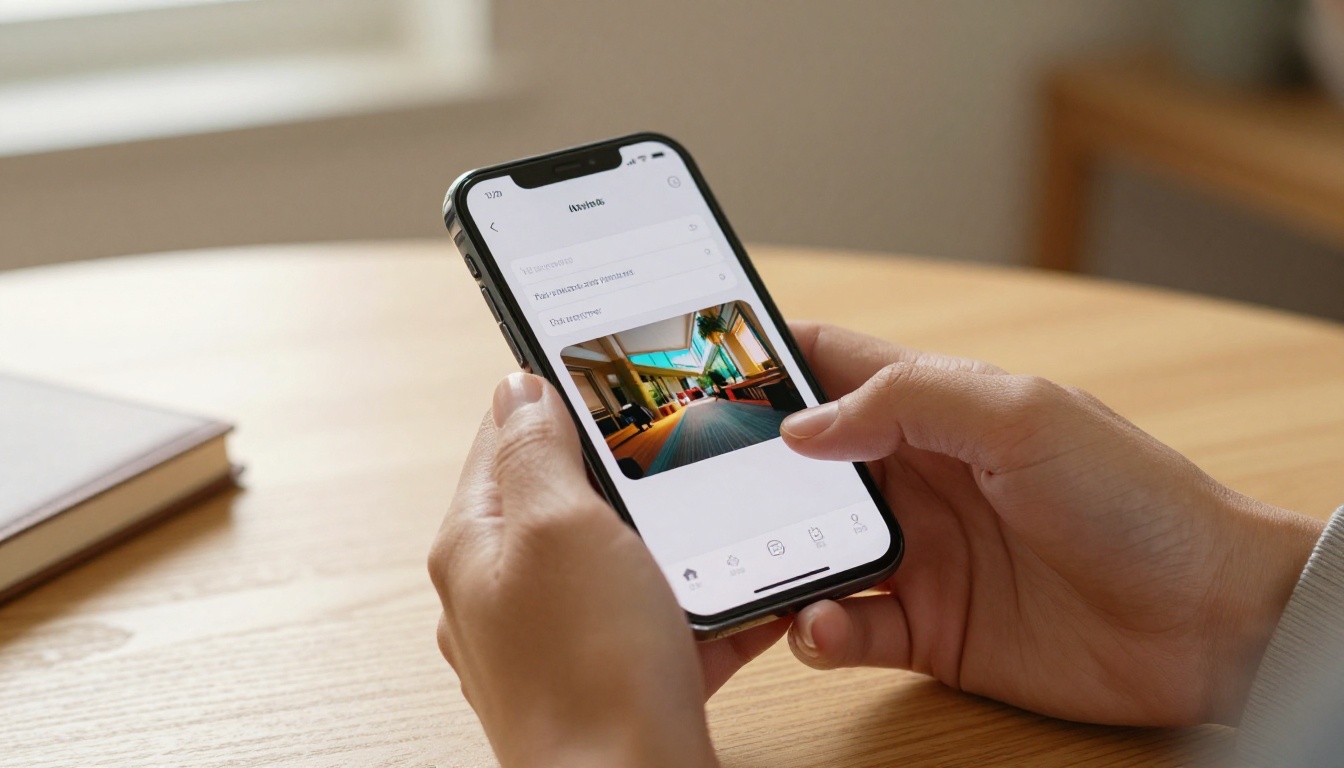
Text-to-video attracts the most attention, but image-to-video often produces more controlled and predictable results. You supply a still image as the starting frame, then describe the motion you want added. The model respects the composition, colors, and subject from your image while generating natural movement forward in time.
Wan 2.7 I2V and Kling v3 Video are the strongest options for this workflow on PicassoIA. For product shots, portraits, architectural photography, or any scenario where you have a specific image you want to bring to life, the image-to-video approach gives you precise control over the first frame while the AI handles the motion logic.
The workflow is straightforward: upload your image, describe the motion, and generate. A simple prompt like "camera slowly zooms in while wind moves the subject's hair" produces clean, usable animation with no post-editing required for most applications.
When to Use Which Model: A Practical Decision Framework
Choosing the right model is as consequential as writing the right prompt. This breakdown covers the most common real-world scenarios.
Social media short-form content:
Use Seedance 2.0 for its native audio advantage, or Ray 2 720p for fast 720p output. Both handle vertical 9:16 format cleanly, which matters for TikTok and Instagram.
Cinematic or narrative video:
Sora 2 Pro or Veo 3.1. Both handle complex multi-subject scenes and sustained environmental logic across clip duration.
Character-focused animation:
Kling v3 Video or Kling v2.6. Both maintain facial and body consistency across the full clip.
Maximum resolution output:
LTX 2.3 Pro at 4K. Nothing else free-accessible currently matches it.
Unlimited high-volume generation:
PicassoIA Video with no per-generation caps and no credit system.
Fast 1080p at scale:
Hailuo 02 from Minimax or Seedance 2.0 Fast.
Real Use Cases That Are Already Working
Content Creators and YouTubers
The most direct application is b-roll supplementation. A travel channel can generate cinematic footage for locations they have never visited. A cooking channel can create atmospheric kitchen shots without owning professional lighting equipment. A documentary producer can illustrate historical events that have no existing footage. The outputs from Sora 2 Pro are indistinguishable from premium stock footage at the resolutions used for web distribution.
Seedance 1.5 Pro handles the rapid-iteration workflow well for this use case, producing usable clips in under a minute per generation. For channels that post multiple videos per week, the speed of generation becomes as important as the quality ceiling.
Small Business Marketing
Product videos, promotional trailers, and social ads benefit immediately from AI video generation. Pixverse v5 has built a strong reputation for product-focused content because it handles object surface textures and realistic product lighting with particular accuracy. For a small business that cannot afford a video shoot, the difference between no video marketing and AI-generated video marketing is significant at any budget level.
Independent Filmmakers and Concept Development
Short films, music video proofs-of-concept, animated story reels, and visual development for pitches all benefit from the speed of AI video. Gen 4.5 from Runway handles stylistic direction well, responding accurately to art direction cues like specific color palettes, period aesthetics, and cinematographic references. For pre-production work where the goal is to communicate a visual idea to a team or investor, AI video can replace expensive animatics or storyboard renderings.
The Infrastructure Behind the Quality
The data center infrastructure required to run models like Sora 2 Pro at the quality level it delivers represents an enormous computational investment. What PicassoIA does is abstract that infrastructure into a simple browser interface, routing your prompt to the right model on the right hardware and returning the result. This is why accessing Sora 2 Pro through the platform requires no technical setup on your end.
The platform currently hosts over 87 text-to-video models alongside image generation tools, AI audio generation, speech-to-text, lipsync, video editing, super-resolution upscaling, and background removal. All of this is accessible through a single account. When you generate a video with Sora 2 Pro and want to upscale it, remove the background, or sync a voiceover to it, the tools are already in the same interface.
💡 Practical note: PicassoIA's credit system allows meaningful free-tier generation volumes. For creators who need higher throughput, the paid tiers cost a fraction of what equivalent stock footage or a production shoot would cost.
The Real Cost Calculation
The framing of "free AI video" sometimes creates a false impression that the alternative is "paid AI video." The real comparison is between AI video at any price point and traditional video production or stock footage licensing.
At that scale, even the paid tiers for Sora 2 Pro through PicassoIA deliver cost ratios that are orders of magnitude better than the alternatives. A single day of professional video production with crew, equipment, and location costs can equal months of paid AI video access. A single stock footage license for a specific cinematic shot can cost more than a week of unlimited AI generation.
The free tier is a genuine starting point for real work. The paid tiers are cost-effective at production scale. And the quality ceiling, anchored by Sora 2 Pro and Veo 3.1, is high enough to pass scrutiny in professional contexts.
Start Creating Right Now
The fastest way to calibrate what AI video can produce for your specific use case is to run your first generation. Pick a subject you care about, apply the four-part prompt structure outlined above, and see what Sora 2 Pro returns. The gap between your first prompt and your fifth is large, because the feedback loop is immediate and the adjustments are visible within seconds.
PicassoIA's full model catalog, including Sora 2 Pro, Veo 3.1, Seedance 2.0, Kling v3 Video, Wan 2.7 T2V, LTX 2.3 Pro, and over 80 more, is available at picassoia.com/en/all-models. No subscription is required to start. Type a prompt, generate a clip, and see what is actually possible today.


