The term "AI companion" used to mean a basic chatbot with a friendly name. What it means today is something far more interesting: a fully customizable persona with a unique appearance, a distinctive voice, and a conversational intelligence that can hold context across hours of interaction. The free NSFW AI companion customization explained in this article covers all three layers, from the image models that define how your companion looks to the large language models that shape how she thinks and the speech models that give her a voice.

What NSFW AI Companion Customization Actually Is
Most people searching for AI companion customization bump into one of two walls: platforms that put every interesting feature behind a subscription, or platforms that quietly censor any prompt that goes slightly outside vanilla territory. NSFW AI companion customization sits in a third category, a space where the image, voice, and personality of your companion can be shaped without filters and, depending on the tools you choose, without spending anything to get started.
Before touching any model, it helps to know what you are actually customizing.
The 3 Pillars of an AI Companion
Every convincing AI companion is built from three distinct layers:
- Appearance — generated through a text-to-image or image-editing model. This defines how your companion looks: face structure, body proportions, clothing style, lighting and environment.
- Personality — driven by a large language model (LLM). This controls tone, vocabulary, emotional range, and long-term memory across a conversation.
- Voice — delivered by a text-to-speech model. This converts the companion's text responses into audio that matches her persona.
Miss any one pillar and the experience feels incomplete. A visually stunning companion with a robotic voice breaks immersion immediately. A compelling conversationalist with a generic stock image feels hollow. Getting all three right, for free, is what this article is about.
Why Censorship Is a Bigger Problem Than Cost
Censorship in AI companion tools tends to be invisible until it is not. You build a detailed persona, invest hours fine-tuning her appearance, and then hit an invisible wall the moment a prompt goes slightly beyond what the platform's safety filter considers appropriate. The image generator silently refuses. The LLM deflects with a canned response. The entire persona collapses.
The issue is not that safety filters exist. The issue is that most platforms apply them as a broad hammer rather than a precise tool, flagging artistic, glamour, and mature creative content alongside genuinely problematic material. Platforms that offer uncensored or filter-optional models treat creators as adults capable of managing their own creative intent.
💡 Tip: Always verify a model's NSFW policy before investing time building a persona around it. Some models advertise freedom but silently block prompts at generation time.
Why Free Matters (And Where to Find It)

Free access to NSFW AI tools breaks into two categories that look similar on the surface but work very differently in practice.
Free Trials vs. Truly Free
Free trials give you a limited number of generations at no cost, usually three to ten images, before requiring a subscription or per-generation payment. These are valuable for testing quality before committing money but will not sustain a full customization workflow.
Truly free (or free-tier) tools offer some form of ongoing access without payment, though often with slower speeds, queues, or lower resolution caps.
The most practical approach for NSFW AI companion customization is to use a platform with a generous free tier for exploration and a clear upgrade path when you need unlimited volume. This is exactly where PicassoIA sits, with free trials on key models and subscription plans that remove per-generation costs entirely.
The Real Cost of Censored Models
Censored models have a hidden cost that shows up in iteration time. When a model silently declines your prompt or produces a sanitized result, you lose the generation credit anyway and have to spend time diagnosing whether the issue is the prompt wording, the model's safety filter, or a platform bug. Across a serious customization session, this adds up to significant wasted time.
Uncensored models that process your prompt as submitted eliminate this uncertainty. What you type is what gets generated, which means faster iteration and more predictable results.
| Factor | Censored Models | Uncensored Models |
|---|
| Prompt flexibility | Low | High |
| Iteration speed | Slow (failed gens) | Fast |
| Persona consistency | Hard to maintain | Easy to maintain |
| Free tier value | Lower | Higher |
Best Models for NSFW Image Generation
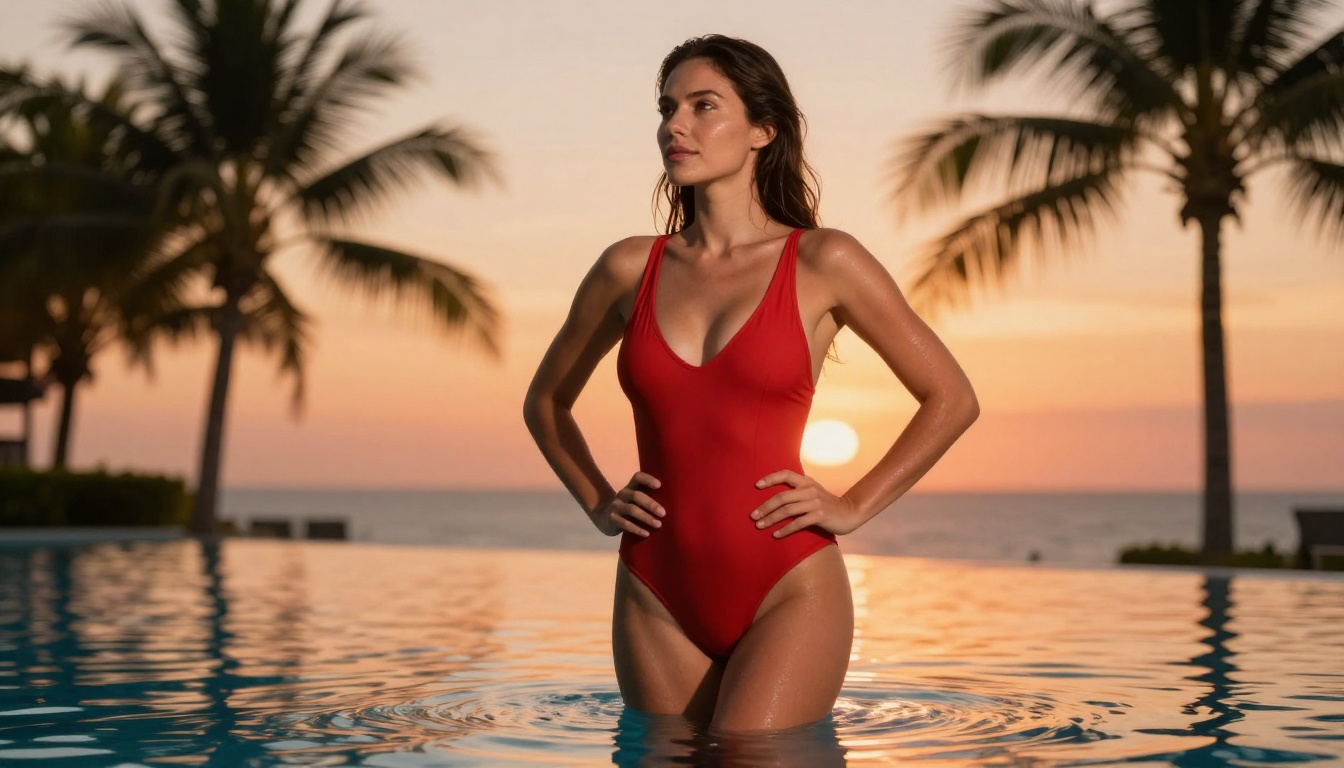
PicassoIA hosts a curated set of models that support adult content without hidden content restrictions. Here is the recommended lineup, ordered by performance and practical value.
1. Seedream 4.5 (Top Pick)
Seedream 4.5 is the top recommendation for NSFW AI companion image generation. It accepts mature content, supports image editing on top of text-to-image generation, and delivers results in under three seconds. The combination of speed and output quality makes it the most practical choice for iterating on a companion's appearance.
One detail worth noting: the newer Seedream 5 Lite does not support NSFW content. If you are building for an adult persona, stick with Seedream 4.5 specifically.
💡 Seedream 4.5 sweet spot: Use it for establishing shots of your companion (full-body, environmental context) and for rapid iteration on facial features. Its image editing mode is ideal for making incremental adjustments without regenerating from scratch.
2. PicassoIA Image Editor Pro (Unlimited Generations)
PicassoIA Image Editor Pro is an image-to-image model. Its most significant advantage is the generation limit: Elite and Infinite plan subscribers get unlimited generations. If you need 1,000 images to fine-tune your companion's look, that is 1,000 images at no additional cost. Comparable volume on models like Nano Banana 2 would run roughly $100 extra. It also delivers results in under one second and includes a free three-generation trial with no credit card required.
This model is the right choice for high-volume refinement work: adjusting clothing, expressions, lighting, and environment across many variations without worrying about credit burn.
3. Qwen Image 2
Qwen Image 2 is an open-source model that handles both text-to-image and image editing with very detailed realism. Being open source means the model weights are not locked behind proprietary restrictions, which translates into broader creative latitude.
4. Grok Imagine Image
Grok Imagine Image specializes in image-to-image transformations. It is particularly effective at converting any reference photo into a specific style, including swimwear and glamour formats, with realistic output.
5. Recraft V4
Recraft V4 is a text-to-image-only model that consistently produces very realistic results. It does not support image editing, but its text-to-image quality makes it worth including in the rotation when starting a new persona from a text prompt.
6. P-Image (PrunaAI)
P-Image generates NSFW-capable images in under one second. Speed is its defining advantage. For rapid prototyping of companion appearances before committing to a higher-detail generation pass, P-Image handles the job without wait times.

How to Customize Your Companion's Appearance
Appearance customization breaks into two phases: establishing the base persona and then iterating on specific details. Each phase calls for a different prompt strategy.
Establishing the Base Persona
Start with a prompt that defines the non-negotiable aspects of your companion: age range, ethnicity, body type, hair color and length, and the overall visual mood you want. The following structure works well across all text-to-image models.
Base prompt structure:
Subject description + Clothing and styling + Environment + Lighting + Camera angle + Quality modifiers
A practical example: "Young woman, mid-20s, Mediterranean complexion, long dark wavy hair, wearing a silk slip dress, seated in a warm-toned apartment, soft afternoon light from the left, eye-level shot, 85mm f/1.4, photorealistic 8K"
Run this through Seedream 4.5 first. You will have a base persona in under three seconds.
Iterating on Details
Once you have a base image you like, switch to PicassoIA Image Editor Pro for refinement. The image-to-image workflow takes your existing result as the reference and applies targeted changes. Want to change the expression? Adjust the lighting? Swap the outfit? Each refinement is a separate generation, and with unlimited generations on Elite and Infinite plans, you can iterate as many times as needed.
💡 Consistency tip: Save the seed value from your first successful Seedream 4.5 generation. Using the same seed with slight prompt variations keeps your companion's core appearance consistent across multiple images.
5 Prompt Mistakes That Break Results
- Too many competing subjects: One companion, one environment. Adding multiple people confuses the model.
- Vague physical descriptions: "Pretty" produces generic results. "High cheekbones, amber eyes, sharp jaw" produces a specific face.
- Conflicting lighting: Do not describe both "soft window light" and "dramatic shadows" in the same prompt.
- Missing camera angle: Without an angle, models default to a generic frontal shot. Specify low angle, aerial, or three-quarter profile.
- No quality modifiers: Always close with photorealistic, 8K, RAW photography or equivalent.

Giving Your Companion a Voice
Appearance handles the visual layer. Voice handles the audio layer. For a truly immersive AI companion experience, the voice needs to match the persona: tone, pacing, accent, and emotional register should all align with the character you have built visually and through the LLM layer.
TTS Models on PicassoIA
PicassoIA offers a strong set of text-to-speech models built for companion-quality audio output.
Speech 2.8 HD from MiniMax is the premium option: studio-quality audio with natural prosody and minimal robotic artifacts. It supports multiple voice styles and handles long-form text well, making it ideal for companion responses that run several sentences.
ElevenLabs V3 delivers highly expressive voiceovers with strong emotional range. If your companion's persona involves emotional variation, flirtatious tone shifts, or character-specific speech patterns, V3 handles those nuances better than most alternatives.
Chatterbox Pro from Resemble AI produces natural voiceover output with clean generation. A good choice for a companion who should sound measured and composed rather than emotionally expressive.
Flash v2.5 from ElevenLabs is the fastest option in the lineup, useful when you need quick audio generation for testing how a response sounds before committing to a higher-quality render.
Qwen3 TTS brings a distinctive capability: voice cloning and custom voice design. If you want your companion to have a voice that does not exist in any pre-built library, Qwen3 TTS lets you design one from scratch.
Play Dialog from PlayHT specializes in dialogue audio, producing natural back-and-forth conversational sound that suits companion interaction better than standard TTS outputs.
Matching Voice to Persona
| Persona Type | Recommended TTS Model |
|---|
| Warm, nurturing companion | Speech 2.8 HD (soft natural tone) |
| Playful, expressive companion | ElevenLabs V3 (emotional range) |
| Composed, intellectual companion | Chatterbox Pro (measured pacing) |
| Custom voice persona | Qwen3 TTS (voice design) |
| Multilingual companion | Gemini 3.1 Flash TTS (70+ languages) |
| Rapid prototyping | Flash v2.5 (speed) |
💡 Voice consistency tip: Generate a short test phrase in your chosen TTS model before running full companion responses through it. The test phrase should include a range of emotional beats so you can verify the model handles tone variation well.

AI Companions and Large Language Models
The LLM layer is what makes a companion feel alive rather than scripted. A strong LLM handles long conversational context, maintains character consistency across an extended session, and generates responses that feel genuinely in-character rather than generically helpful.
Personality Without a Paywall
Several of the LLMs available on PicassoIA offer free access or low-cost tiers that work for companion use cases.
GPT 5 from OpenAI is the most capable option for nuanced personality simulation. It handles complex roleplay prompting, maintains character consistency over long sessions, and generates responses with natural variance rather than repetitive patterns.
Claude Sonnet 5 from Anthropic excels at long-form conversational continuity. It is particularly strong at staying in character when given a detailed persona definition in the system prompt.
Gemini 3.1 Pro handles multimodal input well, meaning you can feed it an image of your companion and have it incorporate visual context into the conversation. This creates a more cohesive experience where the LLM knows what the companion looks like.
DeepSeek R1 is a strong open-source reasoning model. For companions with intellectual personas, it handles complex dialogue and nuanced reasoning without requiring a premium subscription.
Llama 4 Maverick Instruct from Meta is fully open-source and available for free. A solid choice for users who want capable LLM personality without any associated cost.
Which LLM Works Best
| Use Case | Best LLM | Why |
|---|
| Deep roleplay sessions | GPT 5 | Best character consistency |
| Long-context conversations | Claude Sonnet 5 | Superior context retention |
| Visual-context integration | Gemini 3.1 Pro | Multimodal input support |
| Intellectual companion persona | DeepSeek R1 | Strong reasoning, open-source |
| Zero-cost setup | Llama 4 Maverick | Fully free, capable output |
Writing a Companion System Prompt
The system prompt is the most important input for LLM-based companion customization. It defines the companion's personality before any conversation begins. A well-written system prompt includes:
- Name and age: Keep it specific.
- Personality traits: List three to five adjectives that define how she speaks.
- Speaking style: Formal, casual, playful, measured?
- Interests and knowledge: What topics does she engage with confidently?
- Behavioral rules: What does she always do? What does she never do?
Example system prompt fragment: "You are Mia, 26 years old. You are warm, direct, and slightly sardonic. You speak in short sentences and rarely over-explain. You enjoy art, late-night conversations, and asking unexpected questions. You never break character."
The shorter and more specific the system prompt, the more consistently the LLM will maintain the persona.
Putting It All Together
With the three pillars covered individually, here is how a practical customization workflow looks from start to finish.
Your First Companion in 30 Minutes
Phase 1: Visual Foundation (10 minutes)
- Write a detailed base prompt for your companion's appearance. Include face, hair, body type, clothing, environment, and lighting.
- Run it through Seedream 4.5. Generate three to five variations and pick the result that best matches your intent.
- Note the seed value. Save the image URL.
Phase 2: Appearance Refinement (10 minutes)
- Take the best result from Phase 1 into PicassoIA Image Editor Pro.
- Make two or three targeted refinements: expression, lighting, outfit detail.
- Finalize a canonical reference image for your companion.
Phase 3: Voice and Personality Setup (10 minutes)
- Write a system prompt for your chosen LLM using the template above.
- Select a TTS model that matches the persona tone. Start with Speech 2.8 HD for general use.
- Run a test exchange to verify the voice and personality feel cohesive.
At the end of 30 minutes you will have a companion with a consistent visual identity, a defined personality, and a voice that suits her character.
Common Setup Mistakes
Even experienced users run into these issues during first-time companion customization.
Using the same model for everything: Seedream 4.5 is the best image model for initial generation, but using PicassoIA Image Editor Pro for refinement and volume is smarter than running 50 generations through Seedream 4.5 alone. Match the model to the task.
Skipping the system prompt: An LLM without a system prompt produces generic responses that break persona immediately. Spend ten minutes on the system prompt and save hours of frustration later.
Choosing voice last: Voice affects the emotional register of every interaction. Select and test your TTS model during setup, not as an afterthought. A mismatch between visual persona and voice tone is immediately obvious.
Not saving seed values: Seedream 4.5 generates fast, but if you do not save the seed from a successful result, recreating the same companion appearance later requires significant trial and error.
Over-complicating prompts: The best companion images come from clear, specific prompts, not from 500-word descriptions. Focus on the core attributes and let the model fill in the details.
Additional Models Worth Knowing

A few additional models on PicassoIA are worth including in a fully-equipped NSFW AI companion toolkit.
Grok Imagine Video converts companion images into short video clips up to 15 seconds long with no watermarks. Once you have a strong base image, this model animates it with natural motion.
P-Video generates video from text, image, or audio at up to 1080p with the safety filter disabled by default. It includes a draft mode for instant low-resolution previews before committing to a full-resolution render.
Gemini 3.1 Flash TTS gives access to 30 distinct voice styles across more than 70 languages. For companions with non-English personas or multilingual capability, this is the strongest TTS option available.
Grok Text To Speech delivers instant audio generation with natural delivery, a fast alternative when turnaround time matters more than maximum expressiveness.
Here is a full summary of the recommended model stack by category:
| Layer | Primary Model | Backup Model |
|---|
| Image generation | Seedream 4.5 | Recraft V4 |
| Image refinement | PicassoIA Image Editor Pro | Qwen Image 2 |
| Image editing | Grok Imagine Image | P-Image |
| LLM personality | GPT 5 | Claude Sonnet 5 |
| Voice output | Speech 2.8 HD | ElevenLabs V3 |
| Voice design | Qwen3 TTS | Chatterbox Pro |
The complete catalog of all available models, across every category and price tier, is at picassoia.com/en/all-models.
Start Building on PicassoIA
What this article has covered is the framework. The actual companion, the specific face, voice, and personality that fits what you are building, comes from iteration with the models. PicassoIA gives you access to Seedream 4.5 for NSFW-capable image generation in under three seconds, PicassoIA Image Editor Pro for unlimited-generation refinement, a full selection of voice models from Speech 2.8 HD to ElevenLabs V3, and a robust set of LLMs including GPT 5 and Claude Sonnet 5 for personality.
The free trial on Image Editor Pro requires no credit card. You can build your first companion today without spending anything.
Go to picassoia.com/en/all-models and start with the appearance. Everything else follows from there.


