Most people searching for a free uncensored AI video generator with no watermark are tired of hitting the same wall: great output hidden behind a paywall, watermarks slapped on every frame, or content filters that reject anything remotely creative. The reality is that these tools exist, but you need to know exactly where to look and what to expect from each one.
This article breaks down the actual options available in 2027, including which models respect your creative freedom, which ones are genuinely free, and which platforms give you watermark-free downloads without demanding a credit card.
What "Uncensored" Actually Means
When someone asks for an uncensored AI video generator, they usually mean one of three things:
- No content filters: The model won't refuse artistic, suggestive, or mature-themed prompts
- No style restrictions: You can generate any visual style, from realistic to abstract
- No creative guardrails: The AI doesn't soften your prompts or add unwanted disclaimers
Most major platforms apply some level of moderation. The degree varies enormously. Some block anything beyond conservative prompts. Others allow suggestive content while stopping short of explicit material. A few open-weight models running locally have zero restrictions.
💡 Important distinction: "Uncensored" for video generation is more nuanced than for image generation. Video requires multiple consistent frames, making truly unrestricted generation technically harder to achieve.
Why Watermarks Are Still a Problem in 2027
You'd think the watermark problem would be solved by now. It is not. Here is why watermarks persist on free tiers:
- Business model enforcement: Platforms want you to upgrade to paid plans
- Brand visibility: Watermarks act as free advertising when videos get shared
- Usage tracking: Some platforms use watermarks to monitor distribution
- API abuse prevention: Watermarks discourage bulk generation for resale
The frustrating part is that many watermarks are now invisible or embedded in metadata. Even if the video looks clean, some platforms embed digital fingerprints that identify the source.
The only guaranteed way to get truly watermark-free output is to use either:
- A platform that explicitly states no watermarks on the free tier
- A locally-run open-weight model where you control everything
- A platform with generous free credits that include clean exports
The Best Free Options Right Now
Let's get specific. These are the tools that deliver real uncensored, watermark-free video generation without requiring payment.
Open-Weight Models You Run Locally
Local deployment is the nuclear option for both watermarks and content filters. If it runs on your machine, you own every frame.
CogVideoX-5b is one of the strongest open-weight video models available. Running it locally means zero censorship and zero watermarks. The 5B parameter version produces coherent 6-second clips with solid prompt adherence. The catch: you need a GPU with at least 16GB VRAM.
WAN 2.5 T2V from Wan Video is another powerful open-weight option. It runs locally and produces surprisingly cinematic output. The model architecture allows for 480p and 720p generation depending on your hardware.
LTX-2 Distilled is specifically designed for fast, efficient generation. The distilled version runs faster than the full model with minimal quality loss, making it more accessible on consumer hardware.
💡 Tip: If you don't have the GPU for local models, the next best option is a platform that runs these same open-weight models on their infrastructure, where the terms of service allow mature content.
Platform-Hosted Free Tiers
Running models locally isn't realistic for everyone. These platforms offer free generation with either no watermarks or very limited watermark restrictions:
| Platform | Model | Free Credits | Watermark | Censorship Level |
|---|
| PicassoIA | LTX-2 Distilled | Daily credits | No watermark | Medium-Low |
| PicassoIA | WAN 2.6 T2V | Daily credits | No watermark | Medium-Low |
| PicassoIA | CogVideoX-5b | Daily credits | No watermark | Low |
How PicassoIA Handles Uncensored Video
PicassoIA takes a different approach compared to most mainstream platforms. Instead of applying one blanket filter across all models, the platform gives you access to dozens of individual video models, each with its own behavior.
This matters because some models are naturally more permissive than others. The open-weight models hosted on PicassoIA, such as CogVideoX-5b and WAN 2.6 T2V, tend to follow prompts more literally than closed commercial models like Veo or Sora.
The platform also offers:
- No watermarks on generated videos, even on the free tier
- 87+ video models to choose from across text-to-video and image-to-video
- Daily free credits that refresh automatically
- Direct download of clean MP4 files
💡 For suggestive or mature content, the open-weight models like LTX-2 Distilled and WAN 2.5 T2V Fast are your best starting points. They follow creative prompts without the heavy-handed refusals common on platforms like Runway or Sora.

Top Video Models for Unrestricted Content
Here is a breakdown of the video models worth knowing about for unrestricted generation, ranked by creative freedom:
1. CogVideoX-5b
CogVideoX-5b is an open-weight model that generates up to 6 seconds of video from text prompts. Because it was released as an open model, hosted versions tend to be more permissive than proprietary alternatives. It handles:
- Realistic human movement
- Nature scenes with complex motion
- Cinematic camera effects
- Suggestive creative content
Resolution: 720p | Max duration: 6 seconds | Best for: Creative and artistic prompts that mainstream models refuse
2. LTX-2 Distilled
LTX-2 Distilled from Lightricks is optimized for speed without sacrificing output quality. It generates videos faster than most alternatives, which means you can iterate quickly when experimenting with boundary-pushing prompts.
Resolution: 768p | Max duration: 5 seconds | Best for: Fast iteration on creative prompts
3. WAN 2.6 T2V
WAN 2.6 T2V is one of the more capable open-weight text-to-video models. Its architecture handles complex scene descriptions with multiple elements while maintaining consistent motion throughout the clip.
Resolution: 720p | Max duration: 5 seconds | Best for: Complex scene descriptions with multiple subjects
4. PixVerse v5.6
PixVerse v5.6 sits in an interesting middle ground: it produces high-quality output and its content policies allow more creative flexibility than Sora or Veo. It's particularly strong on stylized content and character-driven scenes.
Resolution: 1080p | Max duration: 8 seconds | Best for: Stylized and character-focused content
5. Hailuo 2.3
Hailuo 2.3 from MiniMax is known for exceptional motion quality and realistic human behavior in video. It handles physical movement, facial expressions, and environmental interaction with more realism than most competitors.
Resolution: 1080p | Max duration: 6 seconds | Best for: Realistic human subjects and physical motion
What You Can Actually Generate
Let's be specific about what these tools can realistically produce without triggering refusals:
Allowed on most open-weight platforms:
- Bikini and swimwear scenes
- Artistic nudity (implied, not explicit)
- Romantic and intimate scenarios (non-explicit)
- Suggestive poses and movement
- Glamour photography-style video content
- Beach, pool, and lifestyle content
Requires local deployment for:
- Fully explicit content
- Content involving simulated violence
- Anything that would violate standard platform terms
The honest reality is that even "uncensored" platforms have some limits. The open-weight models available through PicassoIA will handle a wide range of creative, suggestive, and mature-themed content, but explicit material typically requires running models on your own hardware.
💡 Creative workaround: Many creators use P-Video for quick iterations to test composition and motion, then refine the final output using more permissive local models.
Not all platforms are equal when it comes to freedom and pricing. Here is how the major players stack up:
| Platform | Free Tier | Watermark-Free | Open Models | Content Flexibility |
|---|
| PicassoIA | Yes | Yes | 87+ models | High (open-weight models) |
| Runway | Yes (limited) | No | No | Low |
| Kling | Yes (limited) | No | No | Medium |
| Sora | No | No | No | Low |
| Veo | No | No | No | Low |
| Replicate | Yes (API) | Yes | Yes | High |
PicassoIA stands out in this comparison specifically because it combines free access, no watermarks, and open-weight models in a single browser-based interface. You get the creative freedom of local models without the hardware requirements.
How to Use LTX-2 Distilled on PicassoIA
Since LTX-2 Distilled is one of the strongest free uncensored options available, here is exactly how to use it:
Step 1: Access the model
Go to the LTX-2 Distilled page on PicassoIA. No account required to browse, but you will need a free account to generate.
Step 2: Write your prompt
LTX-2 Distilled responds well to detailed, cinematic descriptions. Be specific about:
- Subject and their action
- Environment and lighting
- Camera movement (slow pan, static, tracking shot)
- Mood and atmosphere
Step 3: Adjust settings
- Duration: Start with 3-4 seconds for testing, extend once the composition works
- Guidance scale: Higher values follow your prompt more strictly
- Steps: 20-30 steps gives a good quality-speed balance
Step 4: Download clean output
Once generated, download directly. No watermark is added to the file.
Step 5: Iterate fast
LTX-2 Distilled is fast enough that you can run 5-10 variations in the time other models take for one generation. Use this speed advantage to refine your prompt.
💡 Pro tip: Pair LTX-2 Distilled with Wan 2.6 I2V for a two-stage workflow: generate your perfect still frame with an image model, then animate it with the I2V model for more controlled results.
Prompt Writing for Uncensored Results
The way you write your prompt directly affects whether a model complies or refuses. These patterns consistently produce better results on permissive platforms:
Framing that works:
- "Cinematic scene of..." (suggests artistic intent)
- "Professional photography-style..." (implies production context)
- "Documentary footage of..." (neutral, observational framing)
- Describe clothing and setting before describing action
Framing that triggers filters:
- Direct explicit language
- Overly specific anatomical descriptions
- Anything that reads as purely transactional rather than creative
Example of an effective prompt:
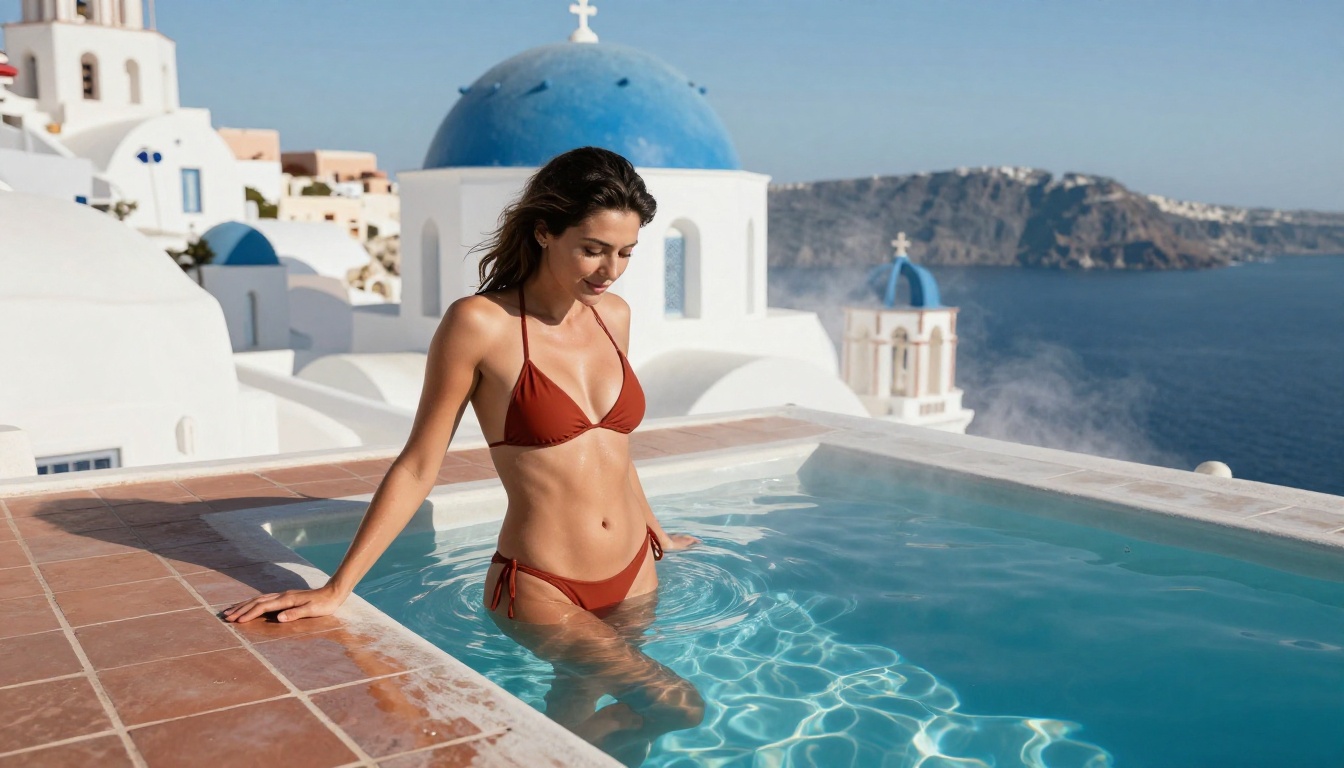
"Cinematic wide shot of a woman in a white bikini standing at the edge of a rooftop pool in Santorini at golden hour, slow push-in camera movement, warm amber light from the setting sun, gentle wind movement in her hair, turquoise sea visible in the background, photorealistic 8K quality"
This prompt describes exactly what most creators want while framing it in a way that reads as high-production fashion and lifestyle content.
| Prompt Element | Weak Version | Strong Version |
|---|
| Subject | "woman" | "woman in white bikini at rooftop pool" |
| Lighting | "good lighting" | "warm amber golden hour light from the left" |
| Camera | none | "slow cinematic push-in shot" |
| Style | none | "photorealistic, fashion editorial quality" |

The New Generation: Seedance and Kling v3
Two models released in 2025-2026 have changed what free AI video generation can achieve.
Seedance 2.0 from ByteDance generates video with native audio. This is a significant leap because most text-to-video models produce silent clips. Seedance 2.0 adds ambient sound and music generation directly in the video pipeline. For creators making lifestyle content, this addition is enormous.
Kling v3 Video produces some of the most realistic human motion currently available. The model handles:
- Natural walking and running gaits
- Realistic facial expressions during speech
- Complex hand movements
- Fluid fabric physics (crucial for fashion and lifestyle content)
Kling v3 Omni adds multi-modal input, meaning you can combine text descriptions with reference images to guide the generation more precisely.
For uncensored content specifically, Kling's content policies are notably more permissive than Runway or Sora on mature lifestyle themes, while still stopping short of explicit material.
Enhancing Your Generated Videos
Raw video output often benefits from post-processing. PicassoIA offers tools specifically built for this:
- LTX-2.3-Pro: Higher quality output than the distilled version for final renders
- Hailuo 2.3 Fast: Fast variant for quick previews before committing to full generation
- Seedance 2.0 Fast: Rapid audio-enabled video generation for quick tests
This workflow, generate fast with LTX-2 Distilled, refine with LTX-2.3-Pro, gives you professional-quality results within the free tier.
What Still Requires a Paid Plan
Being honest about limitations is important here. Free tiers have real constraints:
Free tier limitations across most platforms:
- Generation queue priority (paid users go first)
- Maximum clip length (usually 5-8 seconds free vs. 30+ seconds paid)
- Resolution caps (720p free vs. 1080p+ paid)
- Monthly generation volume
What free tiers are genuinely useful for:
- Testing concepts and compositions
- Short social media clips (TikTok, Reels, Shorts)
- Rapid prototyping for client approval
- Personal creative projects with modest output requirements
For most individual creators, the free daily credits on platforms like PicassoIA are sufficient to produce 3-5 quality clips per day. That is enough for a consistent posting schedule on short-form video platforms.
Start Creating Your Own AI Videos
The tools described in this article are not theoretical. They are live and generating output right now. LTX-2 Distilled, WAN 2.6 T2V, CogVideoX-5b, and PixVerse v5.6 are all accessible through PicassoIA with free daily credits and zero watermarks on output.
The creative freedom varies by model. Open-weight models handle mature content that commercial models refuse. The platform gives you 87+ video models to choose from, which means there is almost always a model that will work with your specific creative vision.
The best approach: start with LTX-2 Distilled for fast iteration, move to Seedance 2.0 when you need audio, and use Kling v3 Video when human motion realism is the priority. Each model has a different personality, and the fastest way to find your preferred tool is simply to start generating.


